暗号化され、GDPRに準拠し、プライバシーを最優先とするサービスにより、データの安全性を確保します。
tl;dv と5,000以上のツールをシームレスに連携させ、体験をさらに充実させましょう。
個別指導とパフォーマンス評価表を活用して、営業スキルを向上させましょう。
Google Meet 、Zoom 、およびMS Teamsでの会議を録音・文字起こしします。
ログ、会議のメモ、および洞察をCRMに記録します
カレンダーで予定された会議を自動的に録音・文字起こしします。
会議の議事録、メモ、報告書、録音データを、チームのコラボレーションアプリに自動で共有します。
タスクを追加したり、会議のメモや気づきをプロジェクトに記録したりできます。
録音データと文字起こしをストレージアプリにアップロードしてください。
会議のメモを、個人のメモアプリに自動的に追加します。
チームが「playbook 」を習得し、自信を持って反論に対応できるようサポートしましょう。重要なチームミーティングの自動要約で、常に最新情報を把握できます。
チームに「playbook 」に従い、反論に効率的に対処するよう指導しましょう。複数の会議から自動的に洞察を導き出し、最も重要なことに集中できるようにしましょう。
tl;dv CRMを自動的に更新し、フォローアップメールの下書きを作成し、会議の準備をサポートします。
文書が実際の会話と共鳴します。Microsoft Teams 、Zoom 、Google Meet のインサイトを Google ドキュメントに直接インプリントすることで、すべてのワードドキュメントが有意義なディスカッションに裏打ちされたものになります。
コンテンツ作成のために開発されたAIミーティングテンプレートを活用し、Googleドキュメントに会議の要約を埋め込むことができます。どのようなドキュメントでも、tl;dv要約でエッセンスを素早く把握し、詳細な視点を得るには、特定の記録セグメントを直接クリックします。
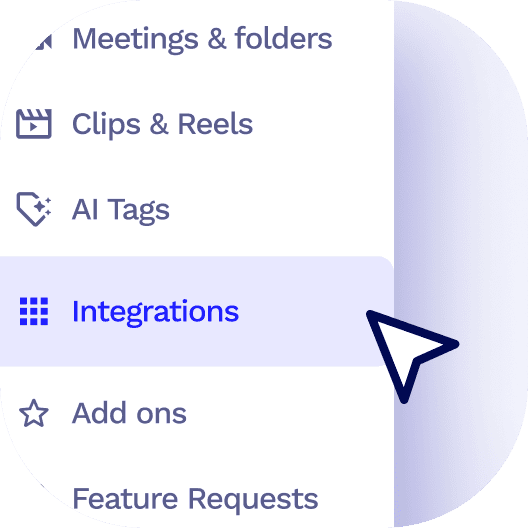
tl;dvサイドメニューの サイドtl;dv 統合タブをクリック
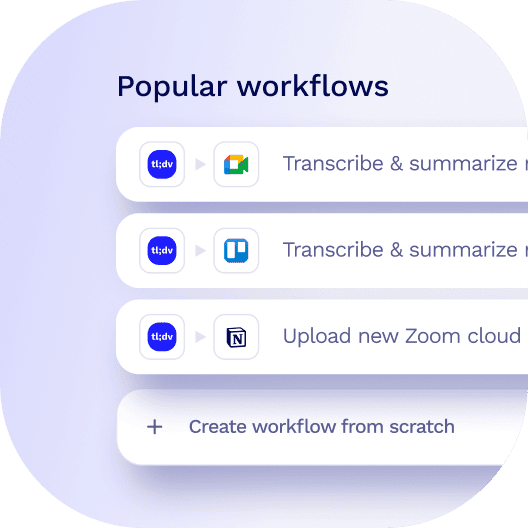
当社のテンプレートから選択するか、独自のカスタムワークフローを作成してください。
さあ、お出かけください!アプリ間でデータはシームレスに流れます。
 コンテンツへスキップ