Skip to content






Coconote has been gaining a lot of attention recently. It’s gone viral on TikTok thanks to its UGC content, and at the start of the 25/26 academic year, it became free for educators. As of 2026, more and more people are starting to talk about Coconote, but is it actually worth the price tag, or is it all hype? That’s what this Coconote review aims to uncover.
Before we dive in though, quick disclaimer: I am a writer for tl;dv. I have downloaded Coconote to try it out for this review and to see whether it’s a tool that I’d ever use in my own personal life. While tl;dv and Coconote both record conversations and make notes and summaries, they’re targeted at different audiences. Coconote is marketed towards students and specializes in turning lecture materials into revision quizzes. tl;dv is more for corporate internal calls or customer-facing calls that need CRM syncs.
All in all, they’re very different tools but they inevitably have some cross-over. I’ve tried to leave my bias at the door to view Coconote with fresh eyes, especially as I have been testing it during my online language lessons. I’ll also bring my expertise when it comes to reviewing AI notetaking tools (as I have been doing for many years now). I know what works and what doesn’t, so if Coconote is the real deal, I’ll be able to tell you.
Let’s get started.
TL;DR: Is Coconote Really Worth the Hype?
Coconote is marketed as an active learning tool but behaves more like a summarizer. It takes solid notes and is great for remembering lectures, but it’s only useful for studying under specific circumstances.
If you only need Coconote to summarize and quiz you on lectures, it’s definitely worth a try. Anything slightly different and you’ll want to read on.
Here’s how (and why) I tested it:
My current process: I take three Russian language lessons per week on Preply. I record them using Granola, ask the AI questions to help me clarify grammar rules, then I get it to give me a list of new vocabulary which I copy and paste over to Quizlet to make flashcards.
How Coconote can help (in theory): Coconote should be able to record my Preply lessons (as it records device audio), provide notes and an AI chatbot to clarify things with, and then make the flashcards for me all in one app.
What it actually did: Coconote gave me all the notes in Russian, required me to ask it multiple times before it translated the notes, then provided me with flashcards that were randomly generated based on the class discussion, rather than with the specific intent of learning the language. For instance, I was quizzed on the topics we discussed rather than the grammar and vocabulary. Both the questions and answers were in Russian and this was only able to be changed manually (which I was already doing via Quizlet). In future lessons, the notes and flashcards were only in English.
Overall, Coconote did not help me with my language learning classes anywhere near as much as I thought it would. In fact, my current method with Granola and Quizlet remains far superior.
However, Coconote shows promise. It’s tackling the right problems, it just isn’t quite there yet.
What Is Coconote?
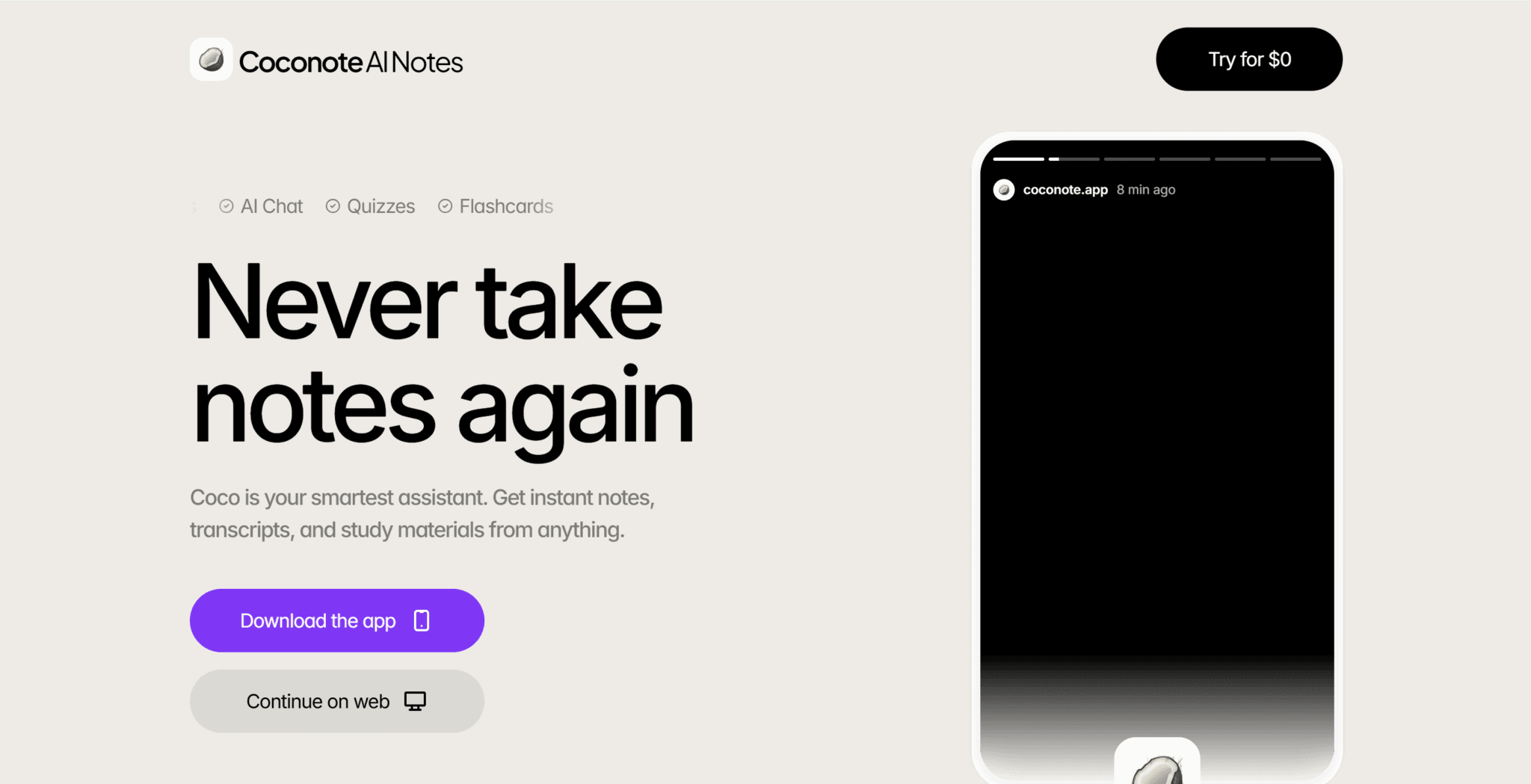
Coconote is an AI-powered note-taking and study assistant designed to turn spoken or long-form content into clear, structured learning materials. At its core, it takes audio, video, or lecture recordings and automatically converts them into organized notes, summaries, flashcards, quizzes, and revision-friendly formats. Rather than focusing on meetings or productivity workflows, Coconote is built primarily for students, learners, and educators who want to understand and retain information faster.
What sets Coconote apart is its learning-first approach. Instead of stopping at transcription, it actively reshapes content into study tools such as practice questions, bite-sized summaries, and exam-style prompts. This makes it especially useful for lectures, online courses, language learning, and revision sessions, where passive transcripts are far less effective than structured recall-based materials.
Coconote also supports over 100 languages, making it accessible to a global audience, and has seen rapid adoption among students worldwide. Its emphasis on transforming raw information into usable knowledge positions it closer to an AI study companion than a traditional note-taking app. This marks a clear differentiator from meeting-centric tools like tl;dv, Otter, or Fireflies.
The other interesting thing about Coconote is its marketing strategy. They’ve had over 383 million views on TikTok and reached an impressive $200k monthly recurring revenue. This TikTok strategy has allowed them to become popular where their audience lives.
What Are Coconote’s Best Features in 2026?
Coconote is a study-focused AI system built to transform how users interact with information. Its feature set is tailored to support active learning, revision and comprehension, rather than simple transcription.
Instant Note Generation
Coconote automatically converts audio, video, PDFs, and linked content (e.g. YouTube URLs) into elegant, organized notes in seconds. This removes the friction of manual typing and lets learners focus on listening or reading first.
Flashcards & Quizzes
One of its standout differentiators is automated generation of learning materials, specifically flashcards and quizzes based on the source content. These tools promote active recall, which research shows is far more effective than passive review.
AI-Generated Podcasts
Notes can be turned into podcast-style audio narrated by the AI, catering to auditory learners and enabling study on the go (e.g. during commutes).
100+ Language Support
With support for over a hundred languages, Coconote is built for global use. This allows transcription and study material generation across many linguistic contexts or multilingual learning scenarios.
AI Chat with Notes
Users can ask questions directly about their notes. This is huge as it enables users to interact with content conversationally to clarify understanding or drill deeper.
Cross-Platform Sync
Available on iOS, Android, desktop and web, Coconote keeps notes and study materials synced across all devices for seamless access.
Adaptive Accessibility Supports
Because it organizes information automatically, and even offers auditory formats, Coconote is often cited as particularly helpful for learners with ADHD or other attention challenges.
Multi-Source Inputs
Rather than limiting input to recordings, the app can originate notes from uploaded PDFs, documents, lecture recordings, and even web links, broadening its usability across content types.
What Are Coconote’s Biggest Drawbacks in 2026?
Despite its strong study-oriented feature set, Coconote has a number of notable limitations and user frustrations that are important to understand:
Cost & Trial Restrictions
Many users report that the free access is extremely limited. It’s often just a single note or a short trial period. When I went to create an account, for example, it said “sign up for free,” only to force me to give my credit card details so they could start billing me as soon as the seven days were up. Even worse, some users find Coconote’s paid subscriptions expensive compared with alternatives.
Reliability Issues
There are frequent user reports of crashes, recordings failing to save, or notes disappearing after creation. These kinds of bugs can be particularly painful when capturing important lectures or meetings.
Technical & UX Problems
Some users mention features like recording not working with headphones, failed uploads of certain audio files, and frustration with support responsiveness.
Limited Offline Functionality
Most of Coconote’s core capabilities require an active internet connection. This is especially true for the AI generation. This means it’s harder to use in areas with poor connectivity.
Accuracy & Detail Limitations
Transcription quality can vary, especially in noisy environments or with technical terminology. Additionally, the auto-generated notes sometimes lack depth, requiring manual refinement. Sometimes, in fact, the transcripts are just plain broken (as you’ll see during my experience section).
Feature Gaps
Some expected features listed by users in reviews — such as dynamic updating of flashcards after editing notes, read-aloud accessibility options, or more extensive quiz customization — are missing or limited.
Limited Third-Party Integrations
Compared with more enterprise-focus tools, Coconote doesn’t integrate deeply with other productivity apps like Notion, Teams or Learning Management Systems, which can limit workflow flexibility for some users.
Honest Review: How Did I Find Coconote After Testing the Free Trial?
I downloaded Coconote (including the Windows app that was thrust upon me at every turn) to put it to the test personally. The following is my own experience using the tool on real calls. I didn’t use Coconote on tl;dv work calls, but I did use it for a family catch up, and then for its designed purpose: lessons.
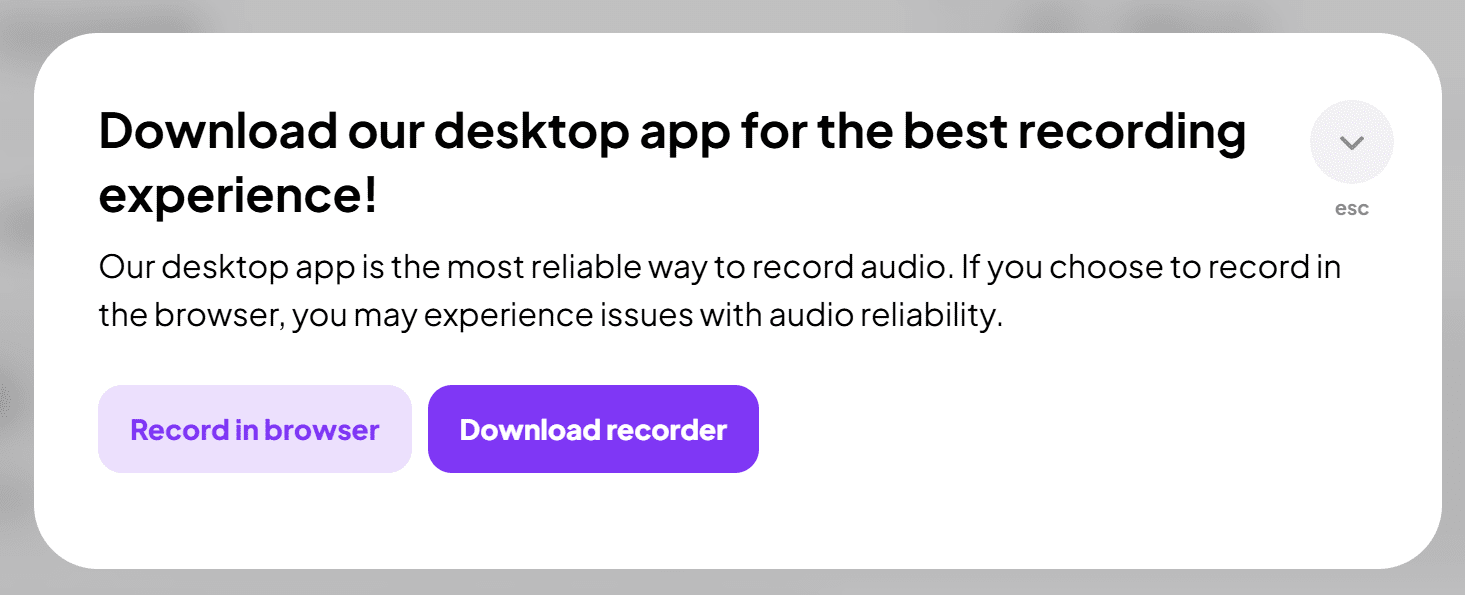
I take three Russian language lessons per week and I wanted to see if Coconote would be able to take my lesson material and turn it into quizzes and flashcards for me. If it did, this is something I’d be genuinely interested in as it would help me learn and retain information a lot faster and more efficiently than now.
Currently, if I remember, I record my Russian lessons using Granola (as it’s free and records device audio), then ask the AI questions to clarify things or test me. Additionally, I copy some of the new vocabulary from the lesson into Quizlet to create flashcards. Coconote, if it does what it claims, should be able to streamline this process for me, keeping everything in one app.
First thing’s first, how easy was it to get onboarded?
How Easy Is It To Get Set Up With Coconote?
The onboarding process was relatively simple. I had to answer a few questions about how I found out about Coconote and what my purpose was for using it.
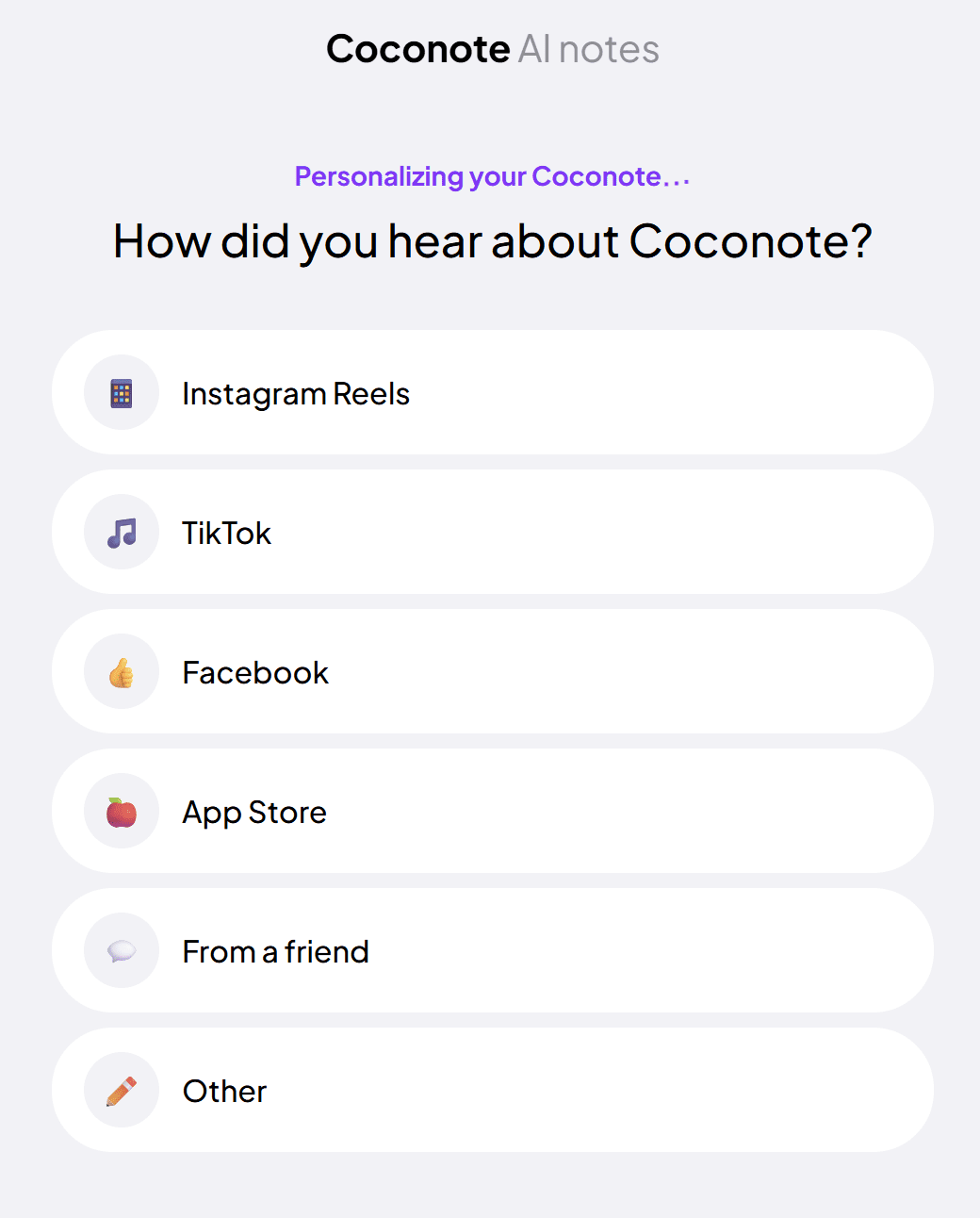
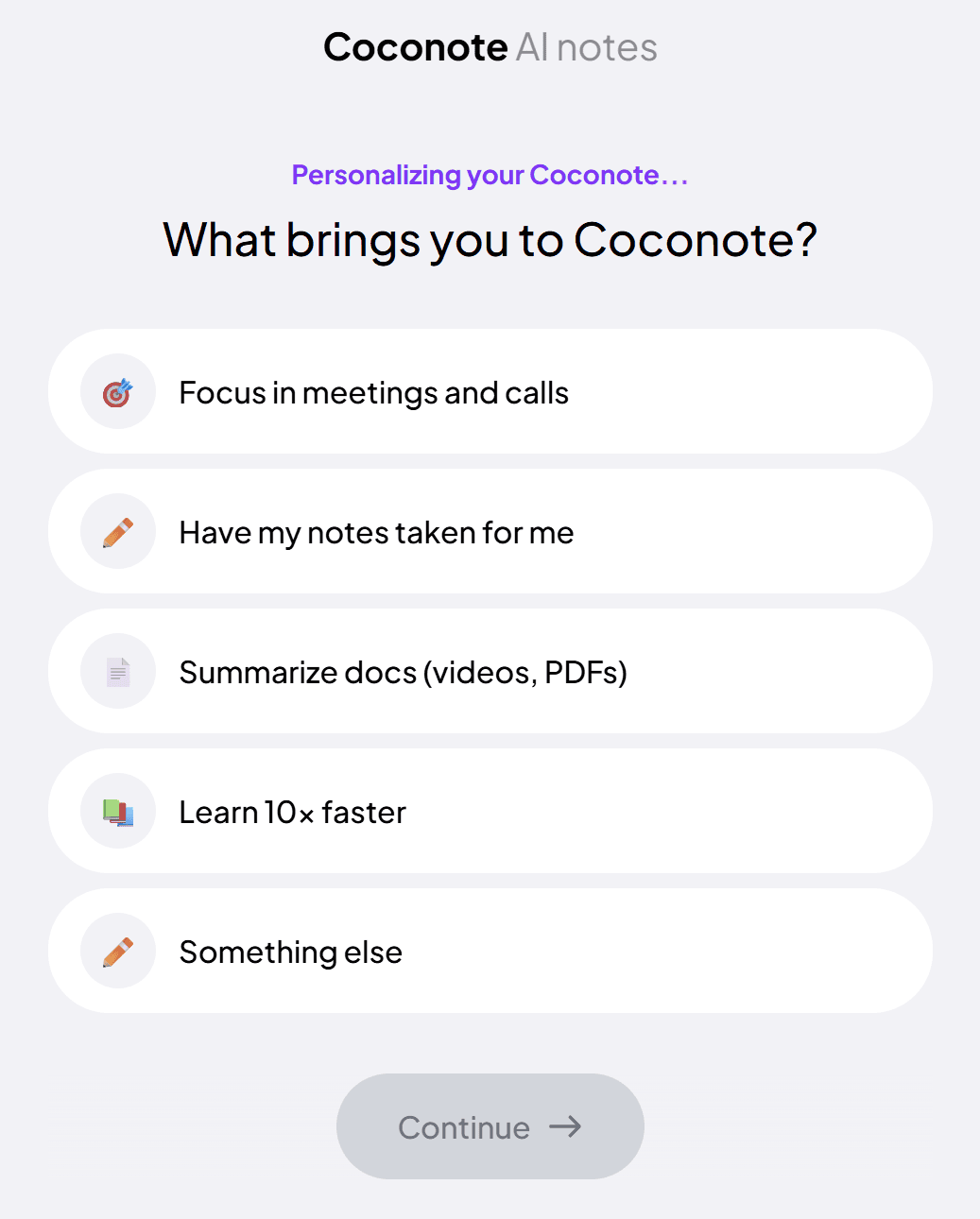
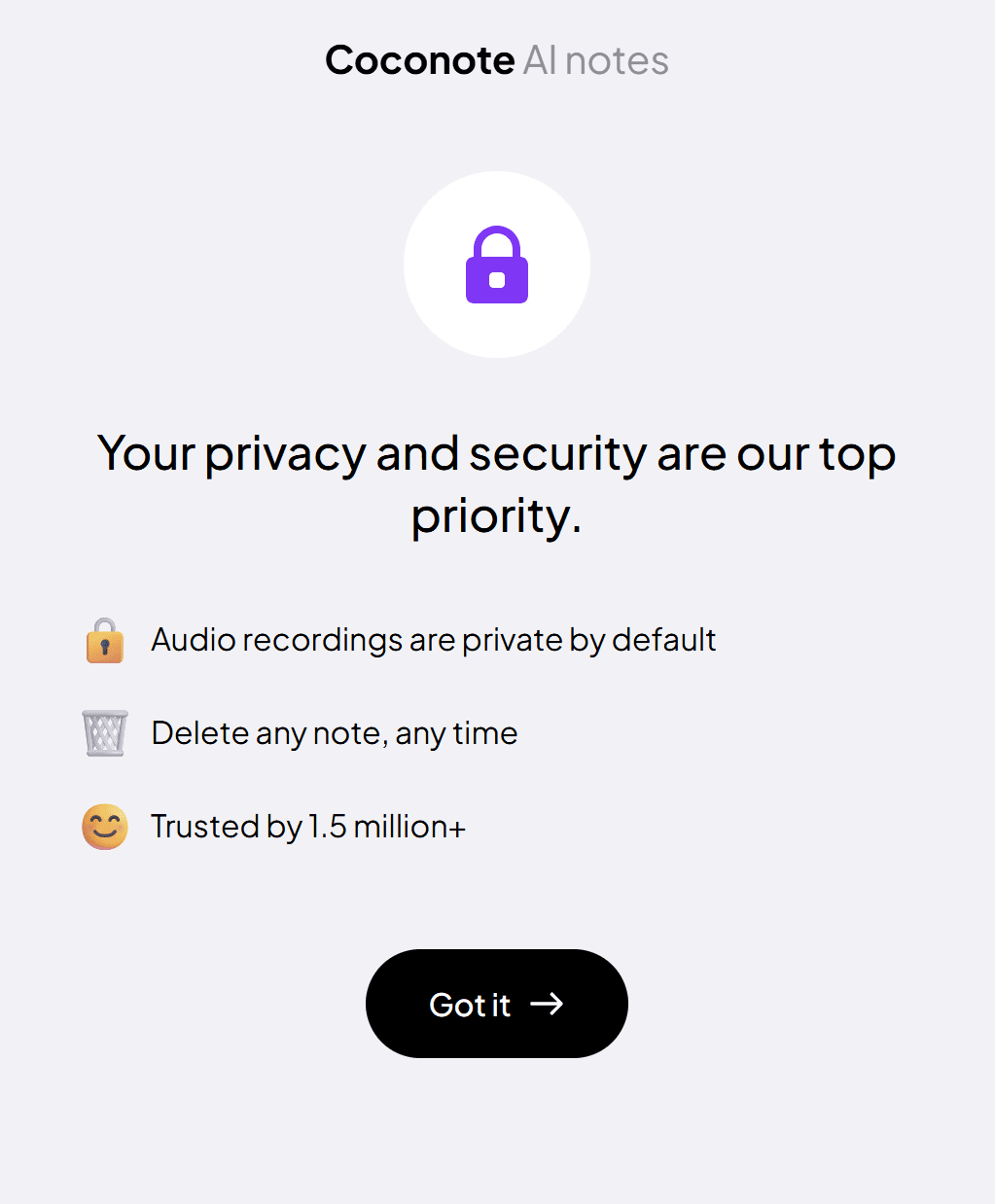
After answering these, I got a pop-up that told me Coconote valued my privacy and security. They said all audio recordings are private by default, and assured me I could delete any note at any time.
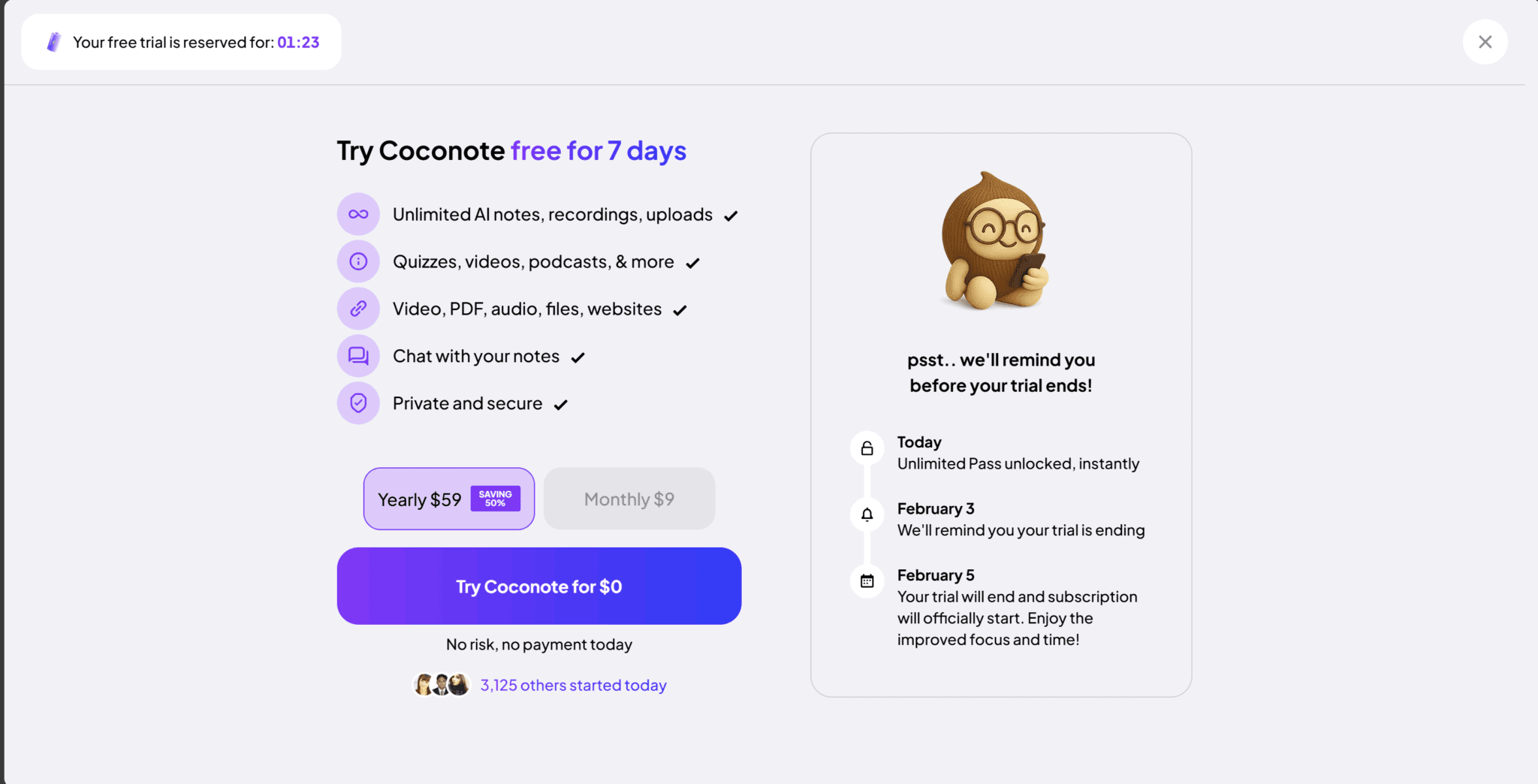
Then I was presented with the kicker: to get access to the 7-day free trial, I’d need to enter my card details. I was never told about this beforehand, and I found it quite frustrating to find out after I had already completed the sign up (which was promised as free).
What they don’t tell you is that if you click the “X” at the top right corner, you get access to Coconote without needing to give your card details. What’s the plan I was using? No idea. As you’ll find out in the Coconote pricing section later, Coconote doesn’t offer many details about its subscriptions. It just leaves you to figure it out on your own.
I assume I was on some kind of free plan. Not the free trial, not the paid subscription, but some kind of secret middle ground. While I’m not sure on the exact limitations, I found out after my first few calls that I was unable to unlock more notes unless I upgraded.
To make matters worse, Coconote didn’t tell me I wouldn’t have access to the notes until after the call. In fact, they didn’t even tell me after the call either. I had to figure it out myself by clicking “Retry” and being redirected to their pricing page. The only thing it said was, “Error uploading audio” and then underneath, “Click to try again. Still failing? Contact us for support.”
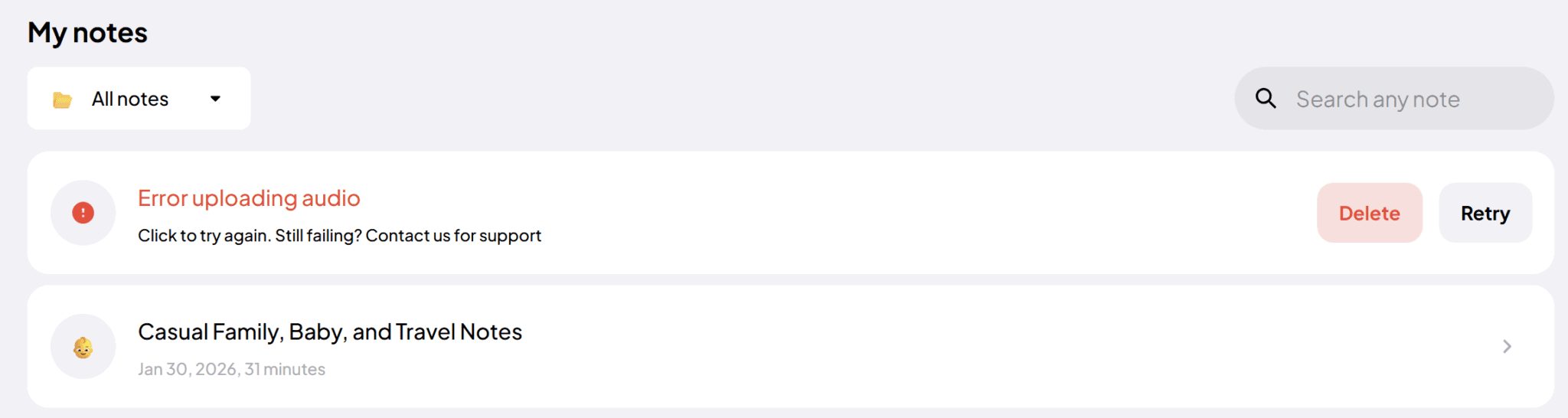
The notes wouldn’t process until I upgraded. So, to help all of you, I gave them my card details and got on the free 7-day trial.
Things like this, while having absolutely nothing to do with the actual features of the app, already make me feel annoyed before I’ve even used it. They are purposely withholding knowledge about what you get and how much it costs until you’re literally ready to use it. From my perspective, that’s bad marketing. The pricing flow feels opaque and could easily catch people out, especially students.
Is Coconote Easy to Navigate?
Coconote’s layout is as simple as can be. There are only three tabs:
- Home
- Support
- Settings
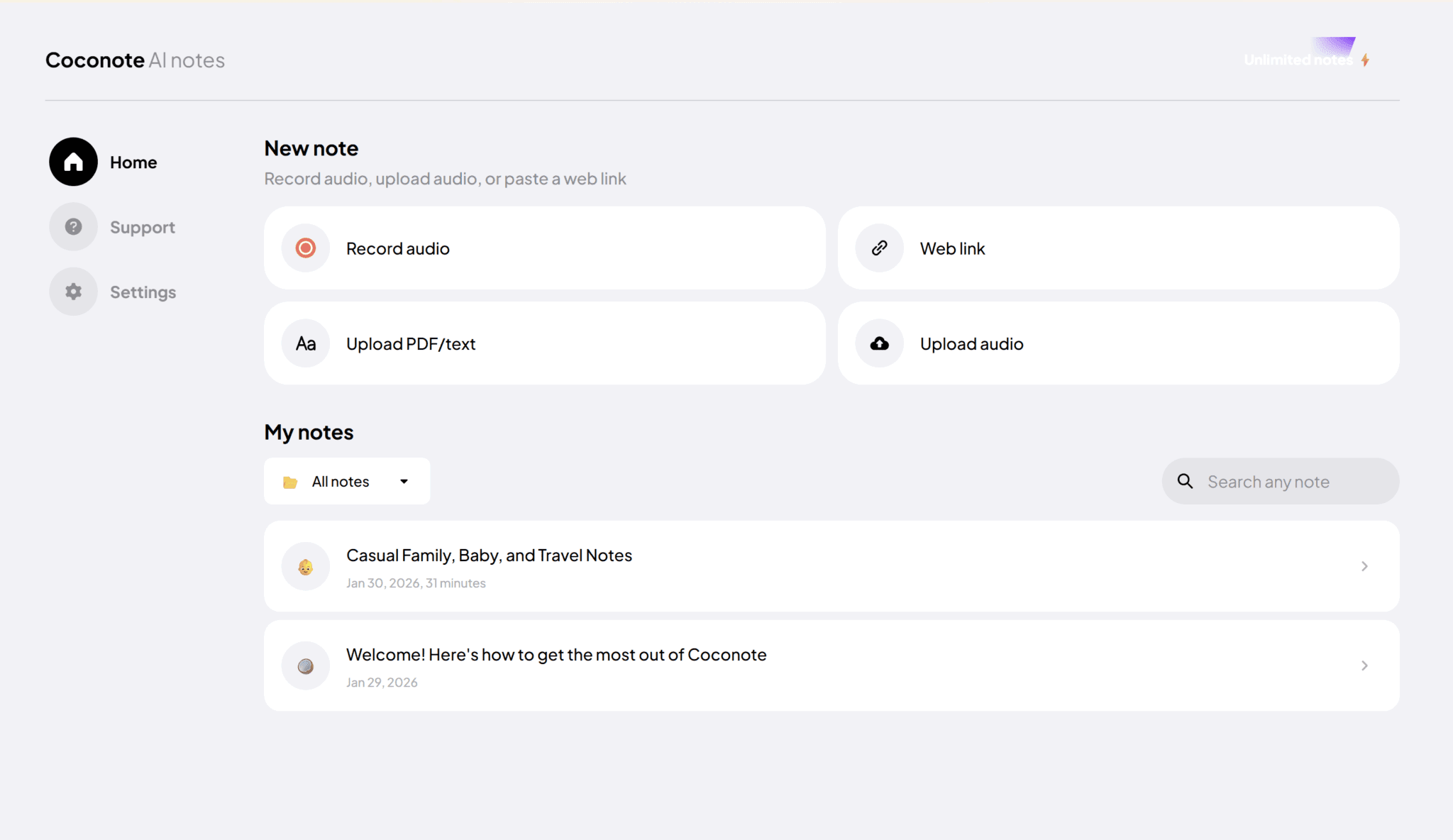
In Home, you get the options to:
- Record the audio of your device
- Upload a web link
- Upload a PDF or text file
- Upload an audio file
Whichever of these you do, you’ll get AI notes and a summary, which you’ll then be able to convert into quizzes, study games, flashcards, and more. Obviously, this feature is catered towards students, so I was excited to use it for my language lessons.
Underneath the “New Note” options, you get “My Notes.” Here, you’ll find all your recordings and uploads that you’ve already run through Coconote.
In the Support tab, you’ll find a FAQ and a Contact Us form, while in Settings, you’ll get the option to delete your account, sign out, or manage notifications. It’s also here where you can cancel your subscription, which I did immediately (you keep access to the features for the duration of the trial).
Overall, it’s super easy to find your way around, but that also results in a limited feature set.
However, there is a BIG downside I found when trying to navigate the app (or website). While it’s difficult to get lost, you can feel a bit stuck. If you go into a meeting’s notes, there is no back button. The only way to return to the original dashboard is clicking the home icon or finding the little “notes” folder near the top.
If you’re in a game, flashcard, or quiz, it’s even more difficult. There’s no simple way to go back to the previous screen, which often made me feel trapped even though I knew exactly where I wanted to go. It wasn’t easy to do so.
So, Are Coconote’s Transcriptions Reliable?
The first call I tested was for a family catch up that I just happened to be having on the day I was starting this article. I also tested Vomo AI and Spinach AI for this same call.
So, during that first call, the transcript was… interesting.
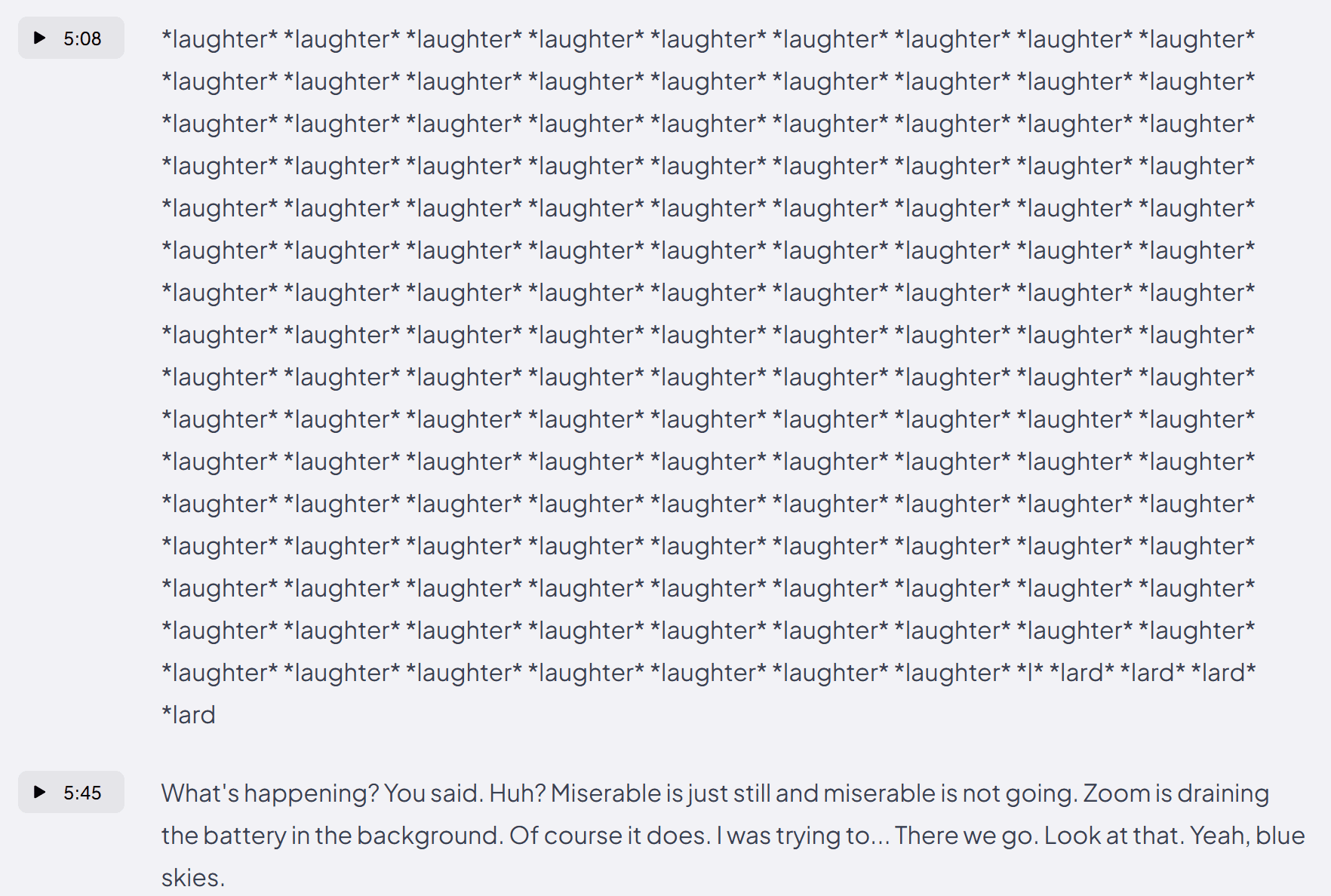
In case you’re wondering, no, we didn’t all laugh for 37 seconds straight. And even if we did, I think the transcription’s recording of that might be a bit over the top. Surely one *Laughter* is enough. Also, what’s up with the four lards at the end?
If you thought that was bad, it wasn’t a one-time error. No, this happened three times in a single transcript. The second one was even weirder.
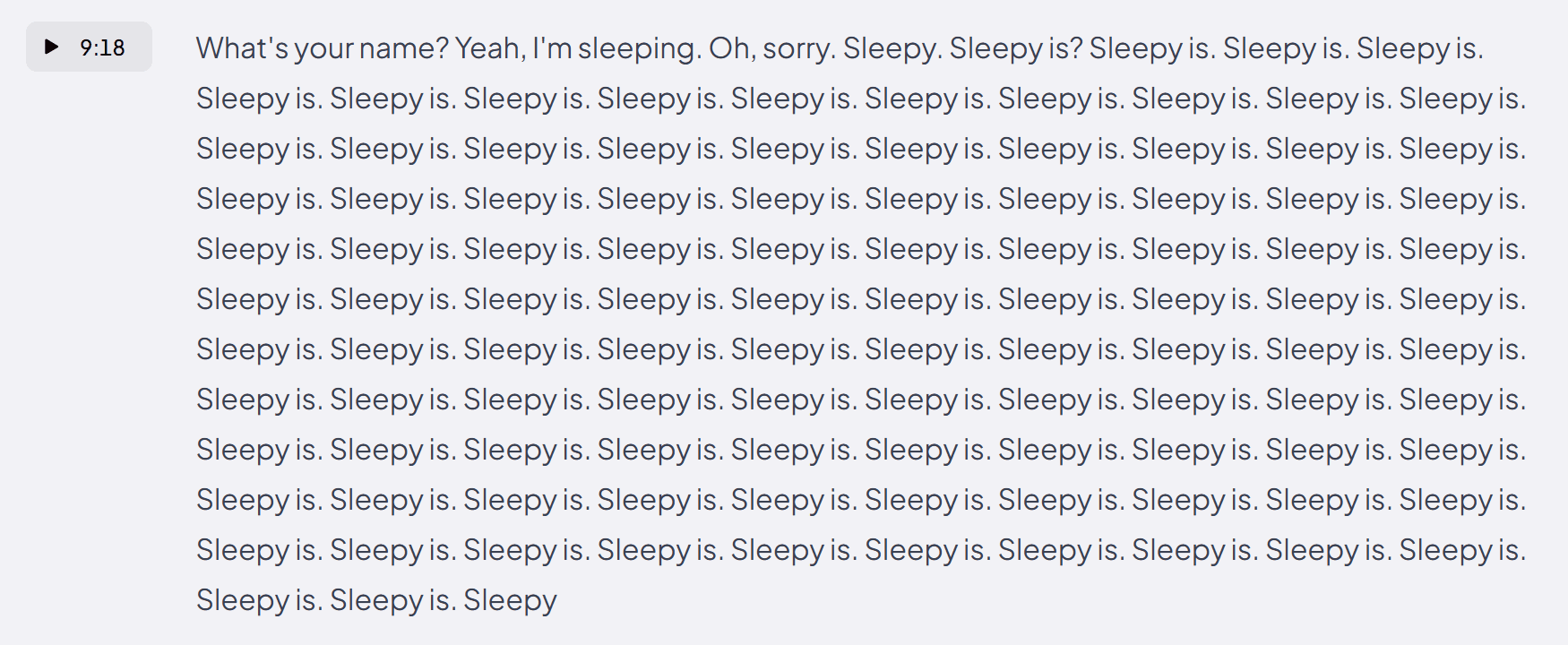
I have no idea where Coconote is getting this from. It appears to be some kind of glitch in the transcription engine.
Admittedly, the audio quality on playback is not the best, but it is also not so broken as to repeat the same words over and over. The audio quality remains the same throughout the entire call, but only certain patches seem to break the transcript.
Here’s the third one.
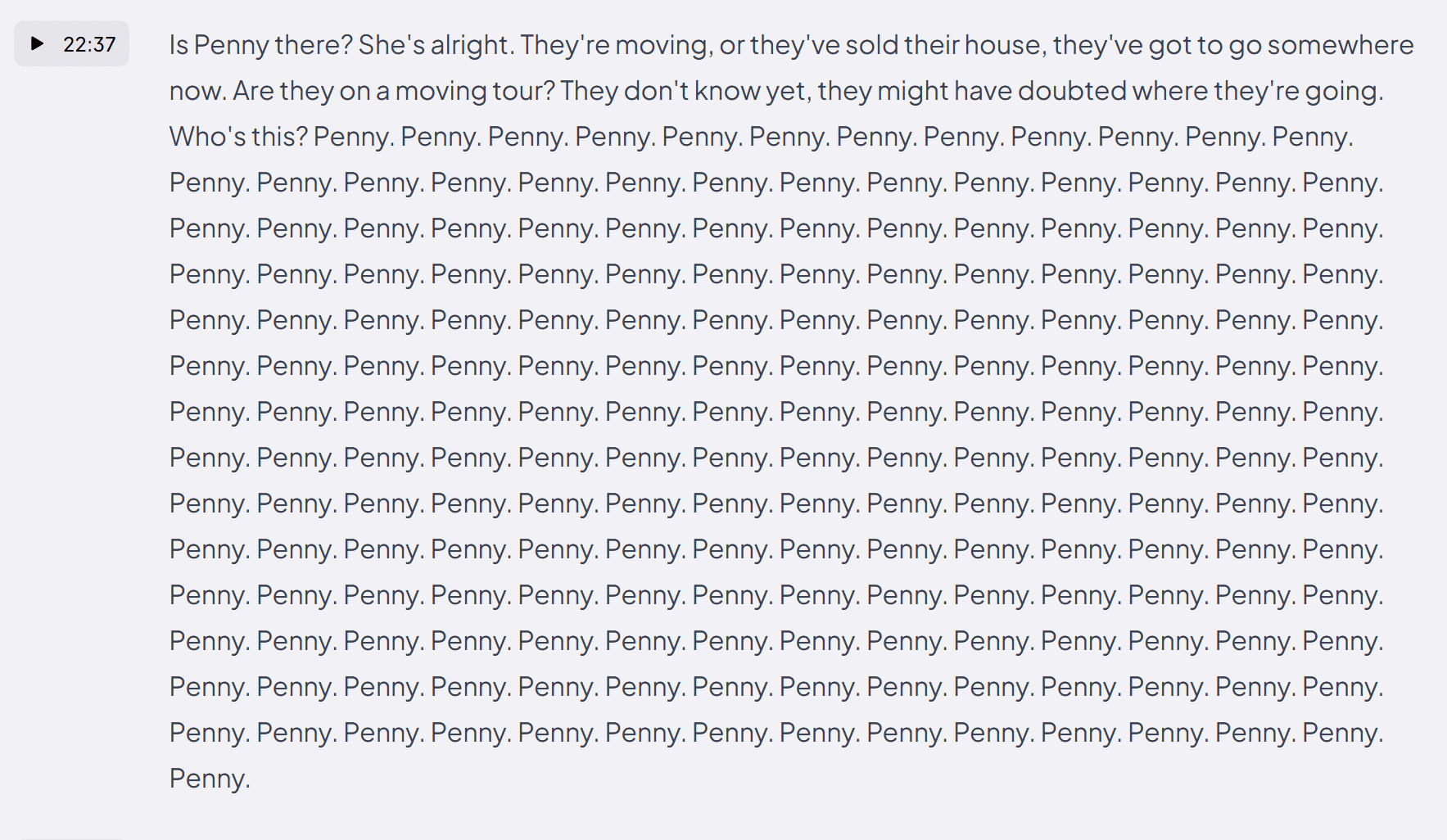
Once again, I promise you, nobody said Penny 195 times in a row. Yet, according to Coconote’s groundbreaking transcripts, that’s exactly what happened. The fun thing about these transcripts is that you get timestamps. What that means is you can click the timestamp and listen to how wrong Coconote’s transcript is in real-time.
How Good Is Coconote’s Speaker Identification?
If you’re hoping to have a record of exactly who said what, Coconote is not the tool for you. The speaker identification is weak to non-existent. Sometimes it imagines extra people in the call, while other times it thinks two or three voices are a single person. There doesn’t appear to be any rhyme or reason to it.
There is no speaker recognition. It won’t tell you the name of the speaker, it will call them something like “SPEAKER_06” instead. And that’s if you’re lucky.
In my first call with Coconote, there were four participants, but five speakers (two in one screen). The transcript, however, imagines the entire 31 minute call is a stream-of-consciousness-style rant as if one person said the whole thing to themselves like a maniac.
This makes it incredibly difficult to actually use the transcript as there are four people all talking in a single paragraph. It’s impossible to detect who said what without replaying the audio simultaneously.
Similarly, I called my partner to discuss accommodation plans for a trip to Lombok, Indonesia. It was just me and her in the call. The transcript, however, believed there to be “five distinct speakers.”
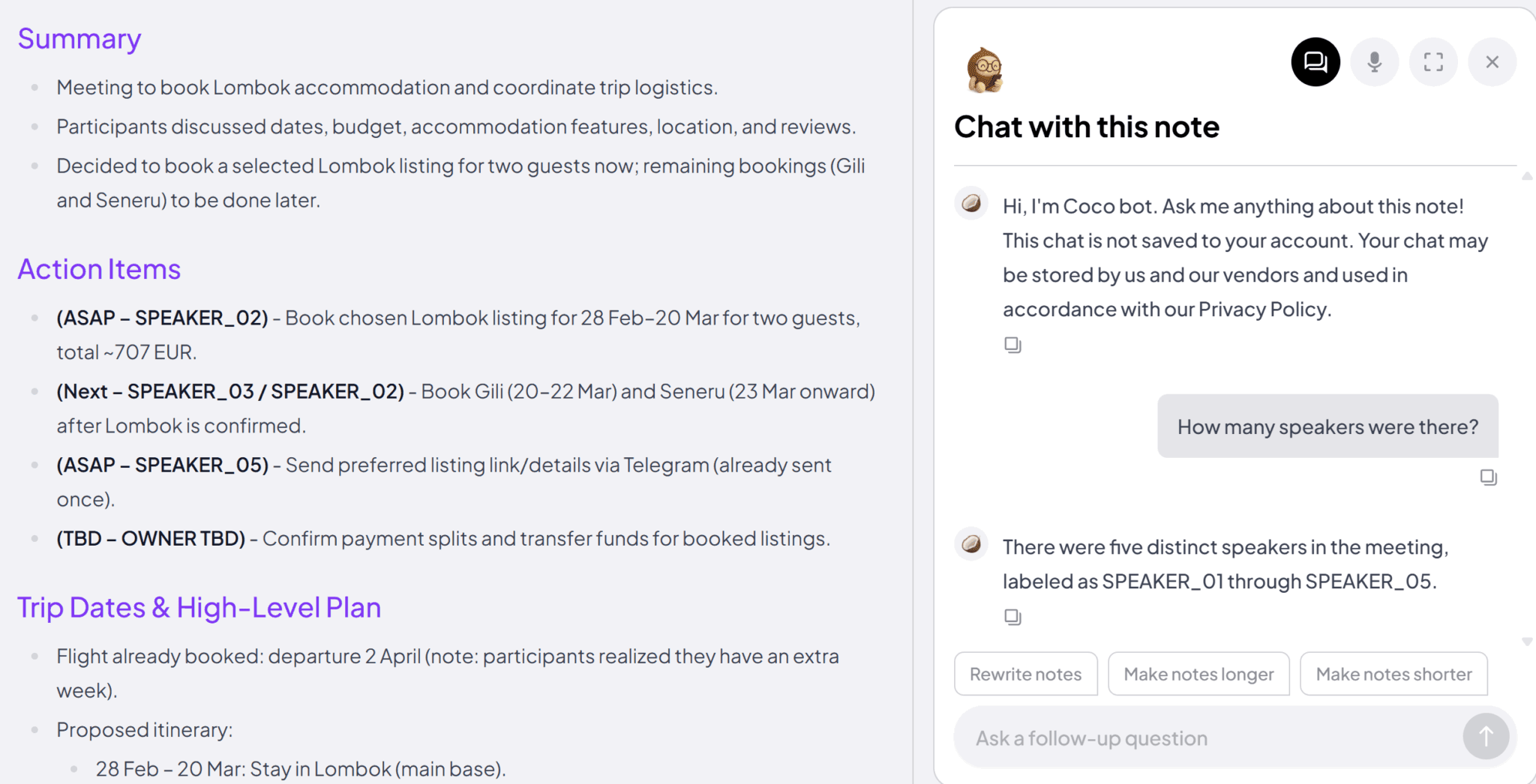
This wasn’t just a problem in non-lesson calls either. In my Russian lessons, the speaker identification was abysmal too. It seemed to just choose random timestamps to switch from one speaker to the other, meaning that our actual speech is all mixed together. It’s super confusing to even try to use these transcripts for anything. And then because the AI is programmed on what the transcript says, it makes the AI unreliable too.
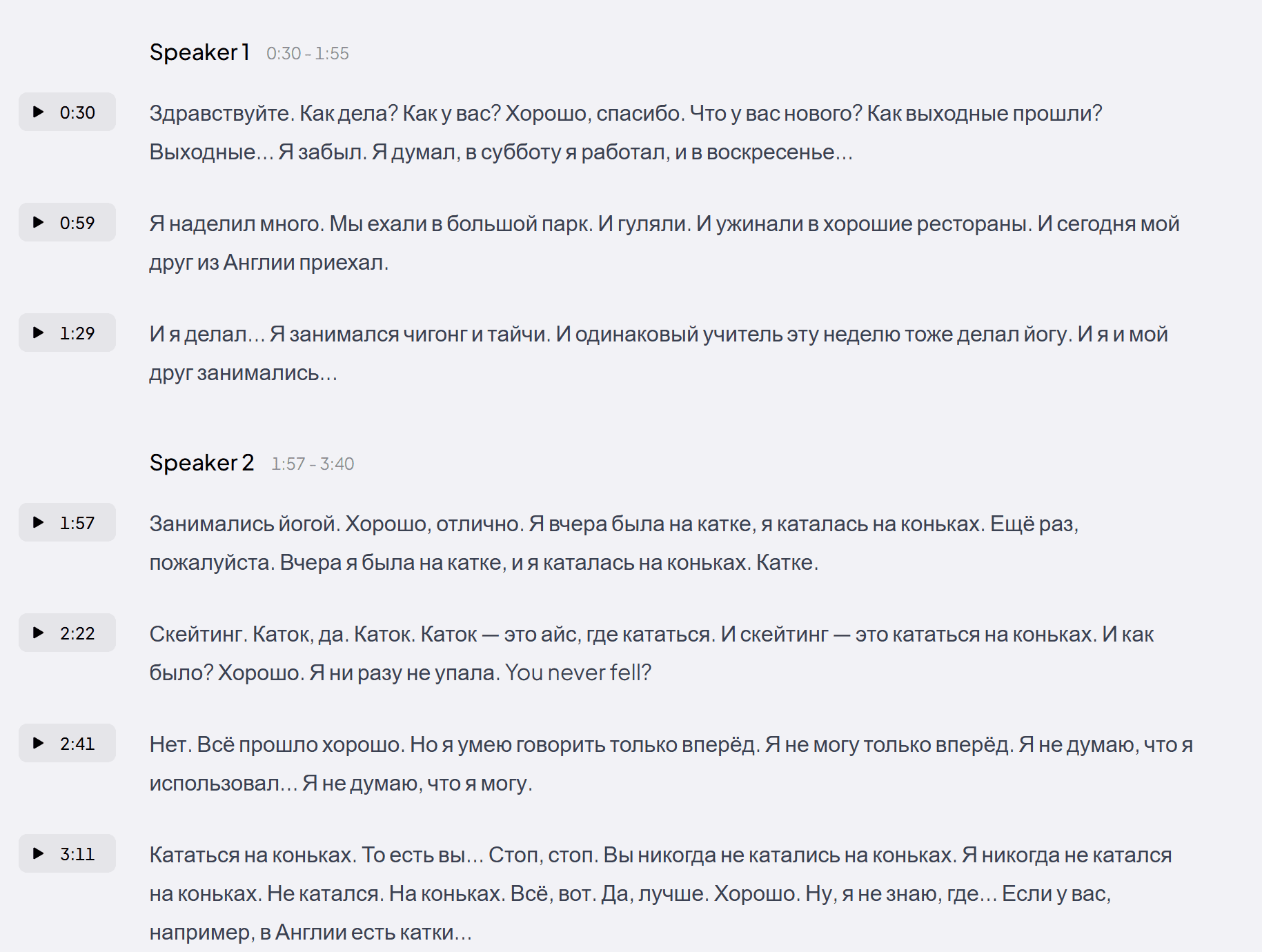
If you don’t speak Russian, that last screenshot might be a bit confusing. However, it can be made a lot clearer by translating the first paragraph, supposedly all said by the first speaker: Hello, how are you? How are you? Good, thanks. What’s new? How was your weekend? Weekend, I forgot. On Saturday, I worked, and on Sunday…”
It doesn’t stop there though. Coconote believes that this first speaker continued asking and answering questions to themselves for almost two minutes.
Can You Verify Coconote’s Transcripts?
There is no video playback. You can listen to the audio, but as it was recorded from the device’s microphones rather than joining the meeting, it’s not able to record video at all.
So you can listen back to verify if someone was saying the same word on repeat for two minutes straight, which bizarrely occurs in most of my tests. However, this removes any additional materials that were shared during your lesson, or body language if relevant.
So, it’s quite clear that Coconote is not for everyday meetings. And we’ve already had a somewhat pitiful glance of how Coconote’s transcriptions performed in a lesson format, but let’s take a deeper look here.
How Useful Are Coconote’s Transcriptions for Language Lessons?
Let me start by saying that, after trying it, I don’t think Coconote is designed for language lessons. It has over 100 languages to choose from, and it specializes in lessons and lectures, but somehow it hasn’t filled that juicy middleground.
I saw the writing on the walls when I first started recording.
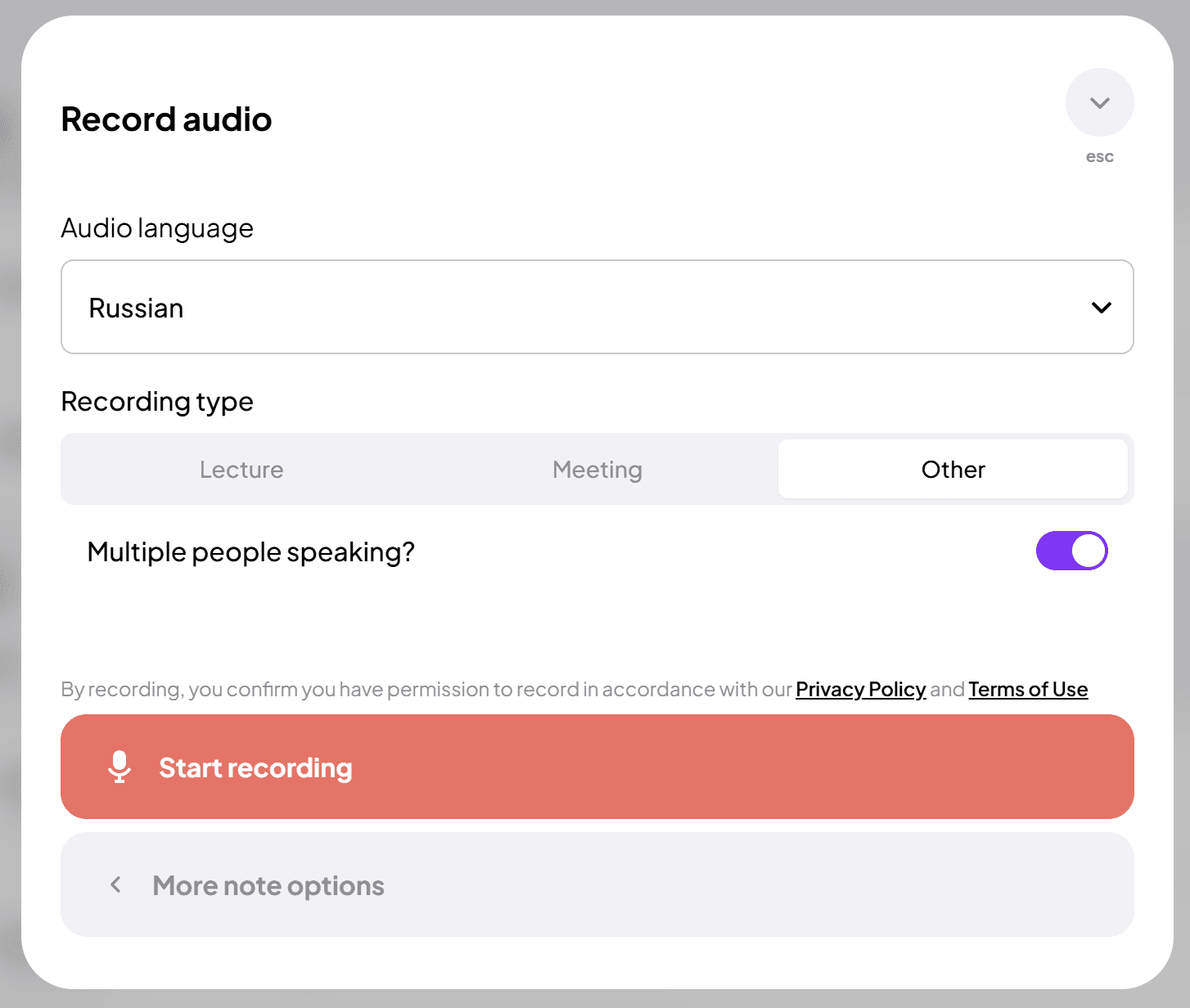
I didn’t really know what to pick here. The language I was learning was Russian. Most of the call was in Russian, but as I’m learning from English, I’d hoped to have notes in English and the ability to create multilingual flashcards for learning vocabulary. Unfortunately, I was forced to pick just one language.
It also wasn’t a lecture or meeting as such, so I selected “Other” but there was no real indication as to the difference between those options.
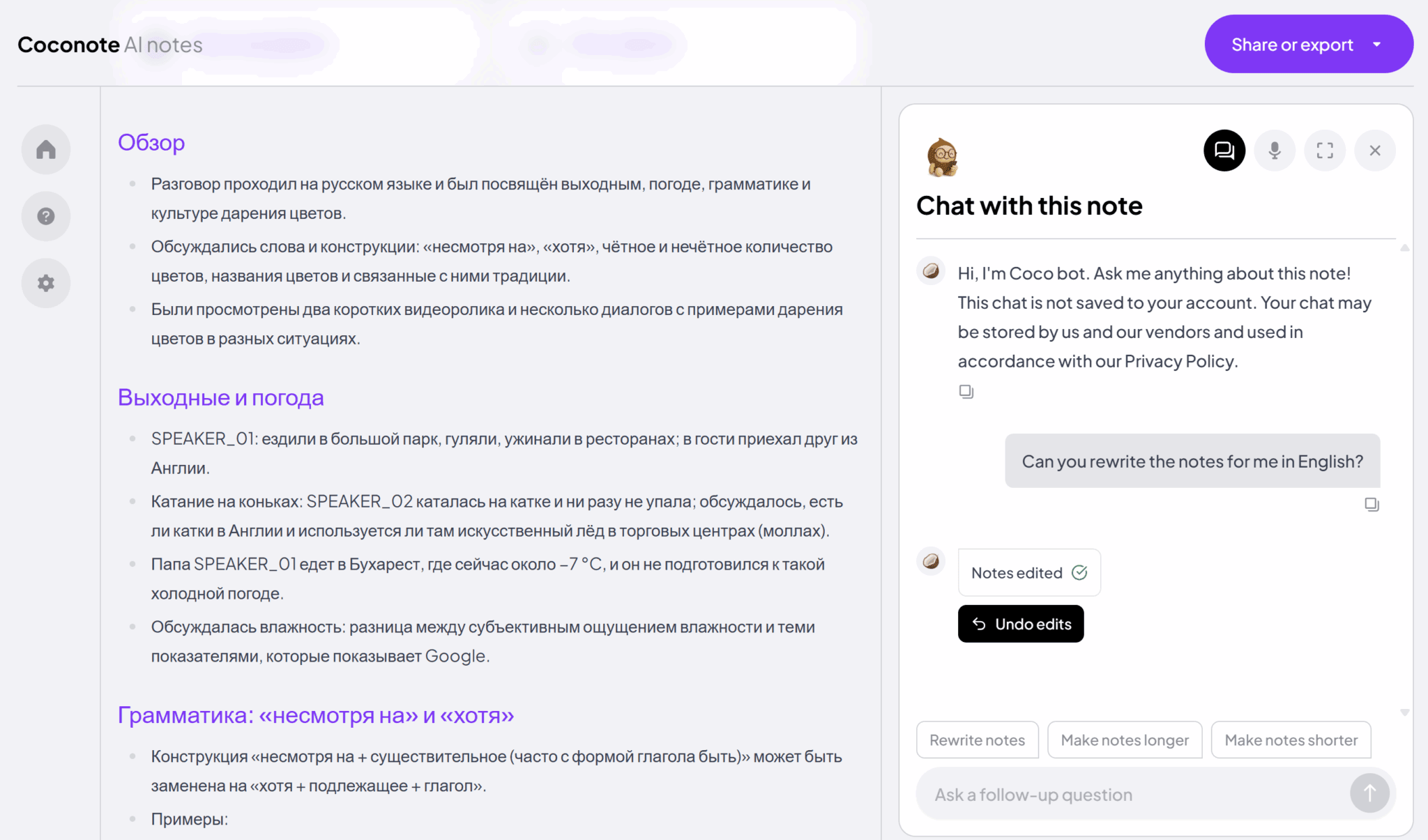
And herein lies my problem. The notes came out in Russian. The AI chat popped up and I decided to ask if it’d translate the notes to English for me. It regenerated them, but they were exactly the same. Completely unchanged.
Thankfully, after asking it a second time, it did actually translate the notes.
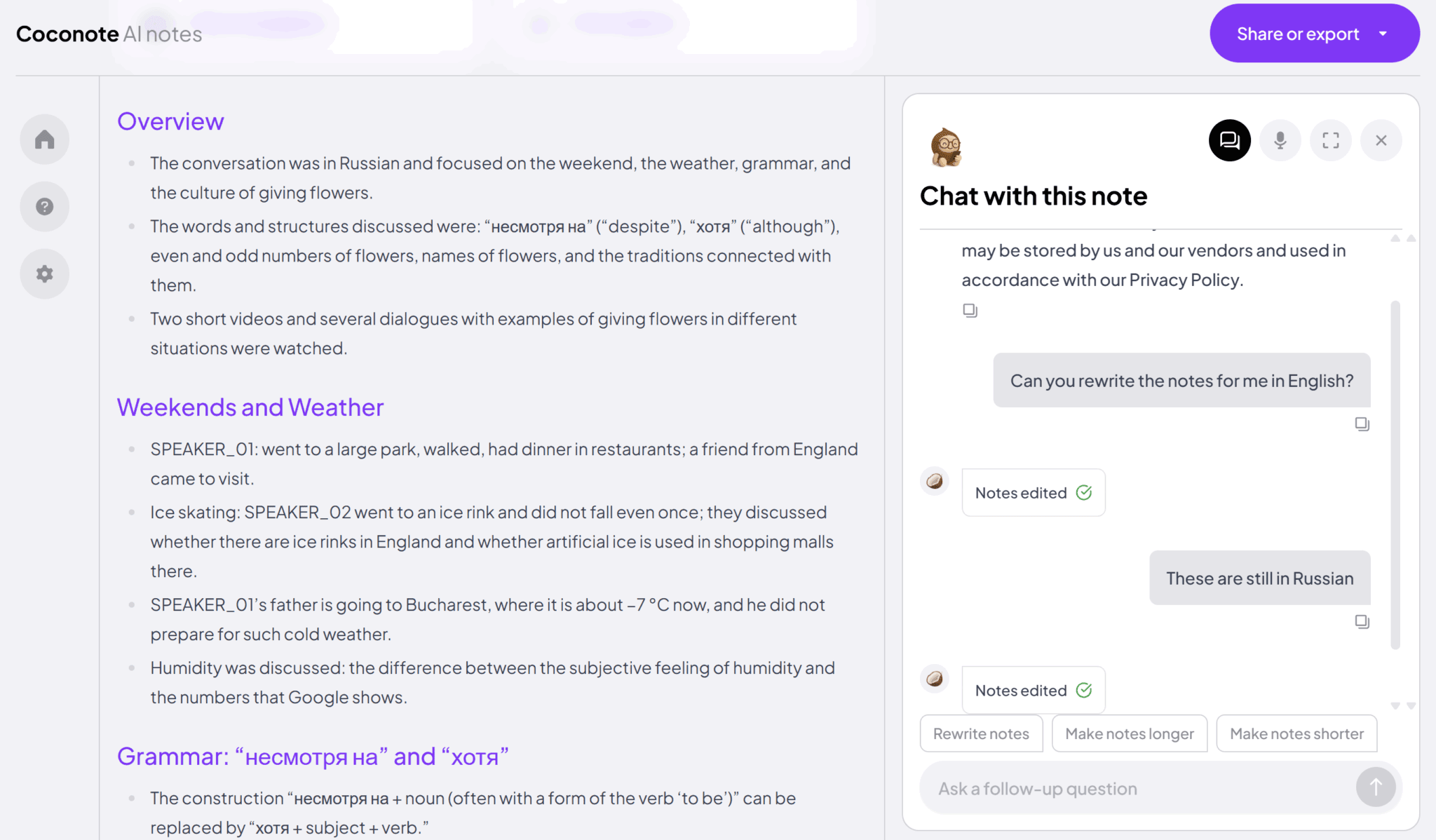
This problem only got worse in my next lesson when I decided to select English as my language of choice instead. This time, despite the call being in Russian, the transcript came out in English. The notes are generated based on the transcript, so they were also in English. But having the transcript in a different language to the audio made it even more difficult to verify what it said.
It seemed mostly correct, until I encountered the same bug as earlier.
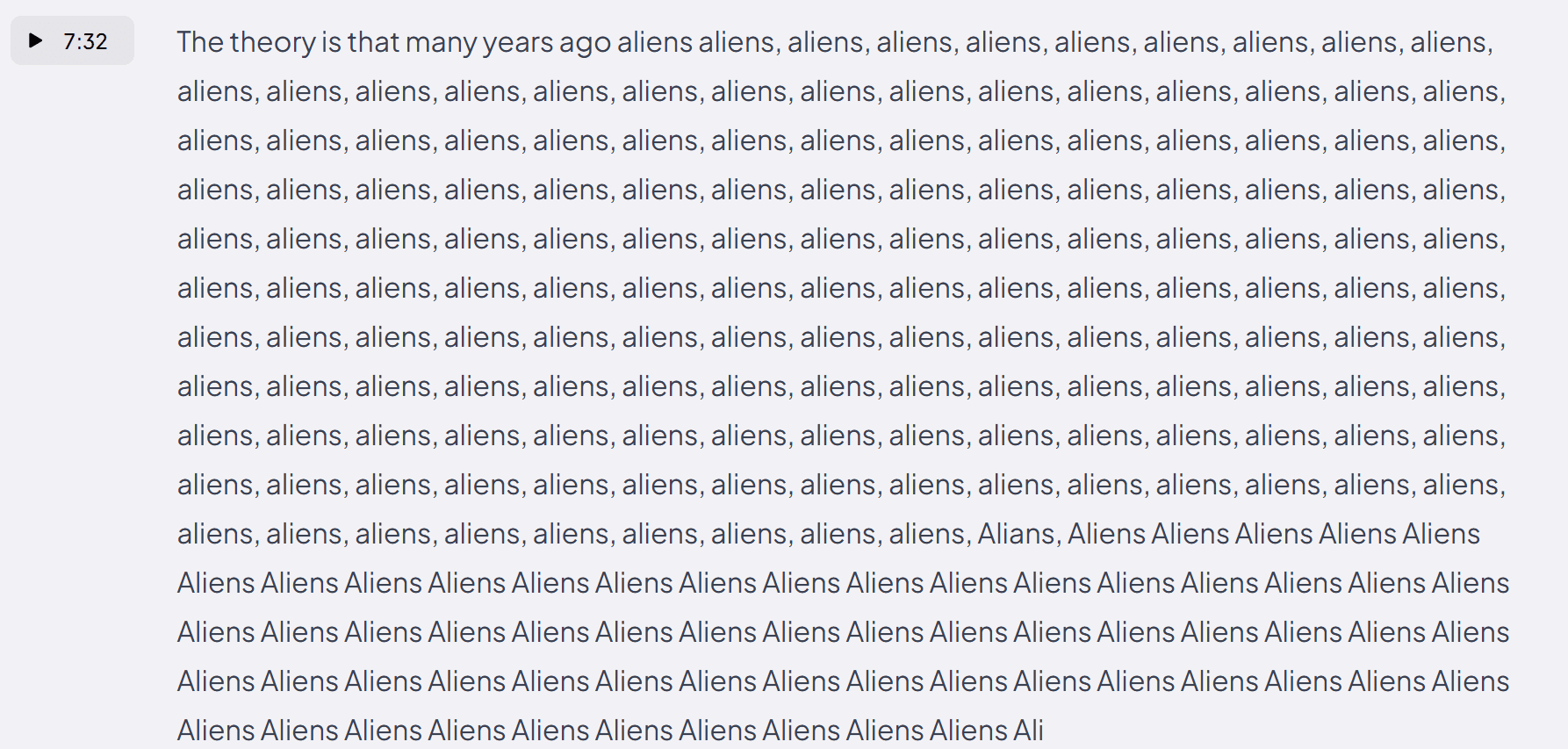
Did you spot that around three quarters of the way down, they decided to switch to a capital A, and also spell it “Alians” once for some reason.
I have no idea what’s going on with Coconote, but this was a common occurrence. In fact, that same call (originally in Russian, but transcribed in English) had another example that sums it up perfectly: what nonsense.
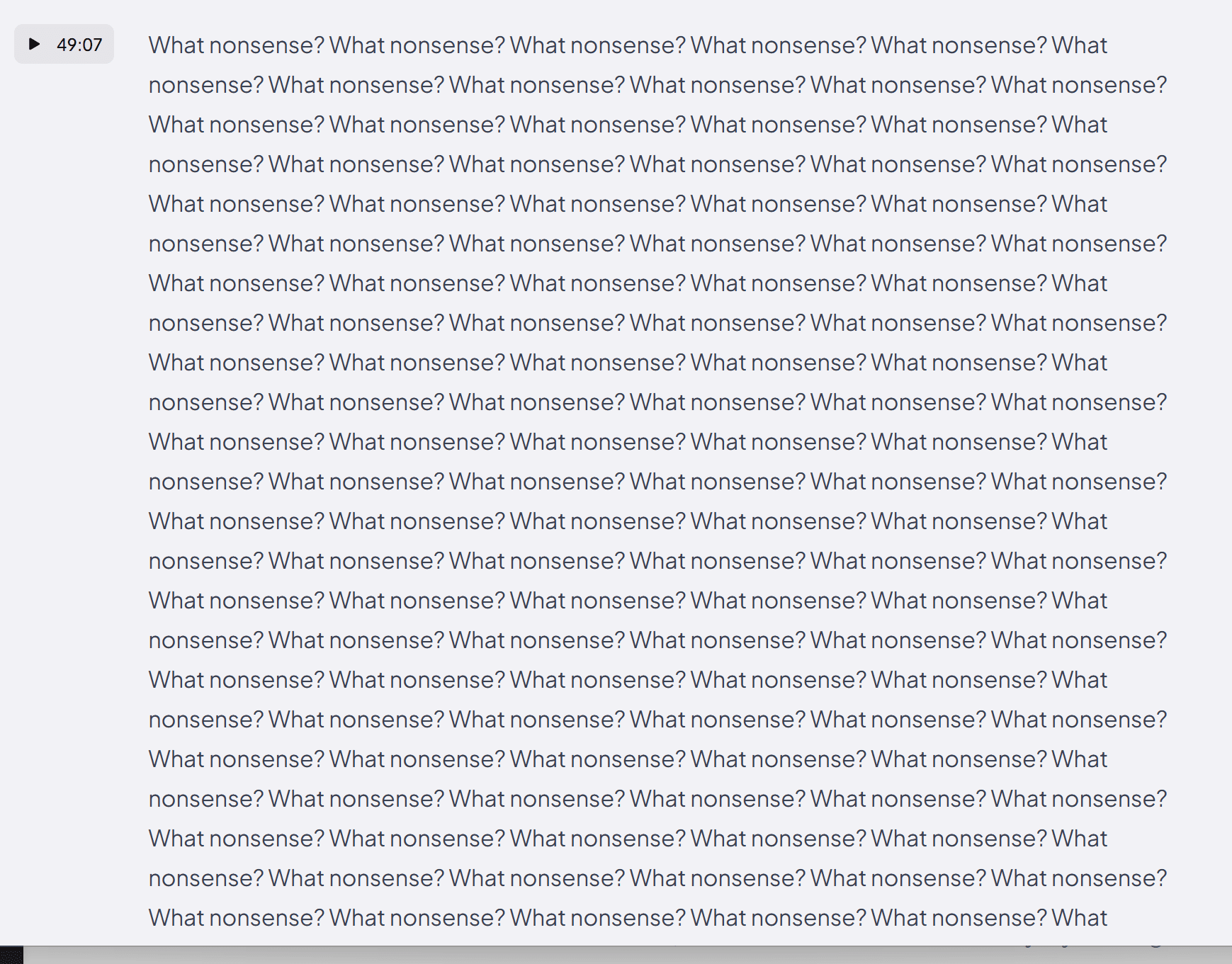
Want to hear something funny? Coconote wanted me to pay to get these awesome transcriptions.
How Is Coconote’s Speaker Recognition During Lessons?
It was non-existent. There was only one speaker in my Russian lessons. This could be due to the fact that for the generic meetings I used it for, I selected “Meeting” beforehand. Whereas for the Russian lessons, I selected “Other.”
However, as I said earlier, Coconote offers absolutely no explanation for what difference these options have. Just like how they offer zero explanation for the free plan, the pricing tiers, or the fact that when you’ve surpassed the unmentioned limits of the free plan, you can’t access your notes until you upgrade.
It seems to be the Coconote special: just don’t tell the user anything and expect them to work it all out.
How Were Coconote’s Meeting Notes for Lessons?
The notes themselves weren’t too bad. In fact, they were pretty decent. From my first call (that I asked the AI to translate to English), they were not only accurate, but also fairly useful.
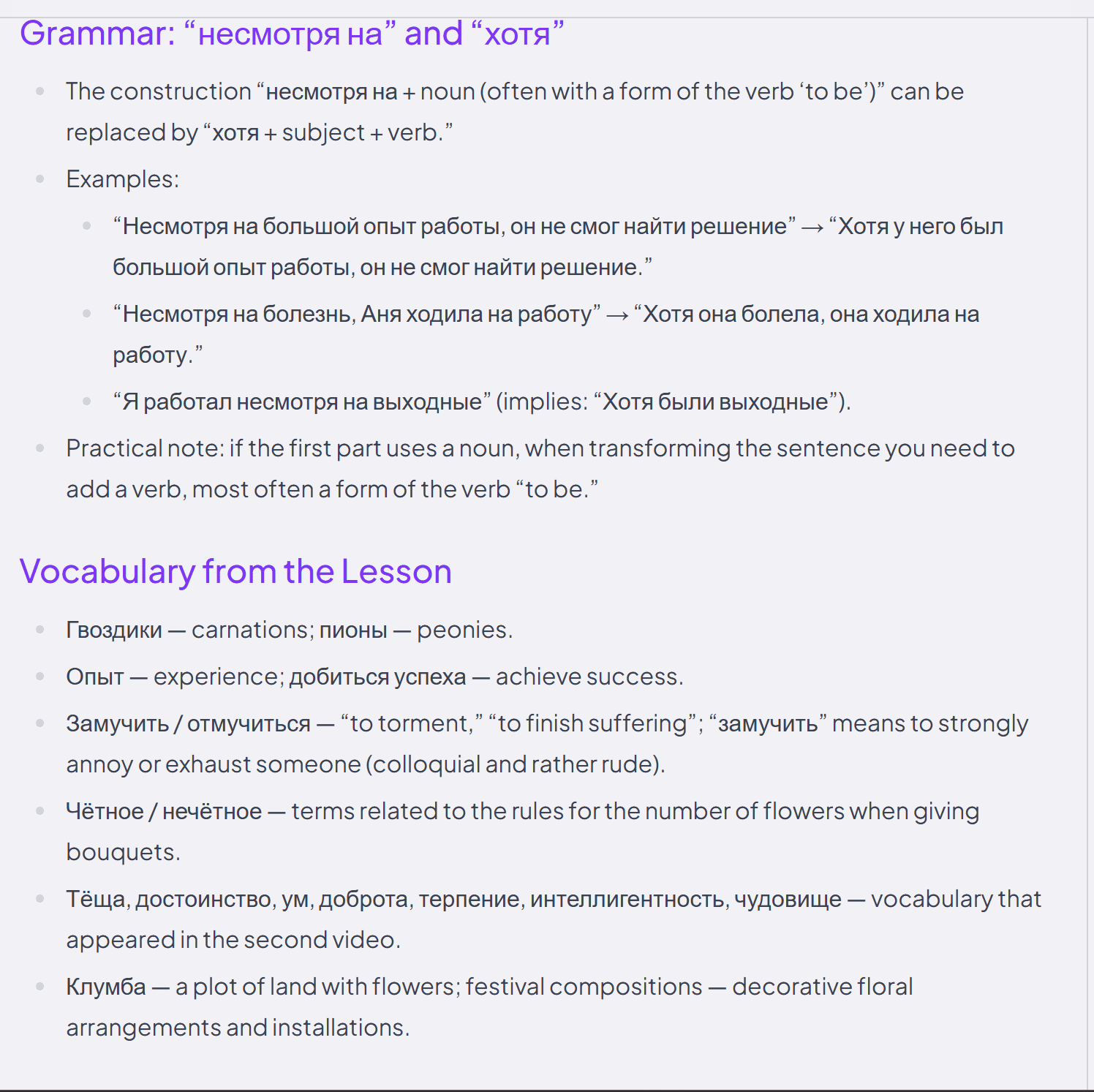
They were quite thorough, covered all the topics we discussed, and even had a section that incorporated both English and Russian, which is exactly what I was looking for. Remember though, I had to speak with the AI to regenerate these notes to get them like this. The original versions were not useful to me.
Now, time for practice!
Are Coconote Flashcards Actually Good for Studying?
Time for the real question: could Coconote take this vocabulary list and transform it into flashcards? Russian on the front, English translation on the back. Sounds simple, right? Wrong.
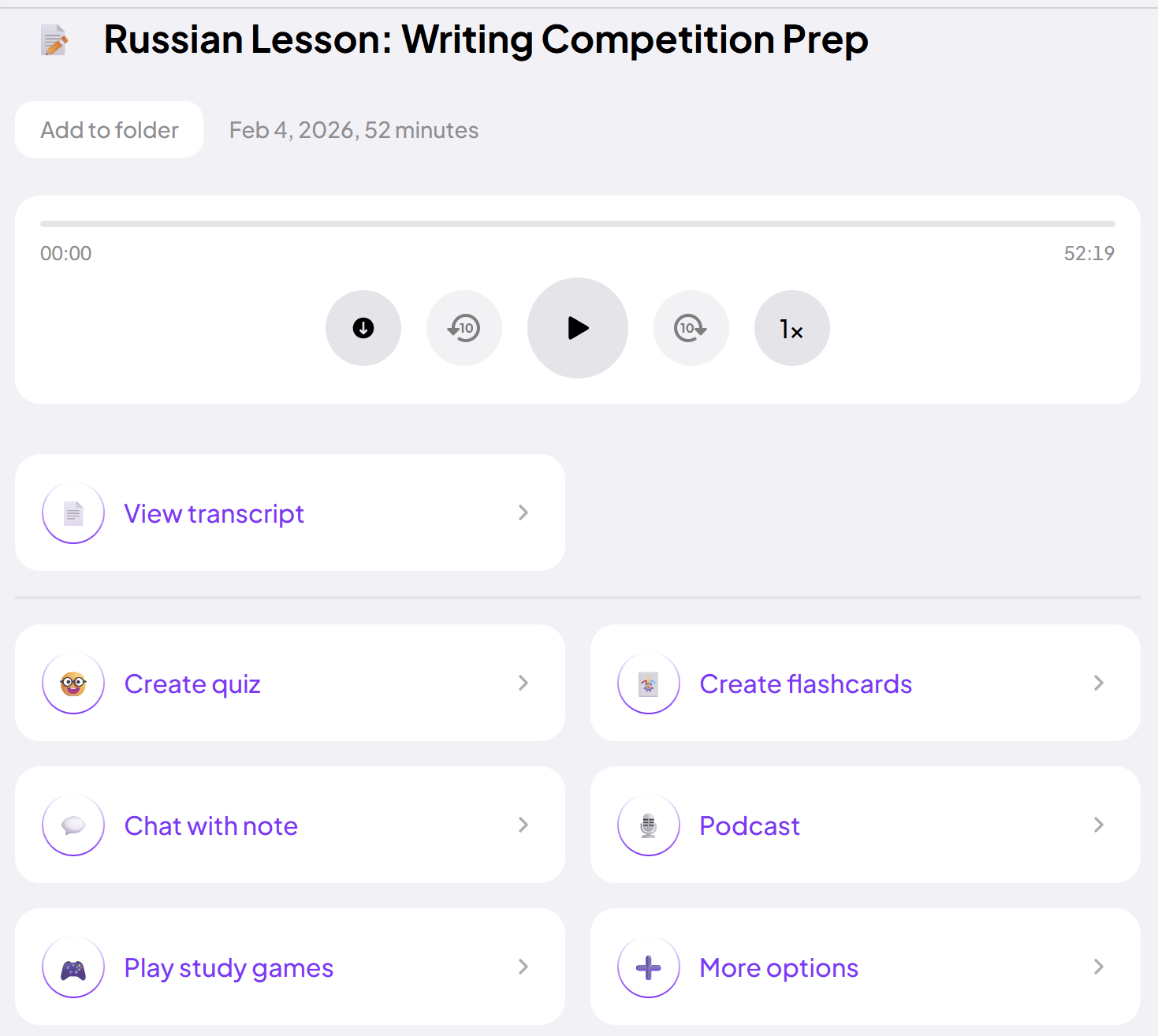
The feature I was most excited to try Coconote for was “Create flashcards.” So you can imagine my disappointment, when I clicked it and it immediately started creating them. There was no prompt option, like what Turbo AI has, for example. Just straight into it.
After a few moments watching this weird little coconut boy wait for my flashcards, they were ready. But they were not what I’d expected, and definitely not what I was hoping for.
For the lesson that was originally transcribed in Russian, the flashcards were in Russian on both sides. The flashcards weren’t vocabulary revision, rather questions in Russian about things we’d discussed during the call. In fact, some of the questions were related to what we discussed but not something we’d actually covered at all. The same goes for the other Russian lessons that I transcribed in English.
The worst part? The only way to edit them is by manually rewriting them. If I was going to do that, I might as well stick with Quizlet which is free.
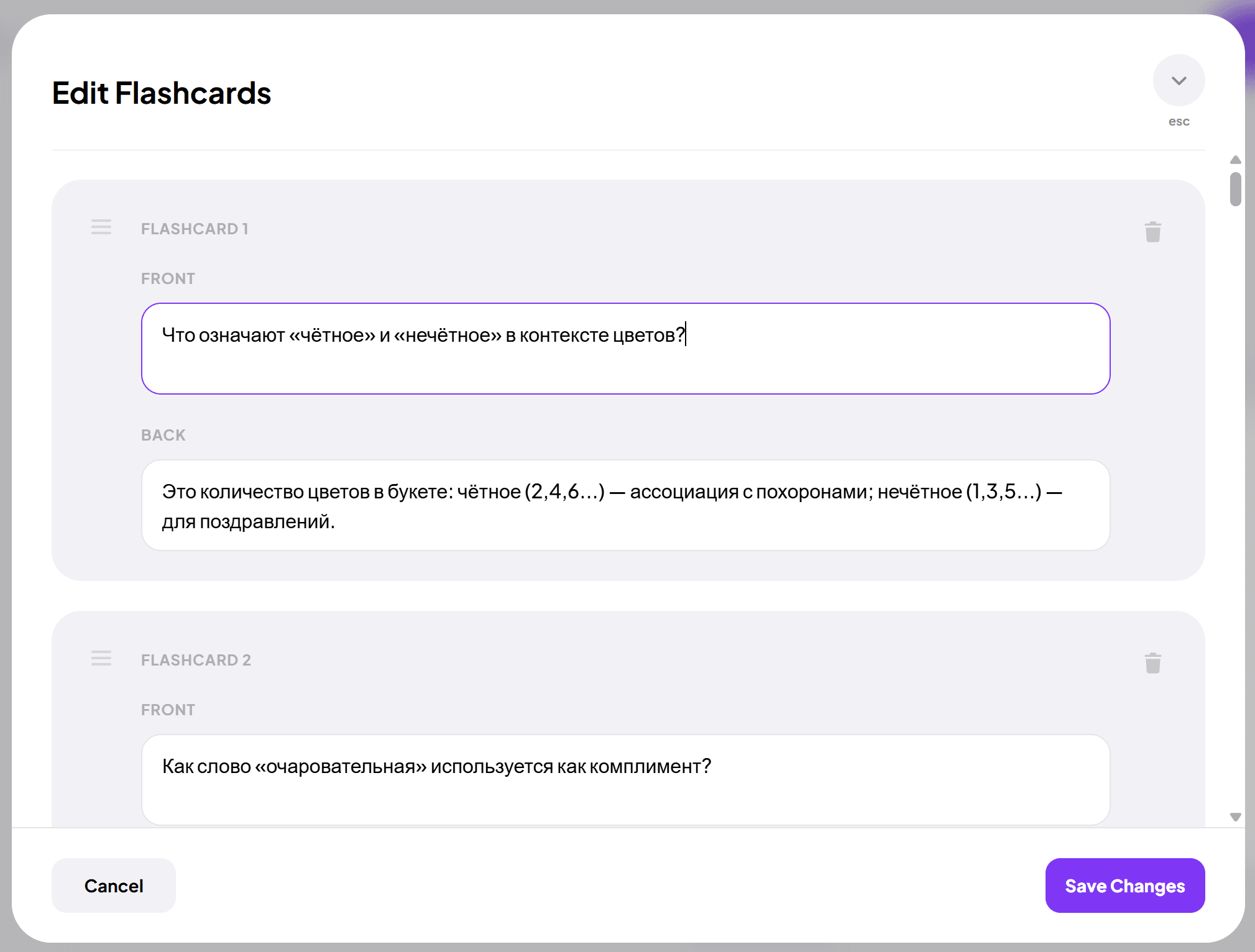
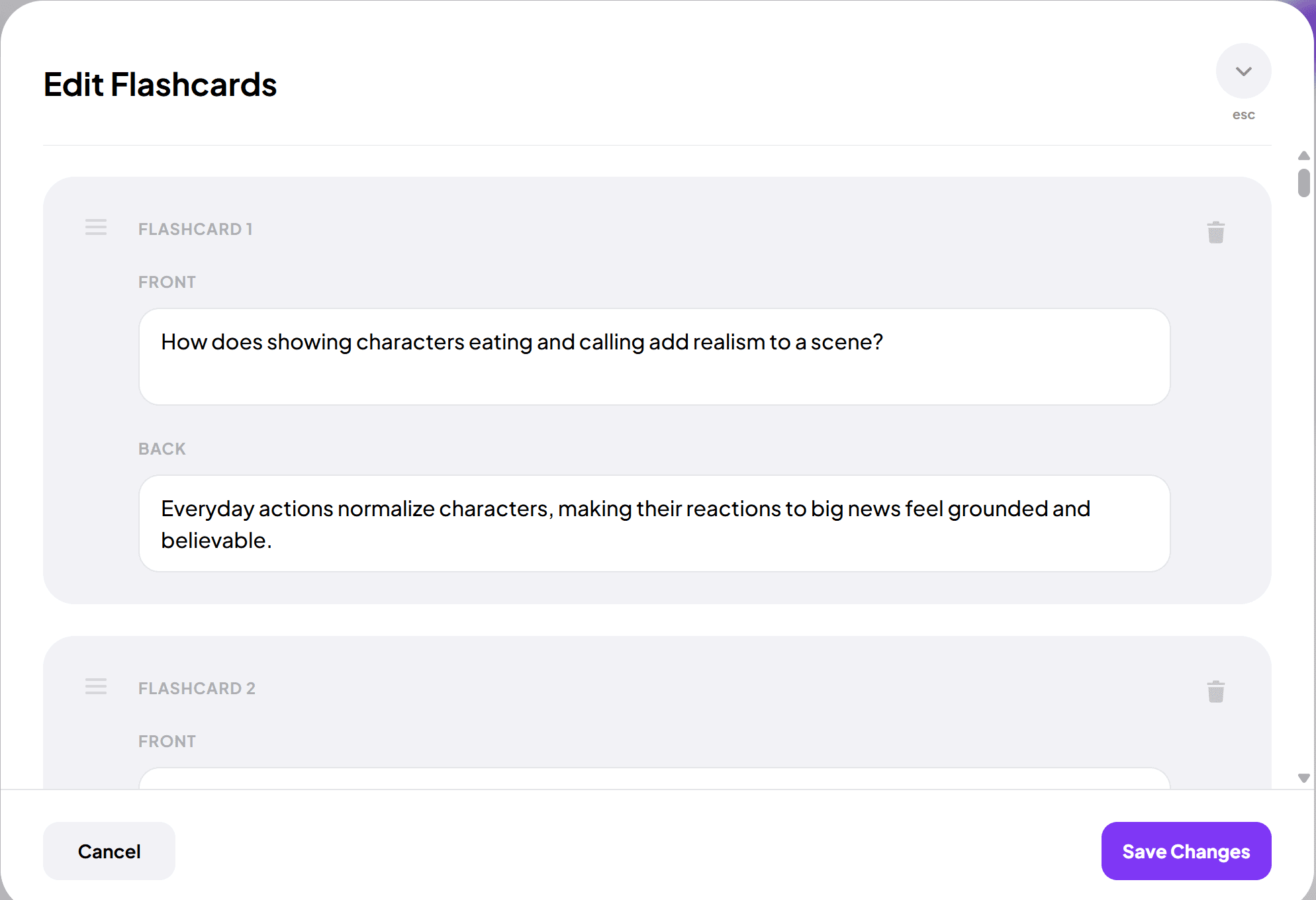
As you can see from the screenshots above, it is easy to manually edit them if you want. I just don’t see the point of paying for a software to generate them for you if you’re always going to rewrite them (which I would be doing).
It’s also a little strange that the flashcards are generated based on the topic you’re discussing, rather than the content of the transcript itself. For instance, the second screenshot above (the English language one) asks: “How does showing characters eating and calling add realism to a scene?”
This was something we definitely did not discuss. I talked about a writing competition I was entering, but we never went into detail about what brings realism into a scene. Coconote’s Create Flashcards feature was my biggest disappointment.
I wanted to resolve this, so I spoke with the AI again. I figured if I managed to get it to translate the notes (eventually), maybe I could get it to change the flashcard format. No such luck.
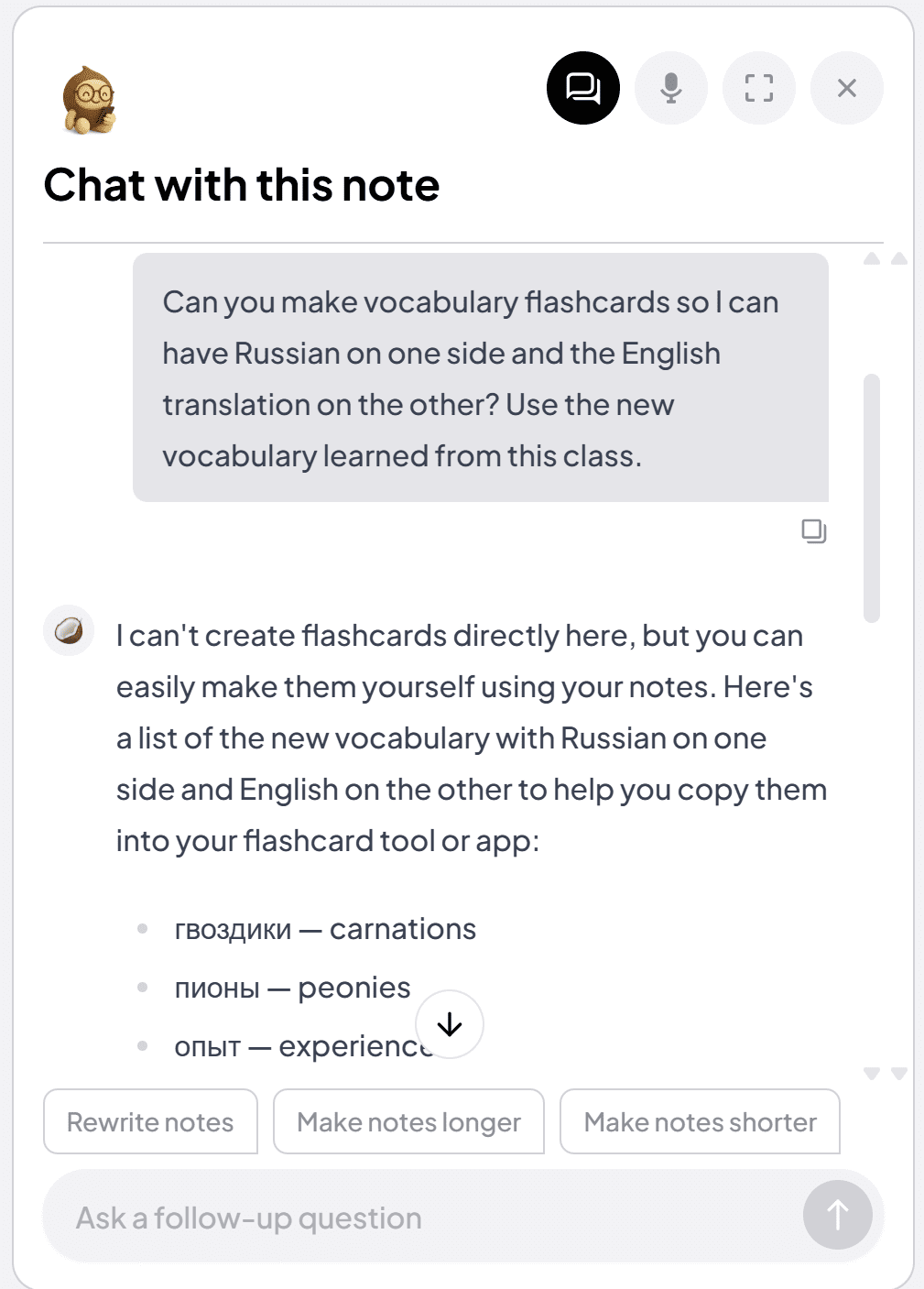
How Is Coconote’s Quiz Feature?
Coconote’s quiz feature is mostly disappointing. Similar to the flashcards, you don’t get to give it any prompt or guidance. It just generates the quiz automatically, thinking it knows best what you need to learn, but clearly it isn’t intelligent enough to make that decision. If I’m learning Russian, which you’d think would be very obvious to AI from the transcript, then I need vocabulary and grammar practice.
However, the vast majority of questions were completely irrelevant to what I was learning. Instead, they were just throwaway bits of information from the call that it was testing me on.
Another frustrating thing was that in the lesson where I pre-selected Russian as the language, both question and answer were in Russian (but usually about something mundane from the discussion). In the calls where I pre-selected English, the questions and answers were in English.
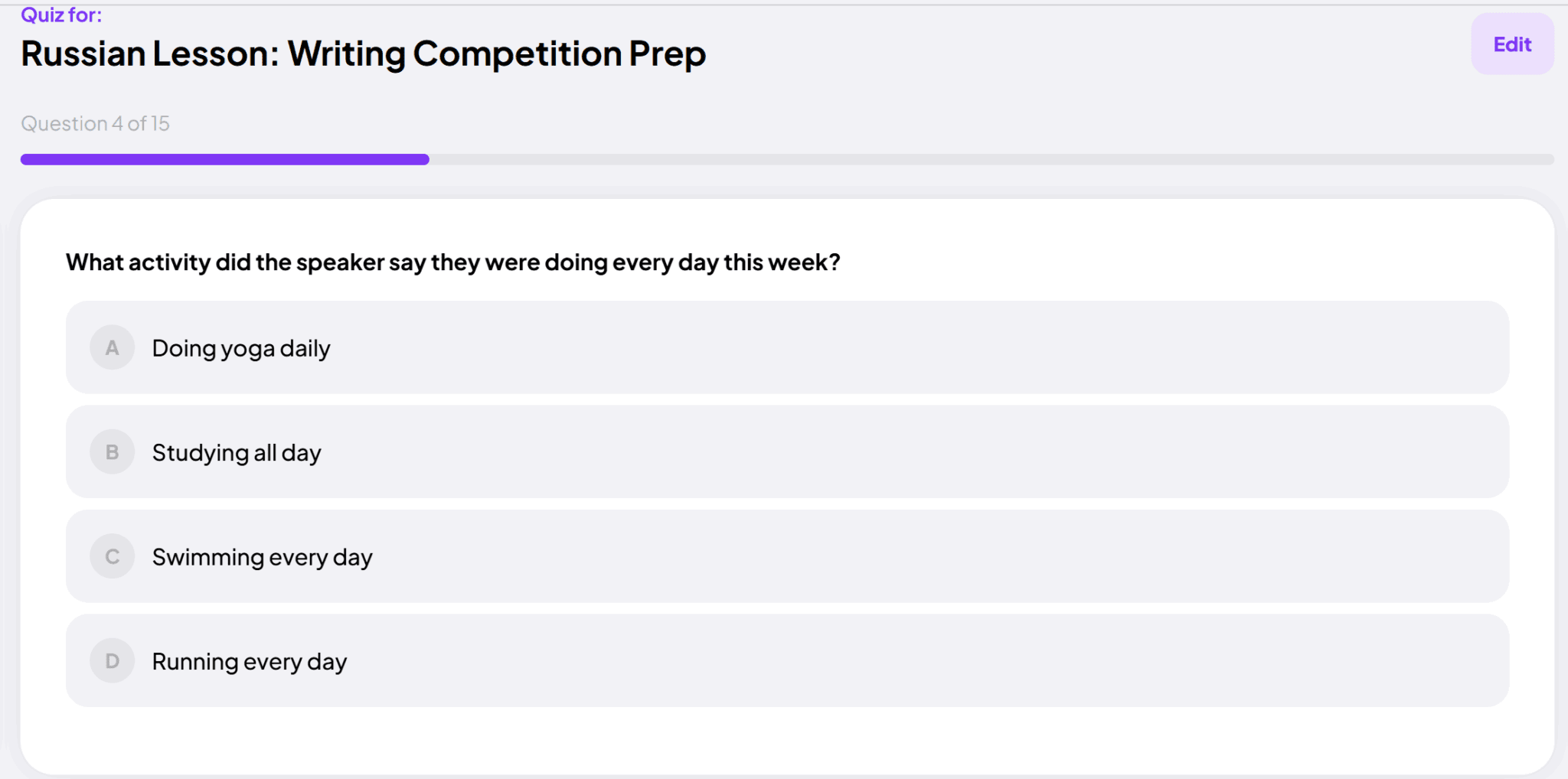
One of the questions in Coconote’s quiz was asking what the “speaker” was doing every day this week. That information is totally useless to me. It has nothing to do with Russian or language learning, nothing to do with the main topics of the discussion. It was just a brief comment near the beginning of the call.
It’s also not very helpful to call it the “speaker.” If there were multiple speakers or if the question were less clear about which speaker it was, this would be even less useful than it already is.
The only thing I can think here is that perhaps language learning is the wrong way to approach Coconote. If this were a recording of a lecture instead, the quiz might be useful as it will help you retain information that the lecturer spoke of. For practically any other purpose, it’s far too rigid.
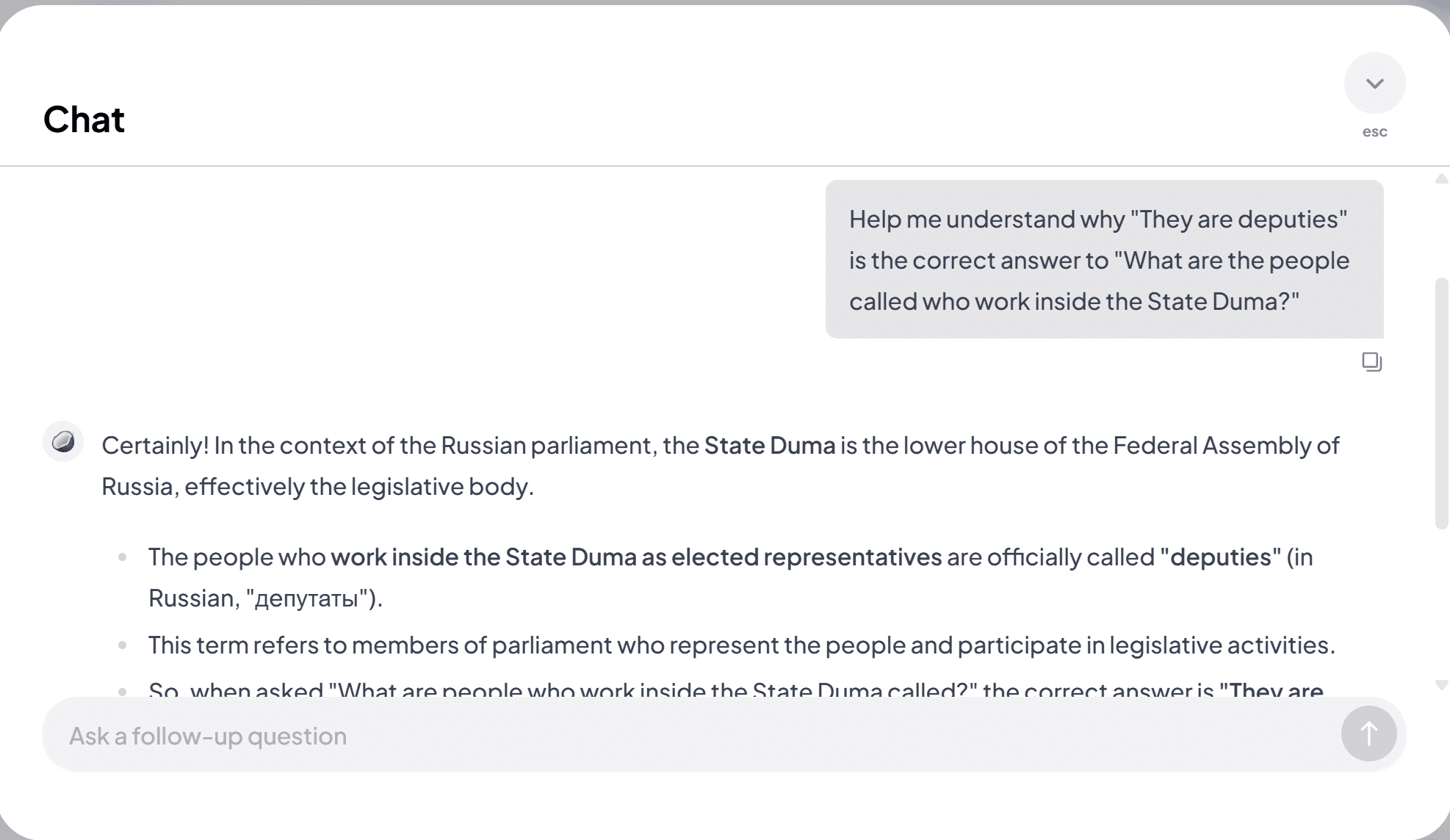
If you get an answer wrong, you get a button pop up that helps you understand why the answer is what it is. This takes you to the AI chat where it will explain the answer in more detail. This is a useful feature, but as the questions are generally useless, I wasn’t able to get much out of it.
There were one or two questions that were useful, but in general, this feature needs a prompt before generating the random questions. If I could tell it to produce more vocabulary practice from the lesson, it would be a gamechanger. As is, I wouldn’t recommend it.
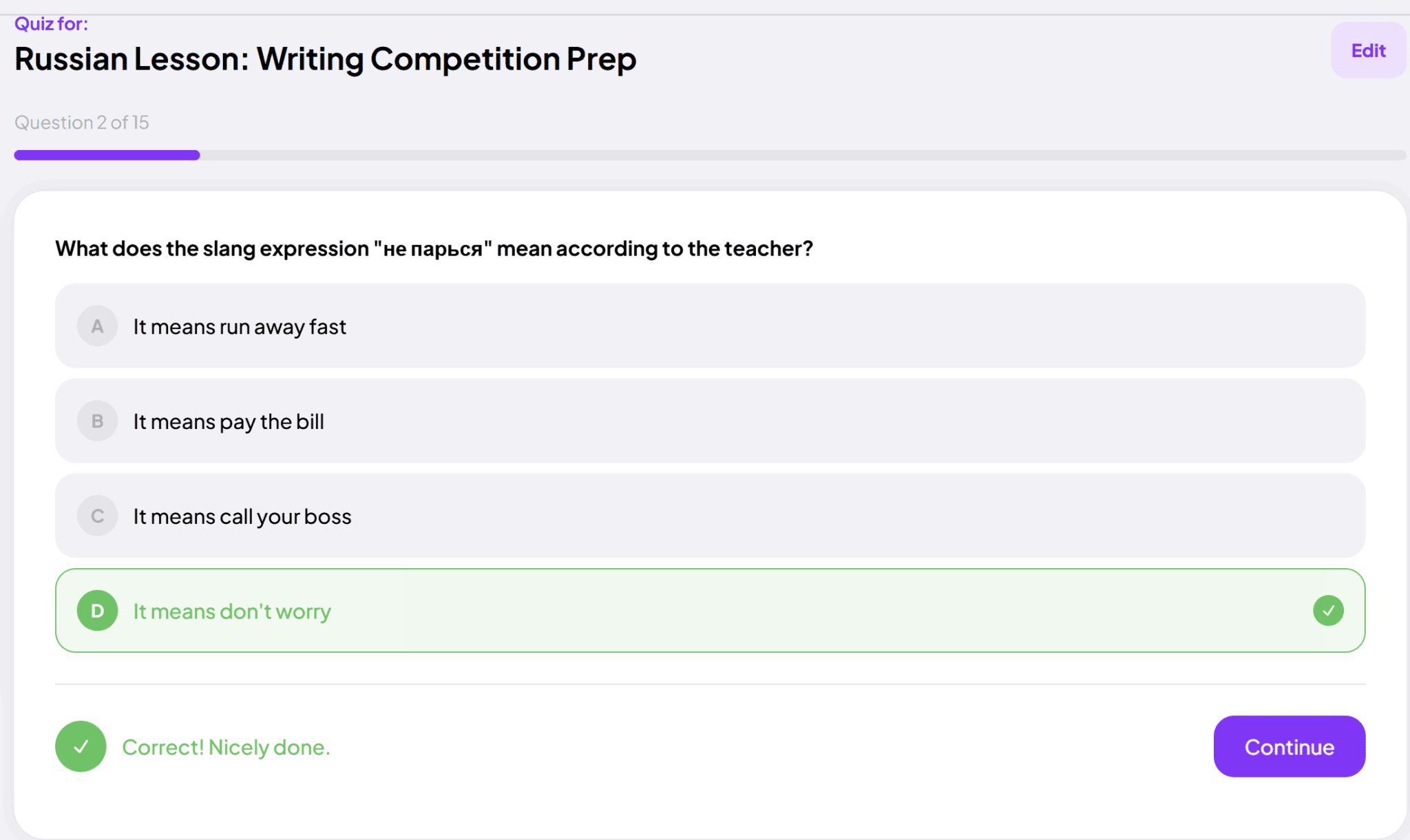
This question was actually a good one. If only they could’ve all been like that.
Again, if this was a lecture or podcast instead, these quizzes could be a lot more beneficial. For basically anything else, they’re a liability.
Are Coconote’s Study Games Helpful?
This one surprised me. There are three games hidden in a dropdown menu:
- View Mindmap
- Play Memory Palace game
- Play Card Match game
Coconote’s Mindmap Feature Review
The mindmap could potentially be a useful visual, but I noticed it literally just reformats the AI notes it already generated. In other words, it’s just a fancy way of looking at your notes. If you’re a visual learner, that might be useful. I found it more of a gimmick.
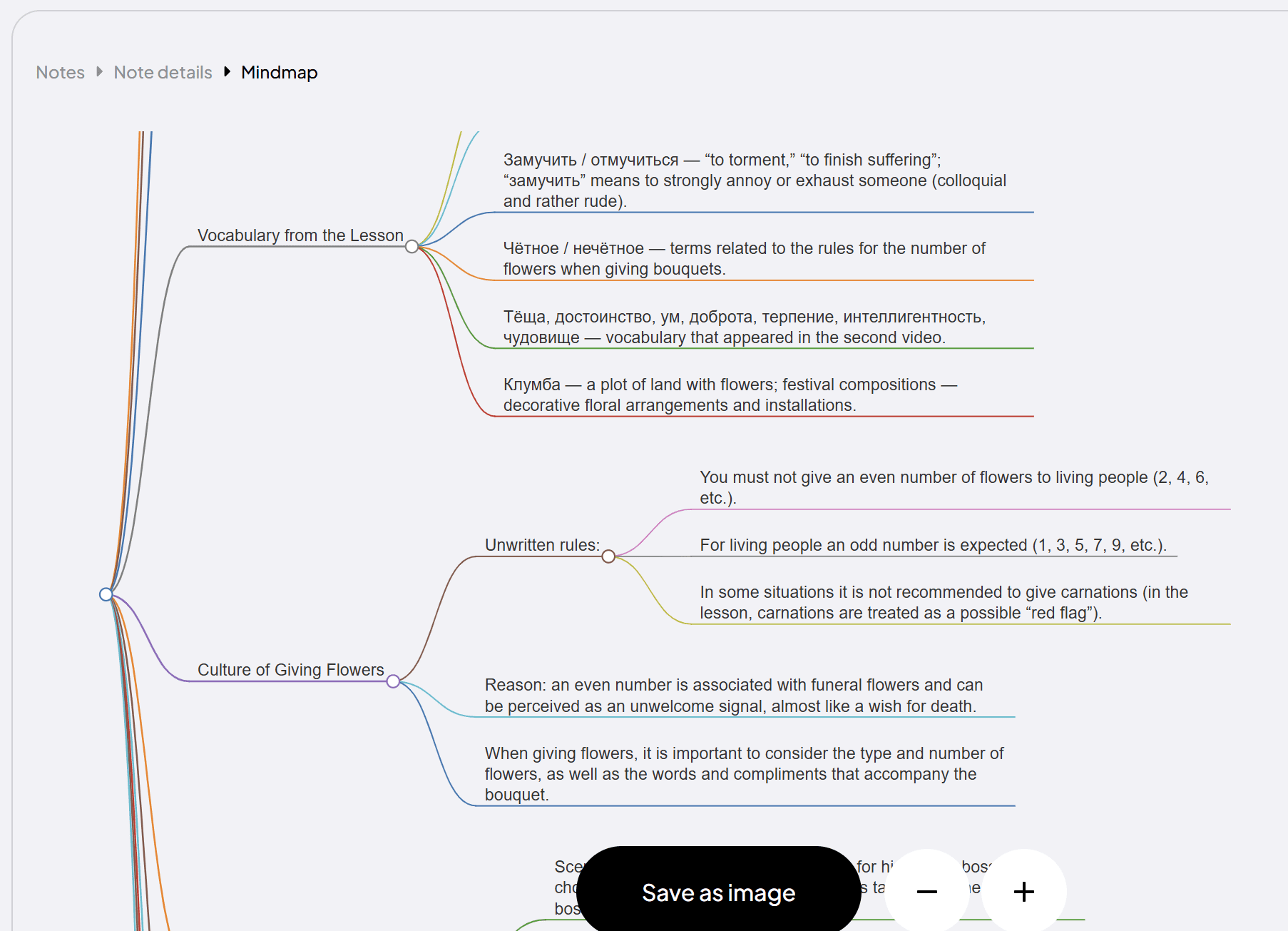
For certain topics, it could be a useful way of displaying information.
Coconote’s Memory Palace Game Review
The Memory Palace game was the most surprising. I had not heard about it in marketing materials, third-party reviews, or even Coconote’s own website. So you can imagine my surprise when I clicked on the Memory Palace game only to find myself thrust into a virtual world where you can run around a little town to collect coconuts and practice flashcards with each one.
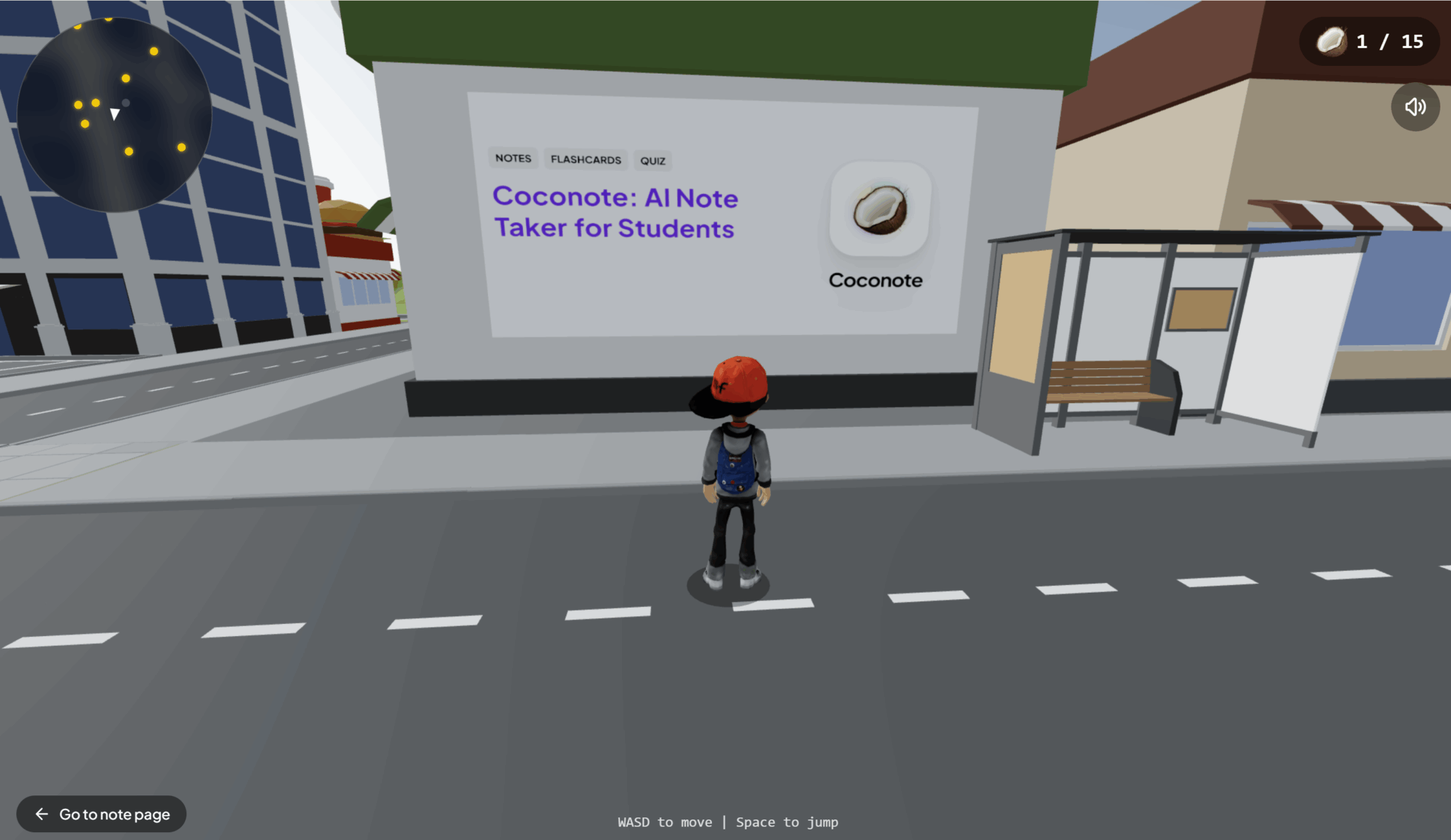
While it’s not exactly GTA, you do get an avatar with a swaggy backwards cap. There are also planes (one is just floating in the sky), a cinema, a cafe, a donut shop, and more. There are quite a few bus stops but no buses.
The coconuts to collect did give me vivid Tony Hawks vibes, but just imagine it without the skateboard, tricks, music, or anything that actually made it fun.

There’s a little HUD where you get a minimap to show you where the rest of the coconuts are, as well as a coconut counter to make sure you’ve collected them all.
Currently, Coconote’s virtual city is a grid without any other people and no dynamic movement from anything other than your character. The buildings all have block letters of what they are like: BANK, CINEMA, or CAFE. In short, it’s a fun idea but a ChatGPT style execution.
If it had a bit of work, I could see it being a fun way for kids to revise. It has incredible potential to merge fun with learning, but as things stand, I can’t imagine it gets many users. That’s probably also why I’d never heard about it beforehand. You’d think with an entire virtual world under their belt, they might advertise it. The fact that they don’t should tell you all you need to know.
Having said that, it was a fun surprise. I wandered around for five minutes, exploring and collecting coconuts. But the problem I had was the coconut revision cards were not remotely helpful for me. It’s the same problem I discussed for flashcards and quizzes. It would’ve been a lot more helpful for me if it was just a simple vocabulary question and translation.
The fact there’s no customization in these study games is their biggest weakness.
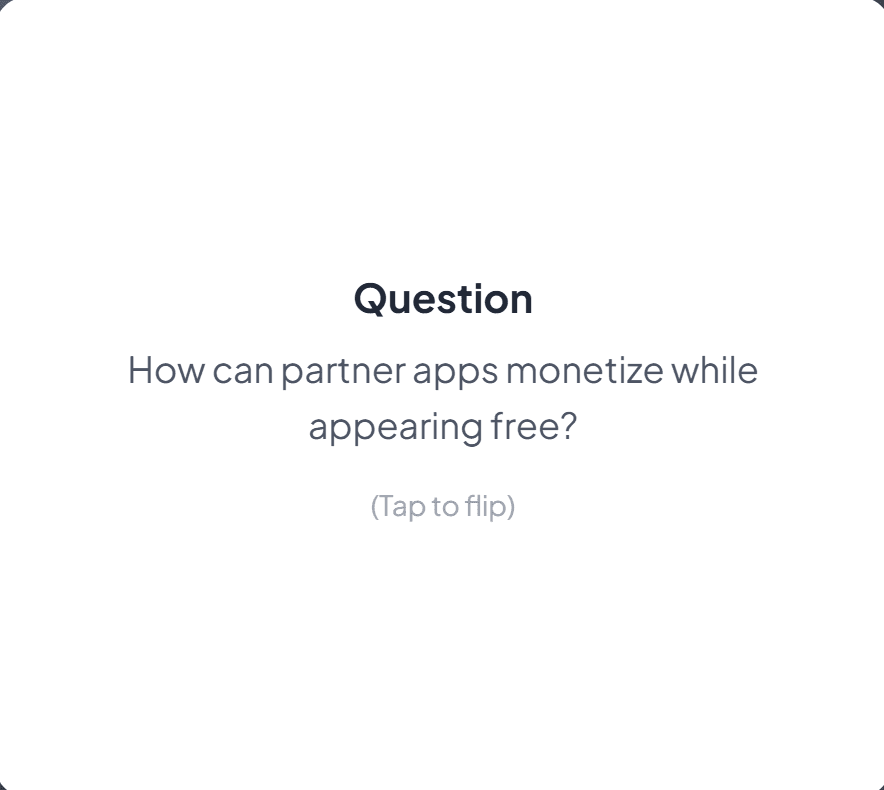
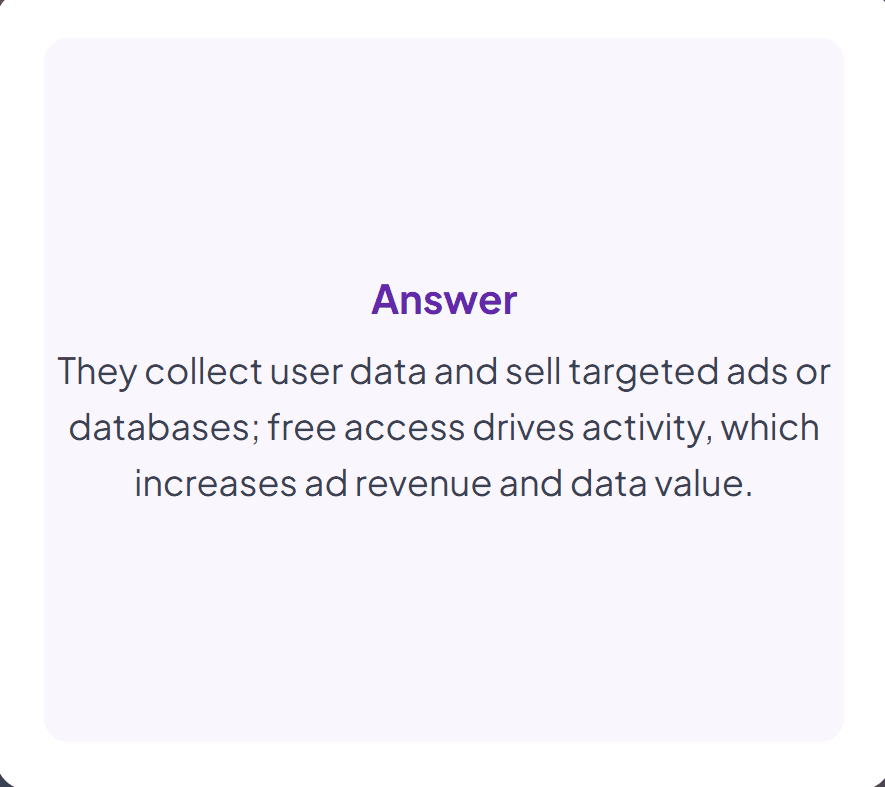
Here, for example, you can see how useful this information is to me on my language learning journey. We did discuss app monetization in the class, but the content of the discussion is not important to me. The AI should understand that I’m learning the language, not learning how to monetize apps.
Coconote’s Card Match Game Review
The card-matching game, like the quizzes, flashcards, and all the other study games, has cards that are generated directly from the notes without any customization. For language lessons in particular, this just doesn’t work without additional guidance.
The cards were largely irrelevant or not really what I needed to study.
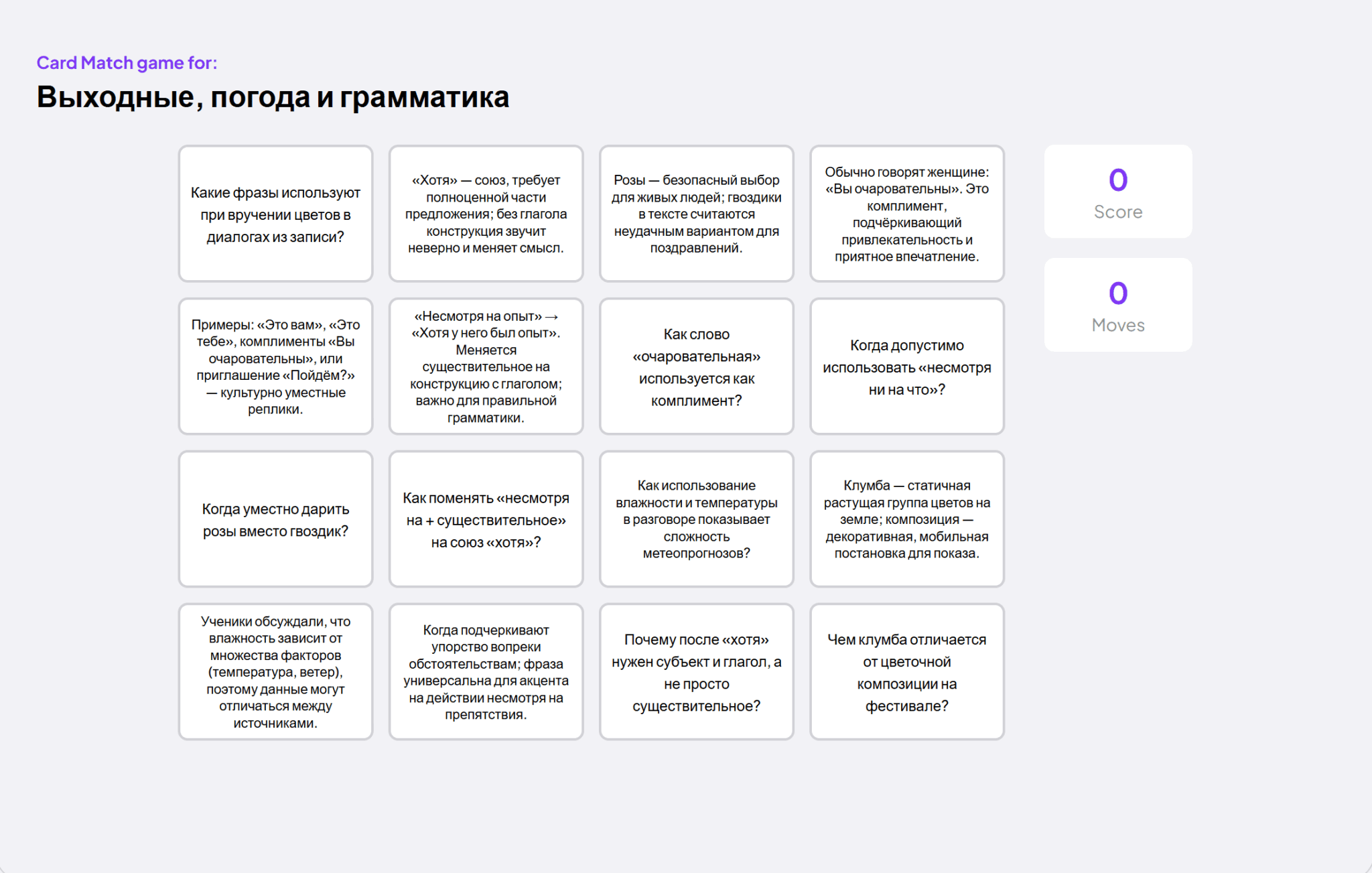
Coconote’s Recurring Problem (and Fix)
Like with all these games, customization is key. The current template only really works for single-speaker lectures or podcasts that you need to memorize details from. If you’re learning anything in a slightly different way, these games will be largely useless.
However, I want to make something clear: I love the idea. The concept is great, but the current execution just doesn’t cut it. I do think they have potential to be massive study aids. If the content of the cards can be adjusted automatically, or customized beforehand with a prompt, then study games become a killer feature.
Right now, Coconote has a good foundation, but it needs to up its game in several areas to truly stand out as a broad revision aid. It may work now for very limited study methods like lectures, podcasts, or long YouTube videos.
Coconote Pricing: How Much Does Coconote Cost in 2026?
Coconote has frustratingly hidden pricing plans. I think this is because there is only one plan, divided by how you want to pay:
- Free Trial (7 days only, $0, card required and you will be billed when the trial ends unless you cancel in advance)
- Monthly (ongoing subscription, $9 per user per month)
- Yearly (ongoing subscription, currently $59 per user per year)
There is no official pricing page, no breakdown of what you get, nothing so simple. Instead, there is a single try for free button, that then forces you down a funnel where you need to give your credit card to even use the basic features.
The only place I’ve seen the prices mentioned is when you’re actually signing up to the free plan (before you even know exactly what you’re getting). It’s certainly an awkward, and dare I say, controversial way of handling pricing.
To make matters more confusing, there is a FAQ section that mentions an option to pay weekly, but as there is no actual pricing page, and the trial page shows only what the screenshot reveals above, I’m not sure whether this weekly price actually exists or if it’s an outdated thing.
So What Do You Get When You Pay for Coconote?
Good question. The only thing we have to go off is this rather limited list:
- Unlimited AI notes, recordings, uploads
- Quizzes, videos, podcasts, and more
- Video, PDF, audio, files, websites
- Chat with your notes
- Private and secure
Out of all this, the only USP really is the fact that it can be used to make revision materials quickly. The other stuff can all be done in countless other apps. tl;dv, Fireflies, Fathom, Granola, and others explain what you get more clearly and offer most, if not all, these features free of charge.
What Do Real Everyday Users Think of Coconote?
Enough of my experience. What do real everyday users think? Would they recommend it? Is there something that stood out to them as a deal-breaker? Let’s dive in.
We’ll start on Reddit, where u/cat_fox was wondering if anybody from r/studytips has ever tried Coconote AI.
The comment by u/aloejuxce highlights Coconote’s pros and cons: it “makes good notes but also is very expensive.” They go on to say that they’re disappointed by the short page of notes it generates, even if the lecture was an hour or more. That small amount of notes is not sufficient to cover all the important details, especially for revision.
Having said that, they are happy with the way Coconote makes quizzes and flashcards as they are a big help. One of the replies also recommends asking Coconote’s AI chatbot for a more detailed summary if they want longer notes.
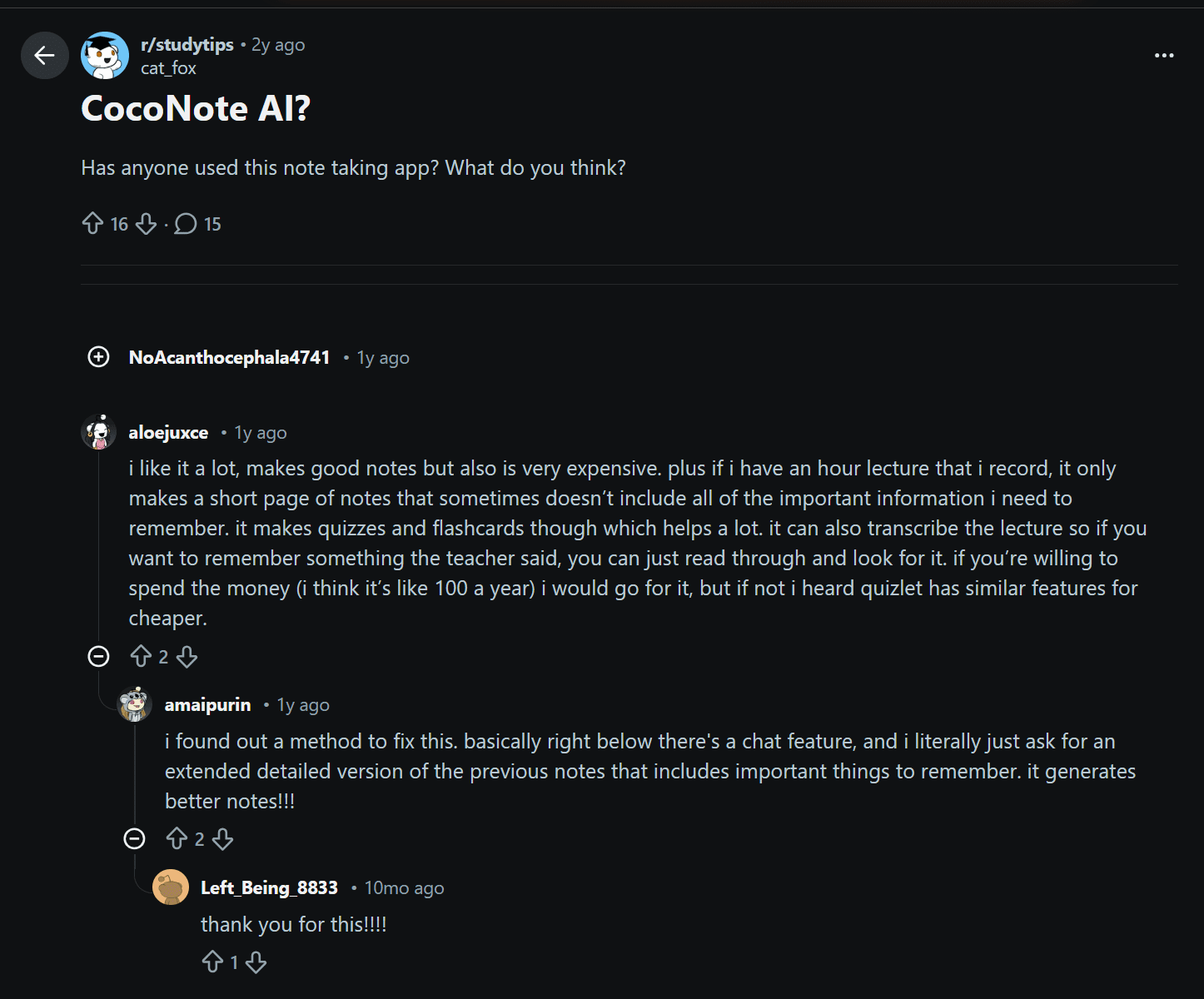
Over on the App Store, Coconote AI gets 4.6/5 from 694 reviews. Most of them are good, but there are a few negatives amongst them. For instance, one reviewer titled their review: “Not useful in any way.”
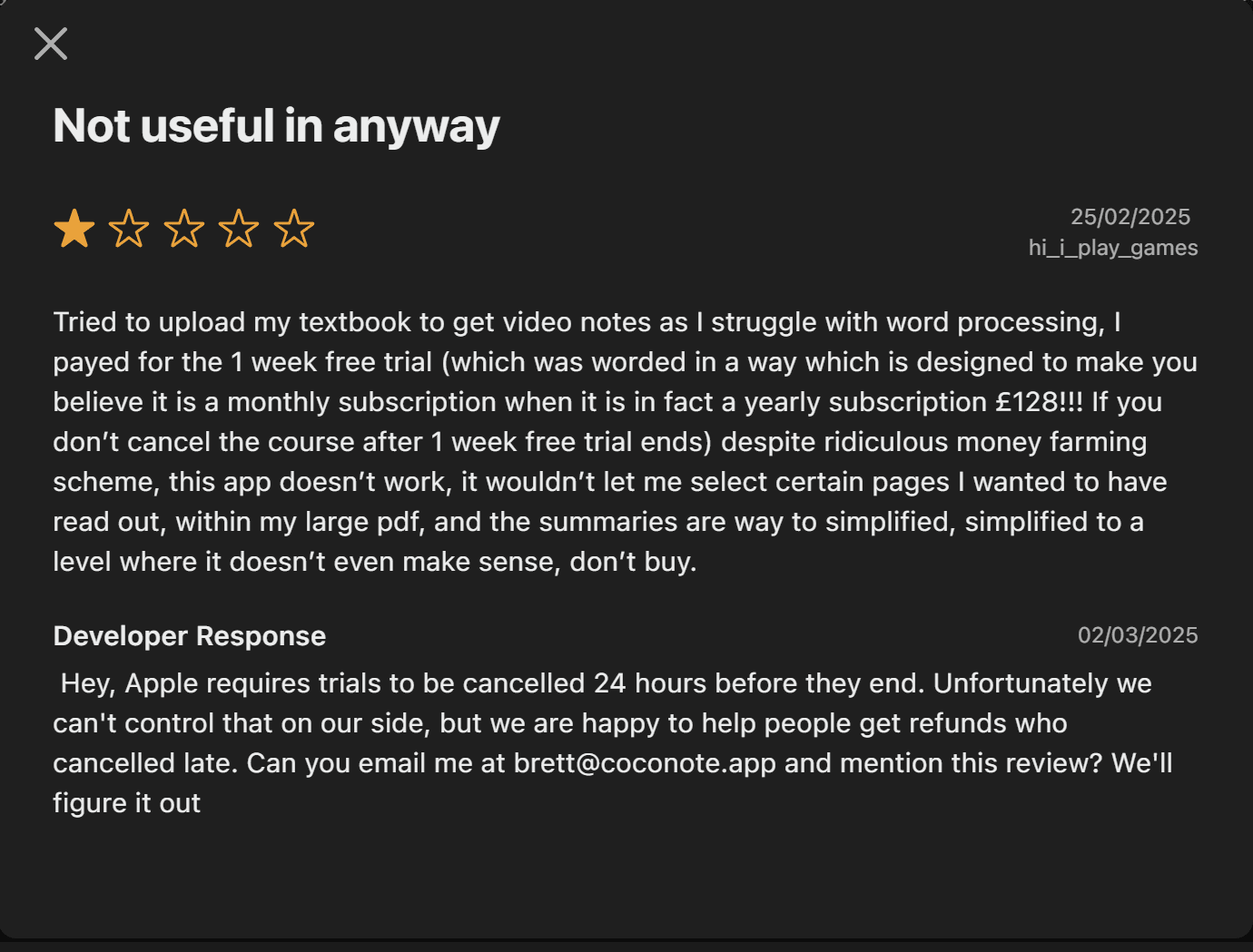
The reason is simple: they tried to upload a textbook to get video notes, but it wouldn’t work for certain pages. When it did work, the summaries were over-simplified, “simplified to a level where it doesn’t even make sense.”
The other issue this user faced was the fact that they had to pay for the yearly subscription, despite the fact it had been worded as if it were a monthly subscription. Similarly to how I experienced it, Coconote forces you to give over your payment details before you even get access to the free plan. That level of control usually stems from a fear that the product isn’t good enough to get people to buy it without manipulative billing practices.
There are plenty of positive reviews on the App Store too.
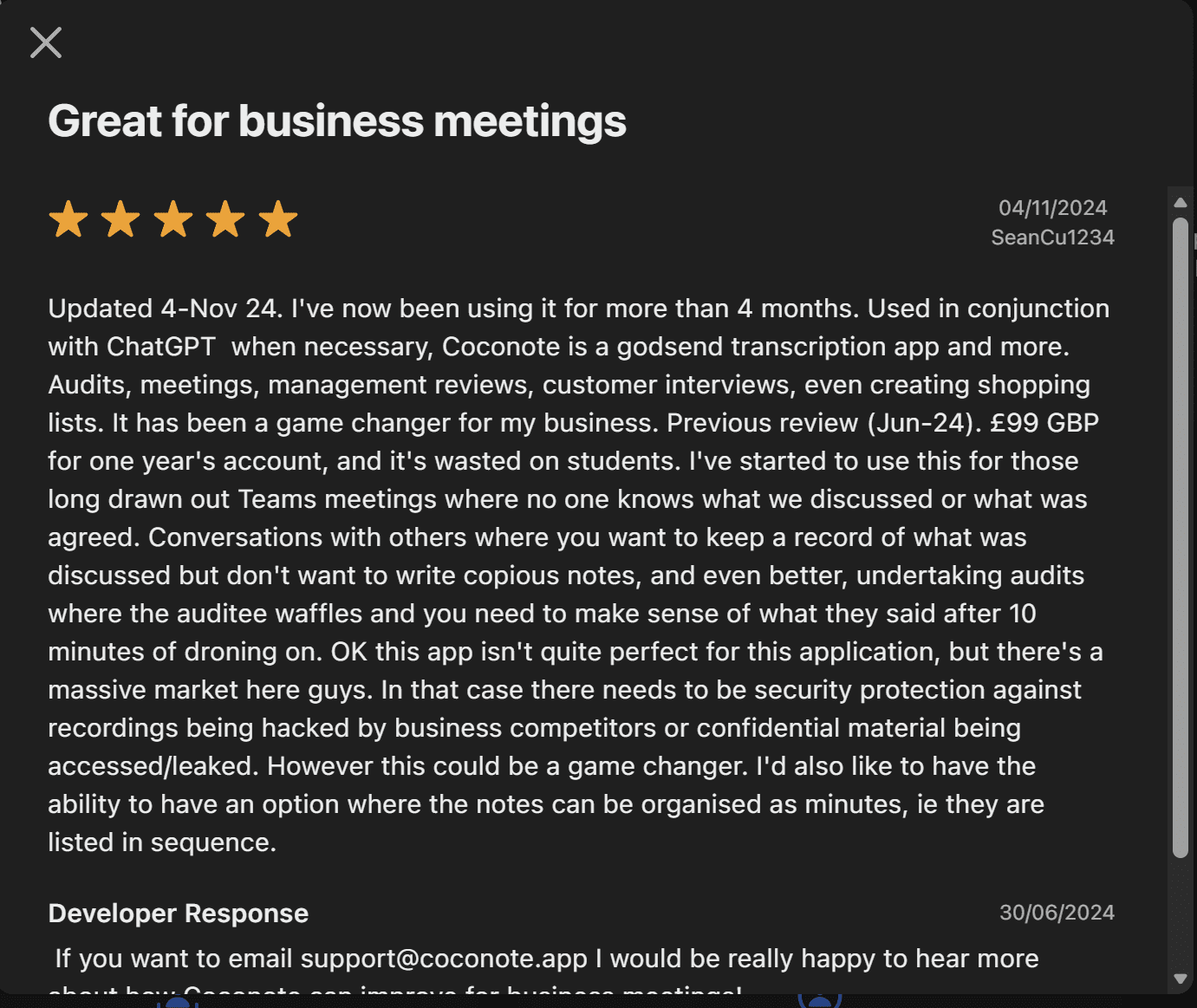
This user, Sean, had been using Coconote for four months at the time of his review. He said he’d been using it in conjunction with ChatGPT when necessary, which says to me that Coconote doesn’t do everything you’d expect or want it to. Despite this, he calls it a “godsend transcription app.”
Sean also takes digs at Coconote’s target audience by saying “it’s wasted on students.” He said he’s started to use it for work calls and says there’s a “massive market” there. Unfortunately for Sean, it seems he missed the memo on the AI meeting assistants that were specifically built for this problem (where Coconote was designed to take notes for revision). In its current state, there’s no way I could recommend it for regular meetings.
On JustUseApp, Coconote scores 4.8/5 from 70 reviews. Again, it’s a high score overall, but there are some low-scoring reviews which give you a bit of perspective.
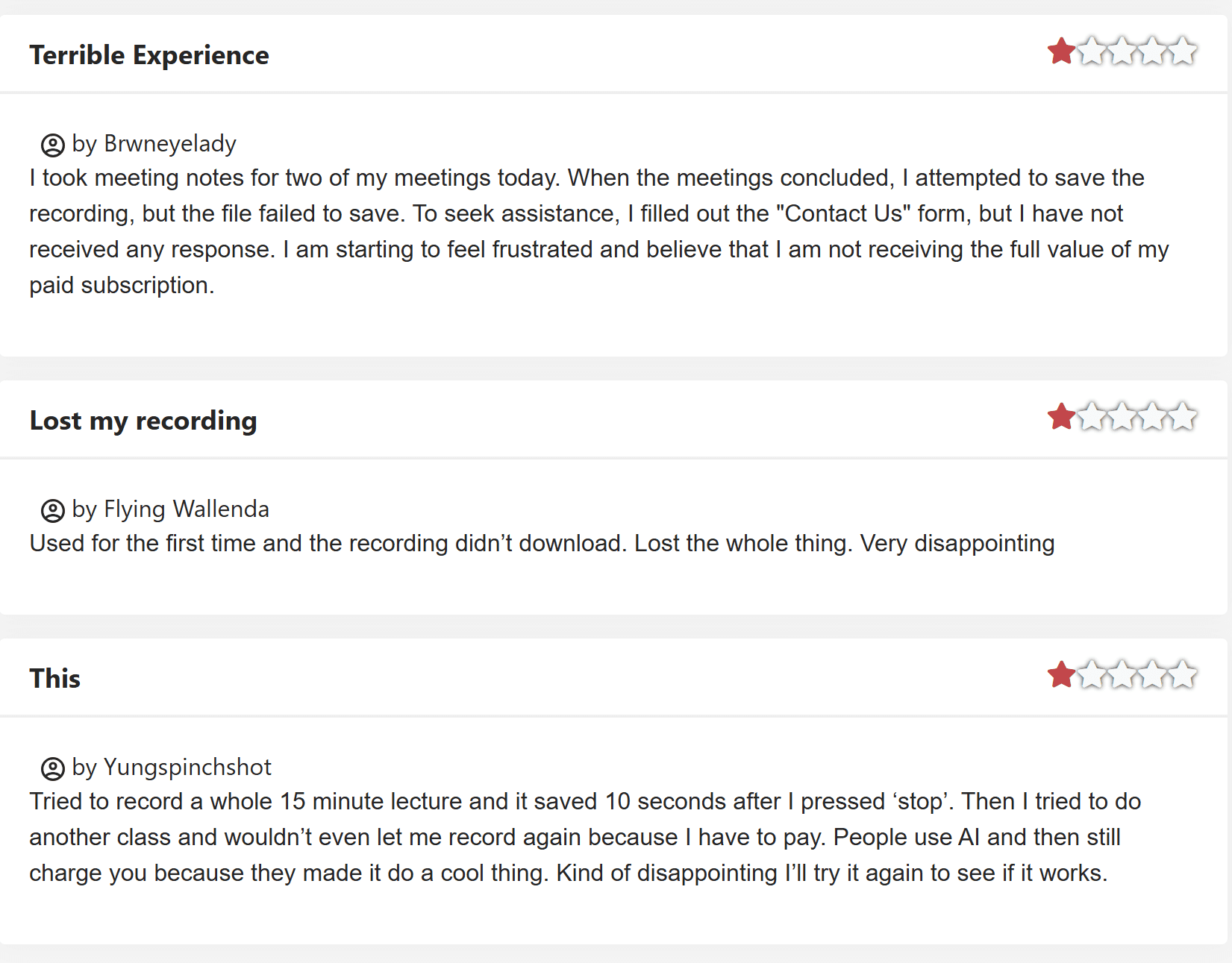
There are quite a few displeased customers venting here. One said they were “starting to feel frustrated” because they’re “not receiving the full value of [their] paid subscription.” This was after the file failed to save and customer support didn’t get back to them.
That user wasn’t the only one to lose their entire recording. The second one experienced the same thing, calling it “very disappointing.”
Finally, the third reviewer wanted to record a second class after the first one seemingly went well, but they weren’t allowed without paying.
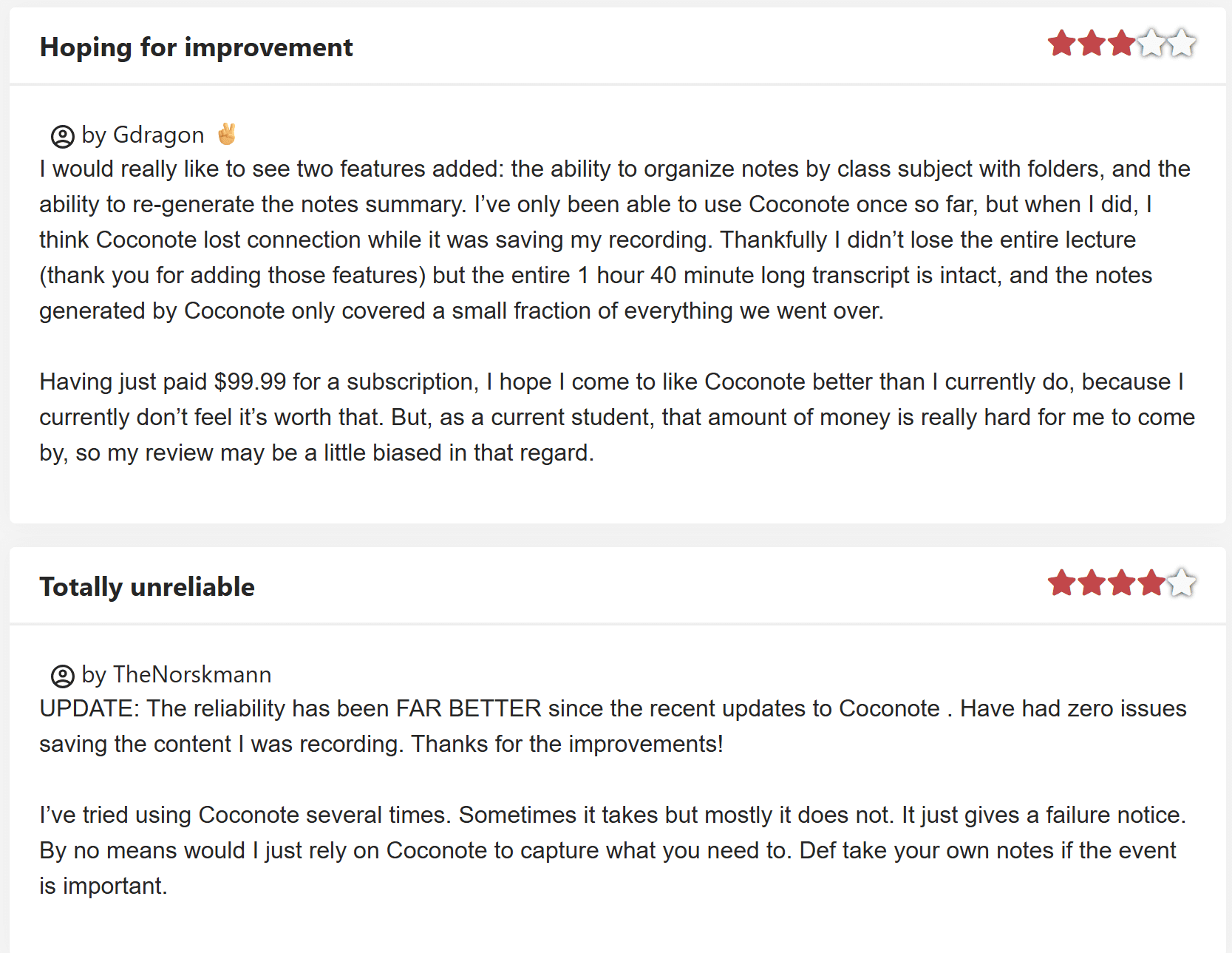
Some slightly better reviews here, both of which you’d think would have given less stars based on their titles:
- Hoping for improvement 3/5
- Totally unreliable 4/5
To be fair to the second one, it was updated after the initial review to say that the “reliability has been FAR BETTER since the recent updates to Coconote.” They now have “zero issues” saving recorded content.
As for the 3-star review, they request two new features: the ability to organize notes by class subject with folders, and the ability to re-generate notes. After a 1 hour 40 minute transcript, Coconote only covered a “small fraction” of everything from the lecture.
The user goes on to say that $99.99 for a year is not worth it. They add a disclaimer that they are a student and therefore “that amount of money is really hard for [them] to come by.” However, it should be noted that this is still Coconote’s problem as students are their target market.
Talking of which, the next student is happy to pay for Coconote because of how useful it is, despite being “a broke college student.”
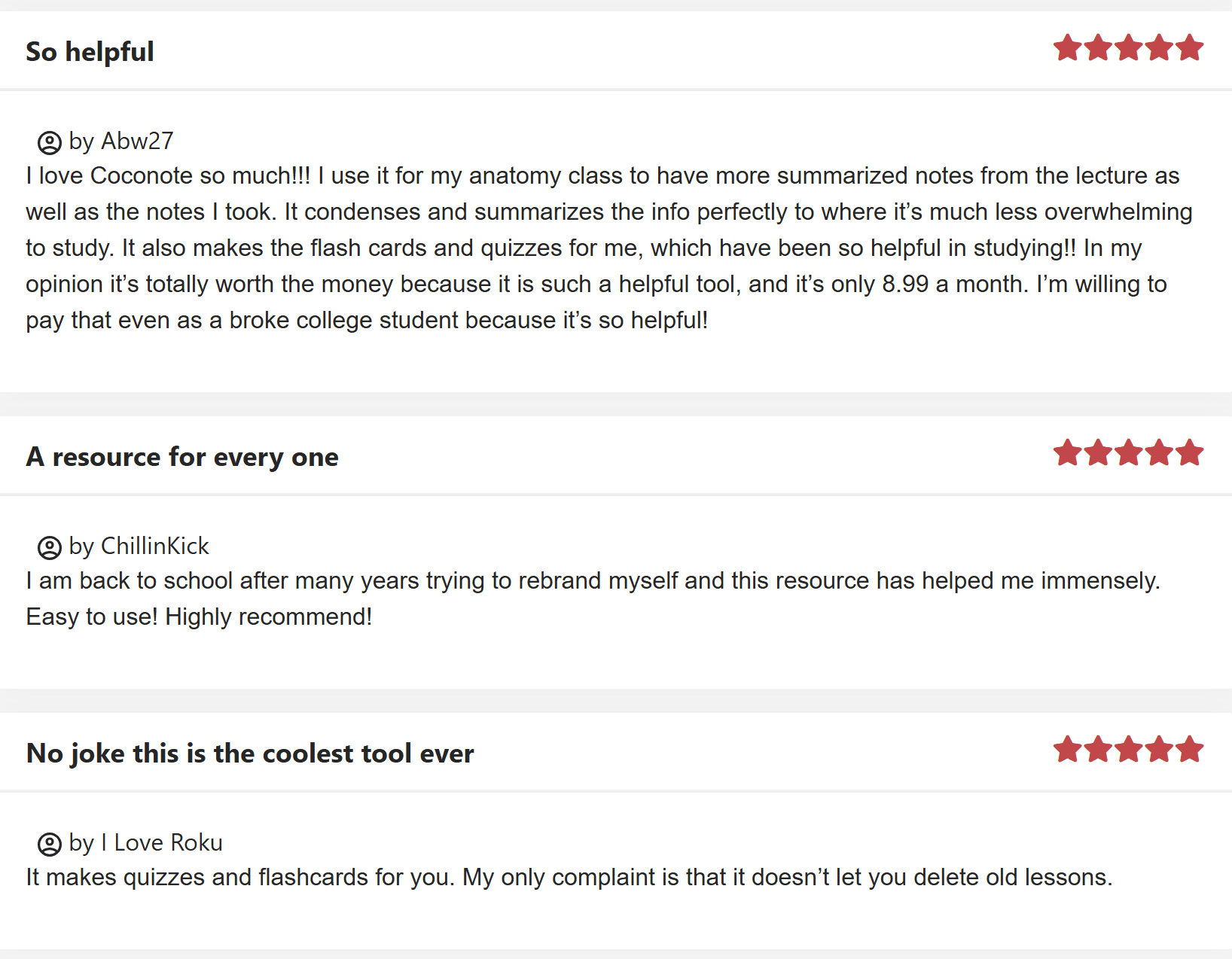
That same broke college student said the reason they love Coconote so much is because “it condenses and summarizes the info perfectly.” They also, like the third review above, appreciate the flash cards and quizzes. They say it’s “totally worth the money.”
Coconote Alternatives for Better Lecture Notes and Revision Materials in 2026
There are several Coconote competitors that provide more value when it comes to taking notes and converting them into revision materials. Additionally, there are countless better options if you’re looking for AI meeting intelligence rather than revision materials. We’ve included one of them in the comparison table below (tl;dv), just to give you an idea of how they compare.
| Tool | Core Idea | Best For | Outputs | Interaction Level | Strength | Weakness | Learning Stage |
|---|---|---|---|---|---|---|---|
| Coconote | Lecture summarizer | University lectures | Notes, quizzes, flashcards, games | Low | Clean structured notes | Passive learning | Understanding |
| Turbo AI | Active recall generator | Exams & memorization | Notes, flashcards, quizzes, podcasts | High | Turns content into revision | Accuracy varies | Memorization |
| Memrizz | Memory-first learning | Language & fact heavy subjects | Flashcards, spaced repetition | Very High | Retention focused | Weak note capture | Long-term retention |
| Raena AI | Personal AI tutor | Complex subjects | Explanations, guided learning | Very High | Explains ideas | Less automation | Concept mastery |
| Feynman AI | Learn by teaching | Deep understanding | Simplified explanations | High | Clarifies confusion | Not a note system | Understanding |
| RemNote | Knowledge system | Serious students | Linked notes + spaced repetition | Very High | Second brain + memory | Setup time | Mastery |
| tl;dv | Meeting intelligence | Calls & team discussions | Transcripts, summaries, action items | Medium | Collaboration & search | Not for studying | Collaboration |
Full disclosure, as of February 2026, I haven’t tried most of these other tools yet. However, after doing a deep dive into Coconote alternatives, I will be checking them out over the next few months.
Most of them have free trials or plans so you can test them out and compare for yourself before switching. Some of them have specific niches so just check it aligns with what you’re after specifically.
Coconote Alternatives: Summary
- Best for lazy note capture: Coconote
- Best for exams: Turbo AI
- Best for long-term memory: Memrizz or RemNote
- Best for hard subjects: Raena or Feynman
- Best for work meetings: tl;dv
Is Coconote Worth Your Money in 2026?
In short, it depends on your specific needs. Coconote has the foundations to be a brilliant AI revision aid. However, as things stand, it lacks customization and seems to be only tailored towards single-speaker lectures, podcasts, or audios. If this is the primary type of content that you need to study, it may well be a good idea to subscribe. At the very least, you should try out the free trial.
If, however, you’re learning a language, or wanting it to take notes in multi-speaker environments, there are far better platforms that offer many more advanced features for a lot less.
FAQs About Coconote (2026)
What is Coconote?
Coconote is an AI-powered note-taking and study assistant that turns audio, video, PDFs and websites into structured notes, flashcards, quizzes, transcripts and podcasts.
It’s designed to help learners study more effectively. It supports over 100 languages and is available across mobile, web, and desktop platforms.
How does Coconote work?
You can record or upload audio/video content, and Coconote will automatically generate organized notes, summary transcripts, flashcards and quizzes. There’s also an AI chat feature so you can ask questions about your notes interactively.
Is there a free version?
Yes. Coconote offers a free 7-day trial that lets you get started and create basic notes. However, most users find the free trial too limited. Unlimited note creation requires a paid Coconote subscription.
Which platforms is Coconote available on?
Coconote works across iPhone, iPad, Android, web and Mac desktop. Windows users can use the web app but there’s no native Windows app yet.
How much does Coconote cost?
Coconote’s pricing is not super clear, but the unlimited plan costs $59 per year or $9 per month.
Are there discounts or special offers?
Currently, you can get the yearly plan for 50% off.
At the start of the academic year in 2025, Coconote made it free for educators.
Is Coconote legal to use at schools/universities?
Generally yes. Coconote converts and organizes data you provide and doesn’t supply exams or answers. Its legality typically depends on whether recording lectures is permitted by your institution or instructor.
One of its major marketing campaigns highlights the fact that it’s “ethical AI.”
What types of study materials can it create?
Coconote produces:
Structured notes and transcripts
Flashcards for active recall
Quizzes for self-testing
Podcast-style audio summaries
AI chat breakdowns of content
Can I export notes to other apps?
Coconote supports sharing notes and flashcards via links or text, but lacks built-in workflows at the moment. Reviewers have noted plans to expand export options (e.g., to Google Docs or Notion).