Перейти до змісту





I’m an obsessive AI notetaker user. Have been for years. For the past three months I’ve tested every serious bot-free option, every single day, across real meetings.
The Google Meet situation has accelerated this shift towards bot-free AI notetakers. On March 25, 2026, Google rolled out a safeguarded guest admit flow that sorted everyone trying to join a meeting into two queues. Confirmed users get default admission. Everyone else, including every third-party notetaker bot, lands in a “Potential Risk” queue where the default action is DENY. The host has to manually override it every single meeting or the bot misses the call.
Bot-free tools sidestep this entirely. There’s no participant to block. And for anyone running on Google Meet right now, that’s not a nice-to-have. It’s the only reliable option.
TL;DR: What’s the best AI note taker without a bot in 2026?
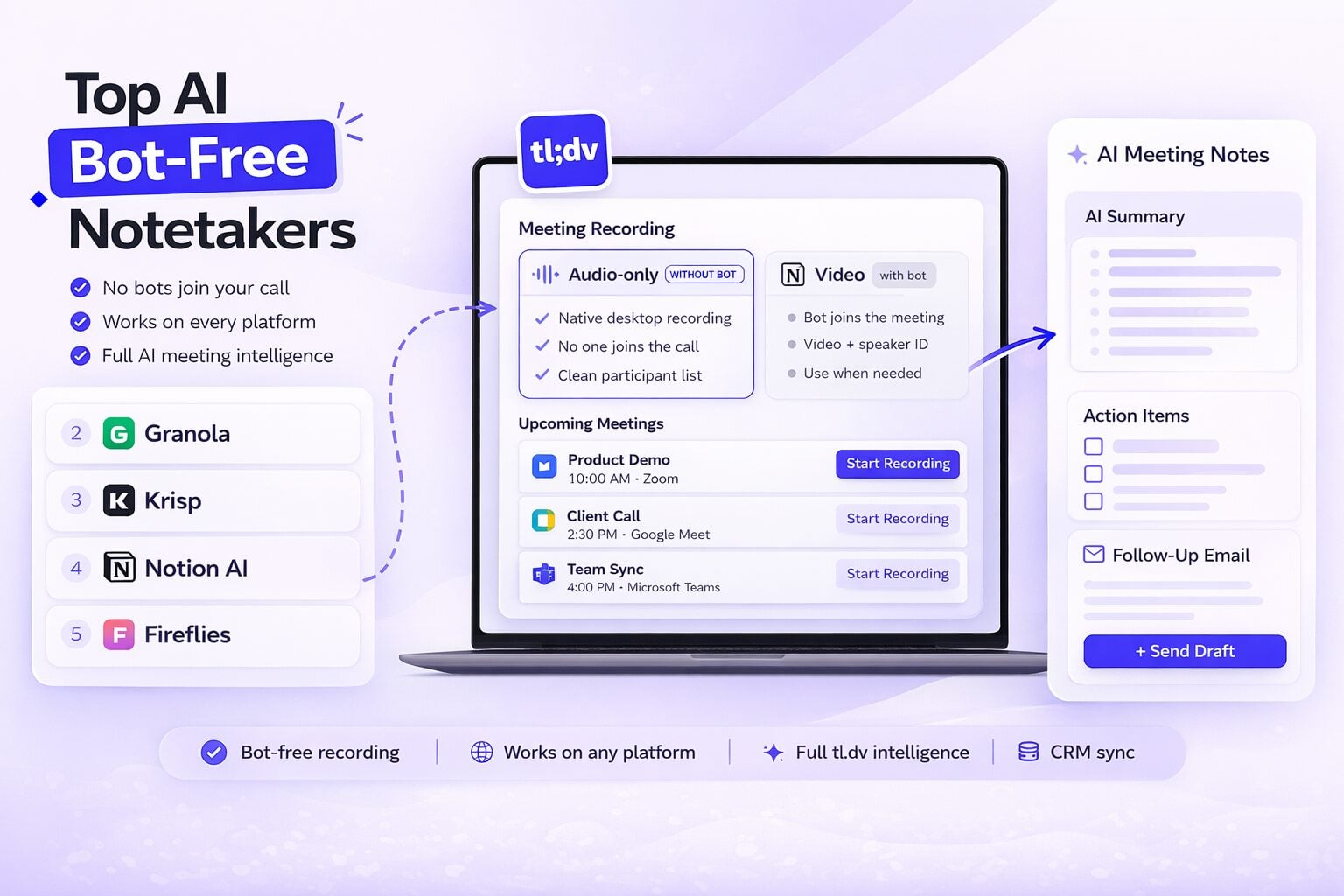
- Bot-free AI notetakers record directly from your device without joining the call. They work on every platform, cover phone calls and in-person meetings, and leave no trace in the participant list.
- tl;dv offers a native bot-free desktop mode: Audio-only (WITHOUT BOT). One toggle, calendar-detected meetings, one click to start. Full tl;dv intelligence runs on the recording after.
- The 5 best AI note takers without a bot right now: tl;dv, Granola, Krisp, Notion AI Meeting Notes, and Fireflies.
- For individuals who need something purely bot-free out of the box today, Granola is strong. For noise cancellation, Krisp. But for Microsoft Teams and Zoom users, or any team that needs company-wide meeting intelligence, cross-call AI queries, CRM sync, and Smart Trackers running across every rep’s calls; tl;dv is the clear choice.
Bottom line: tl;dv’s bot mode is fully featured and works great everywhere. The bot-free mode brings the full tl;dv stack without anything joining the call. No other tool in this list does that.
Зміст
What an AI Note Taker Without a Bot Actually Means
A bot-free AI note taker records your meeting audio directly from your device without joining the call. There are two main approaches:
System audio capture: The tool records the audio output from your device: what you hear through your speakers or headphones. It works with any platform because it’s capturing device audio, not meeting data. Zoom, Google Meet, Teams, Slack Huddles, phone calls, in-person conversations: anything that produces sound on your machine.
Virtual audio drivers: The tool installs virtual microphone and speaker drivers. Your meeting app uses the virtual mic as its audio input. The tool processes audio bidirectionally.
Both approaches are completely invisible to Google Meet’s new admit flow. There’s no participant to block.
The trade-off against tl;dv’s bot mode: system audio capture doesn’t give you video, doesn’t reliably identify speakers in multi-person calls, and depending on the tool, doesn’t integrate with your CRM or give you cross-meeting AI insights. tl;dv’s bot-free mode is designed to close that gap as much as technically possible.
The 5 Best AI Note Takers Without a Bot in 2026
Давайте приступимо.
1. tl;dv
Bot-free method: Native desktop audio capture, Audio-only (WITHOUT BOT) mode
Works on: Any platform your device plays audio: Zoom, Google Meet, Teams, Slack Huddles, phone calls, in-person
Best for: Any team that needs meeting intelligence, not just a transcript
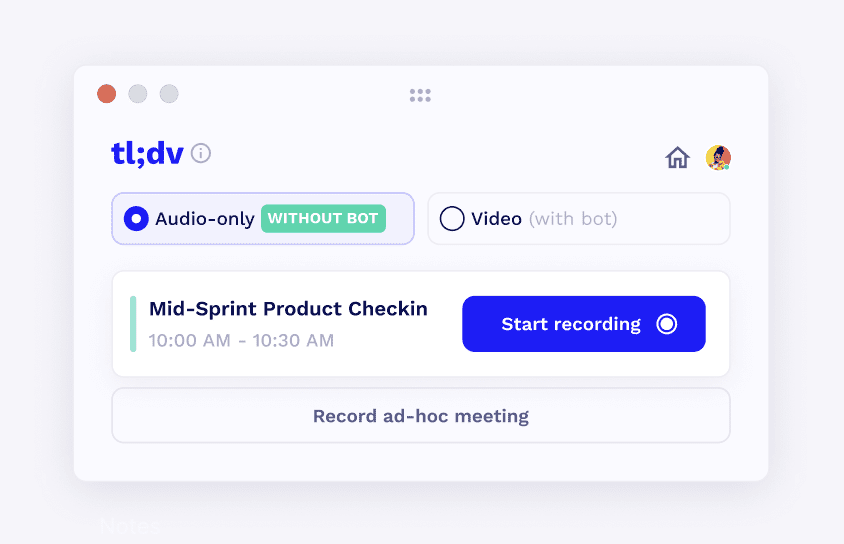
The tl;dv desktop app is the cleanest implementation of bot-free recording I’ve tested. At the top you get two modes: “Audio-only (WITHOUT BOT)” and “Video (with bot).” Switch to Audio-only. Your upcoming meetings pull in from your calendar automatically. Pick the one starting now. Hit “Start recording.”
That’s the entire setup. Nothing enters the call. No extra name appears in the participant list. Whoever is in that meeting sees nothing unusual unless you tell them. For Zoom and Microsoft Teams users, this means total flexibility: choose bot mode for video and full speaker ID, or bot-free when the call demands a cleaner participant list.
After the call, tl;dv processes the audio through its full intelligence stack. You get a transcript in 30+ languages, speaker-attributed summaries where the audio makes it possible, AI-generated action items, and a follow-up email draft ready to send. All of it lands in the same tl;dv workspace as your bot-recorded sessions, because it’s the same pipeline.
This is where tl;dv separates from everything else in this list.
Granola gives you excellent notes from one meeting. Krisp gives you clean audio from one meeting. Notion gives you a summary in a Notion page. Fireflies gives you a transcript in a Fireflies workspace. None of them build a company-wide intelligence layer that your whole team can interrogate with AI.
tl;dv does. Ask tl;dv AI a question against your entire team’s meeting history: “What were the three biggest deal blockers in Q1?” “What did engineering commit to in the last five planning calls?” “Which objections came up most in customer calls last month?” It scans every recording across every rep, every team, every platform, bot-recorded or bot-free, and gives you a synthesized answer. A Sales Manager can spot objection patterns across 50 calls. A Product Owner can compile feature requests from every CS call this month. A Marketing lead can pull customer quotes from across the entire sales org. You cannot do that with any other tool in this list. At any price.
Smart Trackers run in the background across all your recordings automatically. Set a keyword: a competitor name, a pricing objection, a deal stage signal. Any time it comes up in any recording, tl;dv flags it. Pair that with Recurring AI Reports and you get a scheduled digest of every competitor mentioned across your entire team’s calls, delivered automatically. None of the other bot-free tools here do anything like this.
CRM integration works the same in bot-free mode as in bot mode. Notes map directly to fields in HubSpot, Salesforce, and Pipedrive. No copying, no pasting, no manual entry after the call. For sales teams, that alone closes the gap with everything else in this list.
The ad-hoc recording option matters for the conversations that weren’t on your calendar: a spontaneous call, an in-person session, a phone conversation at your desk. One button and it feeds into the same pipeline as everything else.
tl;dv
- Free: Unlimited meeting recording and transcription in 30+ languages, 10 AI-processed meetings/month, mobile app (iOS + Android), Slack and calendar integrations
- Pro ($18/user/month): Unlimited AI notes, custom templates, AI action items, follow-up email drafter, 5,000+ integrations, global transcript search, MCP server and API
- Business ($59/user/month): Multi-meeting AI queries, Smart Trackers, Recurring AI Reports, CRM field mapping, team management
- Enterprise: Custom
The verdict: First in this list by a significant margin. Every other tool here solves the “no bot in the call” problem. tl;dv solves that and builds the full company-wide meeting intelligence stack on top of it. The setup is two clicks. The gap in capability after that is not close.
2. Granola
Bot-free method: System audio capture
Works on: Any platform: Zoom, Meet, Teams, Slack Huddles, phone calls, in-person
Best for: Individual contributors and teams who want bot-free recording with built-in AI analysis and don’t need CRM field mapping
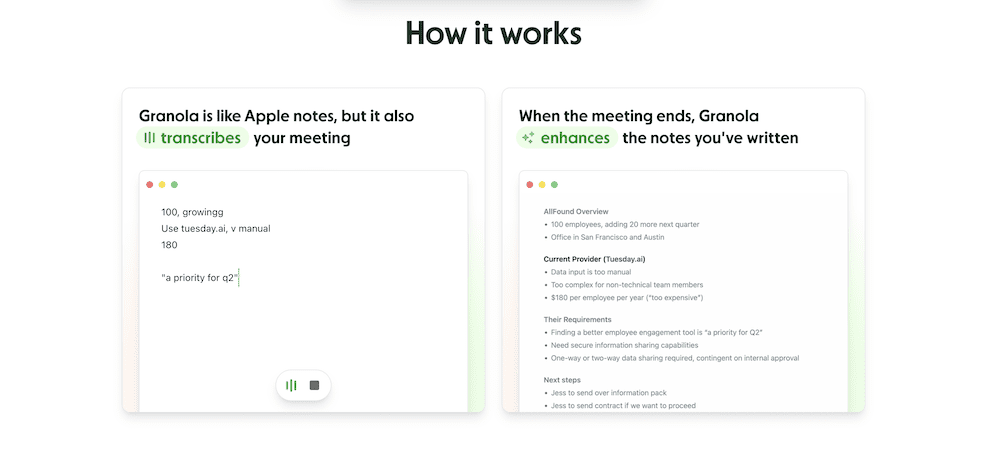
Granola is the strongest purpose-built bot-free tool available right now. Their desktop app captures system audio in real time, including phone calls as of September 2025. During the meeting, you can jot rough bullet points in the app. When the call ends, Granola combines your notes with the full transcript and produces structured AI summaries. The combination of your in-meeting notes plus full transcript produces better output than transcript alone.
Two limitations to know before committing. First: model training is on by default. Opting out requires the Enterprise plan at $35/user/month. If you’re handling sensitive client conversations, read their data policy before signing up. Second: there’s no native CRM field mapping. Granola connects to Attio and Zapier (8,000+ apps), but auto-populating HubSpot or Salesforce fields from meeting notes requires a custom Zap, not a native integration. If your team needs structured CRM updates post-call, that gap matters.
Pricing: Free (25 lifetime meetings). Individual: $18/month. Business: $14/user/month. Enterprise: $35/user/month.
The verdict: The strongest purpose-built bot-free tool in the list. Great design, Recipes differentiate, phone call support extends coverage beyond video calls, and the funding signals serious long-term commitment. Sits second because tl;dv’s Smart Trackers, Recurring AI Reports, and direct CRM field mapping cover ground Granola doesn’t reach yet.
3. Krisp
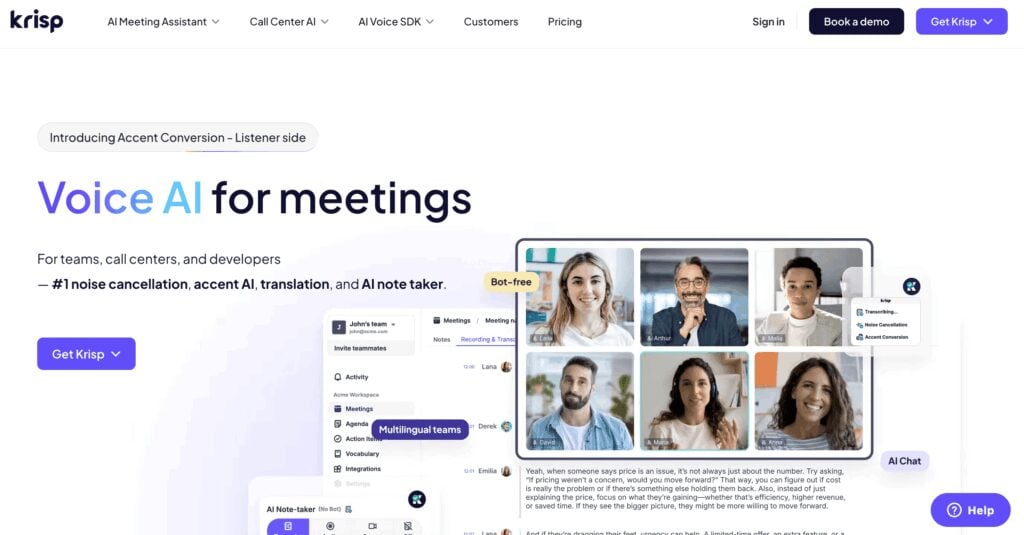
Bot-free method: Virtual mic and speaker drivers
Works on: Any conferencing app (it’s an audio driver, not a meeting integration)
Best for: Anyone in a noisy environment who needs clean audio AND bot-free recording
Krisp solves two problems at the same time: getting your meeting captured without a bot joining, and cleaning up the audio so that capture is worth anything.
The setup: Krisp installs Krisp Microphone and Krisp Speaker as virtual audio devices. In your meeting app, you select Krisp Microphone as your input and Krisp Speaker as your output. Your conferencing tool never sees Krisp as a participant. It just sees an audio device. In the background, Krisp runs bidirectional noise cancellation using a conformer-based ASR neural network. Background noise from your side gets stripped before it reaches other participants. Background noise from incoming audio gets stripped before it reaches your ears. The AI Meeting Assistant transcribes from that clean audio and generates notes post-meeting.
The free plan includes unlimited transcription, which is rare at that tier.
The limitations are real. No searchable meeting library across calls. No CRM integration. No cross-meeting AI insights. No video recording. Krisp is primarily an audio tool that adds meeting notes. The notes are functional, not deep.
Pricing: Free (unlimited transcription). Pro: $16/month. Business: custom.
The verdict: Best bot-free tool for audio quality. If noise cancellation matters to you, nothing else in this list touches it. For meeting intelligence beyond the transcript, pair it with tl;dv.
4. Notion AI Meeting Notes
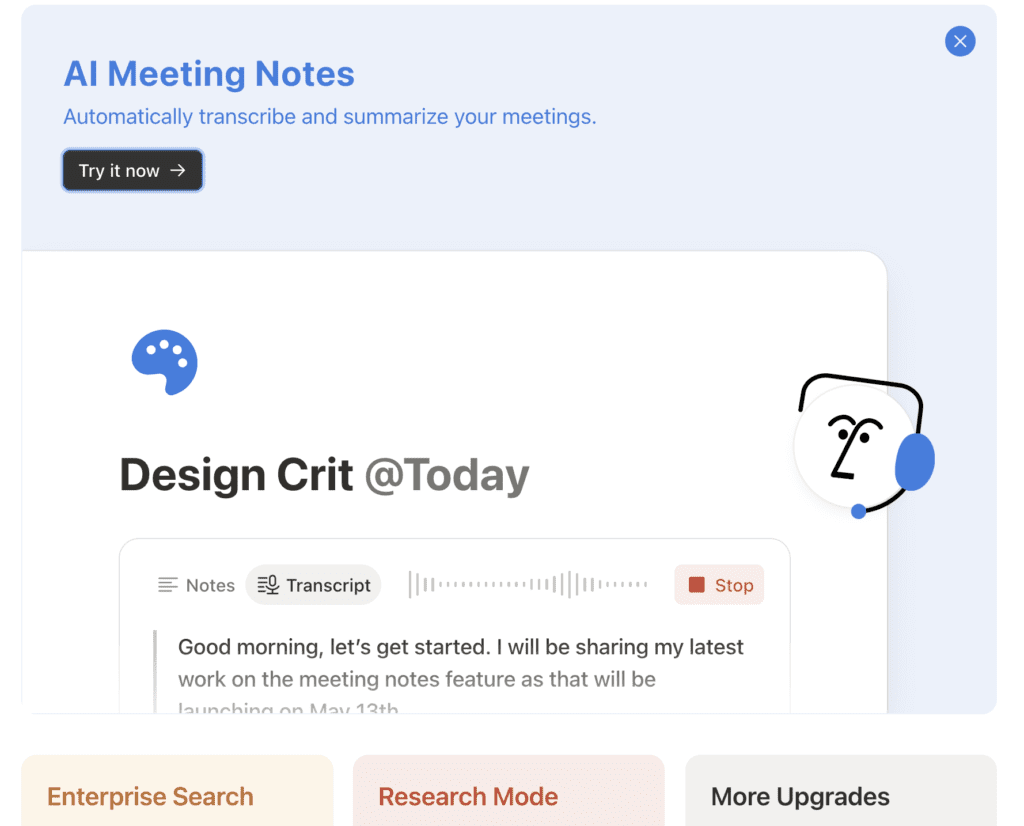
Bot-free method: System audio capture via the Notion desktop app
Works on: Any audio source your device plays: Zoom, Meet, Teams, YouTube, phone calls
Best for: Solo users already living in Notion who want basic internal notes without switching tools
Notion AI Meeting Notes is bot-free by design. You trigger it with /meet on any Notion page, and the desktop app records both your microphone and system audio simultaneously. When the call ends, it generates a transcript and summary on the same page. If you use Notion Calendar, it pre-creates the meeting page before the call starts. The entire capture-to-notes flow stays inside Notion, which for teams that already live there is a real convenience.
The limitations stack up quickly for anything beyond that. No speaker identification: one continuous transcript with no indication of who said what. No audio or video file saved. No CRM integration. No cross-meeting search or AI queries. No export for client handoffs. In my own testing, multilingual calls produced inconsistent behaviour: Spanish transcription worked, but the AI summary defaulted silently to English.
The consent handling is the most awkward part of the experience. Notion gives you two options: paste a notification text into the meeting chat, or play an audio clip aloud to notify participants. The audio clip approach sounds manageable until you’re actually in a client call.
Also worth flagging: Notion AI Meeting Notes is moving to Business-only at $20/user/month from August 2025. If you’re not already on their Business plan, factor that cost in.
Pricing: Included in Notion Business ($20/user/month).
The verdict: Does the bot-free job adequately inside the Notion ecosystem. For anything beyond basic internal notes, it runs out of road quickly.
5. Fireflies Desktop
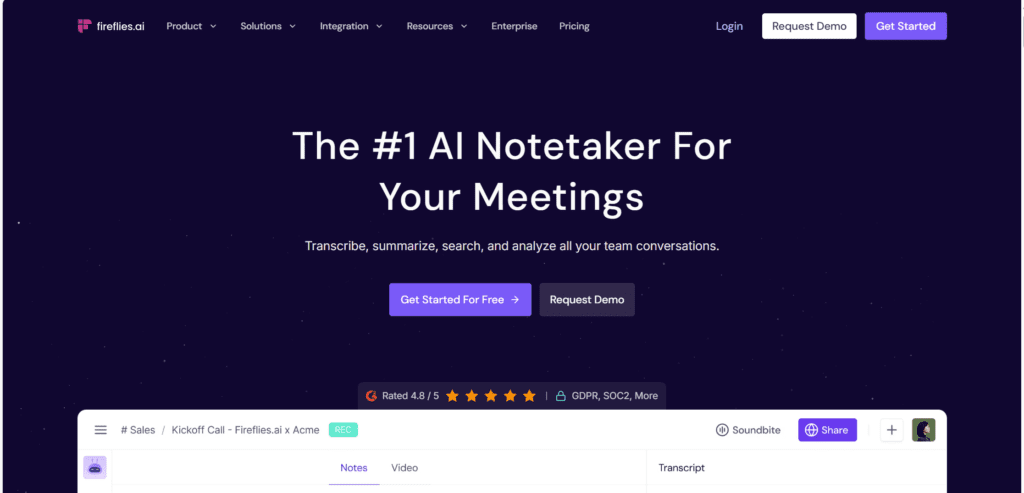
Bot-free method: System audio capture via the Fireflies desktop app
Works on: Zoom, Meet, Teams, Slack Huddles, Discord, WhatsApp, FaceTime, in-person
Best for: Teams already on Fireflies who occasionally need a no-bot option for specific calls
Fireflies added a bot-free desktop mode in November 2025. The app captures system audio directly, works across the widest range of platforms in this list (including WhatsApp and FaceTime, which none of the others support), and has a “Live Assist” feature that surfaces AI notes and suggestions during the meeting, not just after. That last point is unique: no other tool in this list offers real-time AI suggestions in bot-free mode.
Context worth knowing: in November 2025, Fireflies co-founder Krish Ramineni disclosed on LinkedIn that the company’s original “AI” was the founders manually joining meetings and typing notes. The Hacker News response was pointed. A class action followed in December 2025 alleging biometric voiceprint data collection without consent. That case is ongoing.
The bot-free mode has real limitations: no audio or video files saved, speaker identification absent, Sales Assist features require the bot. Fireflies is a bot-first product that added a bot-free option, not a purpose-built bot-free tool.
Pricing: Free (limited). Pro: $18/month. Business: $29/user/month. Enterprise: custom.
The verdict: The widest platform support in this list, and Live Assist is a useful differentiator. If you’re already a Fireflies user and need occasional bot-free coverage, it makes sense. For a dedicated bot-free setup from scratch, Granola or Krisp are cleaner starting points.
How They Compare
| tl;dv | Granola | Крісп | Поняття | Fireflies | |
|---|---|---|---|---|---|
|
Native bot-free mode |
Yes (Audio-only mode) |
Так |
Так |
Так |
Так |
|
Calendar-detected meetings |
Так |
Так |
Partial |
Yes (Notion Calendar) |
Так |
|
Ідентифікація спікера |
Yes (bot mode) |
Partial |
Partial |
Ні |
Ні |
|
Відеозапис |
Yes (bot mode) |
Ні |
Ні |
Ні |
Yes (Starts from Business Plan) |
|
AI резюме |
Так |
Так |
Так |
Так |
Так |
|
Company-wide AI (Ask AI across all calls) |
Так |
Yes (Granola Chat) |
Ні |
Ні |
Ні |
|
Keyword trackers / alerts |
Yes (Smart Trackers) |
Ні |
Ні |
Ні |
Ні |
|
Recurring AI Reports |
Так |
Ні |
Ні |
Ні |
Ні |
|
Native CRM field mapping |
Yes (HubSpot, Salesforce, Pipedrive) |
No (Zapier only) |
Ні |
Ні |
Partial |
|
Безкоштовний план |
Unlimited recordings, 10 meeting AI notes, 10 Ask AI queries |
25 lifetime meetings |
Необмежена транскрипція |
Business plan only |
Limited |
Is Recording Without a Bot Legal?
Removing the bot doesn’t remove your legal obligations. This is worth being explicit about.
In most US states and most countries, one-party consent applies, meaning you can record as a call participant without notifying others. In California, Illinois, Florida, Michigan, Maryland, Washington, and several other US states, all-party consent is required. GDPR applies across the EU. Canada’s PIPEDA and Australia’s Privacy Act add their own layers.
Bot-free capture is invisible. That’s the point. But invisible doesn’t mean exempt. The Otter.ai class action, which named a plaintiff who never even used the tool but whose meeting was captured because someone else was running it, is a useful reminder that consent obligations apply to the person recording, not to the visibility of the tool.
Granola built a “Heads Up” Labs feature that triggers a consent notification screen for meeting participants via the Google Calendar add-on before they join. It’s their acknowledgment that bot-free recording still requires proactive disclosure.
tl;dv has a full guide to bot-free recording legality that covers jurisdiction-specific requirements. The short practical version: add a recording notice to your calendar invite, state verbally at the start of the call that you’re recording, and in all-party-consent jurisdictions, get explicit confirmation from everyone on the call. Thirty seconds of friction. Complete legal coverage.
Which Tool Is Right for You?
| If you need... | Best choice |
|---|---|
|
Full company-wide meeting intelligence: CRM sync, cross-team AI, trackers, no bot |
tl;dv bot-free desktop mode |
|
Bot-free out of the box for individuals, best AI per-meeting output |
Granola |
|
Bot-free plus bidirectional noise cancellation |
Крісп |
|
Internal notes inside Notion, no extra tools |
Notion AI meeting notes |
|
Widest platform support including WhatsApp and FaceTime |
Fireflies |
The consistent gap: the other tools solve the “no bot joining the call” requirement. tl;dv is the only one in this list that also gives you company-wide AI queries across every rep’s calls, smart keyword trackers, scheduled AI reports, and direct CRM field mapping. In bot-free mode. On Zoom, Microsoft Teams, and Google Meet.
Think about what that actually means in practice. Every call your team records bot or bot-free feeds the same intelligence layer. Ask a question, get an answer synthesized across hundreds of meetings. Set a tracker, get alerted every time a competitor comes up across the entire org. Map notes to CRM fields, automatically, after every call. No other tool in this list does any of that. Most don’t do one of them.
If you just need a transcript and a summary, any tool here will do. If you need your meetings to actually work for you after the call ends, the decision isn’t close.
Try tl;dv for free: unlimited recording and transcription, no credit card required.
FAQs about Bot-free AI Notetaker
Do I lose video and speaker identification if I switch to bot-free mode?
Yes on video, partially on speaker ID. Bot-free captures audio from your device, so there’s no video recording and speaker attribution relies on audio cues alone, which works well one-on-one but less reliably in larger calls. Everything else stays the same: transcripts, AI summaries, action items, CRM mapping, Smart Trackers, and multi-meeting AI all work identically in tl;dv’s bot-free mode. And if you need full video and speaker ID, tl;dv’s bot mode is still available on Zoom and Teams.
Will the other person know they're being recorded in bot-free mode?
Not from the participant list. Nothing appears there. But that doesn’t mean you’re off the hook legally. In most US states, one-party consent applies and you’re covered as a participant. In California, Illinois, Florida, and several other states, all-party consent is required. GDPR covers the EU. The practical version: say at the start of the call that you’re recording, or add a note to the calendar invite.
Can I switch between bot mode and bot-free mode depending on the meeting?
Yes, and this is one of the things that makes tl;dv different from every other tool in this list. At the top of the desktop app you have two modes: “Audio-only (WITHOUT BOT)” and “Video (with bot).” You choose per meeting. Client call where a clean participant list matters: bot-free. Internal planning session where you want video and full speaker ID: bot mode. Both feed into the same tl;dv workspace, the same searchable history, and the same multi-meeting AI.
Does bot-free recording affect the quality of AI summaries and action items?
Not significantly. The AI summary, action items, follow-up email draft, and CRM field mapping are all generated from the transcript, not the video. Since tl;dv’s bot-free mode still produces a full transcript in 30+ languages, the output quality is comparable. The one area where you may notice a difference is speaker attribution in larger group calls where voices are similar. For most meetings, the summaries are just as useful.
Why is Google Meet blocking AI notetaker bots?
Google rolled out its safeguarded guest admit flow on March 25, 2026. The update puts every third-party notetaker bot into a “Potential Risk” queue where the default action is DENY. Hosts must manually override it every single meeting. Google also launched its own Gemini-powered “Take notes for me” feature two weeks earlier as a default-on for all meetings with three or more guests. tl;dv’s Audio-only (WITHOUT BOT) mode sidesteps this entirely since there’s no participant to block.
Is the best AI note taker without a bot free?
tl;dv’s free plan includes unlimited video recordings, unlimited transcription in 30+ languages, 10 AI notes and 10 Ask AI queries per month, mobile app, and Slack, email and calendar integrations, with the Audio-only (WITHOUT BOT) mode included. Krisp offers unlimited transcription on its free plan. Granola offers 25 lifetime meetings free. For professional use with CRM integration, company-wide multi-meeting AI, and team features, tl;dv’s Business plan at $59/user/month covers the full stack.