コンテンツへスキップ






要約:2026年現在、Jamie AIは購入する価値があるか?
Jamie AIは、現在市場に出回っているAI会議アシスタントの中でも最も高価な部類に入りますが、率直に言って、その価格に見合う価値はありません。無料プランでは、月間10件(1件あたり30分まで)の文字起こししか利用できず、それ以上になるとすぐに高額になります。Jamieには、動画録画機能も、複数会議のインテリジェンス機能も、営業コーチング機能も、カスタマイズ可能な会議メモ機能もありません。単なるボット機能のないレコーダーに、いくつかの連携機能を追加しただけのものです。 競争の激しい今日の市場において、これでは到底通用しません。
こんな方に最適:月に10件以下の短い通話があり、無料の音声専用レコーダーをお探しの方。
次のような場合は避けたほうがよいでしょう:詳細な会議分析、営業機能、AIコーチングを求めている場合、または予算に制限がある場合。
結論:Jamieは音声録音を確実にこなすうえ、質の高いメモも作成できるが、コストパフォーマンスの面ではトップクラスのAI会議アシスタントには及ばない。
2026年にAI会議アシスタントをお探しなら、手頃な価格で、非常に正確であり、幅広いAI機能を備え、プライバシー保護に重点を置いた製品を求めていることでしょう。Jamie AIはそのニーズを満たしているのでしょうか?さっそく確認してみましょう。
かつて、Jamieの最大の強みは、競争の激しい市場で差別化を図るための非常に有効な手段でした。その強みとは何だったのでしょうか?それは「ボットなしの録音機能」です。Jamie AIの競合サービスの多くは、仮想ボットが通話に参加し、内部から会議を録音する仕組みを採用していますが、時代は変わりつつあります。ここ6ヶ月だけでも、Read AI、 Fireflies、 Fathom、そして tl;dv はいずれもボット排除機能を備えた録画機能をリリースしており、tl;dv同意取得機能が組み込まれている点が特に際立っています。これにより、GDPRやAPPIをはじめとする主要な規制枠組みに明確かつ透明性を持って準拠している唯一のサービスとなっています。
しかし、Jamieには他に際立った特徴がほとんどない。このツールは、会議プラットフォームから直接音声データを処理することで、会議の内容を録音・文字起こしする。目立たず、そこそこのメモを取ってくれるが、もはや際立った独自の売り(USP)はない。しかも、その点を反映して価格が下がったわけでもない……
ジェイミーの「ボットなし」という強みが失われつつあることに気づき始めたなら、ジェイミーAIの代替サービスを探しているかもしれません。まずはMeetJamieを利用するメリットとデメリットを見ていき、その後、代わりに利用できるジェイミーAIの代替サービスについて詳しく解説していきます。
「Jamie AI」レビュー:それは何なのか?
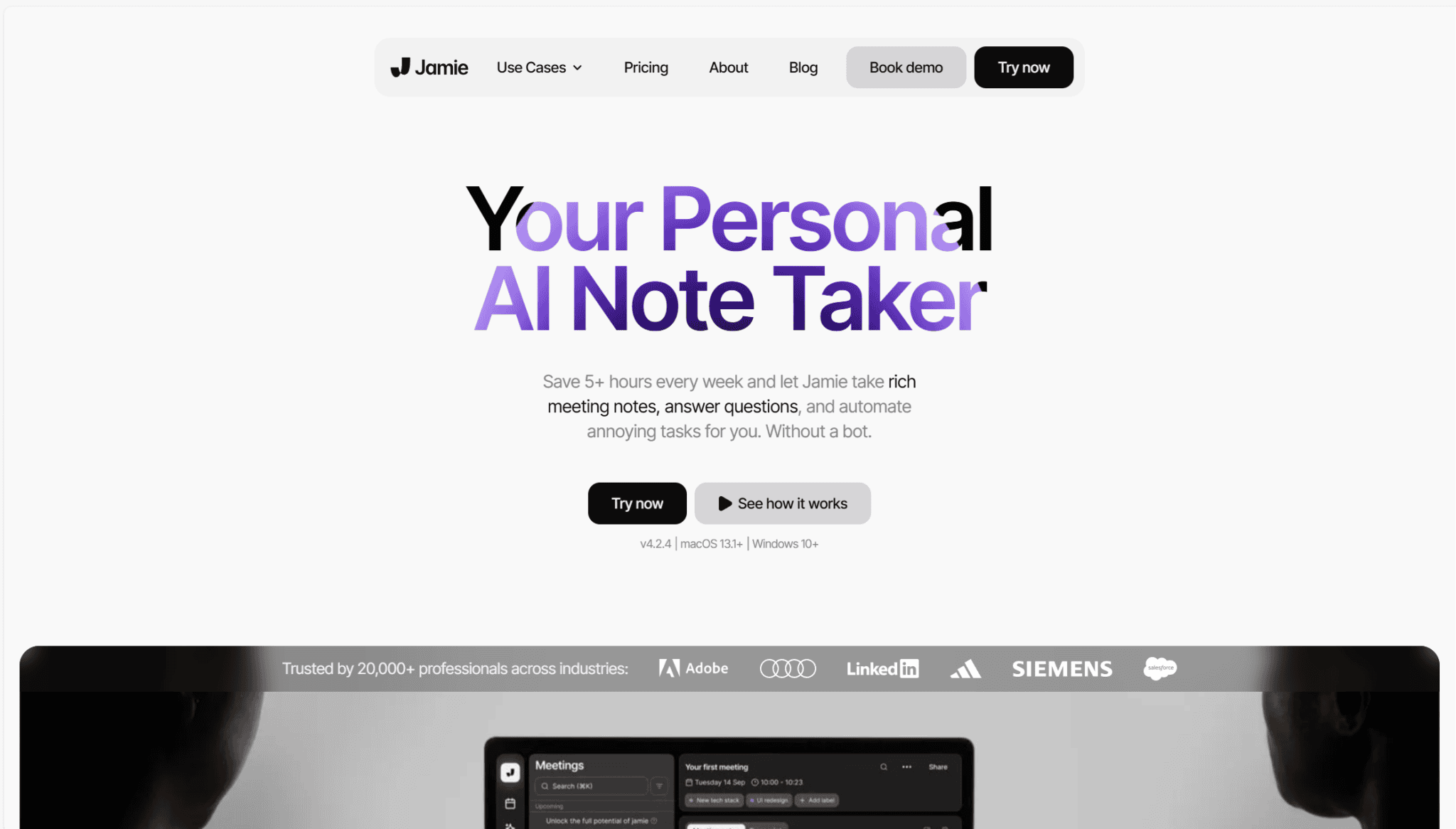
Jamieはボットを使わないAIミーティングアシスタントで、豊富なミーティングメモを取り、煩わしいタスクを自動化し、チームの時間を節約します。Jamieは、オンラインでもオフラインでも、どんな会議でも使えます。
ミーティングを記録して書き起こすだけでなく、フォローアップタスクやアクションアイテムも自動化します。チャットボットもあり、ミーティングに関する質問に答えたり、あなたが不在だった場合、不在中にチームが何をしていたかを教えてくれたりします。また、ワンクリックでミーティングノートを共有できるので、コラボレーションも簡単です。
JamieのAIは、明確な話者を認識し、明確に識別するクリーンなトランスクリプトを作成します。ビデオ会議プラットフォームから録音している場合は、発言者の名前が自動的に表示されます。実際の会話を録音している場合は、自分で名前を追加できます。
全体として、Jamieは野心的な創業者、経営者、投資家、リクルーターに力を与える素晴らしいツールです。Jamieは、営業チームにとって、営業上の会話を分析し、重要な購買シグナルを特定し、異議申し立てを予測するなど、より多くの取引を成立させるための大きな助けとなる。しかし、MeetJamieの代替となるいくつかのサービスとは異なり、営業マネージャーが営業状況を追跡したり(playbooks )、スピーカー分析を行ったり、AIによる異議処理のヒントを得たりすることはできません。
Jamie AI Pros
- ボット不要。ジェイミーは、会議の録音、文字起こし、要約を行うのにボットを必要としません。
- 互換性。 ジェイミーは、使用するプラットフォームに関係なく、どのような通話(および対面での会話)でも機能します。
- 質の高いノートとサマリー。 ノートと要約は読みやすく、必要な情報を提供しています。
- ジェイミーに聞くジェイミーのチャットボットには何でも質問できます。かけそびれた電話の最新情報や、フォローアップメールの作成など、ジェイミーがお手伝いします。
- 対応言語。Jamie AIは80以上の言語で文字起こしを行います。
ジェイミーAIのデメリット
- ビデオ録画禁止。 ジェイミーのボットフリー・アプローチは、ユーザーがビデオを録画することを不可能にしている。
- セールスコーチング機能がない。ジェイミーは具体的なセールスコーチング機能を提供していないため、チームが改善するのは困難です。
- 複数ミーティングのインテリジェンスがない。 ジェイミーのAIは、複数の会議の傾向やパターンを一度に識別できるほど強力ではありません。
- 連携機能が限定的。Jamieは 、CRMプラットフォーム、タスク管理アプリ、その他のドキュメント作成ツールなど、サードパーティ製プラットフォームとの連携機能をいくつか提供しています。
Jamie AIの価格:2026年のJamie AIの利用料金はいくらですか?


Jamieには5つのプランがあります:無料、プラス、プロ、チーム、エンタープライズ。
The Free plan offers up an underwhelming 10 meeting transcripts per month, with a 30 minute cap on the call length.
The Plus plan will set you back €25 per month (or €21 per month billed annually) and it allows you to record, transcribe, and summarize an even more underwhelming 20 meetings per month, though the limit is 2 hours at least.
The Pro plan costs a whopping €47 per month (or €39 per month billed annually) and unlocks the ability to record and transcribe unlimited meetings, each with a 3 hour limit. With this plan, you also unlock a few CRM integrations.
The Team plan costs €39 per user per month (or €33 per user billed annually) and provides unlimited transcription and summaries. Meetings have a 3-hour limit and your data will be encrypted in transit and at rest. It includes a few additional collaborative features like shared templates.
エンタープライズプランはカスタマイズ可能で、具体的な見積もりについては営業担当者へのご連絡が必要です。このプランでは、ユーザー分析機能に加え、カスタマイズされた同意通知やSSOなどのエンタープライズレベルのセキュリティ機能をご利用いただけます。
無料プランでは、以下のような機能を利用できます。
- 10回/月
- 30分のミーティング制限
- 1日あたりのAIメッセージ数に制限があります
- 無制限ストレージ
- GDPRに準拠し、EUでホストされています。
2026年、Jamie AIのノートテイカーは購入する価値があるか?
Clearly Jamie is a powerful tool. It transcribes, takes notes, summarizes, and displays action items clearly. However, the problem is that Jamie hasn’t evolved while the rest of the AI meeting assistant market has caught up. tl;dv, for instance, provides unlimited transcripts (with video and audio recording, depending on whether you opt for bot or no bot) and limited AI features for free. It also has multi-meeting intelligence, recurring reports, custom note templates, sales coaching, and more for a much more affordable price point. Plus, like Jamie AI, tl;dv is also European-hosted, making it win on all fronts. Jamie isn’t the only bot-free notetaker facing that pressure, either. Granola works the same way, and we compare the alternatives to Granola separately.
結局のところ、Jamieの有料プランはコストパフォーマンスに優れているとは言えません。後ほど詳しく説明するJamie AIの代替サービスと比べると、有料プランは割高です。価格がかなり急激に高くなるだけでなく、高度なAI機能も一切提供されていません。
コストパフォーマンスに優れた、Jamie AIの代替ツールをいくつか見てみましょう。
より手頃な価格の文字起こしサービス:5つのJamie AI代替案
Jamie AIの代替ツールとしておすすめのトップ5は以下の通りです:
- tl;dv
- クリスプ
- Avoma
- Fireflies
- Tactiq
1. tl;dv
tl;dv 、あらゆる面でJamie AIを上回る最高クラスの代替tl;dv 。動画録画用の「ボット」モードと、あらゆるプラットフォームでのデバイス音声録音用の「ボットなし」モードの両方を備えた柔軟性を持ち、さらに欧州にサーバーを構えているため、データはEU内に保存され、GDPRおよびEU AI法に厳格に準拠しています。
tl;dv 、Jamieの「ボット不使用」という特徴に加え、通話中の言語変化を検知できる高精度な文字起こし機能や、話者識別における極めて高い精度tl;dv (Jamieではこれらを手動で追加する必要があります)。 さらに、tl;dv 価格面でも手頃tl;dv 、AIの機能面でもより強力tl;dv (複数の会議を横断した分析機能など)。また、Jamieが追随しようともしていない最先端の営業向け機能も備えています。
tl;dvでは、会議の録音・録画(音声・動画両方)、文字起こし、AIによる要約機能がすべて無料で利用できます。tl;dv動画録画機能は、Microsoft Teams、Zoom、Google Meet Googleの新しいルールに基づき許可されている場合)での通話に対応していますが、ボットを使用しない音声のみの録音機能は、オフラインの通話を含め、あらゆるプラットフォームで利用可能です。
64%の企業がAIによって生産性が向上すると期待しているが、tl;dvすでに生産性が向上している。例えば、tl;dv 5,000を超える統合機能がある。つまり、会議のメモをお気に入りのCRMと自動的に同期させることができる。カスタムミーティングテンプレートを作成し、選択したCRMに正しいフィールドが自動的に入力されるようにすることもできます。これにより、あなたのチームは実際に重要な生産性を高めるために多くの時間を節約することができます。
tl;dv 、あらかじめ用意されたミーティングのテンプレートもたくさんあります。HRからCSまで、その間にあるものすべてだ。BANT、SPIN、MEDDICなど、一般的なセールス・playbooksすべて備えています。また、スピーカー分析ダッシュボードもあり、営業マネージャーは担当者がどれだけplaybooksいるかをチェックすることができます。そこでは、トーク時間、モノローグの長さ、フィラーワードの使用量などを確認することができます。これは、プロのコーチを雇った場合でも、チームに自習させたい場合でも、営業トレーニングのための信じられないほど強力なリソースです。
tl;dv 、MeetJamieが単に提供していない他の営業コーチング機能だけでなく、AI異議処理のヒントを提供します。例えば、tl;dv マルチミーティングインテリジェンスを提供し、チャットボットに文脈を考慮した質問をすることができます。AIは、あなたのすべてのミーティングを一度に理解し、異なるミーティング全体からタイムスタンプで洞察を提供し、トレンドやパターンに関する洞察を提供することができます。これは、たとえ担当者自身が出席していなくても、担当者の通話から情報を得ることができる営業マネージャーにとってはさらに良いことです。
tl;dv 、ユーザーが定期的なレポートをスケジュールできるようにします。これらのレポートは、あなたが決めた頻度で受信トレイに直接届きます。例えば、見込み客が競合他社について言及したときに最新情報が欲しいとか、毎週月曜日の朝に前週の営業電話に関するレポートが欲しいなどです。フィルターを設定するだけで、tl;dvAIが指定された時間に詳細なレポートを提供します。これがtl;dv MeetJamieの代用品として最適なものにしている理由です。

これらのAIレポートは、営業チームのパフォーマンスを最大化したい営業マネージャーには最適ですが、他のチームでも活用できます。カスタマーサクセスのリーダーは、繰り返される苦情を特定するために定期的なレポートを作成することができ、製品開発は、改善すべき領域や修正すべきバグを強調するためにレポートをスケジュールすることができ、人事は、オープンポジションの面接プロセスの最新情報を受け取るために定期的なレポートを設定することができます。
これらの強力な自動機能に加え、tl;dv 40以上の言語tl;dv 、通話中に自動的に言語を判別します。また、さまざまな方言に対応しているほか、7言語でローカライズされたプラットフォームも提供しています。
tl;dvのメリット
- 無料で使えるAI機能:tl;dvは高性能なAIを活用し、会議の要約、ノート作成、話者自動識別などをすべて無料で提供しています。
- 柔軟性:どのプラットフォームでもボットを使用しない音声録音、またはボットを使用した動画・音声録音(GDPRやAPPIなどの規制要件を満たす同意機能が組み込まれています)のいずれかを選択できます。
- 高精度な文字起こしと話者識別:tl;dv 、ボット排除モードでも最先端の文字起こしと話者識別tl;dv 。
- 即時翻訳&多言語対応:Zoom、Microsoft Teams、Google Meetでの文字起こしは40言語以上に対応し、プラットフォーム自体も7言語にローカライズされているため、多国籍チームにも最適です。
- 多機能な無料プラン:Zoom、Teams、Google Meetでのビデオ録画・文字起こしが無制限で利用可能です。
- 直感的な使いやすさ:洗練されたUIにより、初心者から上級者までスムーズに操作できます。
- マルチミーティング・インテリジェンス:複数の会議データをまとめて分析できるレポートを定期配信で受け取れます。
- 営業チームの育成支援:営業通話のインサイトを活用して、反論対応力の強化やテンプレート活用によるパーソナライズド・コーチングが可能です。
- タイムスタンプとタグ付け機能: 会議のハイライトをタイムスタンプして、特定の瞬間に簡単にアクセス。特定の会議の瞬間をタグ付けして、同僚にリンクを送信することができます。
- 5,000以上の外部ツールと連携:Notion、Slack、HubSpot、Salesforceなど5,000以上のサービスと連携し、録音クリップやタイムスタンプを直接送信可能です。
- カスタム会議テンプレート:AIが自動でノートを取る際のテンプレートを自由に作成・編集でき、CRMの入力項目に合わせた連携も可能です。
- クリップとハイライトの作成: ライブラリをスキャンして、インサイトを要約したクリップやハイライトリールを作成。
- 賢いライブラリ検索:文字起こしされた会議内容からキーワード検索ができ、必要な情報を素早く探せます。
- 同時会議の対応力:複数の会議が重なっていても、AIが同時に録音・文字起こしできるため、スケジュールが過密でも安心です。
tl;dvのデメリット
- 対応状況:WebexおよびBlueJeansでの動画録画機能は現在利用できません(ただし、ボットを使用しない方法であれば、どのプラットフォームでも音声のみの録画が可能です)。
- 収益インテリジェンス機能が未搭載:営業チームの指導には強みがありますが、売上分析や収益予測などを行う専用機能はまだ備わっていません。
tl;dv 価格
tl;dvProプランは、1ユーザーあたり月額18ドルから。このプランでは、5,000以上の統合、無制限の "Asktl;dv"プロンプト、無制限のマルチミーティングレポートなどが利用できます。
Businessプランは、1ユーザーあたり月額59ドル。営業プレイブックのモニタリング機能、AIによるコーチング、異議対応のヒント、複数会議からの話者インサイトなど、より高度な機能を利用できます。
tl;dv無料プランは、ツールのプレミアム入門を提供します。すべてのコア機能といくつかの限定された高度な機能を無条件で試すことができます。
さらに、居住地域によっては、有料プランが最大40%割引されることもあります。
無料プランでは、以下のような機能を利用できます。
- 動画の録画と文字起こしが無制限
- Google Meet,Zoom, MS Teamsの通話を録音する
- デスクトップアプリケーションの「ボット非表示モード」は、オンライン・オフラインを問わずあらゆる会話を記録可能で、GDPR、APPI、およびその他の主要な規制枠組みに準拠するための同意取得機能が組み込まれています
- 40以上の言語で自動文字起こしが可能
- AIによる要点自動要約(回数無制限)
- AIによるミーティングノート作成(月10回まで)
- 「Ask tl;dv」機能の利用(月10回まで)
- マルチミーティングレポート生成(月10回まで)
- Slack・メール・カレンダーとの連携機能
- タイムスタンプとハイライトの設定
- ミーティングのクリップ作成・共有が可能
- 話者の自動識別機能
- 月3件までのアップロード枠付き
tl;dvの各プランの詳細については、こちらをご覧ください。
tl;dv ジェイミー・AI
tl;dv AItl;dv 、文字起こしデータで何ができるかという点において、雲泥の差があります。 かつてJamieの最大の特徴は、他にはない「ボット不使用」という点でした。しかし、その優位性はすでに過去のものとなりました。tl;dv 同様にボット不使用のtl;dv (ちなみに、文字起こしは無制限で無料です)。その強みを失ったJamie AIは、周囲で起きている技術的な変化を取り入れずに、2020年の波に乗っているに過ぎません。
生産性、自動化、会話型AIの機能を最大限に活用したいのであれば、tl;dv まさに理想的なJamie AIの代替ツールtl;dv 。
tl;dvプランtl;dv、Jamieの有料プランとほぼ同等の価値を提供するだけでなく、上位プランでtl;dv 高度な機能により、録音データの活用可能性が格段に広がります。結局のところ、録音した会話を有効活用しないのであれば、録音する意味はないのではないでしょうか?
例えば、tl;dvマルチ・ミーティング・インテリジェンスは、AIが過去の通話を記憶し、以前のミーティングからパターン、傾向、参照コンテキストを特定できることを意味します。任意のトピックについて定期的なレポートをスケジュールし、スピーカー分析ダッシュボードから営業チームを監視し、彼らが営業スクリプトに従っているかどうかを確認することもできます。AIによる異議処理のヒント、40以上の言語でのトランスクリプト、そして即座に簡単に自動化するためのすべての作業ツールとの統合が得られます。
一方、Jamieにはマルチミーティング機能や営業向け機能がなく、AIレポートのスケジュール設定もできません。 スピーカー分析ダッシュボードもなければ、反論への対処法も提供されず、スピーカーの識別もほとんどできません……。しかし、ジェイミーの最も安価なプランである「Plusプラン」(月間20件の文字起こししか利用できない)の料金は、エンタープライズレベルのセキュリティ機能以外のすべてが利用tl;dv「Businessプラン」とほぼ同額です。ご自身で計算してみてください。
2. Krisp AI
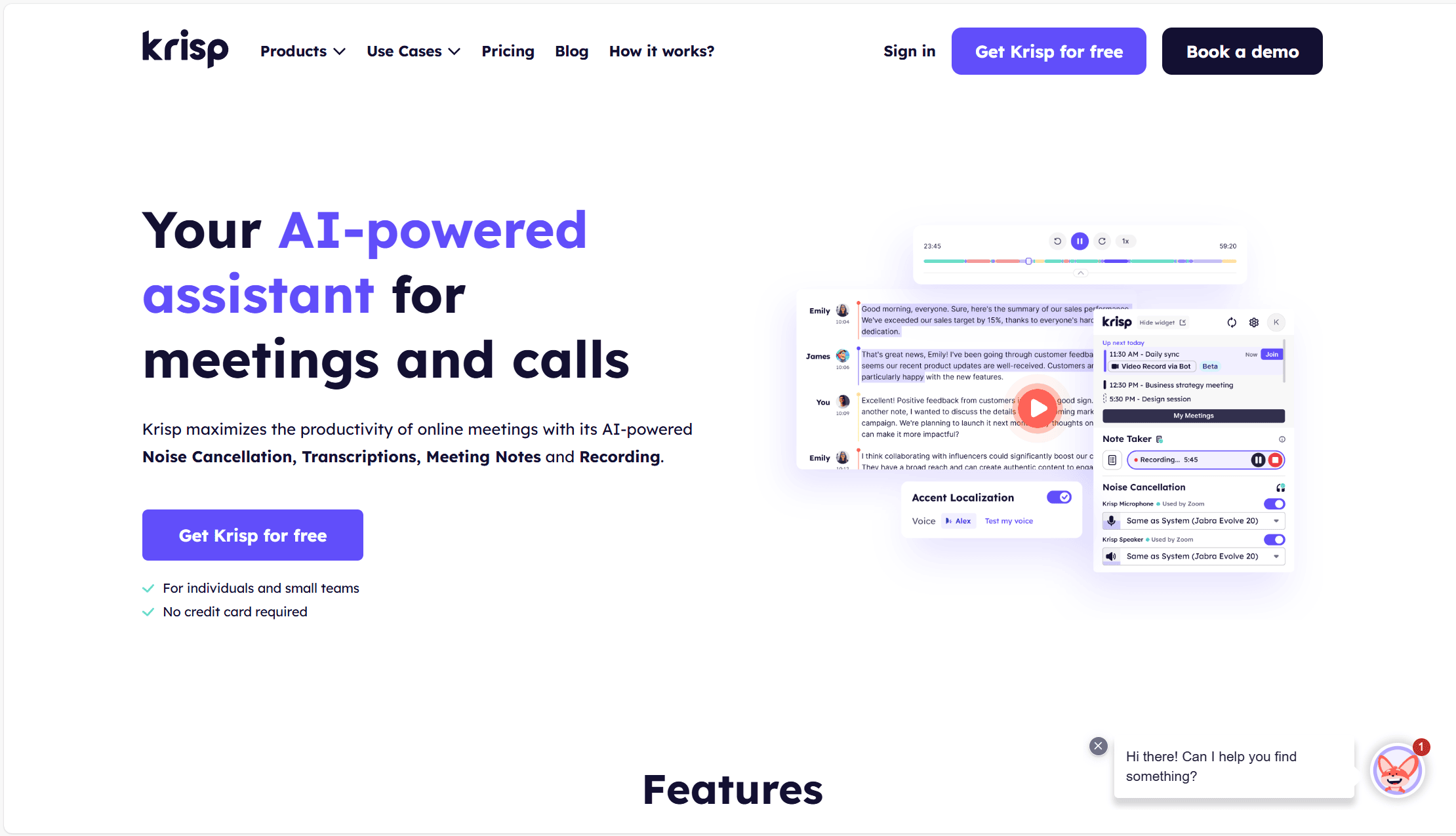
Krispは、ボットを使わないJamie AIの代用品として市場で最も優れたもののひとつだ。Atlassian、Sony、NASAなどの大手企業で使用されているが、少しニッチな分野にフォーカスしている。Jamieが控えめな体験で時間を節約することに重点を置いているのに対し、Krispは音質に重点を置いている。
どのような会議にもシームレスに組み込めるKrispは、スマートレイヤーとして位置づけられています。Skype、Zoom、あるいはSlackの通話であっても、Krispならボットを使わずに録音や文字起こしが可能です。
ただし、Krispは高品質な音声設定に特化しているだけではありません。多言語ユーザーにとっても非常に便利なツールであり、単なる多言語文字起こし以上の機能を提供しています。スペイン語しか話せない相手と電話をする際、自分のスペイン語が少し錆びついている(あるいは全く話せない)という状況はありませんか?そんな時は、KrispのAIライブ通訳を呼び出せば、スペイン語を話す相手の言葉を英語に変換して聞くことができます。この機能は20カ国語に対応しています!
Krispのユニークな機能はまだまだあります。AIによるアクセントのローカライゼーションは、英語を話す外国人スタッフが多いコールセンターでは特に便利だ。リアルタイムでアクセントを調整し、コール担当者がより理解しやすいようにします。
また、Krispには強力なAIノイズキャンセリング機能が搭載されている。
しかし、Krispは太陽と虹ばかりではない。その会話インテリジェンスは、tl;dvような他のJamieのAIと比較すると不満が残る。マルチミーティングのインテリジェンスを提供しないため、一度に複数の通話からインサイトを引き出したい人には弱い。これは、Krispに特別な機能がない営業チームや収益チームにとっては大きな障害となる。
Krispのメリット
- AIノイズキャンセリング。会話に集中できるよう、周囲の雑音をすべて取り除きます。
- ライブAI通訳。 ライブAI通訳を招待することで、20以上の言語の人々と問題なく会話できます。
- AIアクセントローカライズ:コールセンターのチームメンバーの話し方をAIが補正し、聞き取りやすい発音に調整します。
- ボット不要、新しいハードウェアも不要。Krispは、通話に参加するために統合を必要とせず、ボットで入力することもなく、どの機能にも新しいハードウェアは必要ありません。
- 充実した無料プラン:無料プランでも文字起こしが無制限で利用でき、ノイズ除去やAI要約など一部機能も制限付きで使えます。
- カスタム用語登録機能:業界用語などをあらかじめ登録することで、AIに専門用語の認識・記録を学習させることができます。
- リアルタイム議事録作成。Krispは、通話中でも編集や共有が非常に簡単なリアルタイム書き起こしを提供します。
Krispのデメリット
- マルチミーティングインテリジェンスなし。 Krispの会話インテリジェンスは弱い方です。複数のミーティングのパターンや傾向を特定することができない。
- 営業コーチング機能がない。Krispは、営業担当者向けの営業コーチング機能を提供していません。
- 統合の欠如。Krispはオンライン会議に参加するために統合を必要としないが、会議メモを他のツールと同期するために統合が必要である。KrispはZapierとのみ連携し、独自の統合機能は提供しない。
- 信頼できない ことが あるKrispは時折オーディオの問題に悩まされることがあるというレビュアーもいる。
Krisp AI の料金体系
KrispのAIミーティング・アシスタントには、プロ・アカウントとビジネス・アカウントがあり、どちらかの年間サブスクリプションを利用すれば、月々のコストを50%節約できる。年間契約の場合、Proプランは月額8ドル、Businessプランは月額15ドルです。
プロプランには、無制限のAIノイズキャンセリング、AIサマリー、アクションアイテムに加え、3GBのストレージ、多言語サポート、(ボットによる)ビデオ録画オプションが含まれる。
ビジネスプランでは、30GBのストレージ、無制限の統合、優先的なカスタマーサポート、SOC2レポートへのアクセス、SSOを提供することで、これを改善します。
無料プランでは、以下のような機能を利用できます。
- 文字起こしが無制限で利用できます
- AIノイズキャンセリング(1日60分まで利用可能)
- ミーティング履歴の保存には制限があります
- AIによる要約とアクションアイテムの抽出(1日2件まで)
- ボットを使わずに録音・メモ作成が可能です
- カスタム用語登録機能が利用できます
クリスプ対ジェイミーAI
Jamie AIとKrispはどちらもボットを使用しないAI会議アシスタントですが、Krispが特に優れている点は、音声品質と言語対応、とりわけコールセンターレベルでの対応力にあります。
しかし、クリスプのUSPはかなりニッチなものだ。コールセンターでKrispを使うのでなければ、高度な機能のほとんどは使われないだろう。
会話のインテリジェンスという点では、ジェイミーもクリスプも特に際立ってはいないが、控えめな録音体験という点では、よりクリアな音声機能を持つクリスプがわずかに勝っている。
3.Avoma
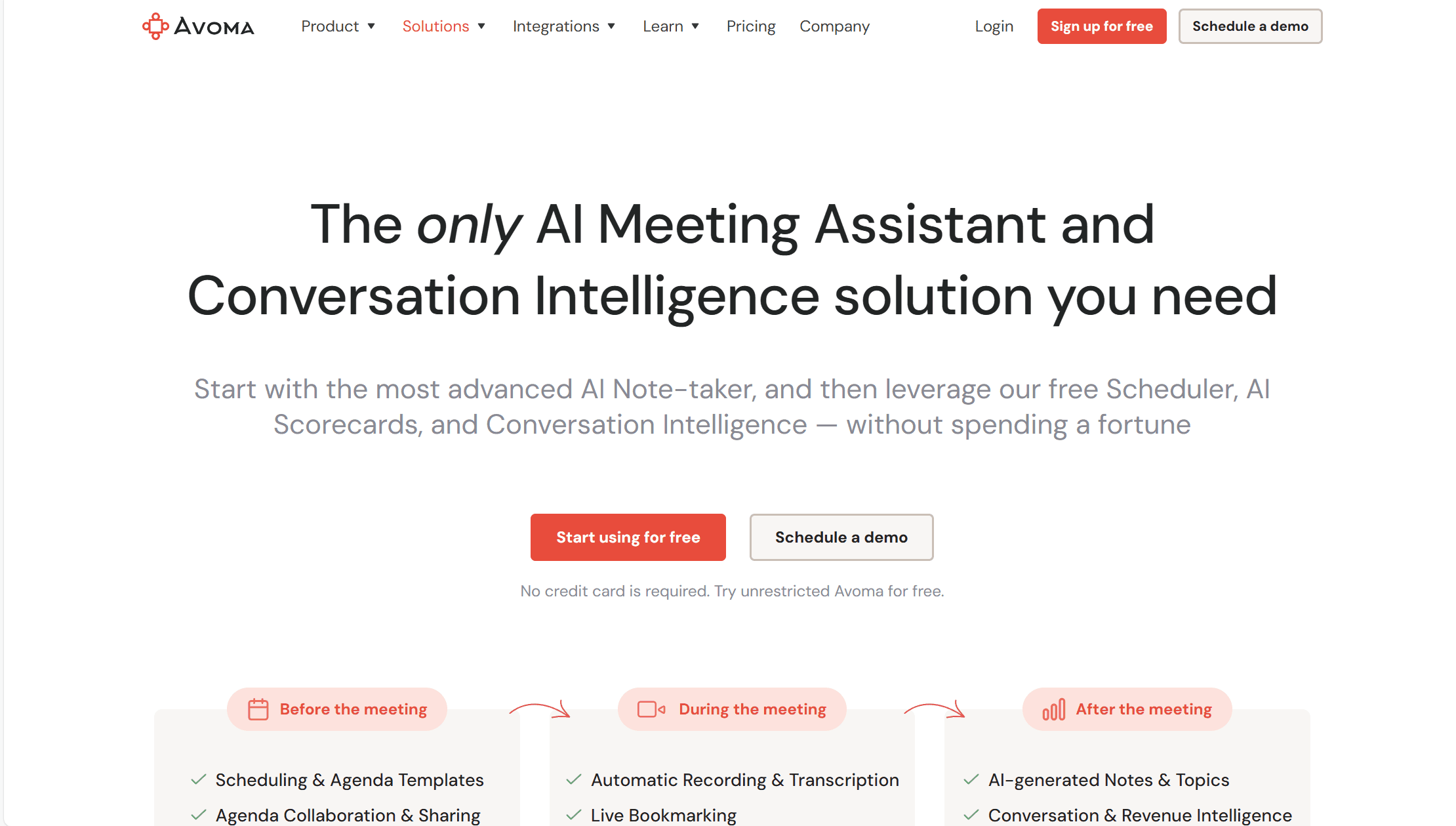
Avomaは、営業チームや収益チームに最適なJamie AIの代替ツールだ。多機能なツールではあるが、プランが収益チーム向けに構成されている。JamieやKrispとは異なり、ビジネスに決定的なインパクトを与えるために会話インサイトを実際に使用することを後押ししてくれる。
他のMeetJamieの代替と同様に、通話に参加し、メモを取り、会話を要約するボットを備えています。Avoma では、ミーティングを整理し、オンライン通話をより簡単に計画することができます。
Avoma 、ボットしか利用できないにもかかわらず、多くの異なるビデオ会議プラットフォームに参加することができます。以下のプラットフォームで動作する:MS Teams、Zoom 、Google Meet 、UberConference、BlueJeans、GoToMeetingなど。
最近まで、Avoma'の下位プランは、その最上位プランに比べてコストパフォーマンスが弱く、またZapierとの統合が不十分であったため、苦戦を強いられていた。しかし現在、Avoma はZapierと統合され、以前よりも何千ものツールと会議メモを同期できるようになった。また、下位プランも改善され、すべての階層で無制限の書き起こしができるようになった。しかし、この再編成には代償が伴う。Avoma はもはや無料プランを提供していない。Avomaの全機能を一定期間利用できる無料トライアルは提供されているが、それ以上のものはない。
Avomaの利点
- 互換性。 Google Meet,Zoom,Microsoft Teams, BlueJeans, UberConference, GoToMeeting などで使用できます。
- セールスコーチングパーソナライズされた洞察から導き出されたセールスコーチングを提供します。
- 収益インテリジェンス。 AvomaのAIで案件を予測することで、営業パイプラインをより計画的に。
- コラボレーション。 複数の人がリアルタイムでノートを編集できるコラボレーションツール。
- 検索が簡単。 全ミーティングで検索可能なデータベース。
Avomaの欠点
- 言語サポート。英語圏以外のユーザー向けにローカライズされたプラットフォームはありません。
- カスタマーサポート。 無料プランにはカスタマーサポートはなく、ビジネスプランとエンタープライズプランまで限られたサポートしかありません。
- ボットが必要ジェイミーとは異なり、Avoma 、通話に参加し録音するにはボットが必要だ。
料金プラン
Avomaの料金体系は最近見直された。以前はスターター・プランだったAIミーティング・アシスタント・プランの料金は、1ユーザーあたり月額19ドル。これが最近値上げされ、無制限の書き起こし分数と書き起こし用ファイルの無制限アップロードが含まれるようになった。ボットの名前を変更したり、カレンダーと同期させたり、CRMやZapierを含む何千もの他の仕事ツールと統合することができる。
Conversational Intelligenceプランは月額49ドルで、AIスコアカード、トークパターンとトピック・インテリジェンス、ROIインテリジェンスが利用できる。
最後に、Avoma 、1ユーザーあたり月額79ドルのレベニュー・インテリジェンス・プランを提供している。このプランは、パイプライン・レビューを合理化するために構築されている。カスタムディールボード、リスクスコア、AI勝敗分析、CRMフィールドの自動更新を提供します。
Avoma は無料プランを提供していない。無料トライアルがあるので、期間限定で機能を試すことができる。以前は14日間だったが、現在はいつまで続くかは不明だ。
Avoma vs MeetJamie
Avoma はMeetJamieより優れたツールだが、ボットが付属しているという事実を受け入れる必要がある。Jamieがボットとして参加することなく録画と文字起こしができるのに対し、Avoma にはそのような贅沢はない。とはいえ、多くのビデオ会議プラットフォームから録画することができるため、曖昧な会議プラットフォームを使用する傾向がある方には最適なツールです。
Avomaの3つのサブスクリプション層は、その機能を分割するために完璧に選択されている。AIミーティングアシスタントプランは、MeetJamieの直接のライバルだ。会話の録音、書き起こし、要約という標準的なことができる。利用は無制限だが、ボットと一緒に参加しなければならないという欠点がある。
カンバセーショナル・インテリジェンス・プランでは、AIを次のレベルに引き上げ、実際にトランスクリプトを活用できるようにします。最後に、レベニュー・インテリジェンス・プランでは、会話をコンバージョンに変えることに全力を注ぐことができます。この2つのプランは、ジェイミーが提供するものよりはるかに高度です。
Avoma このリストで1位にランクインしたボット非対応のJamie AI代替ツールとの詳細な比較については、当サイトのガイド「tl;dv Avoma」をご覧ください。
tl;dv Avoma AIミーティングアシスタントの2大巨頭ですが、どちらがあなたに適しているのでしょうか?この包括的な比較でご確認ください!
4.Fireflies
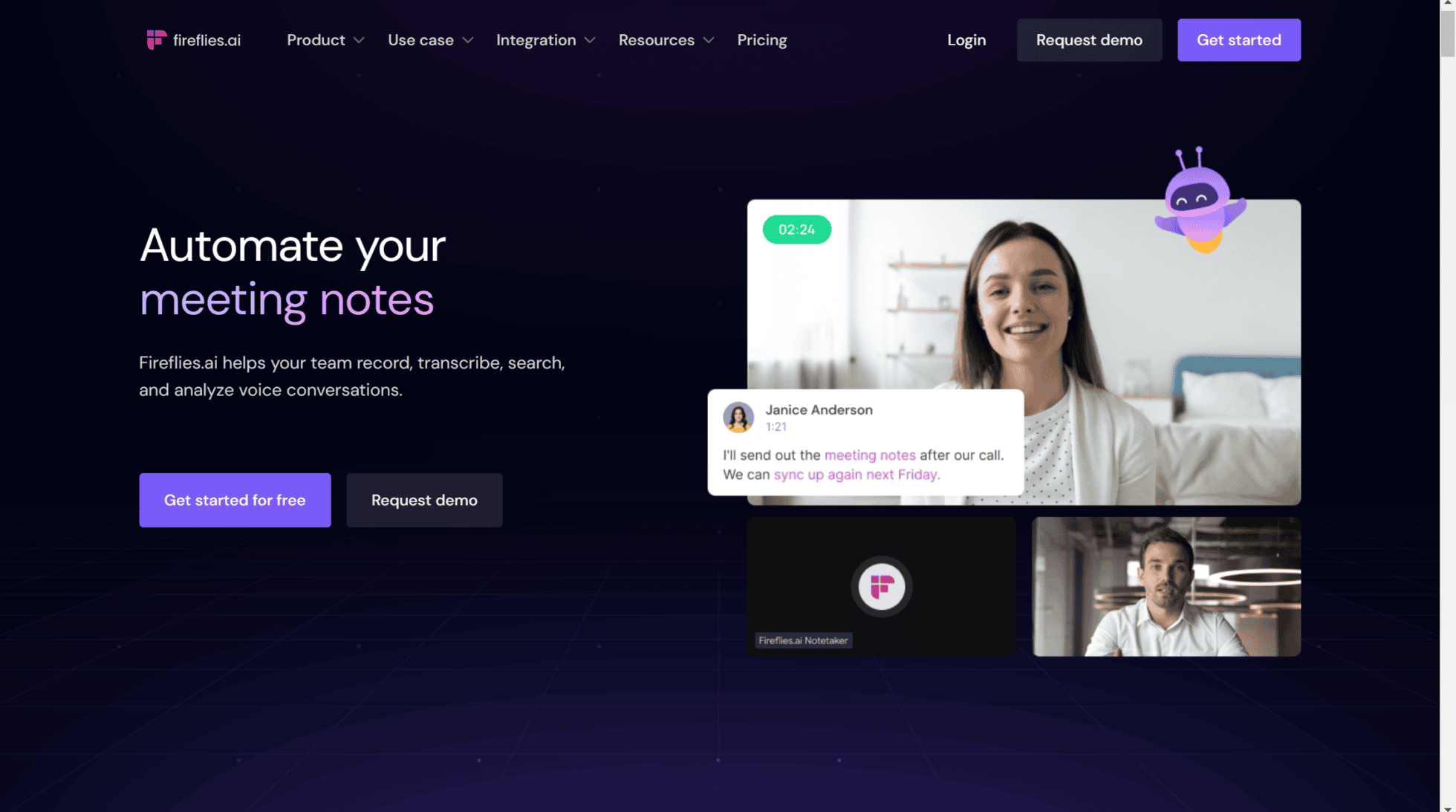
Jamie AIに代わるもう一つのベストは、Fireflies.aiだ。この人気のAIミーティングアシスタントは、会話インテリジェンス、文書分析、自動テープ起こしに特化している。
また、Avoma tl;dvようにセールスに特化しているわけではないが、セールスコーチはコメントやタイムスタンプを残すことができ、その場でセールストレーニングを行うことができる。Fireflies Jamieの競合ツールで、CRMに会議のメモを自動的に記入することができ、自動化を容易にする。
その上、Fireflies 、69以上の言語で最高品質のトランスクリプトを提供し、カスタム語彙もあるので、AIの理解に独自の用語を追加することもできる。
このプラットフォームは、NetflixやExpediaのようなビッグブランドで使用されています。その感情分析は、会議参加者の感情的なニュアンスをモニターするのに役立ちます。ただし、ビデオ録画はビジネスプラン以上でしか利用できないのが難点だ。それでも、Jamieにビデオ録画が全くないよりはマシだ。
Firefliesのメリット
- Fireflies には、Salesforce やその他の一般的な CRM を含む、優れた統合機能が多数ある。
- カスタムボキャブラリー: Firefliesは、ユーザーが自分の業界特有の用語をAIの辞書に追加できる機能を提供しています(英語の場合)。
- 優れたAI:AI搭載の素晴らしい検索機能を備えており、ライブラリ全体から会議の重要な瞬間を簡単に検索できる
- コラボレーション: チームでのコラボレーションに非常に優れ、チームワークを改善するための多数の機能が組み込まれています。
- 互換性: Firefliesは、Google Meet・Zoom・MS Teamsなど、さまざまなプラットフォームに対応しています。
- 翻訳。69以上の言語に対応!
- CRMを自動的に埋める。Like Otterやtl;dvように、Fireflies 会議のメモをCRMと自動的に同期することができます。
- ボット非表示機能。Fireflies 通話にボットが参加しますが、最近、Jamie AIと直接競合するボット非表示機能がリリースされました。
Fireflies 短所
- 有料ビデオ録画。基本的な機能であるビデオ録画をするには、月額19ドルのプランに申し込む必要がある。
- マルチ・ミーティング・インテリジェンスがない。 Fireflies 、ユーザーは複数のミーティングを一度に横断してAIインサイトにアクセスすることができない。
- Playbooks 、スコアカード、異論処理のヒントはありません。また、営業コーチング機能も提供されていないため、営業機能という点では競争力が低い。
Fireflies の料金体系
Firefliesプロプランは、1ユーザーあたり月額10ドルから。これにより、無制限のテープ起こし、無制限のAI要約、8,000分の保存容量がアンロックされます。
Businessプランは1ユーザーあたり月額19ドルで、無制限のストレージ、ビデオ録画、会話インテリジェンスが利用できる。
最後に、Enterpriseプランは月額39ドル。プライベート・ストレージ、専用サポート、カスタム・データ保持などが利用できる。
Fireflies は無料プランもかなり充実している。
無料プランでは、以下のような機能を利用できます。
- 無制限の文字起こし
- 限定的なAIによる要約
- 1ユーザーあたり800分の保存容量
- Zoom、Google Meet、MS Teamsなどで録音
- 69以上の言語で文字起こし
- 会議内検索
- 再生速度の調整(1x, 1.25x, 1.5x, 1.75x, 2x)
- コメントとリアクション
- 音声を切り取ってサウンドバイトにする機能
- グローバル検索
- アップロード
- 3つのパブリックチャネル
- APIアクセス
- ドメインキャプチャ(自動追加)
- Firefliesモバイルアプリ
Fireflies 対ジェイミー
Fireflies 多くの点で似たようなFireflies 。しかし、Fireflies より長い歴史Fireflies 、安定性とセキュリティに優れたノートアプリとして定評があります。会話の理解力に優れ、会議のメモをCRMと自動的に同期できるほか、最近追加された「ボット非表示モード」により、Jamieの従来の強み(USP)はもはや必要とされなくなっています。
このリストで1位となったtl;dv Fireflies 比較については、「tl;dv vsFireflies」を参照されたい。
tl;dvとFireflies.aiの比較では、両者が優れたAIノートテイカーとして注目され、詳細な文字起こし、簡潔な要約、そして多彩なツールとの統合において素晴らしい機能を提供しています。
とはいえ、類似点は多いものの、両者には明確な違いも存在します。
5.Tactiq
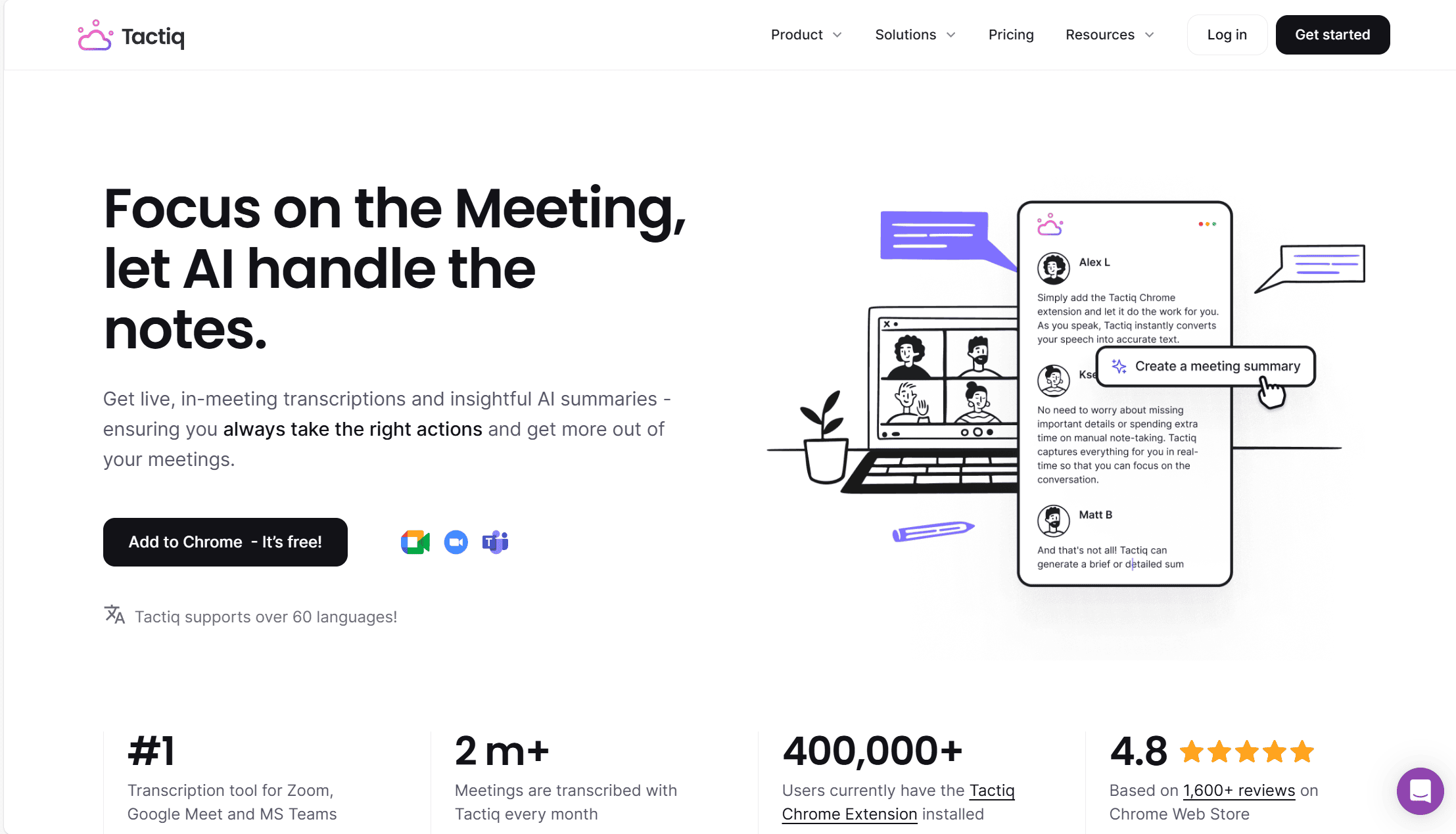
Tactiqは、このリストの最後のMeetJamieの代替であり、別のボット駆動型AI会議アシスタントです。Tactiq 。ユニークな機能もいくつかある。例えば、リアルタイムの書き起こしができるので、外出先でも発言内容を追跡することができる。
Fireflies と同様、60以上の言語に対応し、方言にも対応している。つまり、Tactiq'のトランスクリプトは非常にスムーズでスキャンしやすいのです。Tactiqまた、AIは感情分析を行うことができ、言葉を強調する感情的なトーンに基づいて、営業担当者にさらなる洞察を提供します。
Tactiq は、ミーティングの議論に基づいてタスクを割り当てる能力に誇りを持っています。整理整頓に優れているので、クライアントベースの情報を一元管理することができます。また、Tactiq 、その迅速かつ効率的な顧客サポートが一般的に賞賛されていることも特筆に値する。
Tactiqのメリット
- リアルタイム文字起こし:会話をリアルタイムでテキスト化し、その場でメモや共有が可能
- 翻訳機能:60以上の言語に対応&7つの言語でローカライズされたプラットフォームを提供
- AIによる会議要約:重要な発言を自動抽出し、効率的に振り返り可能
- タスクの自動割り当て:会議の議論内容をもとに、チームメンバーにタスクを自動振り分け
- 感情分析機能:AIが発言のトーンを分析し、会話のニュアンスをより正確に把握
- 優れたカスタマーサポート:迅速&フレンドリーな対応で、ユーザー満足度が高い
- ボットなし。Tactiq 、ブラウザ拡張機能として動作する、ボットを使用しないJamie AIの代替ツールTactiq 。
Tactiqのデメリット
- 営業コーチング機能なし:Tactiqは、AIを活用した営業支援機能を提供していないため、この点では劣る。
- マルチミーティング分析なし:TactiqのAIは単一の会議データしか分析できず、複数の会議を横断したインサイトの抽出ができない。
- コンプライアンスの不透明さ:TactiqはSOC2コンプライアンスについて言及しておらず、データ保持ポリシーが明確でない。さらに、感情分析機能がEU AI法に抵触する可能性がある。
- 同時開催の会議に非対応:Tactiqでは複数の会議を同時に録音できないため、多忙なマネージャーには不向き。
Tactiqの価格
Tactiq は最近、サブスクリプションの階層を変更した。現在、4つのプランがある:フリー、プロ、チーム、エンタープライズ。
プロ・プランは1ユーザーにつき月額12ドルから。これによって、無制限のトランスクリプションと、毎月10個のAIクレジットがアンロックされます。
チームプランは1ユーザーあたり月額20ドルで、AIクレジットと優先サポートが無制限に利用できる。
最後に、エンタープライズプランはカスタマイズが可能で、お客様のニーズによって価格が異なります。管理されたデータ保持と専用スペースを提供します。
無料プランでは、以下のような機能を利用できます。
- 月に5回のAIクレジット
- 月に10回の文字起こし
- 文字起こしの共有とエクスポート
- 会議録音のアップロード
Tactiqの無料プランでは、グローバル検索機能と文字起こしの編集機能も利用可能。必要な情報をすぐに検索し、文字起こし内容を簡単に修正できます。
Tactiq 対ジェイミー
Tactiq 、リアルタイムでの文字起こしと感情分析機能を備えた、Jamie AIの有力な代替Tactiq 。ただし、EU AI法では感情分析が禁止されており、欧州を拠点とするJamieはこの規制を遵守しなければならない点に留意する必要があります。
Tactiq Jamieのユーザーエクスペリエンスは間違いなく優れているが、会話インテリジェンスに関してはJamieの方が若干優れている。しかし、Jamieの料金体系は、Tactiqと比べるとまだ非常に高価で、フィラー除去や自動タスク割り当て機能付きのトランスクリプトを無制限に入手するには、より手頃なオプションとなっている。
Tactiq Jamie AIの代替リスト第1位であるtl;dv比較については、我々のディープダイブ:tl;dv vsTactiqご覧ください。
私たちは、tl;dvとTactiqを比較し、録音、セキュリティ、コーチングに優れたツールはどちらか、また文字起こしや会議メモ作成に最適なツールはどちらかを検討します。
これらのJamie AIの代替ツールの中で、どれが一番優れているでしょうか?
最終的には、これらのジェイミーAIの選択肢のうち、どれがあなたとあなたのビジネスに最適かを決める必要がある。なぜ代替が必要なのか、その理由を明確に知っておくとよいでしょう。
コールセンターでの業務に備える必要があるなら、Krispは音質を向上させるための多くの機能を備えた魅力的な選択肢です。しかし、KrispもJamieも、会議から得られる可能性のある会話の知見を捉える機能には欠けています。
Tactiq 拡張機能ベースの代替Tactiq 、いくつかの便利な機能をTactiq 。一方、Fireflies 正確な文字起こしと優れたAIチャットボットを備えた、信頼できるFireflies 。Tactiq Fireflies Tactiq 多言語対応、つなぎ言葉の削除、感情分析といったFireflies 。これらの機能はJamie AIにはなく、これが決定的な違いとなる可能性があります。
しかし、会話インテリジェンスを次のレベルに引き上げたいのであれば、tl;dv Avoma検討すべきだろう。Avoma 収益インテリジェンスの利点があり、効果的な販売予測とパイプラインの管理を最初から最後まで行いたいのであれば、傑出したプラットフォームとなる。
しかし、tl;dv コストパフォーマンスの面で最もtl;dv 、ジェイミーのようにボットを使わずに済ませたい場合でも、GDPR準拠のための確実な安全策を講じつつサポートしてくれます。 無制限の高品質な文字起こしとAI要約を無料で提供し、5,000以上のツールと連携してシームレスな自動化を実現します。さらに、話者分析、playbook 、AIによる反論対応のヒントなど、営業コールの質を向上させる機能も備えており、これらすべてAvoma類似サービスよりも手頃な価格で提供しています。
さらに、tl;dv 定期的なレポートのスケジュール設定tl;dv 、マネージャーとしてこれほど時間を節約できるため、これなしではどうやって仕事をしていたのか不思議に思うほどです。
2026年のJamie AIに関するよくある質問
Jamie AIとは何ですか?
Jamie AIは、プライバシーを最優先に設計されたAI会議アシスタント兼ノートテイカーです。目に見えるボットとして参加することなく、会議の内容を記録、文字起こし、要約します。お使いのデバイス(デスクトップまたはモバイル)から直接音声を録音し、会話を構造化されたノート、文字起こし、アクションアイテム、スマートな要約に変換します。オンライン会議(Zoom、Teams、Google Meet)、ハイブリッド形式の会議、対面での議論、さらにはオフラインの場面でもご利用いただけます。
Jamie AIはどのように機能するのですか?
Jamieは、お使いのパソコンやスマートフォンのマイク/システムオーディオを利用して、会議の内容をローカルに録音します。会議終了後、AIが音声を処理し、プロフェッショナルなビジネス用語を用いた人間らしいメモを生成します。このメモには、自動話者認識(履歴機能付き)、タスク検出、トピック別の要約、検索可能な履歴などの機能が備わっています。会議中にボットが表示されることはなく、会話に集中して参加し続けることができます。80以上の言語での出力に対応しており、Mac、Windows、iOSで利用可能です。
Jamie AIは、Fathom、Fireflies、tl;dvといった他のAI会議ツールと何が違うのでしょうか?
以前は、Jamieの最大の売りはボットを排除した録画機能でした。しかし、Fathom、Fireflies、tl;dv 、ボットを排除した録画機能を備えています。
実のところ、Jamie AIはここ数年、目立った新機能を追加していない。かつての勢いは失われてしまった。他社製品と差別化できるような特徴は何もない。
Jamie AIは無料で利用できますか?
はい、Jamieには利用制限のある無料プランがあります。月間最大10件のAIノート/文字起こし、および会議時間は最大30分までとなっています。
有料プランでは、より多くのミーティング、より長い録画時間(最大3時間)、無制限のストレージ、チームコラボレーションなどの高度な機能、および利用制限の緩和が利用可能になります。料金は通常、月単位または年単位で請求されます(年額プランには割引が適用されます)が、特に他のサービスと比較すると、すぐに高額になってしまいます。
Jamie AIはモバイルや電話での利用に対応していますか?
はい。外出先での会議や通話を記録するための専用のiOSアプリがあります。デスクトップアプリはPCでの会議に対応しており、システムがすべてのデータをデバイス間で同期するため、メモや「Ask Jamie」チャット機能にシームレスにアクセスできます。
Jamie AIのプライバシーとセキュリティはどの程度確保されていますか?
Jamieは、プライバシーを最優先とするツールとして位置づけられています。主な機能には、エンドツーエンド暗号化(保存中および転送中のデータに対してAESを採用)、GDPRへの準拠、不必要なデータ共有の排除、EU内でのホスティングオプションなどが含まれます。また、ユーザーの同意なしに会議データを外部モデルの学習に利用することはなく、ユーザー自身がデータ(削除オプションを含む)を管理できます。詳細については、常に最新のプライバシーポリシーをご確認ください。
ジェイミーAIはどのような方に最適ですか?
Jamieは、手書きでのメモ取りや、邪魔な会議用ボットの対応にうんざりしているビジネスパーソン、経営幹部、チーム、そしてあらゆる方に最適です。特に、プライバシーを重視する方、対面での会議や機密性の高い会議に頻繁に参加する方、あるいは手間をかけずに高品質で自然な要約を得たい方から高い支持を得ています。営業電話、社内会議、クライアントとの打ち合わせなど、幅広い業界で活用されています。
ジェイミーAIはボットとして参加するのですか?
いいえ。Jamie AIはボットを使用しない方式を採用しており、通話そのものではなく、端末の音声のみを録音します。かつてはこれが最大の特徴でしたが、現在では他のツールも同様の機能を備えるようになりました。tl;dv、ボットを使用しない音声のみの録音か、動画も録画するボット機能付きの録音かを選択できます。