Skip to content







TL;DR: Is Spinach AI Worth Your Time and Money in 2026?
As always, deciding whether Spinach AI is worth it largely depends on what you need it for. However, in this case, I can fairly confidently say: it’s probably not.
Spinach AI is an AI-powered notetaker that joins calls (sometimes in disguise) and records, transcribes, and takes notes for your meeting. It doesn’t have any unique features that make it stand out from the countless other AI notetakers on the market. It doesn’t have dedicated sales features besides CRM integrations (which are few and far between), and it also doesn’t have enough value in its paid plans to make it worth the plunge.
The free plan is useful as you can get unlimited recordings and transcripts, but you don’t get any AI summaries unless you fork out. The thing is, if you’re looking for advanced features, there are plenty of better options available that provide more value, often for less money. Jump straight to the Spinach AI pricing calculator to work out how much it’ll cost your team.
Best for: users who want free recordings and transcripts and don’t need AI-intensive features.
Avoid if: you need advanced features, dedicated sales coaching, or anything beyond AI notes.
The verdict: a solid free plan that’s worth giving a shot, but don’t expect miracles. The paid plans are overpriced and lack real value.
Spinach AI is an AI-powered meeting assistant that takes notes, tracks action items, and summarizes meetings all on your behalf. It allows you to focus on the conversation while it processes everything for you in the background.
On paper, this is a genius idea. The only problem is that 2020 is calling and wants its ideas back.
My gripe, as you’ll see during this Spinach AI review, is that Spinach doesn’t really offer anything new. There’s nothing about it that blows me away. I didn’t once think wow while using Spinach. It just does exactly what it says on the tin — which, unfortunately for them, is exactly what dozens of other established notetakers already do.
Even the name Spinach is trying to be quirky, taking us down the Popeye route of being a source of strength. But, to be quite honest, it just seems like another household foodstuff, much like Granola AI, only Granola actually has some unique selling points, even if it came after.
What Is Spinach AI?
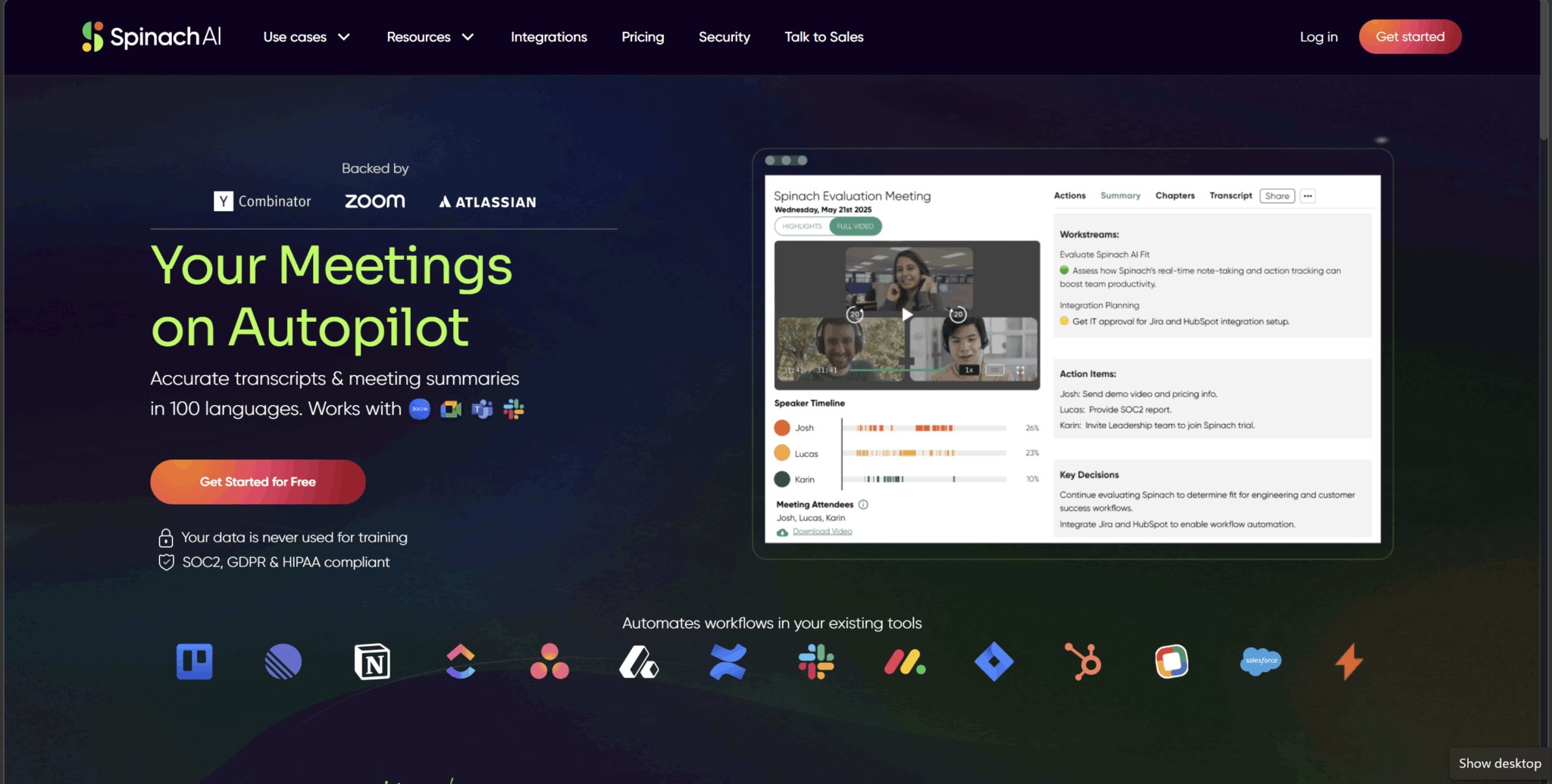
Spinach AI is an AI meeting assistant designed to take notes, track action items, and summarize your meetings automatically. It joins your calls, listens in, and handles the post-meeting admin so you don’t have to. Sounds great, right?
At its core, Spinach is built with agile and product teams in mind — think engineers running daily standups, product managers tracking decisions, and project managers trying to wrangle cross-functional chaos into something coherent. It integrates with the tools those teams already live in: Slack, Jira, Confluence, Notion. The pitch is simple: Spinach sits in your meeting, and by the time you close the tab, your action items are already in Jira and your summary is waiting in Slack.
And look, it does that. No complaints there.
But here’s the thing. That’s it. That’s essentially the whole product. Record, transcribe, summarize, push to integrations. A workflow that was genuinely impressive about five years ago, and one that is now the baseline for just about any halfway decent meeting assistant in 2026.
To Spinach’s credit, it supports transcription in over 100 languages, has a functional AI chatbot called Ask Spinach for querying your meeting content, and is backed by some serious names (Atlassian, Zoom, and Y Combinator among them). It’s also SOC2, GDPR, and HIPAA compliant, so it’s not a fly-by-night operation.
But impressive backers don’t mean anything if the product is only par for the course. And right now, Spinach feels less like a power-up and more like the vegetable itself; it’s alright, but not exactly something anyone gets excited about.
What Are Spinach AI’s Key Benefits in 2026?
I’m not here to throw Spinach under the bus. For a standard AI meeting assistant, it does some things pretty well. Here are the highlights.
Post-Meeting Automation
This is Spinach’s party trick, and it’s a good one. Once a meeting ends, Spinach can automatically push action items to Jira, send summaries to Slack, and update your project boards without you lifting a finger. For engineering teams that spend a lot of time in these tools, this kind of frictionless automation is useful and saves real time.
Solid Integrations Out of the Box
Spinach works where your team already works. It connects with Zoom, Google Meet, and Microsoft Teams for recording, and syncs with Jira, Confluence, Notion, Slack, and Google Docs. If you’re an agile team running on Atlassian tools, the integration depth here is hard to fault.
100+ Language Support
Spinach supports transcription in over 100 languages, which is generous and puts it ahead of several competitors on this front. Multilingual teams get decent coverage without needing to compromise. However, it’s worth noting that the user must manually select the language in advance. Spinach does not have automatic language detection, like tl;dv for instance.
Ask Spinach
The AI chatbot lets you query your meeting content after the call is over. This is useful for quickly pulling out a decision you made three weeks ago without scrolling through an entire transcript. It works well enough for single-meeting queries, but Ask Spinach doesn’t work across multiple calls at once. For that kind of multi-meeting memory, you’d need to make use of tl;dv’s conversational intelligence.
Highlights
Spinach AI’s Highlights feature is included with every call, even on the free plan. This breaks long calls down into a bite-sized, skimmable video made from all the most important clips. It’s essentially the Summary but in video form.
High-Level Compliance
Spinach AI is SOC2, GDPR, and HIPAA compliant. For enterprise teams or regulated industries, that level of compliance goes a long way. Spinach also makes a point to state that it does not train LLMs using your data which is a huge benefit for data-conscious teams.
What Are Spinach AI’s Biggest Drawbacks in 2026?
Unfortunately for Spinach, there’s quite a bit to cover here. These are the main limitations.
The Pro Plan Charges Per Meeting Hour
Spinach charges $2.90 per meeting hour just to access AI summaries, Ask Spinach, and CRM integrations. That means if you only have 10 meetings per month, you’re already paying a lot more than any competitors charge just for basic features. The Business plan scraps this altogether, which makes me think it’s just a ploy to get users to jump straight to Business ($29 per user per month, or $228 when billed annually).
Limited Multi-Meeting Intelligence
Ask Spinach can answer questions about up to three meetings at a time. It has no memory of previous calls that you didn’t specifically include in the prompt, no ability to spot trends across conversations beyond those three, and no way to generate cross-meeting reports. For teams who want their AI to actually learn something over time, this is a significant gap.
Zero Sales Features
If you’re in sales, Spinach simply isn’t built for you. There’s no conversation intelligence, no playbook tracking, no talk-to-listen ratio analysis, no objection handling insights. It captures your call and syncs to your CRM, but that’s as far as it goes. Helpful, sure, but nothing out of the ordinary. For a tool backed by the names it’s backed by, the lack of any sales functionality is baffling.
Inconsistent Summaries
Real users have flagged this one consistently: the categories in Spinach’s summaries change between meetings. One week you get a clean breakdown of decisions and action items, the next the whole structure shifts. There’s no native template system to lock in a format, which means your post-meeting notes can feel unpredictable. This is not ideal if you’re trying to build consistent records across a team.
Built for One Audience
Spinach is clearly engineered for agile product and engineering teams. If you’re in sales, customer success, HR, or really anything outside of that dev/PM bubble, you’ll find yourself with a tool that technically works but wasn’t designed with you in mind.
Spinach AI Pricing: How Much Does Spinach AI Cost in 2026?
As of March 26th 2026, Spinach AI has 4 plans:
- Starter (free)
- Pro ($2.90 per meeting hour)
- Business ($19 per user per month when billed annually)
- Enterprise (contact sales)
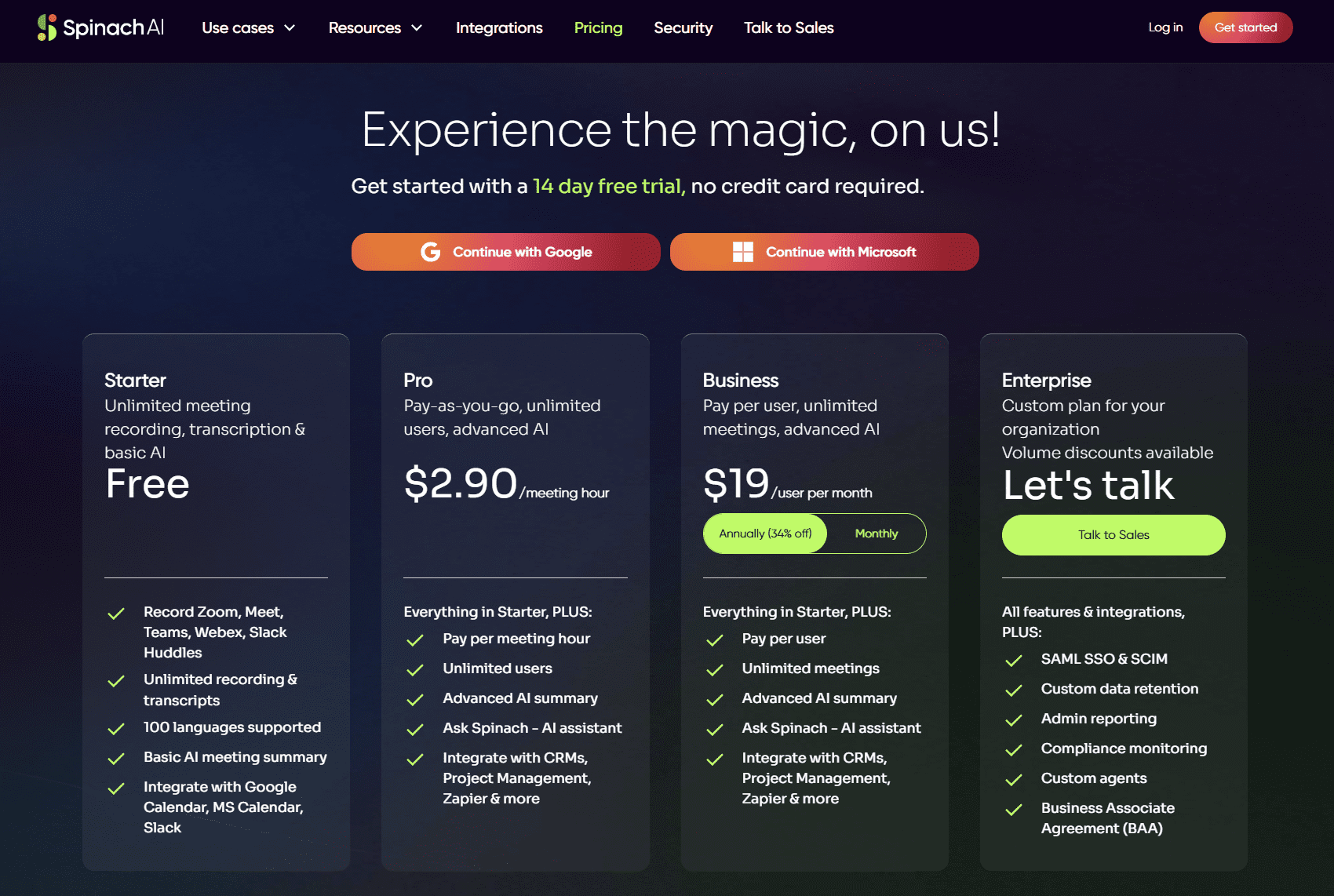
Spinach AI’s Starter plan comes with unlimited meeting recording, transcription, and basic AI straight off the bat. It allows you to record on Zoom, Google Meet, MS Teams, Webex, and even Slack Huddles. There are 100 languages supported so long as you select the right one in advance. The big drawback is that there’s only a 7-day retention period on this plan.
The Pro plan offers pay-as-you-go style flexibility by charging only per meeting. This tier unlocks advanced AI summaries and Ask Spinach, as well as opening up the door to CRM integrations and Zapier access. However, unless you’re only having 2-5 short calls per month, this quickly becomes more expensive than even the highest plans.
Business tier unlocks everything in Starter, but you’ll be paying per user instead of per meeting. That means you get unlimited AI summaries and Ask Spinach for all your meetings. It’s $19 per month when billed annually or $29 per month for a month-to-month contract.
For Enterprise you’ll need to contact Spinach’s sales team. It provides everything in Business, plus SAML SSO and SCIM, custom data retention, admin reporting, compliance monitoring, custom agents, and a Business Associate Agreement (BAA).
Give our Spinach AI pricing calculator a whirl below to see how much you can expect to pay. Remember that for the Pro plan the slider changes from “Seats” to “Meetings per month.”
Spinach AI Pricing Calculator
Before you run off to sign up to Spinach, let me tell you about my own experience.
Honest Spinach AI Review: How Did I Find Spinach After Testing the Free Plan?
The good news about Spinach AI is that it has unlimited recording and transcription for free. It didn’t used to. When I tested it for the Spinach alternatives article back in 2024, it used to be capped at 5 hours for free, with any more than that being paid per hour.
However, free transcription and recording is pretty basic these days. tl;dv has been offering that for a solid five years +.
Truth is, the key to whether Spinach AI is worth your time and money depends on how good those transcripts are, how easy it is to use, whether these recordings are stored in a way that’s easy to manage and navigate, and how seamless, overall, the experience is.
Let’s start with the onboarding experience.
How Easy Was Spinach AI’s Onboarding?
Spinach AI’s onboarding was straightforward, if a little formal. There were three steps:
- About
- Sync Calendar
- Use Spinach
There were a handful of questions to fill out in the About section, but it was a pretty swift process overall.
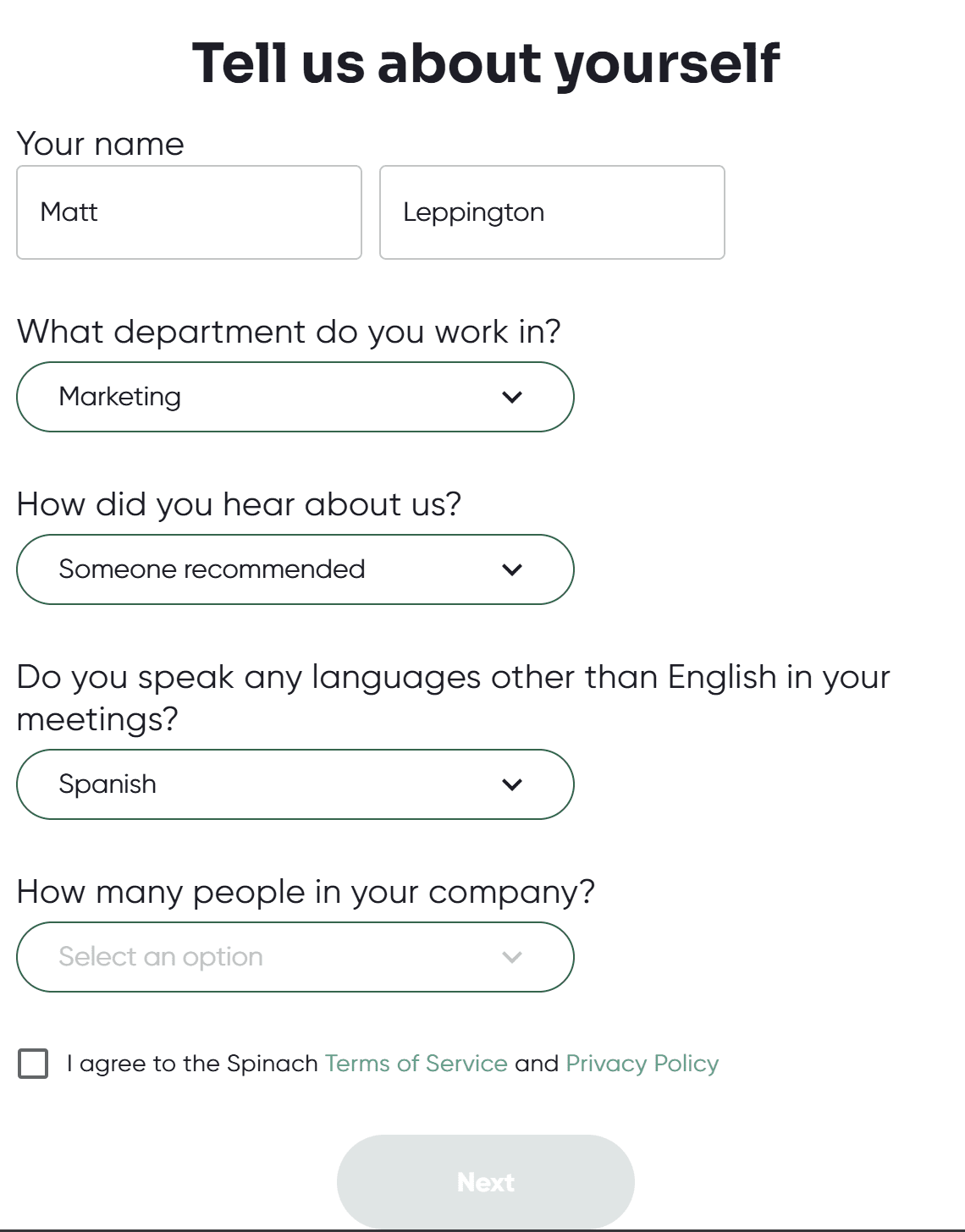
Once I answered all the questions and ticked the box, I moved onto the next stage: syncing my calendar.
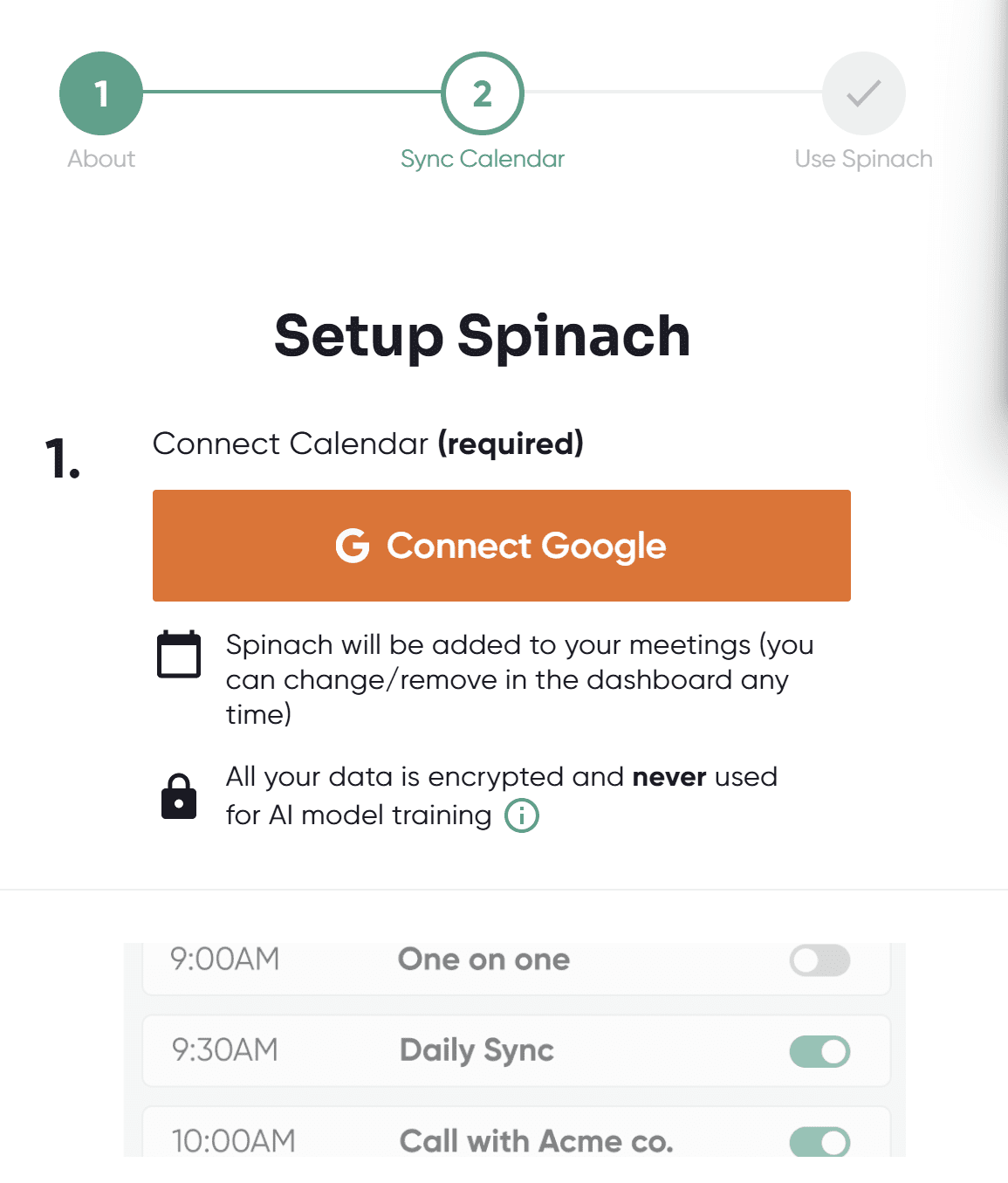
To be honest, I never like giving these tools permission to see or use my calendar. However, in an effort to produce great reviews, I put myself in digital danger.
Spinach also offered me a free Pro trial for 14 days.
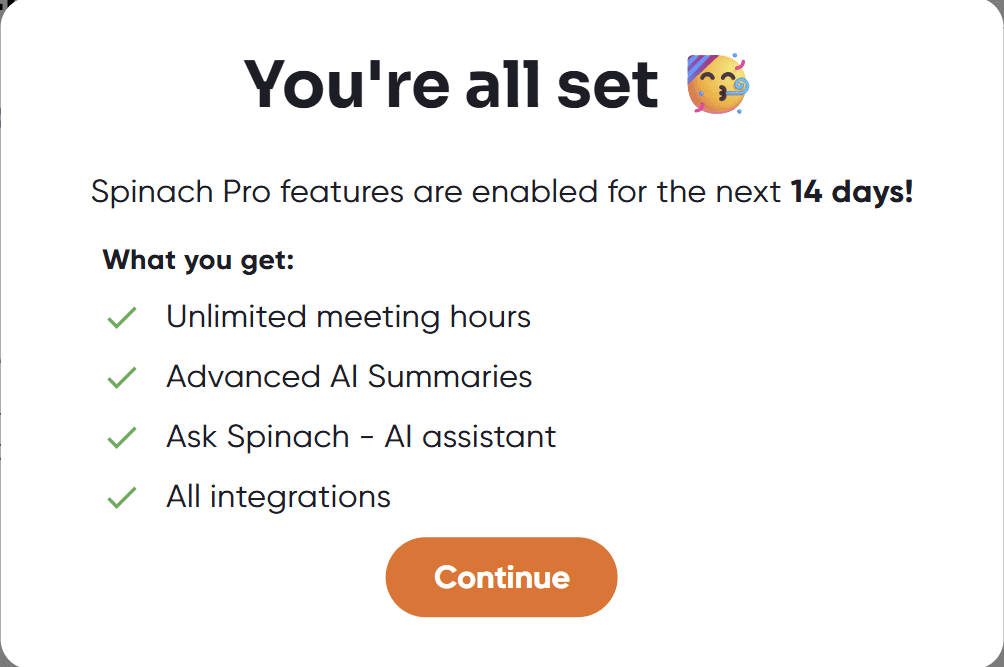
Spinach Pro allowed me to get unlimited advanced AI summaries, Ask Spinach, and access to all of its integrations for free for two weeks.
In compensation, it only asked for my soul: to join ALL internal and external meetings.
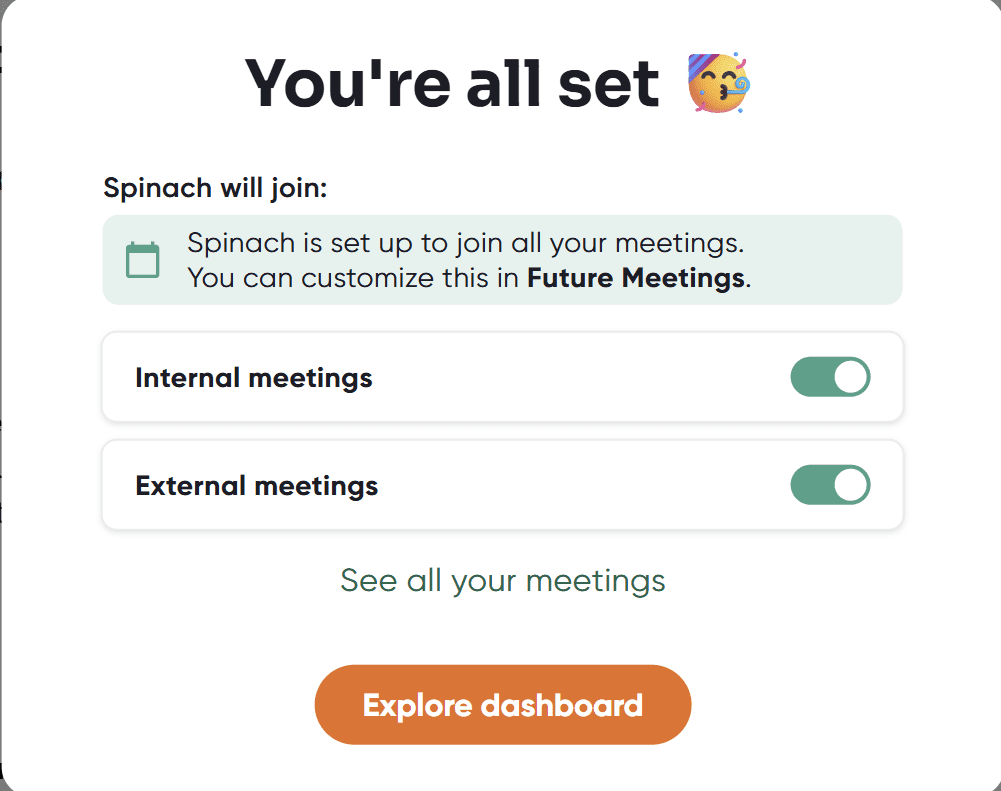
I agreed to these terms for the sake of the free trial, but it’s not something I’d do ordinarily. Later on, I paid the price for my stupidity.
But first, I signed up quickly because I was actually already starting a call that I wanted Spinach to be in so I could see how it did. This is where things started to fall apart.
How Useful Was Spinach AI In Meetings?
That depends on whether the bot stays in the call long enough to produce anything of note. In my first two calls where I wasn’t the host, the host removed the Spinach AI bot for, quite frankly, suspicious behavior.
Let’s start at the beginning.
I whizzed through the onboarding process for Spinach AI because I wanted it to join a call that I had literally just joined. Despite signing the deal which made it automatically join all my calls, this one was already underway and there was no sign of Spinach joining.
To get around that, I pasted the meeting link into Spinach AI. This was thankfully easy to find.
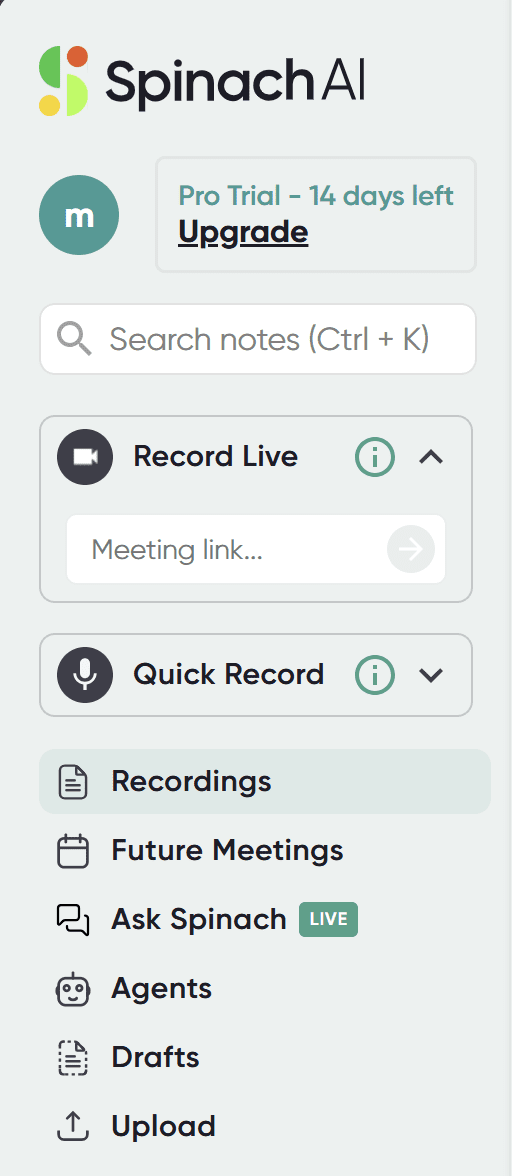
I pasted the meeting link in the Record Live box and waited. At first, nothing happened. tl;dv joined the call so it was being recorded anyway, but I wanted Spinach. I went back to check. Sure enough, it told me it was joining.

As it may take a few minutes, I thought we’d better prepare for it. I told the host to kick tl;dv and let her know that Spinach would join soon. We continued with the call and Spinach never joined.
Well, that’s what I thought at the time…
Somehow, despite Spinach seemingly not joining the call, I still received a meeting summary. It was short and didn’t really cover the majority of things we said. I was confused how it recorded anything at all though.
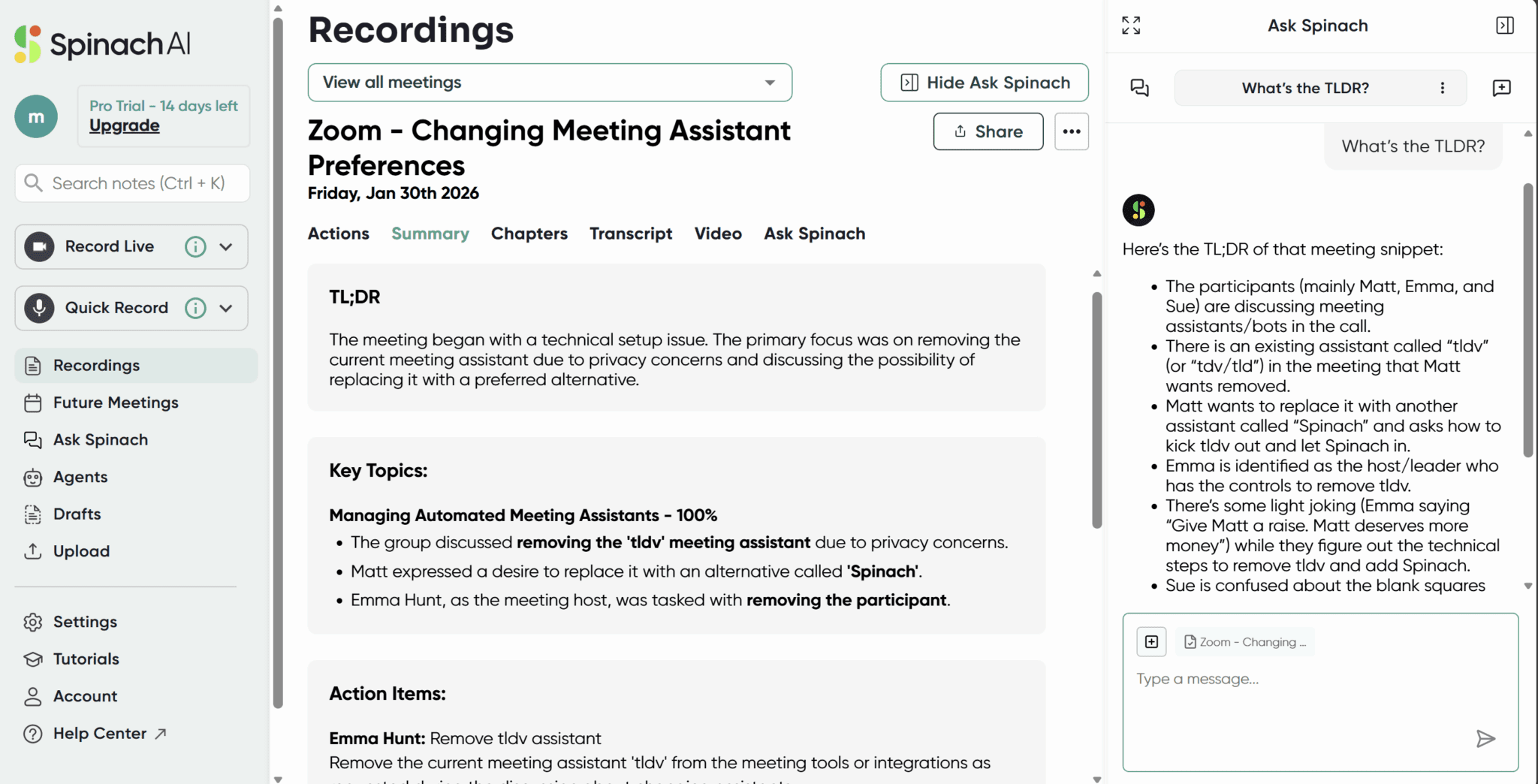
You can see where I used Ask Spinach on the right to get a TL;DR: it told me that I wanted tl;dv removed and replaced with Spinach. Give or take thirty seconds of random conversation, that was it. The entire summary.
So what on earth had happened?
I only found out during my next call, when Spinach AI joined again, automatically this time, and had some pretty interesting branding.
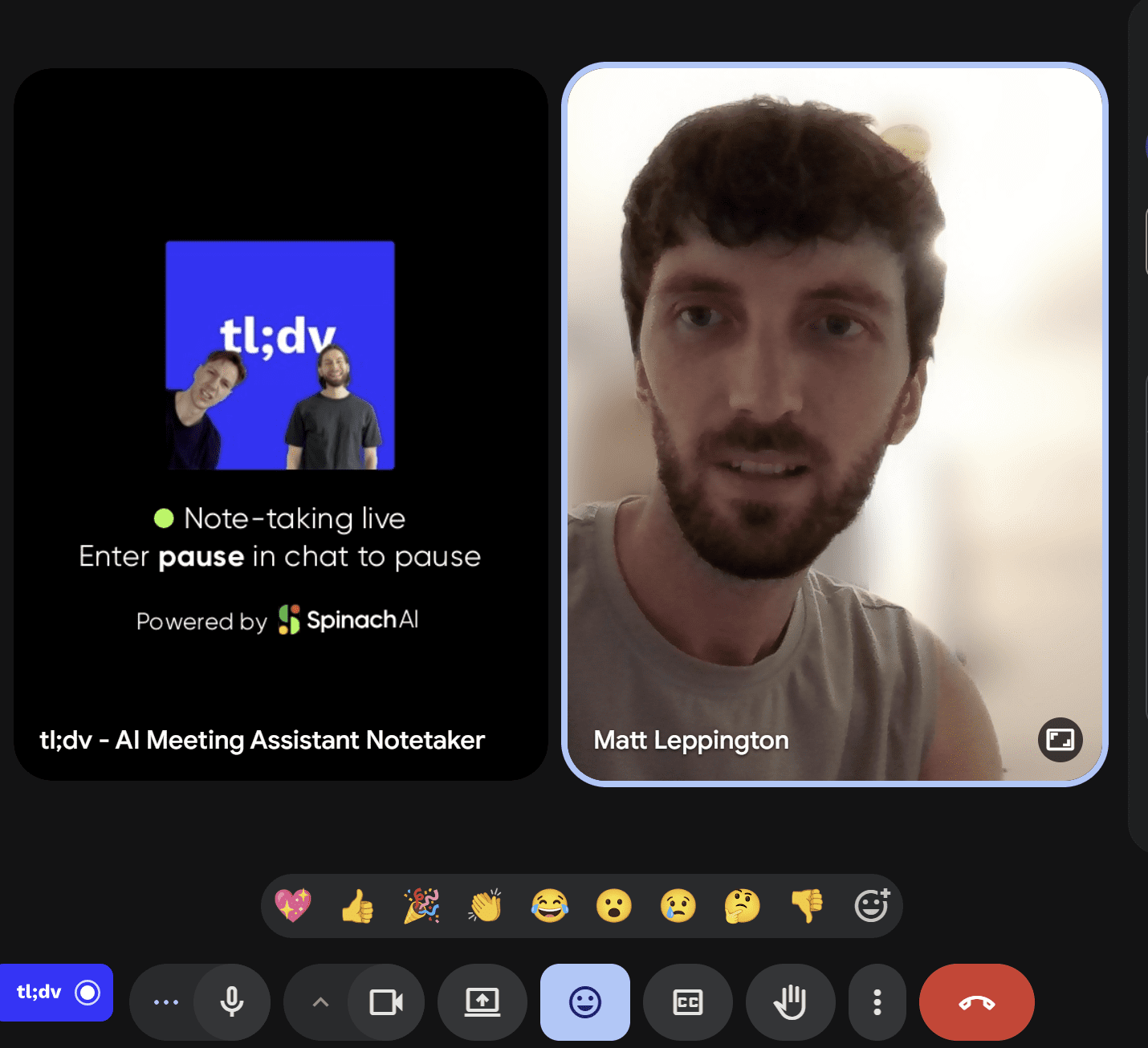
Now look at that closely.
It’s called: “tl;dv – AI Meeting Assistant Notetaker”. The picture is of tl;dv’s logo, and not only that but it has Ian and Tom on there from tl;dv’s social media team.
Underneath, it says “Note-taking live. Enter pause in chat to pause.” And then finally, under that, it says, “Powered by Spinach AI.”
What the f*ck?
I’ve tested a lot of AI meeting assistants over the last few years. Everything from Otter to Notta, Fireflies to Vomo AI, Fathom to Tactiq… Never in my life have I seen a bot join the call disguised as tl;dv.
You can see how confused I was by the transcript.
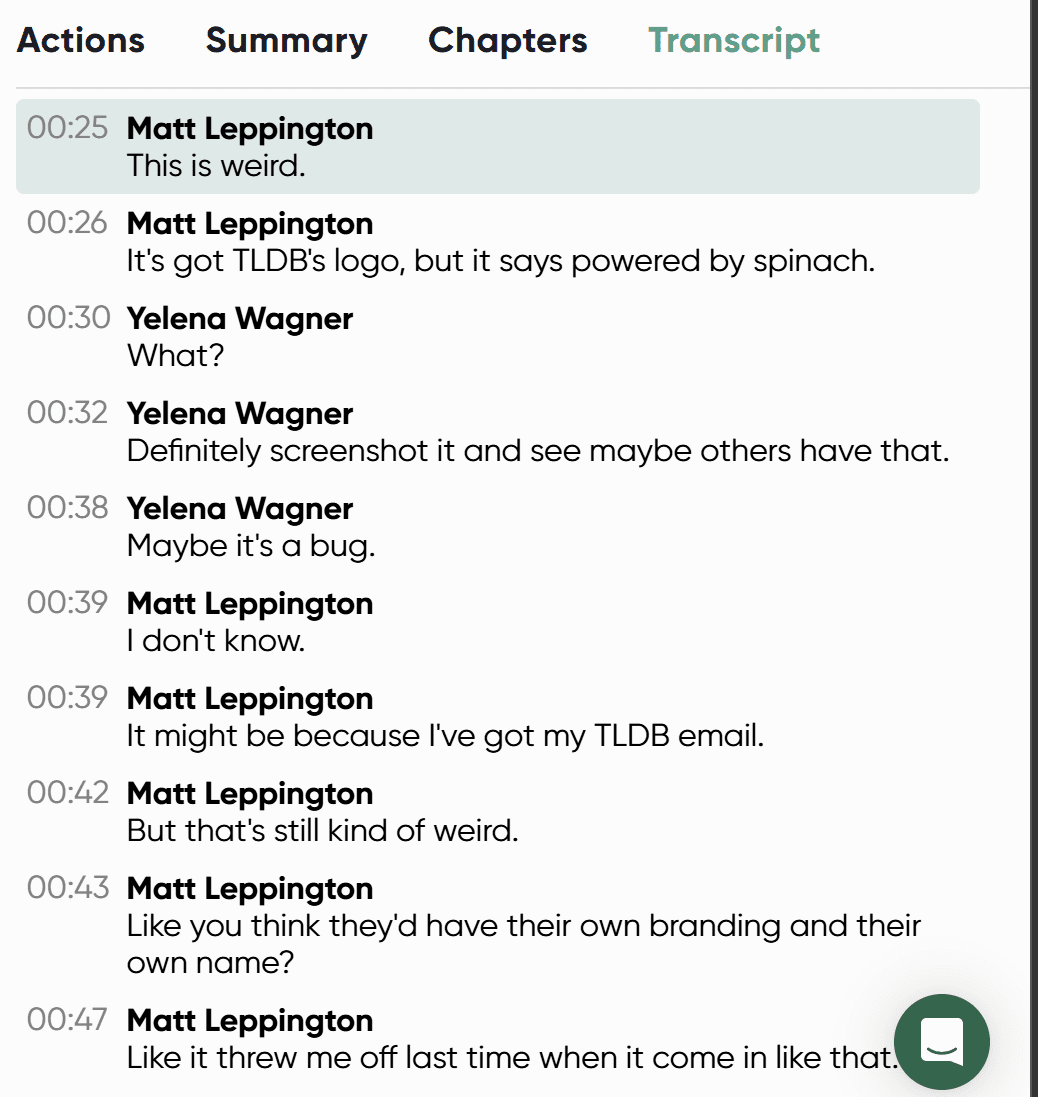
If you ignore the fact that Spinach mishears tl;dv as TLDB, you can see that my immediate conclusion was that it was because I was using a tl;dv email. That hunch turned out to be correct. However, as I already said, I’ve used my tl;dv email to create accounts on numerous AI meeting assistants and none of them have ever generated a picture out of thin air and stuck it on their bot without telling me.
I did, at a much later date, go snooping around the settings and find the Branding section.
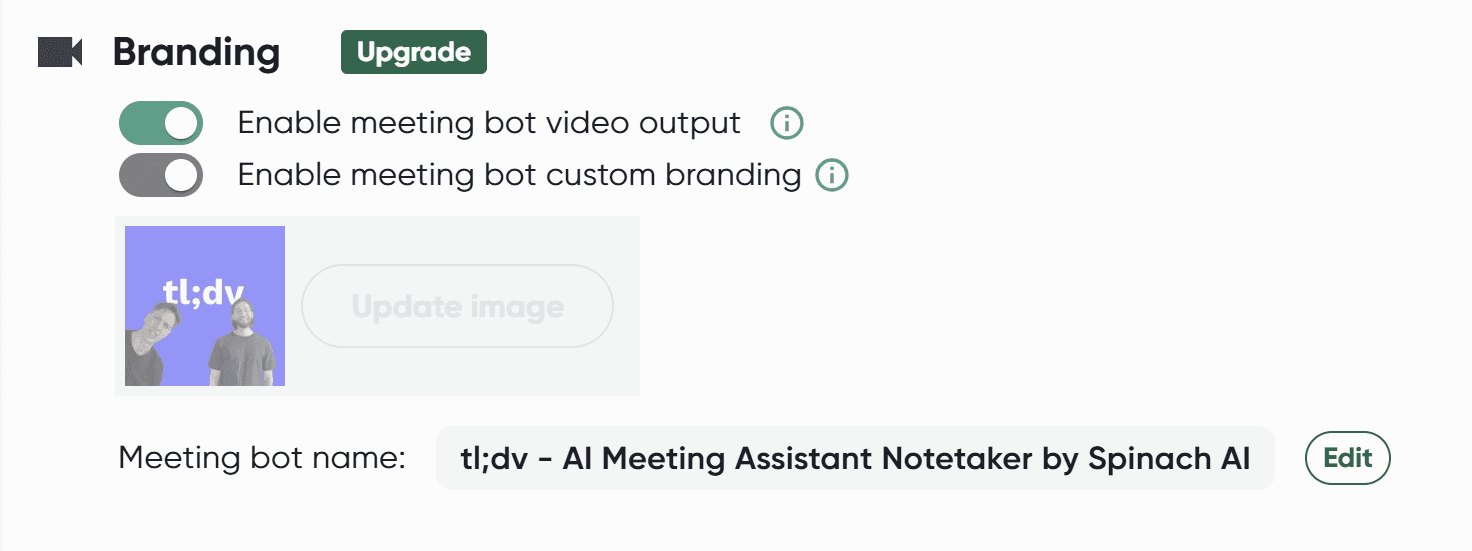
When I finally looked here, it was after my Pro trial had ended and I was no longer able to adjust it. I’m not sure if any adjustments would have remained after the trial ended anyway.
What is certain is that Spinach AI have somehow got an image for tl;dv, and not just any old image but one that at first glance looks genuine. It also names the bot for me, making it seem as though it’s tl;dv’s meeting assistant rather than their own.
To make matters worse, remember I said I had to let it into all my internal and external scheduled meetings, regardless of whether I wanted it there or not? Well, I was running late for the content call I have with Dani and Sofia.
Spinach joined in my place and freaked them both out.
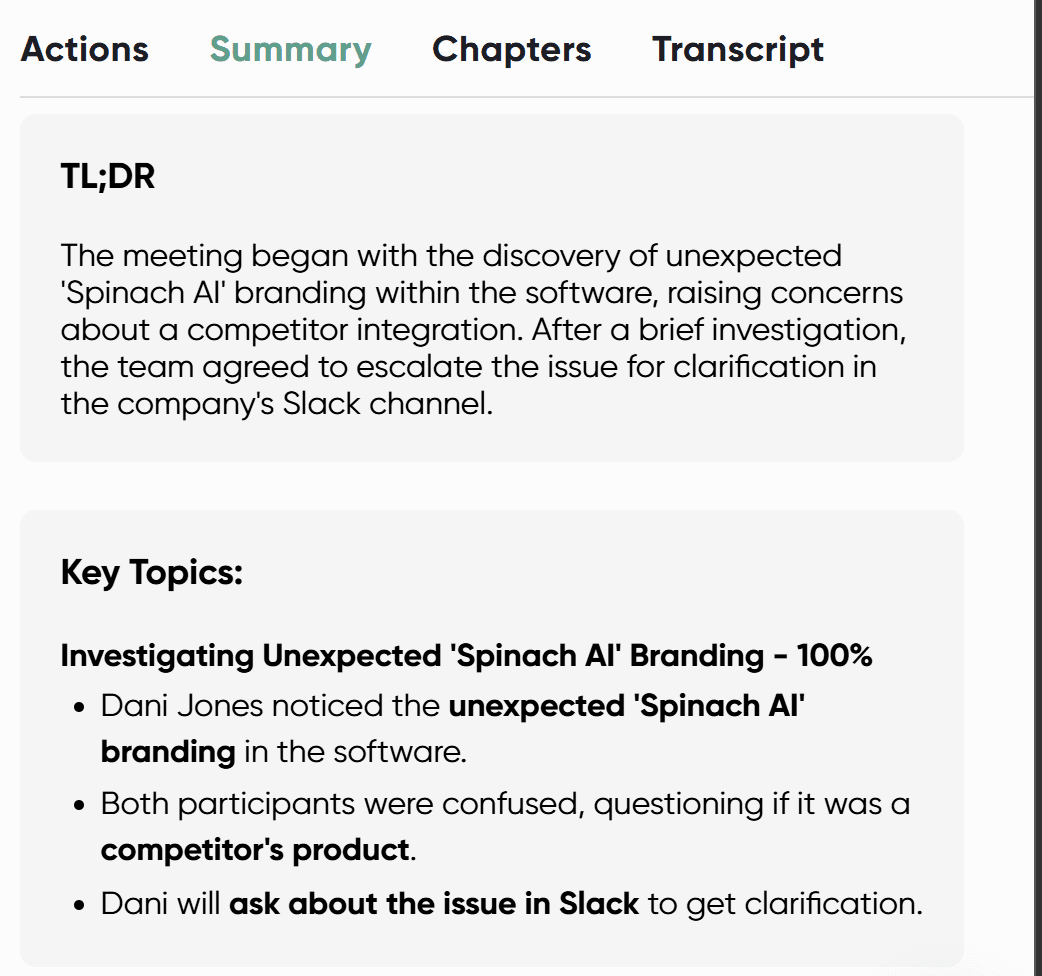
They told me about it when I finally joined. Dani had already removed it by then. However, I got to see the notes of what happened before.
Essentially: what is this?
“Both participants were confused, questioning if it was a competitor’s product.” It’s hard to blame them. The fact it’s not tl;dv is something you wouldn’t notice at a first glance.
Spinach later tried to join our all-hands, a call with the entire tl;dv team, all because I hadn’t remembered to switch off the join all feature that it presets during onboarding. Obviously, this is not a call we wanted a competitor to join. Yet, the fact that it tried prompted us to discuss the weird branding of its bot. Upon hearing about it, our CEO likened it to corporate espionage.
In truth, I don’t think it’s that deep. I’m not particularly a Spinach AI fan, but I’ll give it the benefit of the doubt here. It used our branding (without permission) to stick on the bot purely because of my email address. To settle this, I set up a separate account using my personal gmail address. Here’s what the same Branding section looked like.
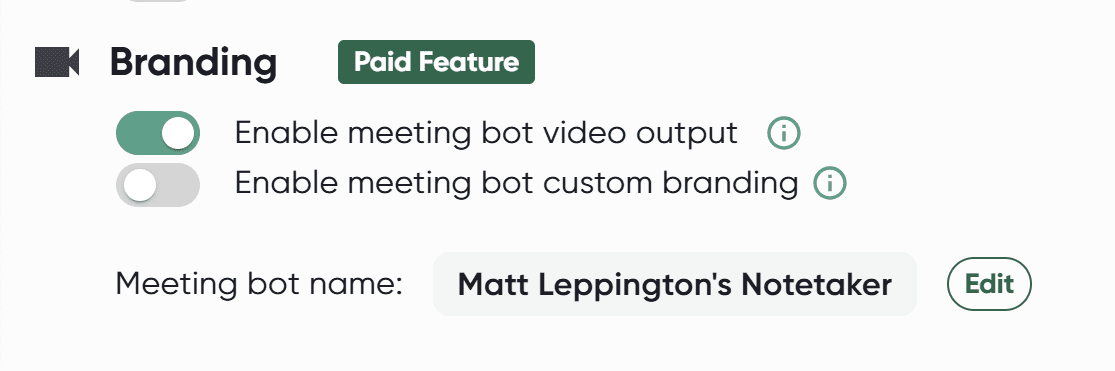
It boggles my mind how it got the photo. It’s also strange that it set it up without asking me. And even worse, because I hadn’t changed it before the trial ran out, my tl;dv-associated Spinach account is now permanently stuck with tl;dv’s branding on it. And let’s face it, I’m not going to pay them to remove it.
With corporate espionage out of the way, how did Spinach AI actually perform in meetings?
How Useful Were Spinach AI’s Notes, Transcripts, and Summaries?
Spinach AI has decent notes. They’re not to be scoffed at. It has speaker recognition which means it can correctly identify who said what, critical for assigning action items. You’d be surprised how many meeting assistants don’t have this basic feature.
The transcripts were largely accurate. The summaries start with a TL;DR and then branch into Key Topics, Action Items, and Blockers. Everything is quite easy to find and the summaries generally covered everything I wanted to know.
One feature I found quite useful was the Highlights option. So when you’re rewatching a call, you have two choices: the full video (in a variety of speeds from 0.5x to 3x) or the highlights.
For example, one of my Spinach-recorded meetings was 24 minutes 49 seconds. However, the Highlights were just 1 minute 27 seconds. Essentially, this covered everything in the Summary by just skipping between each of the main points, staying long enough to get the main point from the video itself, and then jumping ahead again. It worked surprisingly well.
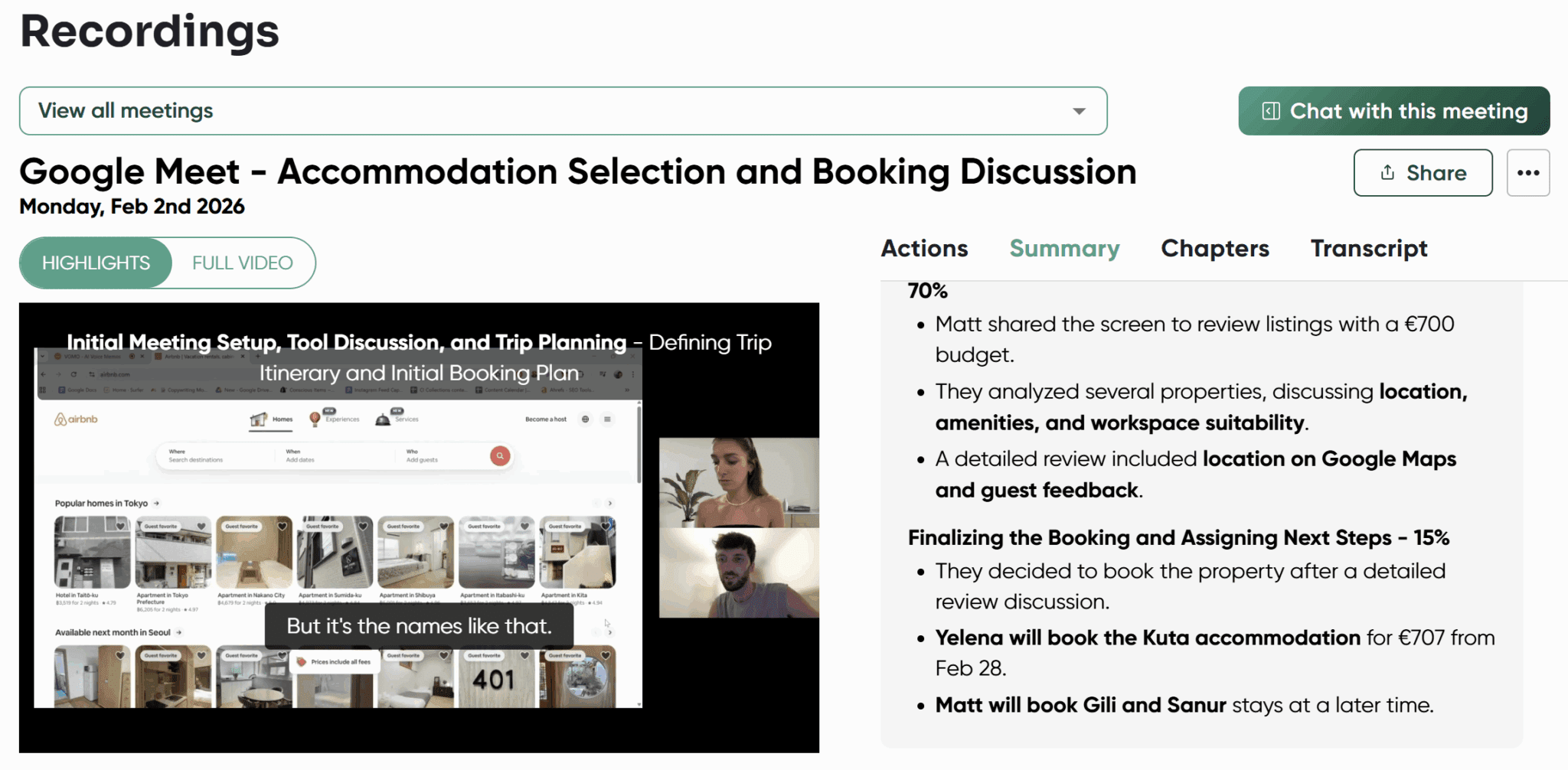
Another thing I quite liked about Spinach AI’s playback was that it added subtitles. It took the words directly from the transcript and added them over the video so you could read along in real-time. Just toggle the CC button in the bottom right of the video to turn them on or off.
One thing I wasn’t a huge fan of was the fact the Transcript (and Actions, Summary, and Chapters) were in a relatively small box on the right-hand side. There seems to be no way to enlarge this section, making it a bit more difficult to scan the transcript than it needs to be.
How Well Organized Was Spinach AI’s Dashboards and UX?
Spinach AI is not the prettiest meeting assistant I’ve ever seen. In fact, there were times where it felt downright ugly. Take a look at the UX for the “View all meetings” drop down.
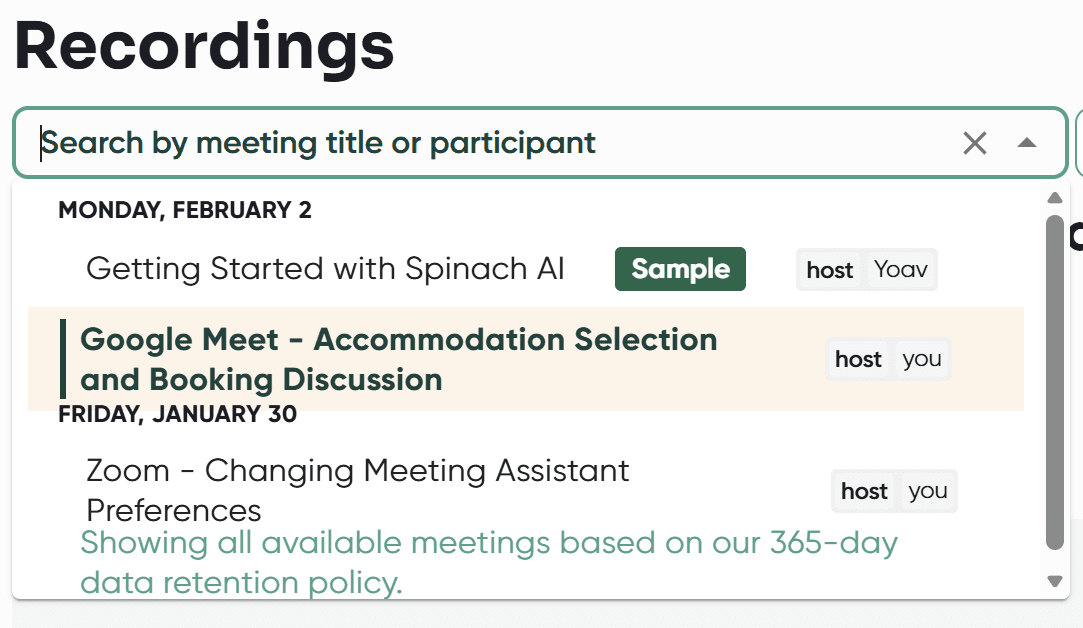
There aren’t too many nice things to say about it. It’s good that they’re organized by date, but the way they’re displayed is close to disgusting.
Firstly, it includes samples mixed in with my real calls which is not only unnecessary but also just annoying. Secondly, there are three different fonts there, four if you include the dates. I’m not a UX designer but staring at this is like pouring bleach into my eyes.
Finally, what is with the highlighting? The meeting that I currently have open has a weird background and is bold, but it overlaps with the date below it. Not to mention the “Showing all available meetings” note is a lie. There are more meetings available that don’t get shown here for some reason.
Another big UX weakness is the fact there’s no homepage. The big Spinach logo is clickable in the top left corner, but it doesn’t take you anywhere. There’s no Home option, and the Recordings tab just takes you to an actual individual meeting. There’s no way to see them displayed one after the other. This makes it quite awkward to find what you’re looking for, especially if you have dozens, or god forbid, hundreds of meetings saved.
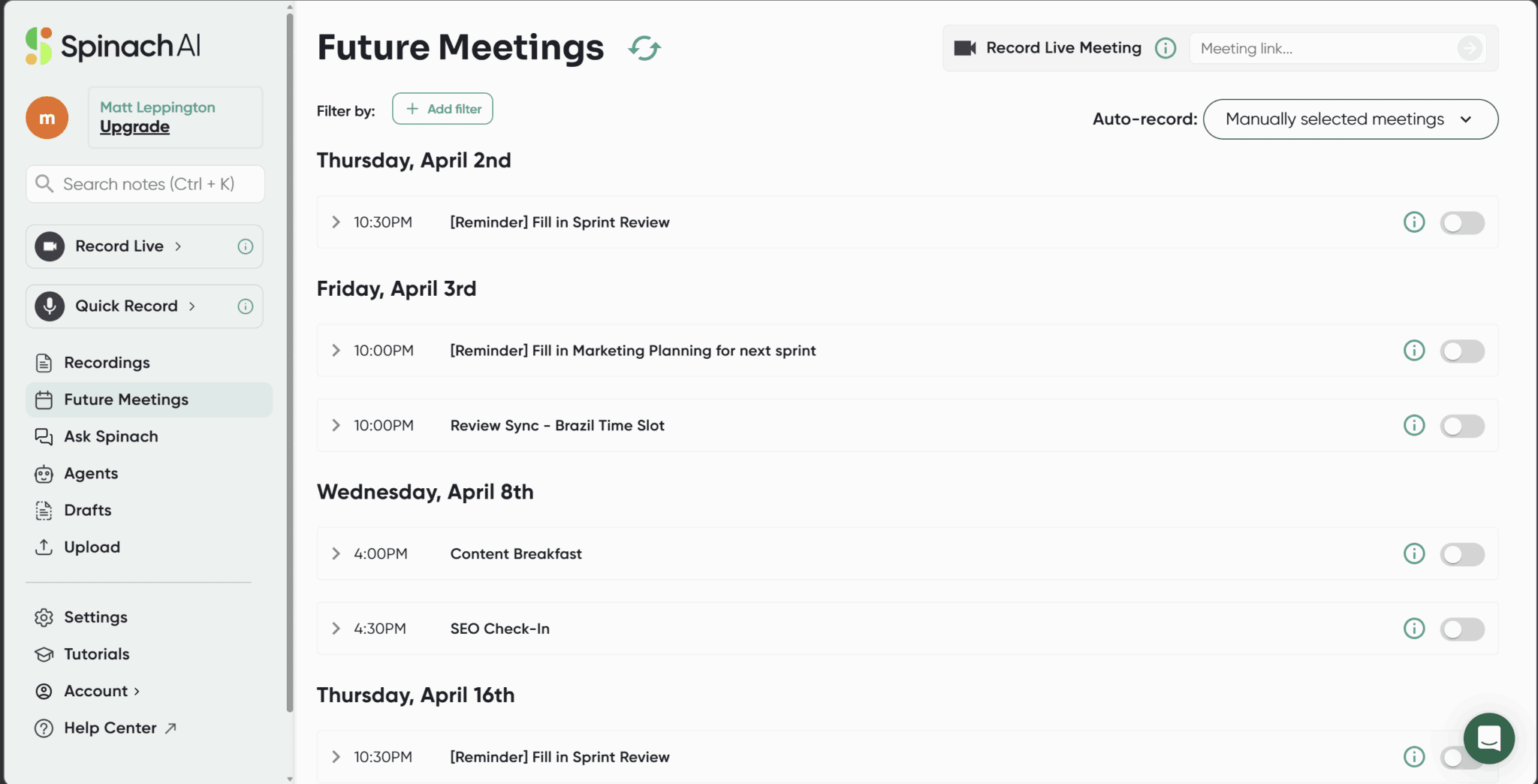
The other thing that didn’t particularly do anything for me was the color palette. We’re looking at grey on grey here. It feels like something from Windows 95, and not in the fun, retro kind of way.
How Are Spinach AI’s Other Features?
Spinach AI has a few other features up its sleeve. Most notably: Agents, Ask Spinach, and Upload.
The Agents feature is supposed to be Spinach’s attempt to go beyond passive note-taking, offering configurable role-based agents, like Product Researcher and Project Manager, that automate specific post-meeting follow-up work.
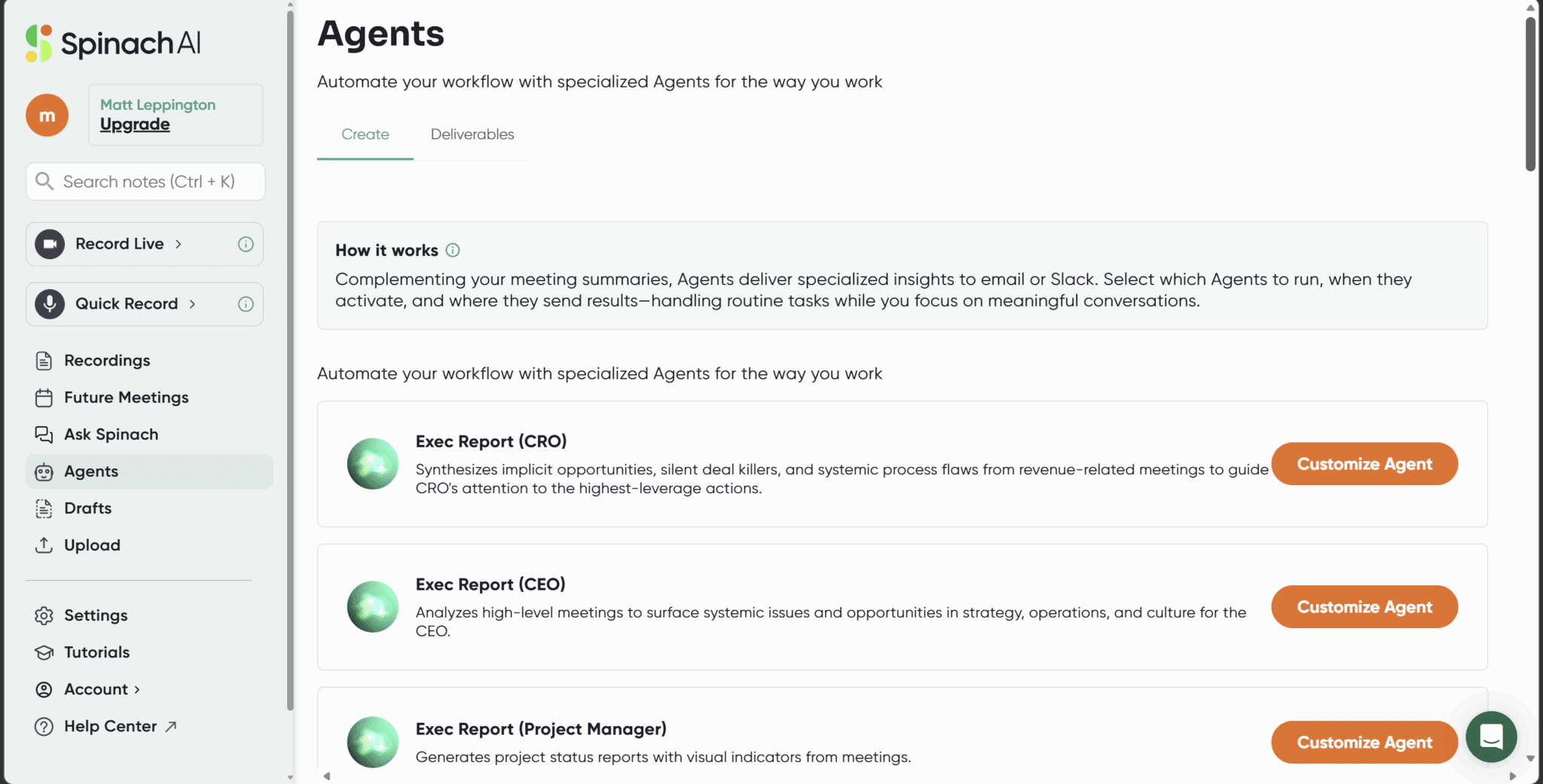
It must be said that this feature feels a little bit more like a roadmap announcement than a battle-tested capability. Real user feedback on the agents is nearly non-existent in public forums, which suggests most users either aren’t using them yet, haven’t noticed a significant difference, or both.
It seems, on the surface, to be a complicated way of automating post-meeting actions. You choose the “agent” that does what you want after the call and it does it for you automatically using AI agentic frameworks. If you already have the technical know-how, you could run similar post-meeting workflows through popular LLMs, though these would be manual. If you want to know which one’s best, check out our deep dive into Grok vs ChatGPT.
Over on Ask Spinach, you can talk to an AI chatbot about up to three individual meetings. Though this feature is fairly limited without the ability to ask about more meetings at once. Tools like tl;dv and Gong empower users to identify patterns and trends across hundreds of calls using their chatbots. Spinach’s three meeting conversation feels weak by comparison.
Finally, I uploaded a test call to see how Spinach AI handled file uploads (you get 1 per day on the free plan). The menu layout here threw me for a loop. You get the option of what kind of notes you want to receive. However, when you hover over each one, a new pop-up flies onto the screen wherever it feels like it. Below are two screenshots that show how these menus can be all over the place (including half off the screen).
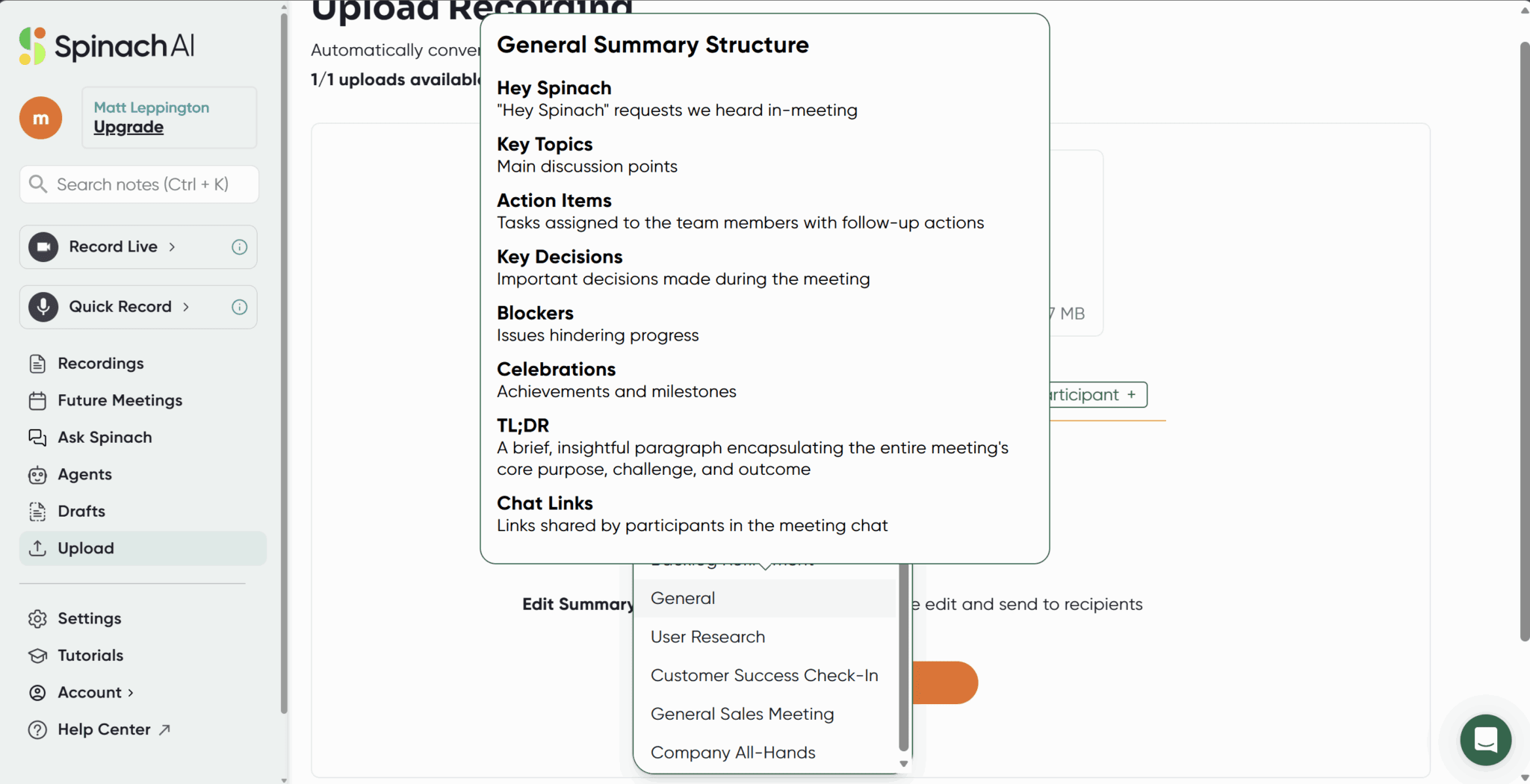
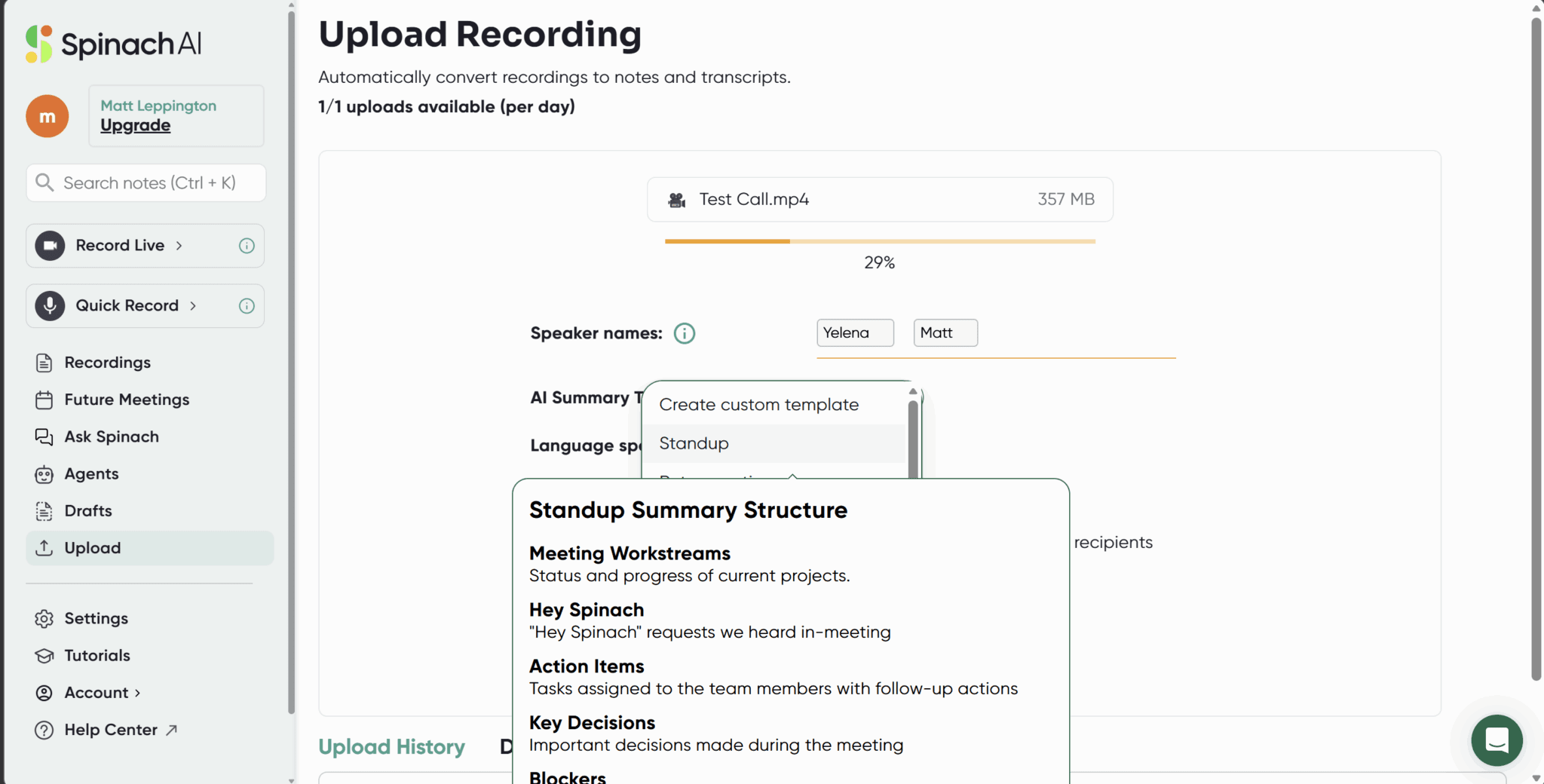
While this is only a small issue, it was a bit annoying as I was trying to read the other options and these humungous pop-ups were appearing and flying all around my screen one after the other. A few of them, like in the second screenshot, displayed so low down that half of it was missing anyway.
As for the uploaded file, it was fine. My free trial was over so I no longer had access to Actions or Summary. I only had the video playback, Chapters, and Transcript.
I purposely uploaded a test call where we spoke multiple languages too, just to see how the AI notetaker would handle it. As for Spinach AI, despite boasting that it can understand 100+ languages, it can’t detect new languages mid-call. This is a lot less impressive. If you change language mid-conversation, which happens frequently in multilingual teams, then Spinach breaks down.
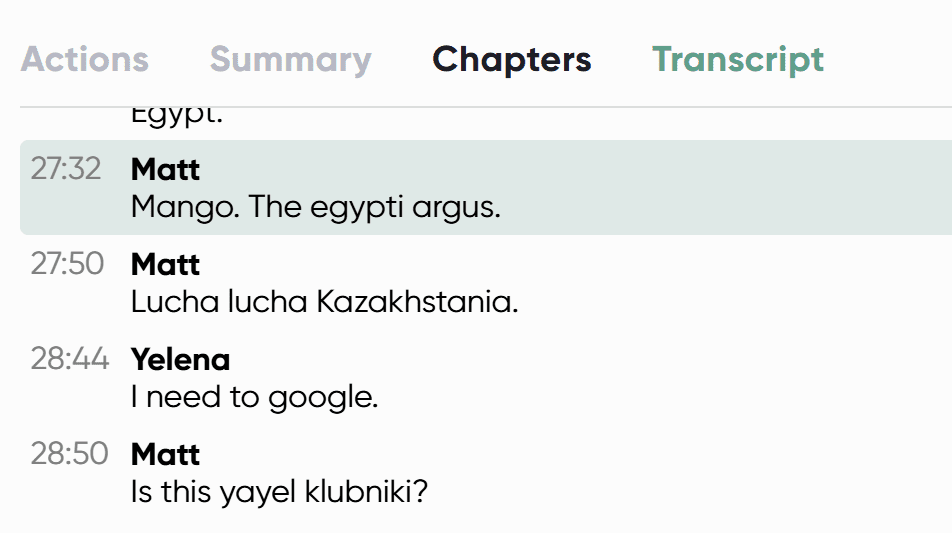
What Spinach AI appears to do when a different language is spoken is either assume the language is still the preset one (in this case, English), and just make up gibberish, or it cuts the words from the transcript entirely. As you can see here, it starts with gibberish, then there’s almost a minute missing before we go back to English briefly and then return to gibberish.
It’s also worth noting that despite not being allowed to see Summary or Actions without a paid plan, Spinach AI does still provide the Highlights video so I can skip through the most important parts of the call relatively quickly. That’s quite handy.
What Do Real, Everyday Users Say About Spinach AI?
Spinach AI does not have vast swathes of online reviews. In fact, across all the usual platforms (G2, ProductHunt, TrustPilot, Capterra, etc.), it only has a total of 46 reviews, and that’s even including Google Chromestore.
Luckily for Spinach, those reviews are largely positive, averaging 4.75/5 from 46 reviews. Unluckily for you, only one of those reviews came after 2025. That means there’s been over 14 months (as of March 2026) and Spinach AI has been reviewed only once in all that time. That should be a big red flag all on its own.
Most of these reviews will be fairly useless as they won’t account for any features dropped in the last year and a half.
Over on ProductHunt, Pieter Beens gave Spinach 5/5 a year ago. That was the most recent review across all platforms.
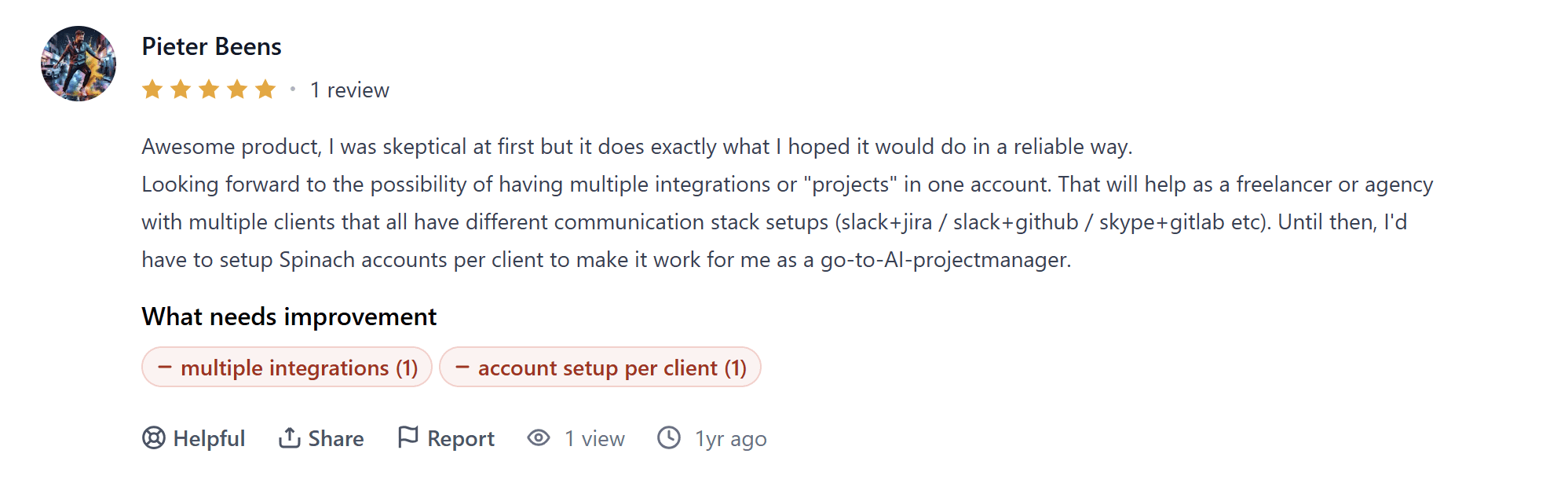
Pieter calls Spinach AI an “awesome product,” calling it “reliable”. However, it’s worth noting that even this review is not that reliable as he only has 1 review to his name and he talks about multiple integrations as if they’re not already a thing.
G2’s most recent review was early 2024, over two years ago, while Google Chromestore’s reviews are all from October 2022. Capterra, TrustPilot, and TrustRadius have 0 reviews for Spinach AI.
Ordinarily, I’d fight this lack of reviews by hitting up Reddit or X. However, Reddit posts about Spinach AI seem to be almost non-existent with the only one directly mentioning it in the title being from 3 years ago. It has two likes and one comment that I can’t actually see.
Over on X (Twitter), it’s the same story. Tumbleweed. In fact, even Spinach AI’s own X profile has been inactive since January 2025. Their last post was about entering the new year on a new domain: Spinach AI.
New year, new domain! We're kicking off 2025 on https://t.co/V2mRUmldnk 🚀 https://t.co/mNej2piuNP
— Spinach AI (@spinach_ai) January 6, 2025
Spinach AI’s last ever social post received a whopping 6 likes and 0 comments. Perhaps they decided that being completely invisible would be better?
I thought I’d try one last avenue: YouTube.
I found a video from 7 months ago that has a total of 49 views that seems to praise Spinach AI. Besides that, you’re looking at videos about Spinach IO, from pre-2025.
Scroll down further and you get the high-level IQ stuff.

What Are the Best Spinach AI Alternatives?
Let’s be clear: Spinach isn’t terrible. But if you’ve read this far, you probably already sense that it’s not quite enough. Here are five Spinach AI alternatives that, depending on your needs, will likely serve you better.
1. tl;dv
tl;dv is the obvious place to start, partly because it does everything Spinach does, and partly because it does a whole lot more. We might have a smidge of bias, but we also have the social proof to back it up: almost 500 reviews averaging at 4.7/5 on G2, 150k followers on Instagram, and just shy of 150k followers on TikTok. We’re not ghosts.
Where Spinach caps out at capturing and summarizing your individual meetings, tl;dv goes much further with multi-meeting intelligence. You can ask it questions that span your entire call library:
- Which prospects mentioned a competitor?
- How has your team’s objection handling changed over the past month?
- What bugs have come up repeatedly across product feedback calls?
The answers come with timestamps, delivered as a report. You can even schedule those reports to land in your inbox automatically.
For sales teams specifically, the gap is significant. tl;dv has a full speaker analytics dashboard, playbook tracking for frameworks like BANT and MEDDPICC, talk-to-listen ratio monitoring, objection handling tips, and CRM auto-fill. Spinach only has the last one, and even that isn’t as comprehensive as tl;dv’s custom meeting note templates where you can map notes to the exact fields you need to fill out.
tl;dv’s free plan already includes the same features as Spinach AI, as well as much higher limits on the advanced AI.
Spinach AI vs tl;dv
Here’s how the two stack up directly:
| Feature | tl;dv | Spinach AI |
|---|---|---|
| Free plan | ✅ Unlimited recordings & transcriptions, + 10 Ask AI and 10 meetings with AI notes included per month | ✅ Unlimited recordings & transcriptions |
| Pricing model | Per user/month (flat) | Per meeting hour for Pro, per user/month for Business |
| Multi-meeting intelligence | ✅ Yes, 100s of meetings at a time | ⚠️ Yes, 3 meetings maximum |
| Sales features & playbooks | ✅ Yes | ❌ No |
| CRM auto-fill | ✅ Yes | ⚠️ Basic (Pro+) |
| Speaker analytics | ✅ Yes | ❌ No |
| Scheduled AI reports | ✅ Yes | ❌ No |
| Language support | ✅ 40+ languages, automatically detects different languages | ⚠️ 100+ languages, must pre-select language in advance (one per call) |
| Jira / Slack automation | ✅ Yes | ✅ Yes |
| SOC2 / GDPR / HIPAA | ✅ Yes | ✅ Yes |
2. Fireflies
Fireflies is one of the more established names in the meeting assistant space, and it shows. It recently crossed a $1 billion valuation, which suggests the market has validated it in a way Spinach hasn’t been yet.
New features as of early 2026 include “Talk to Fireflies”, powered by Perplexity AI, which lets you ask questions and search the web during meetings in real time, and live bullet-point notes that appear during the call rather than just after. These are genuinely useful additions that show a product team actively building, rather than standing still.
The Fireflies pricing is more predictable than Spinach’s per-hour model too. The Pro plan is $10 per user per month billed annually, with unlimited transcriptions, AI-generated summaries, and CRM integrations via Slack, Zapier, and Salesforce.
That said, it’s not without its own quirks; the free plan’s unlimited transcripts depend on whether you allow it to record all your calls and pester your colleagues, so read the fine print before committing.
3. Granola
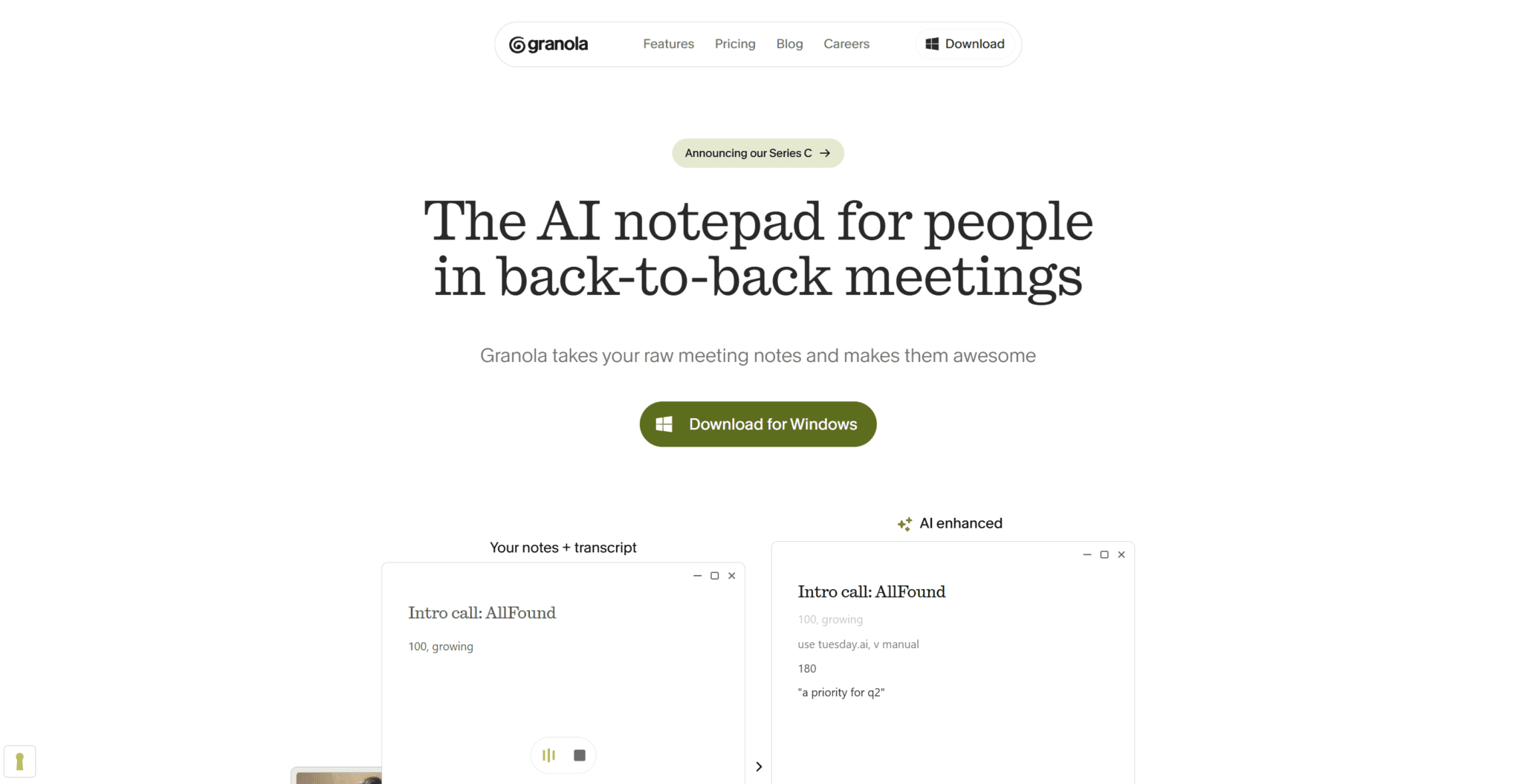
Granola is an interesting one. While every other tool on this list sends a bot to join your meeting as a participant, Granola runs silently in the background, capturing audio directly from your device. For anyone who’s ever had a prospect get visibly unsettled by a notetaker bot appearing in a sales call, this alone is worth something. Just make sure you get the other participants’ permission to record before you start.
The downside to having a bot-free experience is that you sacrifice video recording. However, the note quality is often considered to be one of its best features; users consistently describe it as producing clean, readable summaries rather than raw transcript dumps. I can attest to this personally, too.
Another thing to consider is the fact that Granola is Mac-first. There’s no Android support, and Windows features are still catching up. It’s also worth noting that just yesterday (March 25th, 2026), Granola raised another $125M at a $1.5B valuation. This is on top of the $43 million it raised in May last year. This shows it’s clearly a product with serious momentum, but that funding round is very fresh, and enterprise-grade features are still maturing.
4. Fathom
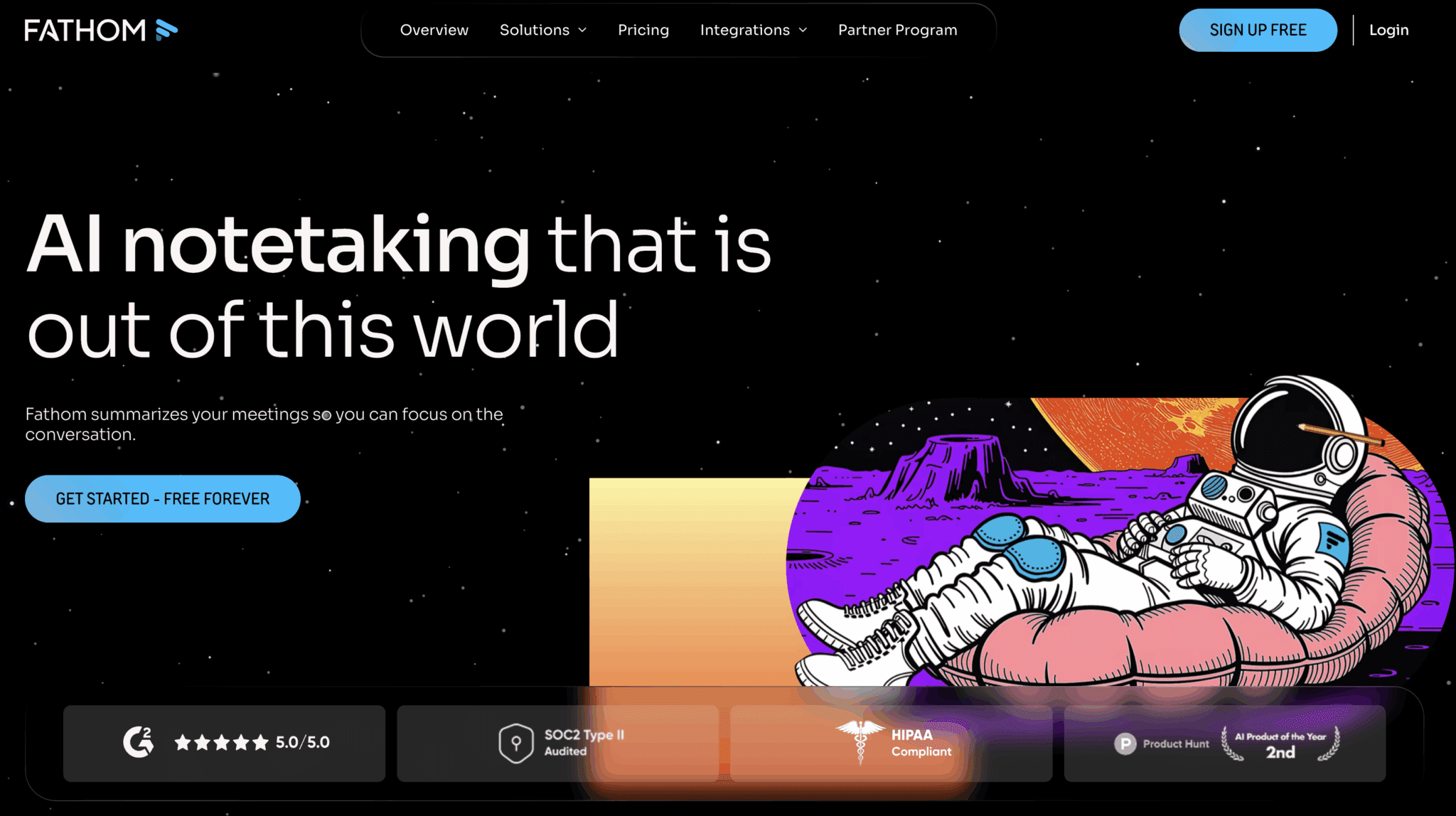
Fathom is one of the most compelling free options in this entire category. Its free plan offers unlimited recordings, unlimited transcription, and unlimited storage. There are no monthly caps and no expiry dates. For context, Spinach also gives unlimited recordings and transcripts for free, but has a 7 day retention period.
With Fathom, summaries land in your inbox within 30 seconds of a call ending. That’s noticeably faster than most competitors and obviously useful when you’re jumping straight into the next meeting.
Where Fathom falls short is at scale. Advanced AI summaries are capped at five calls per month on the free plan, and CRM field sync requires the Business tier at $25 per user per month. So if you need deep Salesforce or HubSpot integration baked in, the cost climbs quickly. It’s also worth noting that Fathom only transcribes online meetings in 28 languages, which lags behind Spinach which offers 100+ language support.
5. Otter
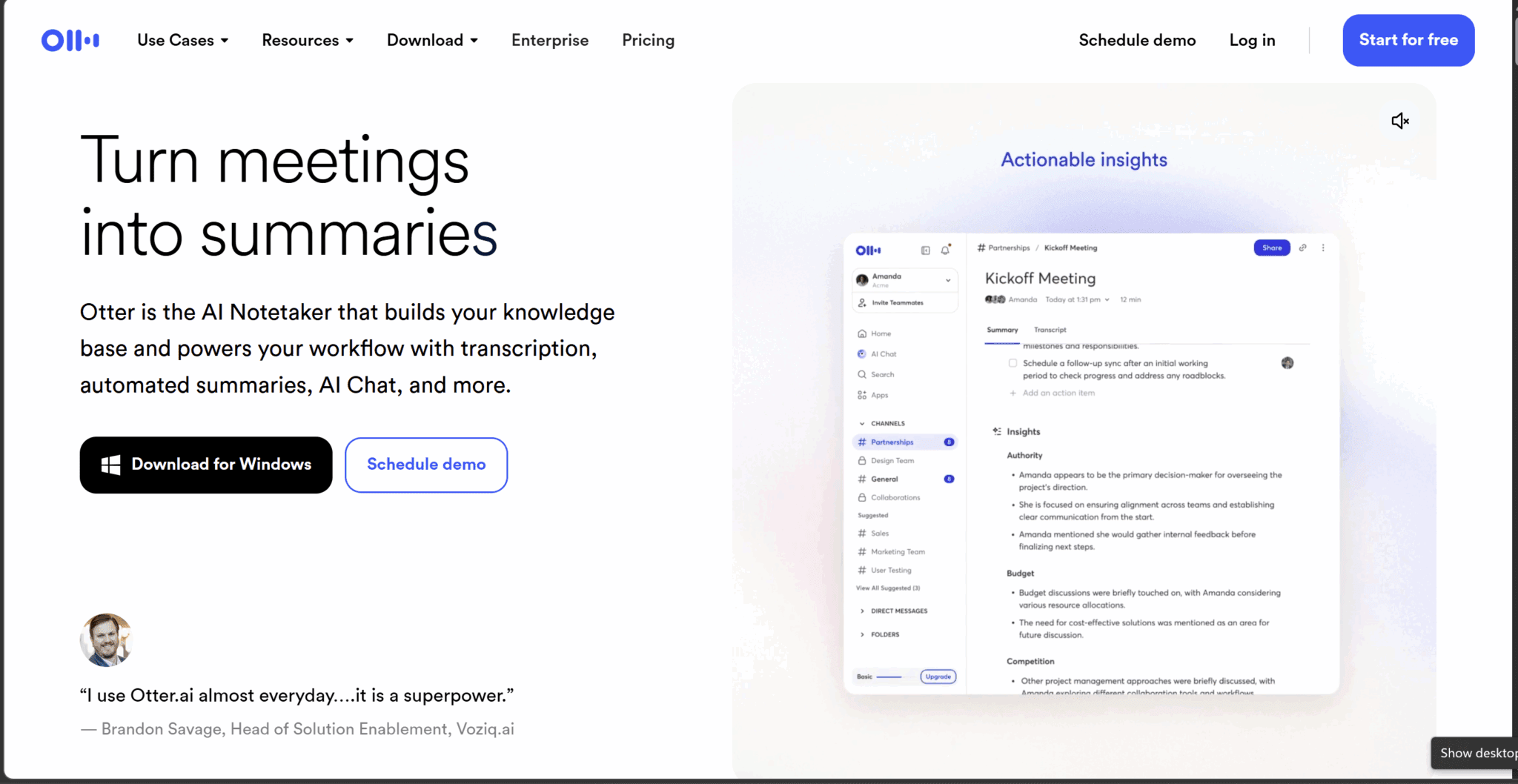
Otter is the grandpa of this list and, in some ways, the most battle-tested. Its real-time transcription is a highlight, with high accuracy, live during the call. This feature also provides the ability to highlight sections, add comments, and collaborate on notes as the meeting happens. No other tool on this list does real-time collaborative annotation quite as smoothly.
That said, Otter has aged in a few ways that are hard to ignore, especially when it comes to the Otter pricing. The free plan covers just 300 minutes per month with a 30-minute cap per conversation, which in 2026, when competitors are offering unlimited free transcription, feels like a relic. OtterPilot for Sales is still locked behind the Enterprise plan too. That means that if you want the features that actually make it competitive for revenue teams, you’re looking at a custom contract rather than a transparent monthly price.
Users report feeling pushed toward the highest tier unnecessarily, with lower paid tiers intentionally limited to make upgrading feel inevitable. For a casual user who just needs reliable real-time transcription and doesn’t need sales features or deep integrations, Otter still works well. For everyone else, it’s showing its age.
The Verdict: Is Spinach AI Worth Your Money in 2026?
Spinach AI is a pretty good tool. It takes solid notes and fairly accurate transcripts, and if that’s all you need it for, then sign up to the free plan and give it a whirl. If, however, you need AI summaries, then Spinach AI’s paid plans simply don’t make sense compared to the competition.
Similarly, if you need sales features, multi-meeting intelligence, or bot-free recording, then Spinach AI won’t be of any use to you. You’ll need to look at platforms like tl;dv, Fireflies, and Granola.
At the end of the day, Spinach AI is a simple tool. It does the basic stuff right, but it doesn’t push the boat out. It doesn’t upgrade its service, doesn’t maintain activity on socials or third-party review platforms, and seems quite content to remain as a simple AI notetaker forevermore. If that’s what you’re after, great. If you want something a little more active in the pursuit of customer happiness, you’re likely better off elsewhere.
FAQs About Spinach AI in 2026
Is Spinach AI free?
Spinach AI has a free plan that includes unlimited meeting recordings and transcriptions. However, AI summaries, Ask Spinach, and CRM integrations are all locked behind the paid plans.
The free plan also has a 7-day retention period on recordings, so if you need to revisit a meeting from two weeks ago, you’re out of luck unless you’ve paid.
How much does Spinach AI cost?
Spinach AI has four plans.
- The Starter plan is free.
- The Pro plan charges $2.90 per meeting hour, which gets expensive fast.
- The Business plan is $19 per user per month billed annually, or $29 month-to-month.
- Enterprise pricing requires contacting their sales team directly.
Does Spinach AI work with Jira and Slack?
Yes, Spinach integrates with both Jira and Slack, and this is one of its strongest features. After a meeting ends, it can automatically push action items to Jira and send summaries to Slack without any manual input. For agile and engineering teams already living in those tools, it works well.
Does Spinach AI support multiple languages?
Spinach supports transcription in over 100 languages, which sounds impressive. The catch is that you have to manually select the language before the call. In other words, there’s no automatic language detection.
If your team switches languages mid-conversation, Spinach breaks down entirely, either producing gibberish or dropping words from the transcript altogether.
Is Spinach AI good for sales teams?
No. Spinach has no dedicated sales features: no conversation intelligence, no playbook tracking, no talk-to-listen ratio analysis, and no objection handling insights. It will sync basic notes to your CRM on paid plans, but that’s as far as it goes. Sales teams are better served by tools like tl;dv or Fireflies.
Does Spinach AI's bot join meetings visibly?
Yes, Spinach sends a visible bot into your calls as a participant.
Worth knowing: Spinach pulls branding information based on your email address and applies it to the bot without asking you. If you sign up with a work email, the bot may appear under your company’s name and branding rather than identifying itself as Spinach, which, depending on your perspective, is either a handy white-labelling quirk or deeply unsettling.