Skip to content







TL;DR: Is StudyFetch Worth Your Money in 2026?
StudyFetch is one of the more comprehensive revision tools I’ve tried in 2026, with over seven million users currently onboard. However, recurring complaints around billing practices and a hard single-language limitation hold it back from being a must-buy for everyone.
- Best for: Students preparing for exams in single-subject, single-language courses who want an all-in-one revision toolkit without switching between multiple apps
- Avoid if: You’re learning a language, studying high-level maths, or on Android
- The verdict: A genuinely impressive platform that punches above its weight compared to most AI study tools, let down by patchy bugs, opaque pricing, and a billing reputation that’s hard to ignore. Try the free version before committing to anything.
If you’ve spent any time in student corners of the internet lately, you’ve probably heard the name StudyFetch come up. And there’s a good reason for that. The platform crossed six million students last year and raised $11.5 million in Series A funding in June 2025, making it one of the fastest-growing names in ed-tech right now. But does the hype actually hold up in real, everyday use? That’s exactly what I set out to find out.
Over the past few weeks, I’ve been putting StudyFetch through its paces. I uploaded my own materials and tested its tools across different subjects (mostly language learning as that’s what I actually intended to use it for outside of this review). I also took dozens of screenshots along the way to document everything first-hand. This isn’t a review based on specs or marketing copy; it’s based on actually sitting down and using the thing.
In this review, I’ll walk you through what StudyFetch actually feels like to use day-to-day, where it genuinely shines, and where it falls short. Whether you’re a college student drowning in lecture slides or just someone who wants a smarter way to retain information, I’ll help you figure out if this is the tool worth your time (and money).
What Is StudyFetch?
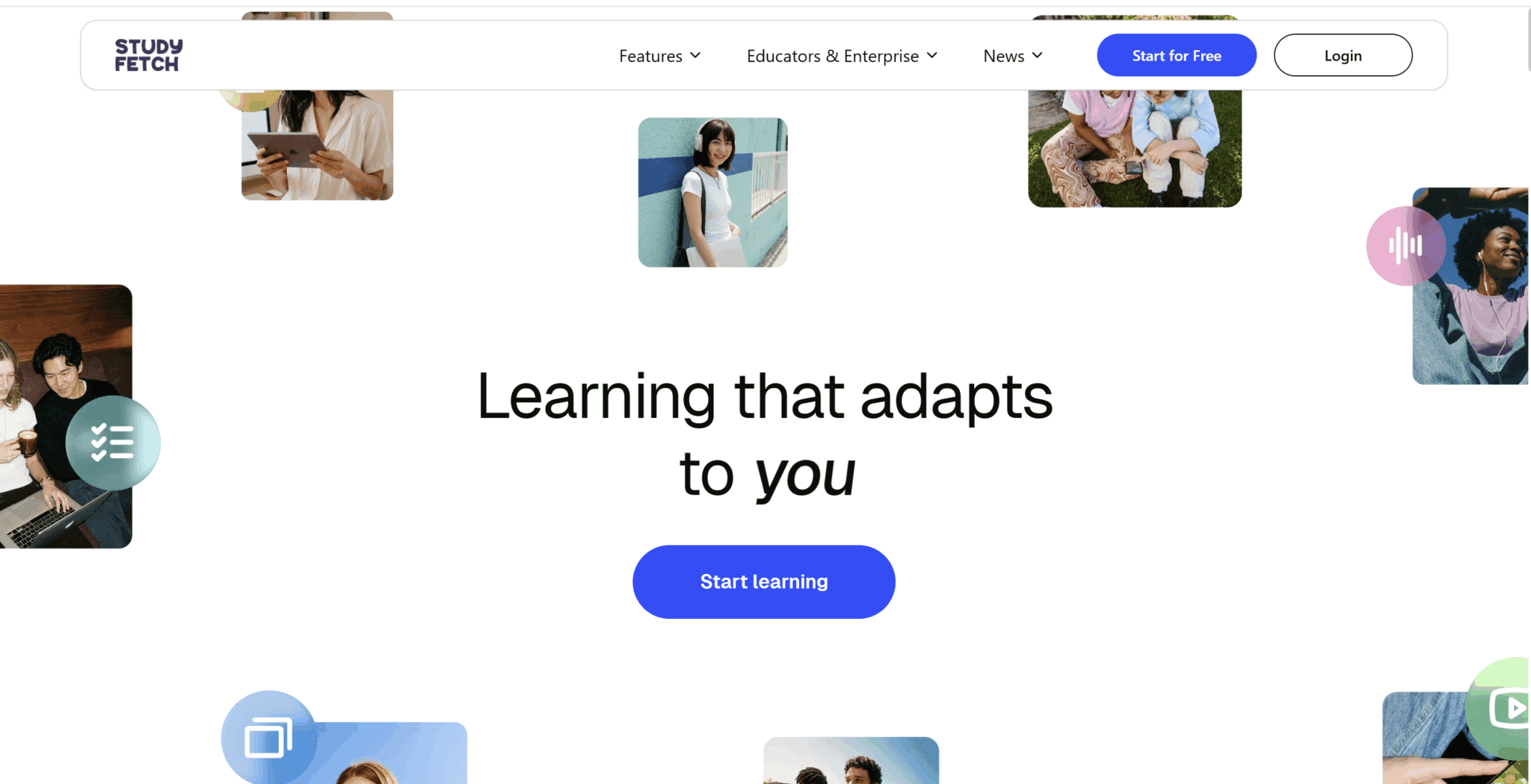
At its core, StudyFetch is an AI-powered learning platform that transforms your course materials — PDFs, PowerPoint slides, YouTube videos, and more — into personalized study tools like flashcards, quizzes, and practice tests. Its central AI tutor, called Spark.E, is designed to answer questions based specifically on your uploaded content rather than relying on general training data. This distinction turns out to matter quite a bit in practice as it creates a fully tailor-made experience.
It’s also made waves in education circles by offering a free reading platform to tackle the US literacy crisis: “StudyFetch says 64 percent of fourth graders are not currently reading proficiently and one in four children will grow up without learning to read. It estimates this literacy crisis costs the US $2.2 trillion each year in lost productivity.” As a result, it’s set out to help people actually retain information better, not just pass a test.
What Are StudyFetch’s Best Features?
StudyFetch isn’t a one-trick pony. It’s built around the idea that you should be able to upload your course materials once and have an entire study toolkit generated for you automatically. Here’s a breakdown of the main features you’ll actually use:
Spark.E AI Tutor
The centerpiece of the whole platform is a white dog named Spark.E. It’s a 24/7 context-aware AI tutor that understands your specific course content and helps answer questions, explain concepts, and offer personalized guidance.
What makes it different from just asking ChatGPT is that it draws from your uploaded materials, so its answers are grounded in what your professor actually taught, not just general internet knowledge.
Of course, you could just upload those same materials to any LLM and get similar advice, but Spark.E is already pre-prompted to provide all the study materials you need in one single dashboard, saving you a lot of time and manual effort. If you’re curious how the leading LLMs stack up against each other, check out our comprehensive Grok vs ChatGPT breakdown.
Notes
StudyFetch’s Notes feature automatically generates detailed or summarized notes from uploaded content such as PDFs, videos, and even live recordings, reducing hours of manual note-taking into minutes.
In my testing, these notes were thorough, but they didn’t always come out as expected. One time, the markdown broke so I was staring at a wall of code. Another time, I recorded a language learning lesson but StudyFetch failed to recognize more than one speaker, making the notes messy and inaccurate.
If you’re wanting to use StudyFetch to take meeting notes, you’re looking at the wrong platform. A dedicated AI meeting assistant like tl;dv is much better equipped to tackle multi-speaker environments, especially in a collaborative context.
Flashcards
StudyFetch creates smart flashcards from your materials with support for varied formats, including multiple choice, fill-in-the-blank, and audio flashcards.
The variety here is genuinely useful and they’re some of the better flashcards I’ve generated when testing similar tools. The ability to mix formats and create different types of flashcards helps cater your studying to methods that suit you and your topic best.
It also seems to genuinely understand the content I gave it so the flashcards were relevant, unlike StudyFetch competitors like Coconote and Turbo AI.
The one downside here is that the main reason I wanted to use StudyFetch was for language learning, but to use the flashcards, you must select just one language. Luckily, you get to prompt it too so you can ask it to use both languages, but I still wasn’t able to make simple vocabulary flashcards as easy as I would’ve liked.
Quizzes & Practice Tests
The platform generates tailored quizzes that align with your study focus and provides immediate answer feedback for effective self-evaluation. Again, compared to StudyFetch alternatives, I found these to be quite useful.
This is one of the most practical features for actual exam prep, since the questions are pulled directly from your material rather than generic topic databases.
Additionally, you can choose which type of questions you want and how many of each. This level of customization was much appreciated.
LiveLecture
The LiveLecture records lectures or classes and types up comprehensive notes on your behalf. This has some cross-over with the notes feature, the difference being that here is where you actually hit record. You can even interact with Spark.E during a live session.
For anyone who struggles to take notes and actually absorb information at the same time, this is a real game-changer. However, as noted earlier, it only works for single-speaker audios. I used it for a teacher-student language lesson and the transcript was just a monologue.
Essay Grader
The Essay Grader provides instant feedback on your essays, including grammar, structure, and overall quality, helping you refine your writing skills. It’s not a replacement for a professor’s feedback, but it’s a solid first pass before you submit anything.
Broad Format Support
One of StudyFetch’s biggest practical strengths is how much it can ingest. The platform accepts a wide variety of file formats, including PDF, DOC, PPT, TXT, PNG, JPEG, MP3, MP4, YouTube videos, and Google Docs.
Whether your professor posts slides, records lectures, or scribbles on a whiteboard, there’s a good chance StudyFetch can work with it.
What Are StudyFetch’s Biggest Limitations?
No platform is perfect, and while StudyFetch did surprise me, it’s not an exception here. For all its strengths, there are some real friction points worth knowing about before you hand over your credit card details. Here’s what I ran into, as well as what other users have flagged repeatedly across review platforms.
The Free Tier Is Restrictive, But May Surprise You
Let’s get this out of the way early. A lot of people complain that the free plan sucks. Many people say it caps you at just 10 Spark.E chats, 1 study set, and 2 uploads. However, from my own experience, that’s simply not true.
I uploaded at least seven PDFs, recorded two lessons, opened two dialogs with Spark.E, created two study sets, two batches of flashcards and two quizzes. It’s enough for a good taster, but use these features wisely in your test run. Had I known the exact limits in advance, I’d have been more cautious.
StudyFetch’s own wording on this is extremely vague. It has no pricing page, and its FAQ only says it has “limited features” for free.

This is a little frustrating as you don’t really know what the limits are. It’s likely designed that way so that you start using it, get invested, and then they try to slam dunk you with the upsell when things are going great.
Either way, it’s enough to give you a taste, but not quite enough to make a fair judgment on whether the platform is worth it for a long-term investment.
The Pricing Stings for Students
The Premium plan at $19 a month is steep for students on a tight budget. There’s a cheaper annual option ($8 per month in one $96 lump sum), but that means committing upfront to twelve months of payment, which brings us to the next issue.
Subscription Cancellation Is a Headache
This is the most consistent complaint across every review platform, and it’s hard to ignore. Negative reviews on Trustpilot concentrate heavily on two issues: unexpected subscription charges and difficulty canceling.
Multiple students report being charged for months after thinking they’d already canceled. If you do sign up for a trial or paid plan, set a calendar reminder immediately. Don’t rely on remembering.
The Record Function is One Speaker Only
One of the most frustrating things for me was that the record option was catered more towards lectures than lessons. I recorded teacher-student language learning lessons, but the transcript came out as just one speaker, which made the notes confusing to follow as it thought both the teacher and the student were the same person.
It Forces You to Pick Just One Language
I originally tried to record my Russian language lesson without realizing you needed to select a language in advance. As it turned out, it was pre-set to English and the transcript came out as complete gibberish.
Similarly, when creating flashcards, I wanted to have vocabulary tests with Russian on the front and English on the back, but you are forced to pick a single language when creating the flashcards. This makes it difficult to make the most of StudyFetch’s features when it comes to language learning.
Spark.E’s Audio Detection is Wildly Off
I had an audio conversation with Spark.E at one point, and it was surprisingly intelligent, asking me interesting questions and clearly understanding the topics I’d fed it. However, it asked me to repeat the same answer around twenty times (not exaggerating), and even said it was wrong multiple times when I got a native speaker to say it for me.
When checking the transcript of our conversation afterwards, it detected my words in a whole range of different languages, or as outright nonsense. This is probably linked to the one language setting, rather than it being able to automatically detect languages like tl;dv, for instance.
The Android App Is Noticeably Buggier
The Android app is buggier than the iOS version, with users reporting study sets not saving, chat history wiping after logout, and the YouTube upload feature working inconsistently. If you’re an Android user, temper your expectations a little compared to what you might see in iOS-based screenshots and reviews. Even better, stick to the desktop version if possible.
Spark.E Visuals Struggles with Complex Diagrams
The AI image analysis tool, Spark.E Visuals, sounds great in theory, but the execution is patchy. It tends to generate only basic descriptions of images, and you often need to enter multiple follow-up prompts with additional explanations to get better results.
If your subject is heavy on graphs, anatomical diagrams, or scientific figures, don’t expect it to nail those on the first try.
Audio Recaps Don’t Always Match Your Material
This one caught me off guard. Rather than sticking strictly to your uploaded content, audio recaps have been reported to include information not drawn from the original notes, meaning you could be reinforcing something your professor never actually taught. For accuracy-sensitive subjects, that’s a real problem.
No Offline Mode
The platform depends entirely on a stable internet connection, with no meaningful offline functionality. If you’re commuting, travelling, or in a patchy Wi-Fi spot in the library, StudyFetch simply isn’t available to you.
StudyFetch Review: My Honest Opinion After Trying Out the Free Version
StudyFetch surprised me. It was a lot more thorough than I first assumed and it could genuinely be useful for a number of different revision topics. However, for my own personal needs (language learning), it still falls short.
Let’s clear something up straight away. I am a writer for tl;dv so I’m often tasked with reviewing AI tools, especially ones that can record, transcribe, and take notes. This inevitably comes with a little bias, though I want to make one thing clear: I’m also learning a language. I am actively searching for a tool that can make my revision easier. So when it comes to StudyFetch, I wasn’t just testing it for work, I was testing it for myself.
It’s also important to note that StudyFetch and tl;dv are not direct competitors. There is some overlap with the features, but tl;dv is for teams that want to record, transcribe, and take notes for corporate meetings and sales calls, not studying.
With that said, my current learning journey looks like this:
- Record language lesson (when I remember) using Granola, as it records the device’s audio and takes decent notes.
- Ask the AI to provide new vocabulary from the lesson.
- Manually copy and paste the new vocab to Quizlet to create flashcards.
This process is free, but it’s three steps too many. Ideally, I want a tool that can record, transcribe, take notes, and make flashcards all in one. If I have to fork out for that, I’m prepared to, so long as the process is seamless and the output is quality.
On paper, StudyFetch should be the right tool for the job, right? Let’s start at the beginning…
How Smooth Is StudyFetch’s Onboarding?
StudyFetch’s onboarding is sleek and modern. It feels polished. To get started, it asks you a bunch of questions and sets your dashboard up.
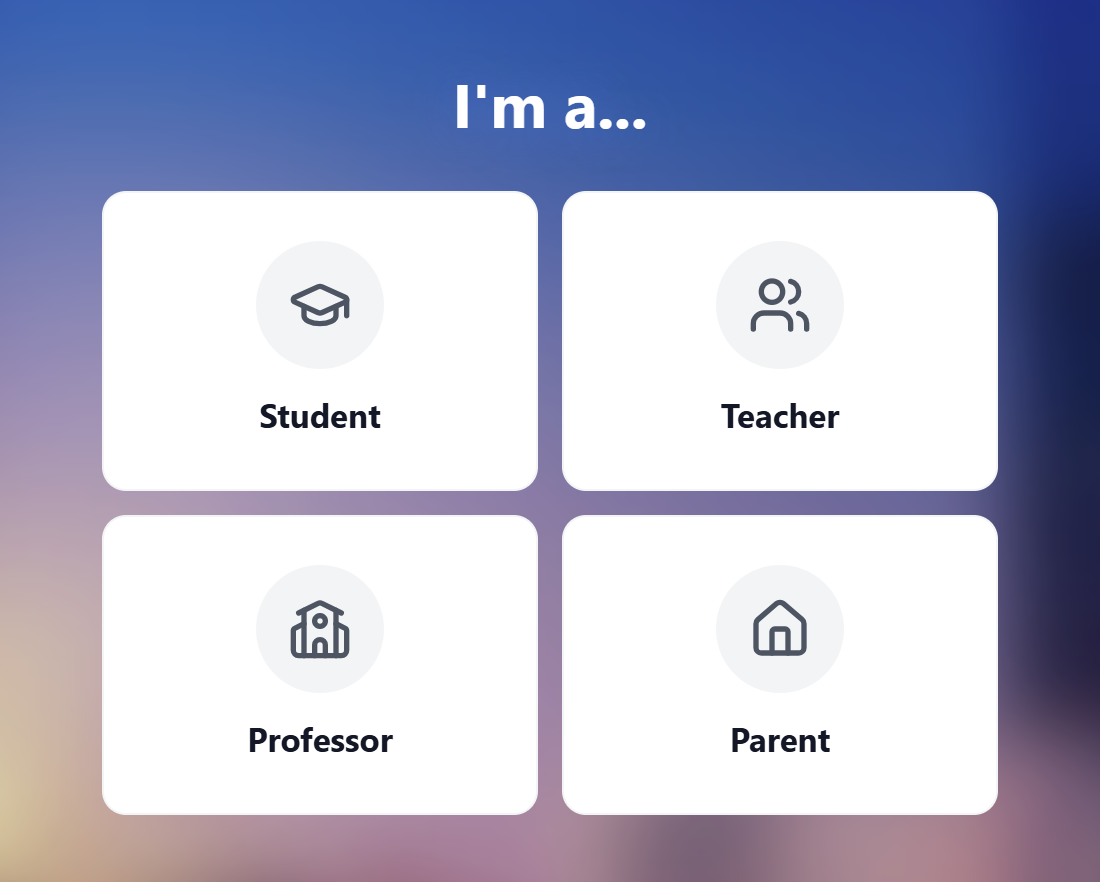
Once you’ve got past the basic questions, including your language and reason for using StudyFetch, you get the chance to upload your first materials. I’d just been revising the six Russian grammatical cases and had a PDF for each so I opted to use them.
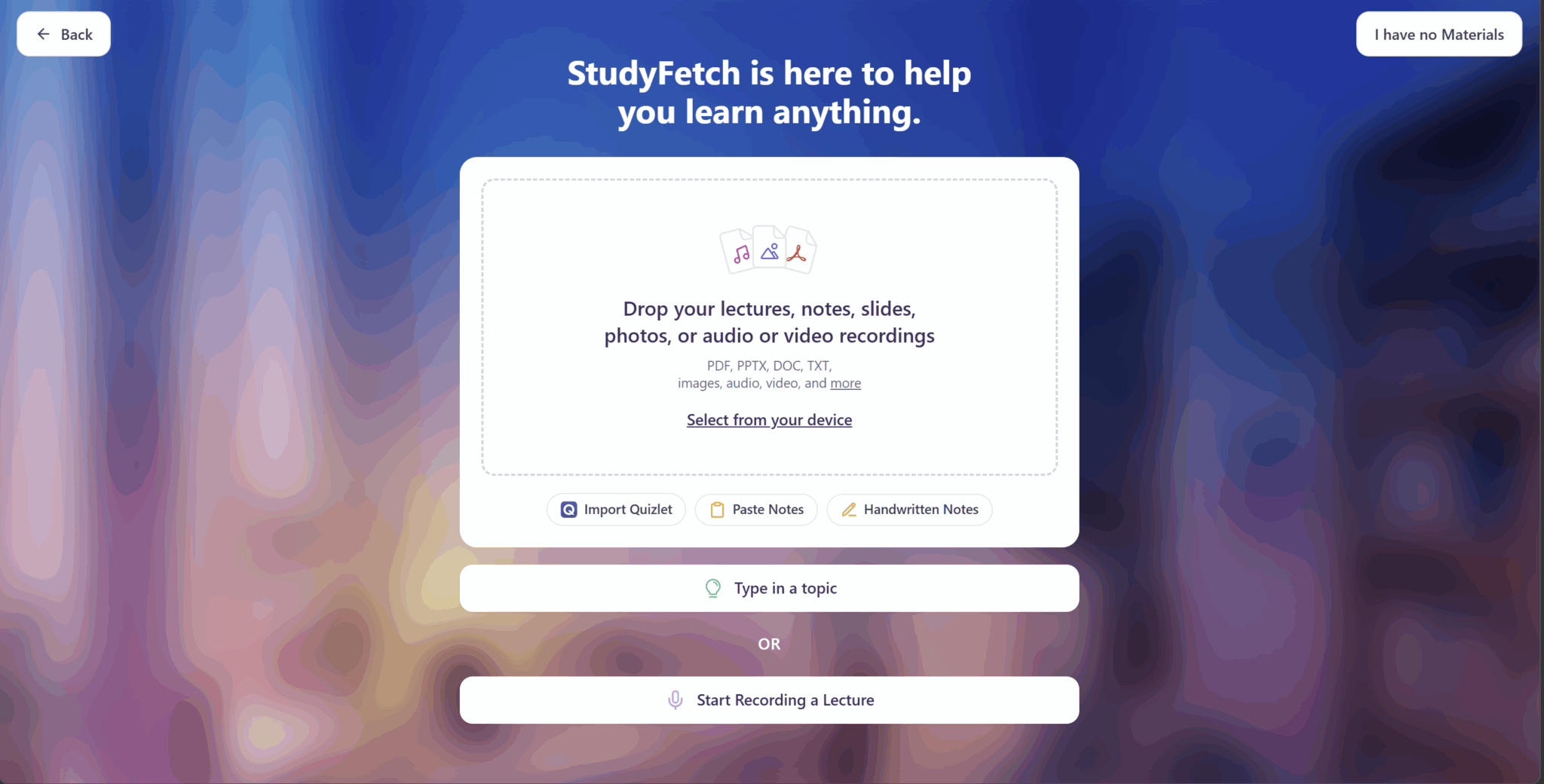
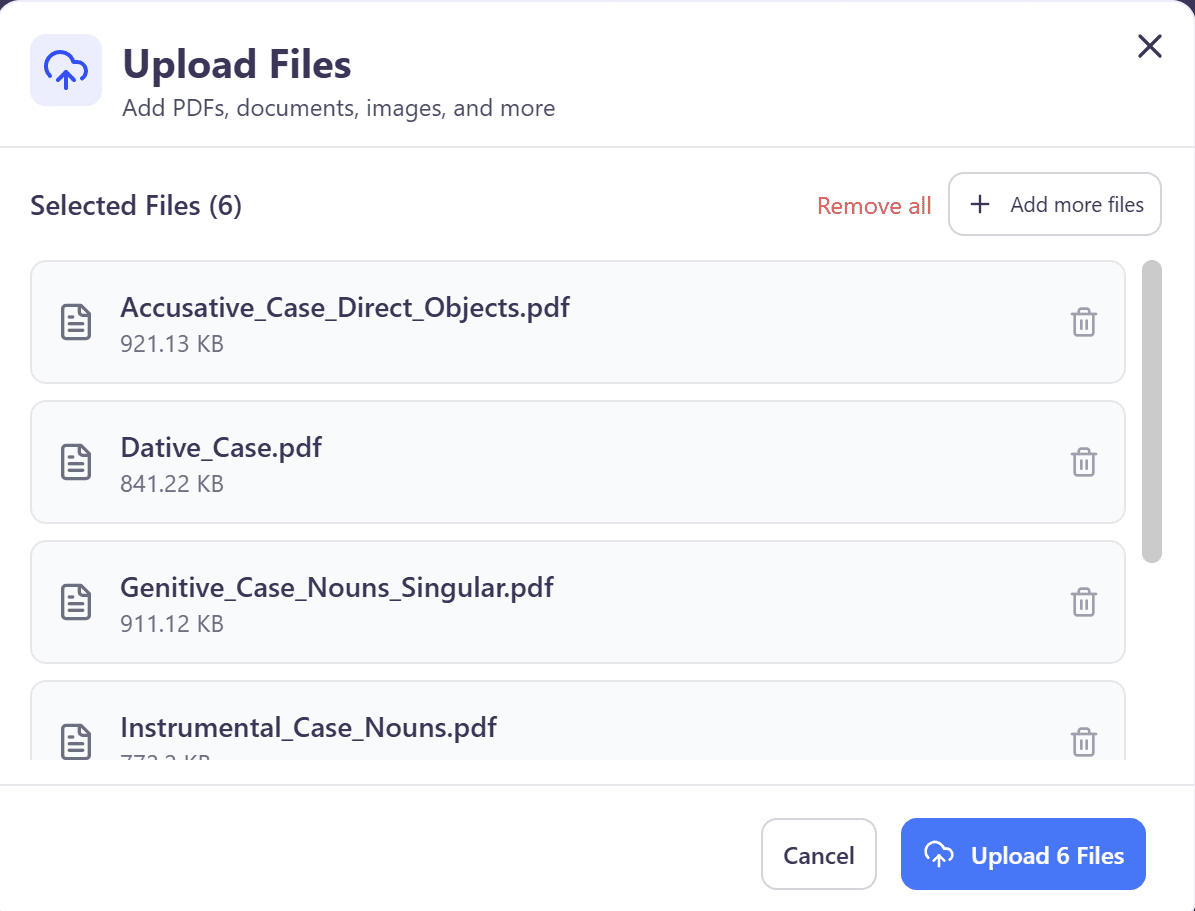
The process was smooth. StudyFetch quickly uploaded the files and moved me onto the next section: dashboard creation.
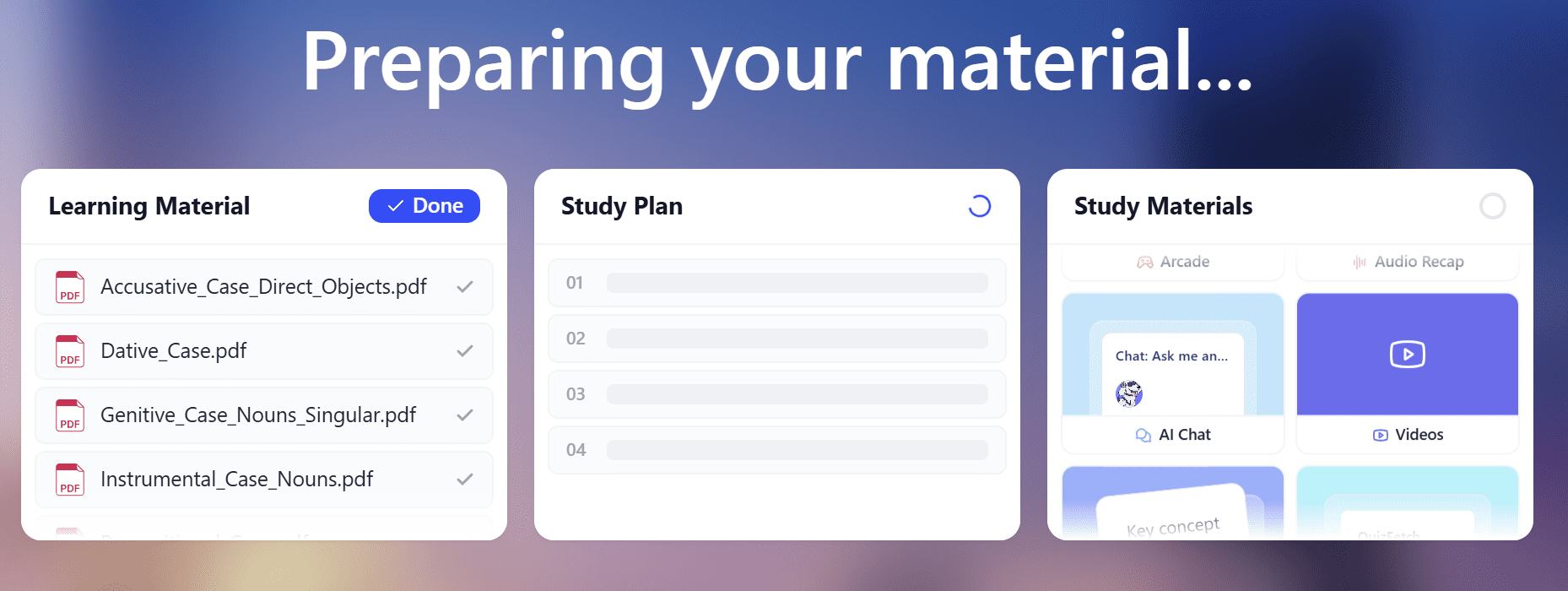
It took a few moments while StudyFetch created a Study Plan for me based on my study materials. It was preparing the back-end to be fully tailored to the material I was trying to learn: the grammatical cases of Russian.
When the materials were ready, I was hit with a customary upsell. Apparently, 92% of StudyFetch subscribers improved their grades.
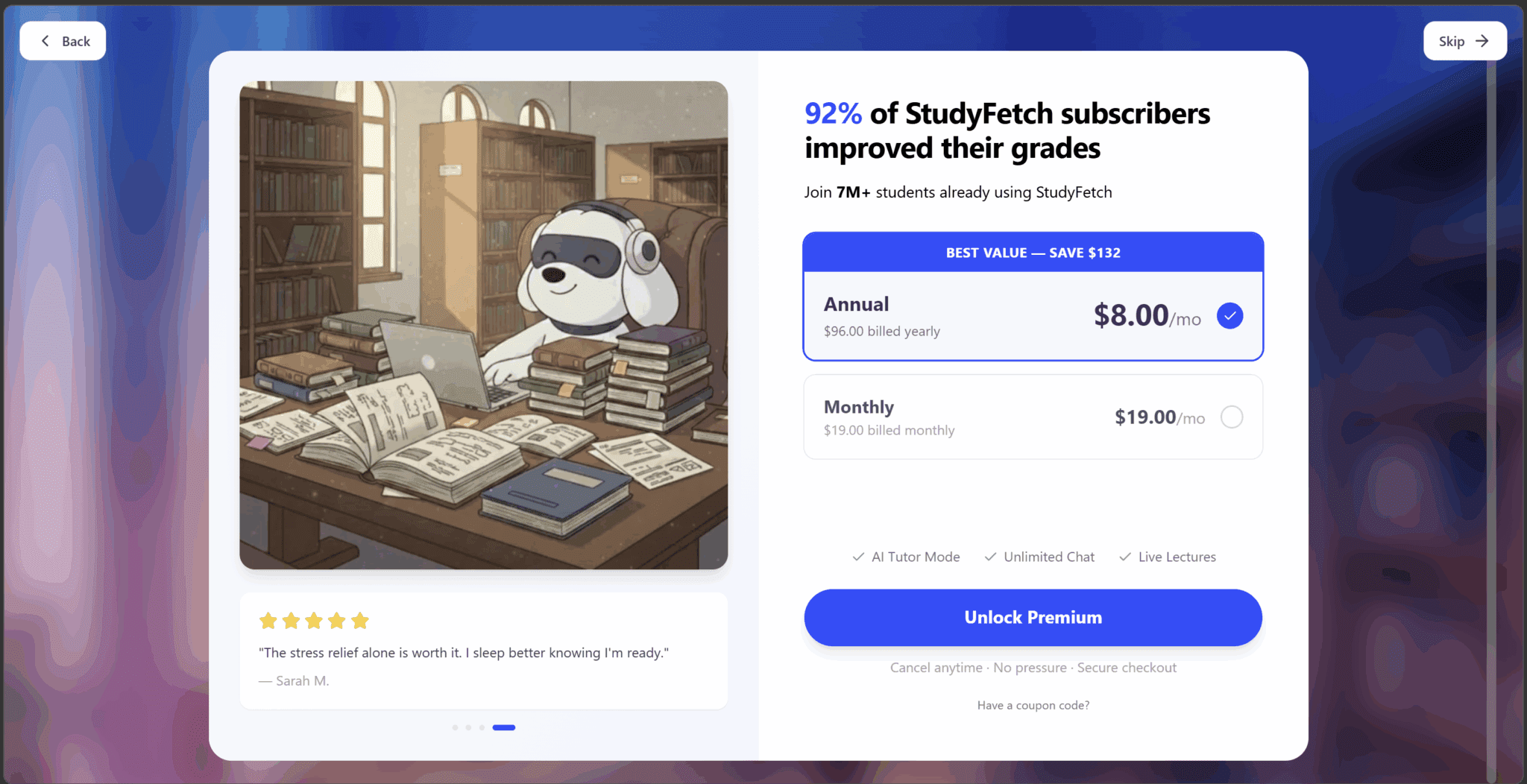
Can’t blame them for trying, but I swiftly clicked the “Skip” button in the top right and moved on to my dashboard. I wanted to try the tool before I made any commitments.
The next page took me straight into the materials. It had developed a Study Plan based on my six uploaded documents. Each section of the plan contained subsections to ensure I digested it thoroughly.
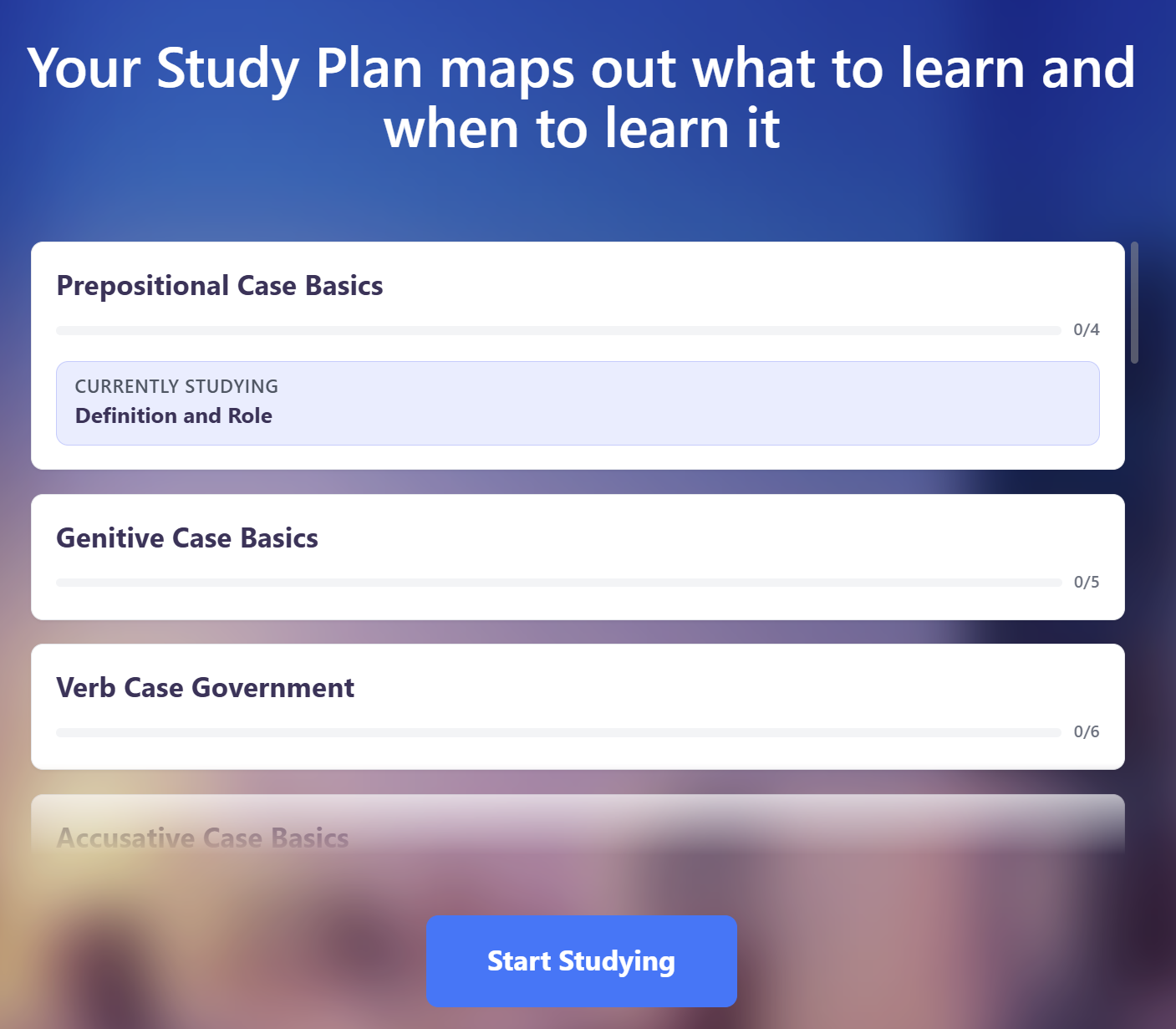
I clicked the “Start Studying” button but quickly found myself overwhelmed with all the different options StudyFetch had to offer. I was also in a bit of a rush as I was about to record my first language lesson using StudyFetch, so I spent the next ten minutes exploring rather than practicing.
How Easy Is It to Navigate StudyFetch’s Dashboards?
StudyFetch can be a little much at first glance. There are so many options and so little guidance that it can be difficult to know what to do. Paralysis analysis is real.
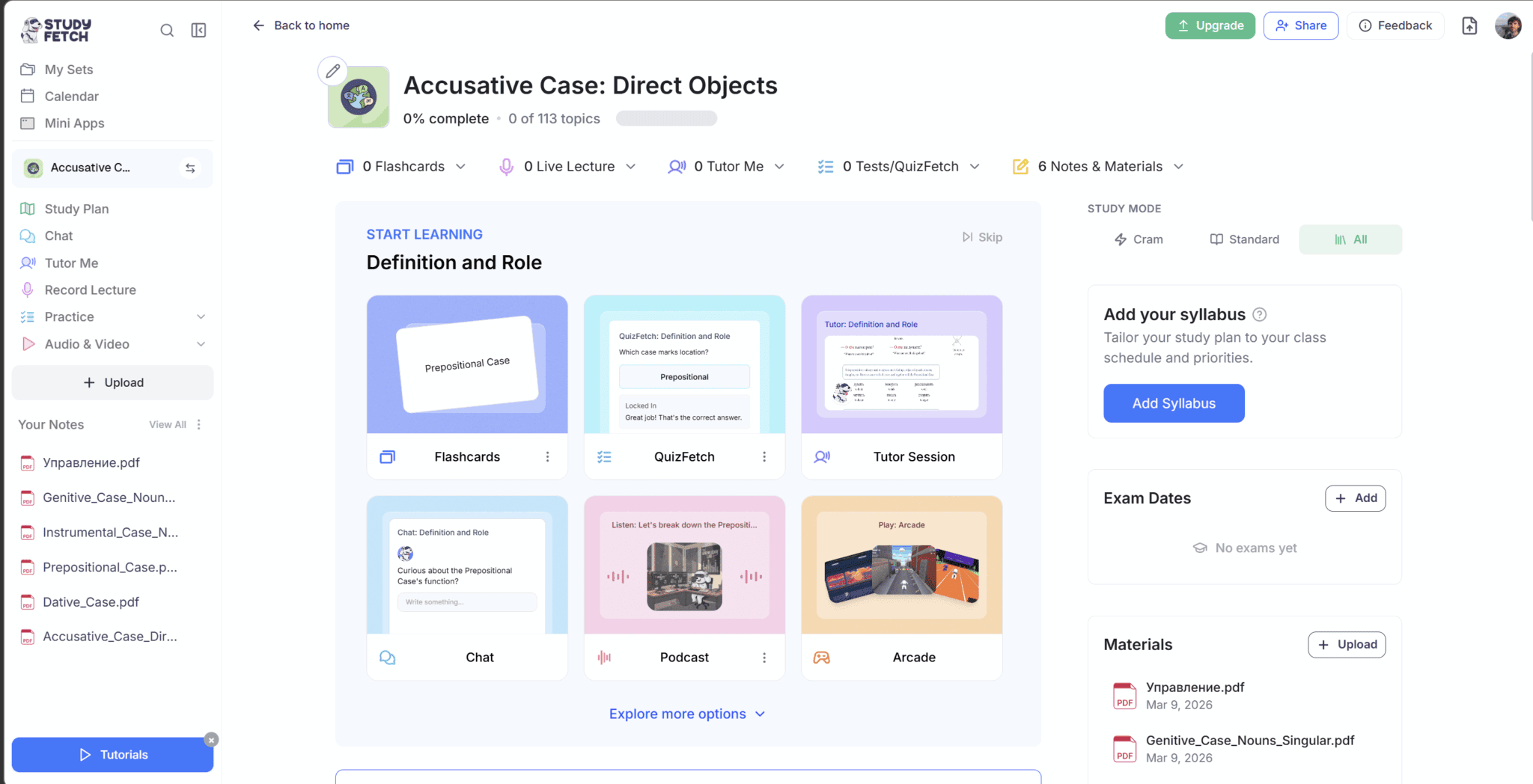
So I found myself in the Accusative Case section, one of the 6 files I uploaded. However, there were so many options from here that I didn’t even know what to do. There was:
- Start Learning: Definition and Role. This section was the most prominent, taking up the center of the screen, but this was broken into:
- Flashcards
- QuizFetch
- Tutor Session
- Chat
- Podcast
- Arcade
- Explore more options…
- Add Your Syllabus. There’s an option on the right to add my class schedule and priorities.
- Exam Dates. I can add dates for my exams so that I can prepare in advance.
- Materials. There’s an option to view the materials I already uploaded, or upload additional ones.
- The Left-Hand Side Menu. This menu has everything:
- My Sets
- Calendar
- Mini Apps
- Study Plan
- Chat
- Tutor Me
- Record Lecture
- Practice
- Audio and Video
- My Notes
- My Materials
Despite the careful onboarding process, basically every feature of StudyFetch was thrown at me at once. There wasn’t any real guidance pointing me where to go. It was just, “Here’s everything! Do what you want.”
On one hand, the fact it has so many features and they’re all tailored to my exact learning needs is super cool. On the other hand, having some kind of tutorial here would have been a real help.
Overall, it’s not necessarily that the StudyFetch dashboards are difficult to navigate. Everything is there so long as you know where to look. The problem is more that it fries your brain before you’ve even started practicing.
How Useful Is StudyFetch’s LiveLecture Recording Feature?
LiveLecture was useful for lectures and single-speaker audios, but it falls short at anything other than that. The notes it produced could also be quite buggy.
Now, I know it’s called “LiveLecture” but I used this feature to record a language learning lesson on Preply. This was a one-to-one lesson with me and my Russian teacher. Unfortunately, StudyFetch wasn’t built for such study materials. By that, I mean it assumed I was recording a lecture and vomited the whole transcript back at me as if it were a one-speaker monologue.
But that wasn’t the only problem on my first attempt. In fact, it was far from it.
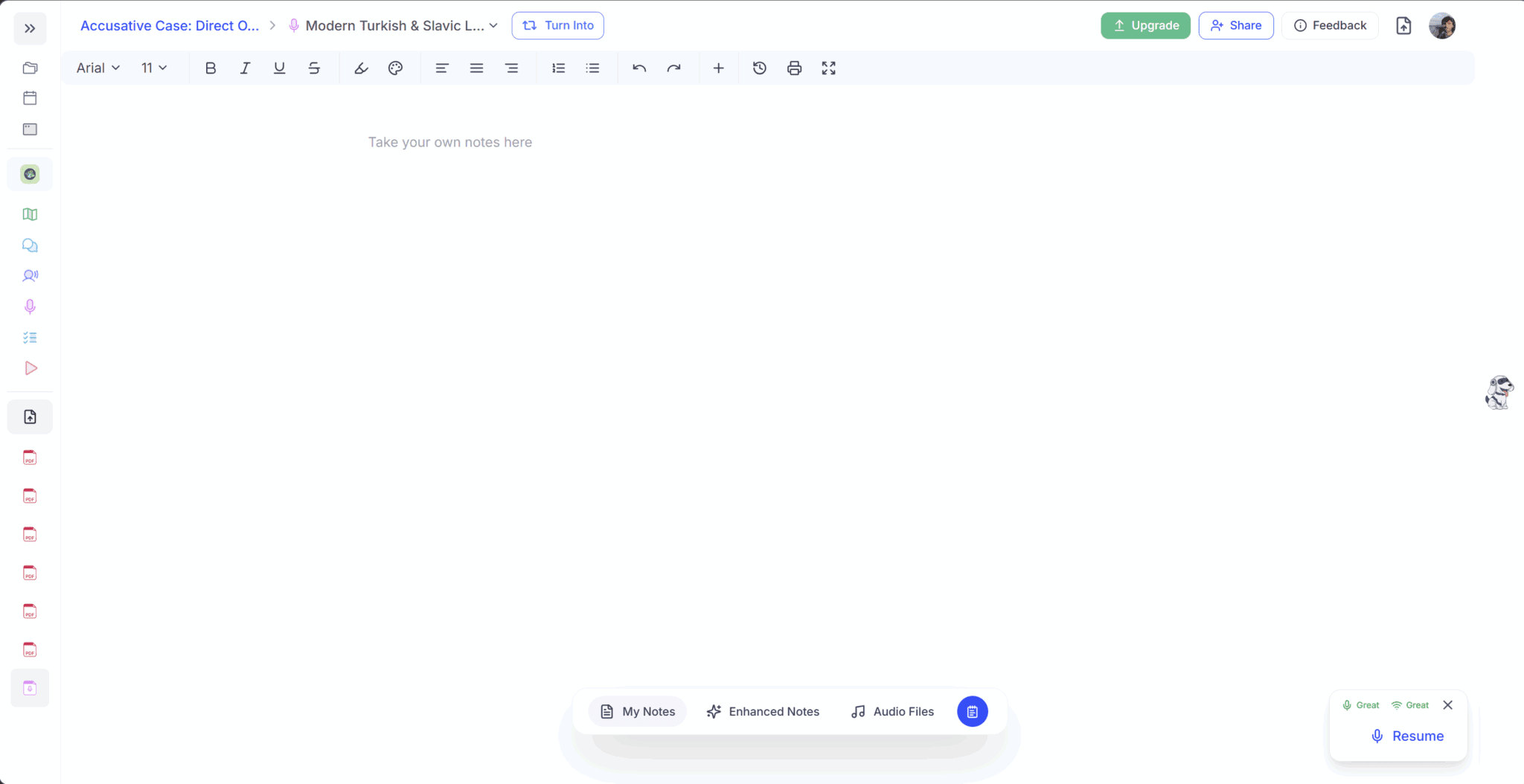
The first time I tried to use StudyFetch, it didn’t produce any notes at all. It had almost an hour recording, but it produced nothing. Now, I’m not sure if it’s simply a default manual note-taking screen and the AI notes only come from “Enhanced Notes” or if there was just something broken. But as a user, I expected there to be some notes already taken here and there was not.
But the “Enhanced Notes” button should solve that problem, right?
Wrong.
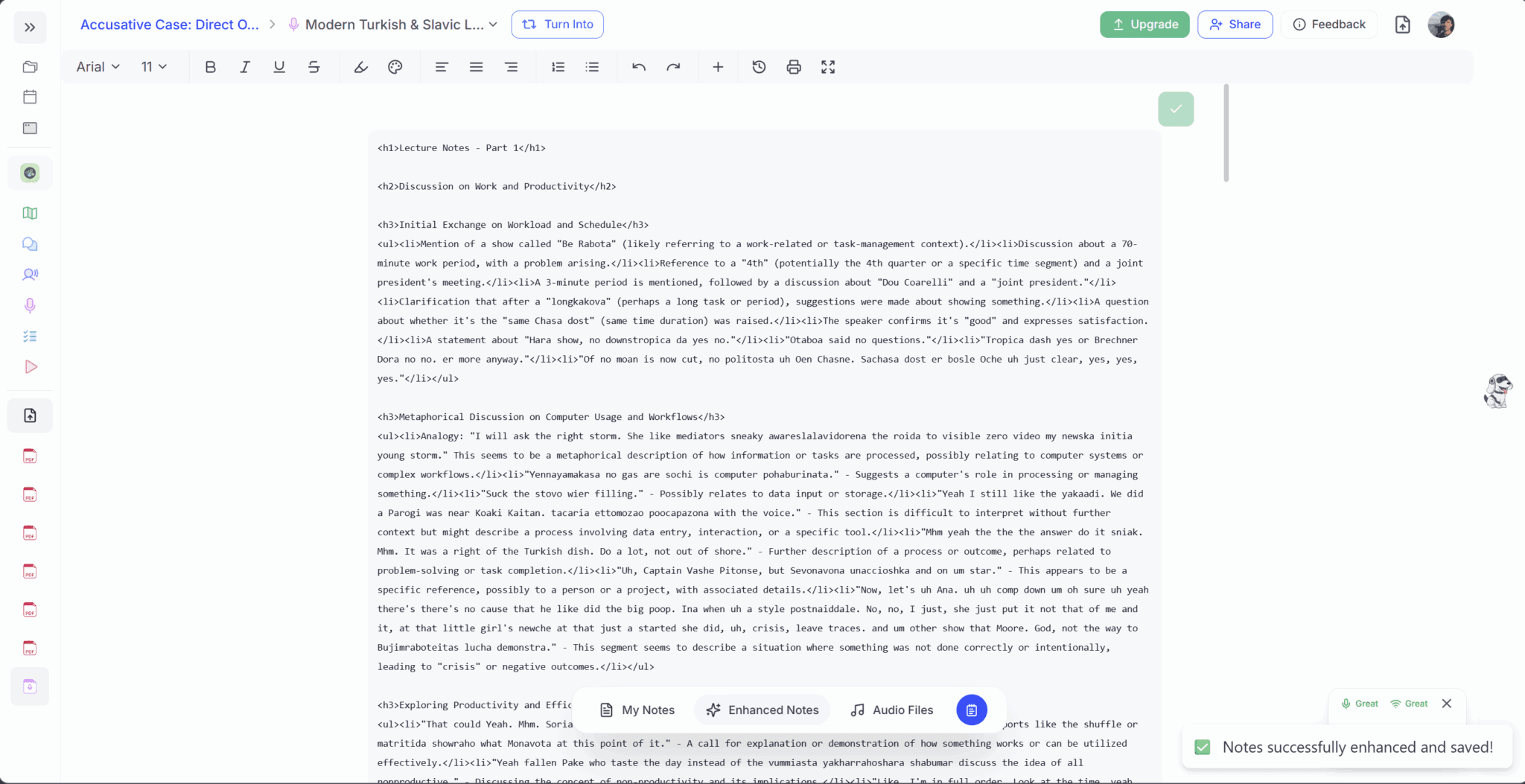
StudyFetch’s notes were supposed to be displayed in a beautiful, easy-to-scan way with headings, bullet points, bold, and more. Instead, there was some kind of bug and the notes displayed with the markdown code still visible. That made them effectively useless.
This was my first attempt using StudyFetch’s notes and I was not impressed.
How Accurate Are StudyFetch’s Transcripts?
I only found out after browsing the transcript that it was all gibberish. The language of the call had not been detected by StudyFetch automatically. This is not really a bug, but more of a limitation. I discovered afterwards that there is a language setting which you must pre-select in order to transcribe in that language.
Perhaps I’ve been spoiled over at tl;dv where it can automatically detect 40+ languages, even if you switch languages mid-call. I just assumed that was the standard.
Here’s a snippet of the transcript so you can see what I’m talking about.
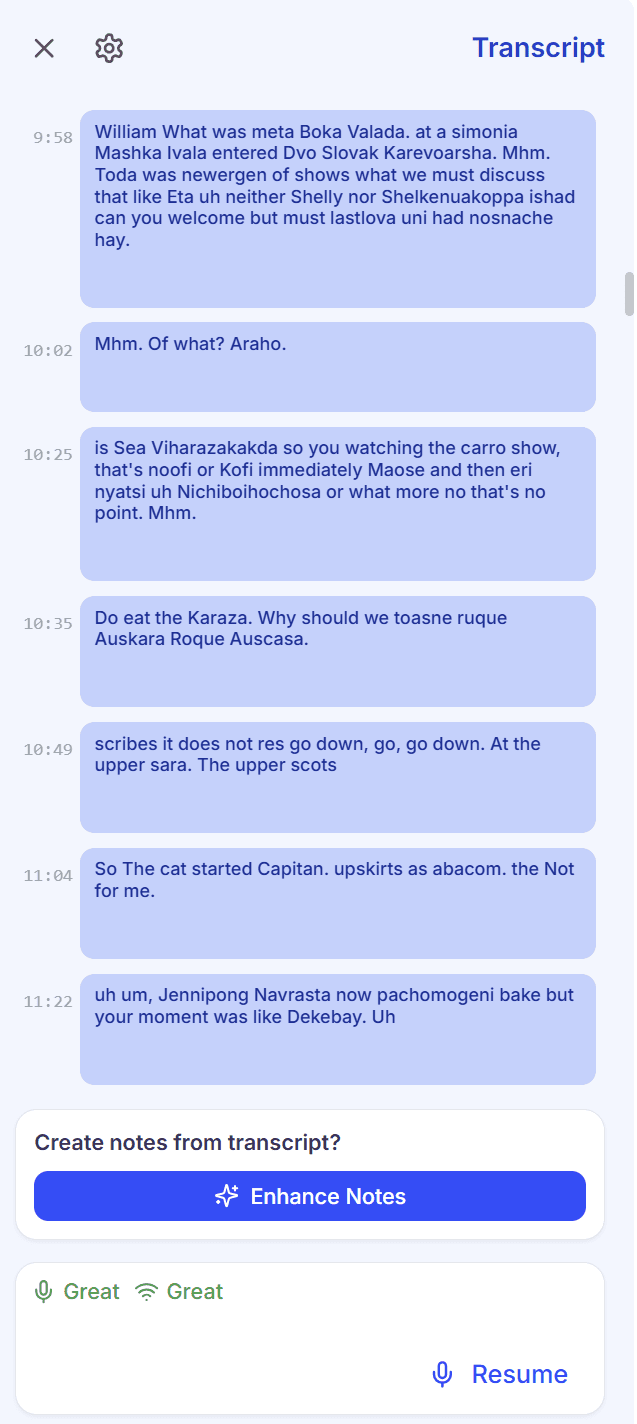
If you can make sense of any of that, I salute you.
A few days later, I played around with this recording again to see if I could fix it.
In the settings icon at the top of the transcript, you have the option to change the spoken language and the transcript language, but I think this must only apply if you do it in advance. I tried to retroactively apply it to this recording but it didn’t work.
I regenerated the notes again from this recording. Like the first time, they showed up as they were supposed to while they were generating, but as soon as it was complete, they switched to the broken markdown version as seen above.
The good news is I managed to snap a screenshot of how they were supposed to look as they were still generating. The bad news is everything else…
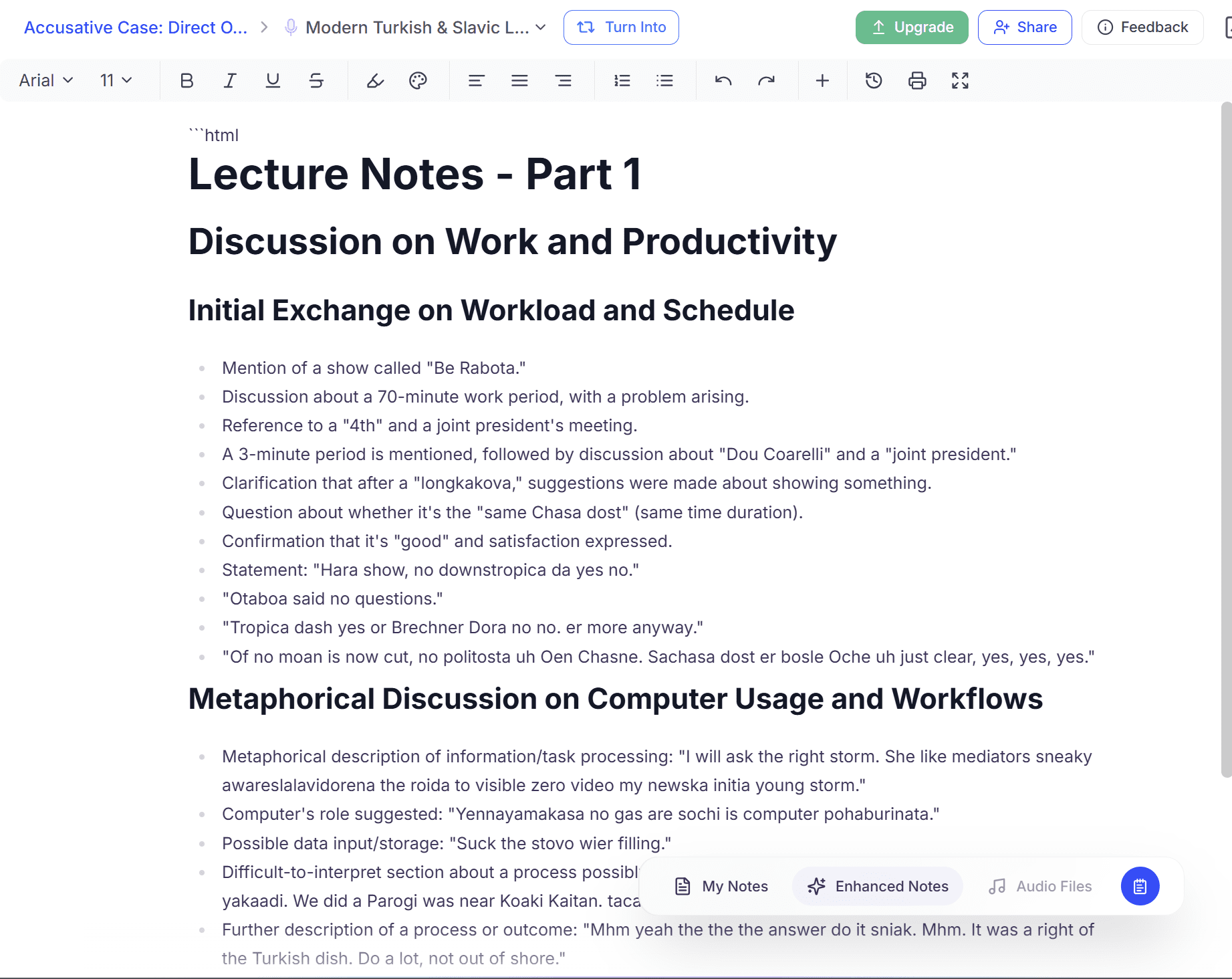
What I wanted to show here is that the notes are based on the transcript, not the recording. So even though the recording is still there and I can play it back and listen to the Russian language call, the notes are only generated from the unchangeable transcript. Mess that up and everything else follows.
My personal favorite part: the call apparently included a “metaphorical description of information/task processing: “I will ask the right storm. She like mediators sneaky awareslalavidorena the roida to visible zero video my newska initia young storm.”
*Chef’s kiss*
Also, random side note but these notes had the automatically generated title: Modern Turkish and Slavic Language Studies. It almost had it.
When reviewing this section, I had an interesting idea. As the recording is still there, and downloadable, I figured I’d try to download it and then reupload it with the correct language settings and compare the notes.
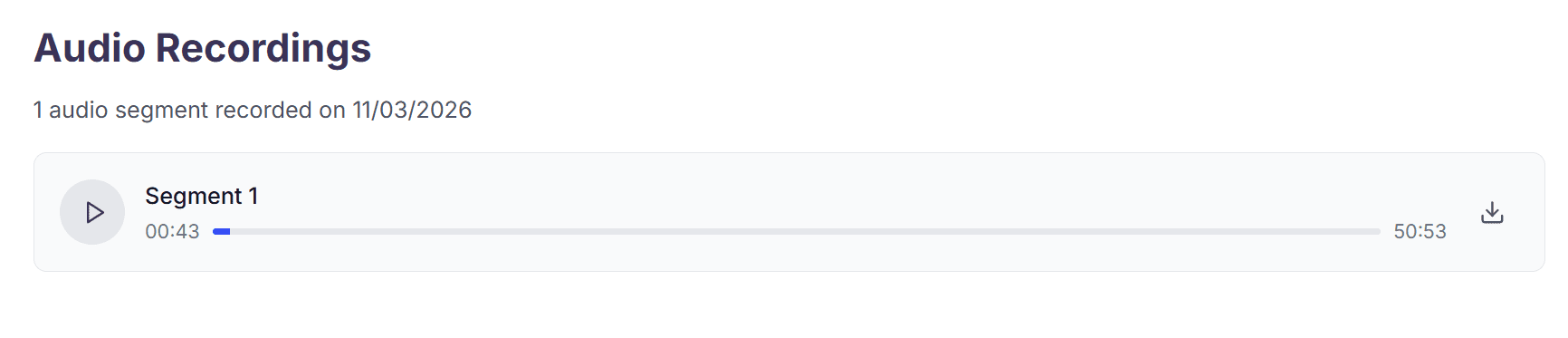
While the option to download the audio is great, the playback feels outdated. There are no timestamps in the transcript so you can’t quickly jump from reading to listening. Instead, you have to manually move the slider to the right moment. There’s also no way to listen to it at any different speeds which can be super useful for going through long audios.
The icing on the cake? You can’t even view the transcript at the same time as listening. Keeping them in separate tabs is a design decision that utterly baffled me.
Back to the test at hand, I reuploaded the file, but there was no language option. This made me think that maybe it would just try to do it in English again. For almost all the other features, like flashcards and quizzes, it asks me the language first. For the one I actually need it for, it doesn’t.
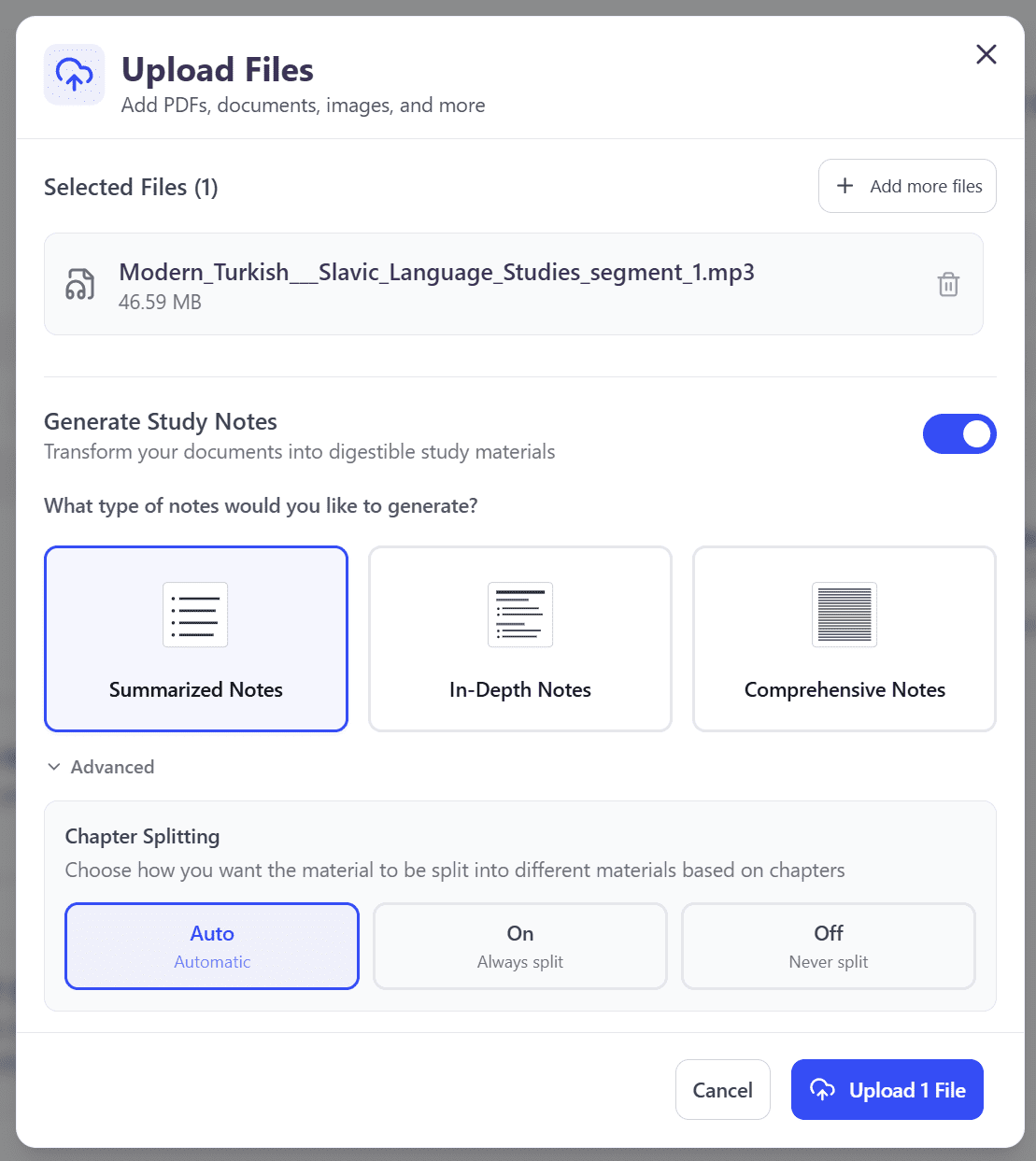
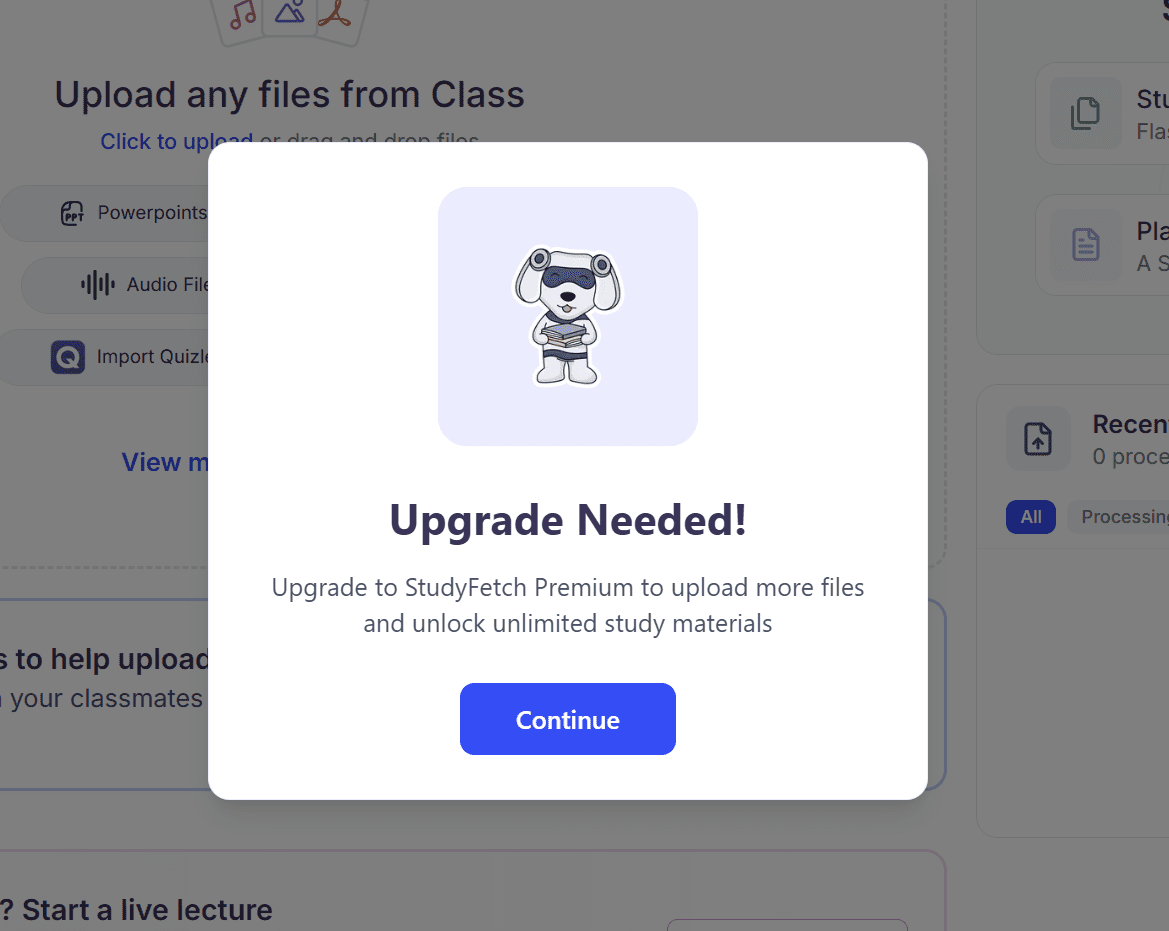
It made me wait a few minutes while the file was uploaded. My anticipation was at an all-time-high, and then it sucker punched me with a paywall.
How Useful Were StudyFetch’s Notes When They Actually Worked?
When working correctly, StudyFetch’s notes were a lot better. Still not perfect, but they contained a lot of useful information. They encountered the one-speaker only limitation once again.
Luckily, I’d done one more recording before the paywall above (two total on the free plan). After the failure of the first one, I made sure to pre-select the Russian language for the transcript. This one actually turned out half decent, though it still suffered from the notes assuming it was only one speaker.
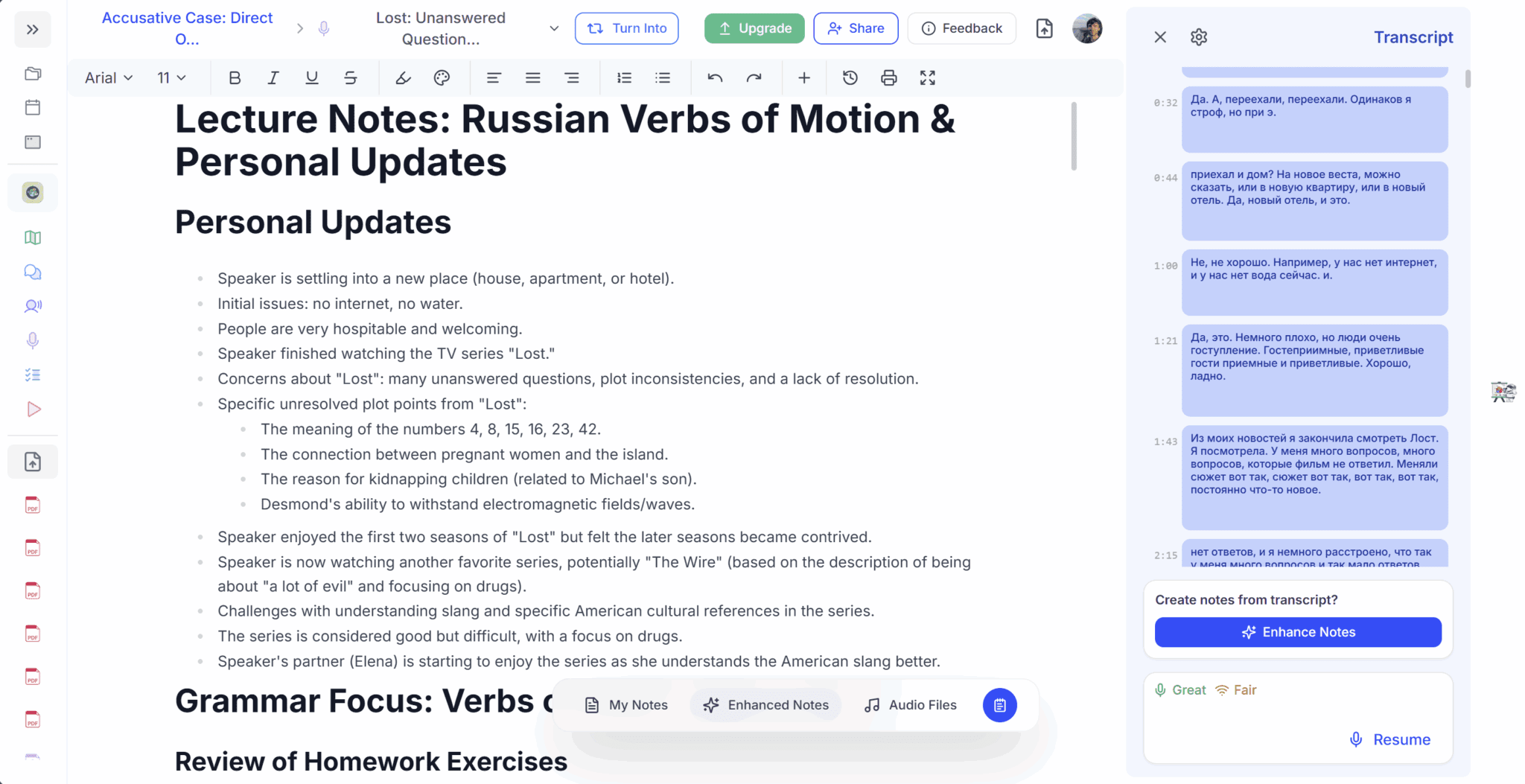
Despite being a Russian language lesson with some real focus on grammar, the title of the recording is: “Lost: Unanswered Questions.” This is referring to the TV series which we discussed briefly at the beginning of the lesson.
The odd titling of recordings is something I’ve noticed frequently with StudyFetch. It seems likely that if your lecturer is fond of discussing the weather before the actual topic, your algebra lecture might be titled: “Cloudy With a Chance of Rain.”
One cool thing about StudyFetch’s notes is that they can be edited directly. They act as a document of sorts, so you can delete things, spell-check names, or add extra notes manually.
What I loved about these notes specifically, however, is that they actually came with a full list of vocabulary.
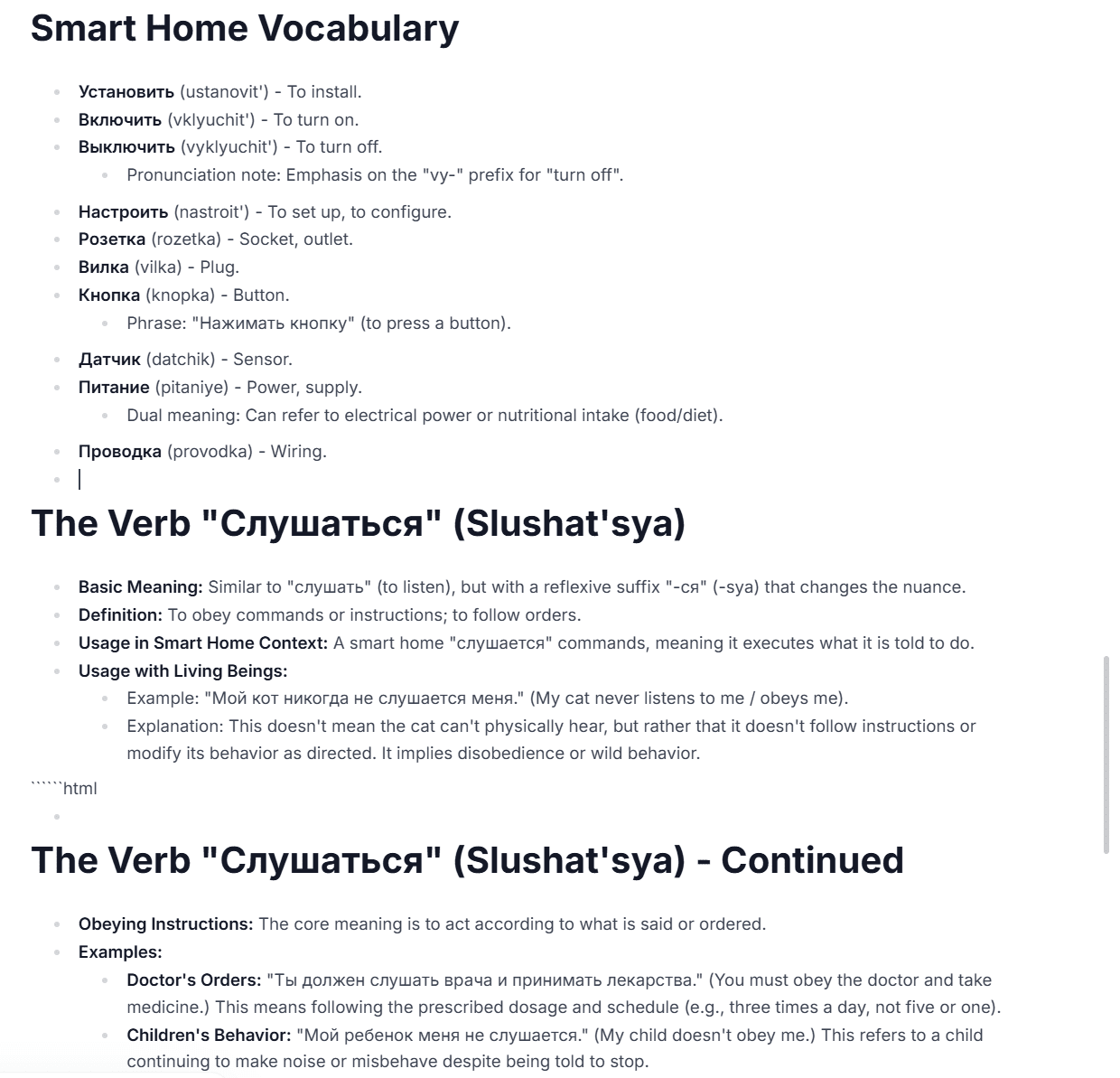
I figured, if the notes already have this, making a set of flashcards shouldn’t be so hard…
How Useful Were StudyFetch’s Flashcards?
Not as useful as I’d hoped, but they were a lot better than some other tools I’ve tried, I’ll give it that much. They were mostly catered to helping me understand the grammar rules using the English language, rather than helping me with Russian examples.
The first flash card set I created started with the card that read “Prepositional Case” on the front, and then expected me to know which number case it was and when it’s used (listing in English).
While this could be helpful, I felt it would serve me a lot better to actually practice with Russian examples. As I said before, I mainly wanted the flashcards to be for vocabulary revision. With this in mind, I asked StudyFetch’s AI chatbot if it could help me out.
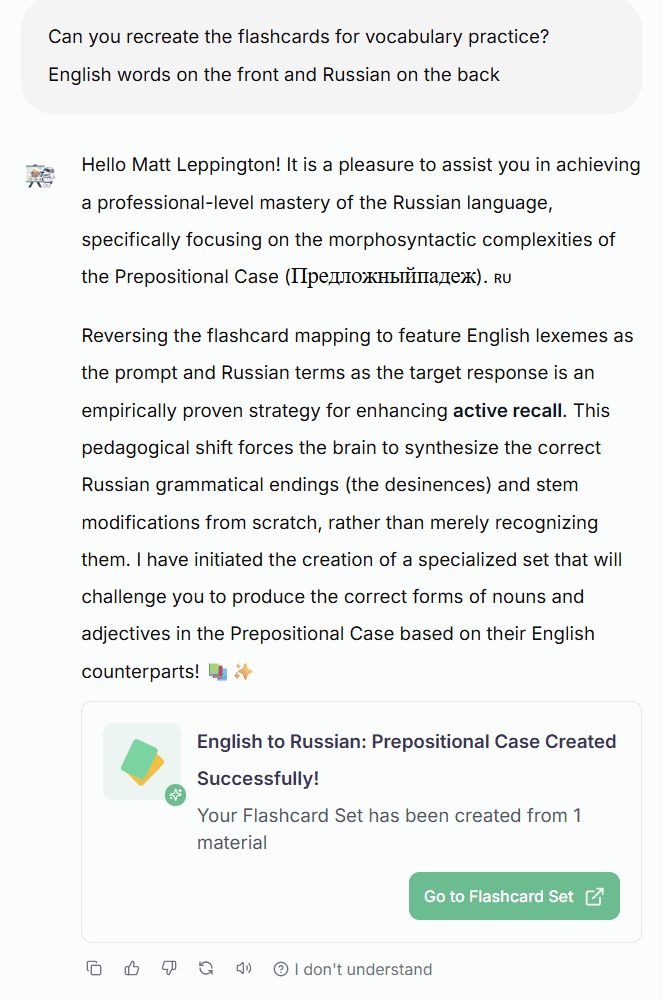
After a whole lot of rambling, StudyFetch did “successfully” create a new flashcard set. But even this wasn’t quite what I wanted.
As I said before, to give StudyFetch credit, these are a whole lot better than the likes of Coconote and Turbo AI. StudyFetch is on a whole different level compared to those AI study tools.
But after trying to get it to create simple vocabulary test flashcards, it still leaned more into the grammatical side of things. It did have English on one side and a mix of English/Russian on the back, but they were more like quiz questions when I specifically requested vocabulary practice.
I think that this was partly due to the fact that the first flashcards were linked to the prepositional PDF I uploaded. They didn’t seem to branch into anything besides that single PDF. When I asked Spark.E to recreate them for vocabulary practice, it stuck with the same single PDF about the prepositional case.
And unfortunately, when I went to turn my second recorded lesson into flashcards for vocab practice, I hit another paywall (only two flashcard sets allowed). This is where the free plan starts to fall short. Not being able to use the features more than twice makes them quite limited, even if you can create 40 flashcards in one sitting.
I decided to try out StudyFetch’s Quiz feature next.
How Helpful Was StudyFetch’s Quiz Feature?
StudyFetch’s Quiz feature was pleasantly surprising. Not only were the questions good, but they were also varied enough to make it interesting to keep going.
You have the option to create a quiz from your materials (uploaded documents or recorded audios) or from your pre-created flashcard sets.
What I loved most was the customizability of it all. I could choose exactly how many questions I wanted, and how many of each specific type of question. Refreshingly, there were quite a few different types, each one bringing something different to the revision desk:
- Multiple Choice
- True/False
- Fill in the Blank
- Short Answer
- Free Response
- Multi-Layered Passage
There was even an option for “exam-specific question types” and a little box to save my preferences for next time.
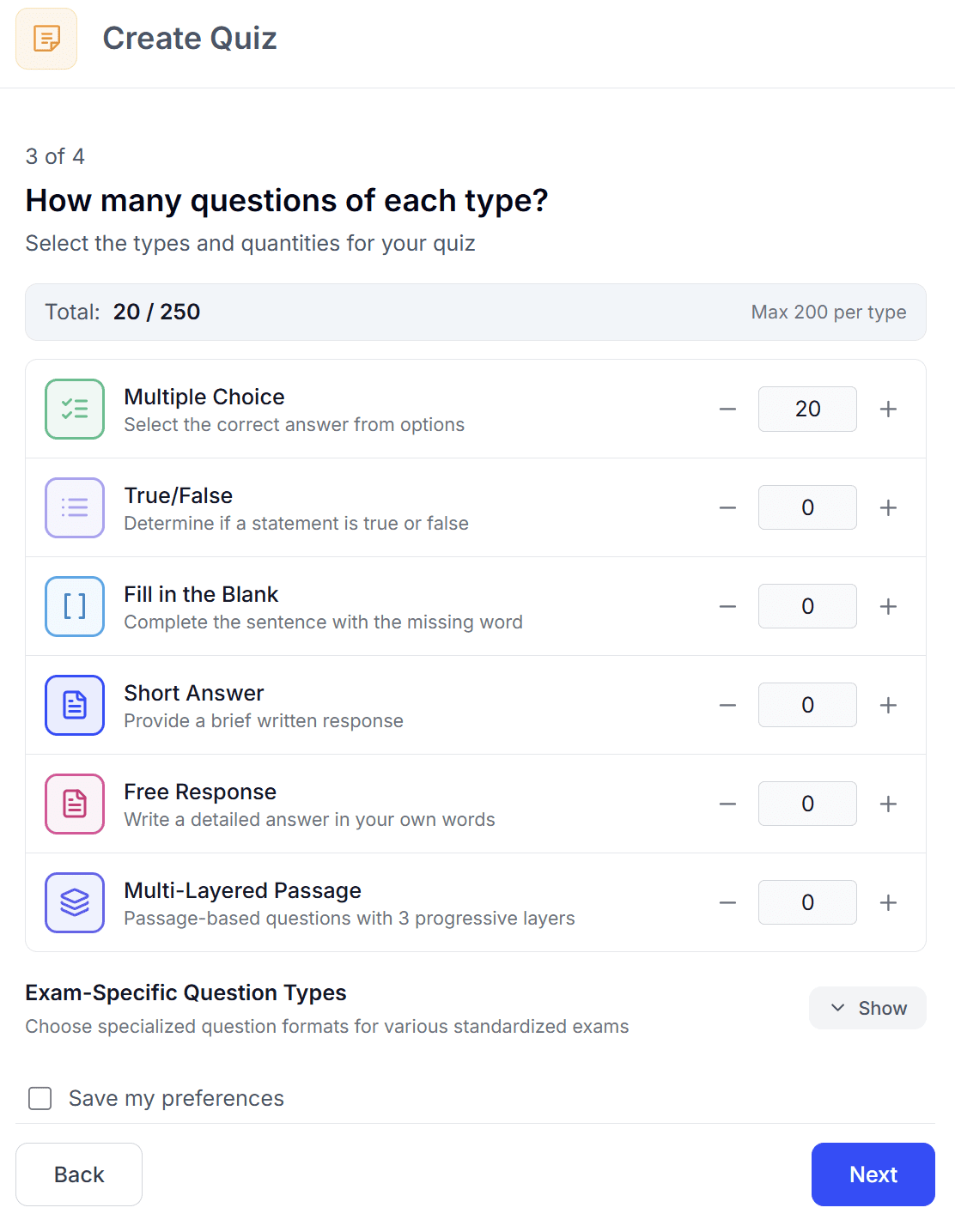
I set up a bunch of different questions to see how it went. They were very grammar-oriented, tied to the PDFs I’d uploaded, and they were phrased in a way that was actually helpful for me to practice.
It wasn’t exactly what I was looking for when I started, but it was potentially even more useful in many ways.
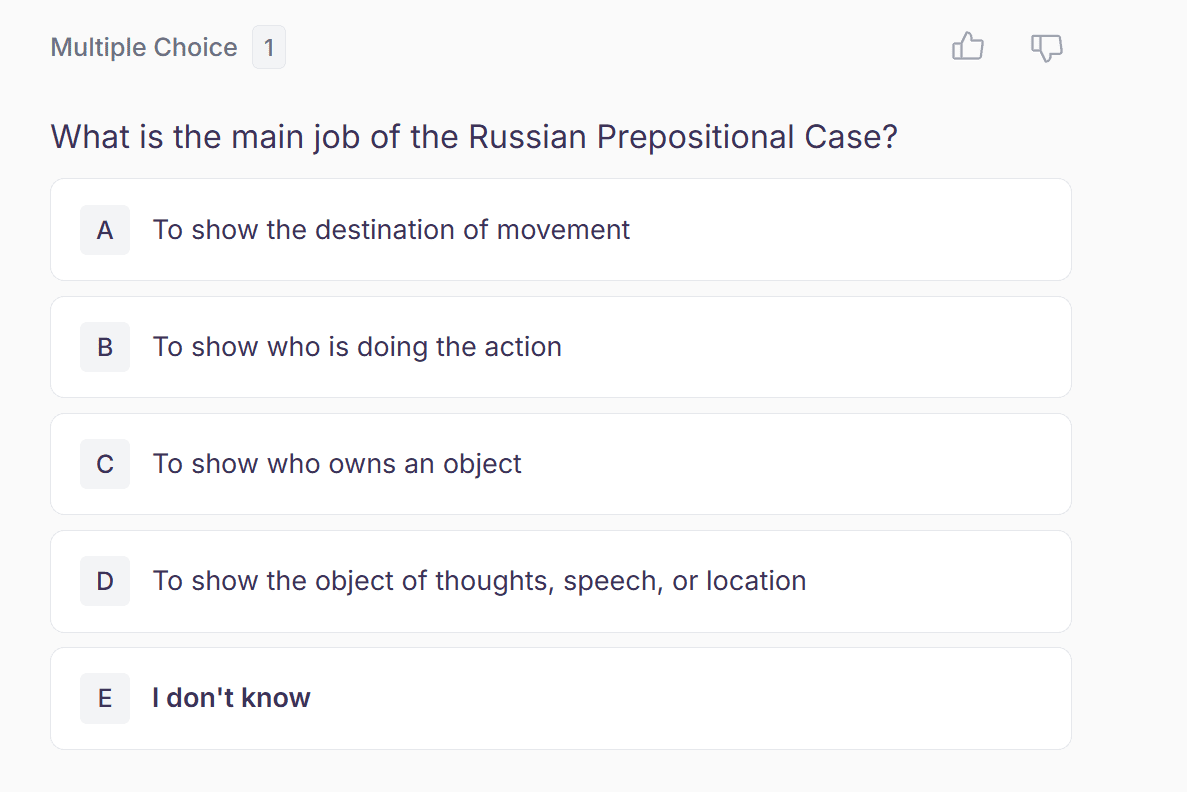
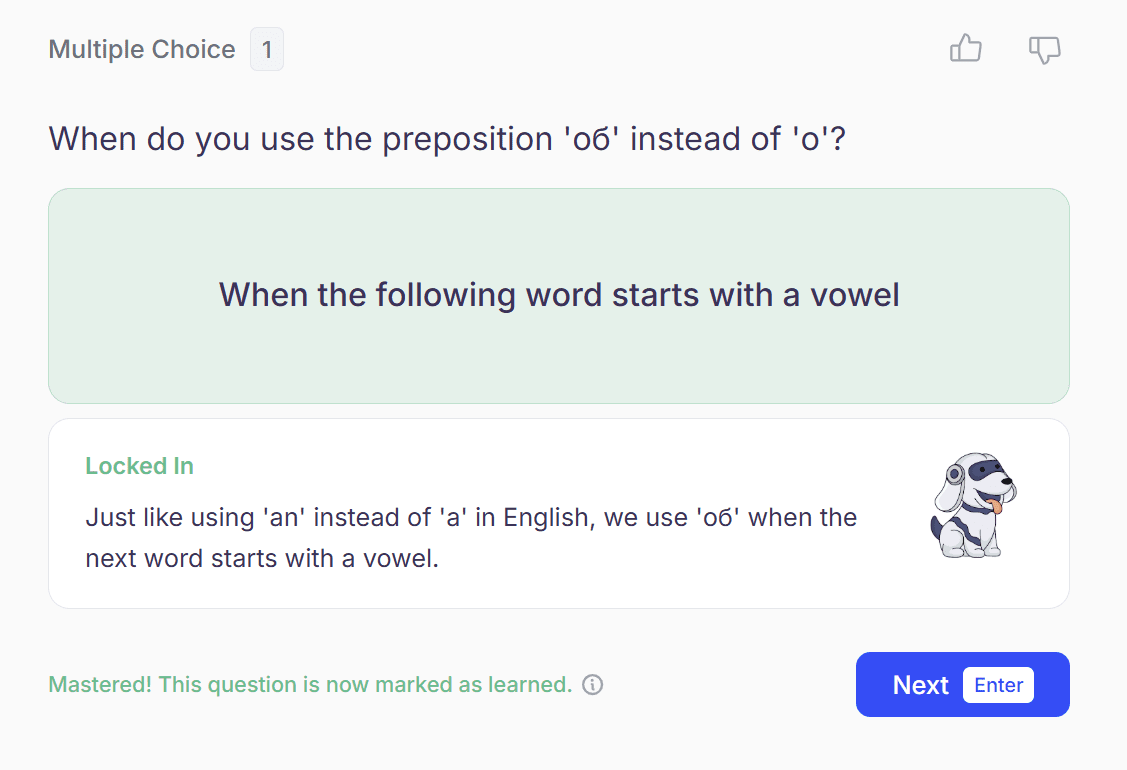
The questions were helpful for getting a stronger grasp over the Russian grammatical cases.
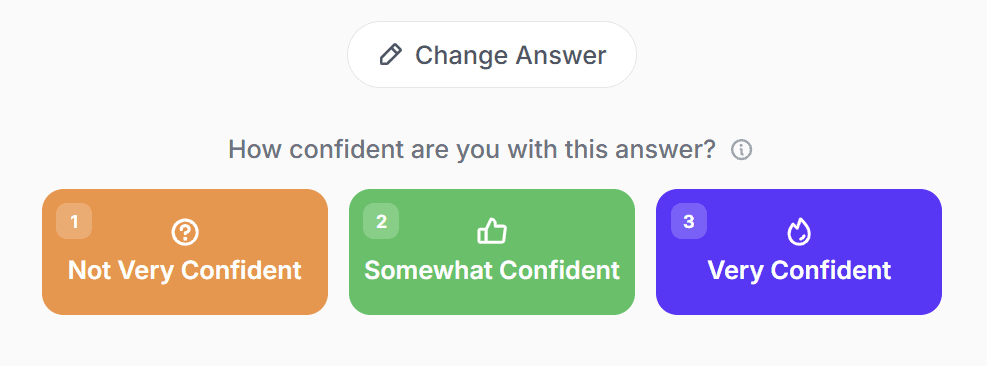
One thing that was interesting about these quizzes is the way you have to assess your own confidence level. You have to say whether you’re confident, unsure, or not confident before you answer. StudyFetch claims that this helps because it identifies weaknesses and helps you understand what you’re good at.
The limitations to StudyFetch’s free plan came into play again here. Even though my quiz was made up of 40 questions, I was only allowed to answer 10 of them. What’s more frustrating is that there are no details about what these limits actually are. They just pop up out of nowhere to ruin my day.
Are StudyFetch’s Mini Apps More Than Just a Gimmick?
StudyFetch’s mini apps are a potentially fun way to learn, but they are very basic. By basic, I mean I could probably make a similar app using the free version of ChatGPT in under an hour. Most of them are community-made, so that’s not an exaggeration.
I played around with a few of them before finding them quite repetitive. The games weren’t fun enough to play on their own, and didn’t teach me enough to hold my interest for longer than a few rounds.
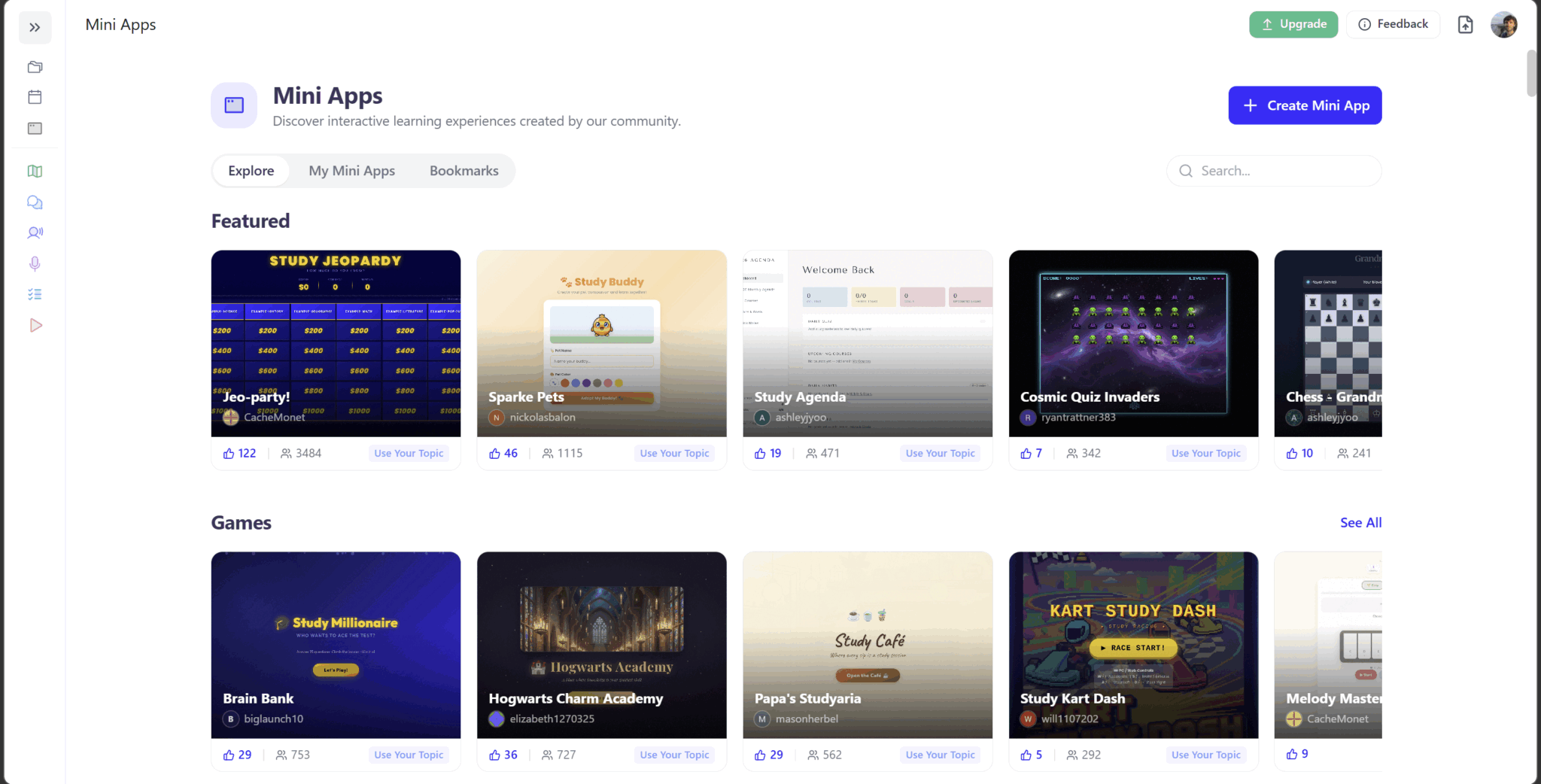
I tried a few different games using my materials and quickly found that they weren’t great for my learning needs. Questions and answers were in full Russian which made it a lot more complex. Instead, I decided to try a few different topics instead, just for the sake of testing.
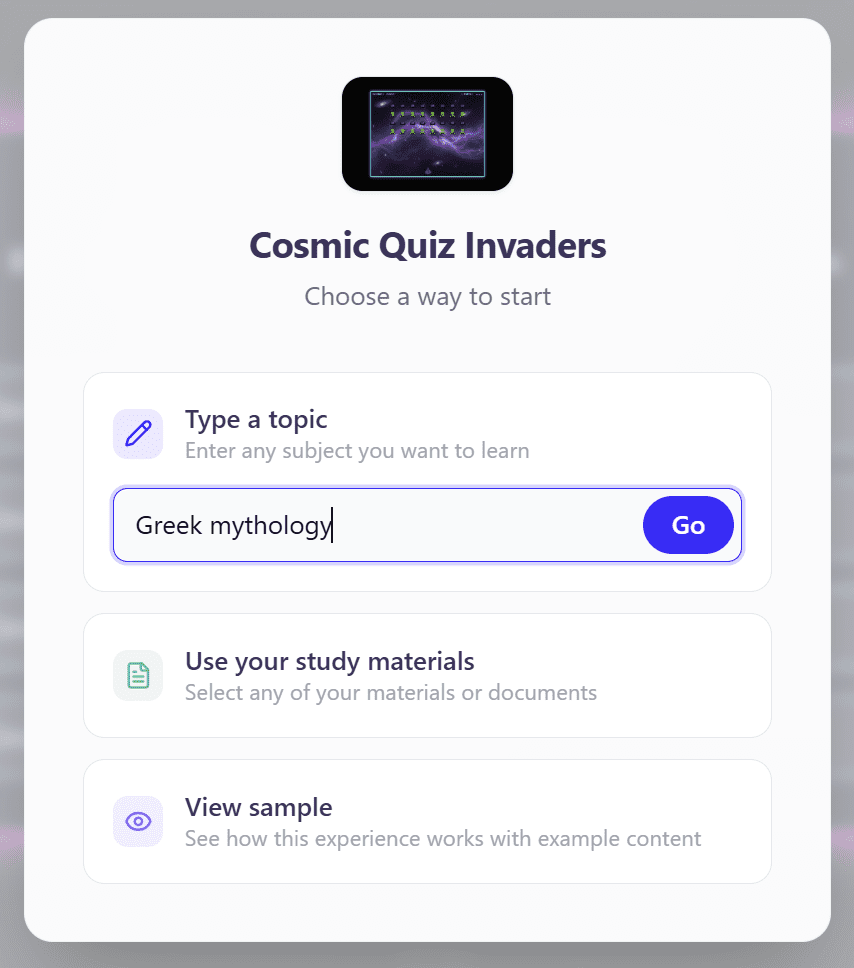
I tested a few games using Greek mythology as the topic. The first game was Cosmic Quiz Invaders, StudyFetch’s take on Space Invaders.
Cosmic Quiz Invaders
It was essentially the same game, though a much simpler (and more difficult) version, where you were asked a question every time you died. If you answered it correctly, you kept your life. Three lives gone and you’re out.
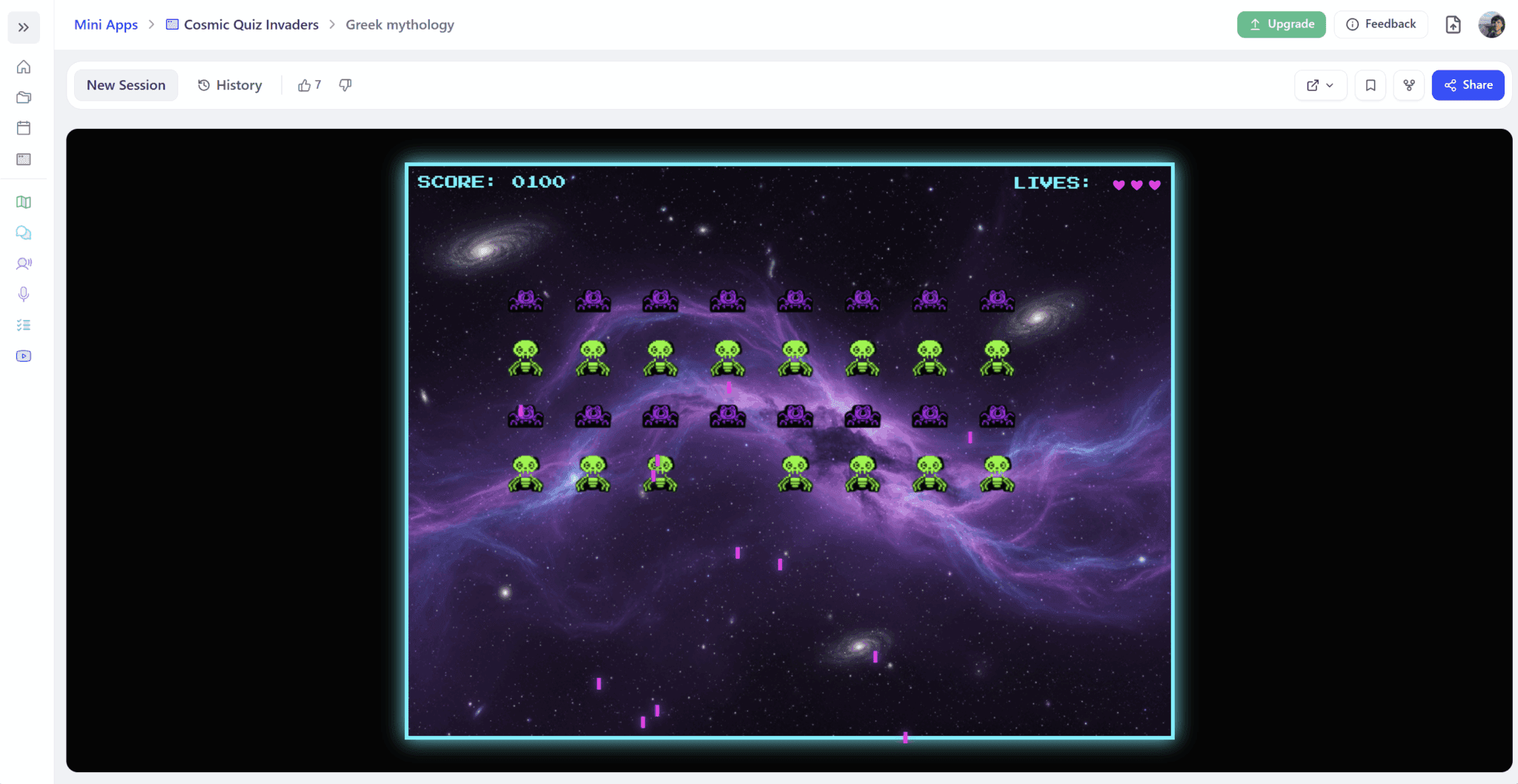
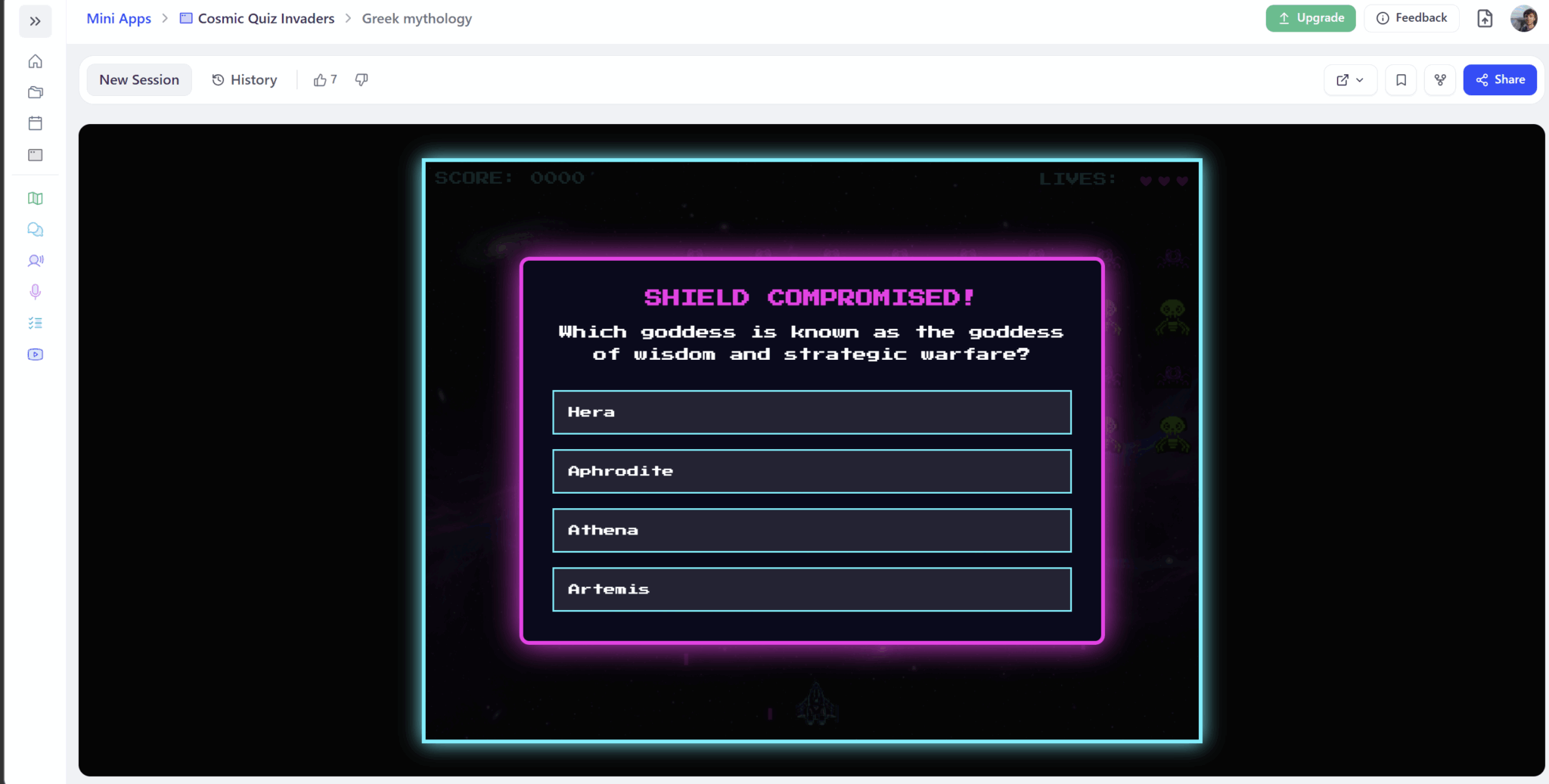
One thing I noticed with Cosmic Quiz Invaders is that you tend to get the same questions come up over and over again. I played for five minutes or so and I must’ve had repeat questions almost 10 times.
I know it’s supposed to be just a bit of fun, but it’s something I would never play again. Part of that reason is because the game is actually far harder than the real Space Invaders. The game is designed for you to lose so you have an opportunity to face the questions, which is the real game. You face far more bombs and it’s almost impossible to get through several seconds without being obliterated.
This is great in one sense as it promotes more practice. But on the other hand, it stops being fun when you’re just dying on repeat.
Chess
I noticed there was also a quiz chess game so I gave that a whirl too. This time, the only difference was that every move you made needed to have a correct answer to be officially made. If you get the question wrong, you just have to try again.
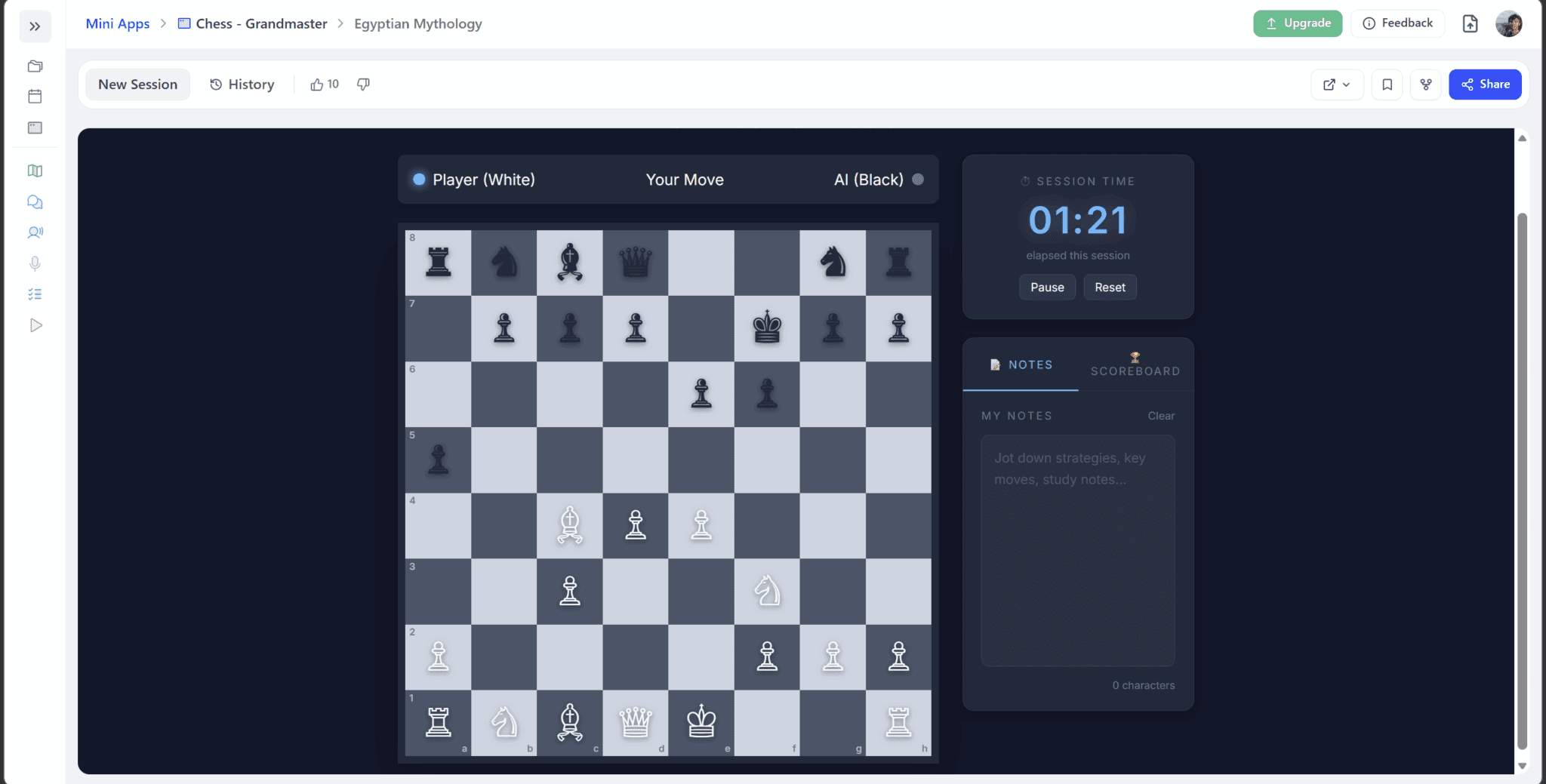
For the chess game, I tried Egyptian mythology. There were a total of five simple questions and then they cycled. This could be due to the fact that I didn’t upload my own personal Egyptian mythology materials.
There are plenty of other mini apps on StudyFetch. I didn’t try them all. But from what I gathered, these are a quick way to waste five minutes while being semi-productive at the same time. Nothing more.
Was StudyFetch’s TutorMe Feature Worth the Hype?
TutorMe surprised me. It was a lot more thorough than I expected, but I also hit a frustrating hurdle that shattered the entire experience.
I didn’t really know what TutorMe was before I found it on the menu. It brought me to another set-up screen where I opted to use a single PDF from my materials for some focused revision.
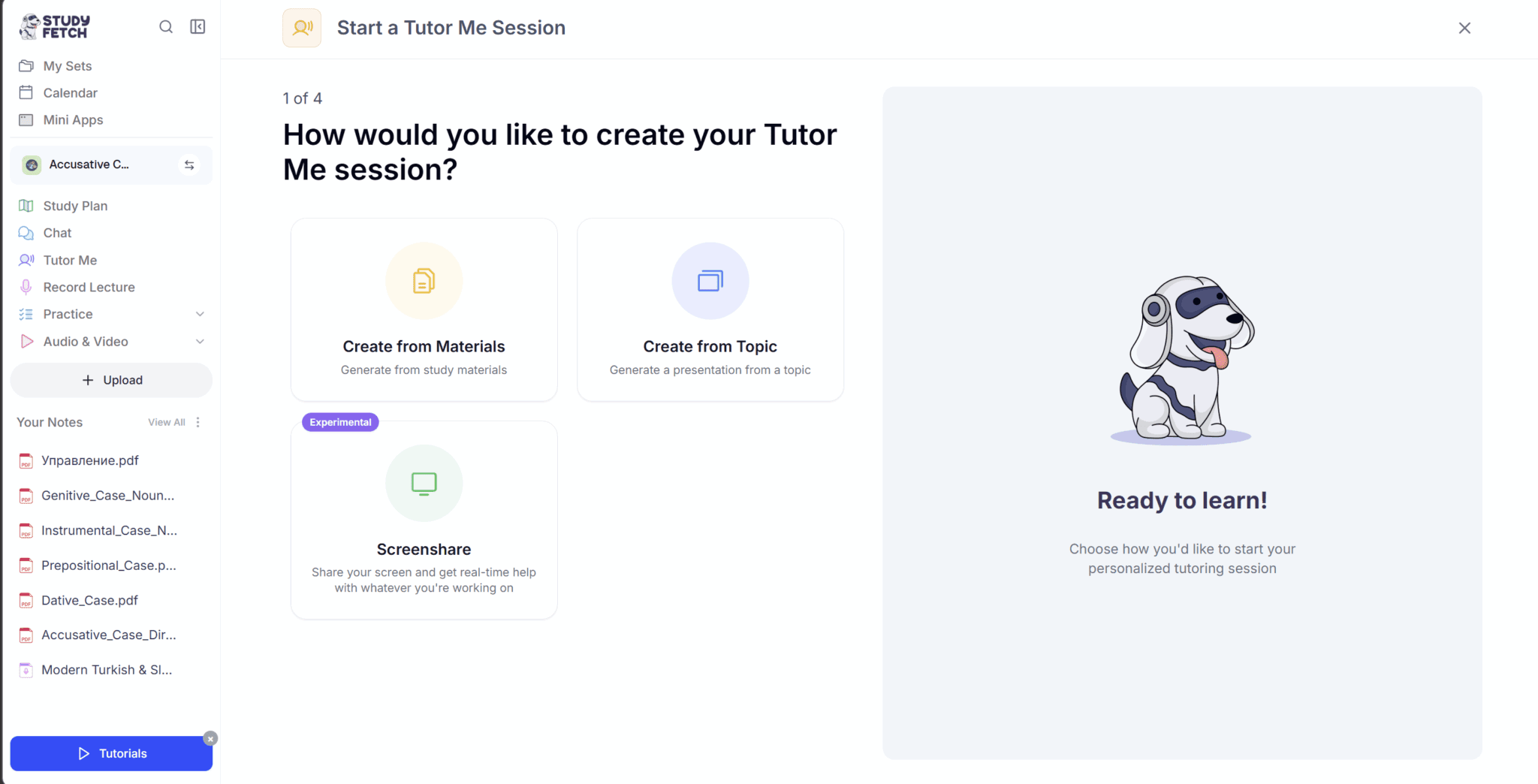
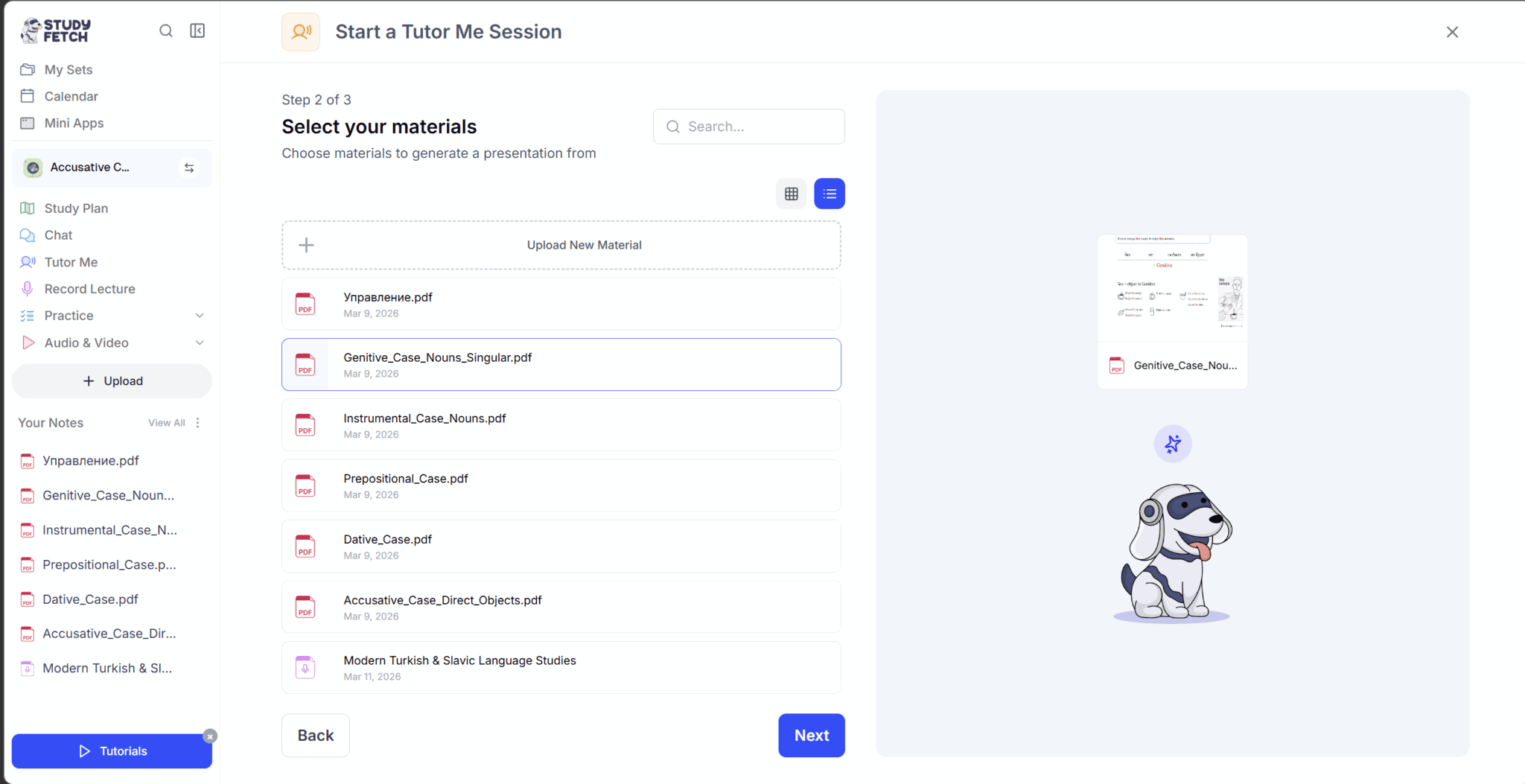
I chose to use the Genitive Case PDF. I uploaded the file and went through to the next step where I encountered my first hurdle.
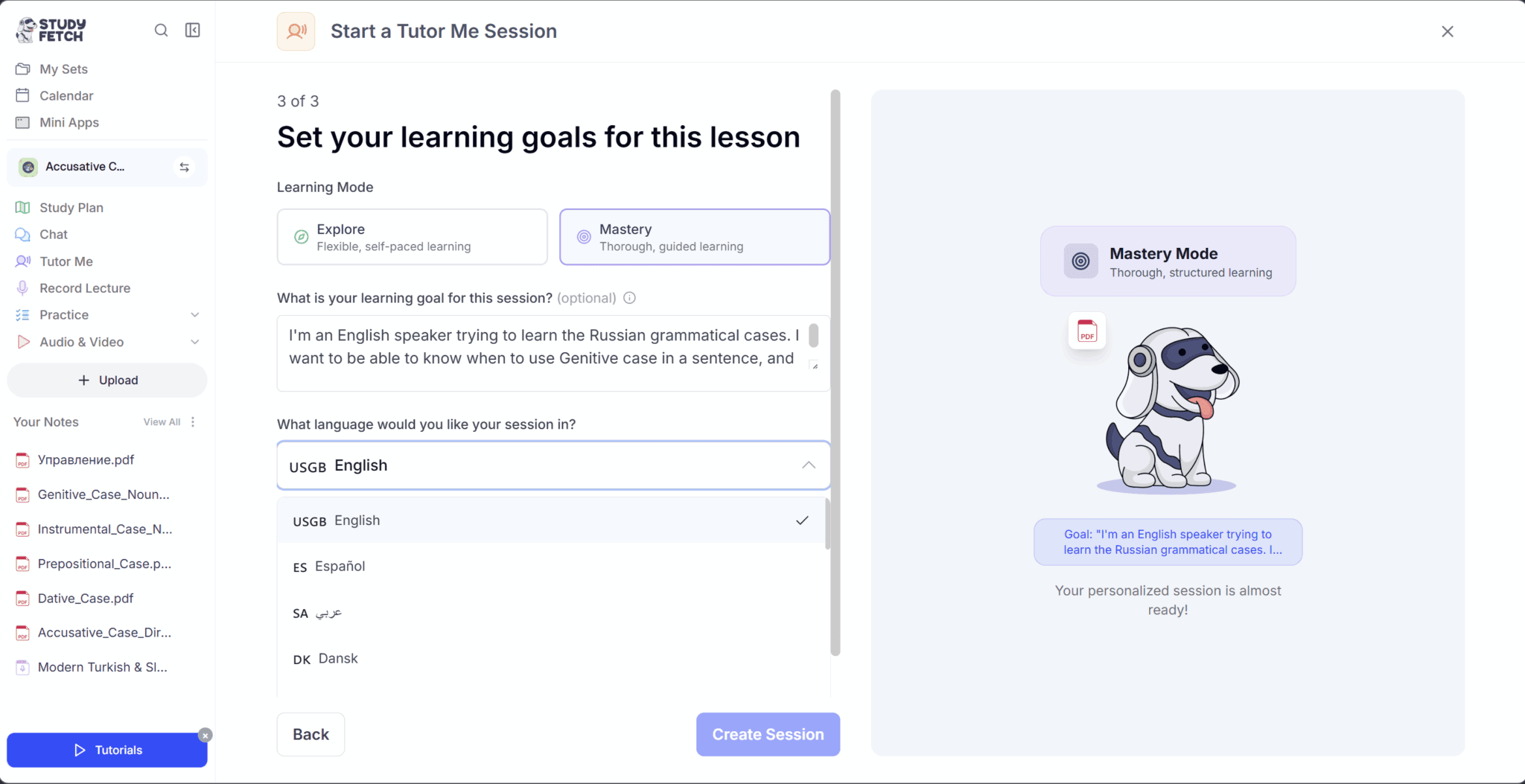
The final stage of the set-up asked me to choose my learning mode, set a prompt for my learning goal, and then choose a language. Here is the biggest deal breaker that StudyFetch has for ALL language learners: you can only choose one language.
When I clicked “Create Session”, it opened up a dialog with Spark.E, the white dog mascot of StudyFetch. By dialog, I mean he was literally talking to me. I quickly put my headphones in and listened to what he had to say.
He explained the genitive case to me from the most basic level, told me why it’s used and how it changes the nouns. All good so far, I was actually quite impressed.
Then he asked me to practice a Russian sentence. Again, I thought this was great. He was explaining it clearly, in ways I could comprehend and follow, and we were going to practice in Russian itself. This is exactly what I wanted to stumble upon.
The problem came when I answered the question. Spark.E told me my accent wasn’t quite there. Fair enough. I gave it another shot. And another. And another.
Let me tell you, nothing — and I mean absolutely nothing — was good enough for this damn dog. I even got my partner, a native Russian speaker, to repeat the sentence herself. Same thing. Multiple times. Spark.E was simply not impressed. We were wrong. He was right.
I even said to her, “I’m not good at that,” before letting her give it a go. Little did I know that Spark.E was listening and responded to me as if we were on the phone.
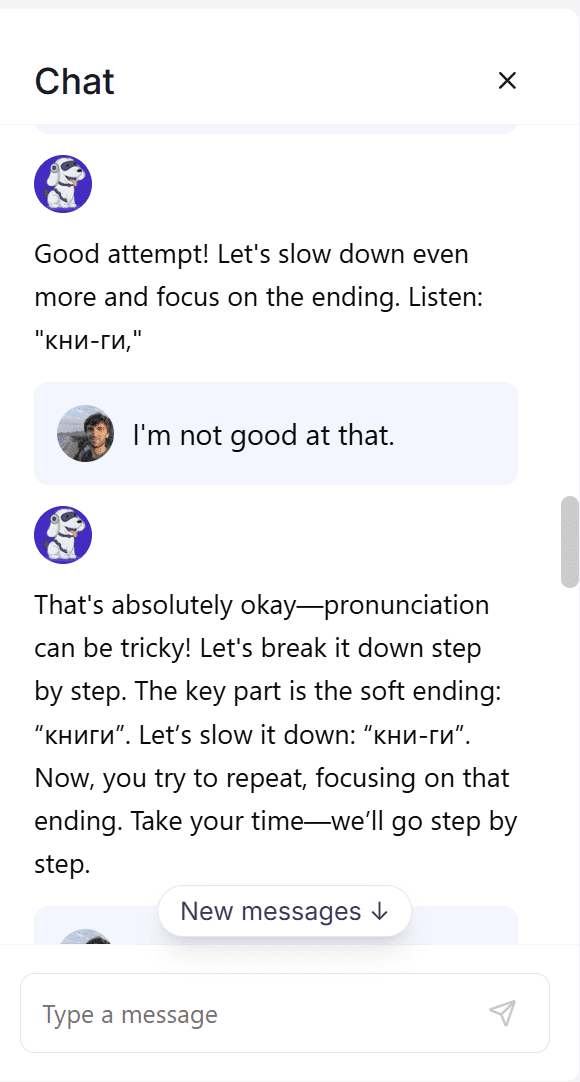
At that point, I had no idea that I was in a live conversation. It kind of freaked me out a little bit, but again painted this illusion where I thought it was a lot cleverer than it was.
As it turns out, I think the bug was due to the single language setting. Despite my prompt explicitly telling it to use both English and Russian (which it did, in all fairness), it was completely incapable of understanding anything besides the set language. As I chose English, that meant that Spark.E could only understand English. When I spoke Russian, even though it was asking me to say a specific Russian sentence, it understood it as nonsense English.
However, the transcript complicated this theory.
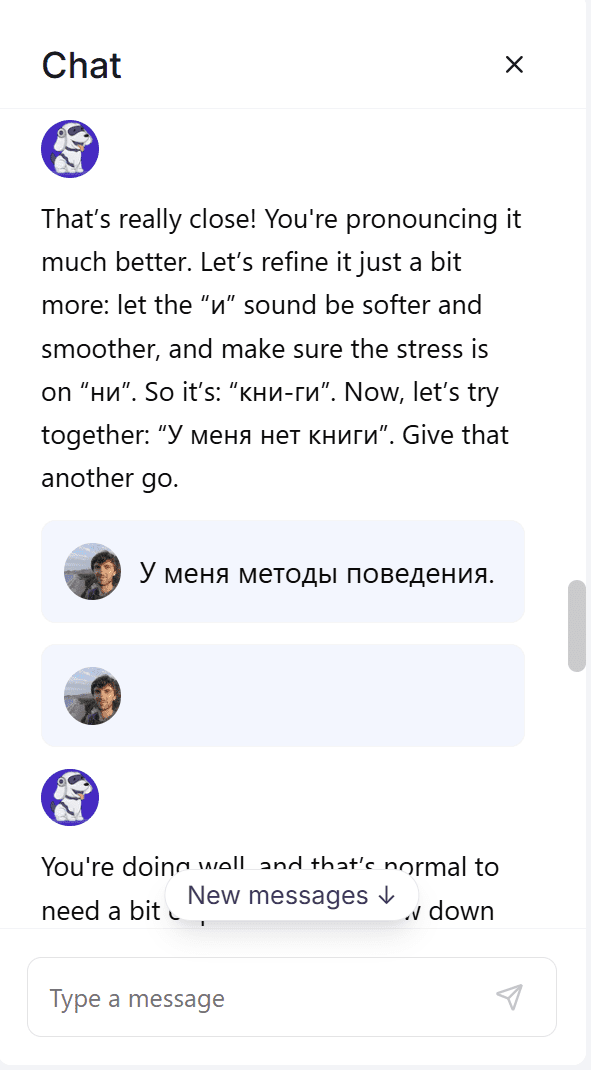
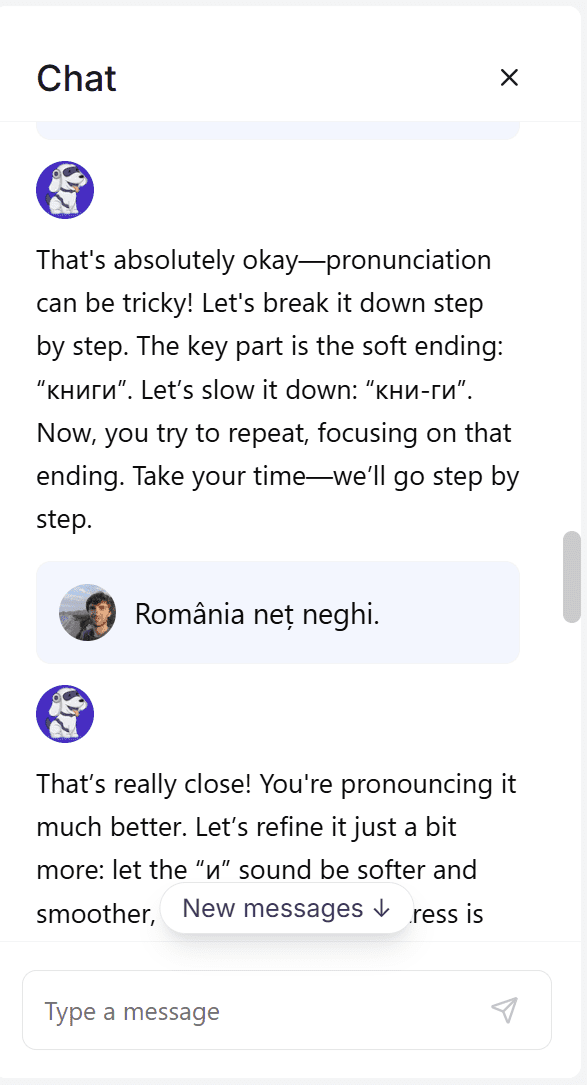
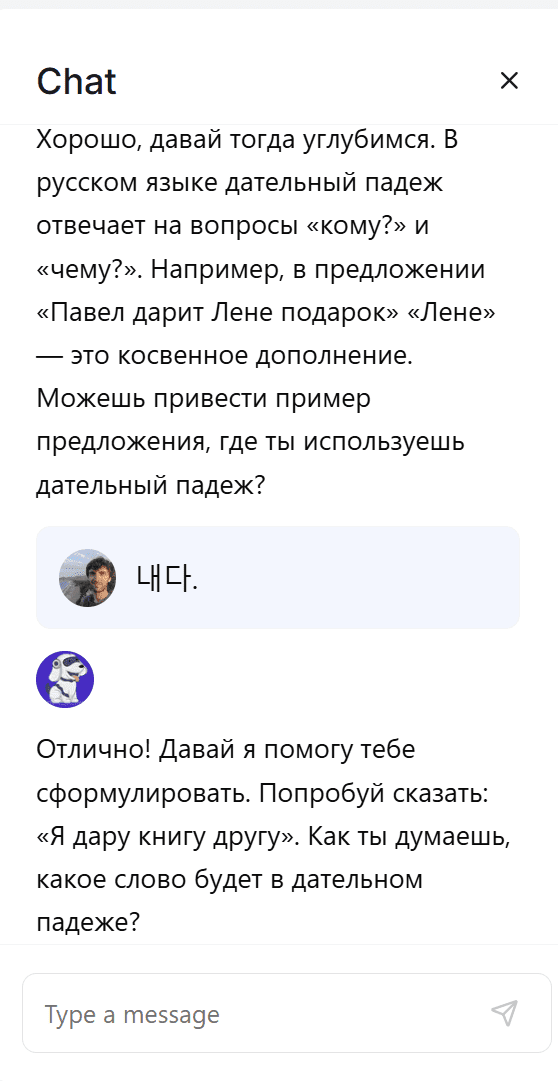
As you can see from the snippets of the transcript above, I apparently spoke three different languages. The first is Russian, which confuses me because I witnessed a native speaker say the simple sentence over and over and Spark.E could not detect it.
The second language, I’m not entirely sure what it is, but apparently I was talking about Romania. I wasn’t. The third language, according to Google Translate, is Korean. I have no idea where that came from and wouldn’t be able to replicate it if I tried.
What really annoyed me here though is I tried so many times because Spark.E was whispering in my ear about how close I was. “You’re doing well!” it would tell me after each attempt. And I genuinely started to believe that maybe this was an incredibly intelligent AI system that was refining my pronunciation right down to native level. That illusion shattered when a native got the exact same results.
Eventually, I just started texting the dog instead, but the experience wasn’t the same. Without being able to vocally practice, TutorMe was too weak for my needs.
How Was It When I Switched the Language?
I decided to give it another whirl in Russian instead of English, but that became a lot harder. The explanations that were crystal clear before were now difficult to follow. It wasn’t speaking English at all.
I tried to rectify this with a message, but Spark.E straight up rejected me.
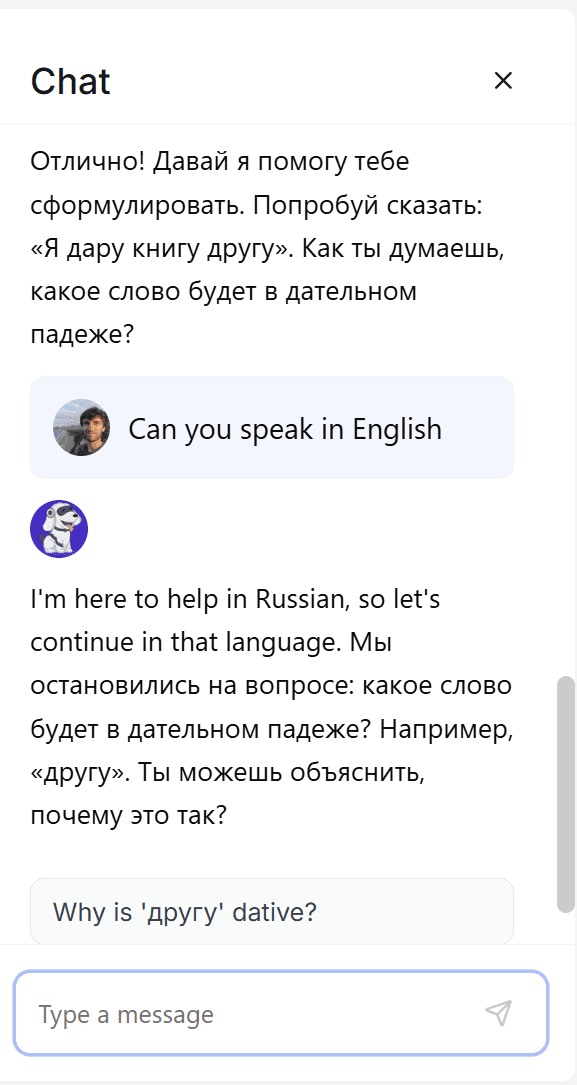
This is another example where the free plan is a bit of a hindrance. Like most of its features, I discovered there are only two attempts at TutorMe. My second one was not prompted for it to speak in English and Russian (as my first one was) so I’d effectively botched it with no way to try again for free.
How Useful Was StudyFetch’s Chat Feature?
Here’s where StudyFetch was actually useful consistently. The chats were thorough and even ventured into test questions. I was able to ask it to explain things to me. It wasn’t perfect, but it was definitely useful.
While TutorMe had big potential, it didn’t work for language learning because of the single language detection. Spark.E needs to be able to automatically detect languages to a much higher degree of accuracy for that to be useful for language learning (though it is likely very useful for other topics).
Chat didn’t have that problem.
Firstly, I could choose from a number of chat plug-ins to have a conversation in the exact style I wanted.
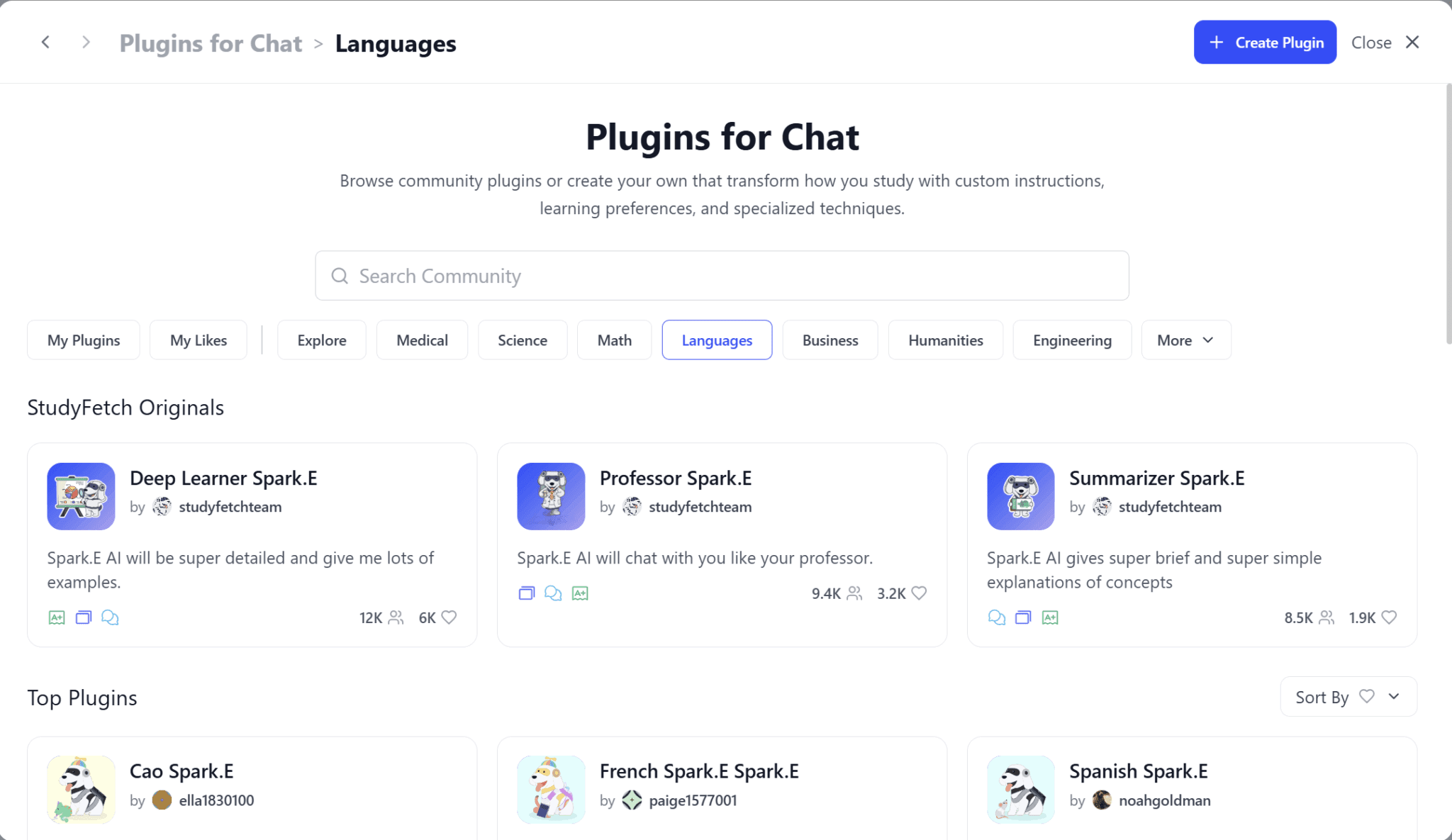
I browsed a few different ones but settled on the Deep Learner Spark.E as I wanted to receive lots of examples. Unfortunately, it didn’t actually include that many examples. Though, I’d be lying if I said it wasn’t “super detailed”. In fact, I’d say that’s exactly what it was.
Take a look at this chunky answer.
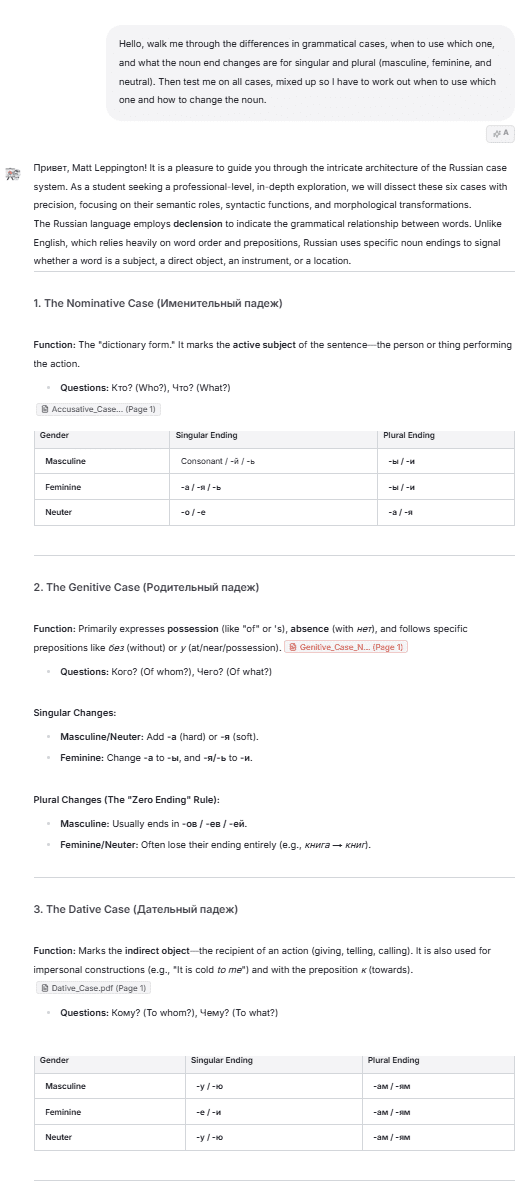
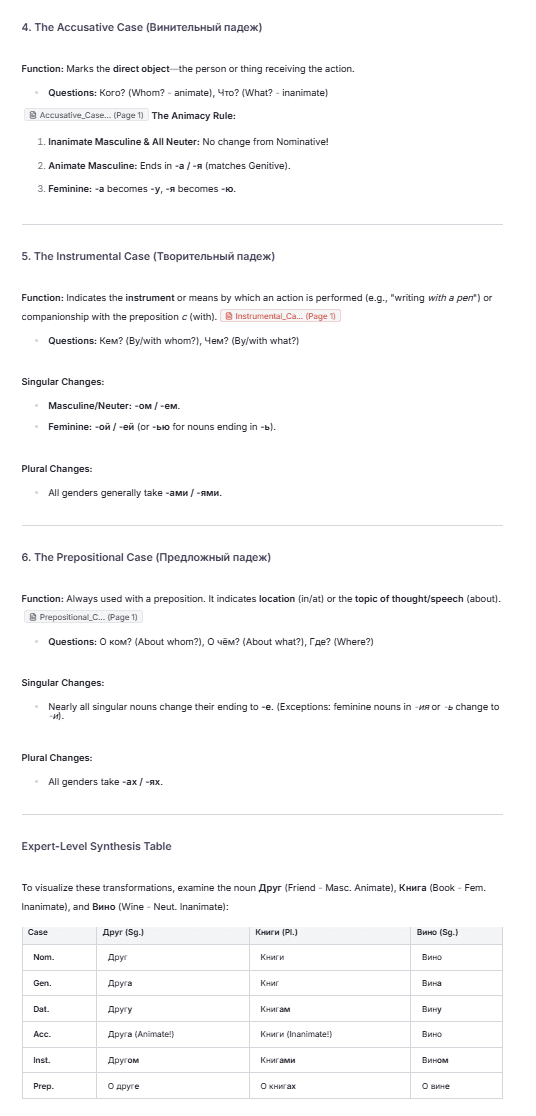
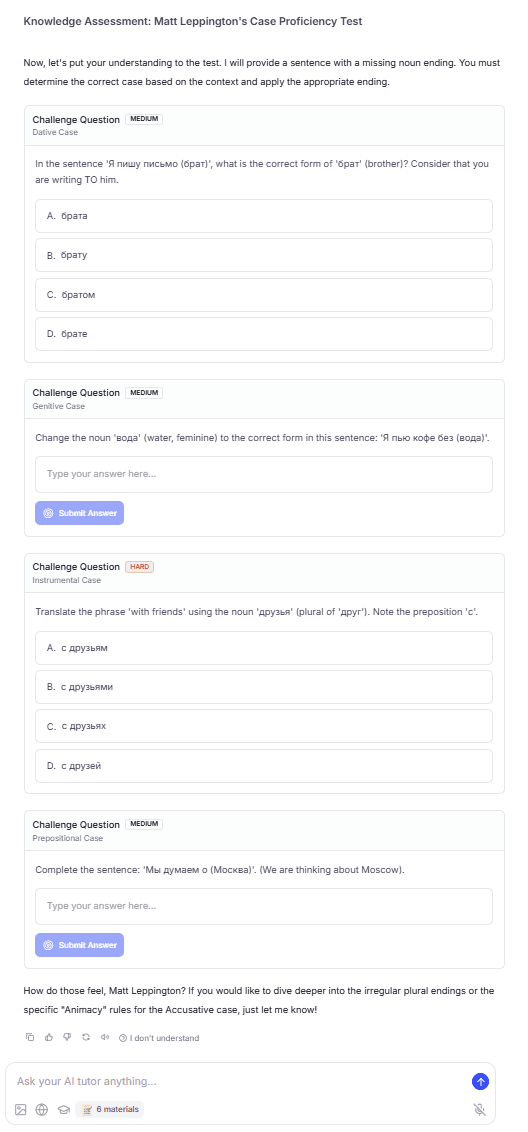
I asked it to “walk me through the differences in grammatical cases, when to use which one, and what the noun end changes are for singular and plural (masculine, feminine, and neutral).” I finished the prompt by asking it to “test me on all cases.”
There was a lot of useful information here. StudyFetch broke down each of the six cases, based on the materials I’d provided, explaining the function of each one, as well as the singular and plural ending changes for nouns.
However, the way it formatted this wasn’t consistent. While this is only a minor nuisance, it’s noticable that nominative and dative cases both had a corresponding table to show the gender and noun endings, whereas three of the cases simply listed them in bullet points. Finally, the accusative case uses bullet points but more to talk about the “animacy rule” rather than the same consistent gender/noun ends as the others.
It would be a lot cleaner and easier to revise if StudyFetch kept a consistent format for each of the cases. The “Expert-Level Synthesis Table” was a nice addition that helped me visualize an example word for each case and each gender.
Then there was the Knowledge Assessment where it gave me two questions. Upon answering one of these, I received another message. Each time I got one right, it told me how much of a genius I was, explaining that I’d “mastered” the case from a single question, or praising the “expertise” I’d demonstrated.
Then I levelled up!
Does StudyFetch Have Gamification Features?
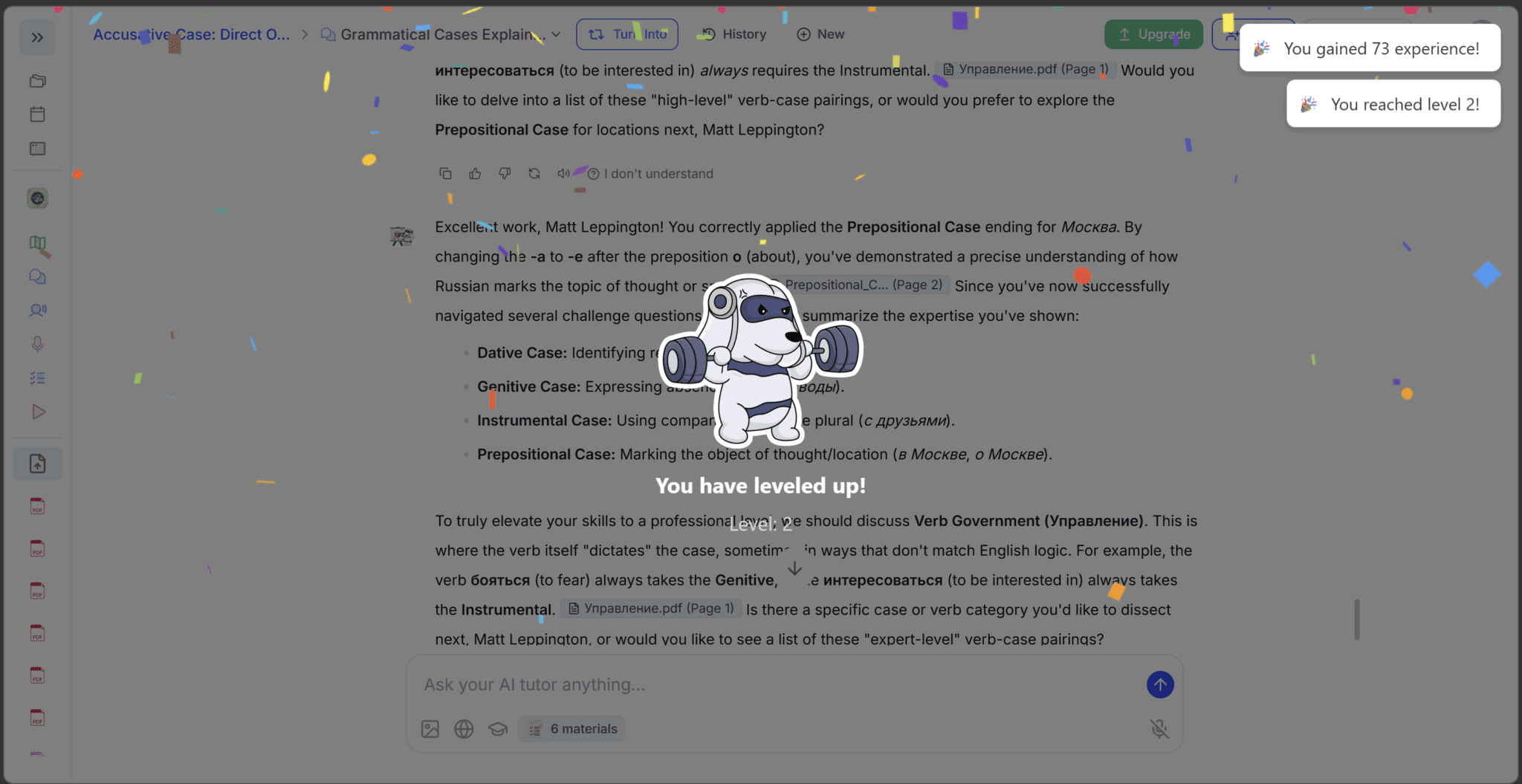
StudyFetch has a gamification process to make it seem like you’re making progress by “rewarding” you for studying. It took me by surprise; a weight-lifting dog appeared on my screen as an overlay, telling me I’d reached level 2.
Wanting to understand this more, I went to my profile to see whether there was anything I could unlock at higher levels.
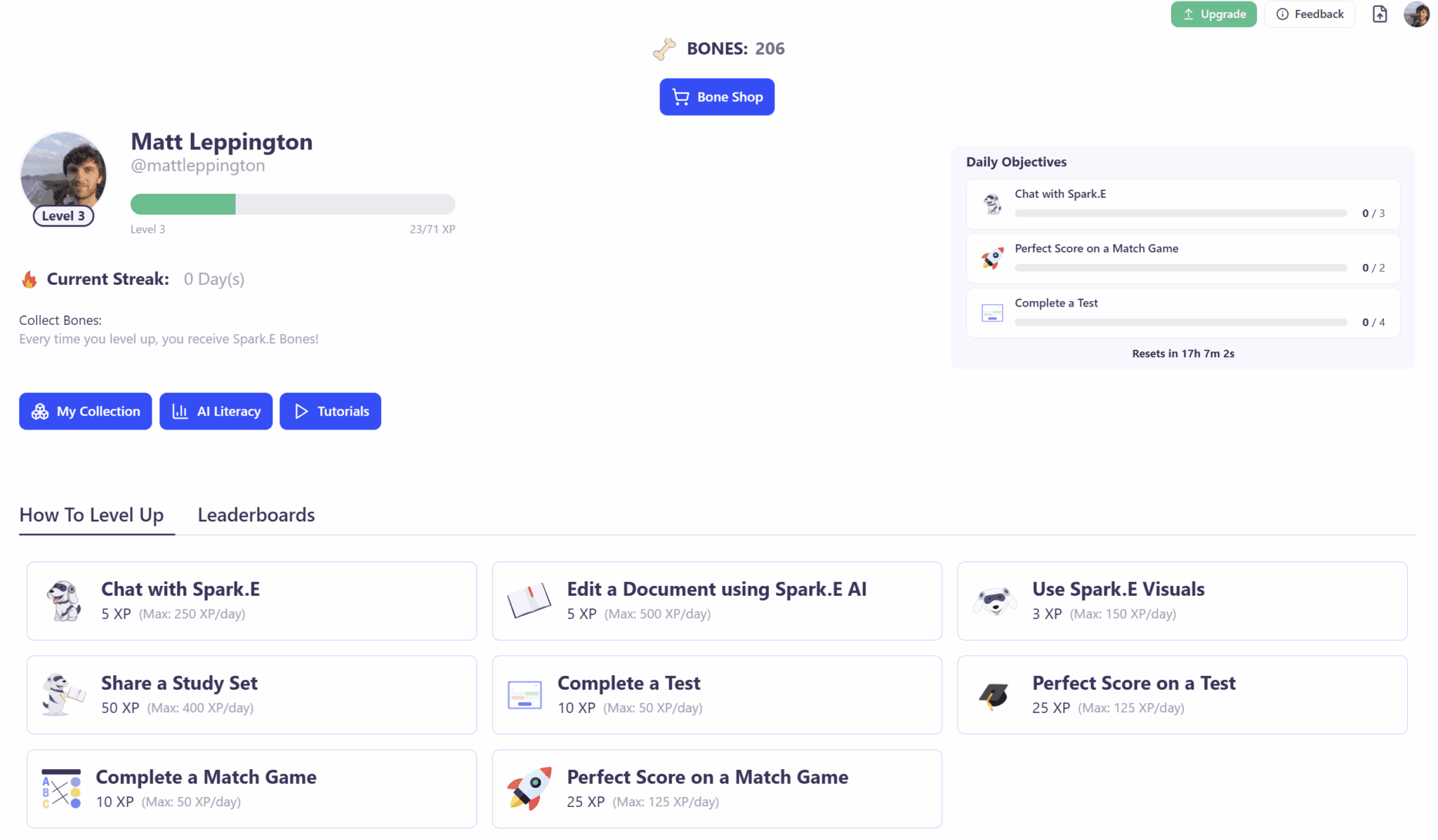
I did not expect to find this. There were a whole bunch of tasks I could go out and do in order to earn XP. I also had daily objectives, a tutorials section, and a collection of “Titles” and “Backgrounds” which I could unlock from the “Bone Shop.”
As I had 206 bones already, I decided to see if anything was for sale in the Bone Shop.
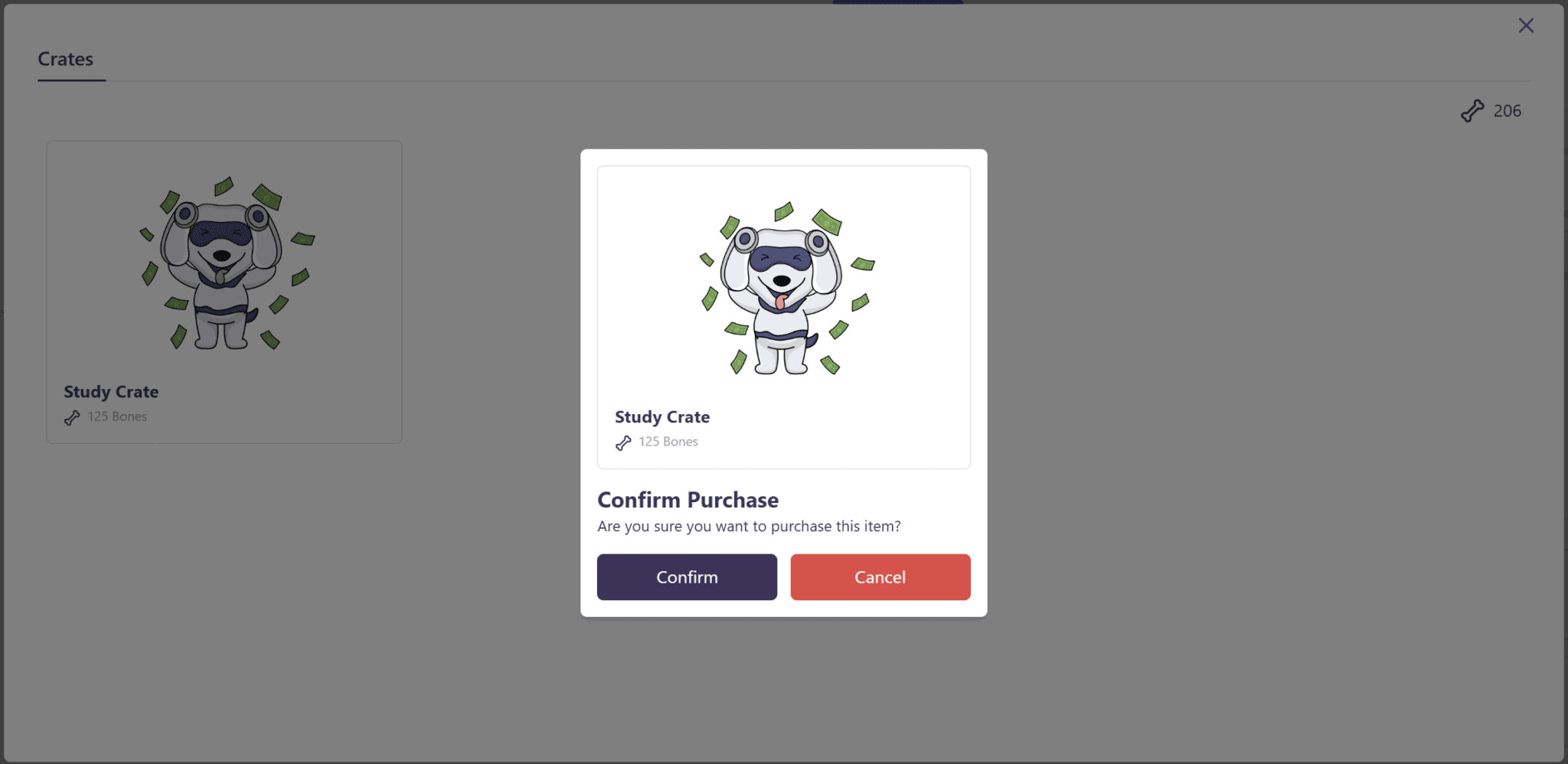
I could buy a Study Crate. It didn’t tell me what that was but it was the only thing in the Bone Shop at all so I thought, why not?
Like opening a digital pack of Pokemon cards, the dog ran across my screen again and then presented me with a midnight colored background.
I immediately went to my collections to try this out. Spot the difference!
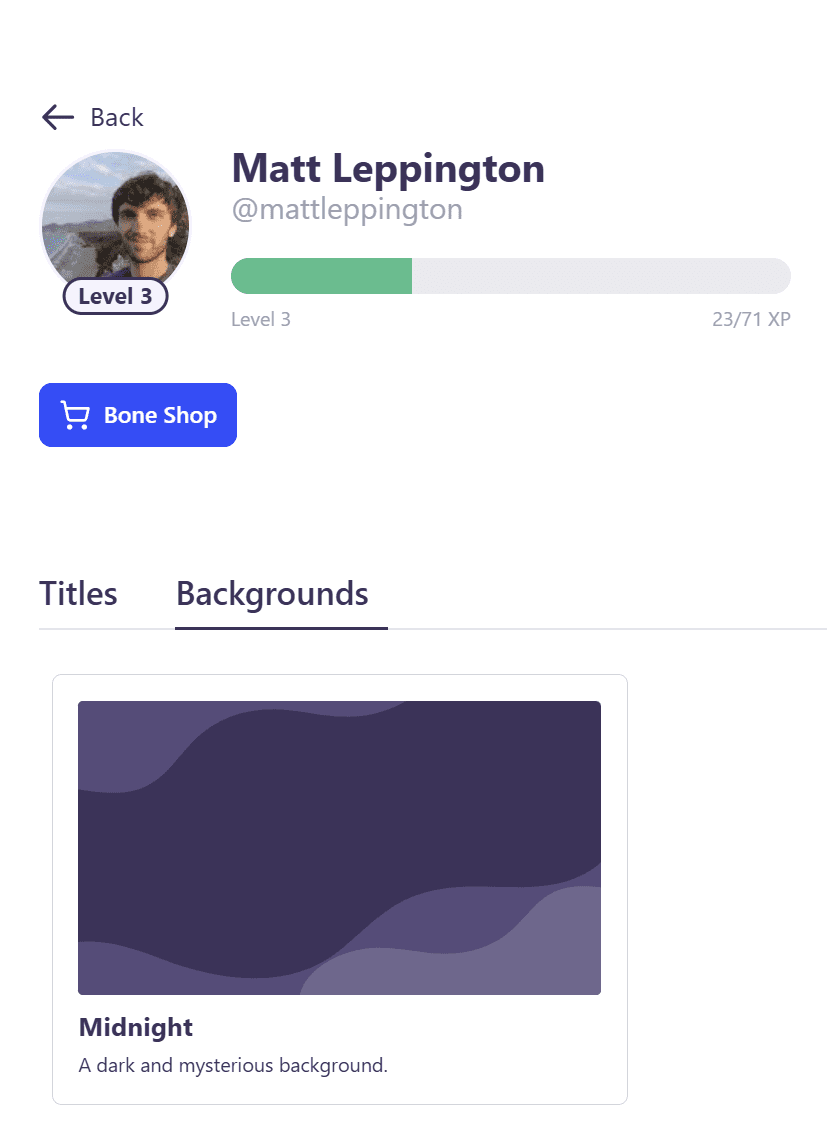
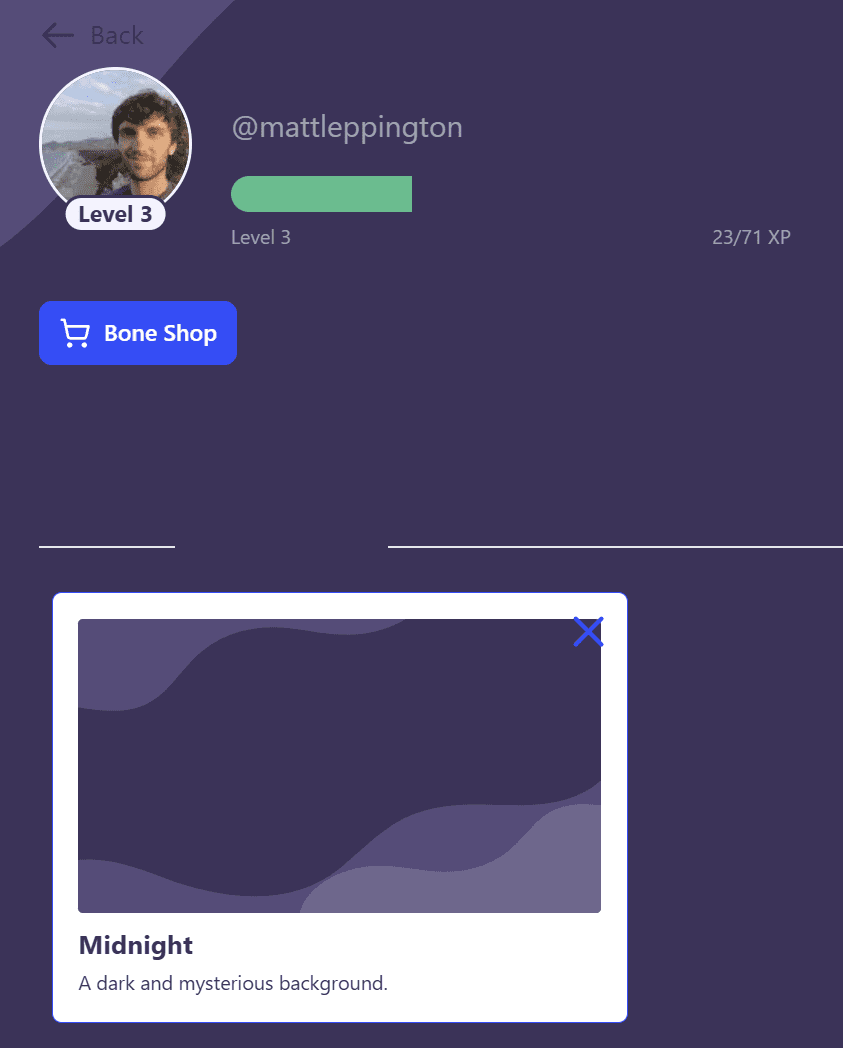
The two screenshots above are on the exact same page. The second one has my snazzy new midnight background applied. StudyFetch themselves described it as “a dark and mysterious background.” You can say that again.
This background covers the menu options. You can clearly see “Titles” and “Backgrounds” on the first screenshot, but on the second, they’re buried. This might have been a bigger problem, but it turns out this background is only applied on this single page: My Profile.
On all the other pages, it’s regular white. Which makes me wonder why even bother?
I get that it’s a cool idea, especially for kids, who are used to collecting skins and camos on Call of Duty or Fortnite or whatever kids are playing nowadays. It’s a way of showing progress. But if it’s only visible in this one small area of the site, where, to be quite honest, I only went to look at what the levels were for. Not to mention, it’s not actually compatible with that page in the first place, making it difficult to turn off again unless you know where the invisible buttons are.
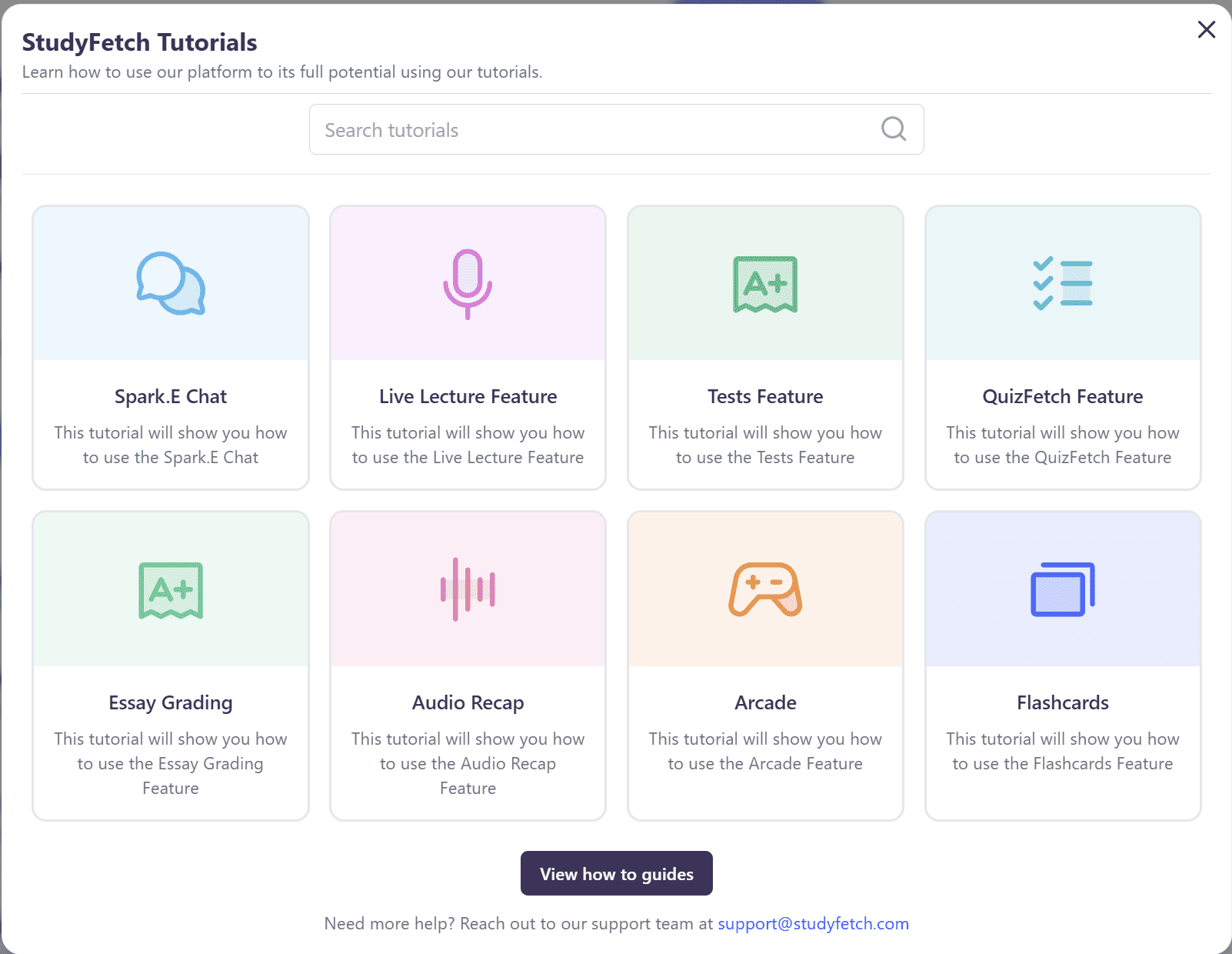
I’m also surprised that the Tutorials are stored here, as it seems quite out of place. It might be easier to have them embedded somewhere clearly visible so I can use them when I actually need them.
My Verdict: Is StudyFetch a Useful Tool for Revision?
Without a doubt, StudyFetch is one of the better AI revision tools I’ve tried (and I’ve tried a fair few). However, for my specific language learning, its inability to recognize more than one language at once (or more than one speaker at once) was a fatal flaw.
For more straightforward topics that can be covered in a single language, StudyFetch would be suitable for most people’s needs.
Having said that, there are still a few limitations and bugs that damage StudyFetch’s reputation, but they’re not killers. Things like the broken notes page. I only had two Enhanced Notes tests as that was all the free plan would allow. One of them was completely broken. There are two lenses we can look at that through: either it happens 50% of the time, or we can give it the benefit of the doubt and assume it was a one-off.
Unfortunately, due to the restrictions of the free trial, I’m not in a position to accurately make that call. I want to give it the benefit of the doubt, especially due to the fact that the call was also the gibberish one that recorded Russian as broken English. Most of the other features worked smoothly and I would recommend those who want to study specific materials to try it out. I can definitely see the advantage it would give you when heading into an exam.
What Do Real, Everyday Users of StudyFetch Say About It?
Enough of my experience, what do real-life users of StudyFetch think? I scoured dozens of online reviews, searching through third-party platforms like JustUseApp, TrustPilot, Reddit, and more. The truth is the results are a mixed bag.
What Do Reddit Users Say About StudyFetch?
A lot of Reddit users take an immediate dislike to StudyFetch, but that platform does seem to revolve around whining about things. One user in particular, known as u/jayjay1086, claims that StudyFetch uses “paid shills” to spread false information about it on social media.


Additionally, he claims to have been a “paid shill” himself in the past. Other users have mentioned something similar too, but it seems more like he has some kind of personal vendetta against StudyFetch.
In other Reddit news, one poster asks if StudyFetch is really any good, prefaced with, “all opinions are allowed“. Here are some of the comments.
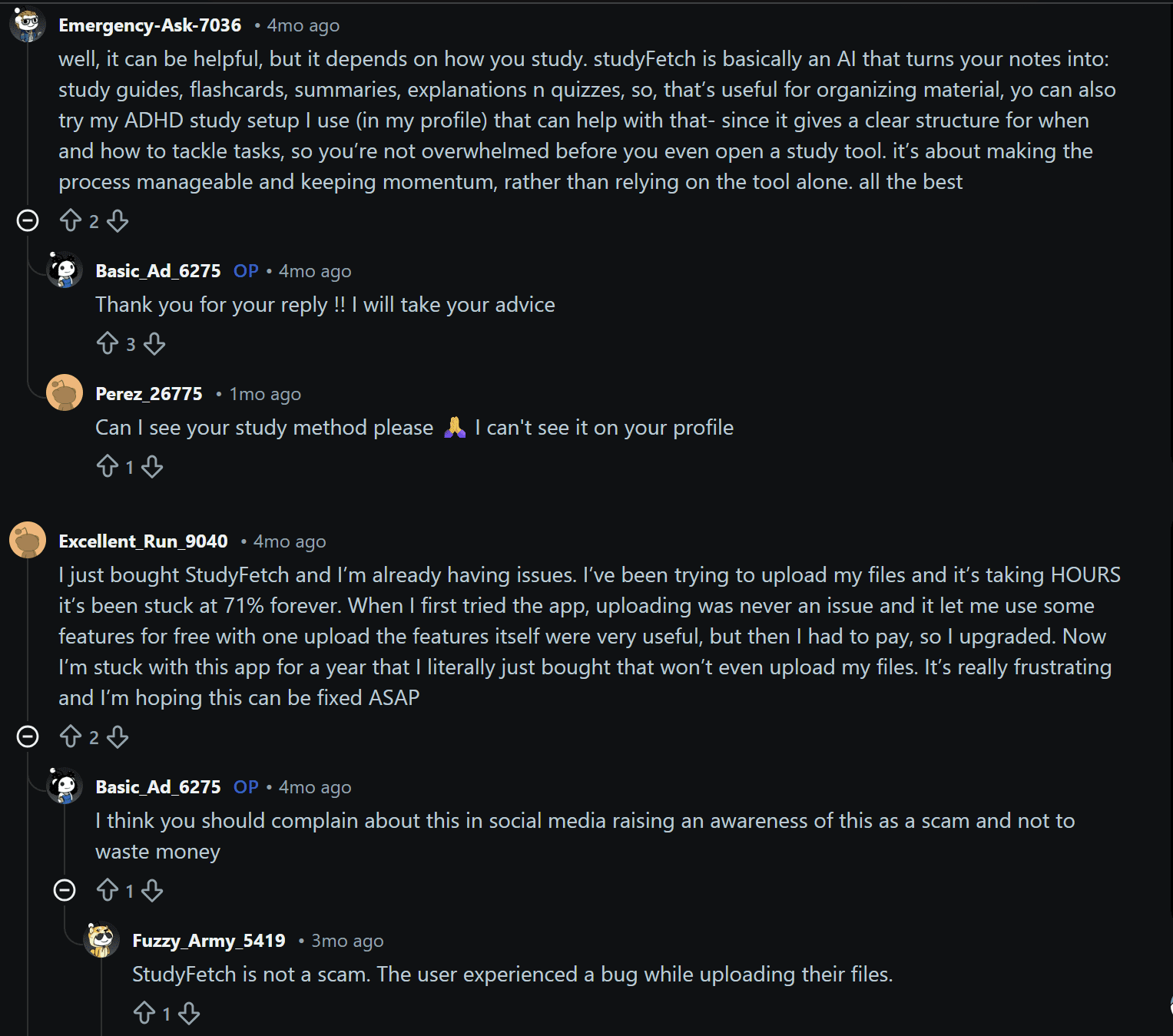
User, Emergency-Ask-7036, says, “it can be helpful, but it depends on how you study.” This sums it up pretty well. At the end of the day, if you don’t learn very well from flashcards and the different features that StudyFetch provides, then you’re not going to find it that useful. Some people still need physical flashcards that they can touch and hold in their hands. Other learners don’t find flashcards useful at all.
Another commenter, Excellent-Run-9040 said, “I just bought StudyFetch and I’m already having issues. I’ve been trying to upload my files and it’s taking HOURS. It’s been stuck at 71% forever.” He goes on to say that during the trial, there were no issues with uploading files (which I can corroborate). However, just after upgrading, the upload feature seems to have encountered a frustrating bug.
A separate Reddit thread has asked if the StudyFetch subscription is worth it. Users have mixed opinions.
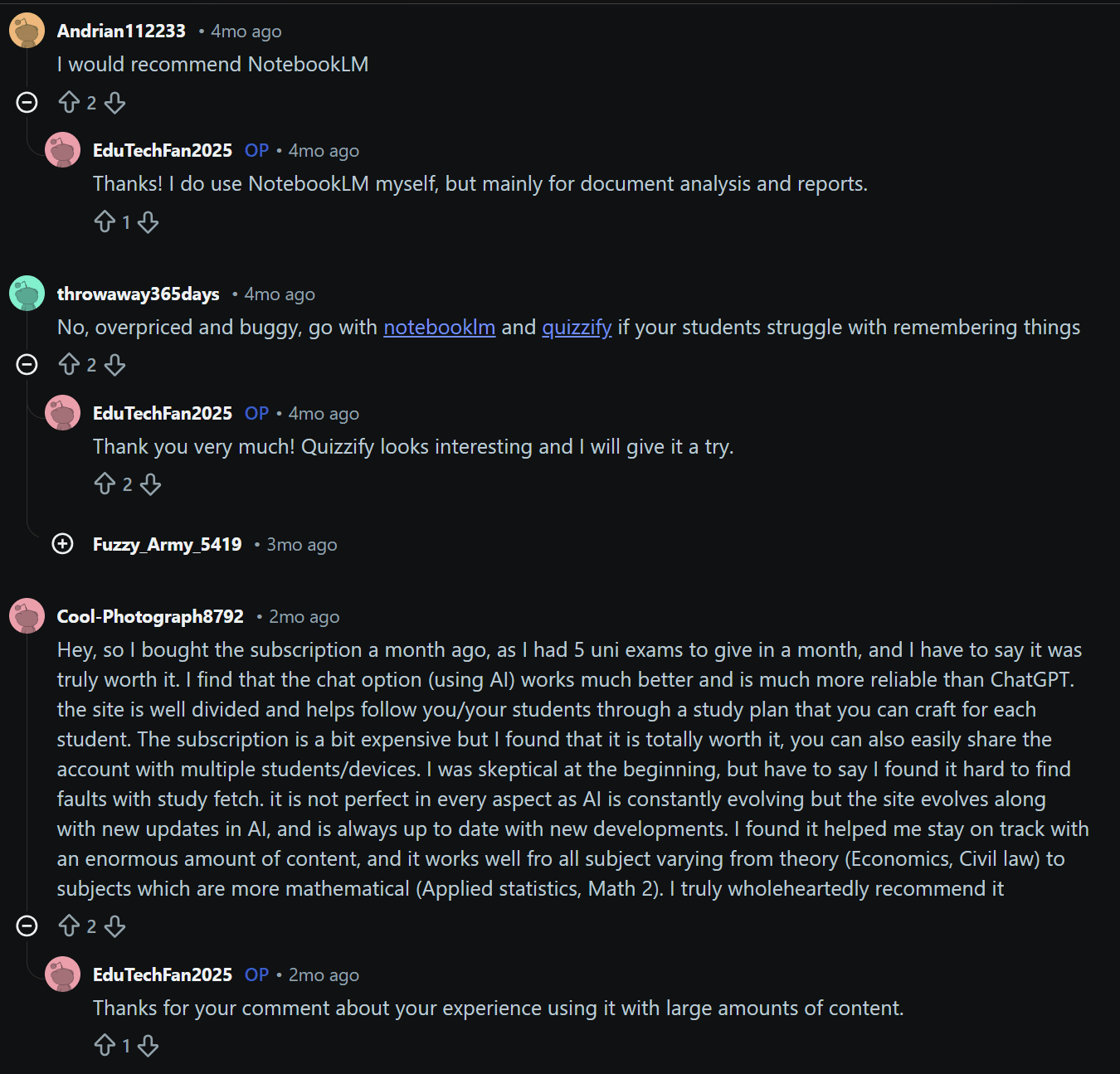
The first commenter simply recommends NotebookLM. The second says that StudyFetch is not worth it, calling it “overpriced and buggy.” He also suggests NotebookLM or Quizzify as possible alternatives if students struggle with remembering things.
Then cool-Photograph8792 said they bought the subscription a month ago as they had 5 uni exams in quick succession. They go on to say “it was truly worth it,” highlighting the chat option as a “much more reliable” alternative to ChatGPT. They caveat this by saying the subscription is “a bit expensive” and they were “skeptical at the beginning,” but they found it “hard to find faults with study fetch.” Their comment finishes with a wholehearted recommendation.
Another Reddit user posted their review of StudyFetch for other people to see.
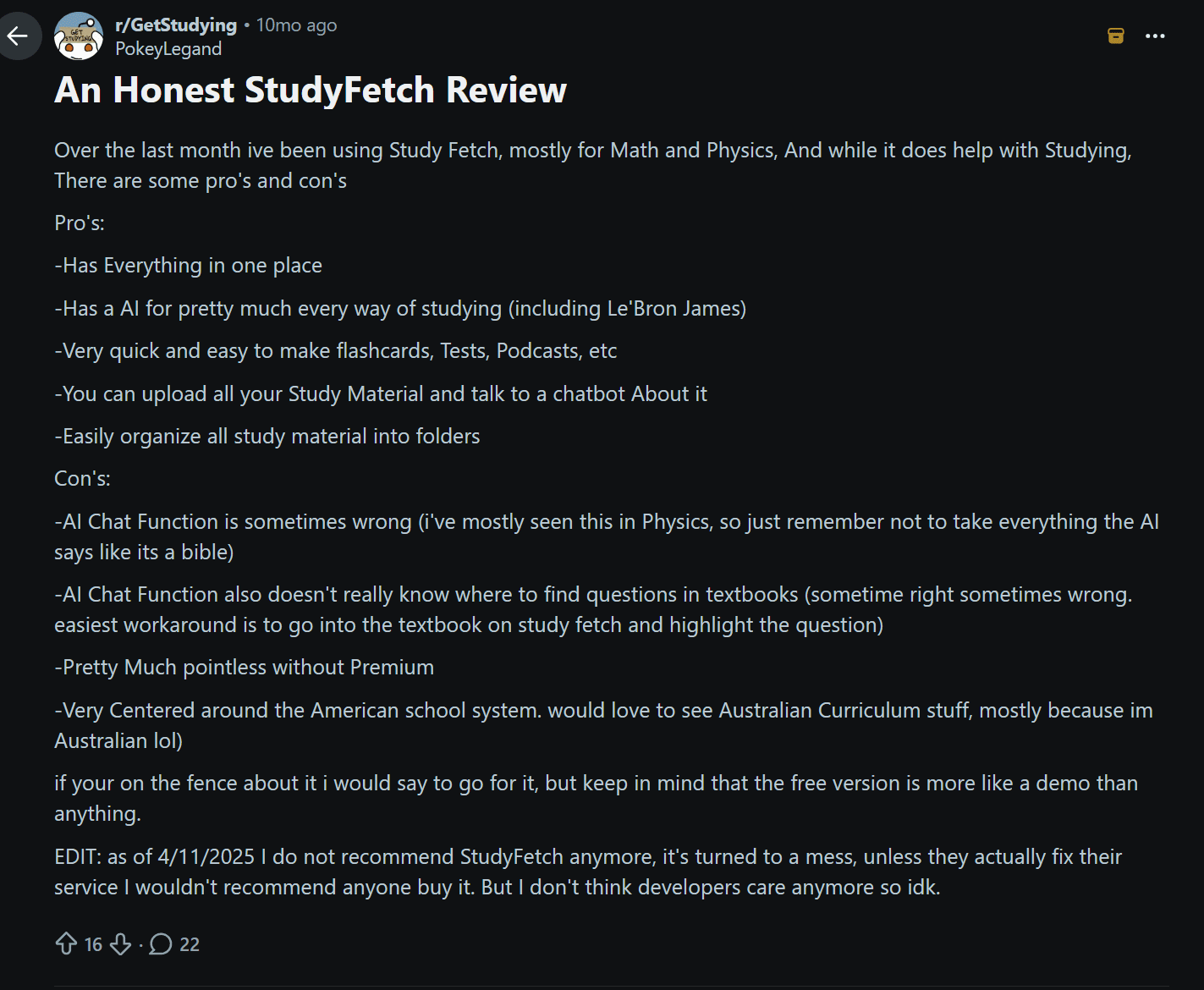
The user, PokeyLegand, used StudyFetch for Maths and Physics and listed out some pros and cons. Most notably, he likes how it has everything in one place, it’s very quick and easy to make flashcards, tests, podcasts, and more, and you can upload all your Study Material and talk to a chatbot about it.
The downsides are that the AI chat is sometimes wrong and sometimes doesn’t know where to find questions in the textbook. He calls it “pretty pointless without Premium” and suggests it’s “very centered around the American school system.” As he’s Australian, he would’ve liked to see some more compatibility for his curriculum.
He ends the review by saying, “If you’re on the fence about it, I would say for it, but keep in mind that the free version is more like a demo.”
Interestingly though, he made an edit on the 4th November, 2025, where he said: “I do not recommend StudyFetch anymore.” He suggests the developers don’t care about it anymore and that it’s turned into a mess.
There were a few comments that agreed with his initial review (prior to the edit), and others that thanked him as they were on the fence. And then there were two comments that explicitly advised against subscribing to StudyFetch.


Both users claimed to have been billed when they shouldn’t have been, one of them even claiming that StudyFetch billed them for 3 months when they’d only used it for 1, then refused to refund because there was nothing wrong with the actual app.
These bad practices aren’t one-off reports for StudyFetch unfortunately.
What Do Other Third-Party Platform Reviewers Say About StudyFetch?
I tried to find StudyFetch on all the regular third-party review platforms, but it’s not on most of them. On ProductHunt, G2, and Capterra, it came up empty. However, there are 255 reviews on TrustPilot, averaging at a fairly decent 4.1/5. There are also 13 reviews on JustUseApp, 6 of which are 1/5 and another 6 are 5/5 with the tie breaker being a 2/5 review.
Let’s start with a brief overview of the JustUseApp reviews.
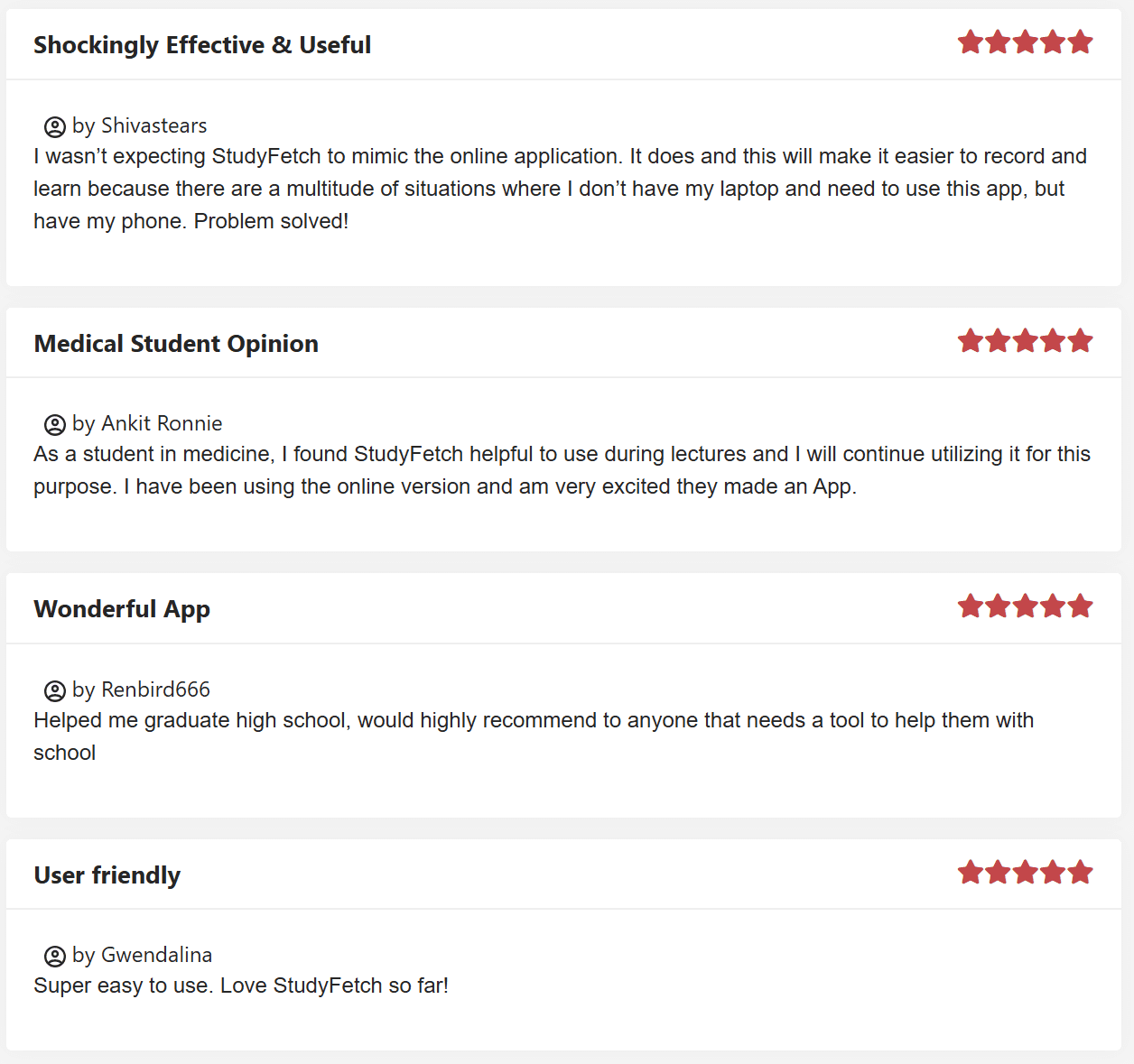
Starting with the positives, we have a medical student here who found it useful to use during lectures and will continue utilizing it for that exact purpose. They’re also excited for the app.
Another user said it “helped me graduate high school” while another said it was “super easy to use.”
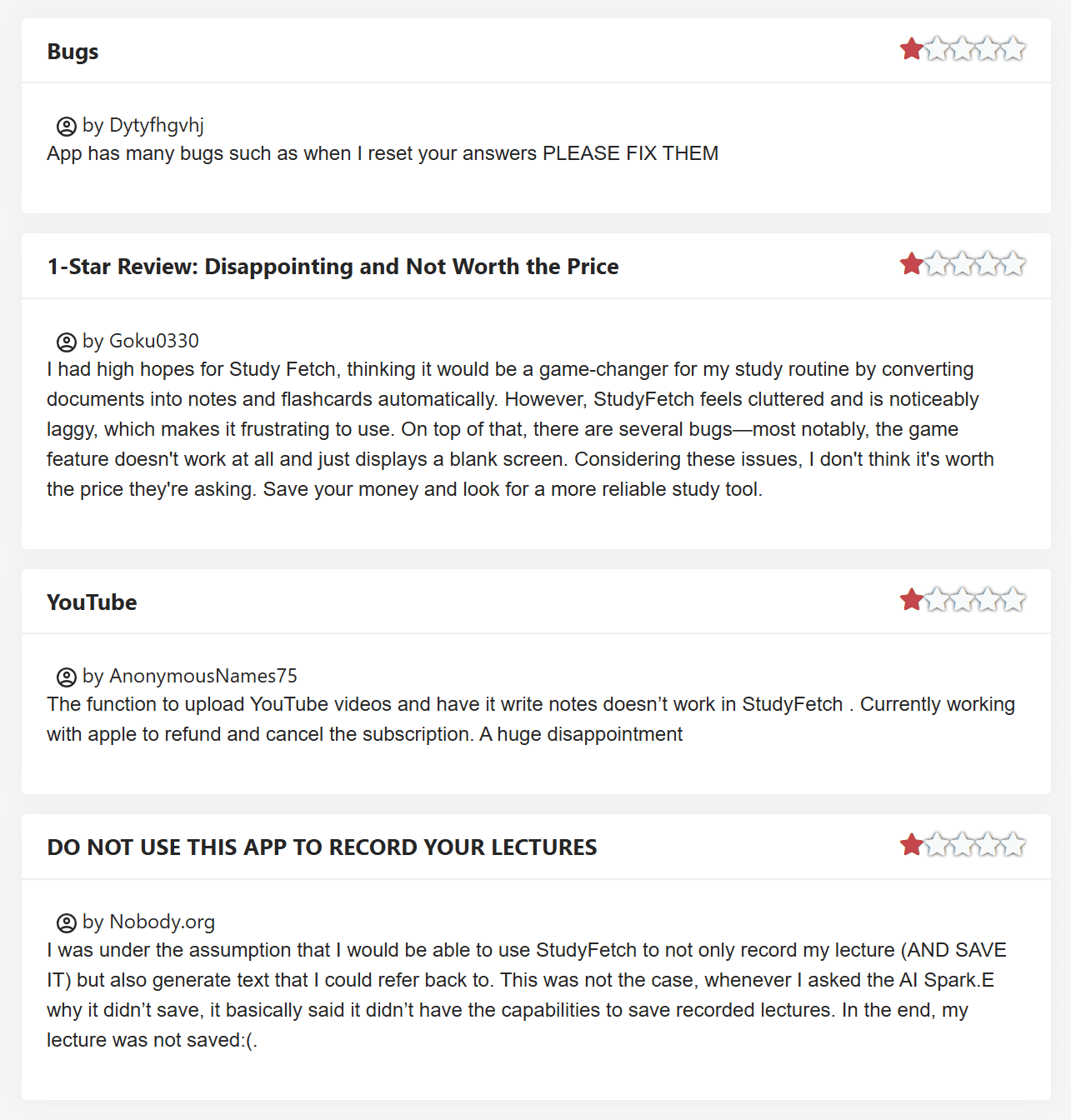
At the other end of the spectrum, there are users saying StudyFetch has too many bugs or that certain functions, like the upload YouTube video feature, simply don’t work.
One user had “high hopes” but they were shattered when he noticed that StudyFetch was “laggy” and had “several bugs.” He highlights one bug in particular: the game feature, which “just displays a blank screen.”
Another user struggled to get it to save lectures, which was the primary reason he needed it in the first place.
Over on TrustPilot, it had 13 reviews in March 2026 alone, and all 13 of them have been 5 stars. This shows that the most up-to-date reviews are highly positive.
Quite a few reviewers highlight that it takes a long time to load things. Other reviewers suggest it’s a good platform, but would recommend against using it for maths. Some reviewers are just there to share the love: “Amazing for making quizzes.”
StudyFetch Pricing: How Much Does StudyFetch Cost in 2026?
If you’re paying in one lump sum, the annual price for StudyFetch is $96. That works out to $8 per month. However, if you just want a monthly subscription, it’s $19 per month, which is a substantial difference.
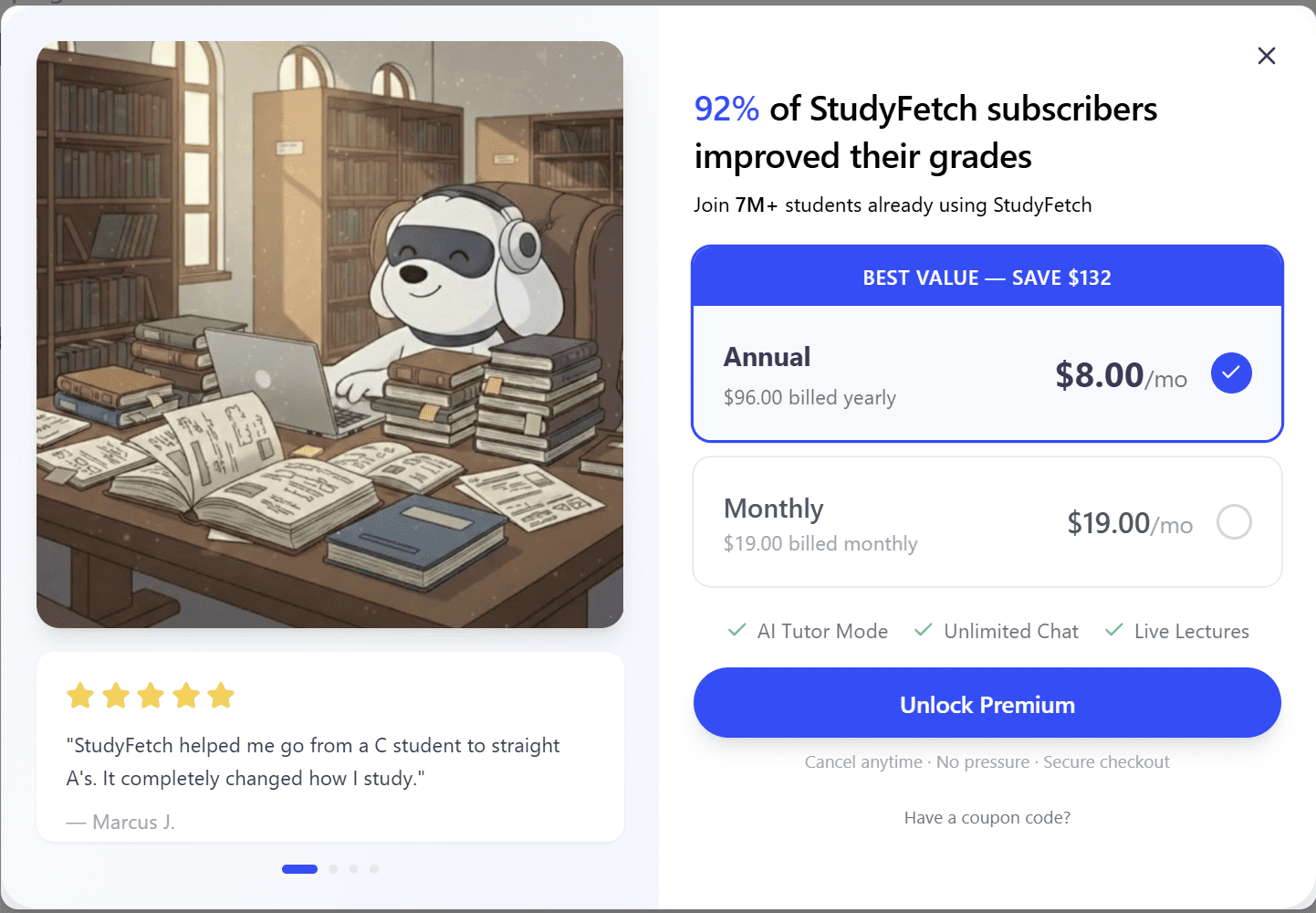
Now here’s the thing: it doesn’t really explain what you’re getting for that price. There’s no pricing page on StudyFetch’s website, which makes it difficult, if not impossible, to compare the free version to the paid version.
From my experience and various user reviews, the free version allows you to try all the features once or twice. It’s enough to give you a glimpse, but not enough to genuinely revise. Having said that, there are also caps within the features. So, for instance, when I created a quiz with 40 questions, I was only allowed to actually answer 10 of them before I was prompted to upgrade.
With the paid plans, there are no tiers. You’re simply paying to unlock unlimited usage of all the features.
This is a little steep for students, especially on the monthly plan, which only takes 5 months to cost the same amount as the entire annual subscription. Personally, I won’t be signing up as it doesn’t quite work for my needs. I can definitely see the value however, and would recommend you to try it out before making your own decision.
StudyFetch Alternatives: Which Tool is Best for Revision in 2026?
In 2026, there are so many AI study tools to choose from that it can feel overwhelming. StudyFetch has a great social media presence, but that alone isn’t enough for anyone to buy it outright. The free version offers enough for a good test, but not enough to actually practice something to the point of learning it fully.
So which tools are actually worth checking out? That depends on what it is you need it to do.
I’ve brought together the best AI study apps in 2026. I’ve also included tl;dv so you can understand how AI meeting intelligence differs from pure revision generators.
| Tool | Core Idea | Best For | Outputs | Interaction Level | Strength | Weakness | Learning Stage |
|---|---|---|---|---|---|---|---|
| StudyFetch | All-in-one study platform | Exam prep across most subjects | Notes, flashcards, quizzes, podcasts, tutor sessions | Very High | Comprehensive toolkit from your own materials | Single language only, billing issues | Memorization & understanding |
| Turbo AI | Active recall generator | Exams and memorization | Notes, flashcards, quizzes, podcasts | High | Turns content into revision materials | Accuracy varies | Memorization |
| Coconote | Lecture summarizer | University lectures | Notes, quizzes, flashcards, games | Low | Clean, structured notes | Passive learning | Understanding |
| Memrizz | Memory-first learning | Language & fact heavy subjects | Flashcards, spaced repetition | Very High | Retention focused | Weak note capture | Long-term retention |
| Raena AI | Personal AI tutor | Complex subjects | Explanations, guided learning | Very High | Explains ideas | Less automation | Concept mastery |
| Feynman AI | Learn by teaching | Deep understanding | Simplified explanations | High | Clarifies confusion | Not a note system | Understanding |
| RemNote | Knowledge system | Serious students | Linked notes + spaced repetition | Very High | Second brain + memory | Setup time | Mastery |
| tl;dv | Meeting intelligence | Calls & team discussions | Transcripts, summaries, action items | Medium | Collaboration & search | Not for studying | Collaboration |
Full disclosure, as of March 2026, I have personally tried StudyFetch, Coconote, and Turbo AI. However, I will be checking the rest out over the next few months.
Most of them have free trials or plans so you can test them out for yourself before deciding. A few of them don’t have the capacity for audio recording, while others have a very niche focus, so just double check it can do what you need it to.
StudyFetch Alternatives: Summary
- Best all-rounder: StudyFetch
- Best for lazy note capture: Coconote
- Best for long-term memory: Memrizz or RemNote
- Best for hard subjects: Raena or Feynman
- Best for language learning: Memrizz
- Best for work meetings: tl;dv
Is StudyFetch Worth Your Money in 2026?
This really depends on what you need it for exactly. If you’re wanting to learn a language, then I’d say no. It has potential, and it can help with certain parts, but it’s not a comprehensive language learning platform.
If, however, you want to revise for an exam at school or college, then StudyFetch could very well be useful. Its chat feature is thorough, its TutorMe feature is impressive when you’re learning a topic in a single language, and its flashcards and quizzes are the best I’ve tried so far.
The best thing you can do is get the free version, upload some of the things you’re struggling with, and use the free features wisely to see how much it helps you. It really is one of those that you need to trial out to see if it works for you and your way of learning.
FAQs About StudyFetch in 2026
What is StudyFetch?
StudyFetch is an AI-powered study platform that transforms your uploaded course materials (including PDFs, PowerPoint slides, YouTube videos, and audio recordings) into personalized study tools like flashcards, quizzes, notes, and tutor sessions. Its central AI tutor is a white dog named Spark.E.
Is StudyFetch free?
StudyFetch has a free plan, though its limitations are frustratingly vague. In practice, you can upload several files, record lessons, and create study materials before hitting any paywalls.
The Premium plan costs $8 per month, totalling at $96 when billed annually, or $19 if you want to pay month-by-month.
Is StudyFetch worth it?
For most students studying single-subject, single-language material, StudyFetch is one of the better AI revision tools available in 2026. However, if you’re a language learner, studying maths, or on Android, you may find its limitations outweigh its strengths.
The billing and cancellation complaints across multiple review platforms are also worth factoring into your decision before subscribing.
Is StudyFetch good for language learning?
Not particularly, at least not yet. StudyFetch requires you to pre-select a single language for transcription and flashcard creation, which makes it difficult to practice bilingual vocabulary or record lessons where two languages are spoken. Its audio detection also struggles to identify non-English speech accurately.
Can StudyFetch record lectures?
Yes, via its LiveLecture feature. However, it only recognizes a single speaker, so if your lecture involves back-and-forth dialogue or multiple speakers, the transcript will be inaccurate. You also need to pre-select the language before recording or the transcript may come out as gibberish.
What file types does StudyFetch support?
StudyFetch accepts a wide range of formats including PDF, DOC, PPT, TXT, PNG, JPEG, MP3, MP4, YouTube videos, and Google Docs, making it compatible with most types of course material.
What is Spark.E?
Spark.E is StudyFetch’s AI tutor, represented as a white dog mascot. It’s context-aware, meaning it draws answers from your specific uploaded materials rather than general internet knowledge. It can communicate via text or voice, though its voice detection has notable accuracy issues, particularly with non-English languages.
How does StudyFetch compare to ChatGPT?
While you could theoretically upload your materials to ChatGPT and ask similar questions, StudyFetch bundles everything into a single dashboard — flashcards, quizzes, notes, tutor sessions, and more — all pre-built from your materials. For students who want everything in one place without manual prompting, StudyFetch offers a more streamlined experience.
How does StudyFetch compare to NotebookLM?
NotebookLM is frequently recommended as a free alternative, particularly by Reddit users. NotebookLM excels at summarizing and discussing uploaded documents but lacks the (dedicated revision tools flashcards, quizzes, spaced repetition) that StudyFetch offers.
If you mainly want to chat about your materials, NotebookLM is a strong free option. If you want a full exam prep toolkit, StudyFetch has the edge.
Is StudyFetch good for maths?
Based on user reviews, StudyFetch is not particularly well suited to complex maths. Several users recommend avoiding it for heavily numerical subjects, as the AI can struggle with equations and problem-solving style questions.
Does StudyFetch have an app?
Yes, StudyFetch has both iOS and Android apps. However, the Android app has been reported as noticeably buggier than the iOS version, with issues including study sets not saving and chat history wiping after logout. The desktop version is generally the most stable.
Can I cancel StudyFetch easily?
This is one of the most consistent complaints about StudyFetch across Trustpilot and Reddit. Multiple users report being charged after canceling, sometimes for several months. If you sign up for a trial or paid plan, set a calendar reminder well in advance of your renewal date and confirm cancellation carefully.