Skip to content







TL;DR: Is Vomo AI Worth Your Time and Money?
Vomo AI is an incredibly limited AI meeting assistant. It records device audio so you can use it for any virtual meeting you have without needing an integration or bot to join the call. However, it only generates transcripts, summaries, and basic notes. Also, it’s only compatible with iOS on mobile.
You can ask its AI questions about individual meetings (but not groups of meetings, like you can with tl;dv’s multi-meeting intelligence, for example). However, Vomo AI’s answers tend to be quite vague unless your prompt is extremely detailed.
Finally, Vomo AI’s free plan is abysmal. You get 30 minutes of audio recording. It will provide you with a summary and basic notes, you’ll have access to a transcript and audio recording (but no timestamps), and it won’t recognize who said what. Essentially, you get one attempt at using it and then you have to pay. There are countless platforms that offer stronger (or even unlimited) transcripts, clearer notes, and way more functionality for free. It leaves me with one mind-boggling question: why would anyone pay for Vomo?
Best for: users that need a simple notetaker without any other features, particularly those who often change languages mid-call.
Not great for: those who need more advanced features like integrations, CRM syncs, multi-meeting intelligence, timestamps, clips, reels, thorough AI chatbots, or good free plans.
The verdict: Vomo is not a bad tool, but its functionality is limited and its free plan is incredibly weak. The vast majority of users will find more value for money elsewhere.
Let’s dive in. If you’d rather, you can jump straight to the pricing to find out how much Vomo costs.
AI meeting assistants have exploded in popularity as teams and individuals look to cut through endless transcription, summarization and follow-up work. Among the contenders, Vomo AI has carved out a niche as a straightforward, affordable tool for turning spoken conversations into usable text and insights. In 2026, Vomo appeals especially to freelancers, small teams, students and solo professionals who want clean transcripts and quick summaries without wading through complex enterprise dashboards or pricey plans.
But simplicity is a double-edged sword: while Vomo’s core functions are capable and fast, comparisons with more business-oriented platforms reveal areas where it’s deliberately less ambitious. In this review, I’ll unpack what Vomo AI actually does, what it doesn’t do, and when it’s worth considering over competitors. I’ll also cover my own personal experience using the tool’s free plan as well as synthesize reviews from real, everyday users.
Quick disclaimer: I am a writer for tl;dv, which inevitably comes with a pinch of bias. On one hand, it shows I know what I’m talking about as I’ve been testing AI meeting assistants and writing reviews of them for years. On the other hand, tl;dv is a Vomo competitor. I try not to let this get in the way of my experience with the tool. I’m going into it, trying to find out whether I’d actually use it for my own personal or work life. If Vomo AI stands out, I’m going to tell you about it. If it’s not worth your time, I’ll tell you that too. No nonsense here. Just a straight-talking review.
One last thing: for mobile users, Vomo is iOS-only. If you’re looking for Vomo AI Android support, I’ll stop you right here. It doesn’t exist.
With that out the way, let’s get started.
What Is Vomo AI?
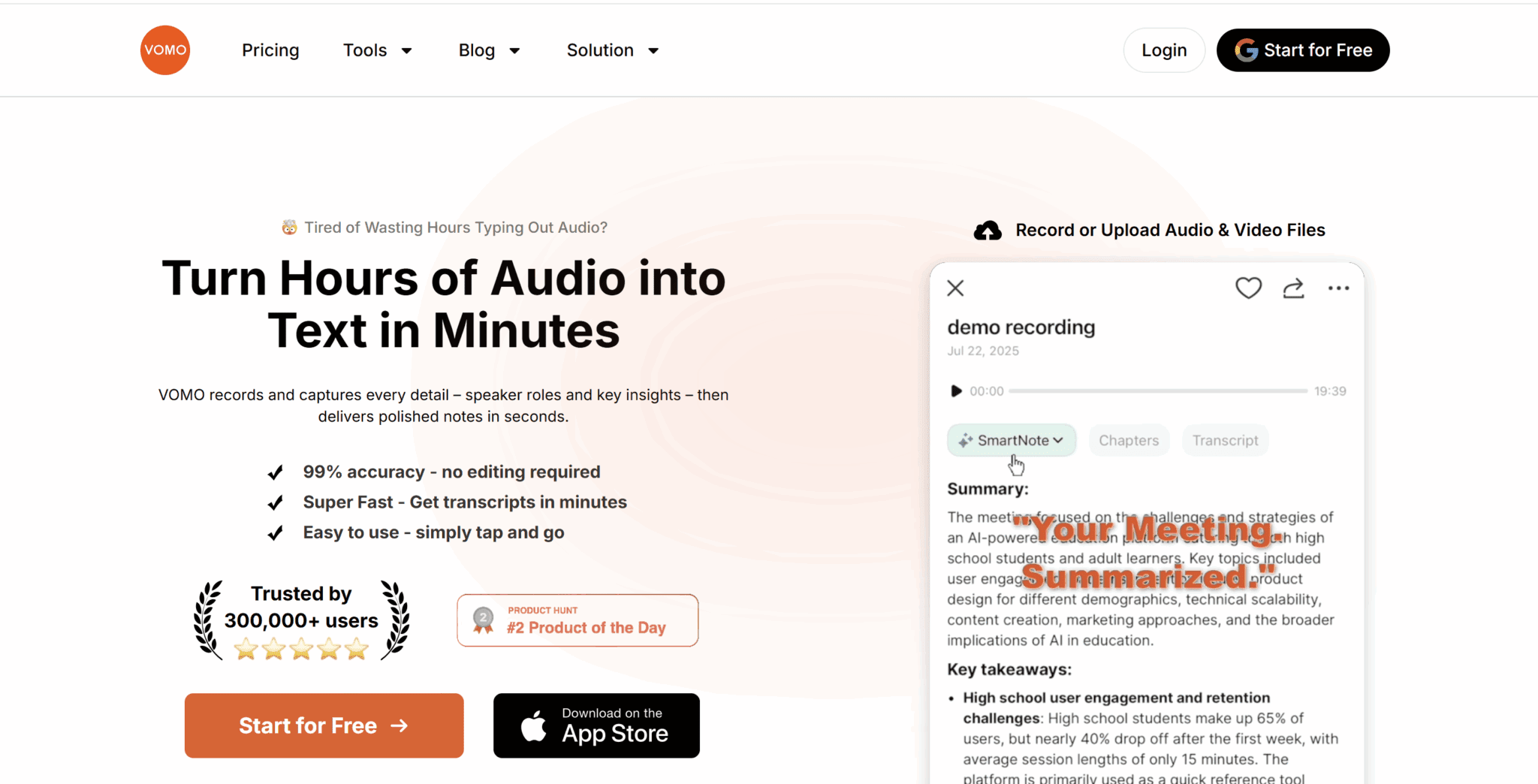
Vomo AI is an AI-powered meeting transcription and summarization tool that turns audio from live meetings, uploads, or video links into searchable text. It creates structured notes and concise summaries that make it easy for you to locate important information. It aims to automate the boring parts of meetings so users can focus on discussion, decision-making and next steps.
At its core, Vomo AI captures conversations and produces transcripts with automatic speaker identification, often reporting high accuracy when audio quality is clear. It then uses AI to generate smart notes that highlight key points, decisions, action items and takeaways, helping teams review outcomes quickly without sifting through hours of text.
Once processing is complete, transcripts and summaries can be organized in folders, searched, and shared with others. This can be done through links, exports, or simple copy–paste workflows. The “Ask AI” feature lets you query your transcript conversationally, for example asking for recaps of decisions or a list of action items.
Vomo’s pricing is competitive: a free plan with limited free transcription minutes, plus a Pro subscription that removes limits and unlocks unlimited transcription and advanced features. However, many of Vomo’s alternatives provide unlimited transcriptions for free, and then offer advanced AI features, like multi-meeting memory or automatic CRM sync, in the paid plans.
What Are Vomo AI’s Key Benefits in 2026?
Vomo AI’s core appeal lies in transforming audio content into actionable text and insights, saving time and elevating clarity across workflows. Here are some of its best features:
Fast, Accurate Transcription
Vomo uses advanced AI models to convert speech into text quickly and with high precision, including automatic speaker identification. It’s ideal for multi-person meetings or interviews.
AI-Generated Summaries & Notes
Rather than just raw transcripts, Vomo produces smart summaries highlighting key points, decisions and action items. These structured outputs make post-discussion follow-up far more efficient.
“Ask AI” Interactive Insights
You can query your transcriptions conversationally. For example, you can ask for a list of tasks, clarification on decisions, or a concise recap, turning static text into a dynamic resource.
Multilingual Support
With support for 50+ languages, Vomo AI accommodates global teams and multicultural discussions without struggling with accents or language barriers.
Versatile Input & Use Cases
Record live meetings, upload audio/video files, or even process YouTube links to generate searchable text and summaries. By doing this, Vomo becomes useful beyond corporate calls, branching into education, content creation, research, and more.
Organized, Searchable Library
Transcripts and summaries are stored in an organized system that you can search and manage, turning meeting history into a “second brain” you can revisit anytime.
Productivity Boost
By automating note-taking, summarization and action item extraction, Vomo lets participants focus fully on engagement. This frees them from manual typing and increases team focus and effectiveness.
What Are Vomo AI’s Biggest Drawbacks in 2026?
While Vomo AI scores well for simplicity and core meeting automation, there are several limitations and user frustrations worth calling out:
Platform Limitations & Export Friction
One of the most common complaints is its limited platform support. Users note there’s no native Android app (just a web version) and some features feel clunky for non-iOS use. Exporting transcripts isn’t always straightforward either, and many resort to copying and pasting, which is slow and tedious.
No Real-Time Transcript Feedback
Unlike some competitors, Vomo AI doesn’t show live transcriptions while recording. You have to finish the recording before seeing the text. That can be especially frustrating for long sessions like lectures or detailed planning meetings where you want to spot errors or annotate on the fly.
Search & Navigation Issues
Users report that the search functionality within long transcripts sometimes works poorly, returning incomplete or incorrect results. This can slow you down when reviewing past meetings.
Limited Note Customization
Some reviewers point out that once Vomo AI generates summaries, the notes are fairly static and lack rich editing tools (e.g., hierarchical headings or deep formatting), meaning you may still need to manually refine them elsewhere.
AI Output Can Be Generic
Because Vomo focuses on broad transcription and summarization, the AI summaries and recommendations can feel surface-level or generic, especially compared with tools designed for specific workflows (e.g., academic note-taking or enterprise project tracking).
Paywall Pushiness
Some users mention that the app recommends upgrading frequently, which can feel “pushy” when exploring features without subscribing. I experienced this first-hand immediately. I’d only had an account for two seconds when they tried to get me to upgrade. I hadn’t even seen what was available on my current tier yet. Chill out, Vomo.
Dependence on Connectivity & Clarity
Like most cloud AI tools, Vomo AI needs a reliable internet connection for its advanced features. Audio quality (background noise, overlaps) can reduce transcription clarity and summarization accuracy.
Honest Review: How Did I Find Vomo AI After Testing the Free Plan?
To really do Vomo AI justice, I wanted to try it for myself. While I’d love to tell you it was simple to get started, that wasn’t quite the case. All I did was click the “Start for Free” button at the top right of Vomo’s homepage, and somehow it took me to Vomo’s WordPress site (wp-admin).
Fortunately for Vomo, I didn’t appear to actually have any control over the site. I’m assuming it was just some kind of bug, but it happened two or three times when trying to sign up. A week later, I created a new account from a different browser with a different email address (I’ll explain why shortly). This also took me to their WordPress.
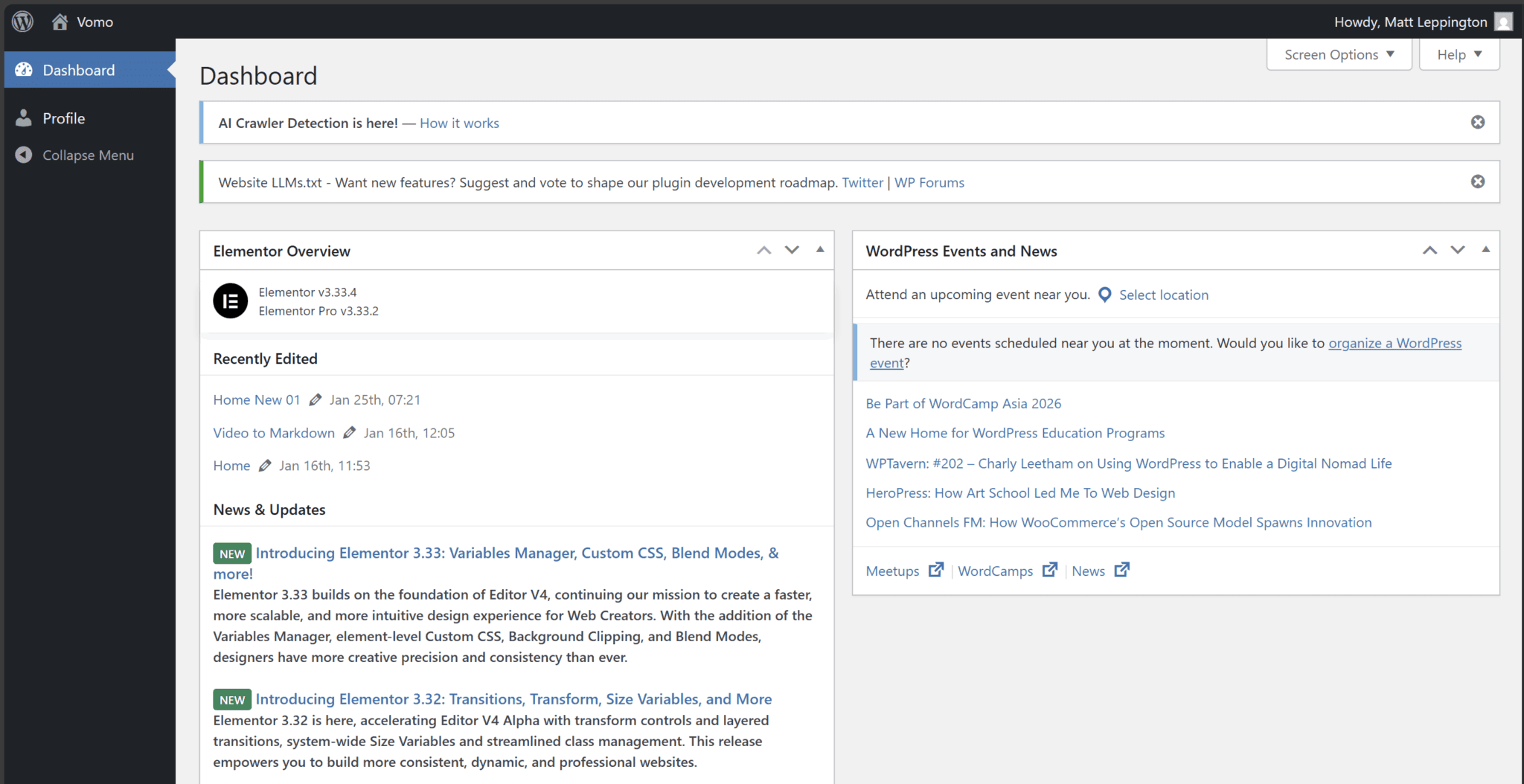
After a few attempts, it finally took me to the right page. The onboarding was swift from here on out. Just a few clicks and you’re away. They don’t try to get your credit card details just to access the free plan, which is always a relief. There’s a simple pricing page that lets you know what to expect (unlike some Vomo AI competitors, cough cough Coconote cough).
They do, however, immediately push an upsell.
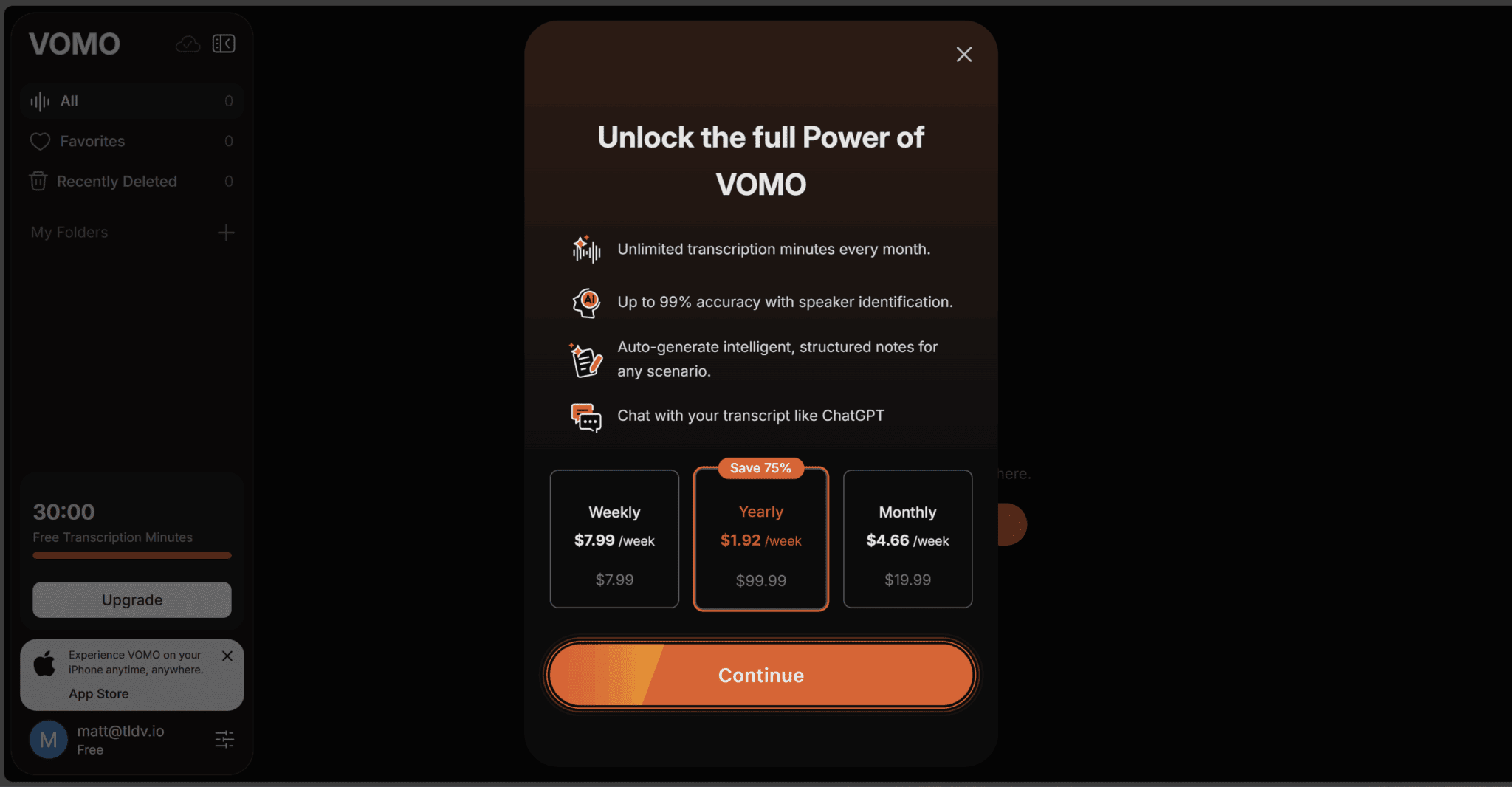
I hadn’t even seen any of Vomo’s “power” when I was told to “Unlock the full Power of VOMO.” I politely declined and continued with the free version. Unfortunately for me, and anyone else that wants to try Vomo out thoroughly, you only get 30 minutes of transcription. There’s a little confusion over whether that’s 30 minutes of transcription time or 30 minutes of storage.
However, after trying to record multiple meetings, I can confirm that you’re basically limited to a single meeting on the free tier. Underwhelming is an understatement.
After my first call (a family catch-up), I realized I was no longer able to use Vomo AI unless I paid. To counter this, I set up another account using a different email address and used it again for a Russian language lesson. I then tried to use it for a third call and it appeared to work, only to tell me I needed to upgrade to be able to access the notes.
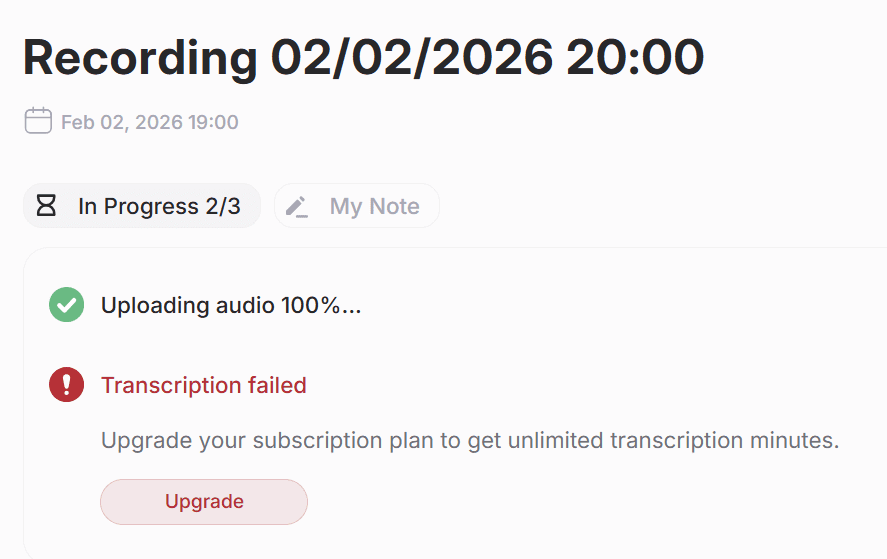
Weirdly enough, the first time I ran out of minutes, it wouldn’t let me even start a second recording. But on my second account, I was able to start a second recording, just not actually listen to the audio or review the transcript.
So I have a whopping two transcriptions to base my section of this review on. It just makes me wonder: why would anybody pay for Vomo when there are so many options that offer unlimited free transcriptions and summaries? Even if you were looking for a bot-free meeting experience, tools like Granola, Tactiq, and even Jamie have better free plans than Vomo, as well as better supporting features.
How Easy Is It To Use Vomo AI?
One of the positives about Vomo AI is that it’s super easy to use. The navigation is all simple. In fact, it’s almost too simple. You have a tab for “All” where your recordings and notes are stored, then under that you have “Favorites” and below that “Recently Deleted.” That’s it.
There’s a “New Note” option at the top to get it to start recording, and there’s also a big plus symbol on the left for if you wanted to create folders for better organization. However, with my one measly recording, folders weren’t exactly a necessity. I did create one though just to try it and it works fine. To move the meeting to the new folder, you just need to select the meeting you want and then click the “…” in the top right corner and go to “Move.”
It starts automatically in dark mode, but there is an option to switch to light mode if you prefer. You can also select your language preferences, or leave it on “auto-detect” which is what I did.
One thing that could be more intuitive is the transcript. Most AI meeting assistants use timestamps here so you can click on the time of something from the transcript, and it’ll automatically take you to that time of the audio (or video). Vomo AI doesn’t have this basic feature. That means if you find a part of the transcript that you want to relisten to, you’ll need to manually drag the slider through the entire length of the meeting and try to stop it at the part you want. It sounds easy, but it’s just so much easier to jump straight to the exact moment in an instant. It’s also such a common, simple feature that I was quite surprised it wasn’t there.
How Useful Are Vomo AI’s Transcripts?
Vomo AI pretty much only does one thing: transcribes and turns that transcript into notes. So I’d expect it to excel at that single offering for me to bother forking out any money for it, especially given the fact there are countless alternatives to Vomo that have a lot more functionality.
However, Vomo AI’s transcripts are nothing to call home about. They’re not terrible. As Dani would say, they’re just sort of meh
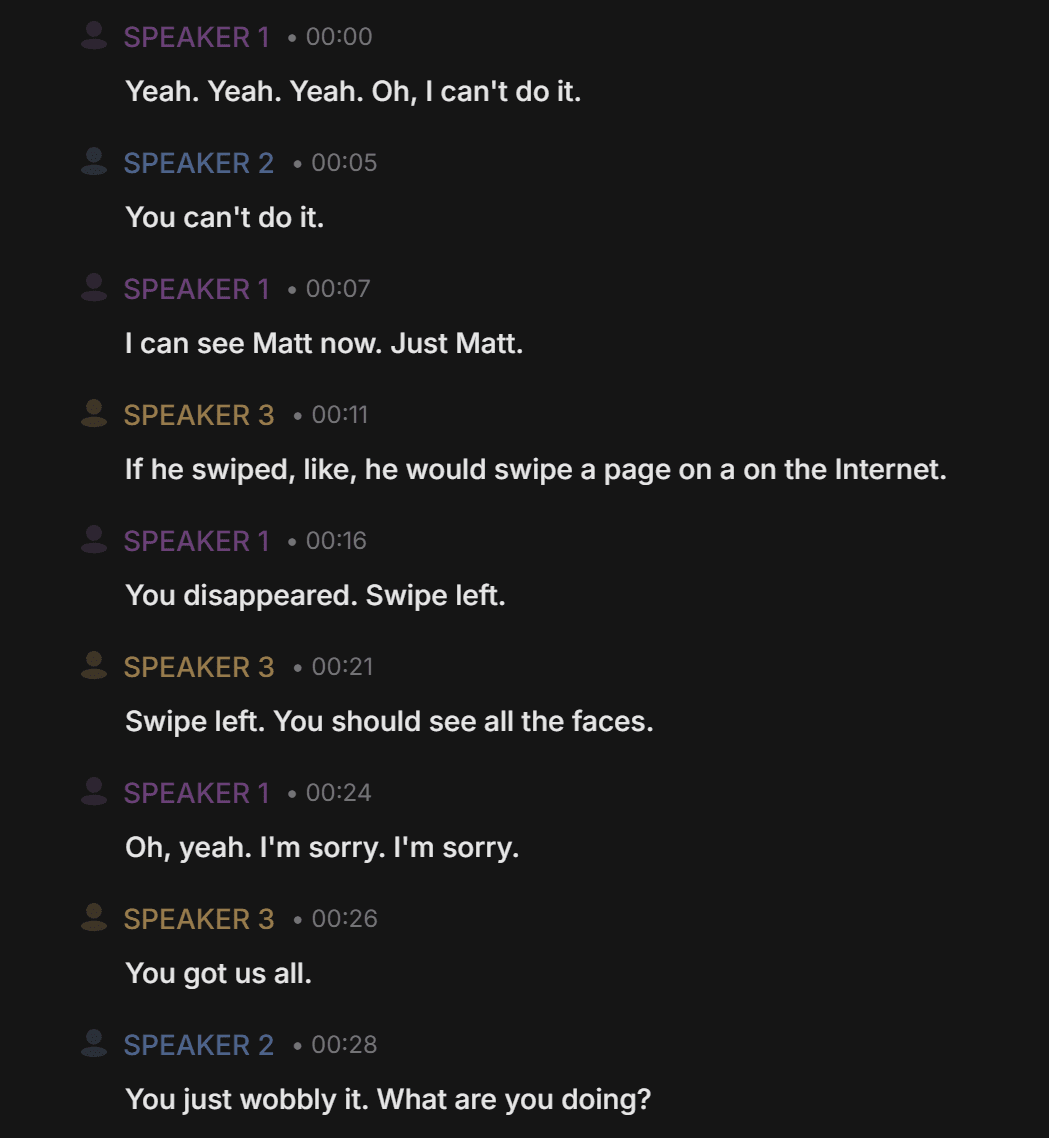
As you can see from the screenshot, the critical thing here is that it doesn’t tell you who the speakers are. This is because Vomo records device audio rather than joins your calls, so it doesn’t receive the meta data that says who each participant is. This can be resolved by renaming the speaker manually (click on the speaker you wish to rename once).
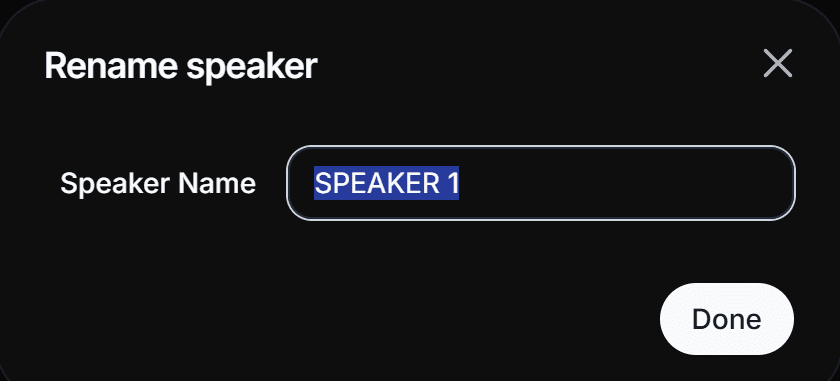
For a two or three person meeting, this is fine. It’s not as seamless as other tools, but it works. However, if you’re transcribing a much larger meeting with many different speakers, this can quickly become a chore.
As for the actual transcription itself, some of the words are misattributed, but overall it does a fairly good job. It got the conversation pretty accurately and for the most part it had the speakers right too.
How Good Are Vomo AI’s Notes and Summaries?
Vomo AI’s notes were clear and accurate. They didn’t blow me away, but they did the job well enough.
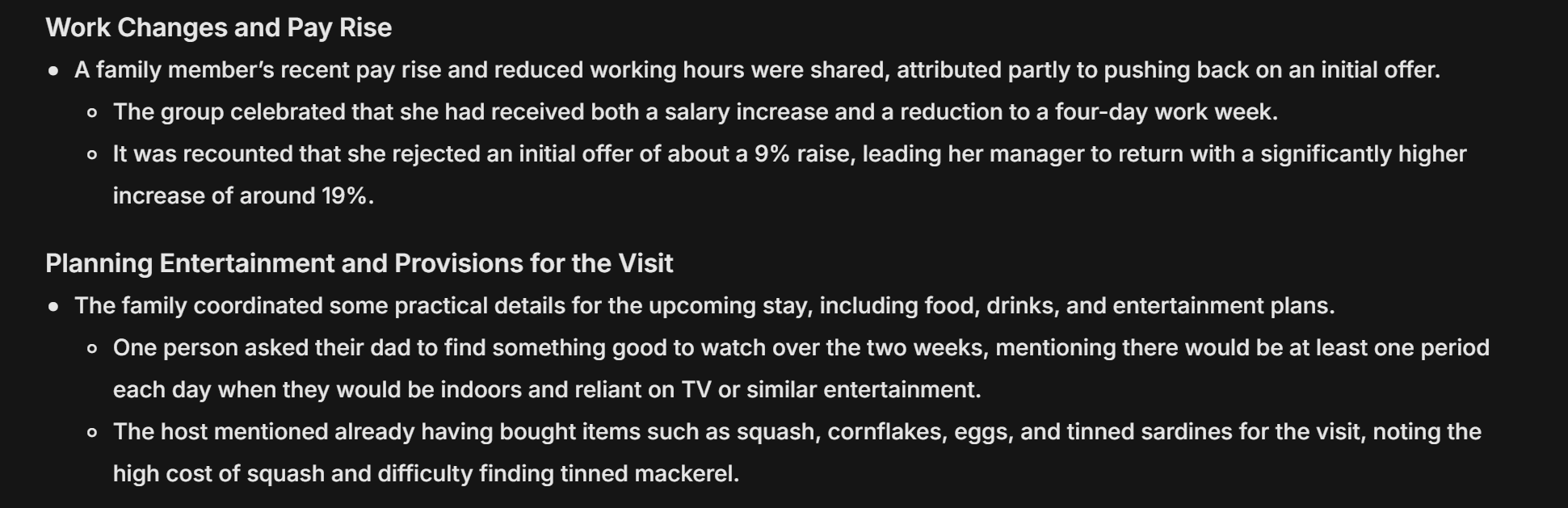
The screenshot above reveals what Vomo AI’s summaries are like. They break the conversation down into categories and then leave bullet points for each one. They can be quite helpful, though there are a few problems.
Firstly, there is no speaker identification so the whole summary is “a family member” did this, or “one person” did that. This isn’t particularly useful when trying to find actionable next steps.
Secondly, it’s clear from the first category in the screenshot that the AI didn’t quite understand the nuances of the conversation. What really happened was “the family member” received a raise offer of 19% but she initially misheard it and thought it was 9%. She then pushed back on the offer, leading her to get an even higher raise and a reduction to a four-day work week.
Instead, Vomo claimed: “It was recounted that she rejected an initial offer of about a 9% raise, leading her manager to return with a significantly higher increase of around 19%.” The humor was that if she’d have understood 19% at the time, she’d probably just have taken that instead of pushing for a 4-day work week. It might only be a slight difference, but this went straight over Vomo AI’s digital head.
After reviewing the transcript to find out where this went wrong, I found that “shit hearing” had been misinterpreted as “shit here” and that one mistake altered the entire context of what the AI understood. Ironically, AI misheard the part about the “family member” mishearing.
If this were a more important discussion, those critical details would be vital for understanding what happened in meeting reviews, especially for people who weren’t present and were just skimming Vomo’s summary to get caught up.
How Are Vomo AI’s Multilingual Transcripts and Notes?
For my second test of Vomo AI, I recorded a Preply lesson where I was learning Russian. I wanted to see how it would deal with multiple languages, and whether it would be useful to me as a revision aid.
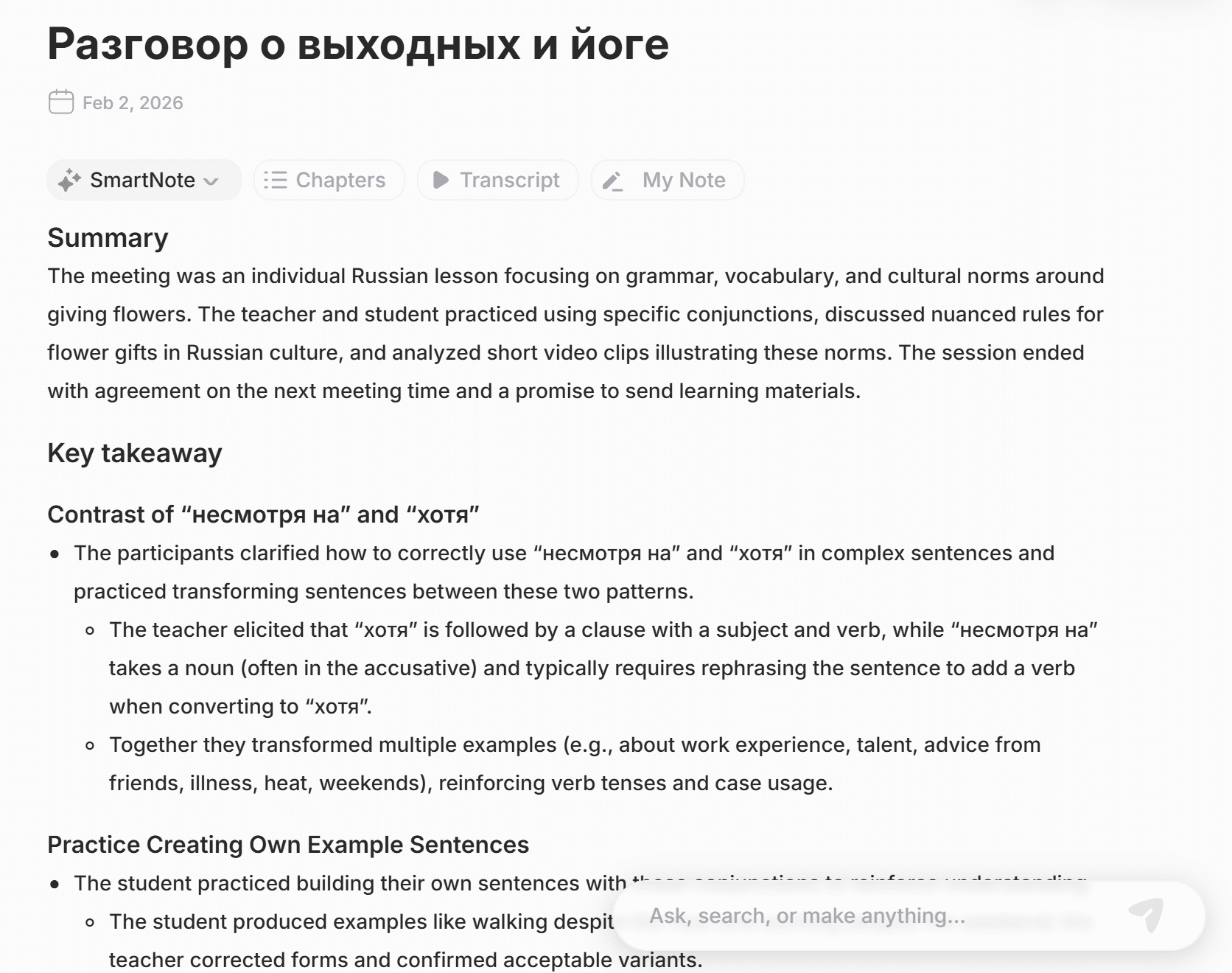
Here, Vomo AI stands above at least some of its competitors. The fact it can detect multiple languages in a single call without the user needing to pre-configure which languages are being spoken is a huge benefit that surprised me. While this is clearly useful for language lessons, it’s also great for multilingual teams who often switch between different languages.
The title of the summary is in Russian. More or less, it translates to: A conversation about weekends and yoga.
I have to admit that’s a strange title and appears to be based on the first five minutes of our conversation, where we have a general catch up. My Russian teacher usually asks me what I did on the weekend and I respond. If this were a business call, it’d be the equivalent of calling it a conversation about the weather, and completely ignoring the actual important context of the call.
Having said that, the summary is accurate, and the key takeaways are also quite useful. I particularly like how it discusses the conversation in English, but isn’t afraid to use Russian vocabulary in the summary. This shows a level of understanding that I am a student, learning a language in this call. It’s helpful, and some notetakers fail this simple task, so props to Vomo AI for that.
Is Vomo AI’s Chatbot Useful?
To try and get more out of Vomo AI, I asked its AI a few questions to see what kind of output it would produce. First, I asked, “What were the three main things the student learned in this lesson?”
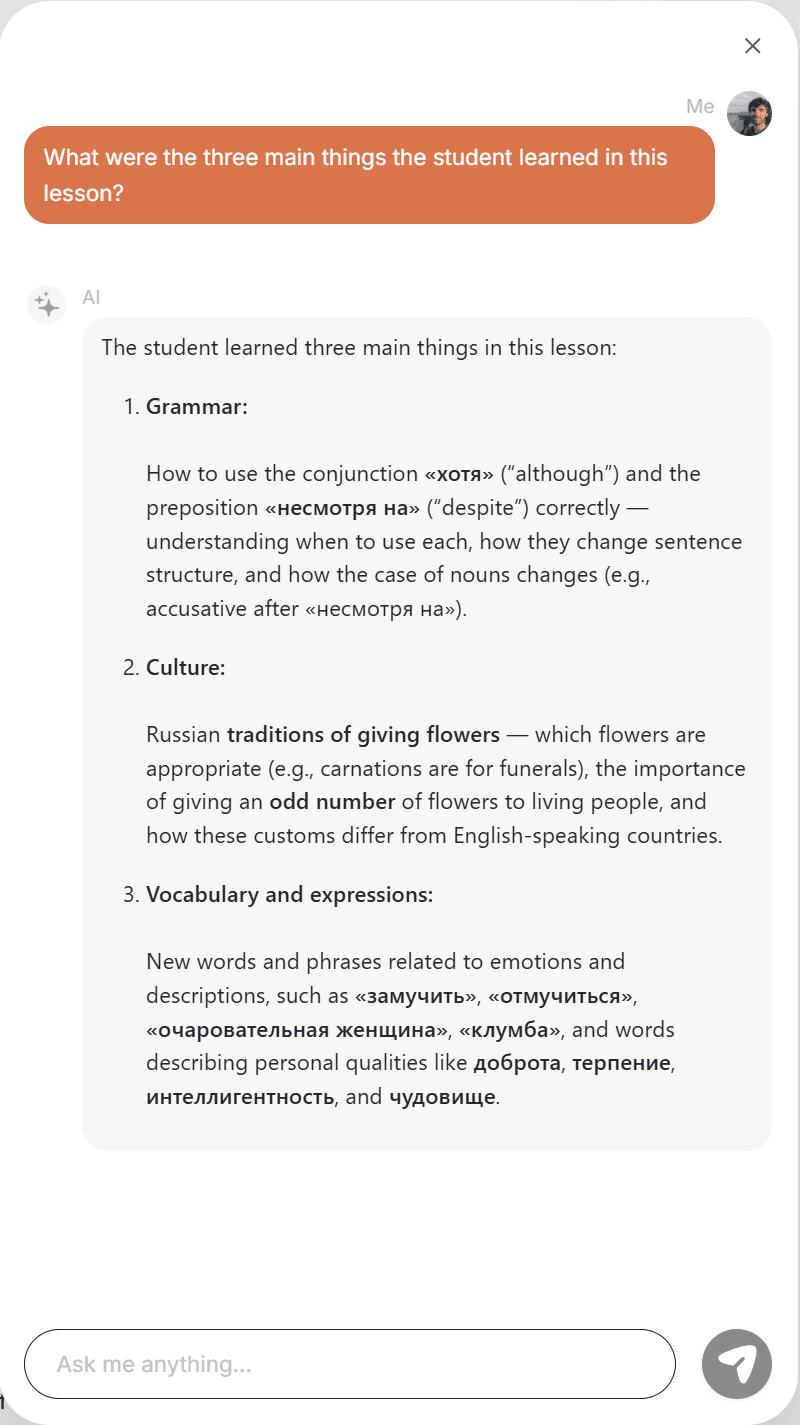
It gave a pretty accurate answer, but it didn’t go into any detail. For instance, it said I learned the difference between the Russian words for “despite” and “although” which is true. But it doesn’t tell me what those differences are, which would have been helpful for revision purposes.
Similarly, in the third point about vocabulary and expressions, it lists several Russian words that I learned during the class. That’s true. But it doesn’t tell me what those words mean in English or what their relevance is to the wider discussions.
For me, this was a little weak. There wasn’t enough detail in the answers for me to bother asking it anything in the future. I did, however, test it with a few other questions first.
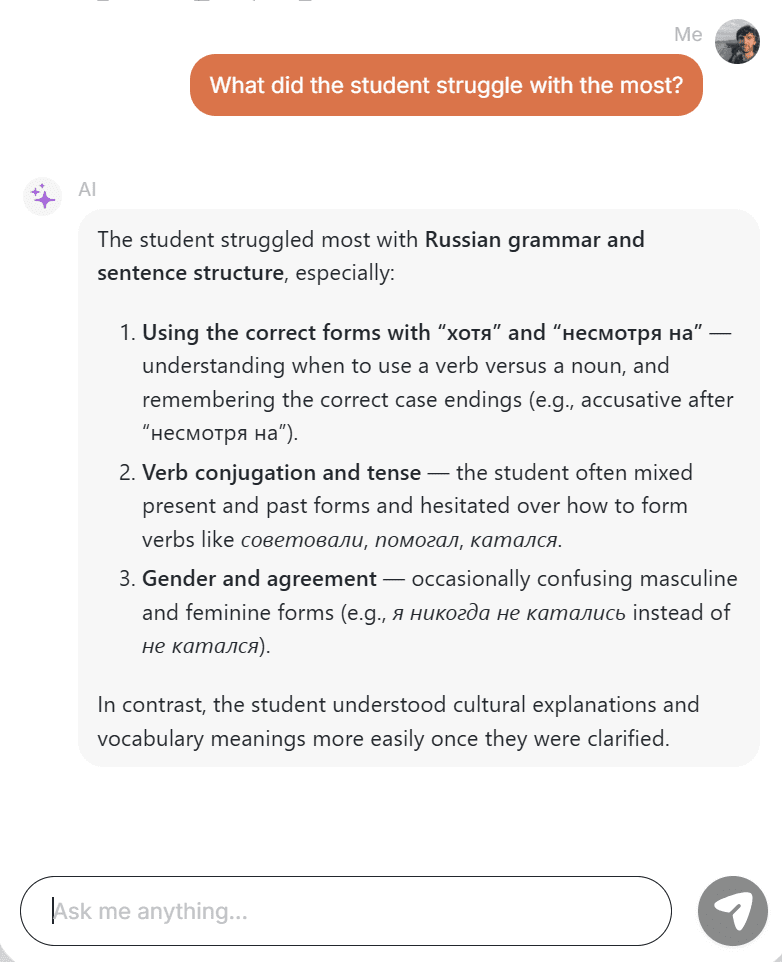
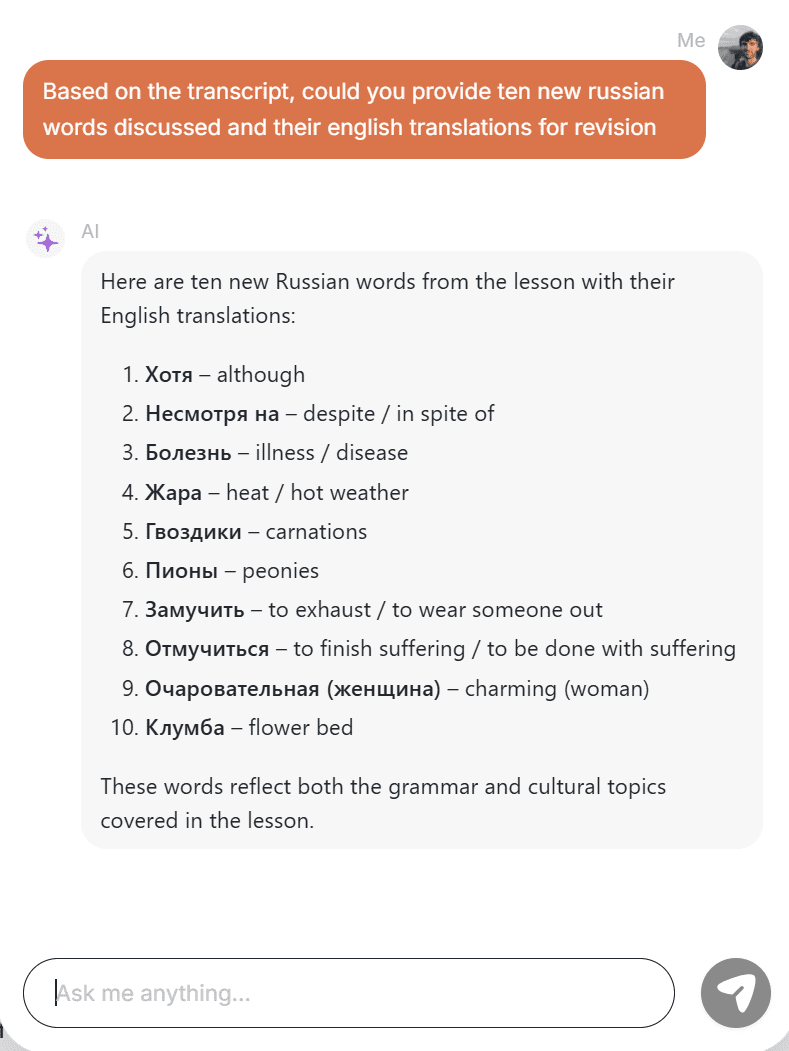
My prompts weren’t the most detailed, but you can see that the answer for the first question is still a little vague. It answers the question, but stops short of giving anything meaningful. It seems to use the least effort possible to answer the question.
The vocabulary question was a bit more specific and it answered that one well by providing 10 Russian words and their English translations.
I tried to go back to the AI chatbot several days after my test call but encountered this message.

I’m not entirely sure why I got this message. I wasn’t subscribed when I first used this feature, so nothing has changed. I only had one meeting recorded so it’s not like I suddenly went over the storage capacity. Vomo’s limits are so low that I was already at full capacity when I first used this feature.
Either way, I already thought Vomo AI had an incredibly weak free plan, but this was the final nail in the coffin for me.
Vomo AI Pricing: How Much Does Vomo Cost in 2026?
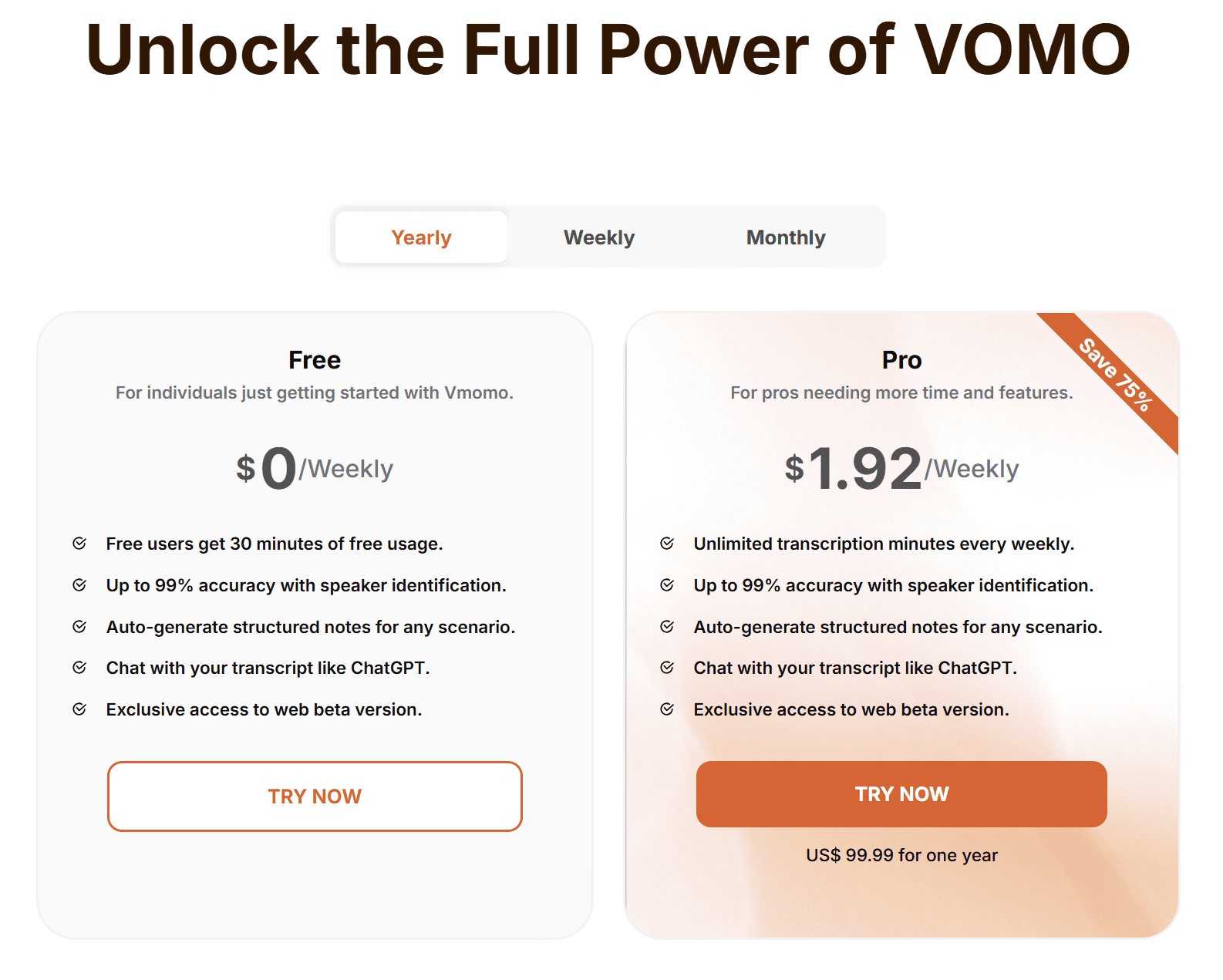
There are two plans for Vomo AI:
- Free: $0 per person, per week.
- Pro: $1.92 per user, per week, when billed annually (or $7.99 per week when billed weekly, or $4.66 per week when billed monthly).
The free plan gets you a whopping 30 minutes of free transcription minutes. Compared to tools like tl;dv, Granola, and Fireflies which offer unlimited transcription for free, Vomo AI’s free plan is — to put it bluntly — pathetic.
The free plan also offers “up to 99% accuracy with speaker indentification.” Note the “up to.” It also auto-generates structured notes for any scenario, enables you to chat with your transcript like ChatGPT, and provides exclusive access to the web beta version, though this chatbot is weak compared to other tools I’ve used.
The Pro plan provides unlimited transcription minutes. Everything else is the same as the Free plan. There are no in-depth features unlocked here. Vomo AI is for simple transcriptions and notes. Nothing more.
What Do Real, Everyday Users of Vomo AI Think?
Weirdly enough, Vomo AI doesn’t have a single review on any of the usual third-party sites. That means there are no reviews on:
- G2
- TrustPilot
- TrustRadius
- Capterra
It does, however, have a whopping one review on ProductHunt. And that review is from two whole years ago.
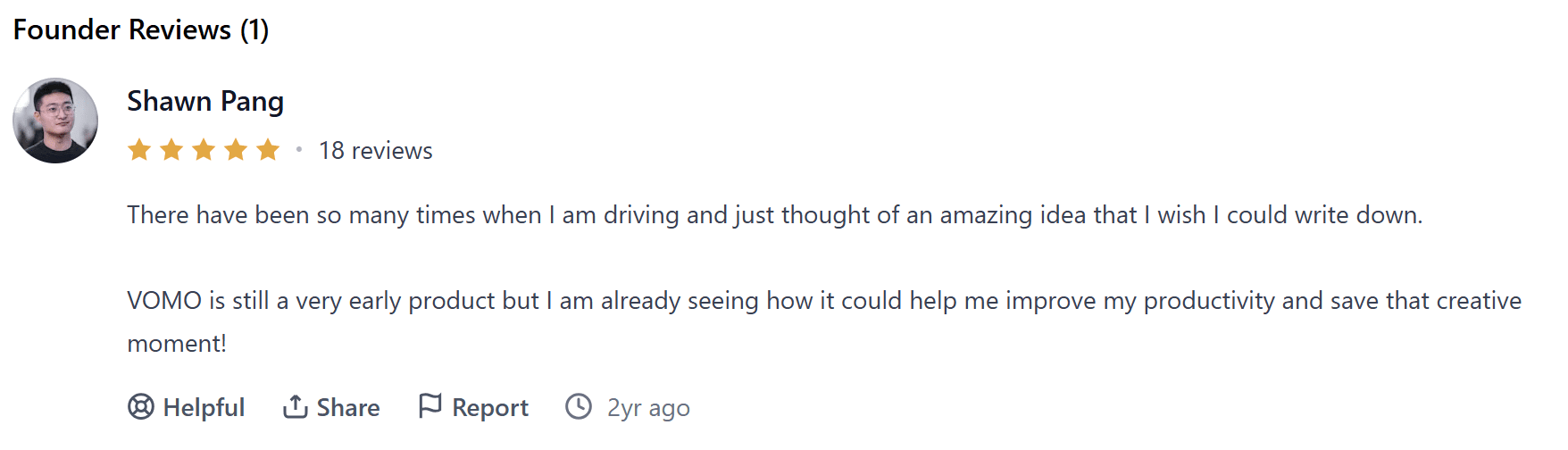
Shawn Pang’s review is a 5/5 one, at least. He says “VOMO is still a very early product but I am already seeing how it could help me improve my productivity.” It appears that the Vomo of two years ago is slightly different to the Vomo of today. Either way, in the two years that have passed since this review, there was not a single one on any other popular third party review site. That alone should say a lot.
I did some digging and found a smaller third party review site called JustUseApp that does have a few reviews, but still not many. To try and find more real user feedback, I thought I’d dive into Reddit, X, and YouTube. You know what I found? Zilch.
X has absolutely nothing. I searched for ‘Vomo’, ‘Vomo AI’, and ‘Vomo AI meeting recorder’ and from all those searches I didn’t find a single person talking about it. Not one.
On Reddit, there are several posts that mention it, but it’s hardly recognized as an industry leader. Most mentions are comments buried under more popular notetakers.
As for YouTube, there are very few videos about it. Even Vomo’s own YouTube account only has 7 subscribers.
I did, however, find a few more reviews on the App Store. But first, let’s look at JustUseApp’s reviews, where Vomo has a staggering 12 reviews, averaging out at 4.4/5. These reviews don’t have dates however, making it difficult to tell whether issues discussed are still current.
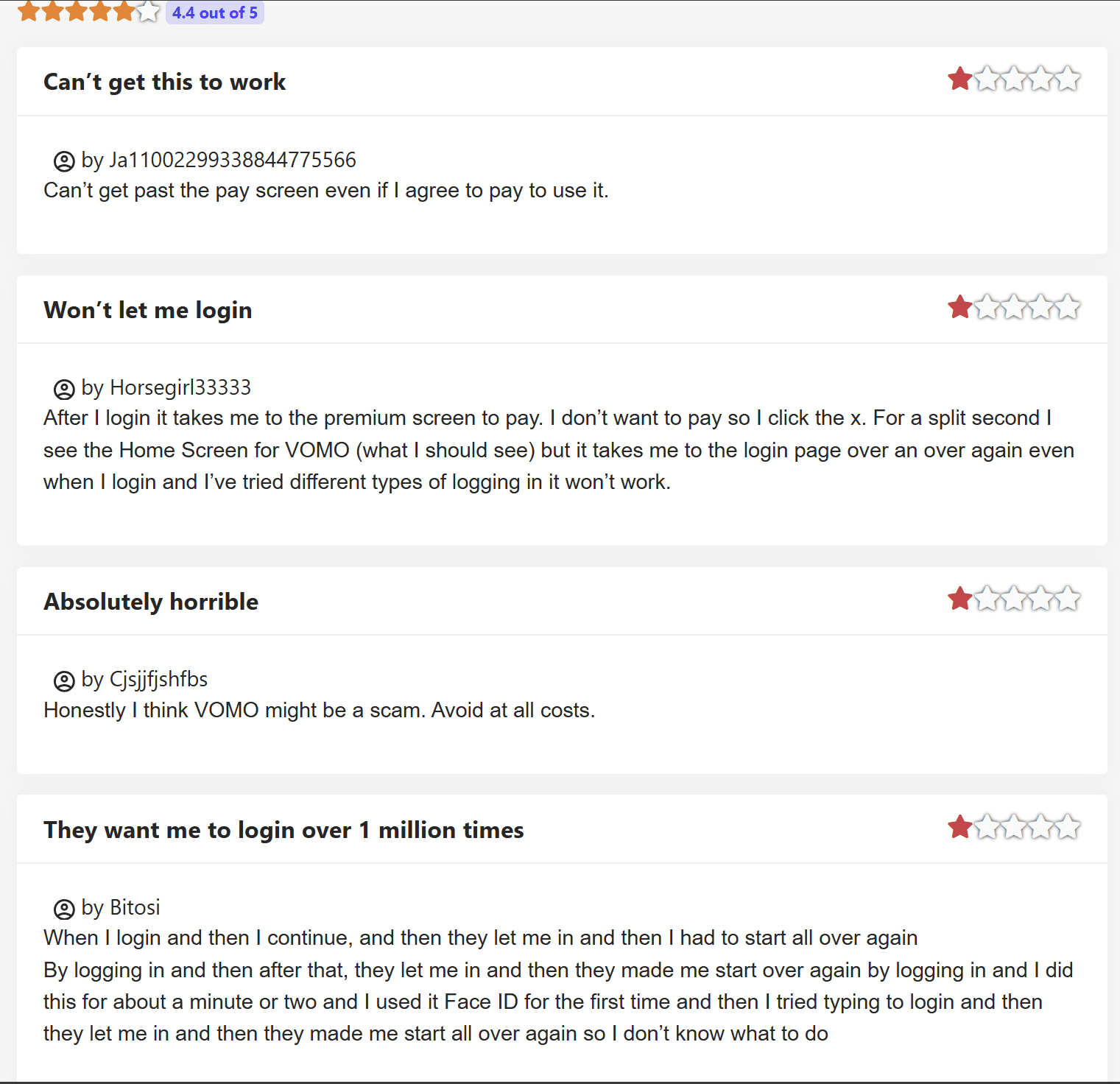
As you can see, most of these negative reviews focus on the broken functionality of the site. I already told you my experience of struggling to sign up and log in (I kept getting taken to their WordPress for some reason). Two of these four users struggled to log in, trying over and over and getting caught in some kind of buggy cycle.
Another user simply states: “Honestly I think VOMO might be a scam. Avoid at all costs.” They didn’t go into any details about why, which would’ve been helpful. I don’t agree. I don’t think Vomo is a scam, but it’s certainly not great value.
There were also a few good reviews on this website, but not many that made much sense.
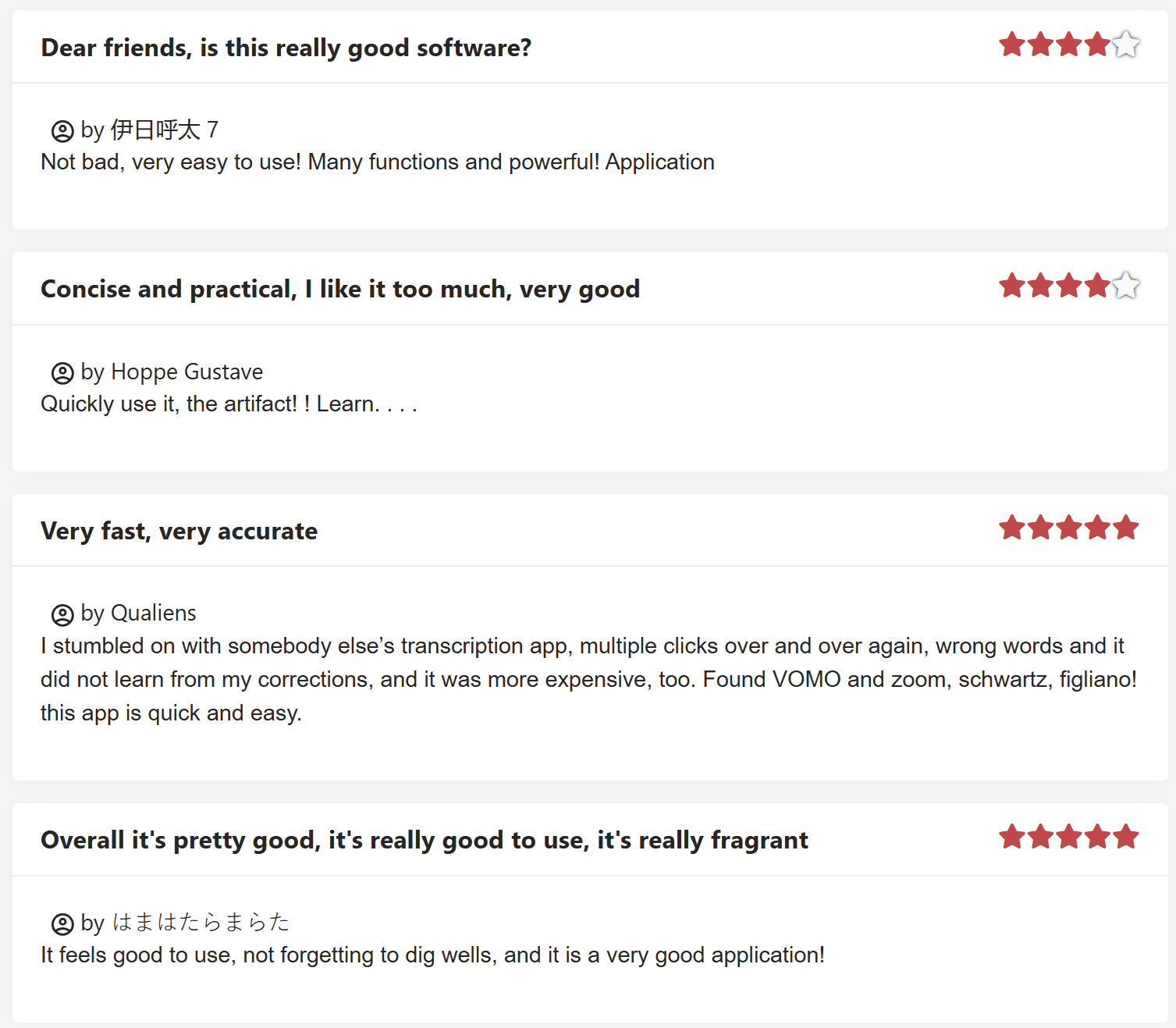
Possibly a translation issue on the side of JustUseApp, a lot of Vomo’s positive reviews tend to raise more questions than they answer. For instance, the top one in the screenshot above ranks Vomo AI 4/5. The title of the review is: “Dear friends, is this really good software?”
You tell me, please.
It goes on to say that Vomo is “not bad” and it has “many functions” which I’d actually say is a bit of an overstatement. It has just a few functions: transcription, notes, and ask Vomo AI.
Another 4 star reviewer wrote only: “Quickly use it, the artifact! Learn…” The title of this user’s review is “Concise and practical, I like it too much, very good.”
I wouldn’t ordinarily include gibberish reviews, but as Vomo AI lacks third-party reviews, I’m scraping up everything I can find.
Another user, who rated it 5/5, describes it as “really fragrant” and reminds all users to “[not forget] to dig wells” whatever that means.
Do you trust a platform whose only positive reviews on the entire internet say things like that? I can only speak for myself when I say that this alone would turn me off.
Does Vomo AI Rank Well on the App Store?
Vomo AI has a rating of 4.4/5 on Apple’s App Store, from a total of 251 ratings. Some of these reviews heap praise upon Vomo. For example, a few months ago, GalaGoGo111 said “The summaries that have been provided are absolutely phenomenal. I can’t emphasize enough how impressed I am with the quality and clarity of the information presented.”
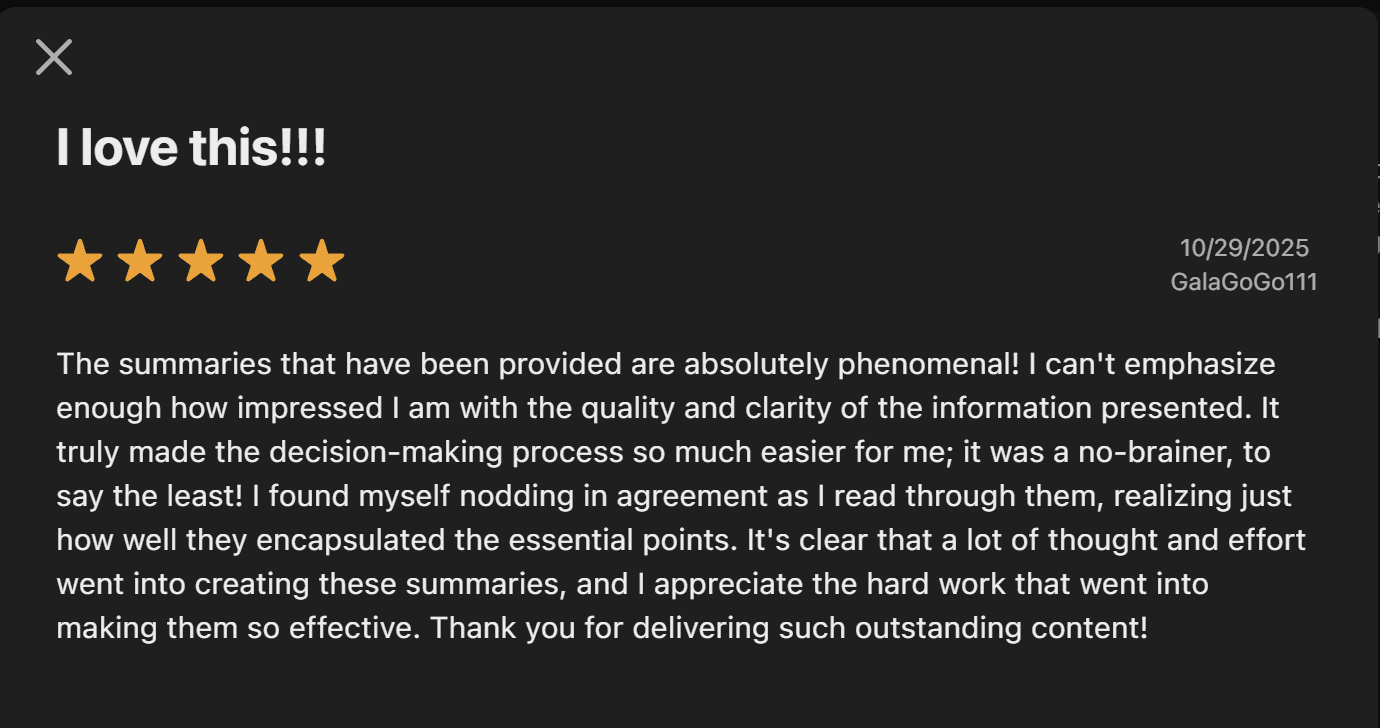
This user went on to say that Vomo AI “truly made the decision-making process so much easier.” They absolutely loved the summaries, and, to be fair, I also found them to be clear and well-structured. It was the one feature of Vomo that I actually liked.
Not all the App Store’s reviews were so positive.
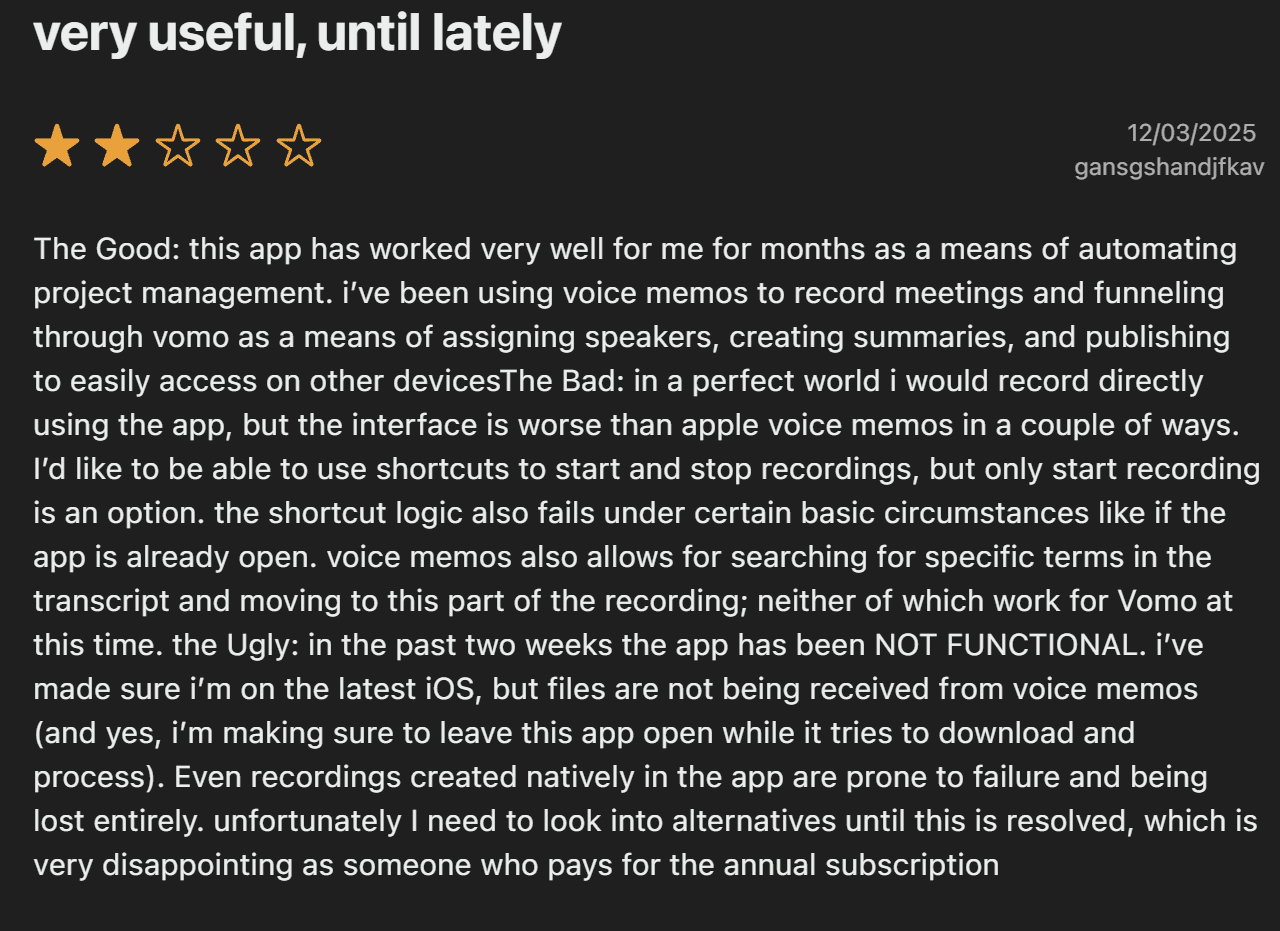
This user wasn’t so kind to Vomo AI, suggesting that it used to be better than it is now. One of the drawbacks they consider a gamechanger is the inability to have a shortcut for stopping recording. They also complain that “the shortcut logic also fails under certain basic circumstances like if the app is already open.”
To make matters worse, the user said the app has not been functional for the two weeks building up the review. They are fully updated, “but files are not being received from voice memos.”
They end the review by saying they’ll be looking at alternatives which is “very disappointing as someone who pays for the annual subscription.”
Full transparency: the developer did respond to this review a day later, asking for the reviewer to email support and apologizing for the issues.
What Do Reddit Users Think of Vomo?
Honestly, Reddit isn’t as stacked with Vomo reviews as I’d have thought either. In a thread where the poster was asking for a recording app for transcription and notes, there are various tools thrown around. One commenter also mentioned Vomo AI, but their comment was buried and didn’t receive any upvotes.

This Reddit user said “I’m on Vomo right now and honestly love it.” This was in December 2025, so it’s a fairly recent comment too.
Another Reddit post originally asked “Is Otter.ai worth it for meeting minutes?“
Despite the majority of commenters saying yes, the post was updated to say: “I switched to VOMO AI, much better value for the price.”
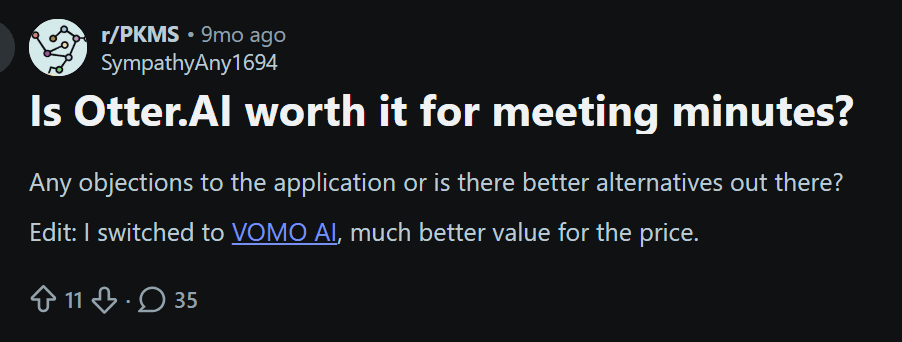
The other thing I found on Reddit was the original Vomo creator asking for feedback on Vomo when it first launched, two years ago.
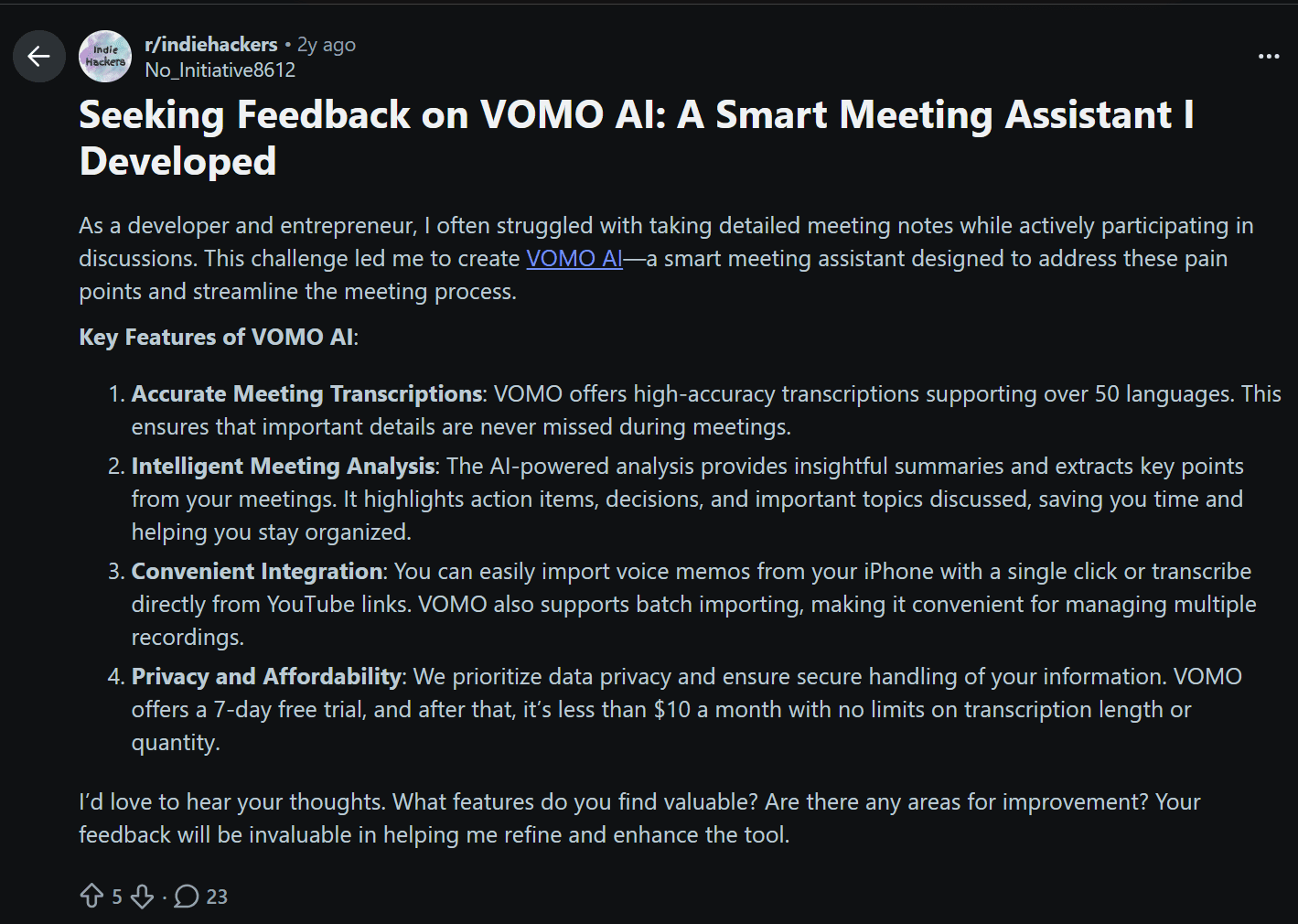
The sad thing about this is that it seems like not too much has changed in the last two years. Where other tools have had huge breakthroughs and innovations, like tl;dv’s multi-meeting memory or custom note templates and CRM syncs, Vomo feels like it’s stuck in the past, offering a sub-par service and pretending it’s affordable because it’s under $10 per month.
If you compare this with any serious competitor, there’s no chance you’re going to choose Vomo. It feels like an underdone cake on sale for the same price as luxury, novelty cakes.
What Are the Best Vomo AI Alternatives in 2026?
If you’ve gotten this far, you’ve likely realized there are plenty more fish in the sea. I’ll stress it again: Vomo isn’t a bad tool; it just locks basic functionality behind a paywall and offers nothing advanced in the paid subscriptions. Alternatively, many Vomo competitors have better free plans than Vomo has paid… That’s not an exaggeration.
Let’s take a look at a few of them:
- tl;dv
- Granola
- Fireflies
- Fathom
- Tactiq
If you’re thinking of using Vomo AI for business calls, I’d advise you to first try out the free plans of any (or all) of the following tools. In fact, even if you just want a personal meeting recorder, the following tools provide much more bang for your buck.
1. tl;dv
tl;dv is an AI meeting assistant that strides a fine line between being a sales tool and an everyday internal meeting recorder. It has the basic functionality to be super useful for everyday meetings, but it also has specialist features that give it a premium use case for sales managers, coaches, and reps. Even better, tl;dv’s plans are organized in such a way that you don’t need to pay for features you won’t use.
Vomo vs tl;dv
Vomo offers audio recording, multilingual transcription, summaries, notes, and an AI chatbot. That’s it. And on the free plan, you’ll get just 30 minutes of these features.
tl;dv, on the other hand, provides video and audio recording, multilingual transcription, summaries, notes (that can be automatically synced to your CRM or other productivity tools), and an AI chatbot that offers detailed replies, and can even be used to provide recurring themes, keywords, mentions, or patterns across entire batches of calls.
| Feature | Vomo AI | tl;dv |
|---|---|---|
| Recording Type | Audio only | Video and audio recording |
| Transcription | Multilingual transcription | Multilingual transcription |
| Summaries | Yes | Yes |
| Notes | Yes | Yes (with custom note templates and automated syncing to CRM & productivity tools) |
| AI Chatbot | Yes | Yes, with deeper analytical responses |
| Multi-Meeting Memory and Intelligence | None | Detects recurring themes, keywords, mentions & patterns across multiple calls. Can establish recurring reports. |
| Workflow Automation | Via Zapier only | Over 5,000 integrations & automations (Zapier and dozens of custom-built integrations for deeper workflows) |
| Use Case Strength | Personal recording | Meetings, sales, teams & operational analysis |
The only potential advantage that Vomo AI has over tl;dv is that it doesn’t join your call as a bot. This has downsides like being unable to record videos, but the upside is that you can record absolutely any virtual conversation, regardless of the platform. For instance, my second Vomo call was on Preply, a language learning platform. tl;dv cannot record Preply calls.
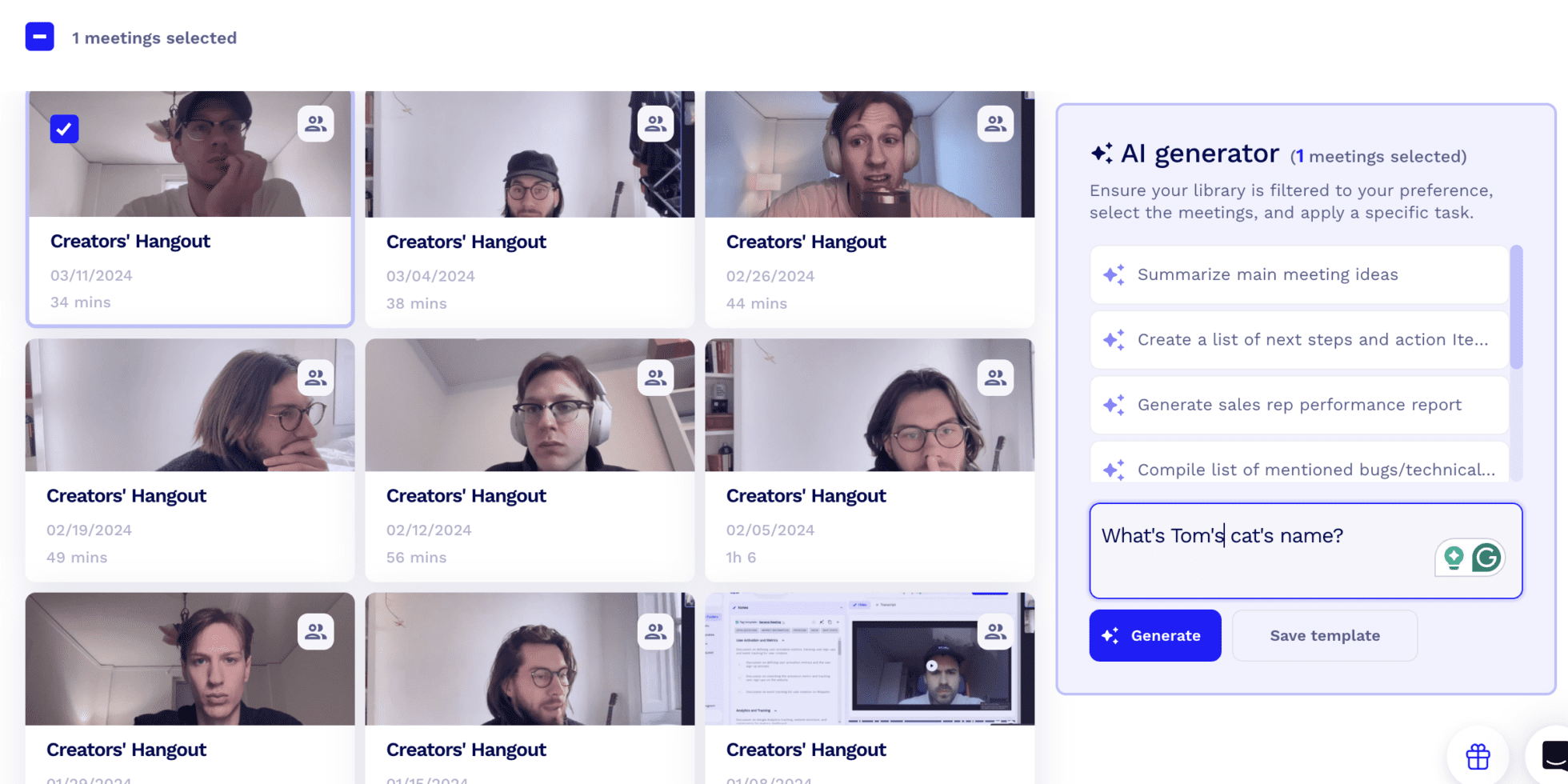
tl;dv is also a powerhouse for sales teams, offering a variety of sales features, from objection handling tips to sales playbooks. There’s even a speaker analytics dashboard where sales managers can review their reps’ performances, talk time ratios, and adherence to playbooks.
2. Granola
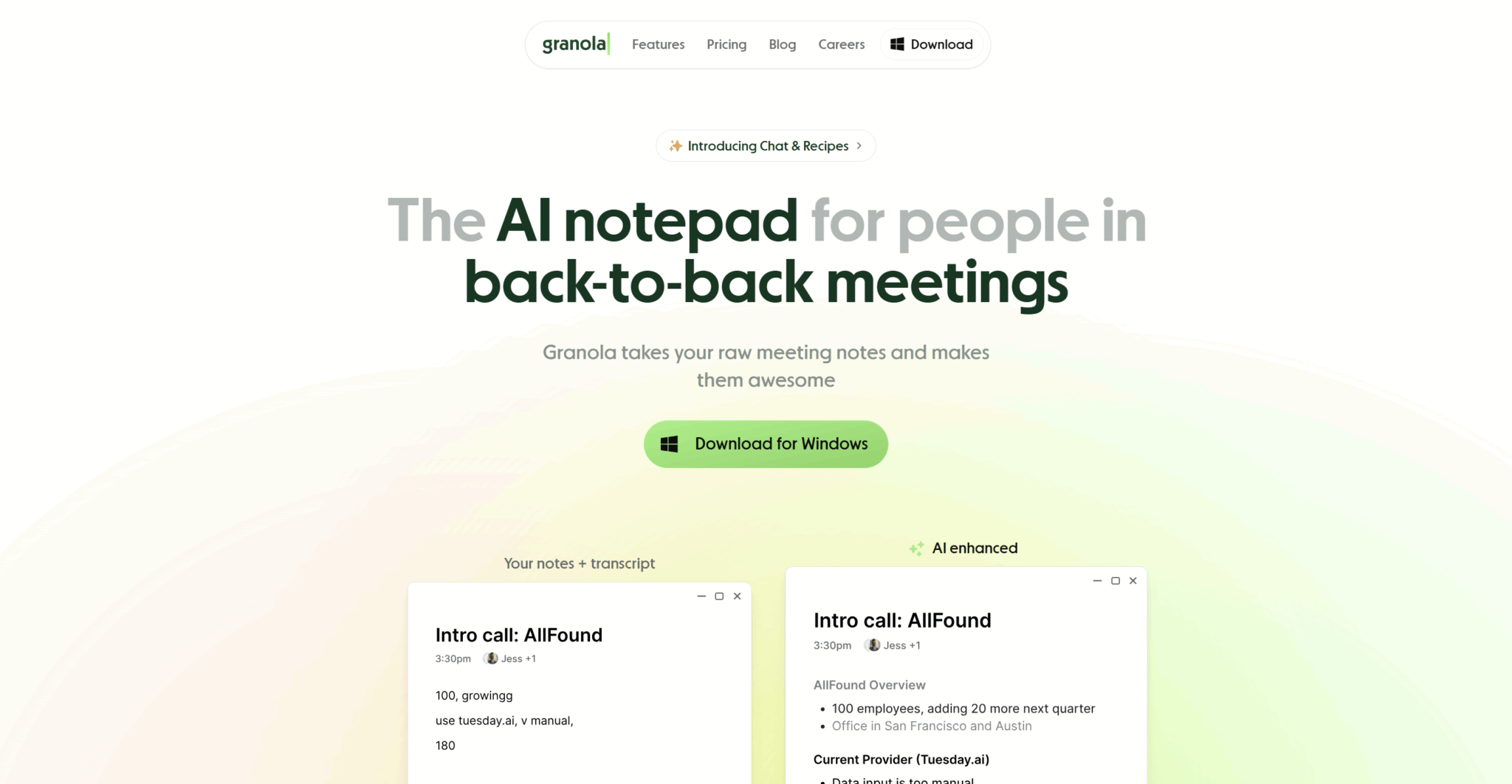
Granola is a well-backed AI notetaker that works like a little automatic notepad that you can directly edit. It takes a slightly different approach to most AI meeting assistants in that it makes it a lot more interactive. It’s more for personal notes, but can be used for business purposes too.
Vomo vs Granola
If the reason you were drawn to Vomo AI is because it records device audio, then Granola may be your perfect replacement. It also records device audio, meaning you can use it to record any virtual conversation you have. So long as your microphone and speakers pick up the words, Granola will transcribe and take notes.
Granola requires you to download it as a software, unlike Vomo which can be used directly from the website. However, Granola’s notes are a lot more interactive, and its AI chatbot is far superior to Vomo’s. Granola also offers unlimited transcription and basic notes for free.
3. Fireflies
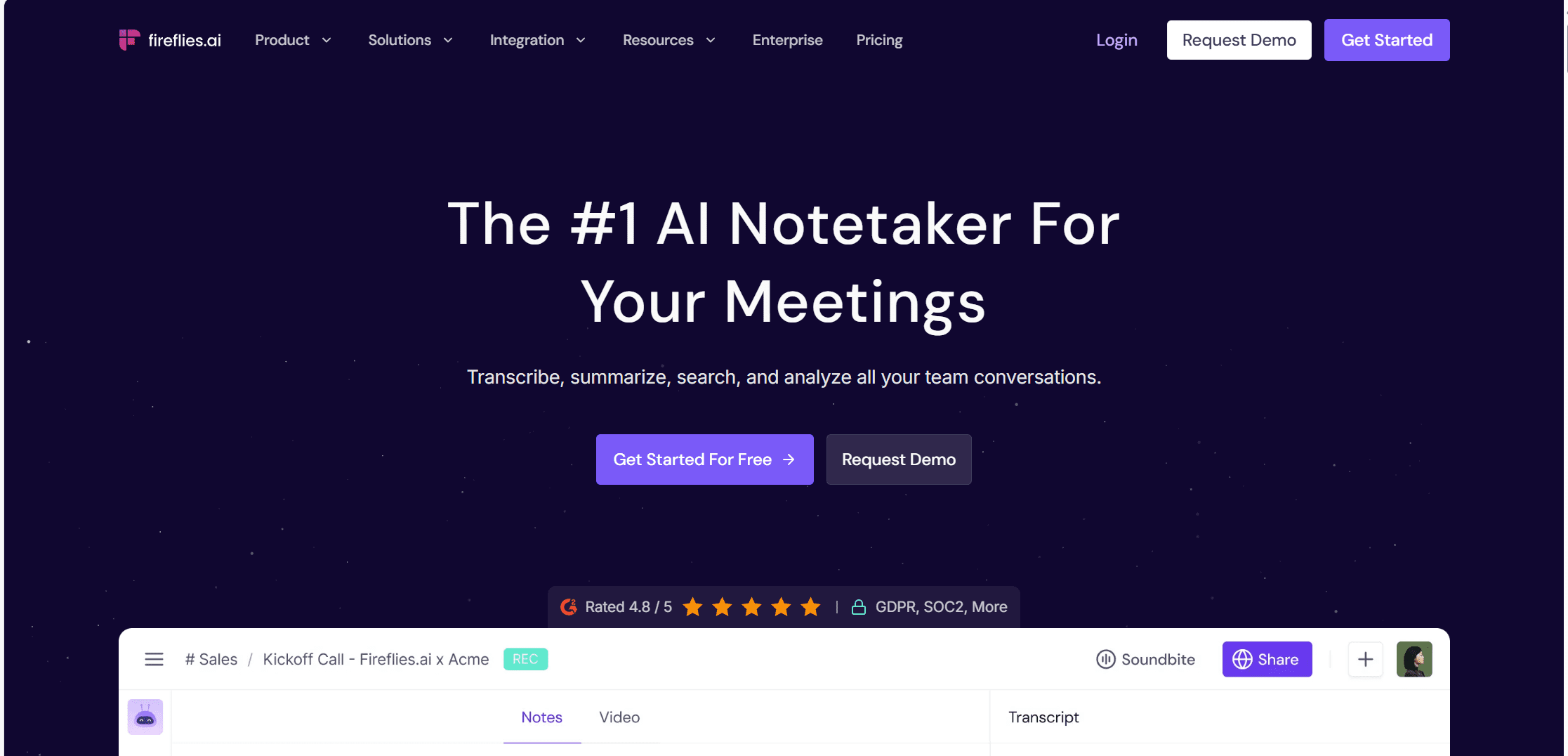
Fireflies is a popular AI meeting assistant, especially in the USA. It can be used by individuals or businesses to record, transcribe, and take notes during meetings. The notes are usually thorough and accurate, and the AI chatbot (Fred) is one of the better ones I’ve experienced.
Fireflies, like tl;dv and Granola, offers unlimited free transcriptions, but it does limit the amount of meeting notes you get. There are a few more advanced features in the higher tier plans, but generally, Fireflies is a simple notetaker done well.
Vomo vs Fireflies
Where Vomo offers the pure basics, Fireflies takes this to another level. Its AI is capable of accessing the internet and returning real-time information which is a humongous step up compared to Vomo’s chatbot. By comparison, Vomo’s feels more like MSN’s SmarterChild from the year 2,000.
Fireflies, like tl;dv, needs to join your call as a bot. This means for conversations like the one I had on Preply, Fireflies wouldn’t be able to take notes at all. This gives Vomo a slight advantage when it comes to how interoperable it is with different meeting platforms. However, the trade-off is no video. Fireflies, unfortunately, locks video recording behind a paywall anyway (unlike tl;dv which offers unlimited for free), but at least it does offer it eventually. Vomo will never be able to provide video recording.
4. Fathom

Fathom is a great Vomo alternative if you’re just searching for something that can record, transcribe, and take notes. It’s a straightforward notetaker that gets the job done without kicking up a fuss. It has incredibly high ratings on popular third party review sites like G2, though it must be said that many were incentivized.
Vomo vs Fathom
Fathom is a step up from Vomo in that it can sync meeting notes with a wide variety of tools automatically. For individuals, it also provides the vast majority of its features for free. Collaboration features and team-based tools are locked behind a paywall, but it provides a lot more value up front than Vomo does.
However, as with tl;dv and Fireflies, Fathom requires a bot to join your Zoom, MS Teams, or Google Meet calls. This means it cannot record device audio in the way that Vomo and Granola can. Again, Fathom has video recording where Vomo doesn’t, but it also has speaker identification (and naming) whereas Vomo just labels them Speaker #1, Speaker #2, etc.
5. Tactiq

Tactiq is another Vomo alternative that works for those that require device recording without a bot. What I like about Tactiq is that it still informs the meeting participants that it’s recording, unlike Vomo or Granola where the responsibility is passed onto the user.
Tactiq is also great for its AI notes, which tend to be quite in-depth and easy to regenerate in different styles or formats. Tactiq is also great for things like converting notes into an email summary that you can send to other participants or people who missed the call.
Vomo vs Tactiq
Tactiq doesn’t have an amazing free plan, but it’s still far superior to Vomo’s. Tactiq gives you 10 free transcriptions per month, as opposed to Vomo’s 30-minute all-time limit.
Another great feature of Tactiq is live transcription. It allows you to follow along in real-time, or quickly go back to verify something that you might’ve missed. Vomo doesn’t provide live transcription. Instead, you have to wait until the meeting is over before you can see what was said.
The Verdict: Is Vomo AI Worth Your Money in 2026?
The short answer: no.
Vomo is a decent tool. Its transcriptions were okay. The meeting notes were pretty good. Its AI chatbot can be useful, but certainly isn’t the best. But that’s it. I’ve already run out of Vomo features to talk about.
You might say, “It’s a simple tool but it gets the job done.” Fair enough, but is that worth $7.99 per week? Or $19.99 per month? Or even the yearly rate with 75% off: $99.99?
I’d still say no.
Why? Because there are TONS of Vomo AI alternatives that offer Vomo’s paid functionality for free. Think free unlimited transcriptions, free meeting notes, free summaries, free AI credits, and more.
And then if you do need extra functionality, Vomo doesn’t have it. Other tools do. And when you compare the price, other tools have much more functionality at a very similar price point to Vomo.
Even if you switch up the question from “Is Vomo AI worth your money?” to “Who is Vomo AI for?” you still get left with the same response: there are better alternatives, regardless of why you’d opt to use Vomo. This is even more true if you want to try before you buy.
So, in short, it’s fairly useful, but the free plan is terrible and the paid plan simply isn’t worth the money when you stack it up against the competition.
FAQs About Vomo AI (2026)
What is VOMO AI?
VOMO AI is an audio recording and transcription app that converts spoken conversations into text. It also generates AI-powered summaries, structured notes, and lets users interact with their recordings through a built-in chatbot.
How does VOMO AI work?
VOMO AI records audio (or allows you to upload recordings), transcribes the speech into text, and then uses AI to generate summaries and key points. Users can ask follow-up questions about the transcript to extract insights, clarify details, or create study materials.
Does VOMO AI record video meetings?
No. VOMO AI focuses on audio recording and transcription. It does not natively record video meetings the way meeting-focused tools like tl;dv do.
Can VOMO AI transcribe multiple languages?
Yes. VOMO AI supports multilingual transcription, making it useful for international users, language learners, and cross-border teams. Accuracy may vary depending on accent, audio quality, and background noise.
Is VOMO AI good for students?
VOMO AI can be useful for students who want lecture recordings turned into notes and summaries. The AI chatbot can also help generate revision materials from transcripts. However, it works best when the audio is clear and structured.
Can VOMO AI summarize long recordings?
Yes. VOMO AI can generate concise summaries of longer recordings, extracting key points and major themes. The quality of the summary depends on how clearly the ideas are expressed in the original audio.
Does VOMO AI integrate with other tools?
VOMO AI offers limited integrations compared to meeting-first platforms. If you need automatic syncing with CRMs, project management tools, or collaboration software, you may need a more integration-heavy solution.
Is VOMO AI secure?
VOMO AI stores recordings and transcripts in the cloud. As with any AI note-taking tool, users should review the platform’s privacy policy and data handling practices before uploading sensitive conversations.
Can you upload existing recordings to VOMO AI?
Yes. Users can upload pre-recorded audio files for transcription and summarization, not just live recordings.
What are the main limitations of VOMO AI?
Some commonly noted limitations include:
No native video recording
Limited third-party integrations
AI summaries that occasionally miss nuance
A distinct lack of advanced features
- Performance depending heavily on audio clarity
Who is VOMO AI best suited for?
VOMO AI is best for:
Students recording lectures
Professionals capturing in-person meetings
Journalists conducting interviews
Language learners reviewing spoken conversations
It’s less suited for teams that need deep workflow automation or video-first meeting intelligence.
Does VOMO AI offer a free plan?
VOMO AI offers a free plan with a 30-minute transcription limit. It’s generally thought to be a weak free plan compared to VOMO alternatives.
Pricing and features can change, so it’s best to check the official website for the most up-to-date details.