Skip to content







tl;dr of Manus AI
- Manus AI is an autonomous agent that does the work rather than answers questions. Give it a goal, it opens a real browser, runs research, builds files, and hands you a finished output.
- It’s genuinely impressive on research and structured tasks, unpredictable on credits, and the data sovereignty question is worth reading before you commit enterprise data to it.
- Pair it with tl;dv and it becomes a serious pre-call research and post-call follow-up tool for sales teams and founders.
- The Pro Customizable plan at $34/month annually is where it makes most sense for regular use, with a seven-day free trial to test before you commit.
I’ll be honest: until my colleague added Manus to my content calendar, I had never heard of it. I assumed it was a person. A Roman god, maybe. Or, if you’ve seen Motherland, Amanda’s son (extremely niche reference, Renée, this one’s for you).
That tells you something about how fast this space moves. I’ve used Claude Code, I’ve poked around with OpenClaw, I work in digital and I follow this stuff closely. I’m just not a developer or a product person. And Manus had completely passed me by.
The landing page looks like ChatGPT. The interface looks like Claude. So I assumed I knew what I was getting. Dear reader, I did not. Within about twenty minutes, I was equal parts impressed and having a mild existential crisis, which is notable given that working with AI tools is, technically, my job. I use them every day. I write about them for a living. I once customized a Myspace page and I’ve considered myself a complete and utter tech whizz ever since.
The first thing to note is that it’s not an AI assistant, but a powerful agentic tool suite. I’m not going to lie, for a moment, I was scared for the future of jobs and genuinely considered a shift into carpentry instead.
I also connected it to tl;dv while testing, and the workflow that came out of that is the most useful thing I can give you in this piece. More on that later.
First: what Manus actually is.
What is Manus AI?
Manus is Latin for “hand.” That’s not a fun fact, that’s the entire pitch: an AI that doesn’t just think, it does. Whether it delivers on that is what this review is actually about.
It was built by Butterfly Effect, the Chinese startup behind Monica.im, launched in March 2025, went viral almost immediately, and was acquired by Meta for an estimated $2 billion by the end of that year. Following that acquisition, Chinese regulators launched a review in January 2026 to determine whether Manus’s technology falls under national security or export regulations. If you’re a business handling sensitive client data, that’s worth knowing. I connected tl;dv to it while writing this piece and I’ll be transparent about what that looked like, but go in informed rather than finding out later.
On the tool itself: ChatGPT and Claude are conversational. You ask, they answer, you ask again. Every step needs you in the loop. Manus is different. You give it a goal, it builds a plan, opens a real browser, writes and executes code, manages files, and hands you a finished output. You can close your laptop while it works.
It runs inside a virtual computer environment with its own browser, terminal, and file system. It also uses Anthropic’s Claude 3.5 Sonnet under the hood for some tasks, alongside Alibaba’s Qwen. So in a slightly surreal way, part of what makes Manus work is the same model you might already be using, just wrapped inside something that actually clicks the buttons.
You don’t need to be technical to use it. That matters more than it sounds, and we’ll come back to it.
How easy is Manus AI to set up?
Very. The signup asks you one question: are you using it for yourself or with a team?
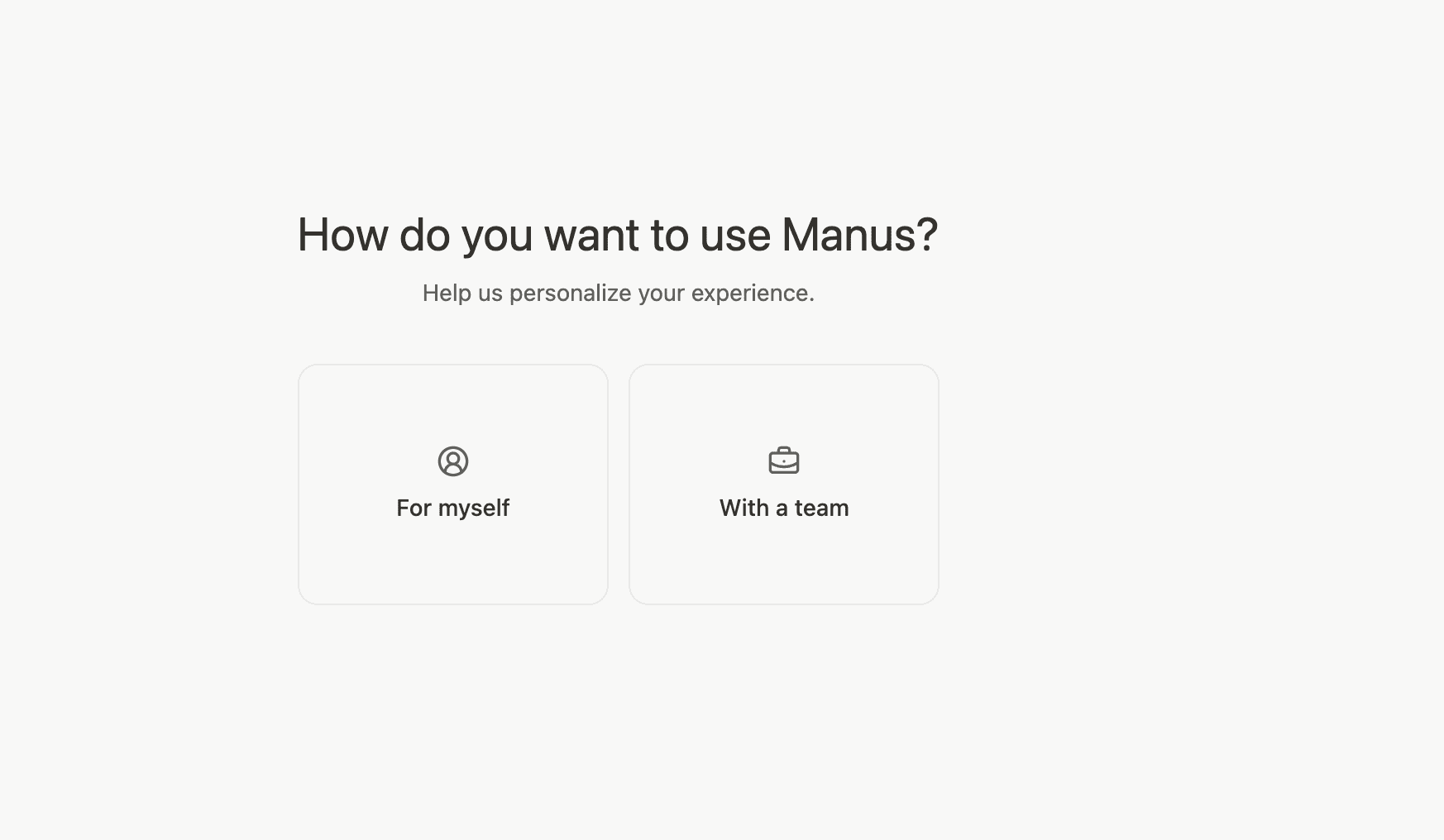
No configuration, no setup wizard that assumes you know what a webhook is. You pick an option and you’re in.
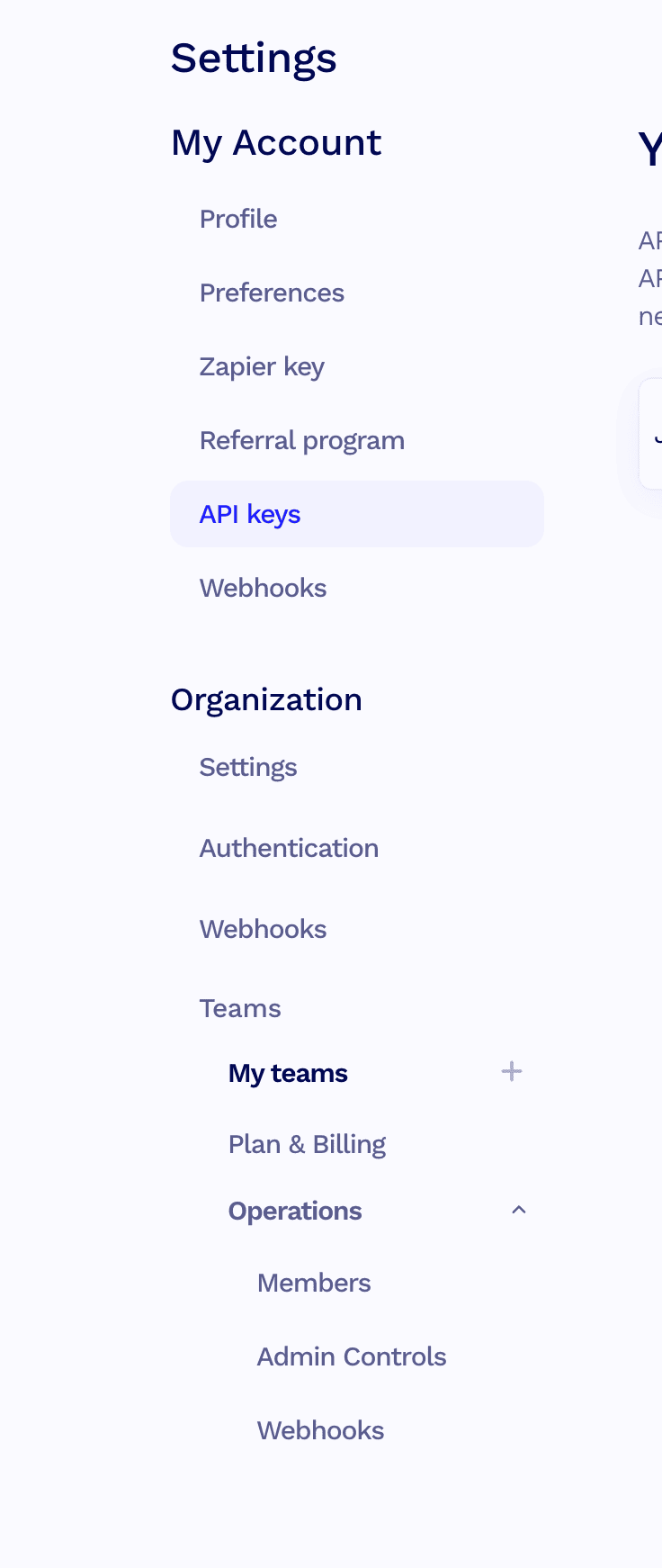
The tl;dv connection took about two minutes. I went to Connectors in the settings, searched for tl;dv, found it listed as a built-in app, clicked Connect, grabbed my API key from tl;dv’s settings under My Account, pasted it in, and that was it. If you’ve ever spent forty-five minutes trying to get two tools talking to each other via Zapier, this will feel almost suspicious.
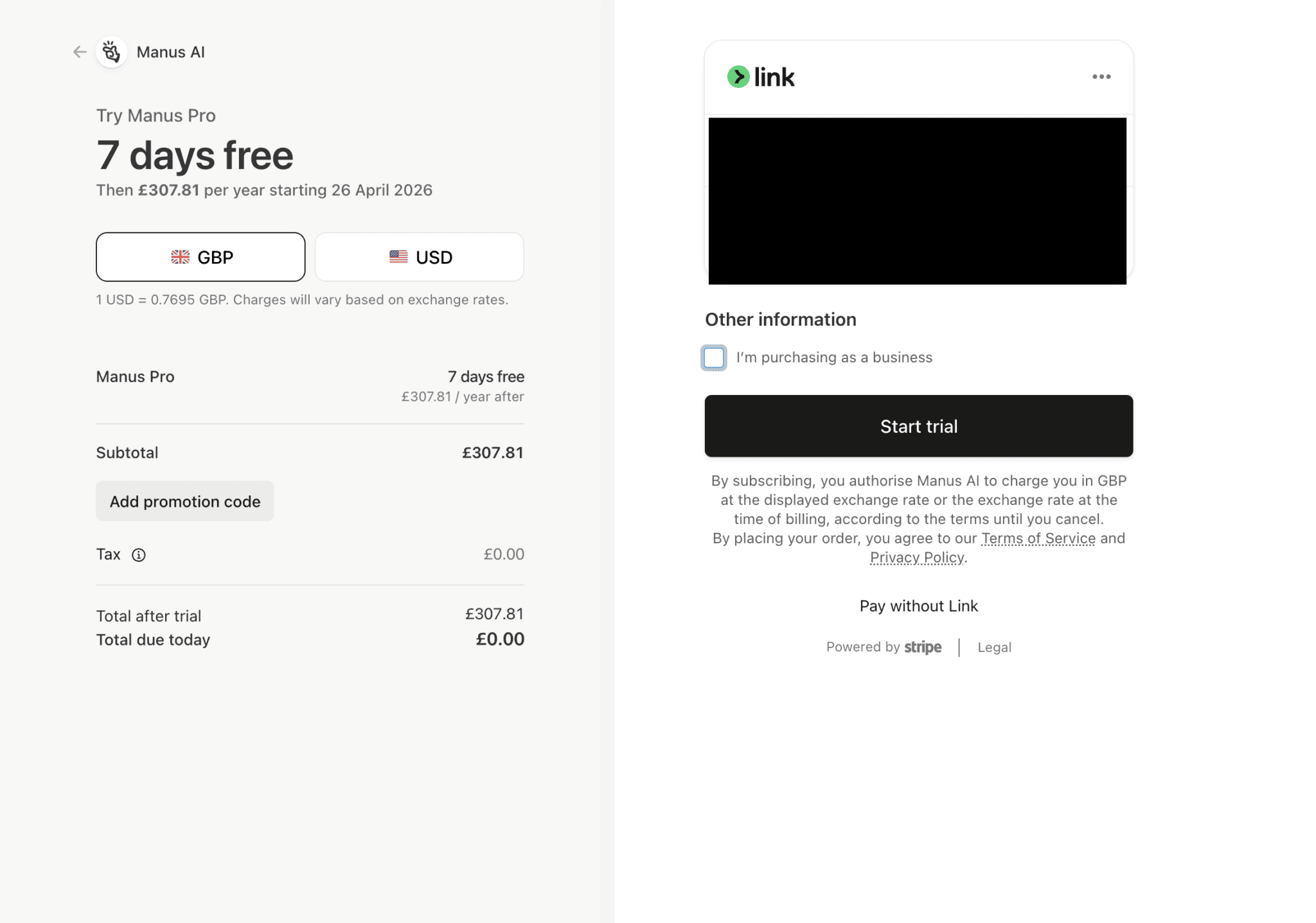
The one moment that gave me pause was pricing. I hit the upgrade screen and saw £307 and briefly considered whether I’d accidentally agreed to buy a small car.
I hadn’t. That’s the annual plan in GBP. The seven-day free trial requires you to commit to the annual plan upfront, which sounds aggressive until you remember that plenty of tools don’t offer a trial at all. If you’ve read my ClickUp AI Notetaker review, you’ll know what a genuinely painful onboarding experience looks like. This was not that.
The real question isn’t whether seven days is enough time to decide. It’s whether, after seven days, you’ll be able to justify stopping.
What are Manus AI’s key features?
Here’s what Manus can actually do. Fair warning: it’s easy to get overexcited the first time you use it, in the same way I was absolutely going to make lattes and macchiatos and long blacks when I bought my coffee machine. I make six black coffees. Every day. Nothing else. So let’s be realistic about what you’ll actually use.
Autonomous task execution
This is the core of it. You give Manus a goal, not a prompt, and it breaks that goal into steps and works through them without checking in. Ask it to research your top ten competitors, extract their pricing, and build a comparison spreadsheet, and it will do exactly that. No follow-up prompts, no babysitting. You come back to a finished document.
You could theoretically give it your shopping list and ask it to order your groceries. I wouldn’t let it near my Asda account unsupervised, but the point stands.
For a founder juggling twelve things at once, this is the difference between doing the research yourself at midnight or waking up to a finished brief.
Wide Research
Rather than searching one thing at a time, it opens multiple threads at once. Ten people in the library instead of one.
For an SDR, this means prospect research that used to take forty minutes per account now runs in the background while you’re on a call. Manus pulls company news, tech stack, funding rounds, likely pain points. You walk in prepared instead of winging it.
Manus Browser Operator
It uses a real Chromium browser, not a search API. It navigates websites, fills out forms, clicks through pages, and can take control of a browser tab you’re already logged into. No separate integration needed.
For a RevOps manager, this means Manus can navigate tools you already use every day without you building a custom integration. If it can see the screen, it can work with it.
Code writing and execution
It writes and runs scripts inside a secure sandbox. You don’t need to understand the code for it to work, which is either the whole point or a reason to proceed with some caution.
For a marketing manager who needs a dataset cleaned or a CSV processed, this removes the “can someone in the tech team help me with this” conversation entirely.
AI Slides
You give it a topic, it researches, outlines, and formats a presentation. Exports to PowerPoint, PDF, or Google Slides.
For a sales director who needs a board update or a QBR deck and has approximately no time, this is worth knowing about. Not something I tested in depth for this piece, but the output is structured and exportable.
Mail Manus
You forward emails to a dedicated Manus address and it gets to work. Summarize a long thread, extract invoice data, draft a reply, log an expense. It processes the email and sends the result back to your inbox. You can also set up workflow addresses for recurring tasks so it handles them automatically every time a matching email comes in.
For an AE managing twenty open deals and an inbox that never empties, this is the one to watch. Forward a client thread and ask it to draft a reply with the relevant context pulled in. Whether you trust it to send without checking is a different conversation, but the time saving on first drafts is real.
For customer success managers handling high volumes of renewal and check-in emails, same principle applies.
File creation and management
Manus produces actual deliverables. Spreadsheets, documents, structured reports. Not a chat response you have to copy somewhere. Finished files you can download and use.
For a sales manager who needs a weekly pipeline summary or a call quality report without spending Sunday afternoon building it, this is the practical payoff.
Desktop and mobile app
There’s a desktop app with local access and a mobile app on iOS and Android, which matters if you want to kick off a task on the go and check back in later.
For anyone who’s ever had a good idea on the commute and lost it by the time they got to their desk, this is useful.
My honest Manus AI review
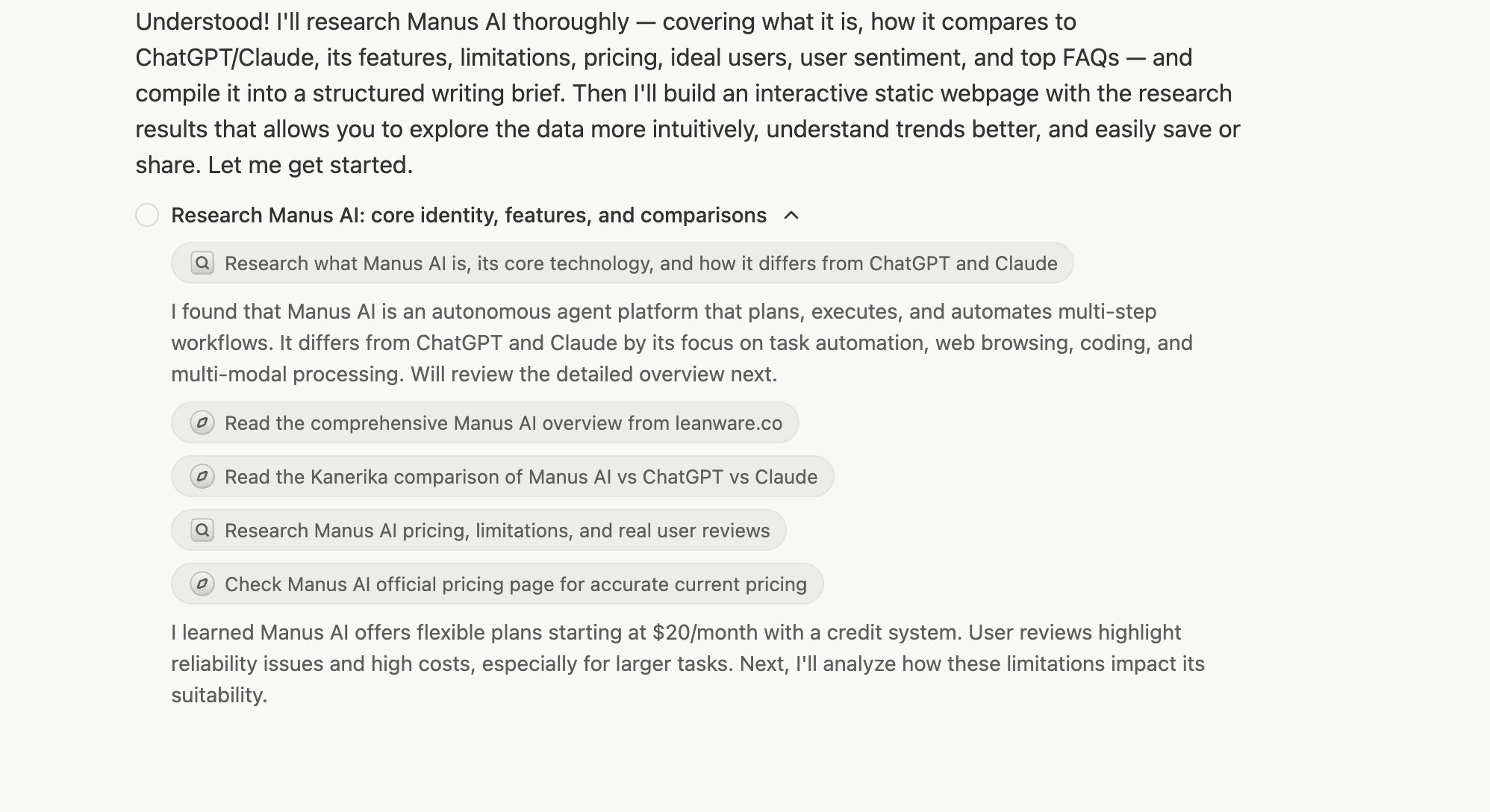
The first thing I did was give Manus a research brief. Not a simple one either. I asked it to research Manus AI itself, for this article, which felt appropriately chaotic. The brief covered everything: what it is, how it compares to ChatGPT and Claude, real limitations, pricing, user sentiment, and how it could fit into a workflow alongside tl;dv.
Then I raced it. While Manus worked through the brief, I did my own research alongside it. Same sources, same questions, same goal. I got bored, went and made a black coffee, and came back to a finished document.
What you see when Manus runs a task is a live feed of its thinking. It tells you what it’s doing at each step, which sources it’s reading, what it’s found. It went places I’d have gone myself, just faster. Reddit threads, Trustpilot, the official pricing page. It did in about fifteen minutes what would have taken me the better part of a morning.
The output wasn’t perfect. Pricing came back inconsistent, $20 a month in one place, $39 in another. It summarized some sources where I’d have wanted it to interrogate them. And at one point it hit what it called degraded mode, where the tools became temporarily unavailable mid-task. It flagged this itself, waited, and carried on. Which is either reassuring or unsettling depending on how much you trust autonomous software to sort itself out without telling you what went wrong.
The interface looks exactly like ChatGPT. Clean, minimal, left-hand session history. I assumed from the first glance that I knew what I was getting. I did not. It’s not tidier ChatGPT. It’s a different thing entirely.
One small thing that has nothing to do with functionality: Manus’s logo is a clicking finger. I cannot click my fingers. I find this personally offensive.
The thing that actually surprised me wasn’t any individual feature. I’ve used other agent tools that require configuration, API connections, a working knowledge of what you’re actually building. Manus just got on with it. Whether that’s freeing or slightly alarming probably depends on how much you like knowing what’s happening under the hood.
So I kept going. Here’s everything I tested and what actually happened.
Task 1: Research brief on Manus AI (for this article). Outcome: produced a structured document covering features, limitations, pricing, user sentiment, and FAQ questions in about fifteen minutes. Pricing came back inconsistent across sources, which I had to verify manually. Everything else was usable. Would I have done it faster myself? No.
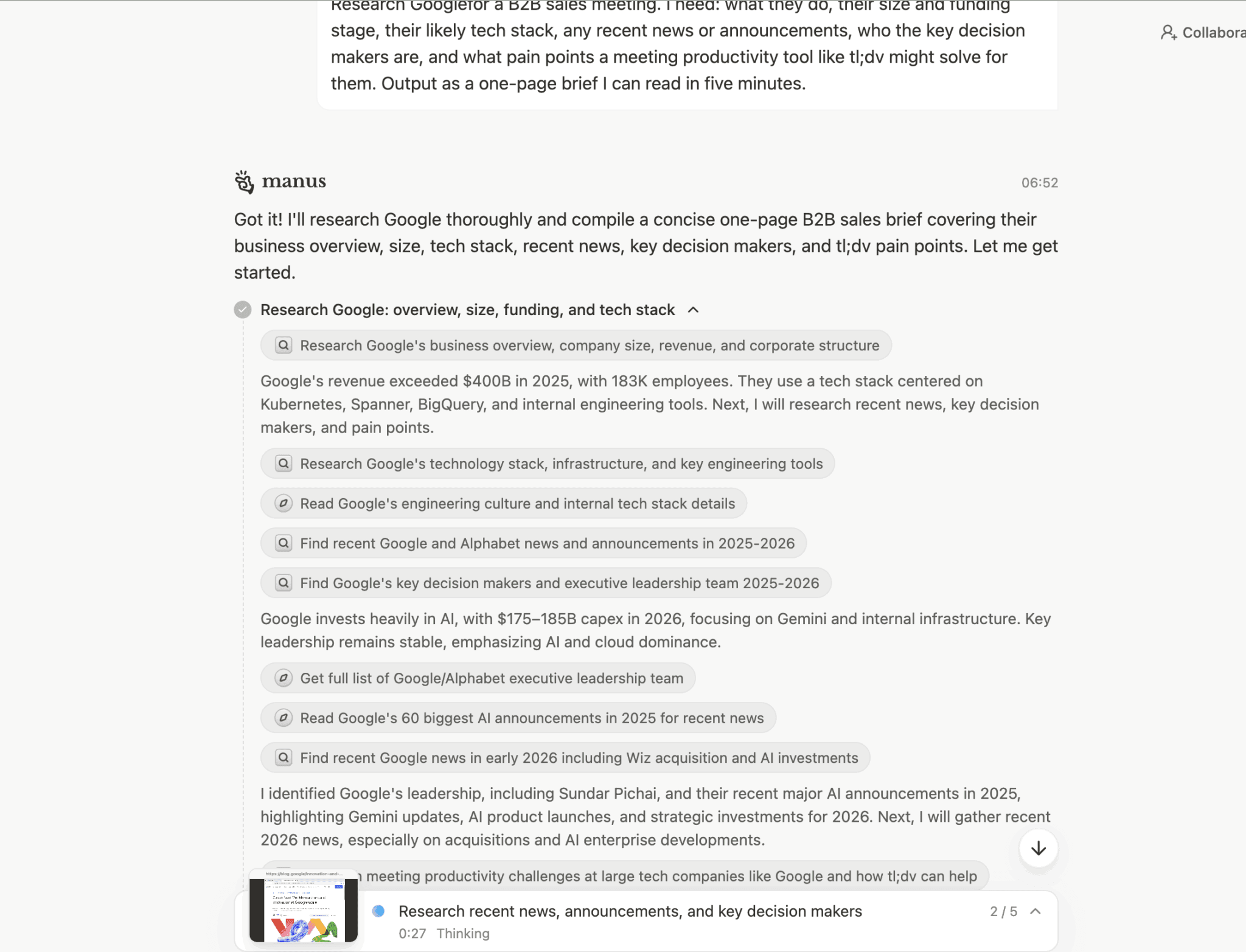
Task 2: B2B sales brief on Google for a tl;dv pitch. Outcome: this is the one that made me sit back. It produced a full one-page brief: revenue, tech stack, key decision makers, recent announcements. There was even a section mapping Google’s specific pain points to tl;dv features, with sources. An SDR could walk into a Google meeting with that document and look like they’d spent two hours on prep. Manus did it in two minutes.
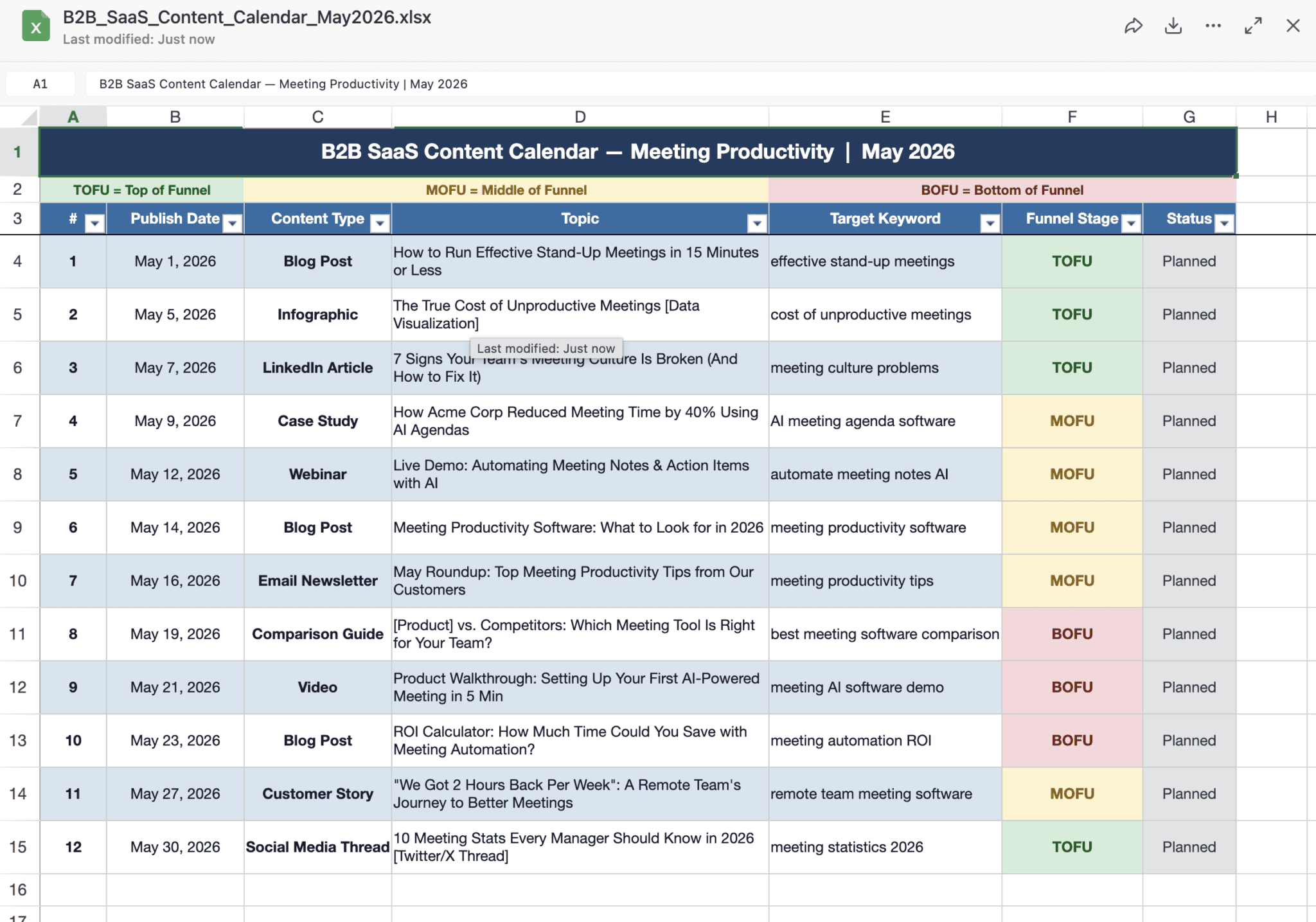
Task 3: Content calendar spreadsheet for a B2B SaaS company. Outcome: built a properly formatted spreadsheet with twelve content ideas, publish dates, content types, target keywords, and funnel stages color coded by TOFU, MOFU, and BOFU. Downloaded and usable. The topics were generic but structurally it was exactly what I asked for.
Task 4: Weekly meal plan and Asda shop for a fussy eight year old. Outcome: this is my favourite one. It planned seven weeknight meals a picky child would actually eat. It generated a shopping list organized by aisle. Then it opened Asda.com, accepted the cookies, searched for carrots, and added 1kg of Crunchy and Sweet Carrots to the basket. Then it hit the login wall. It read the raw HTML of the Asda login page trying to find a way through, couldn’t, and asked me to either take over the browser or share my Asda password via chat.
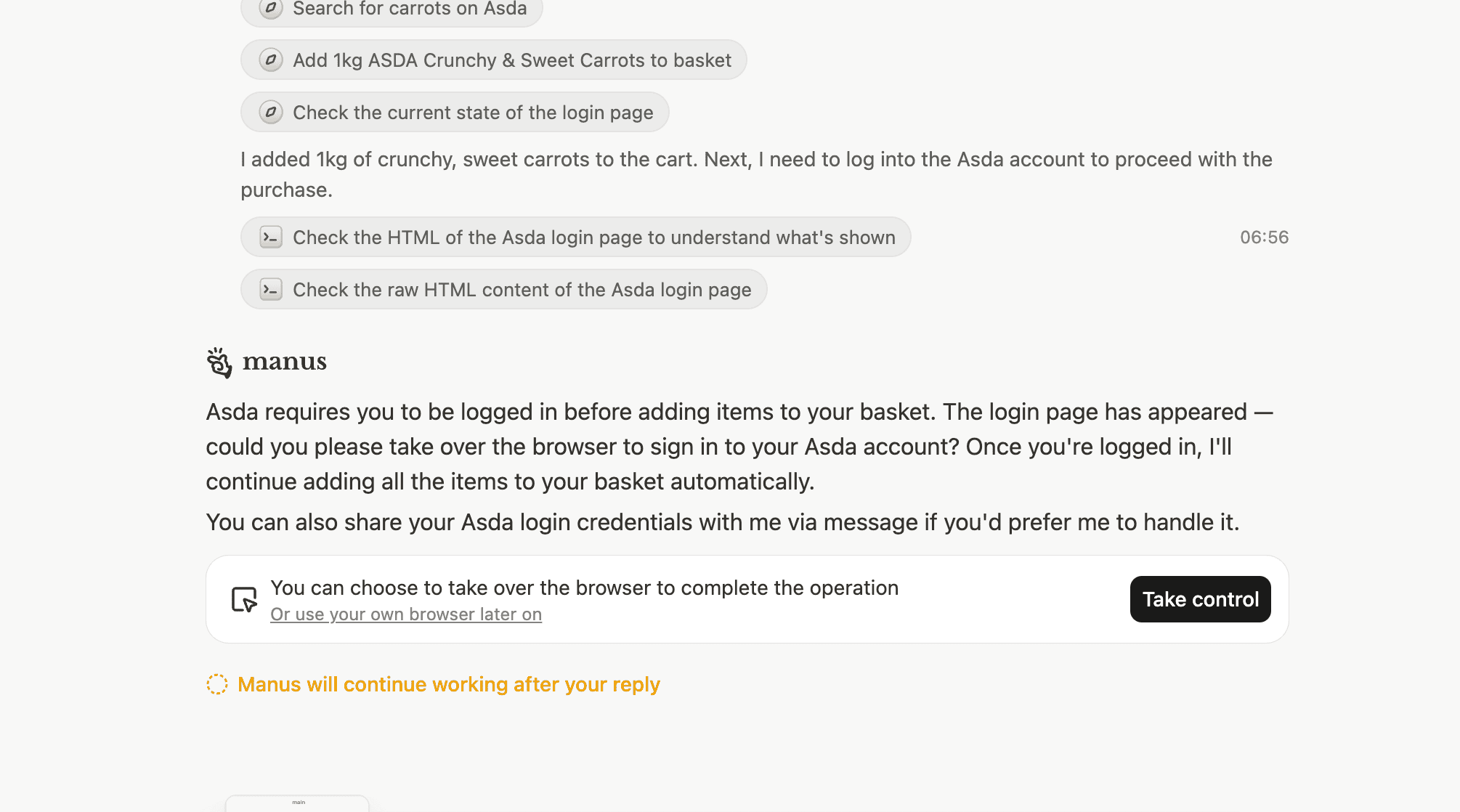
I did not share my Asda password via chat.
But the fact that it got that far is the point. ChatGPT would have given me the shopping list and left me to it. Manus went to the actual shop. Whether you’d trust it to complete the checkout unsupervised is a personal decision. I would not. Not yet.
The pattern across all four tasks is the same. Manus is genuinely impressive on research and structured output. It does things other AI tools talk about. The edges show up when it hits a wall it can’t read its way through, a login page, a CAPTCHA, and has to ask for help or give up. That’s not a fatal flaw. That’s just where autonomous AI currently lives.
How to use Manus AI and tl;dv to automate your entire meeting workflow
I’ll be honest: I didn’t expect this bit to work as well as it did.
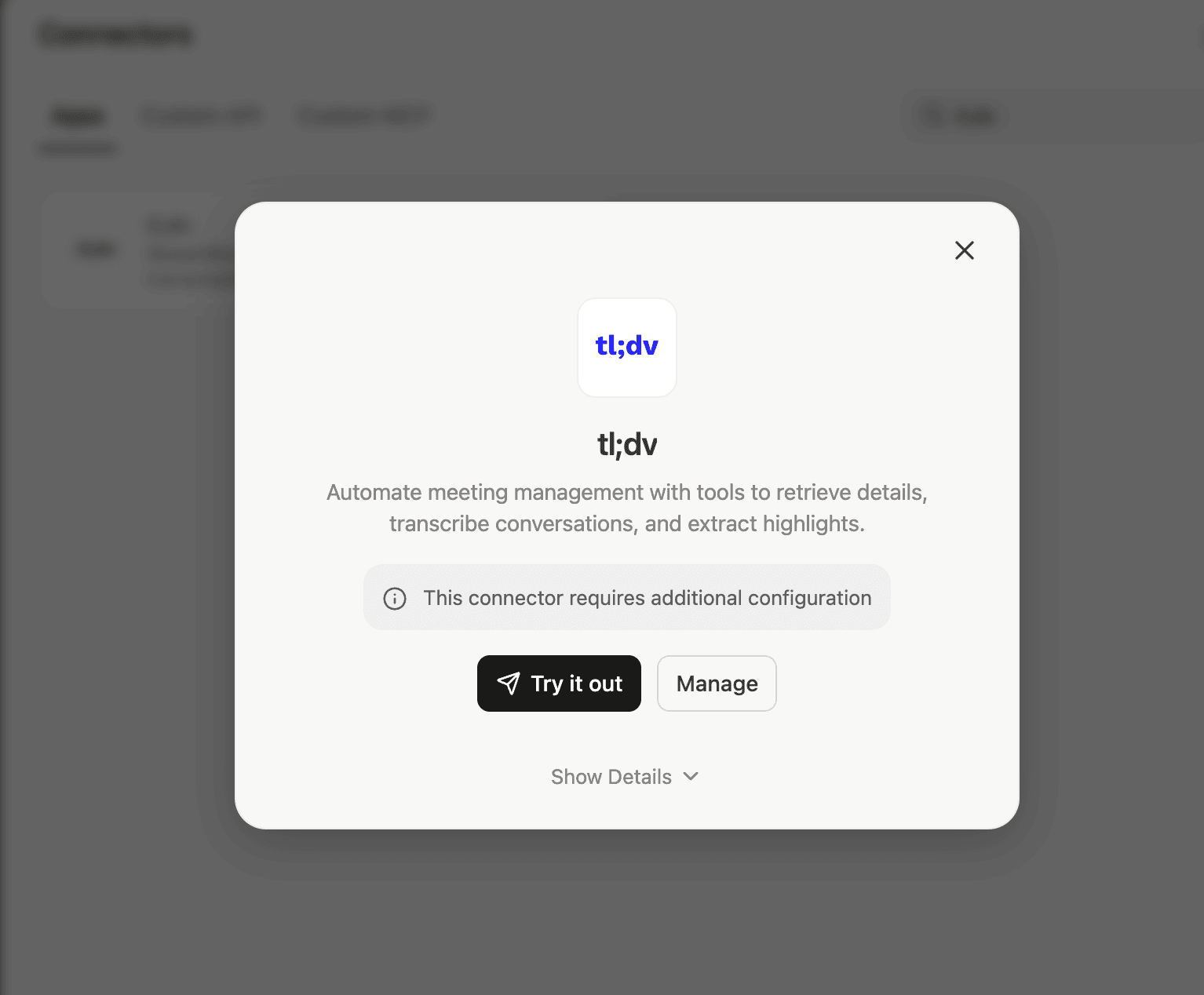
While testing Manus, I knew that tl;dv is listed in the Connectors settings. Not a Zapier workaround, not a manual API setup. A native connection, sitting there with the tl;dv logo and a Connect button, like it had always been there.

Manus found four tools inside tl;dv:
- list-meetings: search and filter your meeting library by date, keyword, or meeting type
- get-meeting-metadata: pull the details of a specific meeting, participants, duration, organizer
- get-transcript: download the full timestamped transcript with speaker labels
- get-highlights: extract AI-generated key moments and action items by topic
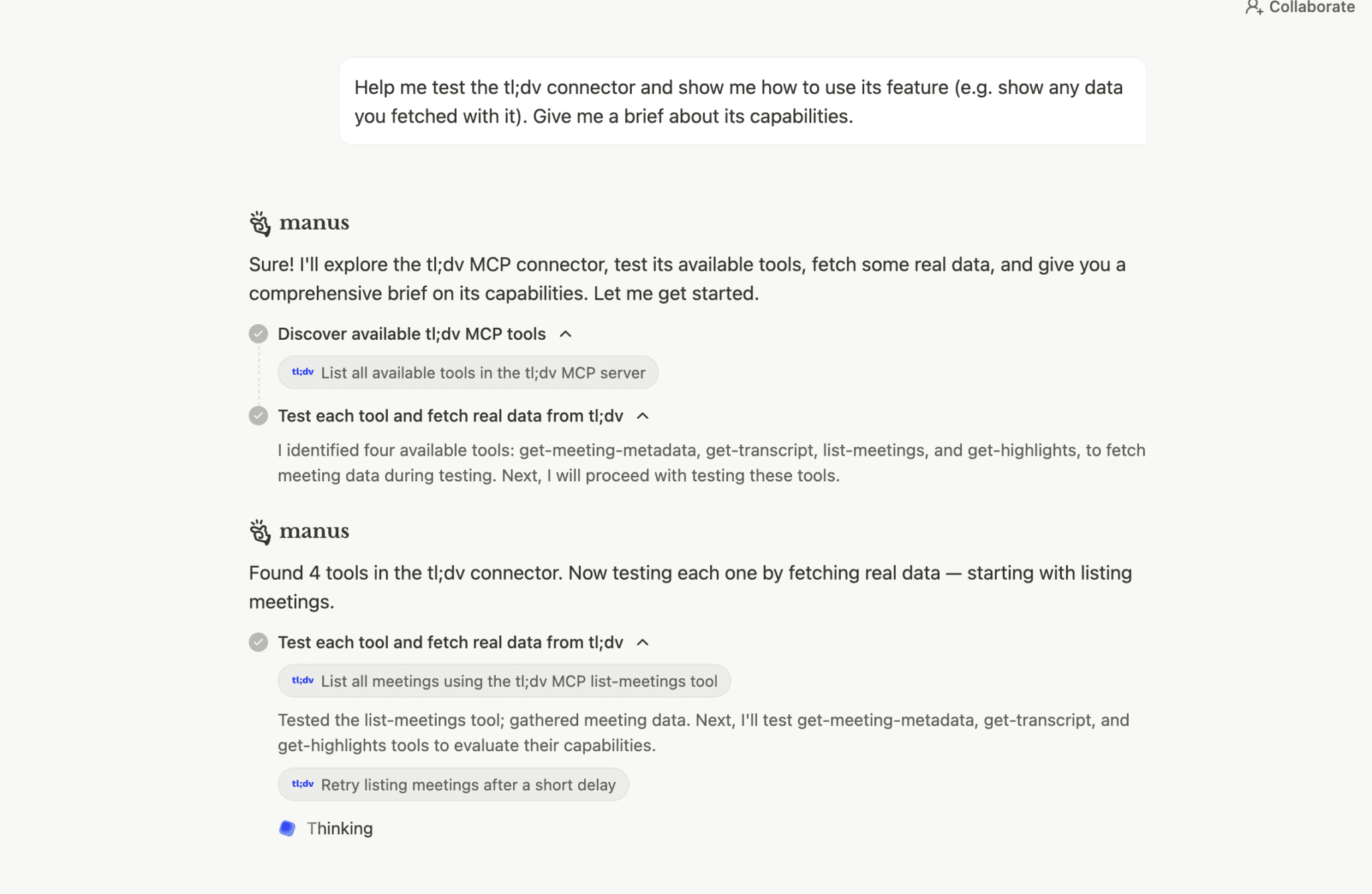
I asked Manus to test the integration and show me what it could actually do. It started pulling real data. Actual meeting names, participants, timestamps. Partway through it hit degraded mode again, flagged it, waited, and kept going. Worth knowing if you’re planning to run time-sensitive tasks through it.
Before we get into the use cases, something worth saying clearly: tl;dv already does a lot of this natively. You can ask it questions across multiple meetings, get automated reports, track playbook adherence, spot objection patterns, and surface coaching insights without Manus anywhere near it. If you’re a sales manager who needs to understand what’s happening across your team’s calls, tl;dv’s own multi-meeting intelligence handles that. That’s the job it was built for.
What Manus adds is the ability to take that data and combine it with the outside world. Pull your tl;dv transcripts, cross-reference them against live competitor research, map objection patterns against prospect data, and produce a briefing document you can act on immediately. That’s not something tl;dv does on its own. That’s where the combination earns its place.
Here’s what that looks like across three roles.
The SDR
An SDR’s pre-call research usually involves a frantic twenty minutes on LinkedIn, a quick Google of the company, and hoping you retained enough to sound credible. With Manus running prospect research autonomously and tl;dv capturing every discovery call, the loop closes properly.
Ask Manus to pull the transcripts from your last ten discovery calls via the tl;dv connector and identify the three objections that came up most. It will do that. Then ask it to cross-reference those objections against the prospect’s public positioning and suggest how to handle them next time. That’s a workflow that used to require a sales enablement team. Now it’s a prompt.
The Sales Manager
tl;dv’s coaching features are already strong here. Playbook adherence, objection handling analysis, rep performance tracking, it does all of that natively. You don’t need Manus for that.
Where Manus earns its place is synthesis at scale with external context added in. Connect it to tl;dv, ask it to pull highlights from your team’s calls this month, and then cross-reference them against recent competitor announcements or market news. You get a picture that tl;dv alone can’t give you, because tl;dv knows what happened in your meetings and Manus knows what’s happening in the world.
The Founder
Founders going into investor meetings are carrying a lot in their heads. The company narrative, the numbers, the objections they’ve fielded before, and the specific things this particular investor has said in previous conversations. Here’s how Manus and tl;dv handle the heavy work around that meeting.
- Before the meeting, ask Manus to research the investor: their portfolio, recent public statements, any deals they’ve done in your space, and likely questions based on their investment thesis. It hands you a briefing document in minutes rather than an hour of tab-switching.
- During the meeting, tl;dv records and transcribes everything. You stay present in the conversation instead of taking notes.
- After the call, ask Manus to pull the highlights via the tl;dv connector, cross-reference what the investor flagged against your previous meetings with them, and draft a follow-up that addresses their specific questions directly.
You walk in informed, capture everything that was said, and the follow-up reflects the actual conversation rather than your best memory of it at 11pm.
That’s the combination. tl;dv captures and understands your meetings. Manus takes that data and does something with it. Neither replaces the other. They’re better together.
| Role | Biggest time sink | Manus does this | tl;dv does this |
|---|---|---|---|
| SDR | Manual prospect research before every outreach | Researches batches of prospects autonomously, company news, tech stack, pain points, without you touching it | Transcribes discovery calls and surfaces which objections keep coming up, feeding better messaging over time |
| AE | Keeping track of what was said across a long multi-stakeholder deal | Maps the full account before first contact, stakeholders, recent company moves, likely blockers | Keeps a searchable record of every call. What was promised in call one is still findable in call six |
| Sales Manager | Relying on reps to self-report on call quality and deal health | Synthesizes highlights across the whole team’s calls, spots patterns, flags deals going quiet, cross-references against market data | Records the full team without anyone needing to remember to hit record or write up notes |
| Sales Director | Forecasting from CRM data that doesn’t reflect what’s actually happening in deals | Analyzes pipeline health from real conversation data combined with external market context | Creates a source of truth for what’s being said in calls versus what’s being logged |
| Founder | Preparing for high-stakes investor meetings and following up while the conversation is still fresh | Researches the investor before the meeting, their portfolio, thesis, and likely questions, and drafts a follow-up grounded in what was actually discussed | Records and transcribes the meeting so nothing is lost and every commitment made in the room is findable afterwards |
Manus AI pricing: how much does it cost?
Manus calls its paid offering Manus Pro, which is an umbrella for three usage tiers rather than a single plan. Each tier runs on a credit-based model, and credits and monthly fees are two separate things. Complex tasks can burn through your allocation faster than you’d expect.
Here’s what the plans actually look like, confirmed from the pricing page. Annual prices are taken directly from the screenshot; monthly prices are based on the stated 17% annual discount.
| Plan | Monthly price | Annual price | Credits per month | Concurrent tasks |
|---|---|---|---|---|
| Free | $0 | $0 | 300 refresh credits daily | 5 |
| Pro — Standard | ~$20 | $17/month | 4,000 | 20 |
| Pro — Customizable | ~$41 | $34/month | 8,000 | 20 |
| Pro — Extended | ~$200 | $167/month | 40,000 | 20 |
A single complex research task can consume anywhere between 500 and 900 credits. On the Standard tier, that’s potentially your entire monthly allocation gone in two tasks. The Customizable tier is the one that makes most practical sense for regular use, and there’s a seven-day free trial available on that tier if you want to test before committing.
The annual plan saves 17% across all tiers, but requires you to commit upfront. As someone who pays month to month for everything because I don’t trust myself to cancel things, I noted that with some feeling.
One thing users consistently flag in reviews: failed tasks still consume credits. If Manus hits a wall mid-task and can’t complete it, you don’t get those credits back. Factor that into how you think about the cost.
There’s also a Teams plan for businesses, though pricing isn’t listed publicly. You’ll need to contact them directly for that one.
Manus AI pros and cons
The pros
It actually does the work. Not in a “here’s a draft for you to finish” way. In a “here’s a finished document, a populated spreadsheet, and I started your Asda shop” way. For research-heavy roles, that’s a genuine time saving. The setup is genuinely easy. No configuration, no technical knowledge required. If you can type a goal in plain English, you can use Manus. That puts it in a different category from most agent tools, which tend to assume you know what you’re building. The transparency is reassuring. The live feed of Manus working through a task is one of its better design decisions. You can see exactly what it’s doing, which sources it’s reading, where it’s going. If it takes a wrong turn you catch it immediately. That’s not nothing for a tool operating autonomously on your behalf. The tl;dv integration is native and genuinely useful. Not a workaround. A built-in MCP connector that gives Manus access to your meeting transcripts, highlights, and metadata. For sales teams the workflow this enables is real. The Google brief was impressive. Decision makers, pain points, recent news, tl;dv use cases mapped to Google’s specific challenges. Two minutes. Referenced and sourced. That’s the SDR use case working in practice, not in theory.The cons
The credit system is unpredictable. Complex tasks burn through credits faster than you expect, and failed tasks don’t get refunded. On the Standard plan you could exhaust your monthly allocation in two ambitious research tasks. Budget accordingly. It hits walls. Login pages, CAPTCHAs, paywalls. When Manus can’t get through it either asks for help or gives up. It asked me for my Asda password. I declined. These aren’t fatal limitations but they’re real ones. It went into degraded mode twice during testing. Both times it flagged it and recovered. But if you’re running time-sensitive tasks, that’s a risk worth knowing about.The data sovereignty question isn’t fully resolved. Manus now holds SOC 2 Type II and ISO 27001 certifications, which covers the baseline security bar. The ongoing Chinese regulatory review of the Meta acquisition, focused on whether Manus’s technology falls under national security or export regulations, is a separate concern those certifications don’t address. For personal use that’s manageable. For enterprise use with sensitive client data, it’s a conversation worth having before you commit.
It’s not a creative tool. Long-form writing, nuanced emails, anything requiring genuine voice or judgment. Manus produces serviceable output but it’s not where the tool earns its keep. Use Claude or ChatGPT for that. Use Manus for the research that feeds into it. The annual commitment on the free trial stings. Seven days free is reasonable. Requiring an annual plan commitment to access it is a bold ask for a tool most people haven’t used before.Is Manus AI worth the money?
Here’s the thing about Manus. It’s not trying to be a better ChatGPT. It’s not trying to be a smarter Claude. It’s trying to be something those tools aren’t, an AI that does the work rather than describes it, and on that measure it mostly delivers.
The research tasks are genuinely impressive. The Google sales brief alone would have justified the time I spent testing it. The content calendar was usable out of the box. The Asda shop got further than I expected before hitting a wall that, frankly, I’m glad it hit.
The limitations are real but they’re predictable. It struggles with anything behind a login. It burns credits faster than the pricing page implies. It went into degraded mode twice during a single morning of testing. And the data sovereignty question is not going away, especially now that Chinese regulators are actively reviewing the Meta acquisition.
Who should actually use it?
Founders, SDRs, researchers, ops people, and marketing managers who spend significant time on research, synthesis, and structured output will get genuine value from it. If your day involves pulling information from multiple places, organizing it, and turning it into something actionable, Manus saves you real hours.
Sales managers and directors get the most from pairing it with tl;dv. The combination of meeting intelligence and autonomous research is where the workflow genuinely earns its place, and it’s a pairing nobody else is shouting about yet.
Who should skip it for now?
Enterprise teams handling sensitive client data should wait until the compliance picture is clearer. Anyone who needs predictable costs will find the credit system frustrating. And if your primary use case is creative or nuanced communication, you’re better served by the tools you’re already using.
The carpentry option remains on the table. But for now, I’m keeping Manus.
FAQs About Manus.im
Is Manus AI free?
There’s a free tier with 300 refresh credits daily, which is enough for light use or a couple of simple tasks. Complex research tasks can consume between 500 and 900 credits in a single run, so the free tier won’t stretch far if you’re using it seriously. The Customizable plan at $39 a month is where most regular users will end up.
How does Manus AI differ from ChatGPT?
ChatGPT answers your questions. Manus does the work. If you ask ChatGPT to research something, it gives you an answer based on what it knows. If you ask Manus, it opens a real browser, visits websites, cross-references sources, and hands you a finished document. ChatGPT is faster and better for creative writing and quick questions. Manus is slower but more thorough on research and structured output tasks. Think of it this way: ChatGPT tells you how to do something. Manus goes and does it.
Is Manus AI safe to use for business data?
This is the question worth sitting with. Your screenshot of the pricing page shows SOC 2 Type II and ISO 27001 certifications listed under Security and Compliance, which is meaningful progress on the compliance front. The bigger concern is the ongoing Chinese regulatory review triggered by Meta’s acquisition in January 2026, focused on whether Manus’s technology falls under national security or export regulations. Those certifications don’t resolve that question. For personal use and non-sensitive research, the risk is manageable. For enterprise use with confidential client data, get your legal team involved before you commit.
What happened with the Meta acquisition of Manus?
Meta acquired Manus in December 2025 for an estimated $2 to $3 billion. Manus continues to operate as a standalone product at manus.im. Meta has said it plans to integrate Manus technology into its own AI products over time. The acquisition is currently subject to a regulatory review by Chinese authorities.