Skip to content







TL;DR: My Honest Take on Turbo AI
Turbo AI is a decent tool, but if you’ve learned about it from TikTok, you’re going to be disappointed. Don’t expect miracles.
I wanted Turbo AI to replace my messy Russian study workflow. I needed it to record lessons, extract vocabulary, build flashcards, and test me all in one place. In theory, it does exactly that.
In practice? It’s complicated.
When I recorded my live Russian lessons, the transcript quality was shockingly unreliable. It hallucinated languages we never spoke, merged speakers into one, and introduced errors that then filtered into the notes, flashcards, and quizzes. For conversational language learning, I simply couldn’t trust it.
However, when I switched to structured PDF uploads (grammar guides), Turbo AI performed far better. The notes were well-formatted, the summaries were useful, and the quizzes were genuinely helpful — though still not flawless.
The flashcards improved when I prompted them carefully, but they never reached the level of quality I was searching for. Without prompting, they were almost impossible to use as they inherited all the transcript mistakes.
The biggest frustration? The unclear free plan limits and sudden paywalls. You don’t really know what you’re getting until you hit a wall.
So is Turbo AI the best study app in 2026?
Best for: anyone revising structured lecture material or exam-heavy subjects.
Avoid if: you’re recording nuanced conversations (like language lessons) and need high accuracy.
Verdict: try the free plan, but don’t expect miracles. The TikTok ads are mostly exaggerated.
Let’s dive into my first-hand experience.
Turbo AI is commonly thought of as one of the leading AI tools for study and revision. It empowers users to create quizzes and flashcards from lecture materials or even YouTube videos. It allows you to record your device’s audio, so it can transcribe any meeting you have, create notes, and then you can ask its AI for specific things too.
The real question, however, is whether Turbo AI is actually useful for those who genuinely need to revise something important. If you’ve watched their TikTok videos, you’d be forgiven for thinking that you just need to install it to grow your brain by 25%. Unfortunately, that’s not quite how it works.
Full disclosure: I am a freelance writer for tl;dv. While not a direct competitor, there is definitely overlap between these tools. However, I won’t be letting this stand in between me and my authentic experience with Turbo AI. Why? Because I am also studying Russian language online and want to see if Turbo AI would be useful for me from a language learning capacity. My calls are on Preply which means tl;dv cannot record them. As Turbo AI records device audio, it can capture my lessons.
I have three one-hour sessions per week and I’m constantly looking at ways to improve my workflow. I need to practice grammar, but also vocabulary. My current strategy is to record the Preply call with Granola, then ask its AI for a list of new vocabulary, then upload that vocabulary manually to Quizlet to create flashcards. It’s a bit of a pain in the arse.
Turbo AI, however, claims to be able to do all this for me automatically. Did it work? Let’s find out.
Turbo AI Review: My Honest Experience Using Turbo AI’s Free Plan
Turbo AI appealed to me from the get-go. It offers exactly what I want. However, as far as I’m aware, I have never been told or shown what exactly I get on the free plan. Because of this, I just continued to use it for free until they told me I couldn’t any more. Turns out that was after a measly 2 recordings.
To make matters worse, there was no option to sign up for an extended free trial. I either pay full-pelt or go somewhere else. I have to say, Turbo AI did not blow me away enough to justify the $9.99 per month cost.
How Smooth Was Turbo AI’s Onboarding?
Turbo AI’s onboarding is pretty seamless. It was a fairly straightforward ordeal that only took a few minutes to get through.
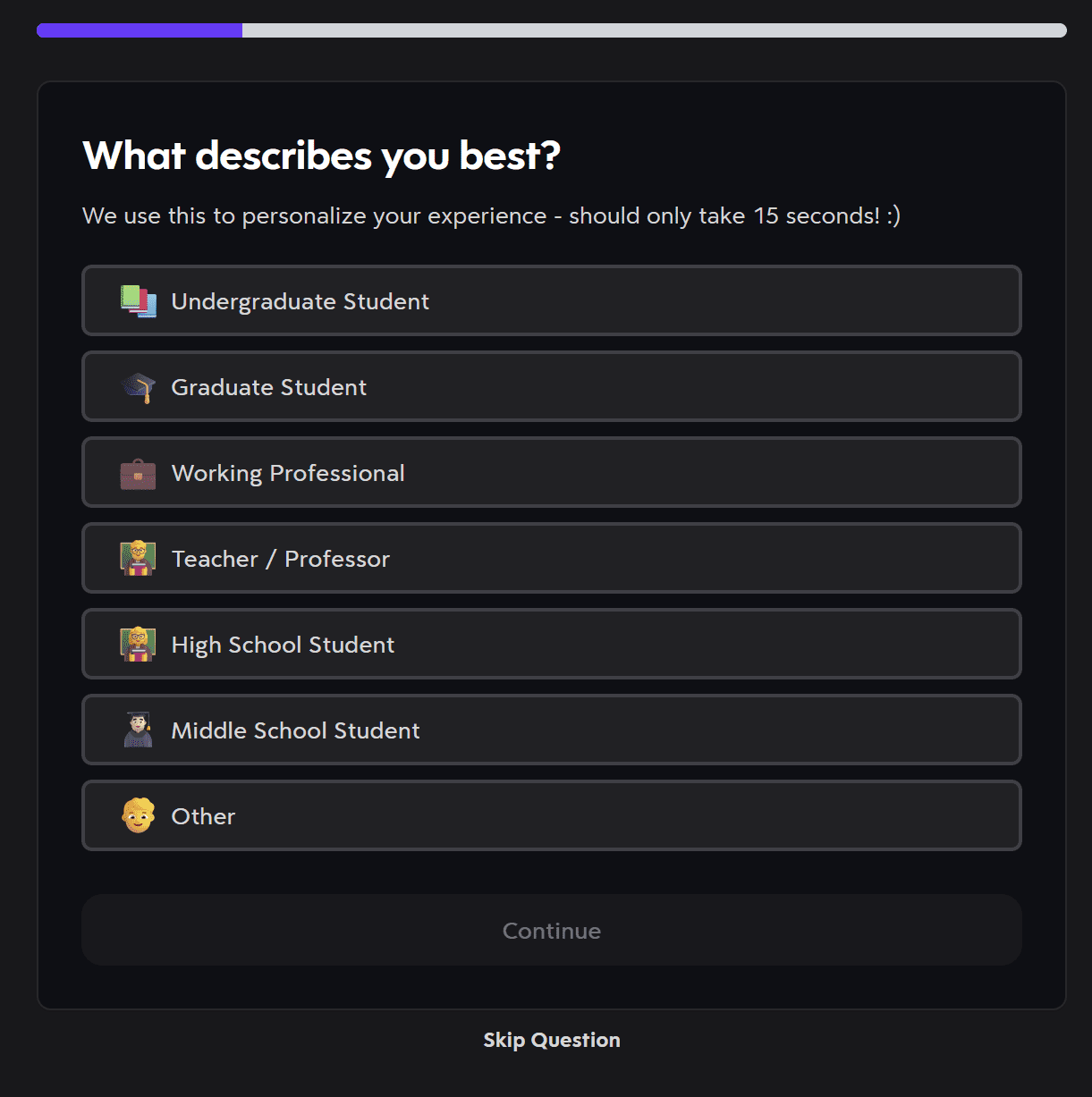
Turbo AI will ask you a bunch of questions that don’t actually seem to have any relevance for how the dashboard is set up (but I could be wrong there).
You’re also given the opportunity to select your primary language for notes.
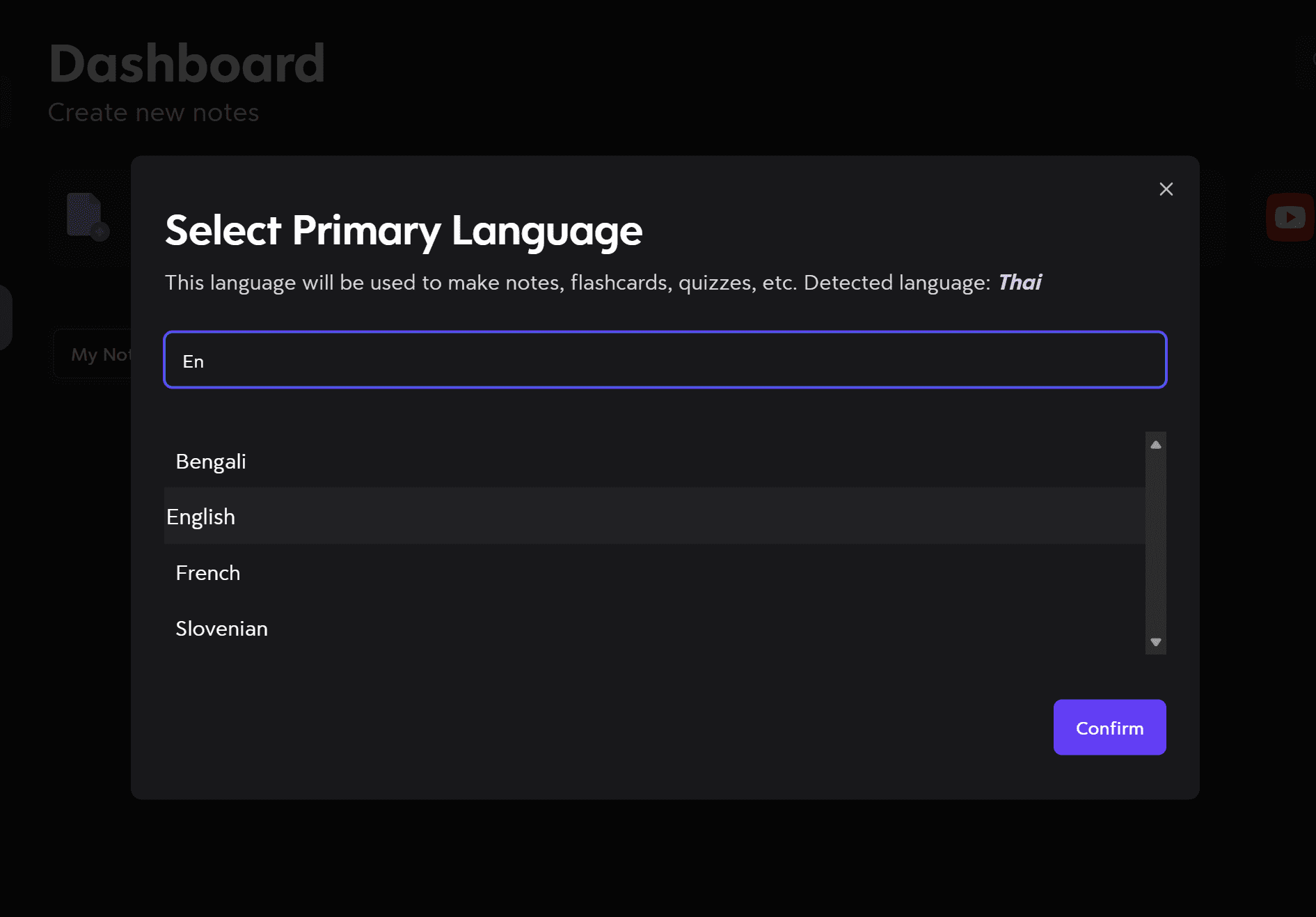
I was a little hesitant here. I wanted the notes to be in English, but I knew I’d be recording my lessons in Russian, so I still wanted the transcripts to be in the language that was spoken. Similarly, I wanted quizzes and flashcards to be in both languages. Nevertheless, I selected English and things turned out okay.
How Easy Is It to Navigate Turbo AI’s Dashboards?
Turbo AI is fairly easy to navigate. I didn’t have too much trouble finding things. However, the dark-on-dark UI was not my personal favorite. Thankfully, there is an option to switch to Light mode.
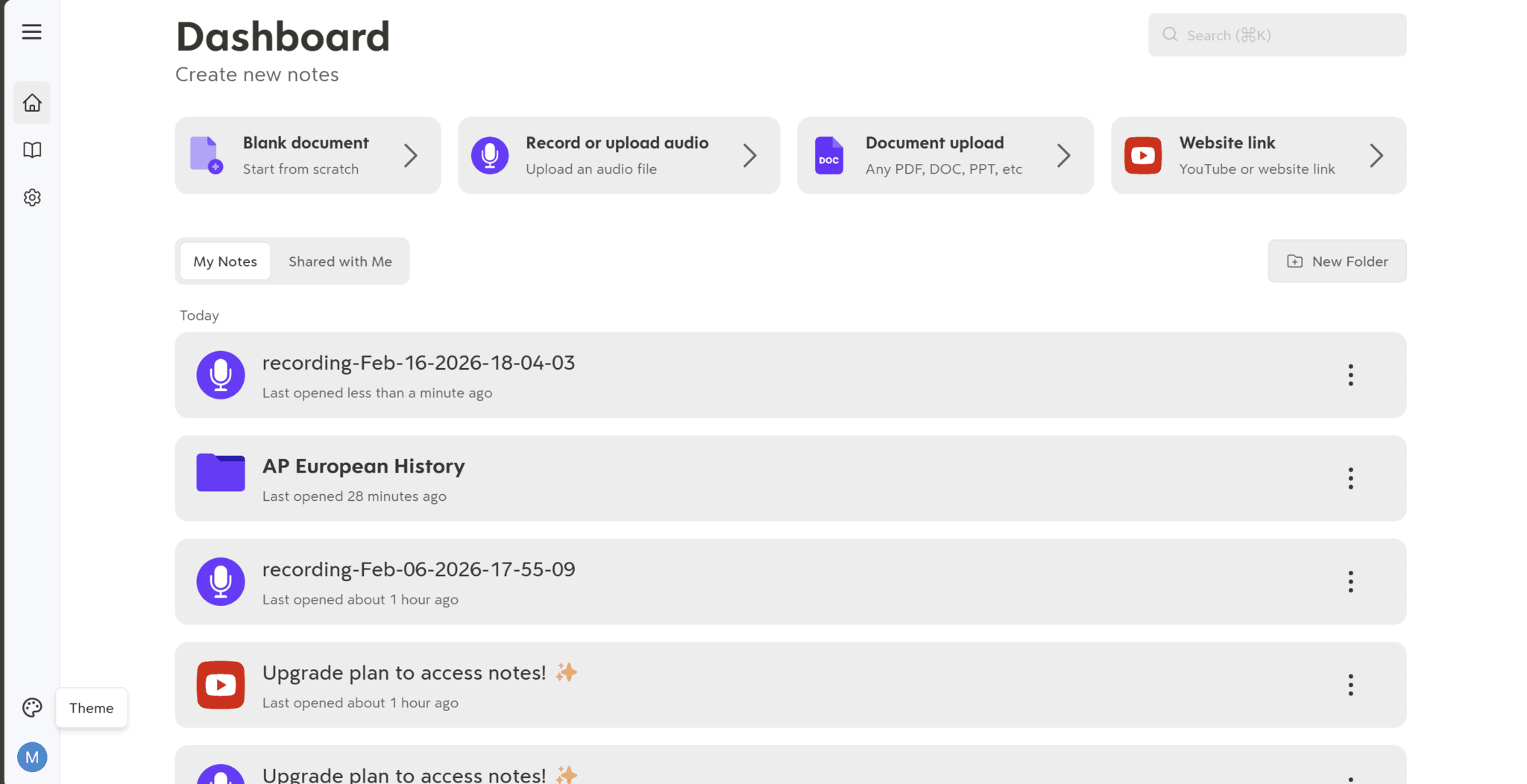
It can be a little confusing to find certain features. There’s no guide or tutorial. You’re left to fend for yourself, but it’s not so overwhelming or complex that you get lost.
For instance, if I wanted to generate flashcards, I expected a button somewhere in the notes section of the meeting itself. It’s not there though. Instead, it appears as a button on the left-hand side menu (that’s not normally there).
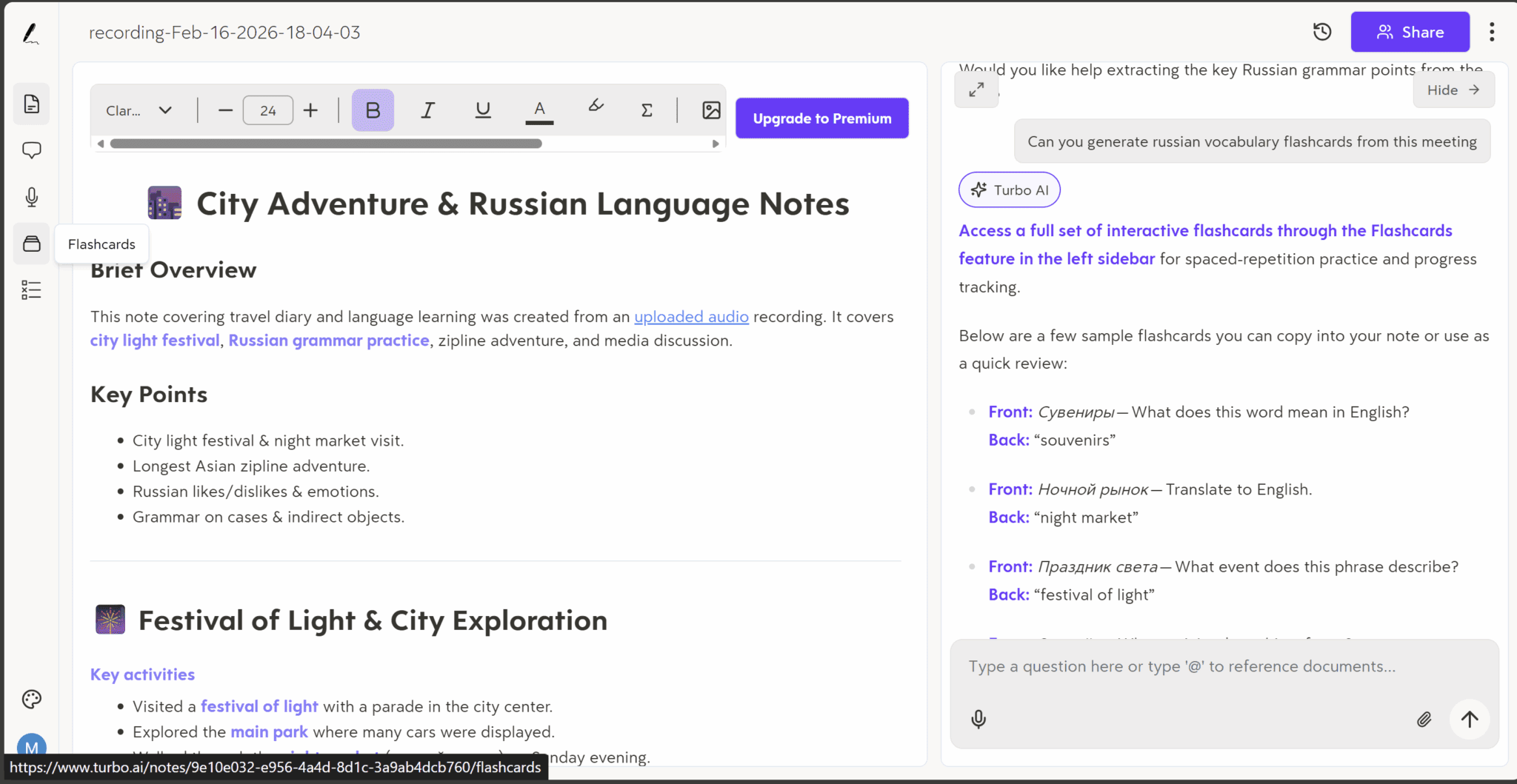
As you can see from the screenshot above, I asked the AI to generate flashcards for me as I didn’t initially see the flashcard button. I found it afterwards, wedged in between “Podcast” and “Quizzes”. I’ll break down each of these features soon.
I noticed later that the options for Quizzes and Flashcards are also displayed on the right in boxes above the Turbo AI chatbot, but only if you haven’t already been messaging there. In the screenshot above, I had already messaged Turbo AI so I couldn’t find those options as easily.
How Easy Is It to Record Using Turbo AI?
It’s pretty simple to start recording. Just head to the main dashboard where your meetings are stored, and click the “Record or Upload Audio” button at the top.

There are a few different options:
- Blank document
- Record or upload audio
- Document upload
- Website link
For recording your device’s audio, the second option is the one you want. If, however, you’re wanting to get notes or a transcript from a YouTube video, you can select the fourth option. PDF instead? The third option has you covered.
The blank document allows you to type into it yourself, generating the notes from scratch manually. I’m not entirely sure why this would be useful, but it’s interesting that you can put any text in there and get notes, summaries, and an AI companion to talk to about it. Though you could also do this with a permanently free tool like ChatGPT.
When you click Record, you’ll be brought to a screen like this.
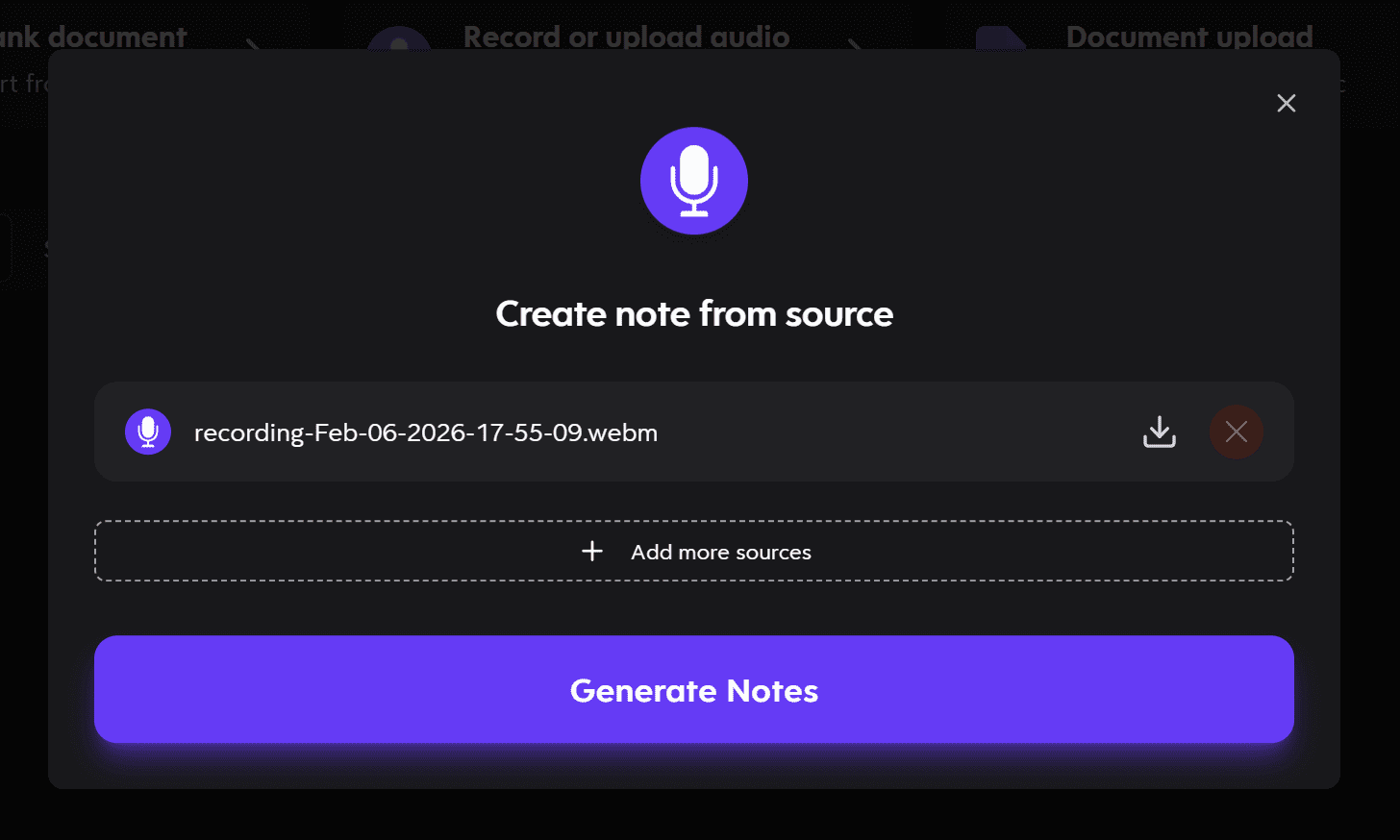
When the meeting is over, you’ll get the option to download your recording. Turbo AI automatically gives it a name with the date and time it was recorded. You can then add more sources if you wish, or simply use the single meeting to “generate notes”.
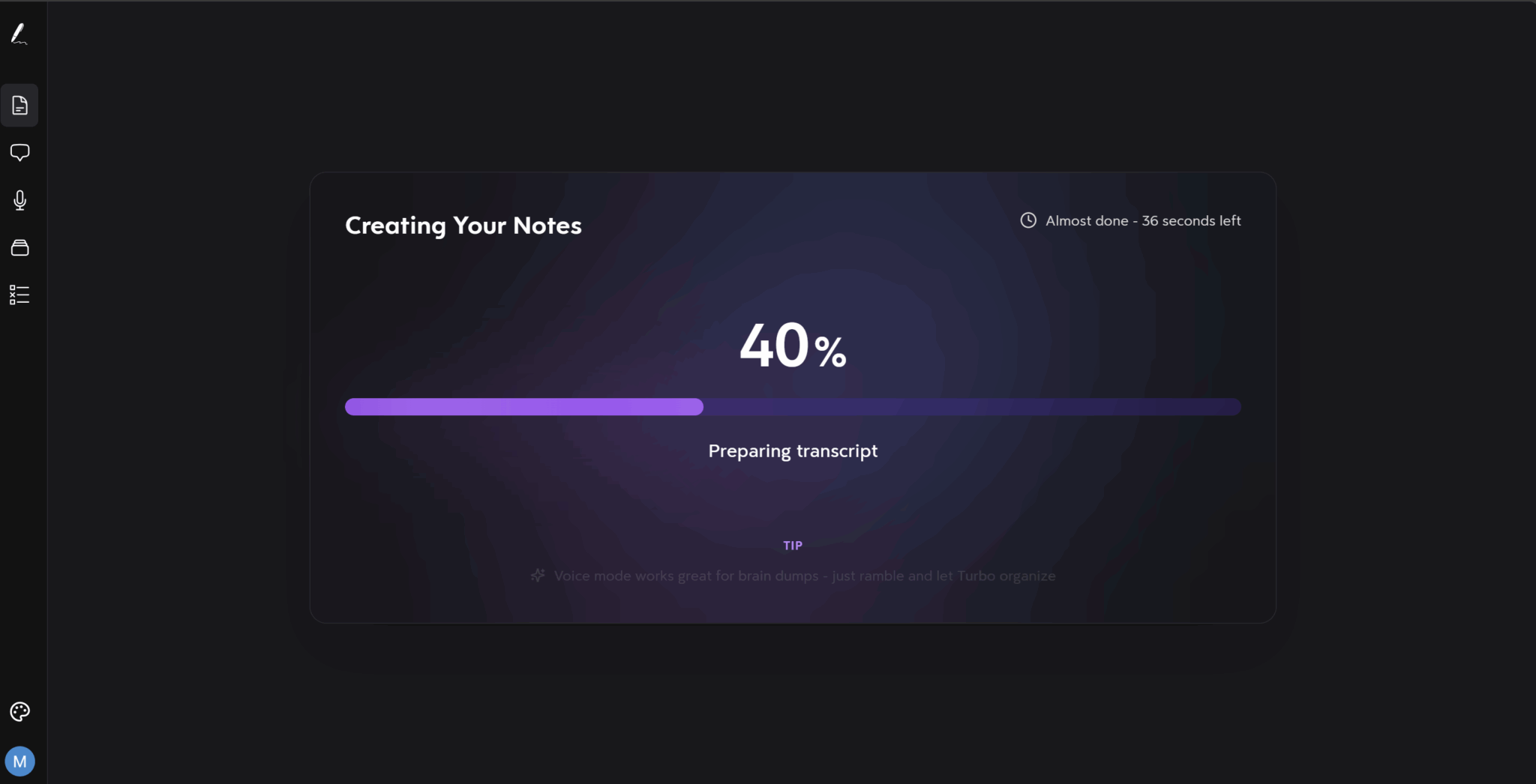
Generating notes can take several minutes depending on how many files you’re uploading and how large each of them is. For my hour-long audio, it took around one minute.
Overall, Turbo AI makes it super easy to record. I also like the fact that you can add additional sources if you want. This is like a manual version of tl;dv’s multi-meeting memory. I could, for instance, add several meetings and get AI analysis of all of them as a collective. This was something I was determined to try.
How Useful Are Turbo AI’s Notes and Transcripts for Audio Recordings?
Turbo AI’s notes look nice at first glance. They’re organized well, broken into categories, highlighted for skimmability. However, are they actually accurate?
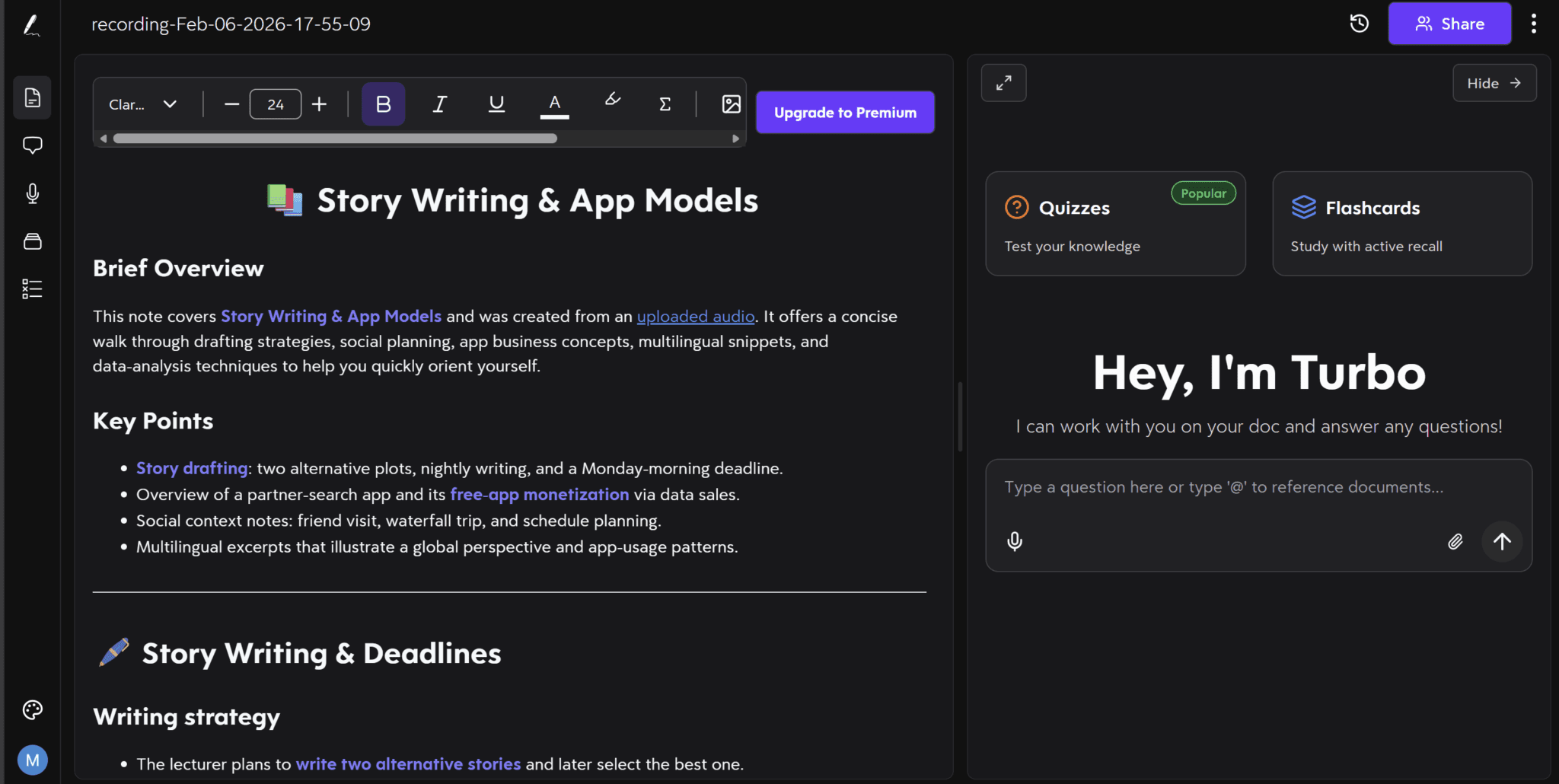
They use headings, emojis, colour, and highlighting to make the notes as readable as possible. I like the brief overview and key points sections, however, I expected them to understand that the audio was a language lesson. Instead, it just takes it as a conversation, translated into English, and doesn’t recognize the value comes from the language learning elements, not the actual topics discussed.
So while we did discuss story writing and app models, that was hardly the focus of the conversation. The conversation was a relatively informal Russian language lesson where we first discussed what we’d been up to recently (story writing) and then went into the tasks of the lesson, one of which naturally led to a discussion about how free apps like Facebook monetize people’s data. This was all discussed under the context of learning the language, which Turbo AI seems to have missed.
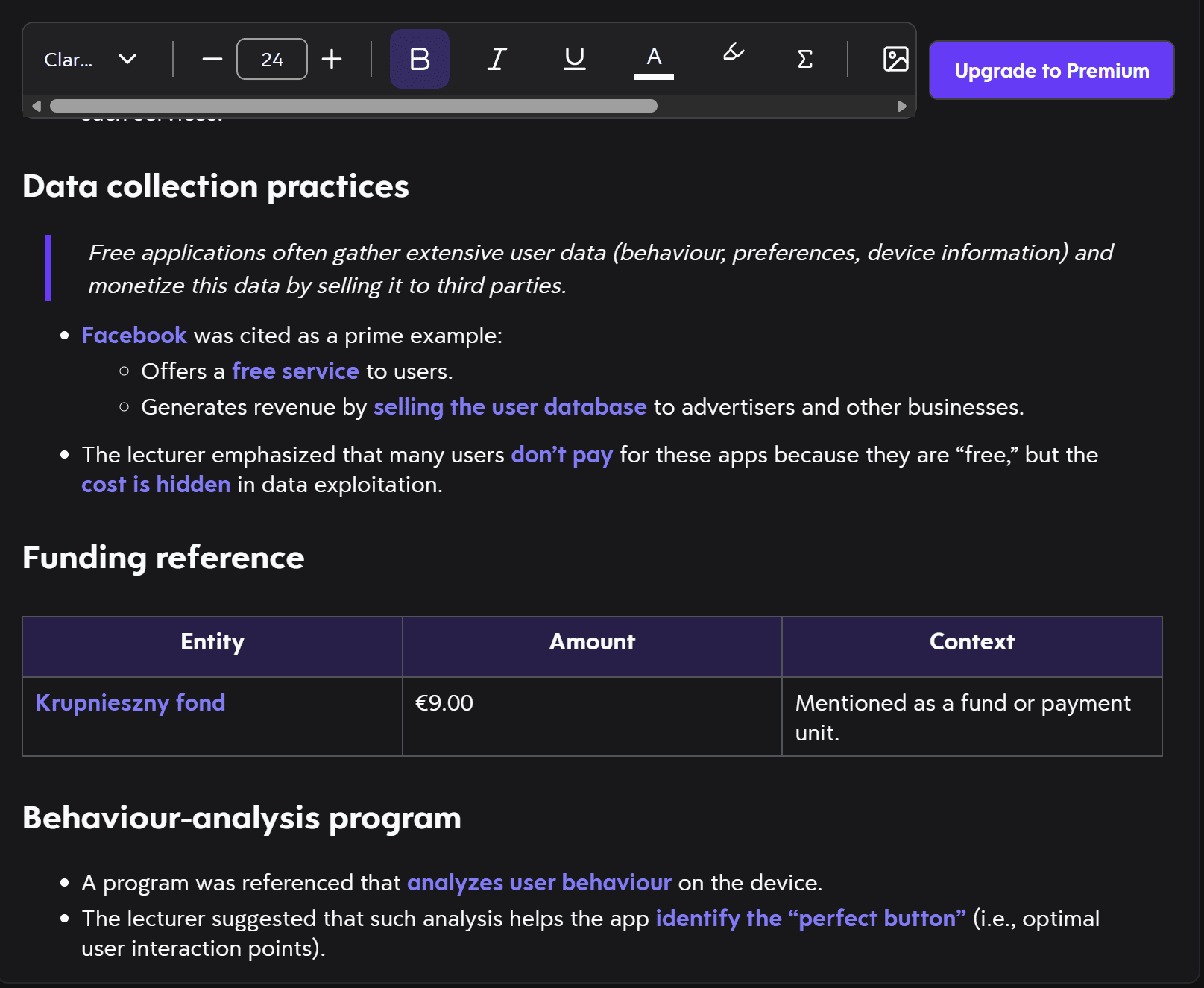
One thing I noticed during Turbo AI’s notes is that it refers to me as the lecturer when I’m the student.
Another thing is that it built a table for the “krupnieszny fond” and suggests it’s nine euros. What’s bizarre about this is that the word appears to be written in Polish, a language neither of us spoke (or are able to speak). Additionally, the amount is completely arbitrary. What we did discuss was the Russian word for a type of monetary fund, but that was it. This is another example of Turbo’s AI unable to detect the context of the call.
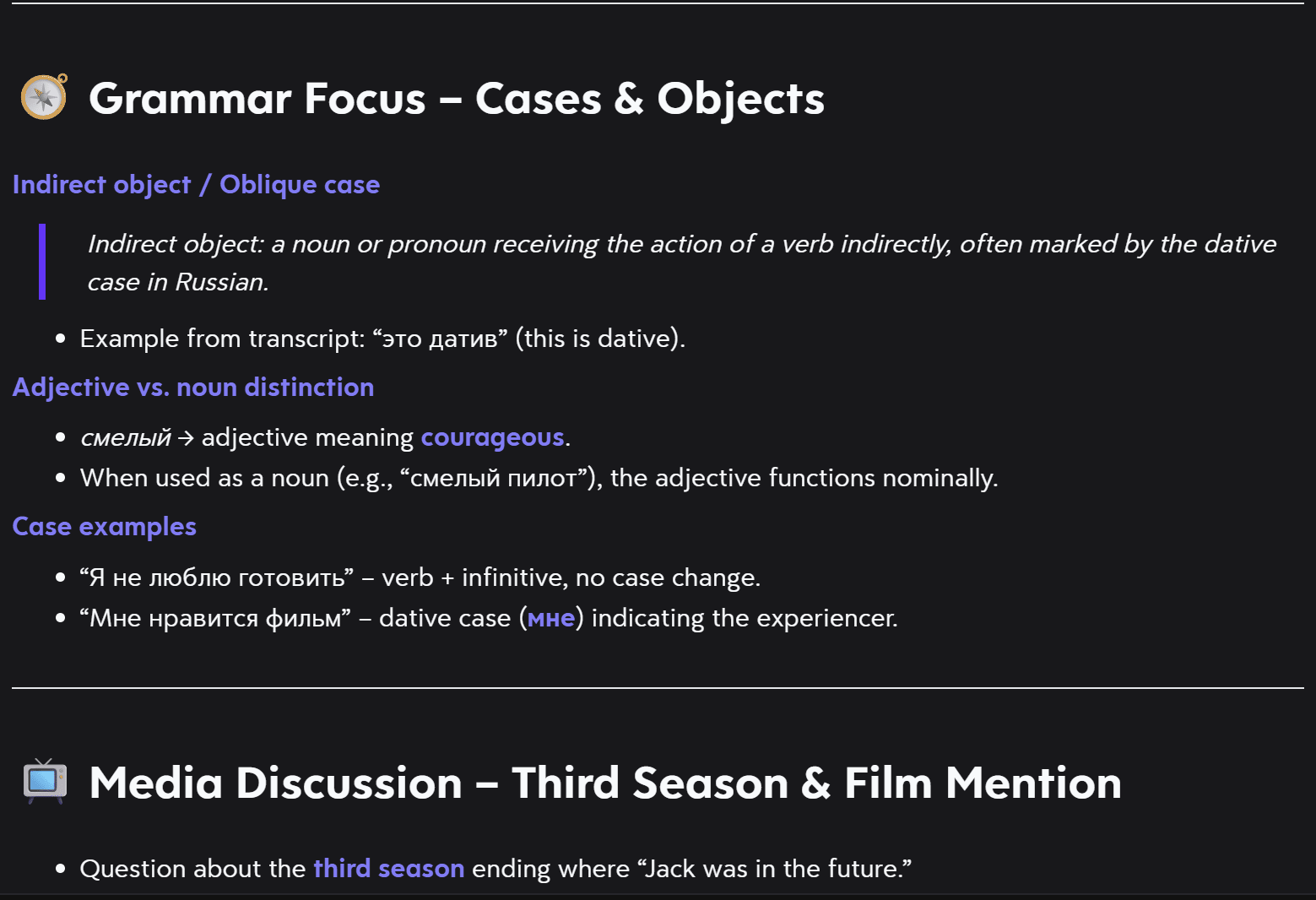
Some of Turbo AI’s notes were actually not that bad. For instance, the grammar focus sections did understand the meat of what we were discussing. It covers the specific grammatical case we were discussing, dative, and the main use of that case: indirect objects.
Even though this section of the notes was more accurate and helpful, it was one of the smallest sections of the entire notes. And many of the other sections were complete nonsense…
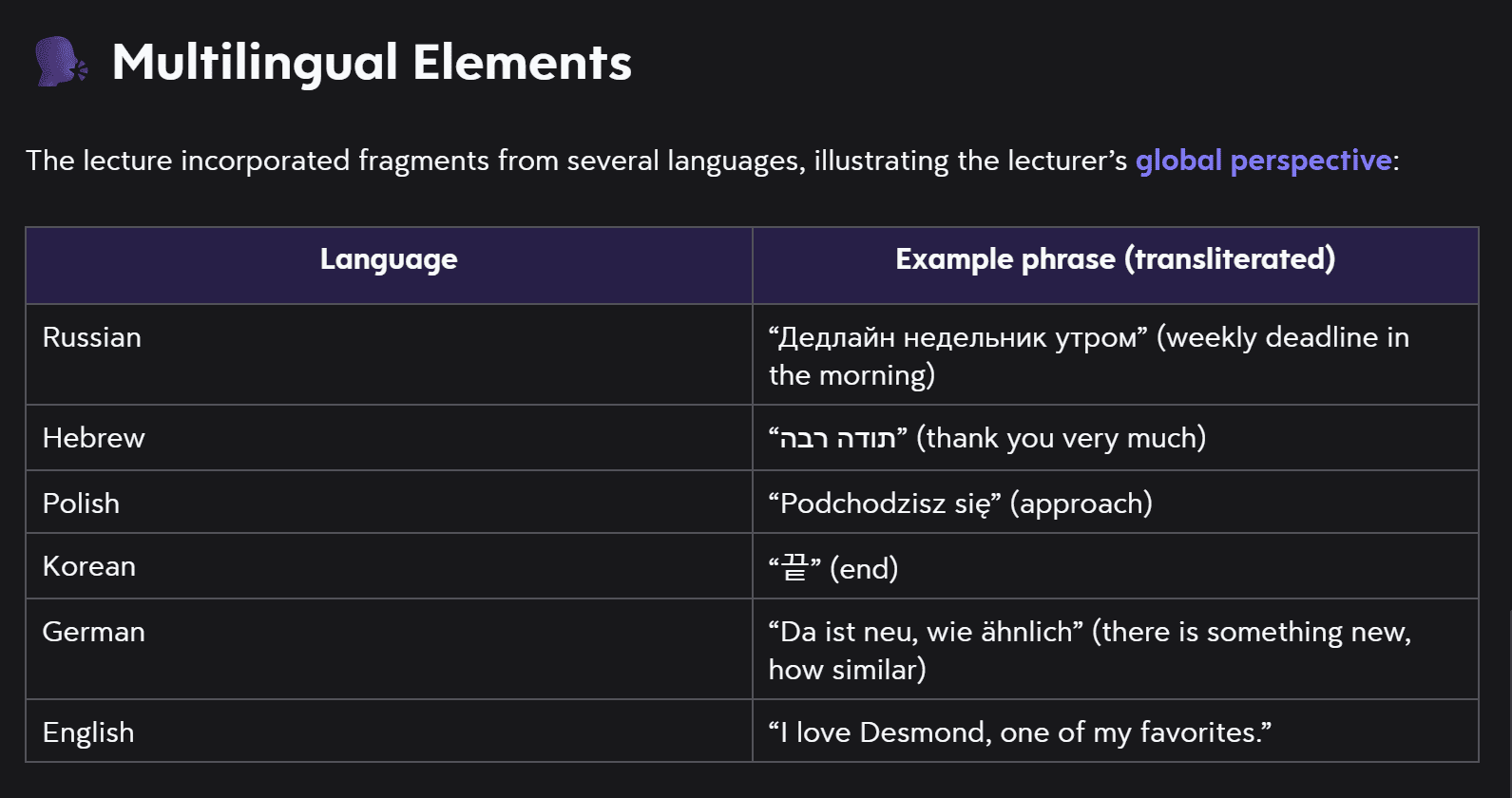
According to Turbo AI’s notes, my Russian teacher and I talked in Russian, Hebrew, Polish, Korean, German, and English. I can assure you, beyond all doubt, we did not speak Hebrew, Polish, Korean, or German. This is a complete hallucination on the part of Turbo’s AI.
Even weirder, I’m unsure how the AI came to this conclusion. I tried asking it but didn’t get much of an answer.
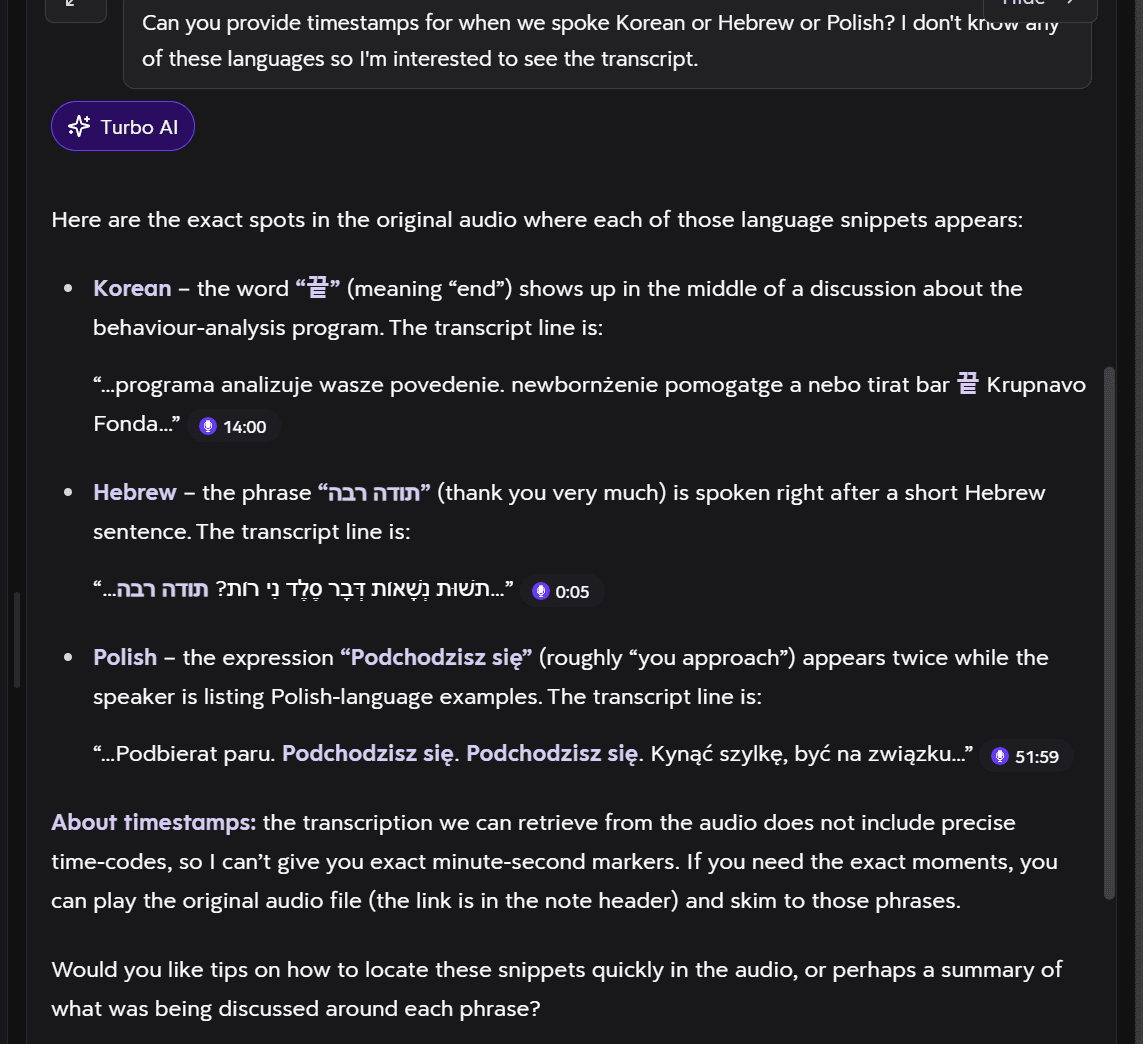
I asked Turbo AI when we spoke Korean, Hebrew, or Polish. It came back telling me the “exact spots” that we spoke in those languages. However, it doesn’t actually give proper timestamps. It gives numbers but you can’t click on them to then replay the audio. You have to do it manually.
Surprise, surprise. When I did go manually through the audio to these places, they were not in these languages. In fact, a lot of what the AI said here is just plain wrong. According to Turbo AI, we were saying “Thank you very much” in Hebrew just five seconds into the call.
The AI also tells me at the end that the transcription does not include precise time-codes (so it basically cannot give timestamps). It advises me to manually skim to those phrases.
This brings me onto something else.
Turbo AI Transcripts: Where Are They?
Turbo AI clearly transcribes my call. The audio recording is there, the notes are generated off the transcript, but then… where is it?
The timestamps do not work, and as far as I can see, there is no option to review the transcript directly from the notes. If you’re in the same boat, fret not!
The way to find the transcript is to head over to that pesky menu on the left-hand side and click on “uploaded content” then you’ll have to switch from “Chapters” to “Full Transcript”.
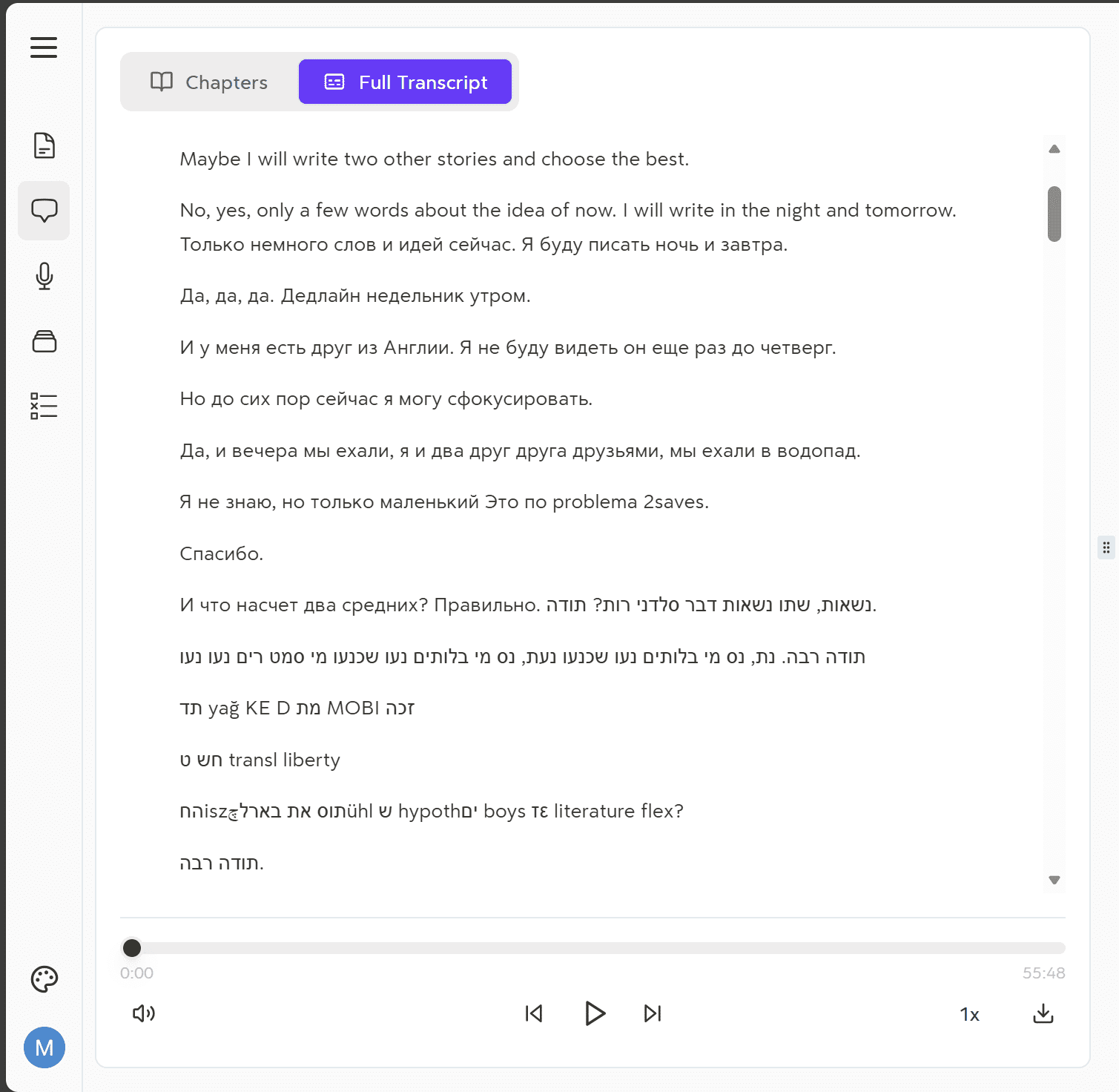
As you can see from the transcript, it’s mostly gibberish. There is no speaker recognition. No wonder it calls me the lecturer. It’s assuming that just one person is speaking for the entire recording.
Additionally, there is so much nonsense in there that it actually hurts. Firstly, it translated the first part into English when we were speaking Russian (which the audio also confirms). In fact, the last English sentence is directly translated and repeated afterwards in Russian.
Around half-way through the screenshot above, there is a Russian sentence that ends with “2saves.” Don’t even ask what that means.
And then it turns into Hebrew somehow and whatever that other language is (if it’s even a real language?): “yag KE D squiggle MOBI squiggle”. Then something Hebrew followed by “boys literature flex?”.
Honestly, I’ve seen some pretty bad transcripts in my time testing AI meeting assistants. I’ve never seen something so butchered as this. It’s completely unusable. What makes this worse is that the notes are generated based off of this transcript. And then the flashcards and quizzes are generated based off of those notes. If the foundations are flawed, everything that follows will be as well.
Turbo AI Study Materials: How Good Are Turbo AI’s Flashcards?
This was one of the main reasons I wanted to try out Turbo AI. I tried Coconote for the same reason and found myself incredibly disappointed with their flashcards. They were automatically generated based on the transcript and notes, and only able to be changed manually. I was really hoping that Turbo AI’s flashcards would be an improvement over Coconote’s.
Good news: they were miles better!
Bad news: they’re only useful if you prompt them.
The weird thing is that there appeared to be a prompt already written when I first used them. Instead of rewriting the prompt, I left it as it was because it was quite accurate to what I wanted anyway. However, it didn’t appear to actually use that prompt at all. It must have been an example of what to write rather than something it would actually take on board.
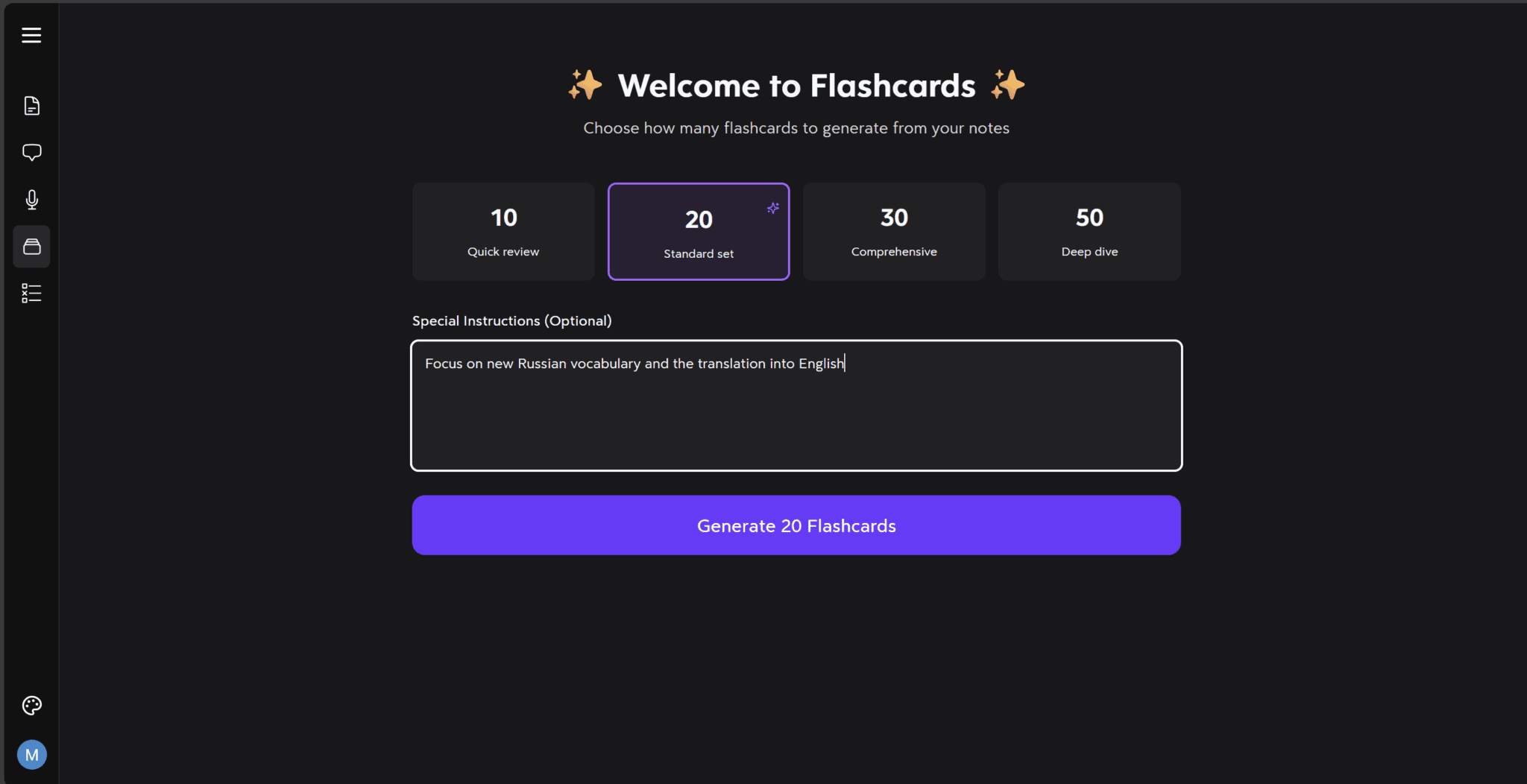
This was my first attempt, letting Turbo AI use the notes it generated to automatically create flashcards for me.
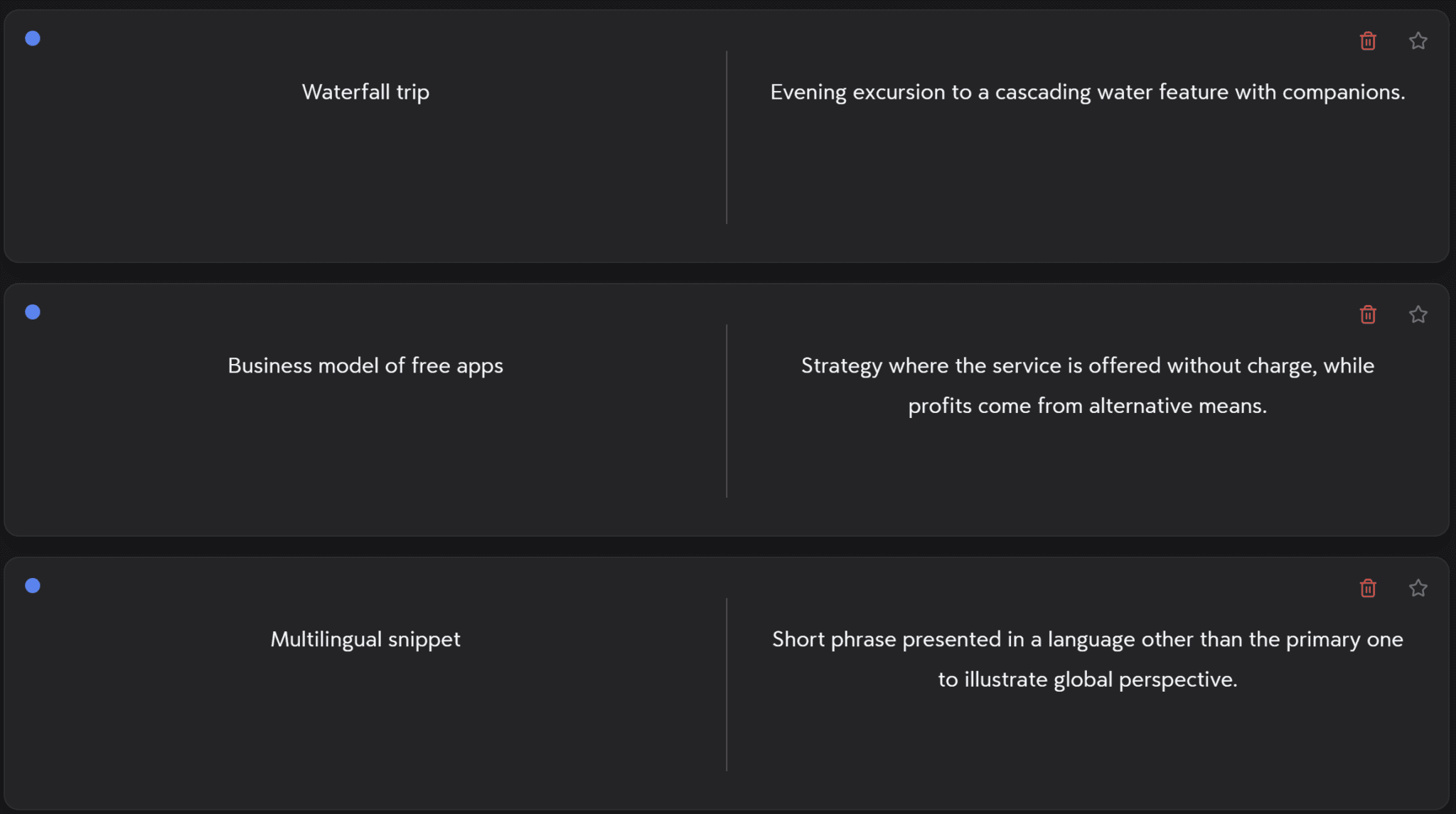
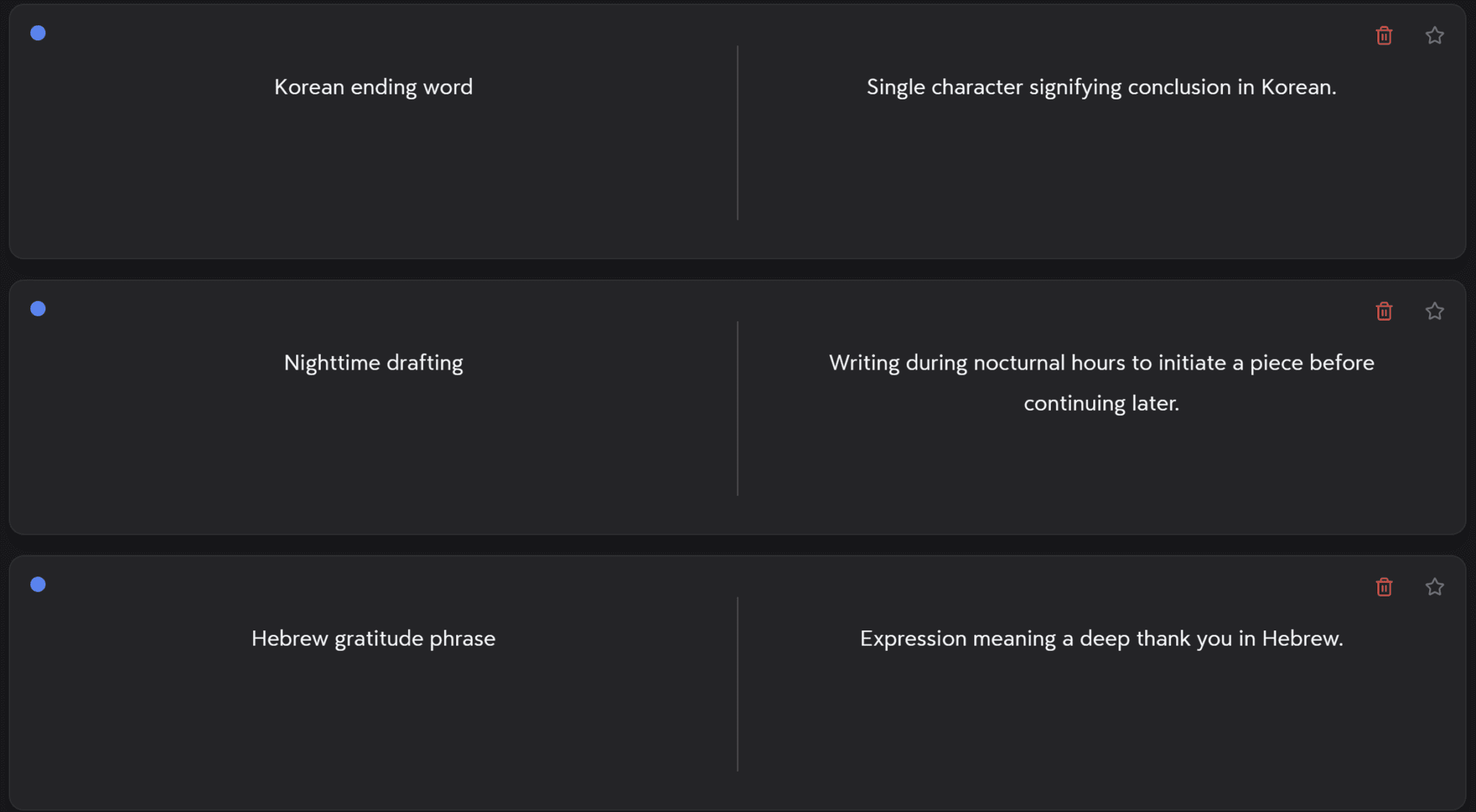
The first batch of flashcards didn’t go so well. They took the hallucinations from the notes and ran with them, prompting me with things like “Hebrew gratitude phrase” or “Korean ending word.”
I still have no idea how Turbo AI got the idea we were speaking all these different languages, but it clearly made the flashcards useless to me.
Instead of writing Turbo AI off as being just as bad as Coconote, I decided to regenerate the flashcards with my own prompt. This transformed Turbo AI’s flashcards into a useful feature.
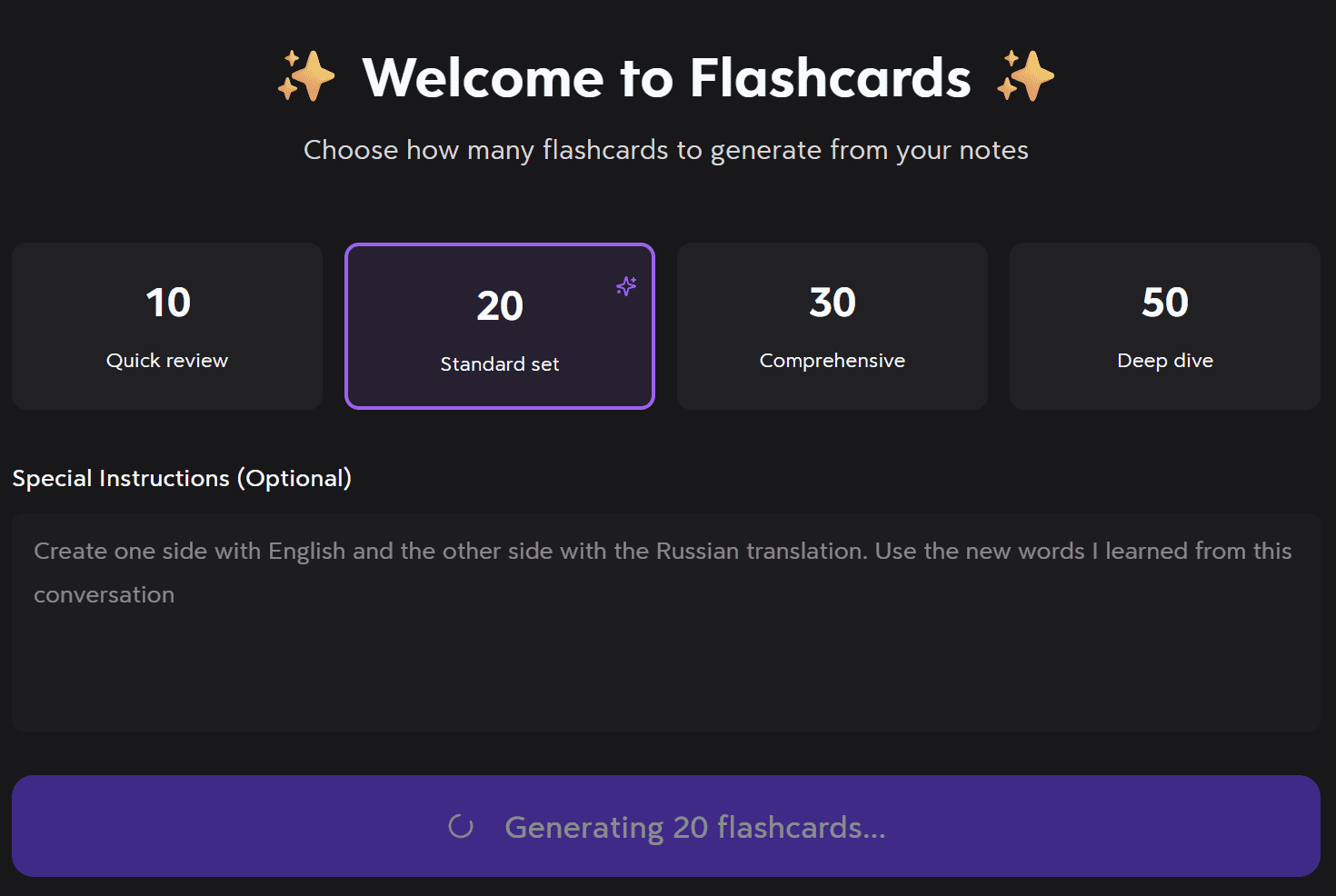
This time, I gave Turbo AI my own prompt: “Create one side with English and the other side with the Russian translation. Use the new words I learned from this conversation.”
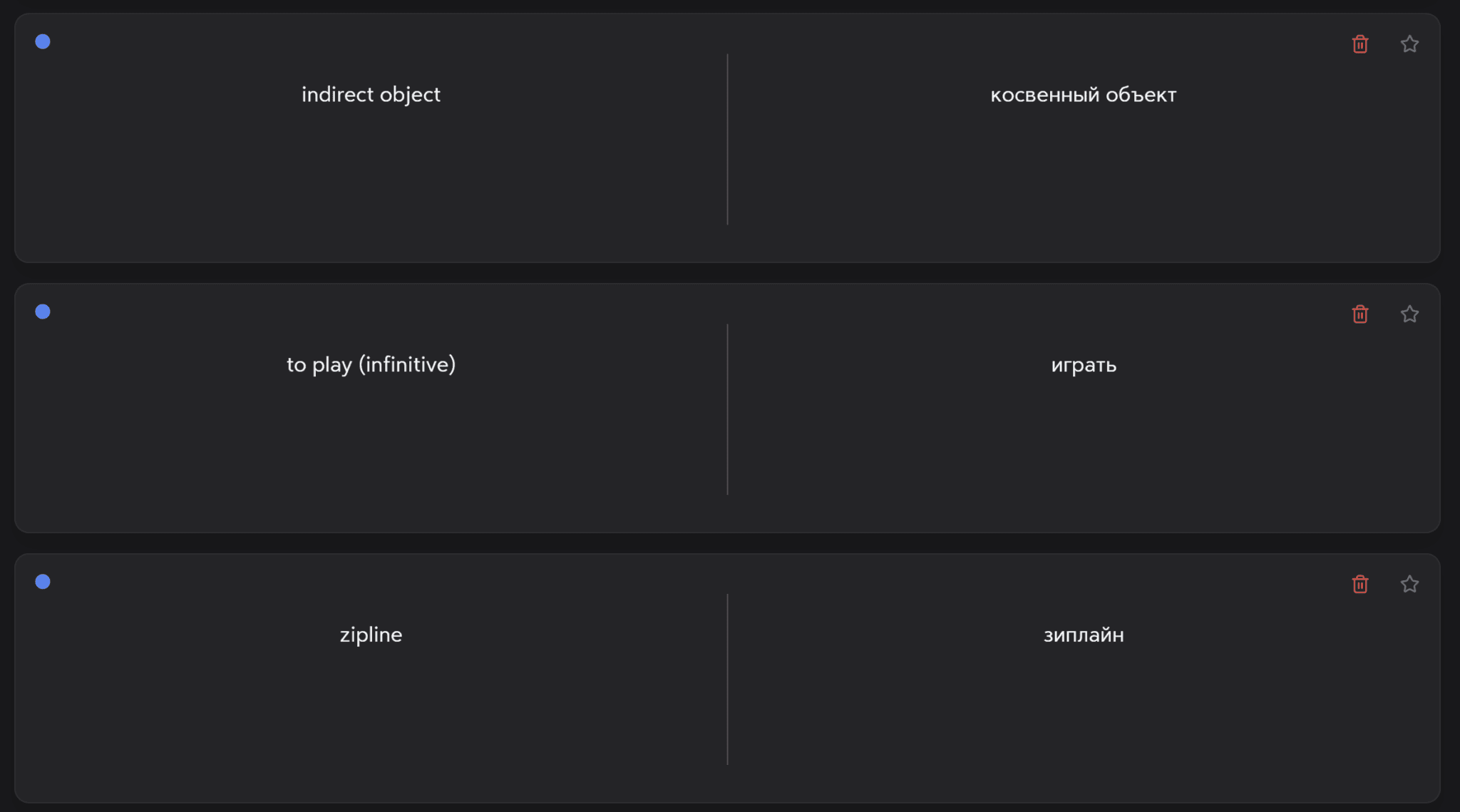
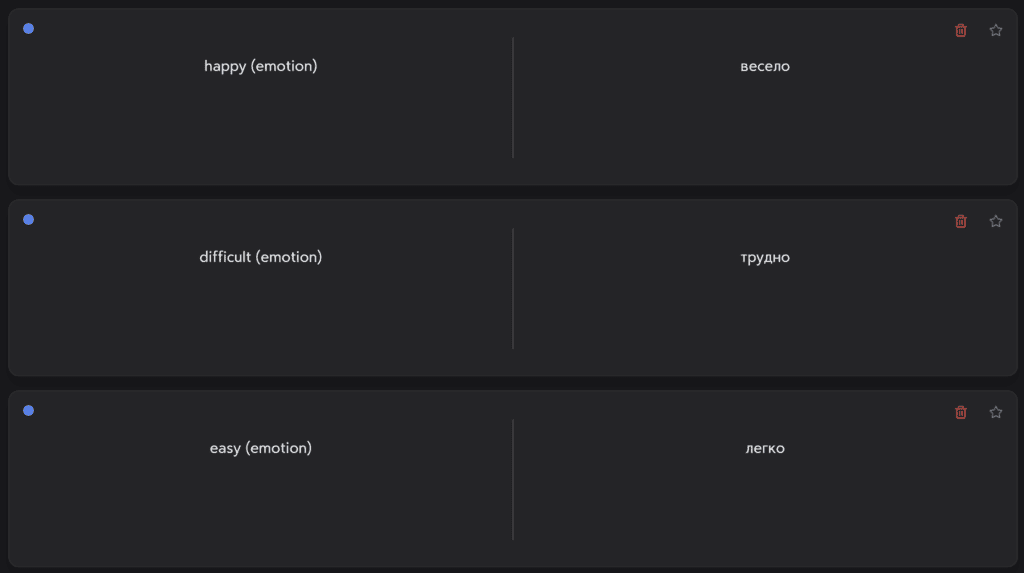
After prompting Turbo AI to generate flashcards for vocabulary practice between Russian and English, it actually produced really useful flashcards that I would’ve been happy to use.
For instance, some of the examples of the front side of the flashcards are:
- indirect object
- to play (infinitive)
- zipline
- happy (emotion)
- difficult (emotion)
- easy (emotion)
On the flipside of the flashcards were the Russian translations, written in Cyrillic. These flashcards were something that I could actually use to revise vocabulary.
With a more specific prompt, I could’ve gotten Turbo AI to really hone in on the specific new vocabulary I’d learned that lesson. It’s something I’d need to play around with a bit more to find the sweet spot. As things stand, they were good, but not quite what I was after (I wanted only words that I had learned that lesson whereas these words were a mix).
I also tested Turbo AI’s flashcards for PDF uploads. Jump to that section now if that’s what you’re interested in.
How Useful Are Turbo AI’s Quizzes?
After trying out the flashcards, I wanted to see what the quizzes were like. Unfortunately, there’s no option to prompt the quizzes like you can with the flashcards. This makes them incredibly awkward to use. They’re completely hit or miss as it depends on how accurate the transcript and notes are.
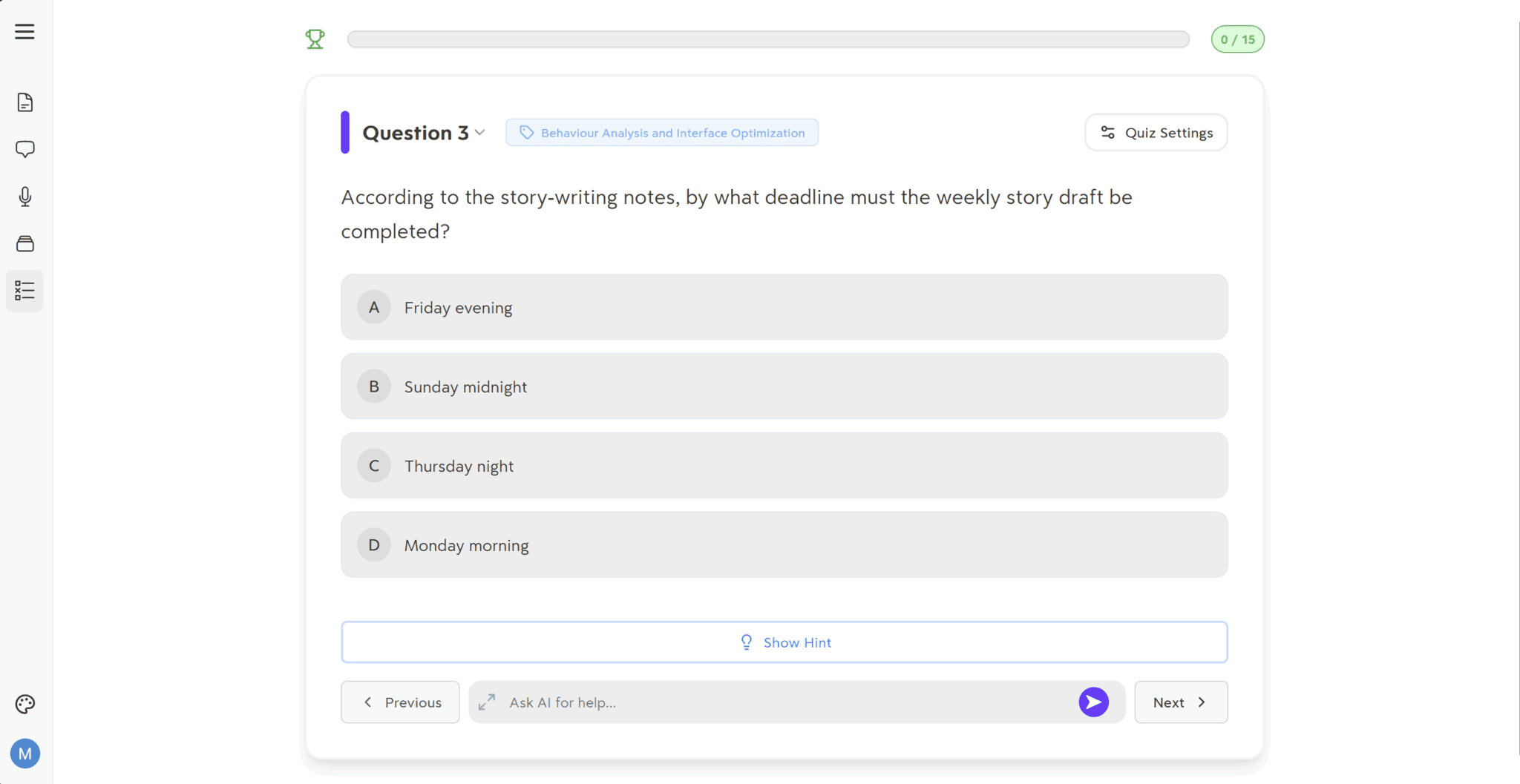
Turbo AI’s quizzes should’ve been a great way to revise, but instead they were just another example of how contextually unaware Turbo’s AI could be. It clearly did not understand the context of the call. It was unable to detect that it was a Russian language lesson. It was unable to even detect that there was more than one speaker. So when it came to creating a quiz, I got questions like these: “According to the story-writing notes, by what deadline must the weekly story draft be completed?”
How’s this going to help me learn a language? It isn’t.
What Turbo’s AI is doing behind the scenes is just generating random questions and potential answers based on the notes it generated. This might work out well for lectures that are heavy on information that you need to remember. It could also work well for podcasts or YouTube videos. Even PDFs would work better in this format.
When it comes to learning languages via call recording, Turbo AI is completely oblivious.
To make matters worse, there is no option to prompt the quiz like you can with the flashcards. There are limited changeable settings.
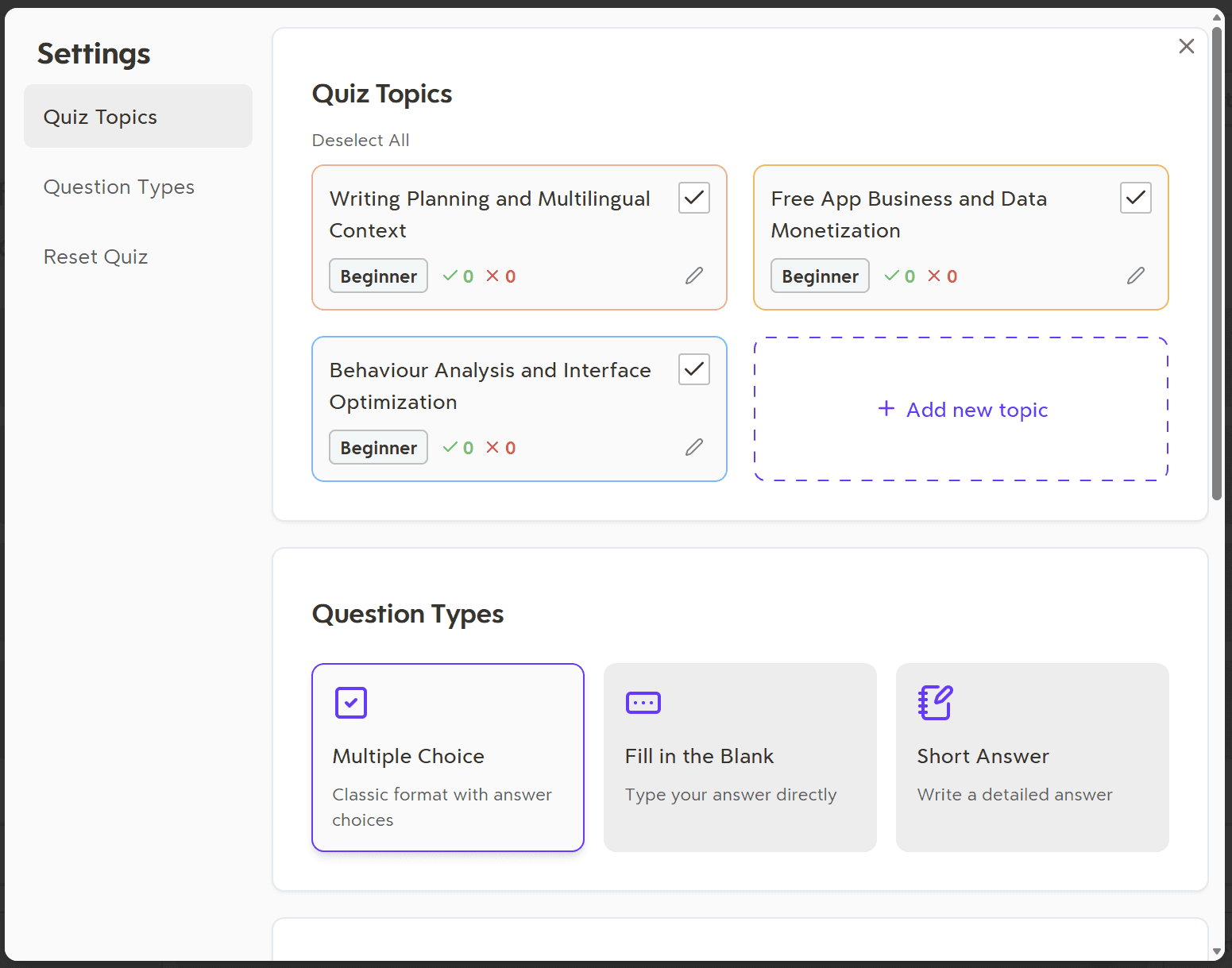
The settings for the quiz allow you to change the topics, question types, or just reset the quiz. However, I unticked the three pre-selected topics and added a new one: vocabulary testing Russian to English.
Want to see the type of questions it asked me afterwards?
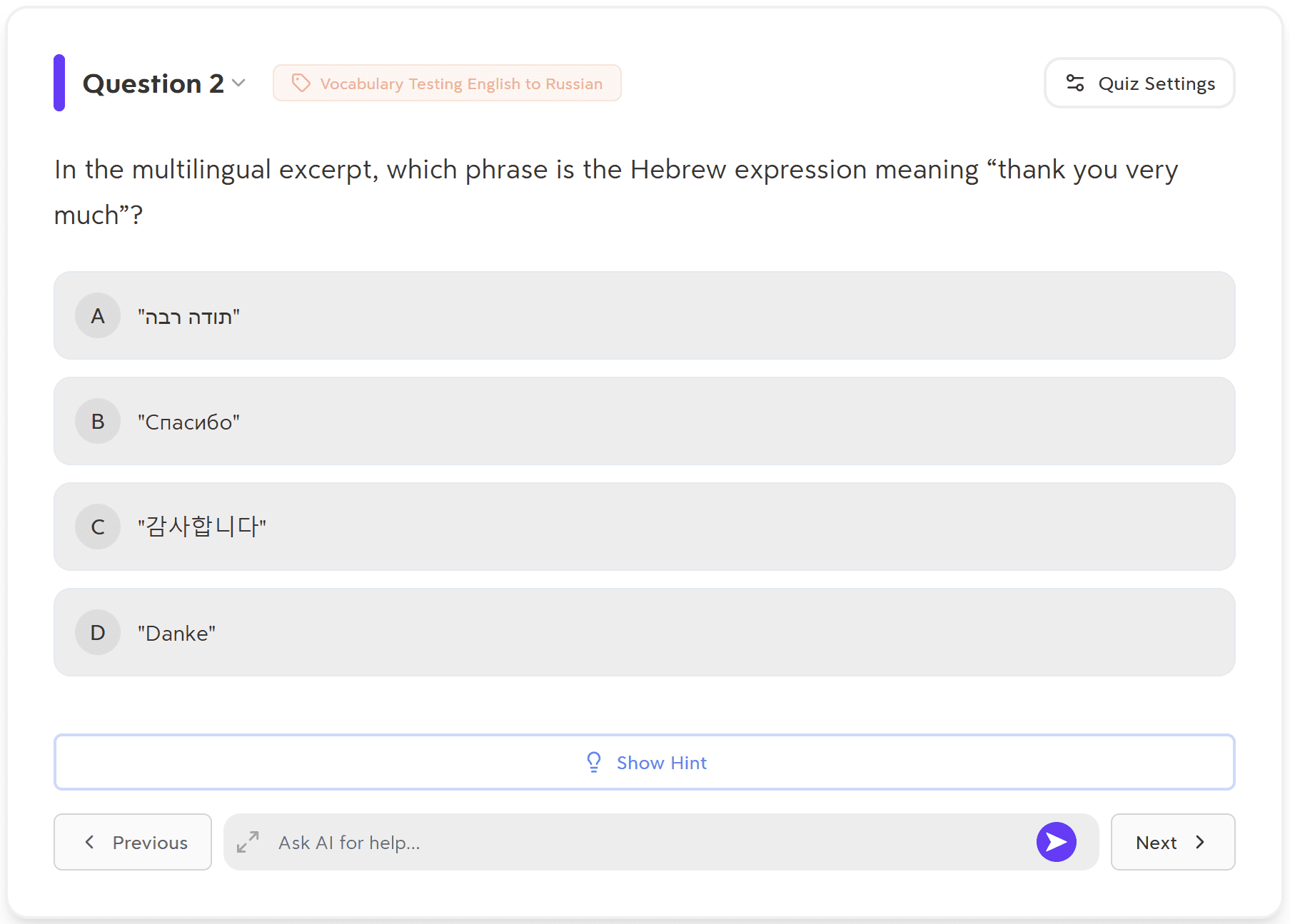
It asked me: “In the multilingual excerpt, which phrase is the Hebrew expression meaning “thank you very much”?
The four potential answers were all different languages. Even with my attempts to prompt it through quiz topics, it still turned out unusable.
I also tested Turbo AI’s quizzes for PDF uploads. You can jump to that section now if you want.
Are Turbo AI’s Podcasts Worth Using?
I’m not really sure why anybody would want to use this feature. It feels more like a gimmick than an actual revision tool. Again, perhaps it would be better with a PDF or lecture, but even then, I’m not sure why anybody would benefit from turning that into a podcast of two robots talking to each other.
I tested this feature with one of my calls, and I gave it a very specific prompt.
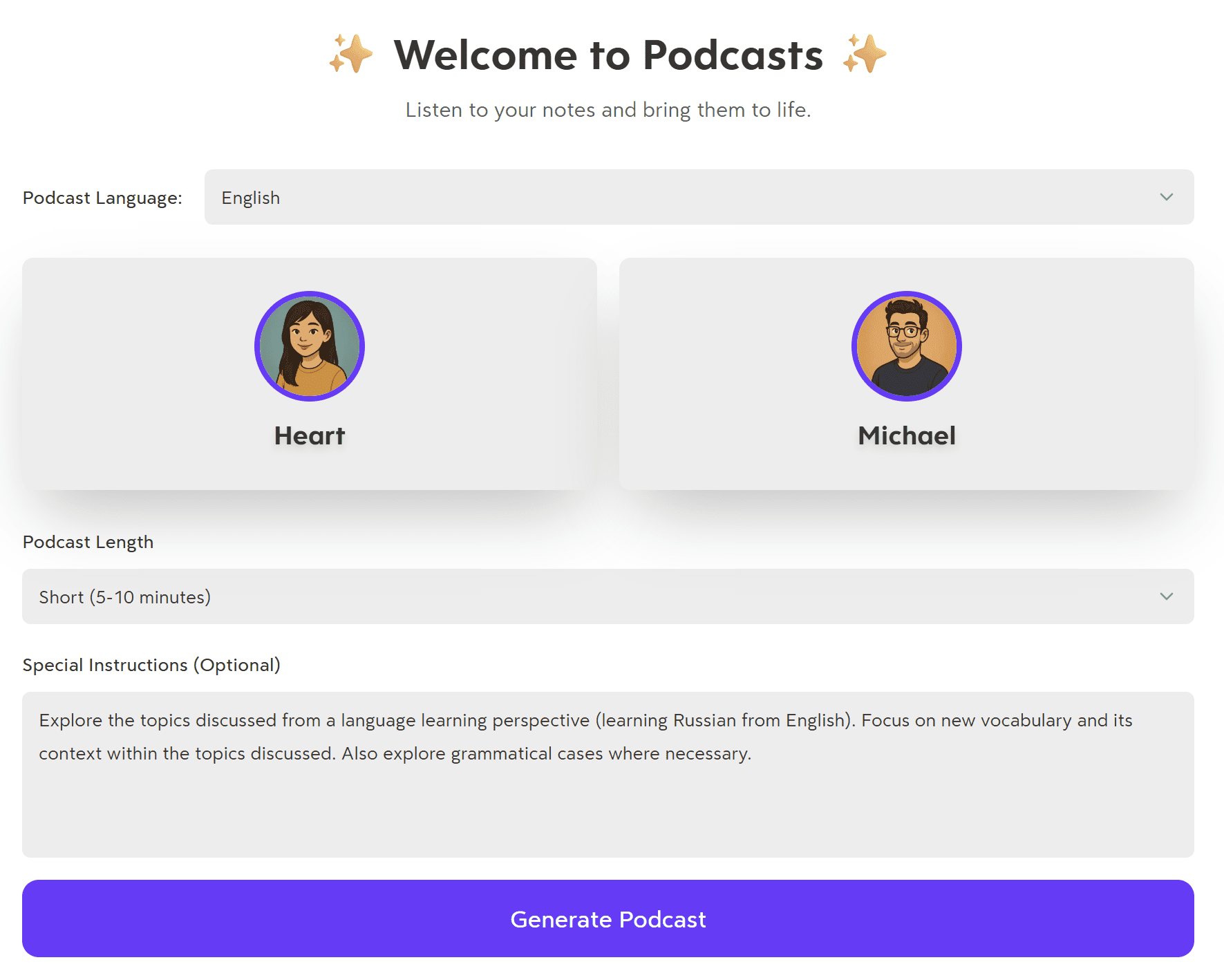
I selected Heart and Michael as the two speakers (there were five options in total but three were paid), selected short length (medium and long were also paid), and then left some special instructions. I wrote: “Explore the topics discussed from a language learning perspective (learning Russian from English). Focus on new vocabulary and its context within the topics discussed. Also explore grammatical cases where necessary.”
After a minute or two, the podcast loaded. Straight away, I knew I was in for a cringe fest when the AI voices started talking. Neither of them sounded particularly natural. They were both speaking English and the only time they talked about Russian words was to spell them phonetically in English.
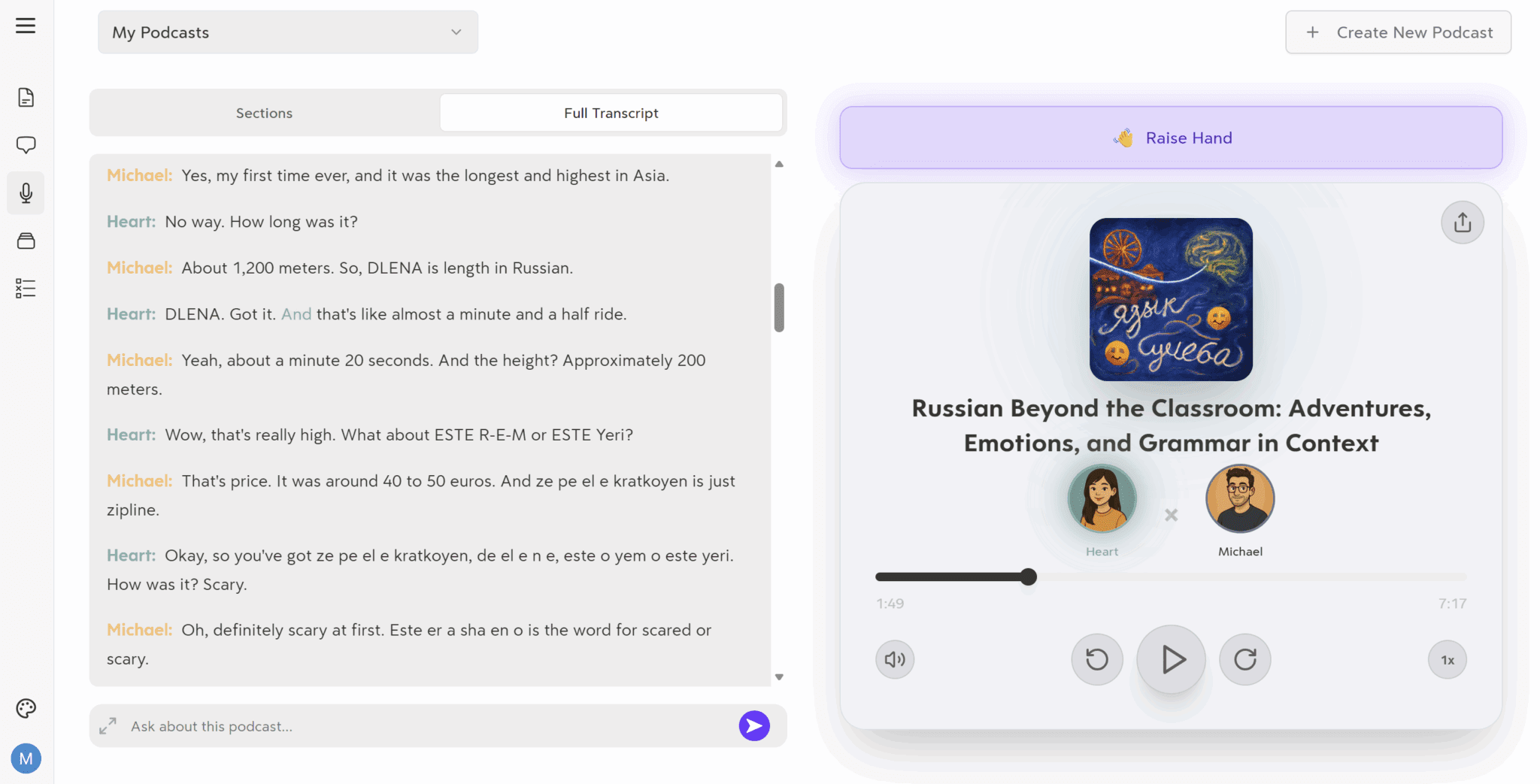
For example, Michael said: “So, DLENA is length in Russian.” They pronounced this D-L-E-N-A which I found super weird. They didn’t say it in Russian, which would obviously be beneficial for a language learner. Instead, they just spelled it out phonetically, but also really fast. It was actually difficult to understand what they were saying without reading the transcript alongside it.
So, would I recommend Turbo AI’s podcasts? Only if you want two awkward AI puppets to stumble over whatever prompt and notes you’ve given them. I don’t really see the purpose of it, and I wouldn’t be in a rush to try it again any time soon. Having said that, if for some reason you do require two voices to discuss a topic in-depth, it could be useful. For learning languages, it’s not.
Was Turbo AI Useful for Studying PDF Uploads?
I didn’t want to just try Turbo AI for audio recording. A lot of people, myself included, may also want to use Turbo AI to revise information from PDFs or other documents or videos.
I had some specific things I wanted to practice with my Russian language. Namely, the grammatical cases (which are a nightmare). I uploaded 5 files as that was the maximum. There are six grammatical cases in Russian, so I left out the easiest and uploaded the rest.
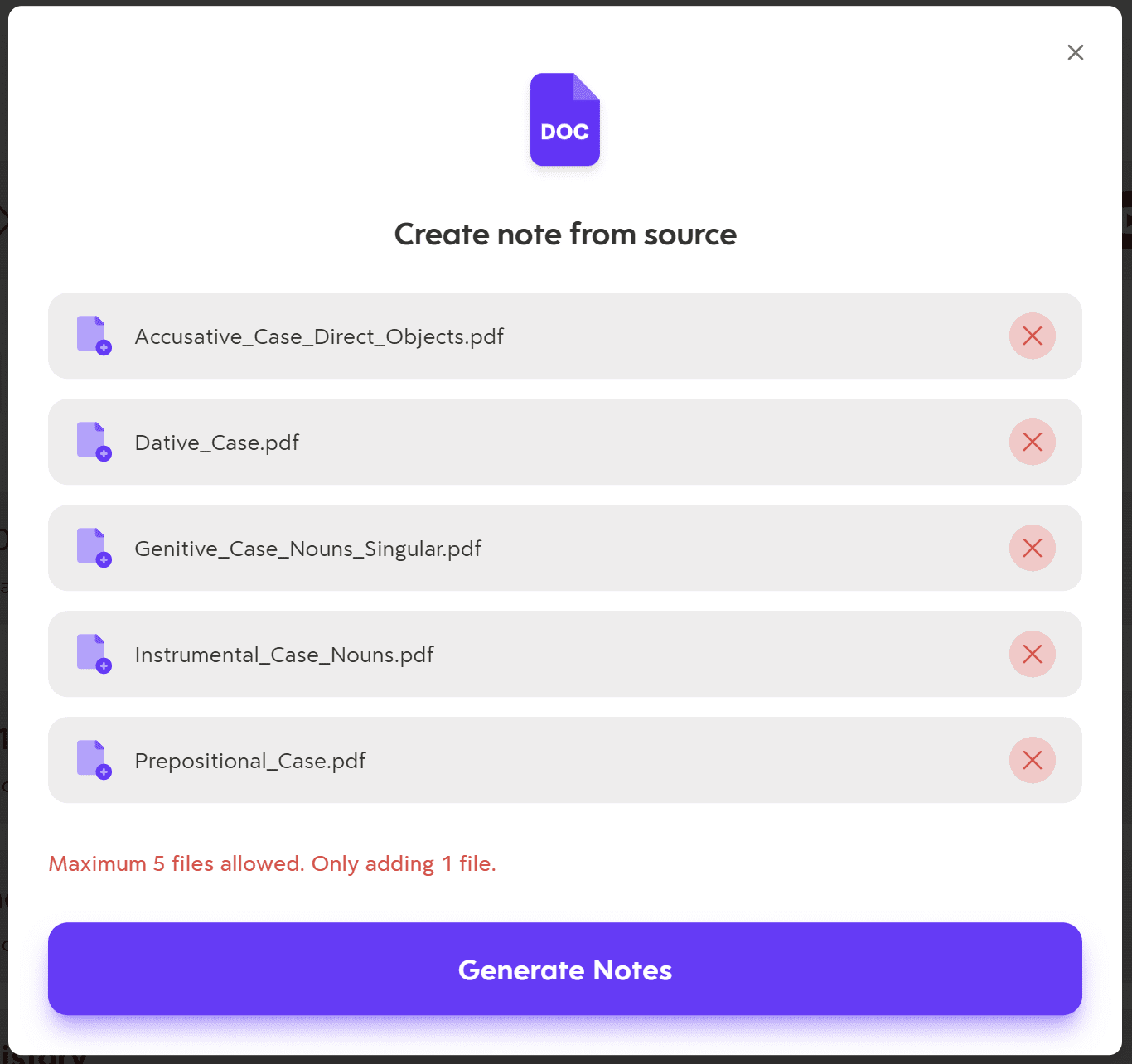
When they were all uploaded, I clicked “Generate Notes” and was met with a pop-up asking whether I wanted one master note doc or five individual documents.
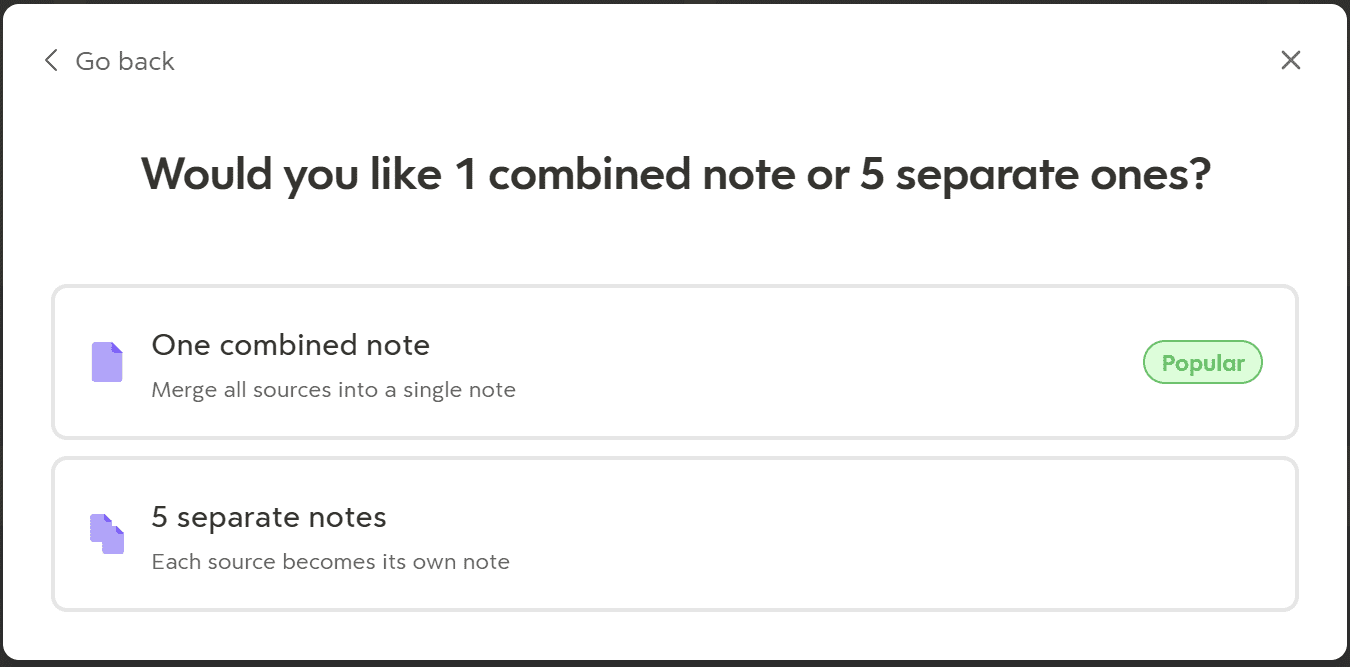
I selected “One combined note” as I wanted all the information in one place. I also wanted to be able to query it for all things at once. At first, you get a concise overview of everything the documents contain, with source links attached.
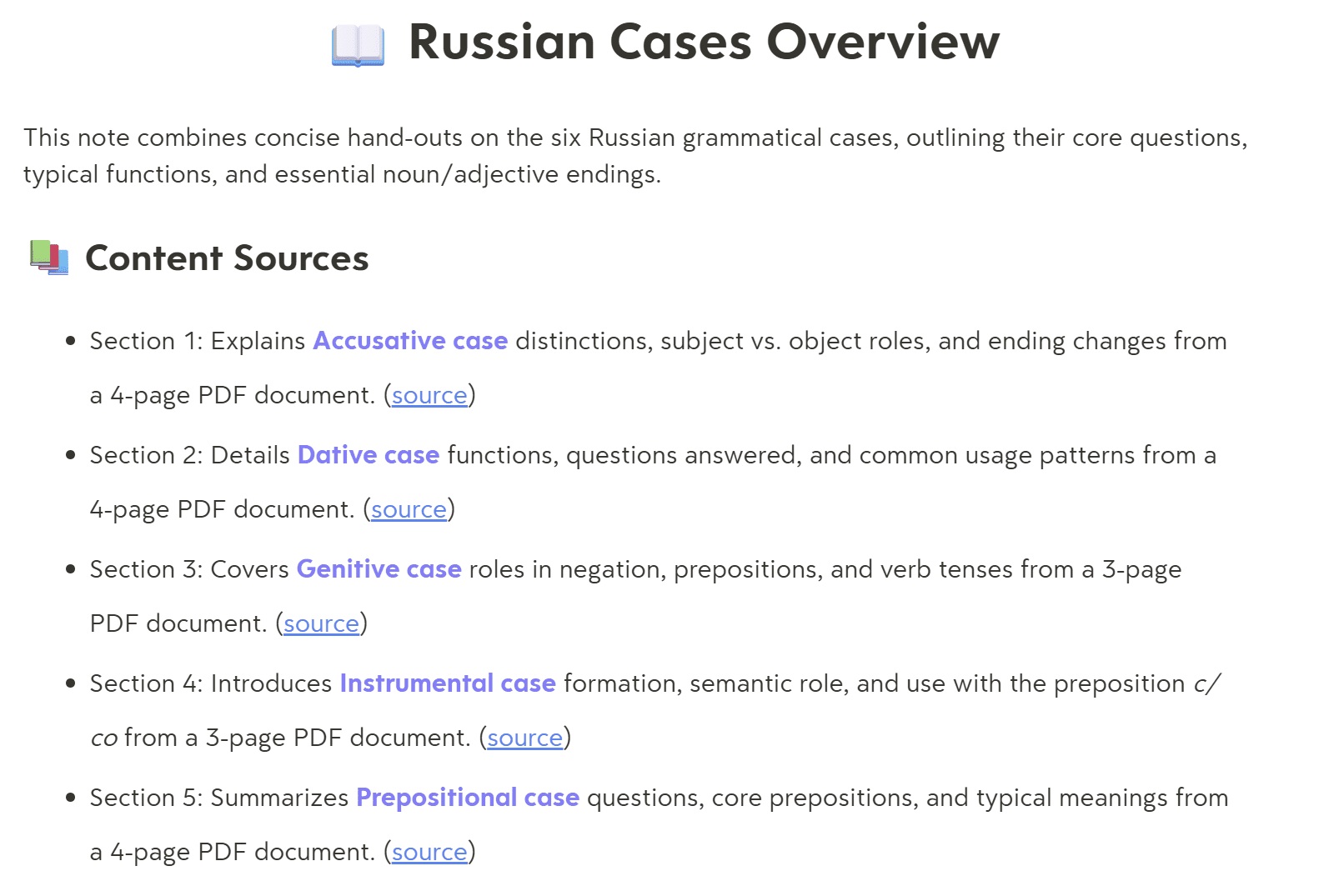
As mentioned earlier, the use of headings, emojis, bullet points, and highlighting make these notes super easy to skim.
It then breaks down each of these sections in more depth, going into detail about each document’s information, producing tables and more sub-headings to explain everything.
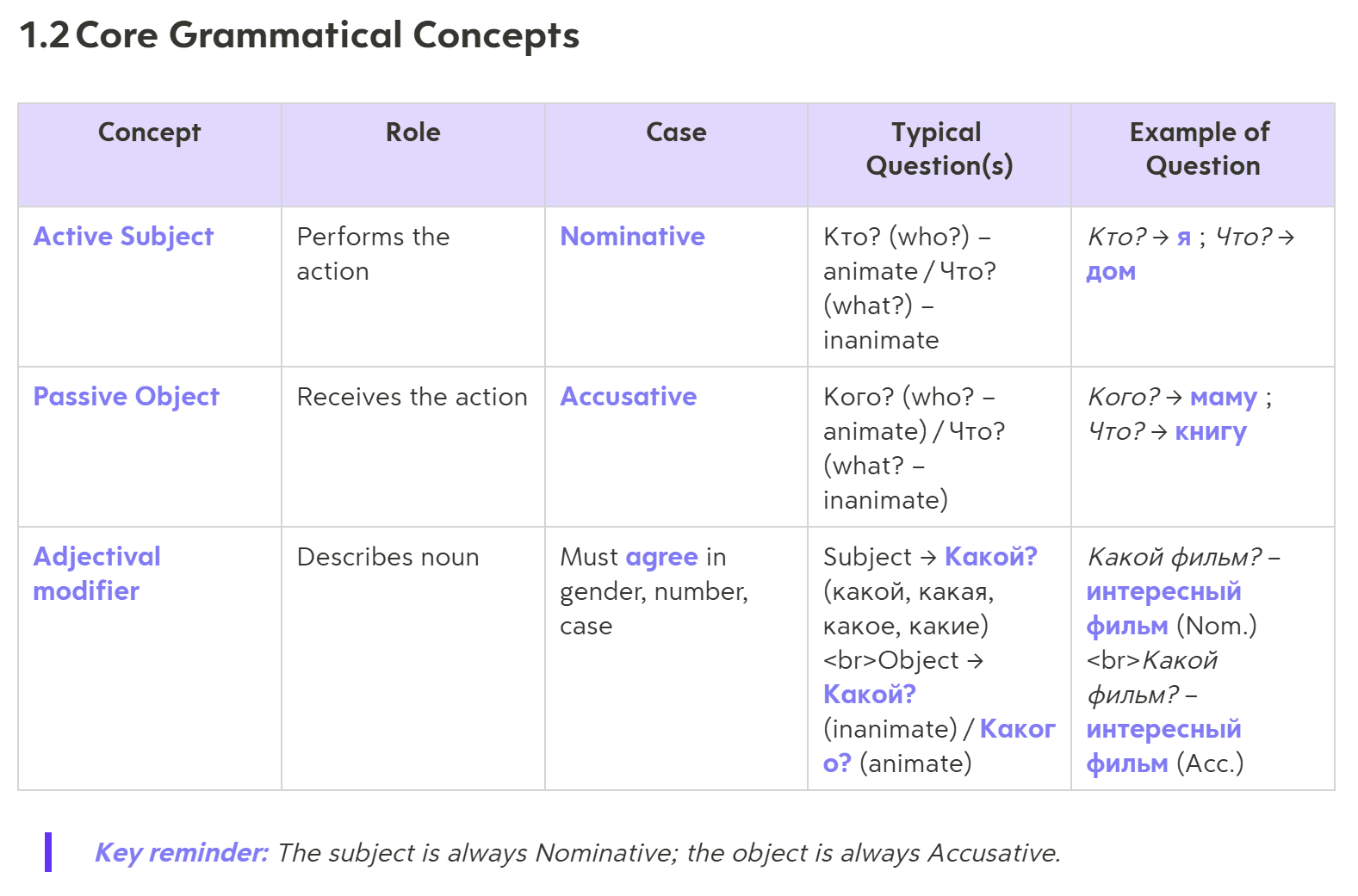
Data laid out like this is quite useful. I’m able to quickly see when to use the nominative case and when to use the accusative case, with examples.
It goes into a lot of detail for each document, which was very helpful. However, not all of the information was wholly accurate. For example, the first document has more tables below, some of which contain contradictory information.
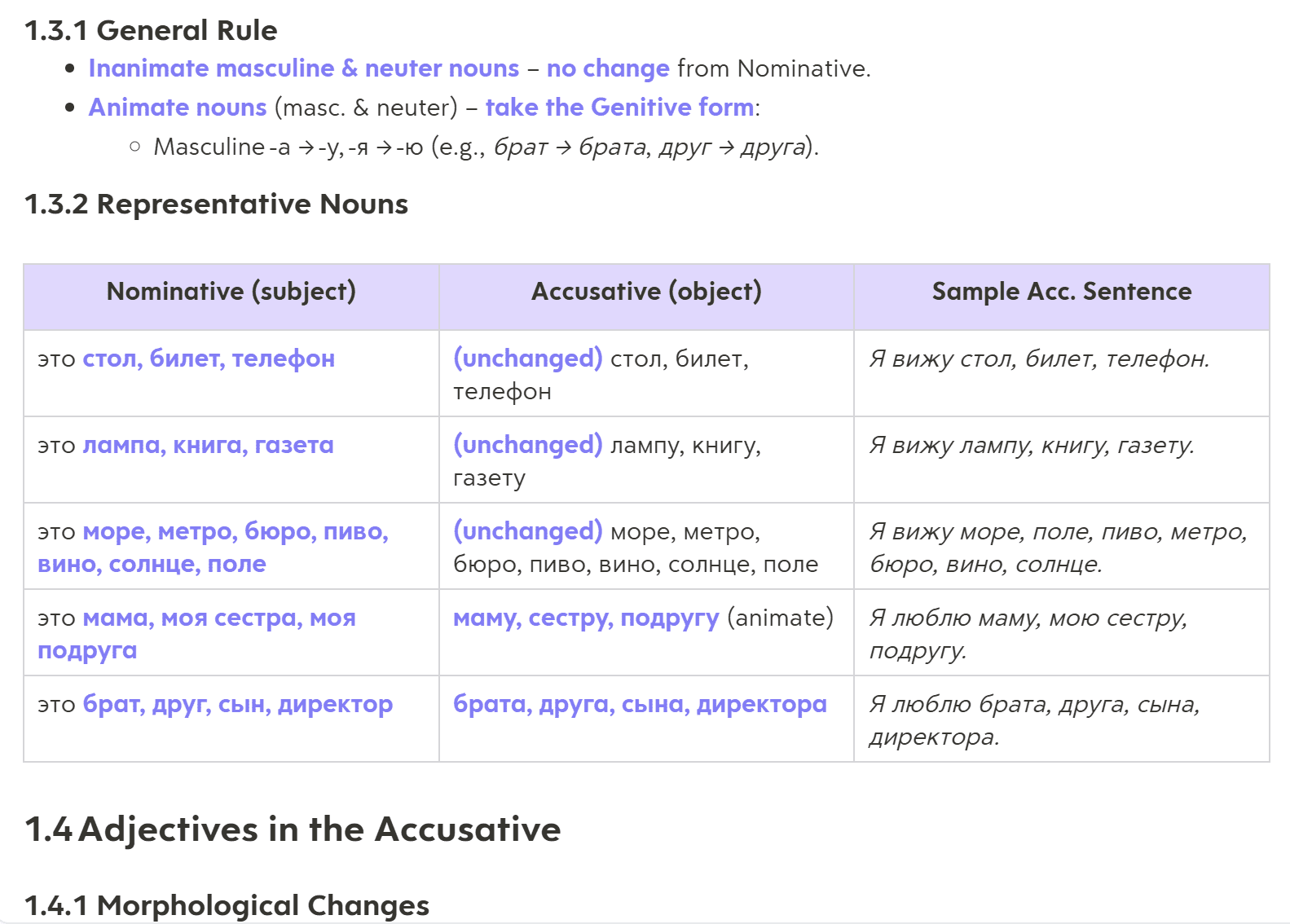
For example, here you can see the nominative nouns, accusative nouns, and an example accusative sentence.
In the “Accusative (object)” column, it says “unchanged” for the first three rows. The first and third ones are correct. Both the nominative and accusative are the same for both of those rows, but in the second row it still says “unchanged” but the nouns have actually changed. The “А” at the end of each noun in the nominative column has become a “У” in the accusative column.
While this is only a small mistake, it’s one that can slip under the radar and make me remember things incorrectly. This is especially true when you consider how well the notes are formatted. You begin to trust that Turbo AI knows what it’s on about, but small mistakes sneak in and you have to remain vigilant to catch them out.
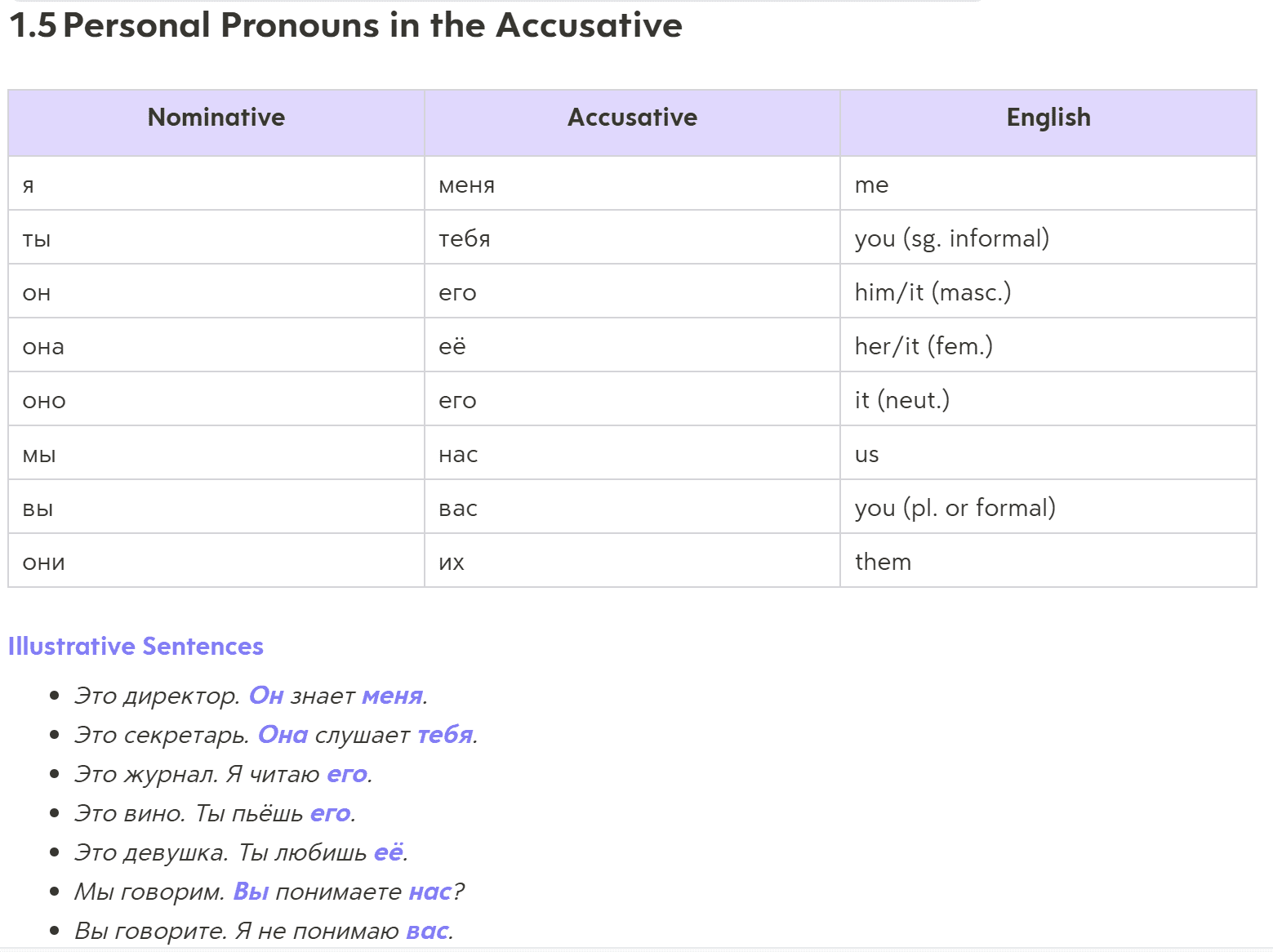
The table above is a super simple overview of direct and indirect objects in a sentence.
“Он знает меня” means “he knows me”. This table teaches how “he” and “me” change depending on whether we’re the doer or the receiver. For instance, in English, the opposite would be “I know him”. Based on this table, I can quickly understand that that would be: “Я знаю его”.
Super helpful! I was beginning to like Turbo AI. Then I scrolled down some more…
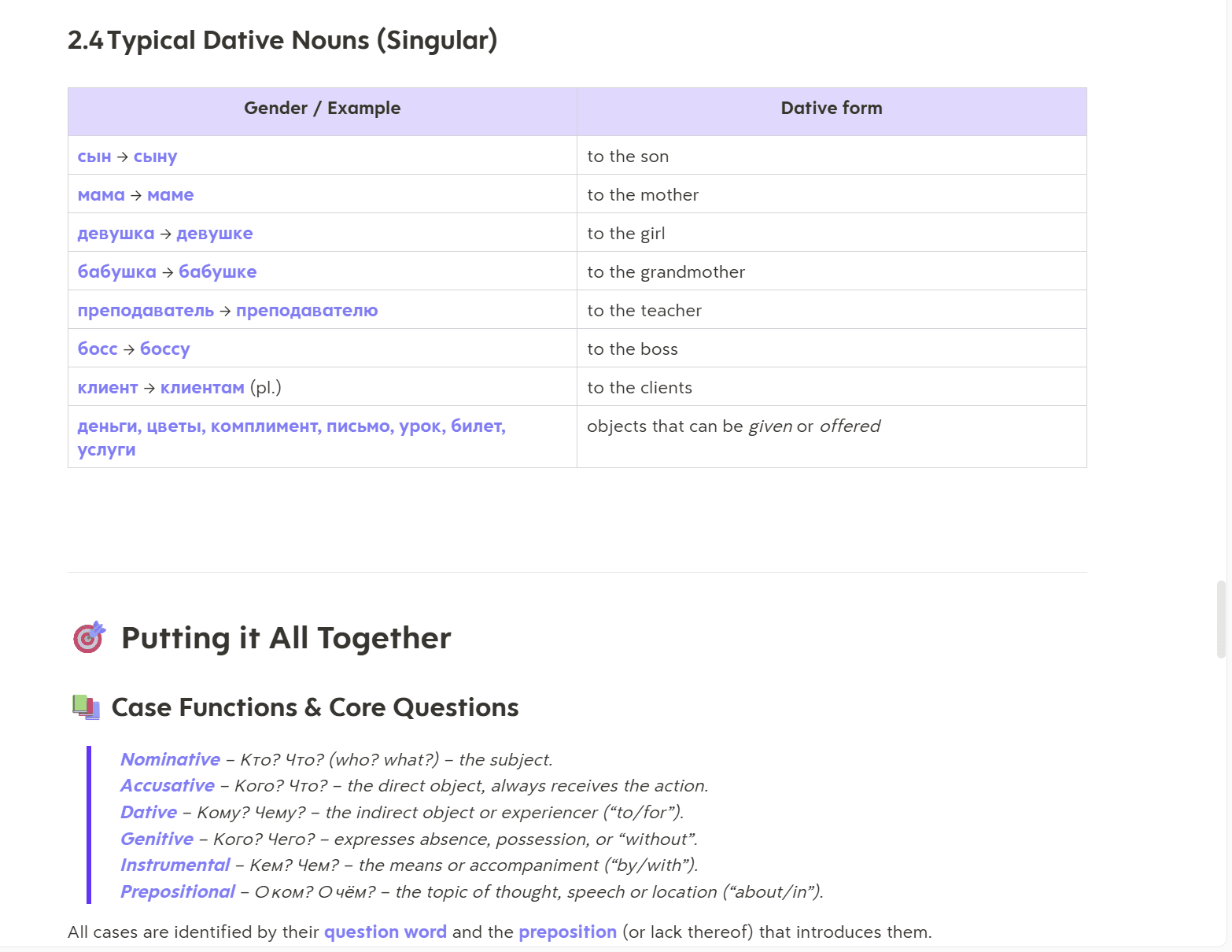
Just when I was starting to like Turbo AI, it turned out it was too good to be true. While the first PDF was expanded on with nine subsections and eight tables, the second PDF only had four subsections and four tables. Still not bad, right?
The third, fourth, and fifth PDFs didn’t receive any further mention in the summary whatsoever.
It seems like instead of producing an in-depth look at each document, Turbo AI decided to give up halfway through. This is clearly an issue with Turbo AI’s summary generation. It wanted to be thorough, but didn’t pace itself to cover all the documents uploaded. To counter this, I decided to ask the AI if it could generate the full notes.
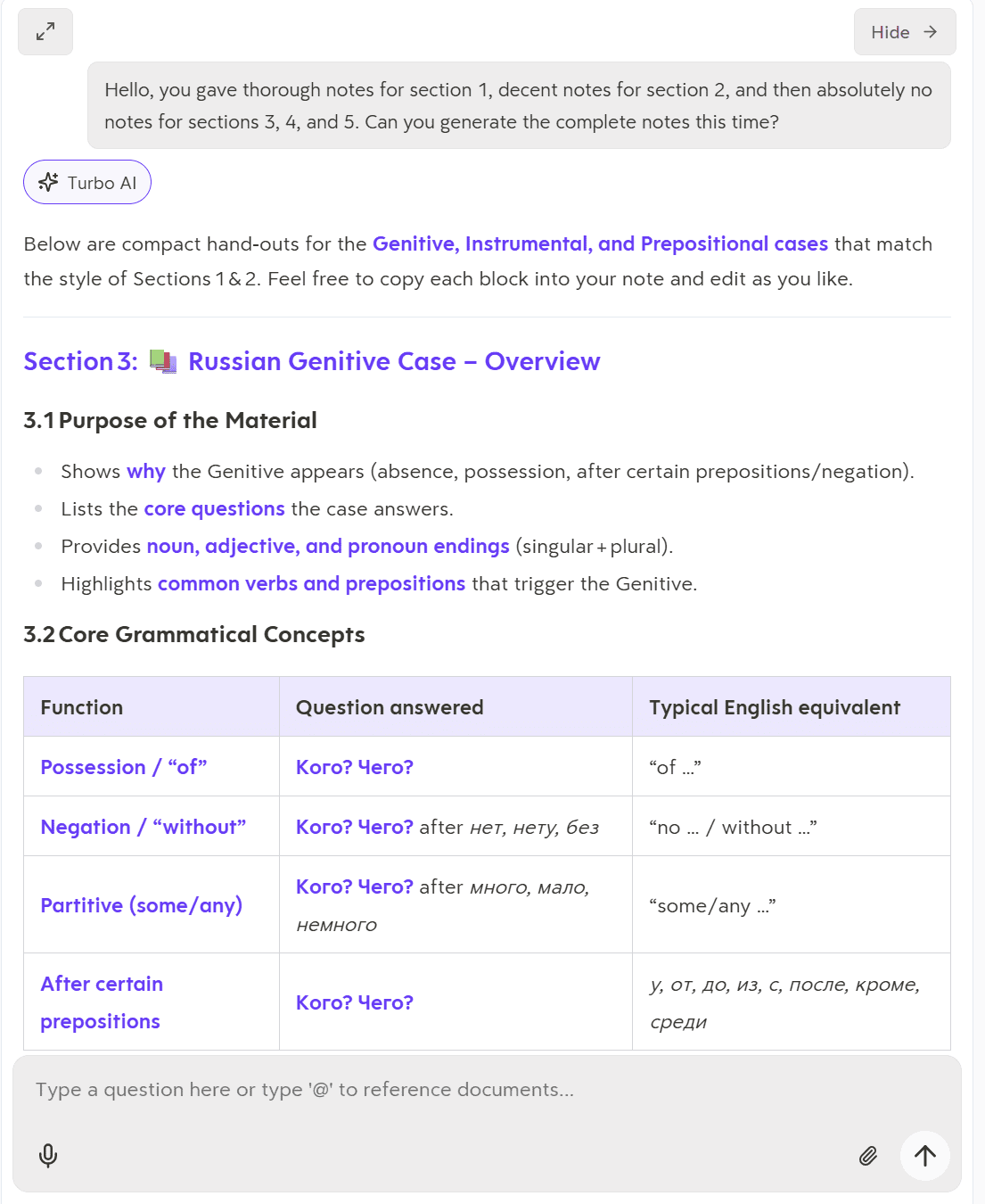
In all fairness, Turbo AI responded quickly, generating several tables for each of the remaining PDFs. It didn’t go into as much detail in these notes, but they were still fairly useful summaries of what the PDFs contained.
The downside is that this manual next step isn’t immediately clear. Even worse, for anyone uploading a bunch of PDFs before they’ve even properly read them, they may not even know that they’re missing huge chunks. This is the important thing here: it’s possible to miss out on critical information because Turbo AI doesn’t summarize it all, and then also doesn’t tell you it hasn’t summarized it all.
How Well Did Turbo AI’s Flaschards Work for PDF Uploads?
I wanted to try the flashcards again using PDFs rather than audio recordings. I prompted it to “generate a flashcard set for practicing the 6 Russian grammatical cases.” You can read the full prompt below.
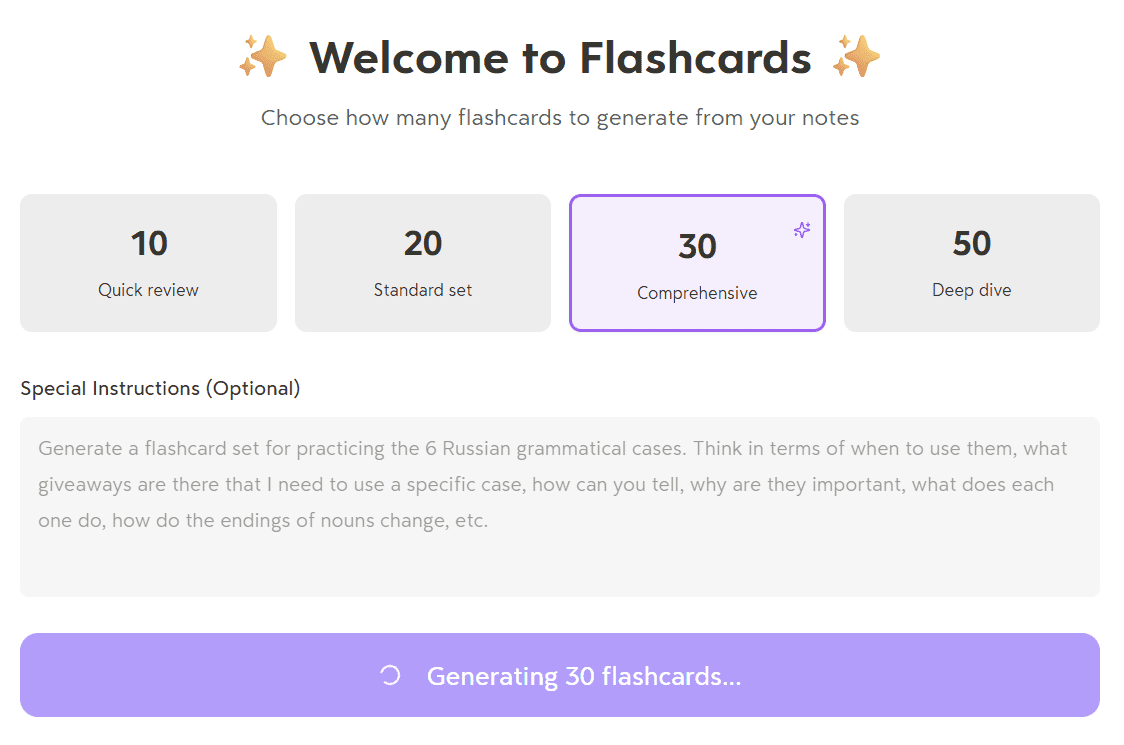
This time, I was genuinely excited. I thought I was onto a winner. Despite the little hiccup with the incomplete summary, Turbo AI’s PDF notes were a vast improvement over the audio recording ones. I was thinking that the flashcards might be usable straight off the bat this time.
Not quite, unfortunately.
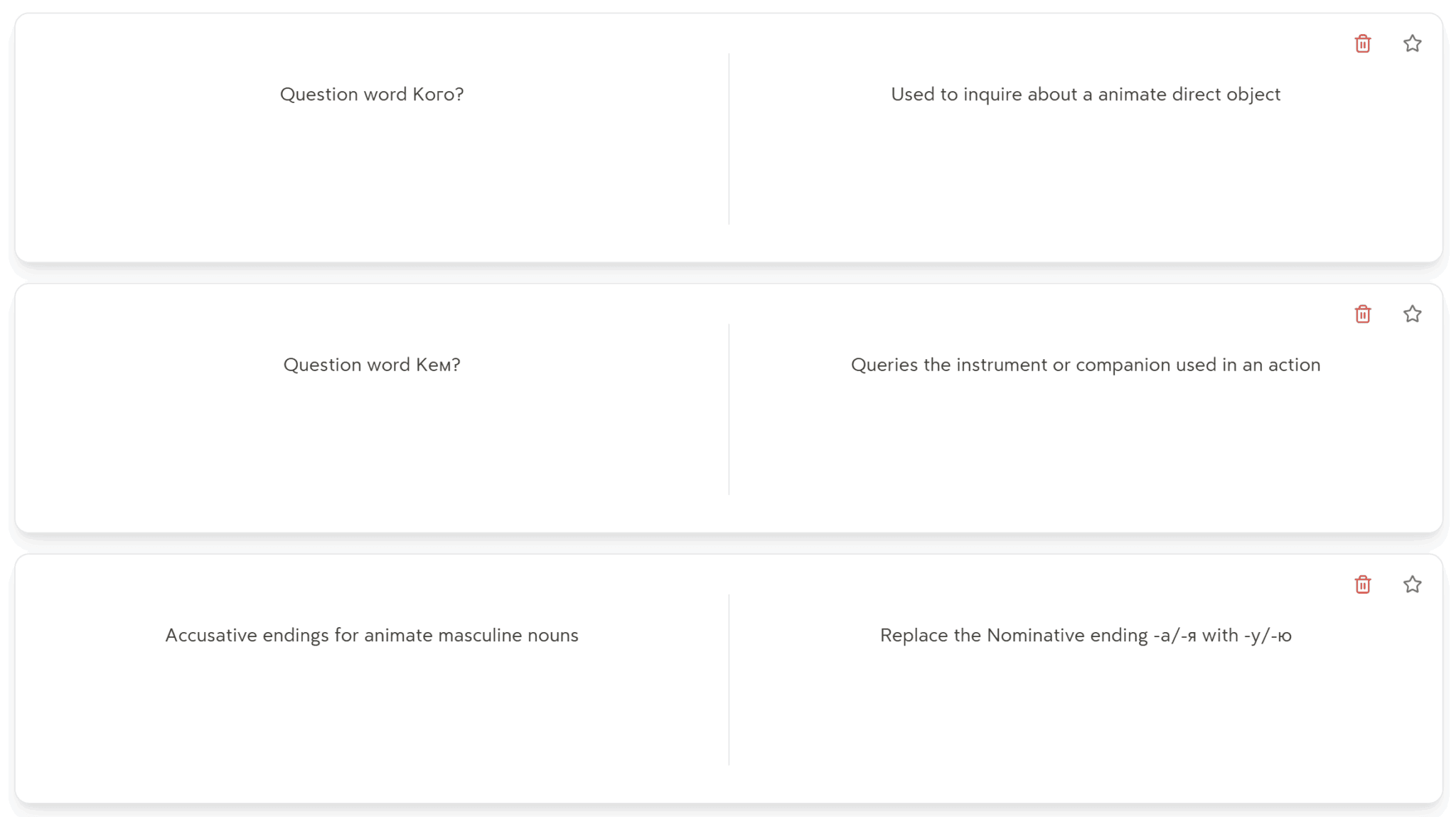
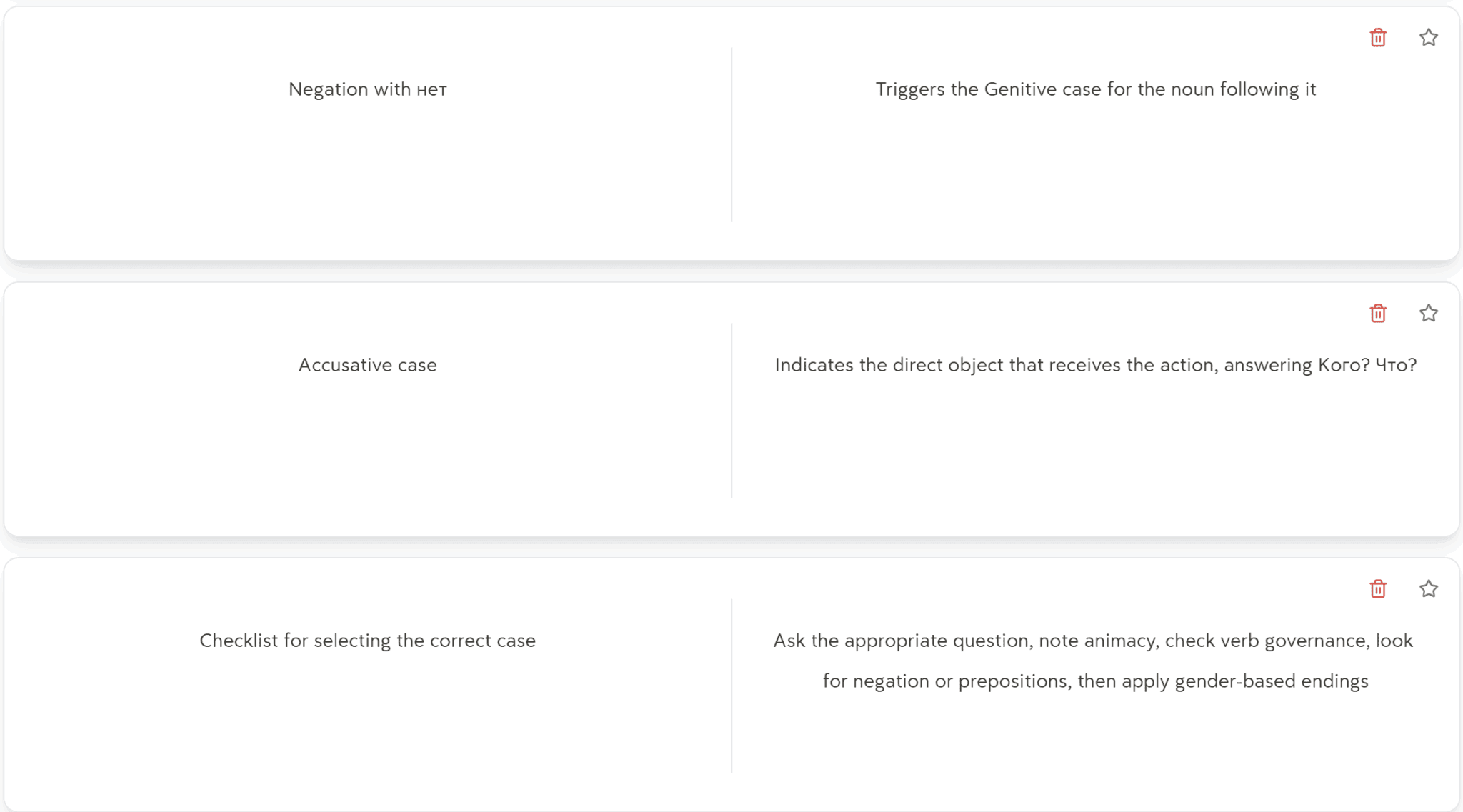
Firstly, I asked for a batch of 30 flashcards, as you can see from the prompt screenshot. However, Turbo AI gave me 43. I wouldn’t ordinarily complain about receiving more, except they’re not that useful and it’s just another example that Turbo AI isn’t good at following simple instructions.
The first flashcard reads: “Question word Кого?”
That’s it. There’s no actual question there. I sort of understand what it’s hinting at. There are different grammatical cases to use in response to different variations of the same question (Russian has dozens of different ways of saying simple things like what and who). However, the other side of the flashcard says: “Used to inquire about a animate direct object.”
For a study platform, it should know that “a animate” is bad grammar. And that’s Turbo AI using English. I dread to think what it’s teaching me wrong about Russian. This might be a fine flashcard if the initial question was rephrased so I knew what kind of answer it was looking for. The problem is that this became a habit for Turbo AI.
One of the other front-sides of the flashcards reads: “Accusative case”. What am I supposed to say to that? It’s not a very useful revision card. The whole thing is supposed to be about the different cases. If I could fit each case on a single card, I’d only need six, and I’d be able to do it by myself. In truth, Turbo AI spat out eight tables about the accusative case, so what does it want to know with that simple prompt? I can only shrug and move on. I tried.
How Did Turbo AI’s Quizzes Work Using PDF Uploads?
Turbo AI’s flashcards were a bit of a let down, so what about the quiz? I was fully prepared to be disappointed, but actually, it wasn’t bad. In fact, it wasn’t bad at all.
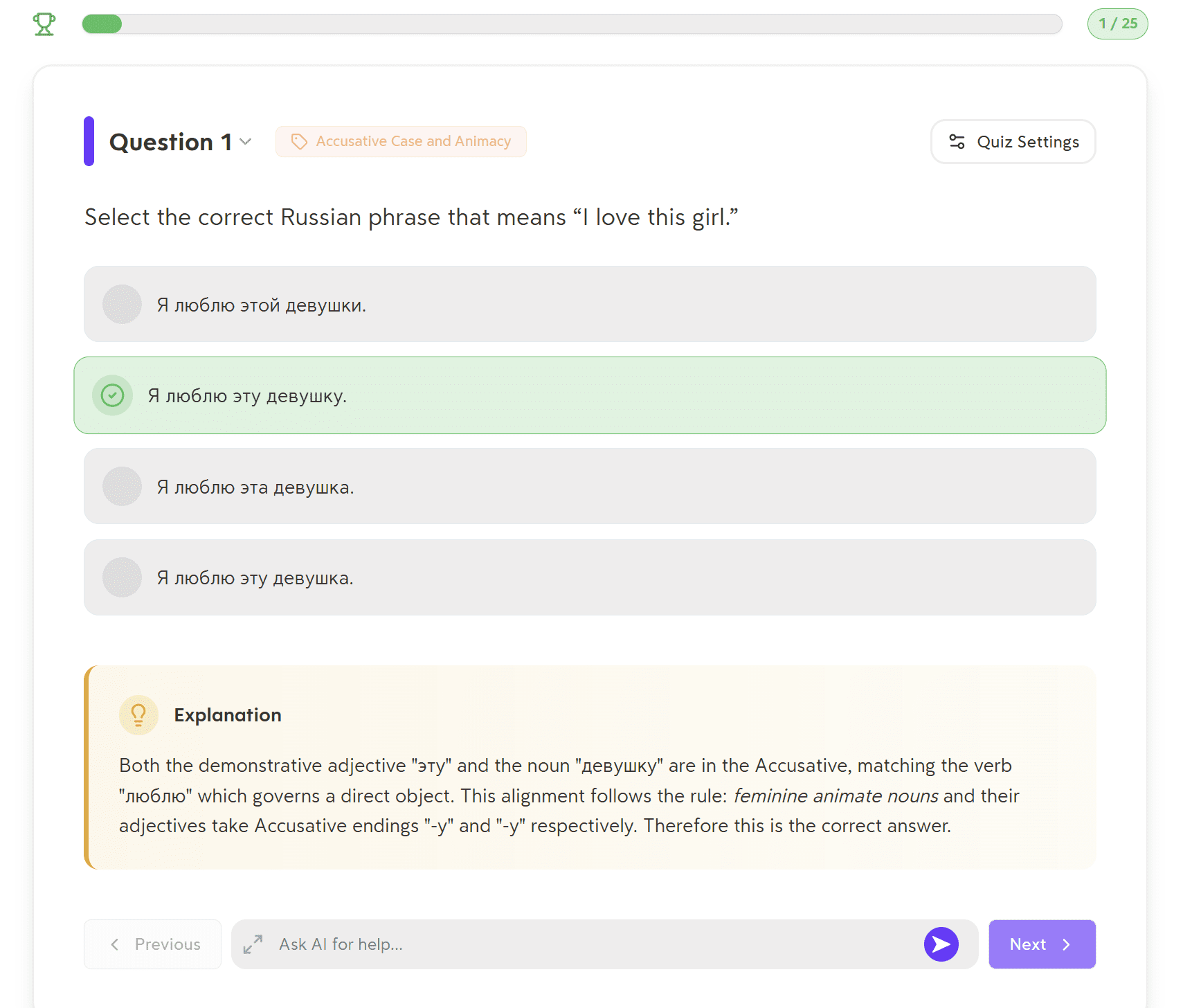
I love that you can get an explanation pop-up to explain why the right answers are correct.
I quickly found that the quiz questions Turbo AI was throwing out at me were actually quite useful. In fact, spurred on by the gamified progress bar at the top, I set out to go through all 25 questions while I should’ve been writing this article. However, I only reached question 3 when I encountered an error.
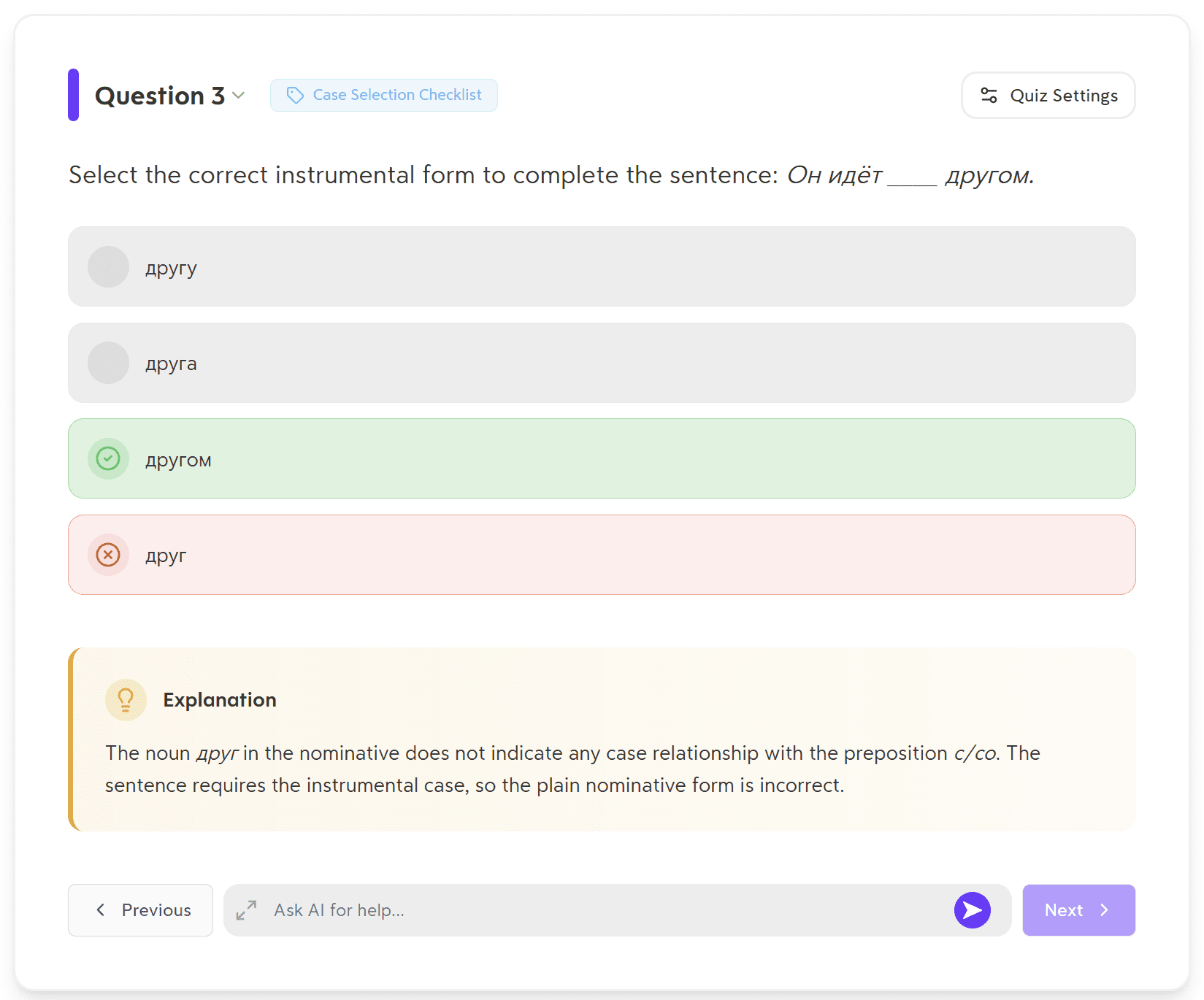
The issue here is that it’s asking me to pick from four options, but the correct answer is already in the question itself. The space that it’s asking me to fill in is for a completely different word. This is further proven by its response when I questioned it.
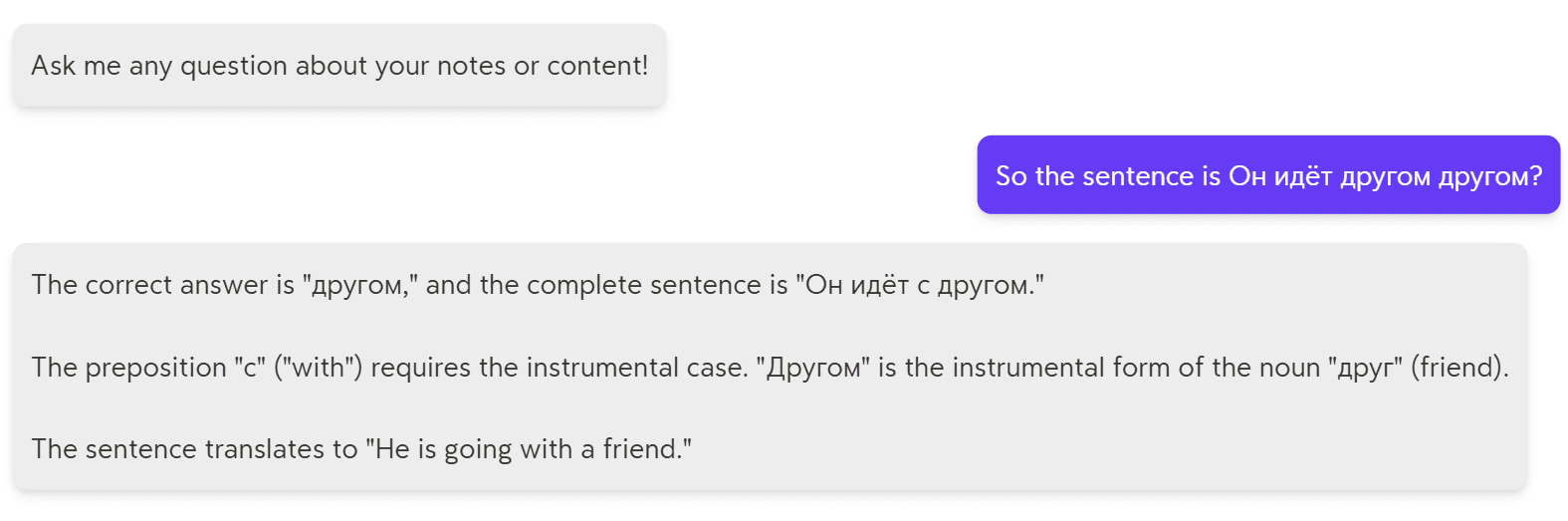
Based on Turbo AI’s answer here, the question should’ve actually been this: Он идёт с ____. That would make другом the correct answer.
Anyway, I figured I’d give it another shot and go back to complete those other 22 questions it generated for me. Guess what? No luck.
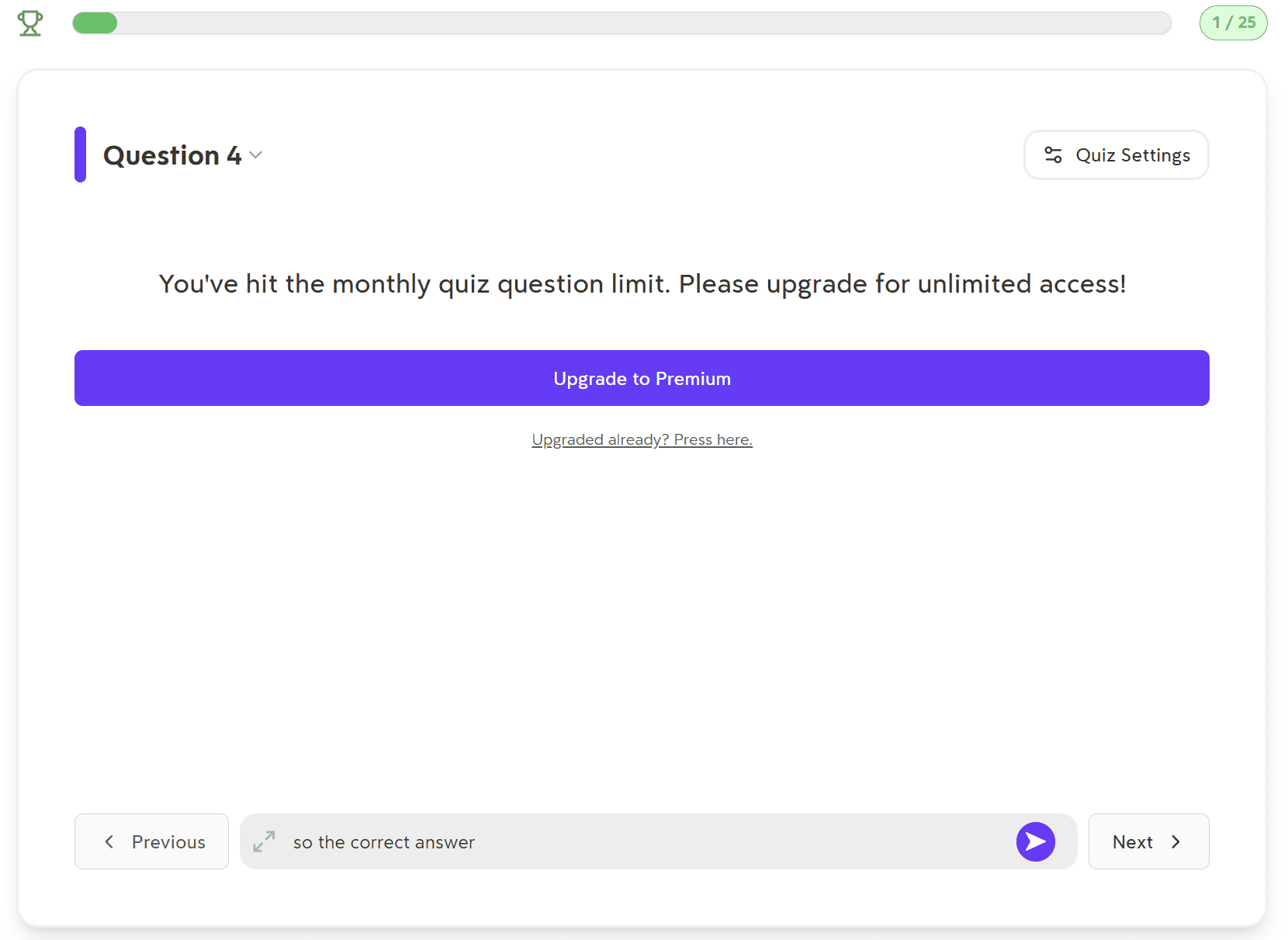
After answering three questions, Turbo AI told me enough was enough and it was time to fork out. I’d apparently hit the monthly quiz question limit and had to upgrade if I wanted to continue. I didn’t.
What Are Turbo AI’s Best Features?
So, my experience left a lot to be desired. However, there are some good features that Turbo AI excels in.
Flashcards
The best feature for me personally was Turbo AI’s flashcards. What I loved most about these was that you could generate them with a prompt to get flashcards more in line with how you want them. Even better, this prompt can be refined to tweak the results.
Some Turbo AI competitors offer flashcards but without the prompt option (like Coconote, for example). This is much worse because you have to assume it understands what you want. If it doesn’t, tough luck.
Well-Structured Notes
While the accuracy of the notes are only as good as the transcript allows, the layout and formatting of the notes was quite good. They were thorough and well organized. There were different headings, colors, sections, and summaries which I found to be quite useful, especially for skimming.
Records Device Audio
Turbo AI works by uploading files to the AI. When it records, it records your entire device’s audio, creates a file out of it which it then uploads automatically on your behalf.
This system has a number of benefits. Firstly, you can record any conversation, even if it’s not a virtual one, so long as the recording device is present. It also means you aren’t limited to Zoom, MS Teams, and Google Meet calls. It also allows for a bot-free experience which many people prefer, though it should be used with caution. Always ask for permission before recording.
Multi-File Support
One thing I love about Turbo AI is that it works by file uploads. Even the audio recording is transformed into a file and uploaded like everything else. This means you can get Turbo AI to work with a whole range of different sources, and even upload them together for more intelligent notes.
The PDF files gave Turbo AI a lot more information that was also more tailored to revision. This helped me more than audio recordings for learning languages. Your use case will really be a deciding factor on how useful Turbo AI is to you here.
Quizzes
While I didn’t have the best of luck with the quizzes, I can see how they would be useful. You’d definitely need to review the questions first to make sure that there aren’t any glaring errors from the get-go. The actual set-up, ease of use, and potential benefit is high here. It really depends on how well the AI has a grasp of your content.
What Are Turbo AI’s Biggest Drawbacks?
Turbo AI left me with mixed feelings. It was certainly better than other tools I’ve tried, but it was far from the best experience overall. Here are some of the biggest drawbacks I faced.
Free Plan Limitations
The free plan offers just enough to get your feet wet, but not enough to properly allow me to dive in as deeply as I’d have liked before paying. To make matters worse, I never saw it explained anywhere exactly what I unlocked with the free plan. There are no signs of how much I’ve got left to use, it just pops up randomly to tell me I’ve run out of minutes or credits.
Transcript Accuracy
When recording device audio, Turbo AI’s transcripts can be wildly off. I’m talking so far off that they think I’m speaking Hebrew, Korean, and Polish all in the same call. To make matters worse, they don’t have any speaker identification or recognition, meaning the transcript of a multi-person conversation comes out as if it were all spoken by a single individual.
Podcasts
While this feature works okay, it’s a bit more of a gimmick. It’s not all that useful for language learning and I can’t see it being anyone’s preferred choice over flashcards or quizzes, but that’s just my personal opinion. For me, the fact it’s only available in one language made it a write off.
Errors in Flashcards and Quizzes
The idea for these is perfect. It’s something that has the potential to be super useful, however its execution often falls short of expectations. There are quite a few mistakes in quiz questions or flashcards that make it more difficult to use these features. With a bit of tweaking, they could be a huge help. As things stand, there are often too many errors to fully trust the outputs. Editing manually is an option, but not ideal.
Turbo AI Pricing: How Much Does Turbo AI Cost in 2026?
Like many tools in this niche, Turbo AI likes to hide its pricing details. It doesn’t have a dedicated pricing page so you’re left to try out the tool for free, but they don’t tell you what’s included until you run out. The plan is then to ambush you with an upsell. Of course, they’re hoping that you love the tool so much that you’ll pounce on the deal.
This doesn’t work for me. Just cut to the chase and tell me how much it’s going to cost. If you’re in the same boat, you’ll be glad to hear we have the plan details here, as of March 2026.
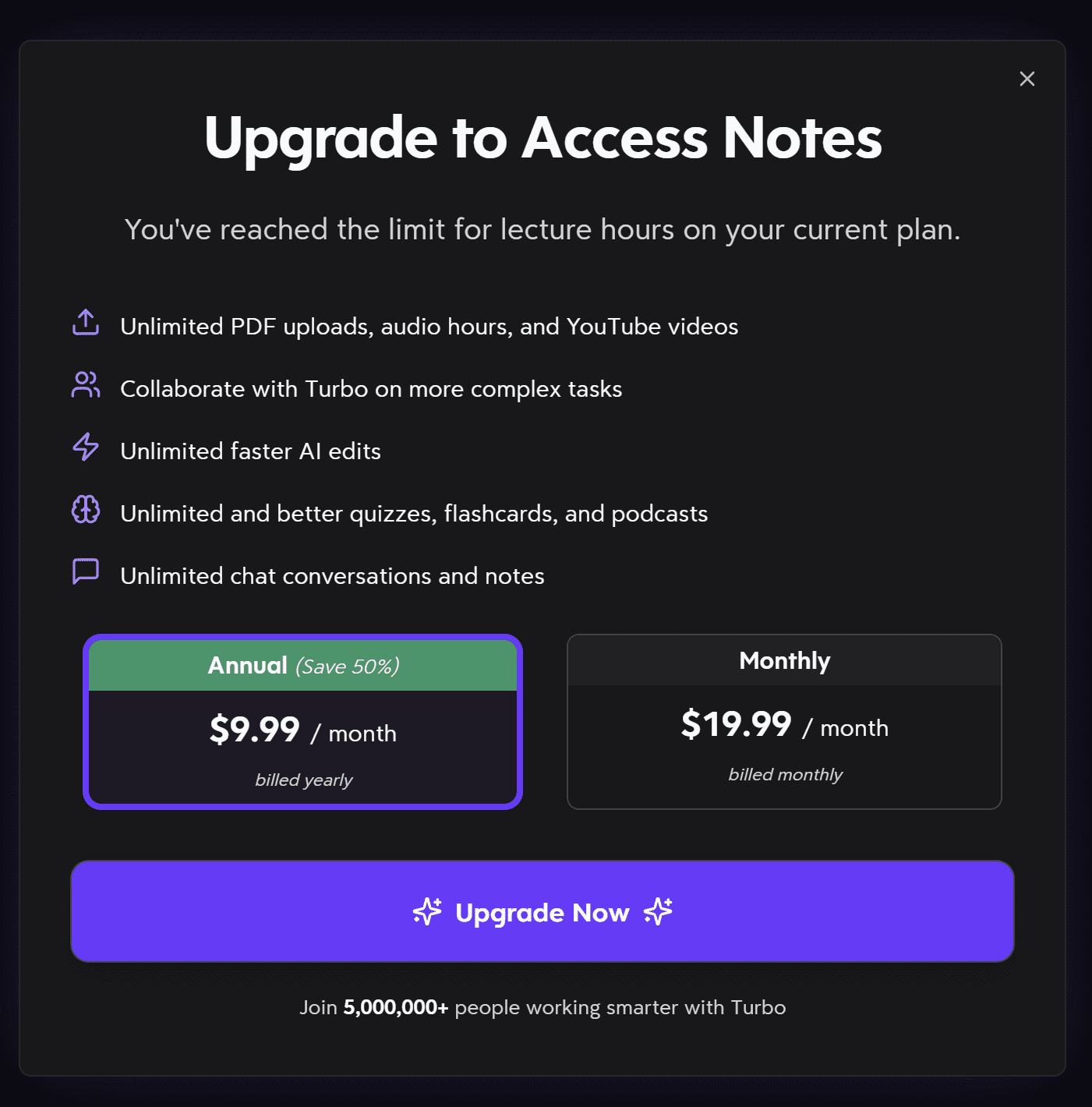
It seems quite clear that Turbo AI only has two options:
- Free plan – $0
- Paid plan – $9.99 per month when billed annually, or $19.99 per month when billed monthly.
The limits for the free plan are unclear. The paid plan unlocks unlimited PDF uploads, audio hours, and YouTube videos, unlimited faster AI edits, better quizzes, flashcards, and podcasts, and even unlimited chat conversations and notes.
Essentially, Free offers you limited access to everything. Paid just removes the limits. There’s no additional features so to speak, just more of the same.
What Do Real Everyday Users Think of Turbo AI?
Despite my own personal review, I always like to balance things out by researching what real everyday users have been saying about Turbo AI. This time, however, there was a problem. Turbo AI wasn’t listed on any of the usual sites. That means no G2, no Capterra, no ProductHunt. Even TrustPilot only had one review.
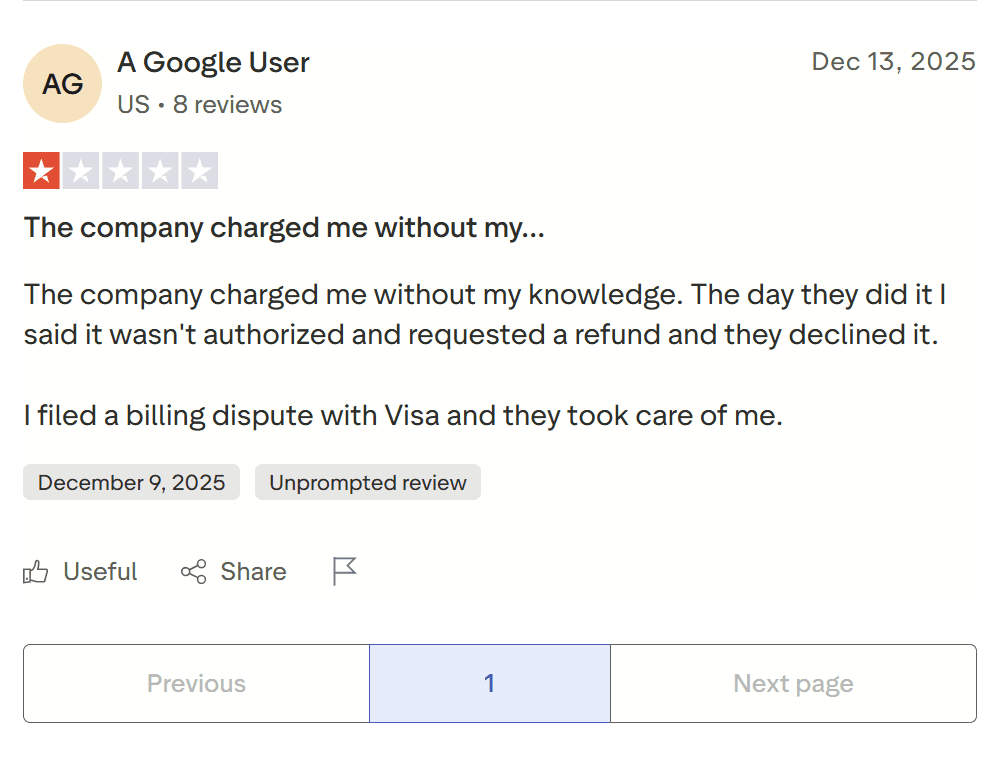
In December 2025, A Google User rated Turbo AI 1/5, saying they “charged me without my knowledge.” He applied for a refund but was denied. Luckily, Visa came to his rescue and he managed to recoup the funds.
Turbo AI has 37 reviews on JustUseApp, a third-party review platform, scoring an average of 4.8/5.
Despite the high average, there’s a fair few negative reviews.
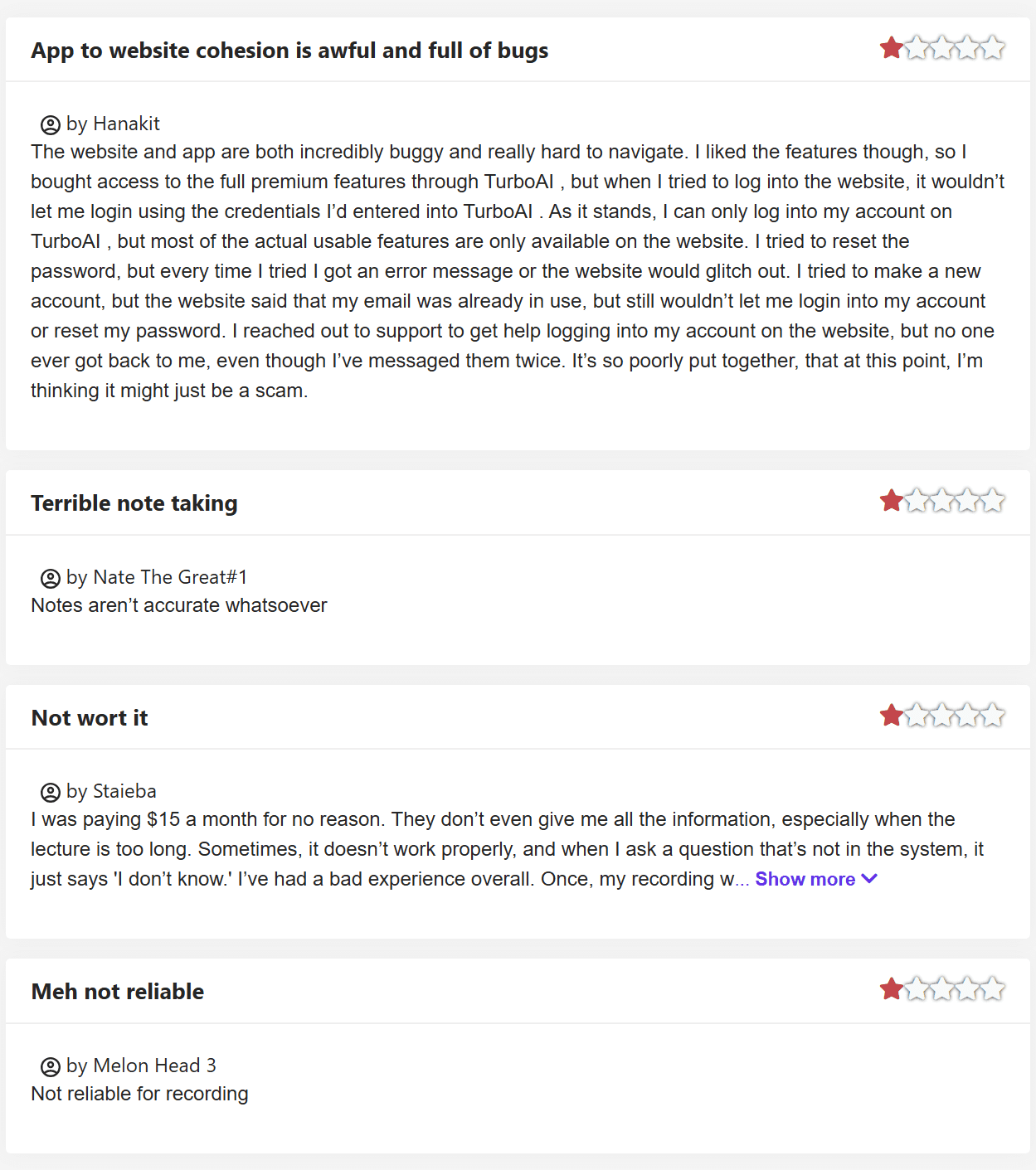
Two of these reviews were straight to the point:
- “Notes aren’t accurate whatsoever.”
- “Not reliable for recording.”
The other two were a little more in-depth. One said they “liked the features” so they bought full premium access, only to find that their log-in details didn’t work. They tried many different solutions, but nothing fixed the problem. They even emailed Turbo AI’s support team twice but didn’t hear back from them at all, leaving the reviewer to question whether “it might just be a scam.”
The other negative reviewer, Staieba, was disappointed that if the lecture is too long, they don’t even receive all the information. This was the exact same problem I encountered when I uploaded 5 PDFs that were around 3-4 pages each. This reviewer also states they once lost a recording because it took so long to generate the notes. They finish their review with: “I’ve used better apps, and in fact, free chat GPT services have provided more value.”
Turbo AI does also get some good reviews on JustUseApp. Here are some of the 4/5 reviews.
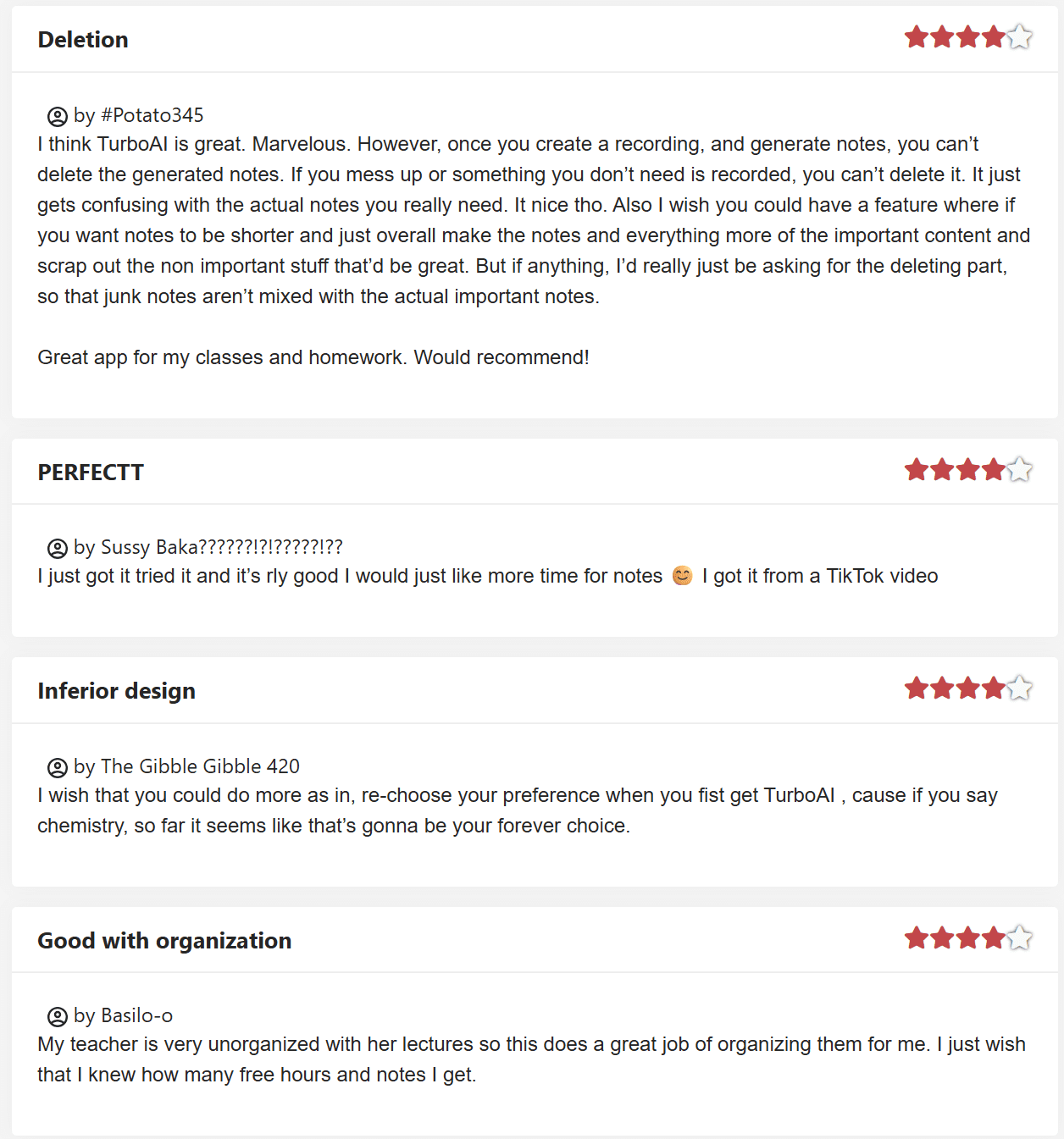
These hit on some key points. While, overall, they like Turbo AI, rating it 4/5, they also have some notable drawbacks, many of which have cropped up already.
The first reviewer, for example, is disappointed that you can’t delete the generated notes. He goes on to explain that if you’ve recorded something by accident, it’s there permanently, and “it just gets confusing with the actual notes you really need.”
The third reviewer said they wished they could re-choose the preferences you set when you first sign up to Turbo AI. I didn’t realize they made any difference, to be honest. It would be interesting to see what’s actually different from each choice.
The final reviewer from the above screenshot said what I’ve been thinking: “I just wish that I knew how many free hours and notes I get.” At the moment, with the lack of clear pricing, it feels kind of like you get notes or minutes on a whim.
For instance, I recorded two audios, then got hit with the upgrade prompt, saying I’d run out of the free plan. Then I tried to upload a YouTube video and got the same message. A few days later, I uploaded 5 PDFs and had no issues whatsoever. It’s difficult to tell what’s allowed and what’s not, what the exact limits are, when (or if) they reset, and it would be so much clearer to just have this information available to users.
Before we move onto other review platforms, let’s take a look at some of the 5 star reviews. We can start with my favorite review, possibly ever…
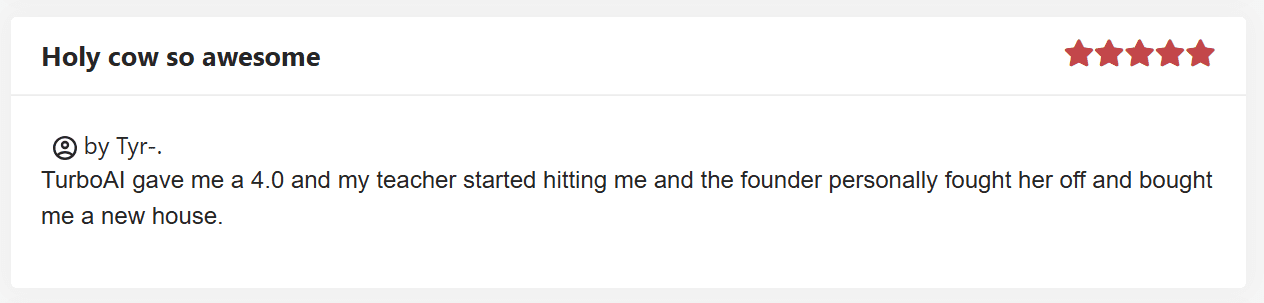
In a review titled, “Holy cow so awesome”, the user Tyr (who may or may not be the same one-armed god of single combat from Norse mythology) says, “Turbo AI gave me a 4.0 and my teacher started hitting me and the founder personally fought her off and bought me a new house.”
Color me sold.
While I can only assume that review is some kind of absurd joke, there are some real 5 star reviews for Turbo AI (though perhaps lower your expectations of the authenticity of JuseUseApp).
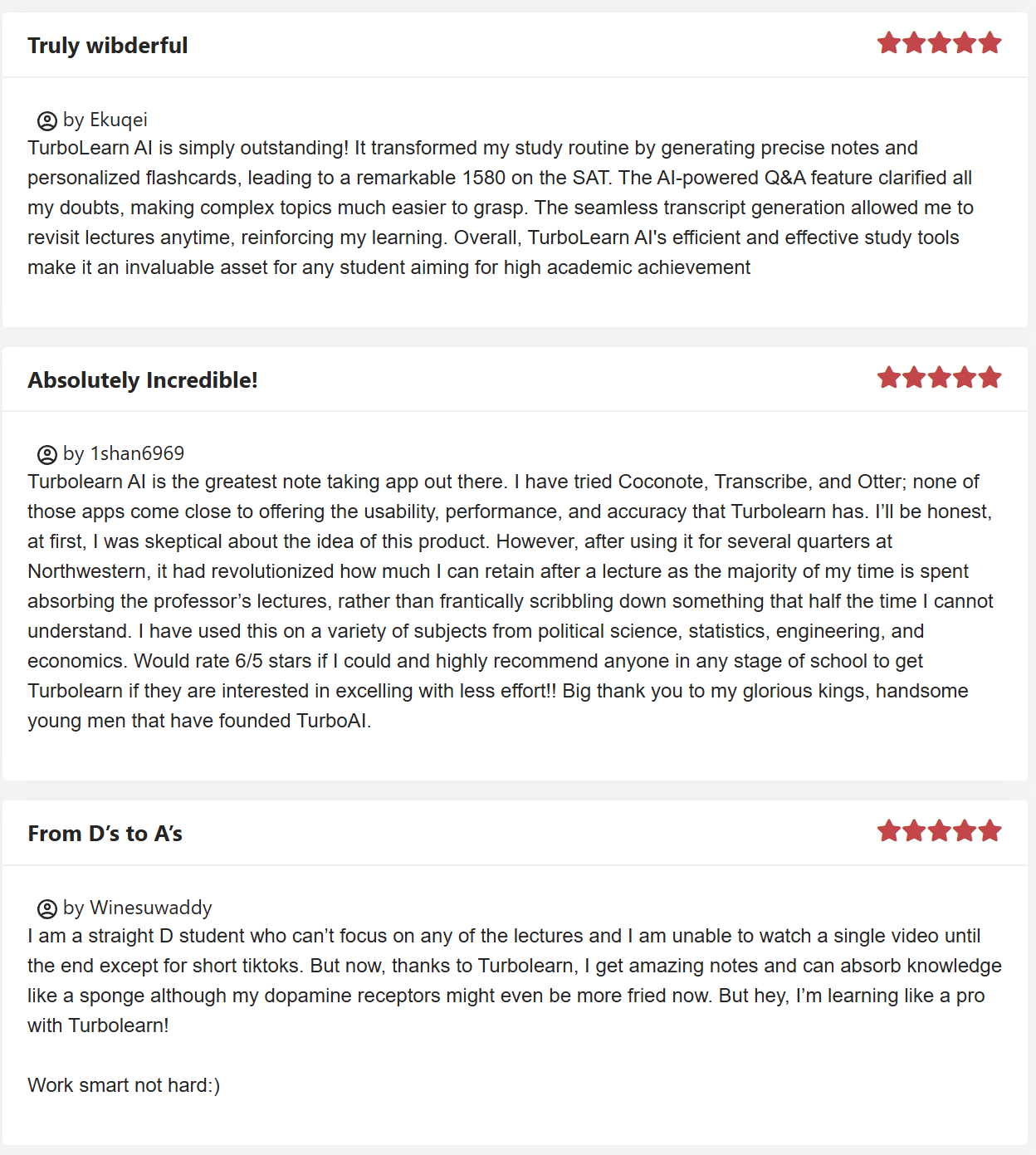
This batch of 5 star reviews take things a bit more seriously. The first reviewer even called it “truly wibderful” so I knew I was in safe hands then.
All these reviews took place when Turbo AI used to be known as TurboLearn AI. The first says that the “precise notes and personalized flashcards” helped improve their grades. The AI chatbot “clarified all [their] doubts” while the transcript allowed them to “revisit lectures anytime.”
The second reviewer said they “tried Coconote, Transcribe, and Otter; none of those apps come close to offering the usability, performance, and accuracy that Turbolearn has.” They go on to say they’d rate it 6/5 if they could and wrap up the review with a totally normal: “Big thank you to my glorious kings, handsome young men that have founded TurboAI.”
The third 5-star review here claims to have gone “from D’s to A’s” by using Turbolearn.
Now, I’m no expert, but there’s something a bit unusual about these reviews. I wanted to find something more, but with G2, Capterra, TrustPilot, TrustRadius, ProductHunt and more all lacking Turbo AI reviews, I had to pivot over to Reddit.
What Do Reddit Users Say About Turbo AI?
Over on Reddit, there’s conflicting opinions on whether Turbo AI is helpful.
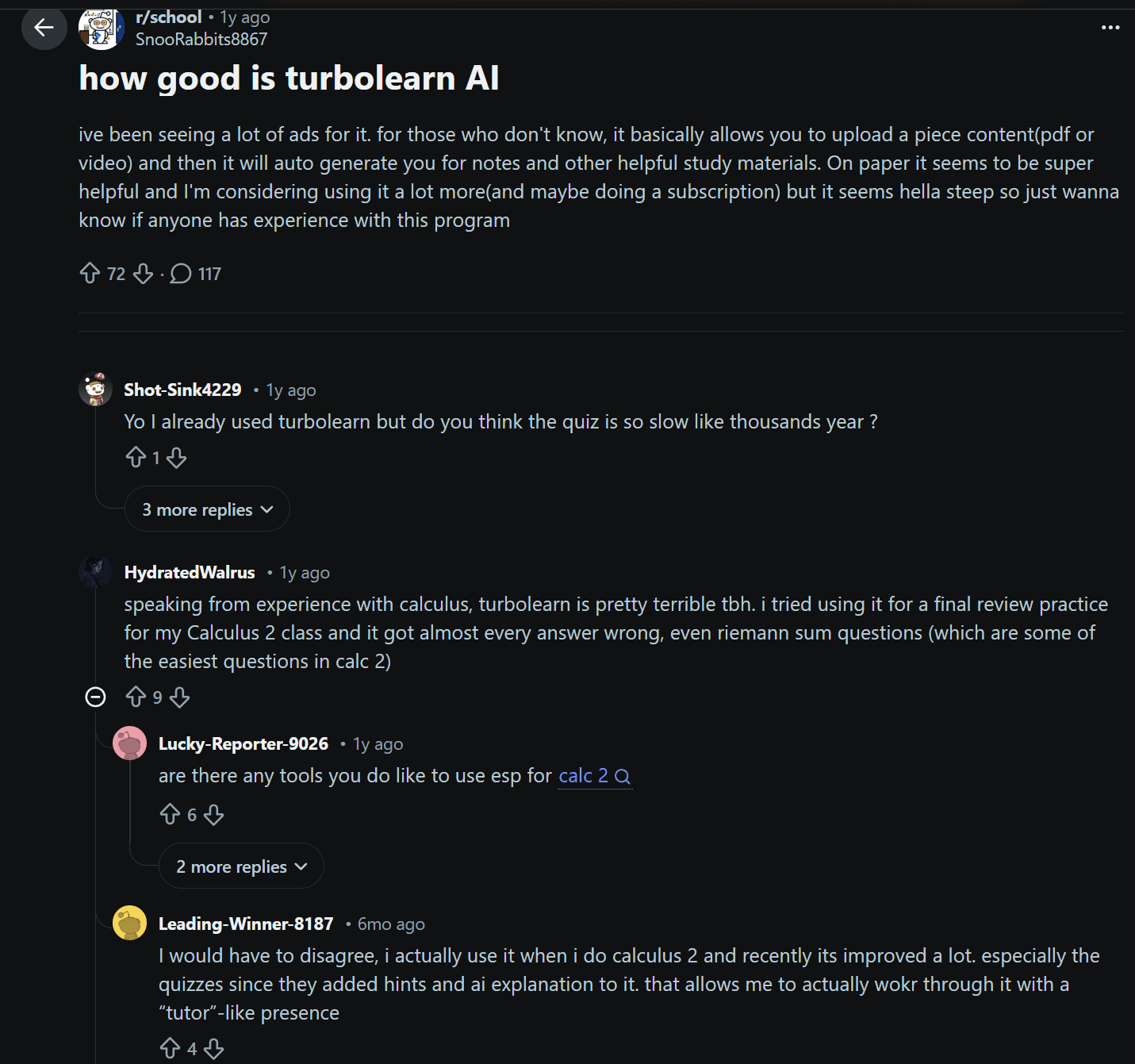
One user says, “Speaking from experience with calculus, turbolearn is pretty terrible tbh.” With 9 upvotes, it seems like they’re not alone in their opinion.
However, another commenter replied saying, “I would have to disagree. I actually use it when I do calculus 2 and recently it’s improved a lot.” He goes on to say that the quizzes have since added hints and an AI explanation (which I also praised) so it makes them work through it with a “tutor-like presence.”
Further down the comments, someone said, “It’s definitely not worth any money,” referring to it as a cheap GPT wrapper. Another user, however, said they started using it a week ago and they’ve already bought the paid version, and “not because it’s trash without it.” He also says it’s “very safe, and not sketchy whatsoever.”
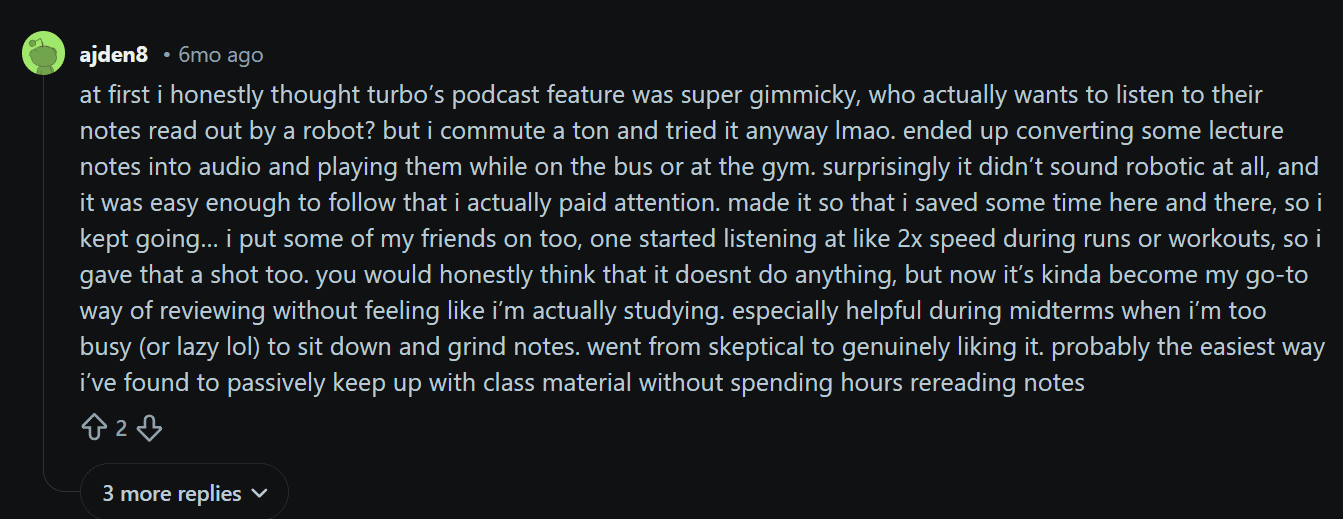
Another commenter brings Turbo AI’s podcasts into focus. I admitted earlier in my personal experience that I didn’t see the point of the Podcast feature. User ajden8 starts his comment with the same idea: “I honestly thought Turbo’s podcast feature was super gimmicky, who actually wants to listen to their notes read out by a robot?” He continues with, “But I commute a ton and tried it anyway… surprisingly it didn’t sound robotic at all, and it was easy enough to follow that I actually paid attention.” He also talks about playing the podcasts on 2x speed while on a run to listen to your notes.
I stand corrected: Turbo AI’s podcasts can be a useful feature if used to passively listen to notes when you can’t actively read them.
Another thread asks about Turbo AI after seeing influencers talk about how amazing it is all over TikTok.
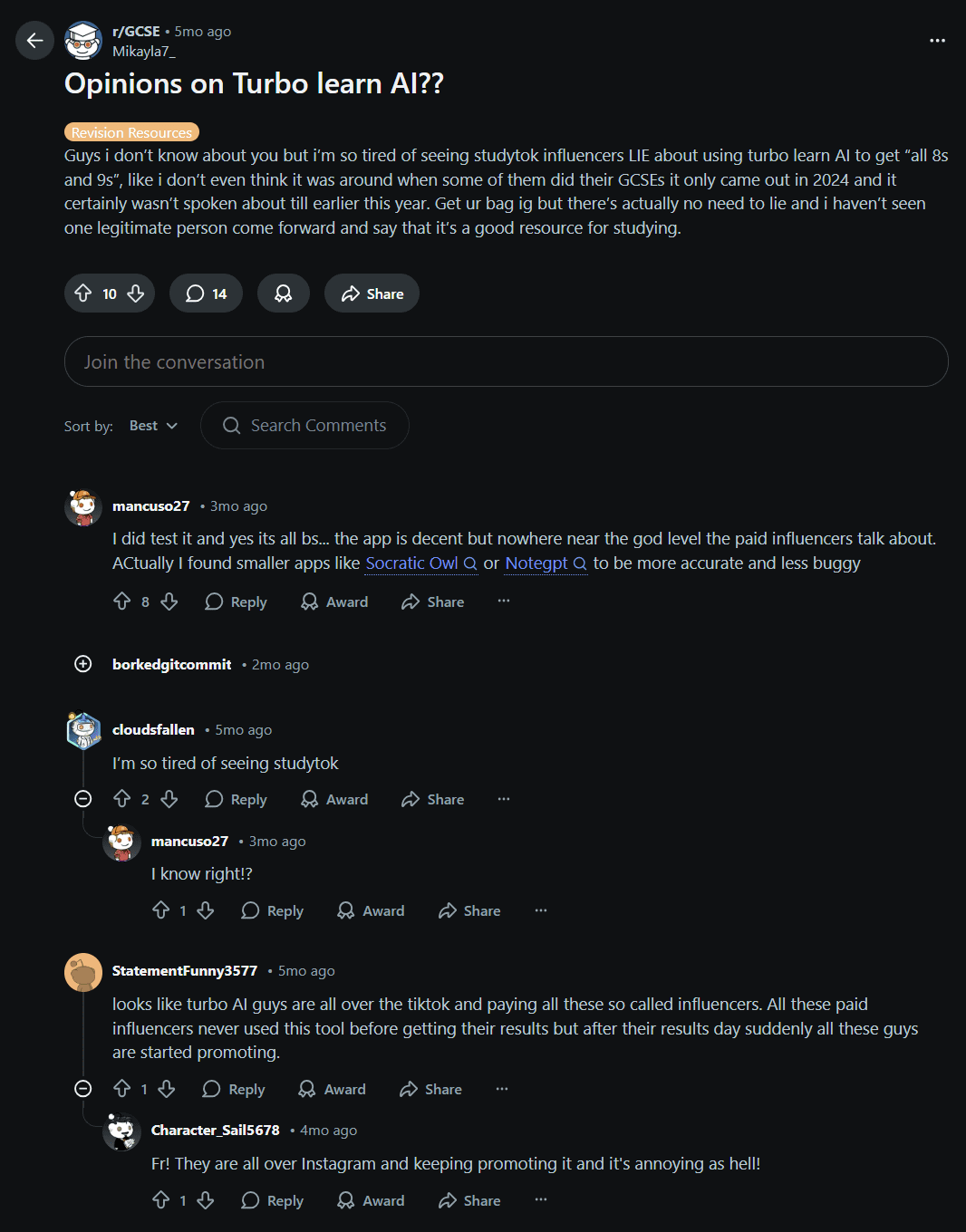
This thread had a unanimous response: Turbo AI is “decent but nowhere near the god level the paid influencers talk about.” It quickly descends into people venting their frustrations with ‘StudyTok’ and Turbo AI’s paid influencers.
Another thread asks if Turbo AI is worth it. The comments signal a resounding “No.” One commenter says that it gives good questions to test yourself, but then it also gives false answers.
A separate thread asks if anybody actually uses Turbo AI or is it all ads? Most people seem to think it’s all ads, though a few people do say they’ve used it. One commenter in particular says “It’s usable” but only “if you pay for the premium subscription.”
Turbo AI Alternatives: Which Tool is Best for Revision in 2026?
There are countless tools to choose from in 2026. I wouldn’t settle on one based on their social media presence alone. Even with tl;dv, which gets millions of impressions across LinkedIn, TikTok, and Instagram every month, I’d suggest trying out the free plan before committing to purchase. And that’s because tl;dv actually has a usable free plan with unlimited transcription.
So which tools are worth checking out? Well, it depends on exactly what you need.
I’ve gathered the best AI study apps here. I’ve also included tl;dv so you can get a glimpse of how AI meeting intelligence differs from pure revision generators.
| Tool | Core Idea | Best For | Outputs | Interaction Level | Strength | Weakness | Learning Stage |
|---|---|---|---|---|---|---|---|
| Turbo AI | Active recall generator | Exams and memorization | Notes, flashcards, quizzes, podcasts | High | Turns content into revision materials | Accuracy varies | Memorization |
| Coconote | Lecture summarizer | University lectures | Notes, quizzes, flashcards, games | Low | Clean, structured notes | Passive learning | Understanding |
| Memrizz | Memory-first learning | Language & fact heavy subjects | Flashcards, spaced repetition | Very High | Retention focused | Weak note capture | Long-term retention |
| Raena AI | Personal AI tutor | Complex subjects | Explanations, guided learning | Very High | Explains ideas | Less automation | Concept mastery |
| Feynman AI | Learn by teaching | Deep understanding | Simplified explanations | High | Clarifies confusion | Not a note system | Understanding |
| RemNote | Knowledge system | Serious students | Linked notes + spaced repetition | Very High | Second brain + memory | Setup time | Mastery |
| tl;dv | Meeting intelligence | Calls & team discussions | Transcripts, summaries, action items | Medium | Collaboration & search | Not for studying | Collaboration |
Full disclosure, as of March 2026, I have only tried Coconote and Turbo AI. However, I will be checking the rest out over the next few months.
Most of them have free trials or plans so you can test them out and compare for yourself before switching. Some of them have specific niches, and not all of them allow for audio recording, so just check it aligns with what you’re after specifically.
Turbo AI Alternatives: Summary
- Best for exams: Turbo AI
- Best for lazy note capture: Coconote
- Best for long-term memory: Memrizz or RemNote
- Best for hard subjects: Raena or Feynman
- Best for work meetings: tl;dv
Is Turbo AI Worth Your Money in 2026?
In reality, it depends what you’re looking for and how often you’re actually going to use it. The free plan isn’t enough to continue using it without paying, but are the features really groundbreaking enough to charge just shy of $120 per year? I’m not so sure.
I can definitely see how it would be helpful, especially for students who are attending a lot of lectures. However, the inaccuracies in both transcripts and revision materials make me hesitant to suggest it.
I’d recommend trying the free plan as much as you can and then you’ll have a better understanding about whether or not it’s worth the money. If you aren’t sold afterwards, go elsewhere.
FAQs About Turbo AI in 2026
What is Turbo AI used for?
Turbo AI is an AI-powered study tool that converts lectures, audio recordings, PDFs, and videos into structured notes, flashcards, quizzes, and even AI-generated podcasts. It’s primarily designed for revision and exam preparation.
Can Turbo AI record online classes or meetings?
Yes. Turbo AI records your device’s audio rather than joining meetings with a bot. This means it can capture:
Zoom or Google Meet calls
Preply lessons
YouTube videos
In-person lectures (if your device is present)
However, transcript accuracy may vary depending on audio quality and language.
Is Turbo AI good for language learning?
It depends on how you use it.
Turbo AI can generate vocabulary flashcards and quizzes from recordings or PDFs. However, transcript inaccuracies and contextual misunderstandings may reduce reliability for conversational language learning.
It appears more effective when used with structured PDFs rather than live conversation recordings, but may still be useful for single-speaking lectures.
How accurate are Turbo AI transcripts?
Transcript accuracy varies.
Some users report clean transcripts for lecture-style recordings. However, in multi-language or conversational settings, Turbo AI may:
Misidentify languages
Merge speakers into one
Introduce hallucinated content
Because notes, flashcards, and quizzes are built on transcripts, errors can compound. All three of these happened in my own personal experience.
Does Turbo AI offer speaker identification?
No. Turbo AI does not currently separate speakers in transcripts. Multi-person conversations are transcribed as if spoken by a single individual.
Are Turbo AI flashcards good?
Flashcards can be useful, especially when prompted clearly.
Without a custom prompt, flashcards may reflect transcript errors. With a well-written prompt (e.g., “Create English–Russian vocabulary cards from new words only”), results improve, but they’re still not mind-blowing.
How good are Turbo AI quizzes?
Quiz quality depends heavily on source material.
With structured PDFs, quizzes can be helpful and include answer explanations.
With conversational recordings, quiz logic may be inconsistent.
Free users may also encounter limits after a small number of questions.
There are often errors in the questions so read them carefully.
Is Turbo AI free?
Turbo AI offers a free plan, but limits are unclear and not publicly detailed.
Users may encounter restrictions after a small number of:
Audio recordings
Quiz questions
Uploaded sources
There is no extended free trial.
How much does Turbo AI cost in 2026?
As of 2026, Turbo AI offers:
Free Plan – Limited access
Paid Plan – $9.99/month (billed annually)
Paid Plan – $19.99/month (billed monthly)
The paid version removes usage limits but does not add major new features beyond increased capacity.