Skip to content





We have spent a lot of time writing honest reviews of other meeting tools, pulling them apart gently, sometimes not so gently, and stress testing what they promise against what actually shows up in real work. So it would feel a bit ridiculous to stop there and not apply the same scrutiny to tl;dv itself.
An honest review of tl;dv was always going to be inevitable, especially given how often I use it and how loudly I talk about what good meeting capture should look like.
There is bias here, obviously.
I work closely with tl;dv, I use the product daily, and I know the team behind it. I am not pretending this is a detached lab experiment run by someone with no skin in the game.
At the same time, that closeness is exactly why this review is worth writing. I am not looking at tl;dv through a demo account or a feature checklist. I am looking at it through the mess of real meetings, client calls, interviews, my own internal chaos, and the very human habit of forgetting things almost immediately after a call ends.
So yes, read this with the right amount of skepticism. I am close to the product. I am also very familiar with its limits, the odd habits people build around it, and the slightly unhinged ways I bend it to fit my real workflows rather than ideal ones. This is not a pitch. It is a look at how tl;dv behaves when it becomes part of the furniture, which is usually where the truth shows up.
Honest tl;dv Review: tl;dr
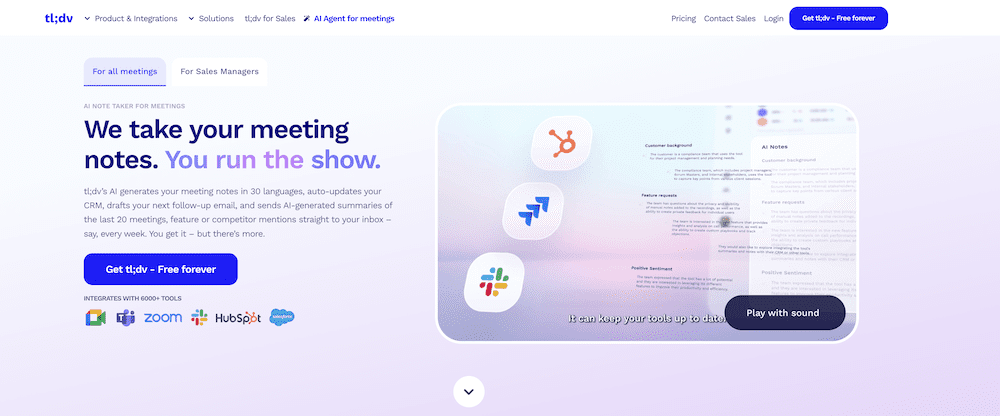
tl;dv handles the parts of meetings most people are bad at, remembering exactly what was said, spotting patterns across calls, and capturing decisions while you stay present. Once it is set up, you stop thinking about it, which is the whole appeal.
It works best for people who need to do something with meetings afterward, writing, decisions, follow ups, handovers, or learning from customers.
In short:
Automatically joins Zoom, Google Meet, and Microsoft Teams and records without babysitting
Turns meetings into a searchable library with clips, summaries, and Ask tl;dv
Improves as you shape it with playbooks and custom vocabulary
Has Ask tl;dv which allows you to chat and unearth things in single or multiple meetings
Handles privacy and consent visibly across teams and languages
Free plan is genuinely usable, paid plans add depth and additional features
If meetings blur together and drain energy, tl;dv earns its place quickly.
If you want to jump straight to the costs, dive into our tl;dv pricing calculator.
What Is tl;dv (and What Does It Actually Do?)
Many assume that tl;dv is a simple AI note-taking tool, but that’s simply not true.
The more you use the software, the value of the tool becomes much clearer. This is not built around a single clever AI trick. It is designed to work around the reality that meetings are messy, happen across different platforms, and usually contain more information than any one person can reasonably hold onto.
At the most basic level, it joins calls automatically, records the full conversation, and produces a speaker-labeled transcript tied directly to the video. That alone changes how meetings feel. You are no longer juggling listening, note-taking, and participation at the same time.
Where tl;dv starts to pull ahead of lightweight AI note-takers is in what happens after the meeting ends. Instead of leaving you with a long transcript or a vague summary, it gives you structure. You can jump to specific moments, clip sections to share, or search across meetings for recurring topics and decisions. Over time, this turns meetings into a working library rather than a collection of forgotten recordings.
On top of all this sits Ask tl;dv, which is where the AI becomes more than just something decorative to put on the homepage.
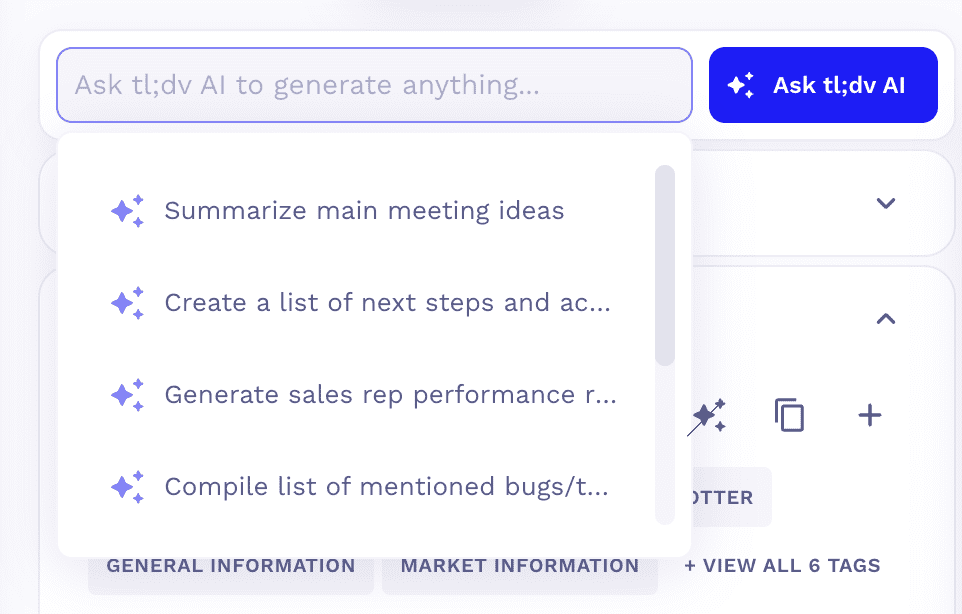
Instead of rewatching calls or skimming transcripts, you can ask direct questions about what happened, either in one meeting or across many. This works best when questions are specific, pulling out details, comparisons, or patterns, and it mirrors how people actually review conversations when they are under time pressure.
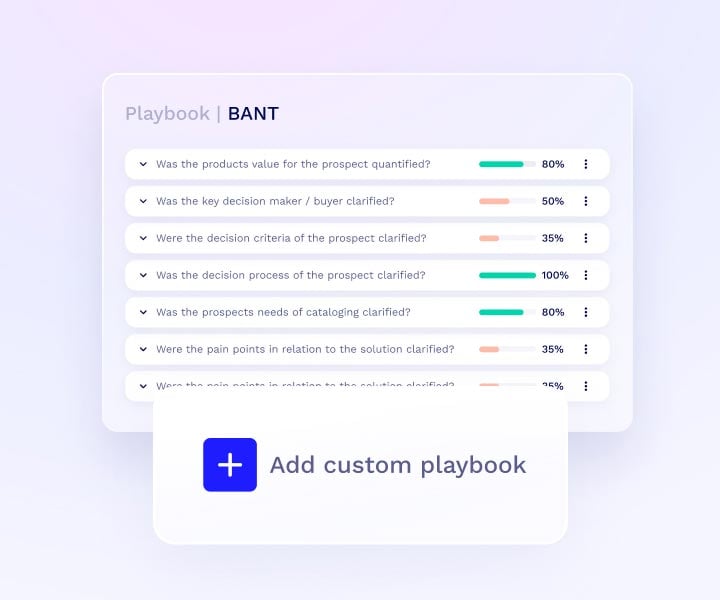
Playbooks and AI coaching build on that same structure. Teams can define what good looks like for a particular type of call, sales discovery, onboarding, training, or support, and tl;dv can review meetings against those expectations.
For sales teams, that might mean tracking whether key questions were asked or objections were handled.
For managers, it can surface patterns in delivery or coaching opportunities without needing to sit through every call manually.
tl;dv is essentially an organizational tool as well as a meeting recorder. Some examples of how it can be used include:
- Customer success teams use it to prepare QBRs and review onboarding quality.
- HR teams use it to compare candidates across interviews without relying on memory.
- Product and research teams use it to analyze feedback across dozens of conversations instead of cherry-picking quotes from a handful of calls.
These are all real actions that tl;dv internal team use the tool for.
Crucially, tl;dv does not assume everyone works inside a single ecosystem.
Meetings happen across Zoom, Google Meet, and Microsoft Teams, often tied to different calendars and tools. tl;dv captures those conversations consistently and feeds the output into the systems teams already rely on, whether that is a CRM, Notion, or internal reporting workflows. The meeting stops being an isolated event and becomes shared, searchable data.
Taken together, these features are less about AI for its own sake and more about reducing cognitive load across an organization. tl;dv handles capture, structure, and retrieval so people do not have to rely on memory, perfect note-taking, or ideal behavior.
Key tl;dv Features at a Glance
- Automatic meeting capture, without babysitting
tl;dv joins your scheduled Zoom, Google Meet, and Microsoft Teams calls automatically as a visible participant. There are no links to paste, no buttons to press, and no risk of forgetting to record. Once it is connected to your calendar, it simply shows up and does the job. - Full video, audio, and speaker-labeled transcripts
Every meeting is captured with video, audio, and a transcript that clearly shows who said what. This makes reviews faster and far more reliable, especially in multi-speaker calls where attribution actually matters. - Ask tl;dv AI, find what you need without rewatching
Ask tl;dv lets you query individual meetings or entire libraries of calls. You can pull out specific details, compare conversations, or look for recurring themes across time. It works best when you ask grounded, practical questions, which makes it genuinely useful in day-to-day work. - Playbooks and AI coaching for consistent delivery
Teams can define playbooks for different call types, sales, onboarding, training, and have tl;dv review meetings against those structures. This supports coaching and quality control without managers needing to sit through every call manually. - Clips, highlights, and time-stamped sharing
Instead of sending full recordings, you can share short clips linked to exact moments in a conversation. This makes reviews, approvals, and handovers faster and far more likely to actually happen. - Centralized meeting library across platforms
Meetings from Zoom, Google Meet, and Microsoft Teams all live in one searchable library. You are not locked into a single calendar or ecosystem, and your meeting history does not fragment across tools. - CRM, Notion, and workflow integrations
tl;dv connects with CRMs and tools like Notion so meeting outputs flow directly into existing workflows. Notes, summaries, and insights do not sit in isolation, they become part of how teams actually work. - Built with security and compliance as a baseline
tl;dv is built with a strong security-first mindset, including GDPR alignment and European data protection standards. The recording bot is visible in meetings, consent is clear, and access to recordings and transcripts can be tightly controlled. This matters if you work with clients, regulated industries, or sensitive internal conversations. - European security compliant by design, not as an afterthought
tl;dv is a European product, and that shows in how it approaches privacy, consent, and data handling. It is not retrofitting compliance after the fact or treating Europe as a secondary market. For teams that care about where their data lives and how it is handled, this is a meaningful difference.
Setup and Workflow: What Happens When You Stop Thinking About It
After you connect your calendar, tl;dv joins your scheduled Zoom, Google Meet, and Microsoft Teams calls automatically as a visible participant. There is no separate app to open, no link to paste, and no moment where you have to remember to press record. “It shows up. tl;dv can email attendees ahead of time to flag that the meeting will be recorded, which removes one more thing to remember.
When the meeting ends, the output is already there. The recording, speaker-labeled transcript, and structured summary are available without any extra steps. You can skim the highlights, jump straight to key moments, or share a short clip with someone else. There is no export, no upload, and no copying between tools.
The important thing is that tl;dv does not demand perfect behavior. If you forget about it, it still works. If the meeting runs long, it keeps recording. If you come back weeks later needing to know what was actually agreed, the information is still there, searchable and clearly attributed.
How Teams Actually Use tl;dv Day to Day
This is the part that doesn’t normally show up in product pages. It’s not about the ideal workflow, or the super polished demo, but the slightly messy, very human ways tl;dv gets used once it becomes part of your daily life.
Across teams, the pattern is the same. People stop thinking in terms of individual meetings and start thinking in terms of continuity. Conversations stop being isolated events and become something you can return to, compare, and build on later.
tl;dv for Marketing
In content, marketing, and internal strategy work, that often looks like reviewing calls to spot what actually landed. Repeated questions. Phrases people echo back. Moments where attention shifts or energy changes. Over time, those signals are far more useful than gut feel. They show you what resonates and what falls flat.
That is probably why I use tl;dv the way I do. I am a writer by trade, and my work lives in nuance, phrasing, tone, and the offhand comments that reveal what people actually mean.
When I am pulling together meeting roundups or writing a newsletter, I go back through conversations to see what people responded to, what they repeated, and where they hesitated. That kind of detail is almost impossible to reconstruct from memory alone.
tl;dv for Customer Support
In customer support tl;dv is used as a source of record for customer conversations.
Support calls, escalations, and internal discussions about complex tickets are recorded and transcribed so decisions are not made on memory alone. Instead of trying to recall what a customer said, or how an issue was framed, teams can go back and pull the exact wording, context, and moment it mattered.
Short clips are shared internally to get second opinions on tricky cases, QA reviews, or edge cases without booking another meeting or reopening a ticket. It makes support decisions clearer, faster, and easier to defend when customers push back.
tl;dv for Sales
tl;dv is a lifesaver for anybody who has ever been involved in any kind of sales call. And I can state that as fact because before I did any of this, I worked in SaaS sales. Back-to-back calls, pipeline pressure, constant note-taking, and the low-level panic of knowing you have definitely promised something important and cannot quite remember the wording. That sales mindset never really leaves you. Even now, I listen for objections, hesitations, and the offhand comments that matter more than the polished answer.
If I had had tl;dv back then, my admin load would have been dramatically lighter. I would be able to recall what the prospect said without trying to decode what I wrote in the CRM three weeks ago, or from my scratched out notes. Equally, coaching would not have meant listening to hours of recordings just to hear myself say “umm” followed by an ill-judged joke. Feedback could have been specific and grounded in real moments rather than vague recollections. My boss would also have been able to tap a few keys and identify how best to support me to get more deals over the line as well.
In addition, any sales department can have real-life, actual customer conversations, with outcomes that they could plan against. If Dave was smashing the quarter, it’s easy to identify what he’s doing and how to get the rest of the team up to scratch.
If a customer had a complaint about a particular rep, it’s no longer a case of “he said, she said” but the managers can scope out the call and decide what action to take. Sales will always be stressful, but with tl;dv supporting the process it’s so much easier to pick through what’s working, and more importantly what isn’t.
tl;dv as a Business Owner
That same logic applies now as a business owner and a writer working with other companies. I use tl;dv in meetings with my other writing clients. When it is embedded properly, everyone can concentrate on the conversation rather than capturing it. Every client call, every commitment, every promise made in passing is recorded. When I am speaking with academics for whitepapers or working through complex topics, the cognitive load is high. Knowing the meeting is fully captured lets me listen properly and ask better questions, then come back later and harvest what matters.
tl;dv for Funsies
There are also the less serious habits. I make a point of saying “Renée, Renée, Renée” in meetings, partly because it makes me laugh, and partly because Renée on the social team runs a weekly report she calls “I am the center of the universe”. It surfaces every meeting where her name gets mentioned, which she uses half jokingly to keep tabs on what is being said when she is not in the room, and half seriously to work out how her work is landing. No one designed that workflow. It emerged because the system notices things humans cannot, plus we’re pretty nosey…
Plus, more than a few people use it for their regular Dungeons & Dragons games.
Seen together, this is why tl;dv works. It separates being present in the meeting from working with the meeting afterward. Teams benefit from that. Writers benefit from that. And anyone who has ever carried a sales quota knows exactly how valuable that separation is.
The Small, Weird Things That Save Your Brain
Some of the most useful things I do with tl;dv are not things I would ever have thought to ask for. They are not efficient. They are not tidy. They are very human.
At one point, in a meeting with our founder, we both asked tl;dv who should be CEO. It answered. I won.
This is not a recommended workflow. It is, however, an excellent illustration of how people interact with tools once they trust them enough to be playful.
I also use Ask tl;dv regularly for questions I would never necessarily ask anybody who attended the meeting. A personal favorite is “Have I screwed up here?”
I ask it internally. I ask it externally. I ask it after sending emails, after awkward calls, and after moments where my brain decides to replay one sentence on a loop. The validation is cheaper than a therapist and, crucially, based on what was actually said rather than what my anxiety thinks might have happened.
Because I am not spending energy trying to capture everything, I get to be properly in the conversation. That does mean things sometimes go off on tangents. There are side quests. Conversations wander. But that is also where the interesting stuff happens.
Creativity rarely shows up in the neat, pre-agreed agenda item. It shows up in the detours. Knowing the meeting is fully captured means I can follow those threads without worrying that I am losing something important along the way.
I also use tl;dv as a confidence check. Before following up, I will check what I actually said rather than what I think I said. That distinction matters more than people like to admit. Memory is unreliable, especially at the end of a long day. tl;dv gives you receipts, which is oddly calming.
And yes, I have searched for people talking about me. I could pretend I have not, but that would be a lie. Thankfully, so far it has all been praise. There are also admin controls in place, which is probably for the best, for everyone involved. The point is not the ego boost. It is the ability to ground your perception in reality rather than guesswork.
Those small, slightly unhinged uses are where the real relief shows up. Not because they are clever, but because they let you stop carrying things you were never meant to hold in your head in the first place.
Criticism of tl;dv
Yeah, ok so nobody is perfect and there is criticism of tl;dv that shows up on third party review sites, and it is worth taking seriously once you move beyond light use.
Transcription accuracy is the most common point raised, particularly around fast speakers, or very technical language. This is not specific to tl;dv and comes up across third-party reviews of AI transcription tools more broadly. In practice, accuracy improves over time when teams use custom vocabulary and playbooks rather than expecting generic summaries to work perfectly out of the box.
AI summaries are another area reviewers mention. They save time, but still benefit from a quick human pass, especially for action items or anything sensitive. Teams that define what “good” looks like tend to get much more reliable results.
Pricing also comes up, particularly around the higher tiers. For teams that only want basic recording, the deeper plans can feel like more than they need. The value shows up when meetings are being reused for sales, customer work, research, or coaching rather than treated as one-off events.
None of these points are dramatic, but they are consistent. They all point to the same thing. tl;dv works best when it is shaped around real workflows, not treated as a plug and forget summary tool.
AI Summaries, Asking Better Questions, and Knowing the Limits
This is the point where a lot of meeting tools get overconfident, and where tl;dv is actually at its best, because it does not pretend the AI should do the thinking for you.
If you expect a perfect, final document every time, you will be disappointed. If you expect a solid first pass that reflects what was actually said, you will usually be pleasantly surprised.
You can ask tl;dv broad prompts like “what was important in this meeting”, and it will give you a useful overview. But Ask tl;dv works best when you are specific. Questions like, what objections came up, what did this person say about timing, where pricing was discussed, or how this compares to the last three calls.
That is much closer to how people actually review meetings when they are short on time and need answers they can act on.
This is also where your own discipline matters. The quality of the output is heavily shaped by the quality of the input, not just the audio, but the structure you give the system.
Teams that define playbooks, set expectations for different call types, and are clear about what they want to extract tend to get far more reliable summaries and insights over time. The AI has something to aim at, rather than guessing what “good” looks like.
Used well, the AI does exactly what it should. It reduces the grunt work, surfaces patterns, and gives you something solid to react to. It does not replace thinking, listening, or judgment. It gives you back the time and headspace to do those things properly, which is a much more realistic promise than pretending AI can handle everything on its own.
Collaboration, Follow Ups, and Using Meetings After They End
Most meetings do not fail in the meeting itself. They fail afterward. Someone forgets what was agreed, context gets lost in a handover, or a follow-up email that drifts away from what was actually said. This is the gap tl;dv is best at closing.
Instead of relying on memory or long written summaries, you can share the exact part of the conversation that matters. A short clip with context is often far more useful than a page of notes, especially when decisions or nuance are involved.
This changes how collaboration feels. If someone was not in the meeting, they do not need a full download or a second call. They can watch the relevant moment, hear the tone, and understand the decision in the way it was actually made. That is particularly useful when working across teams, time zones, or with external partners who do not need the entire recording.
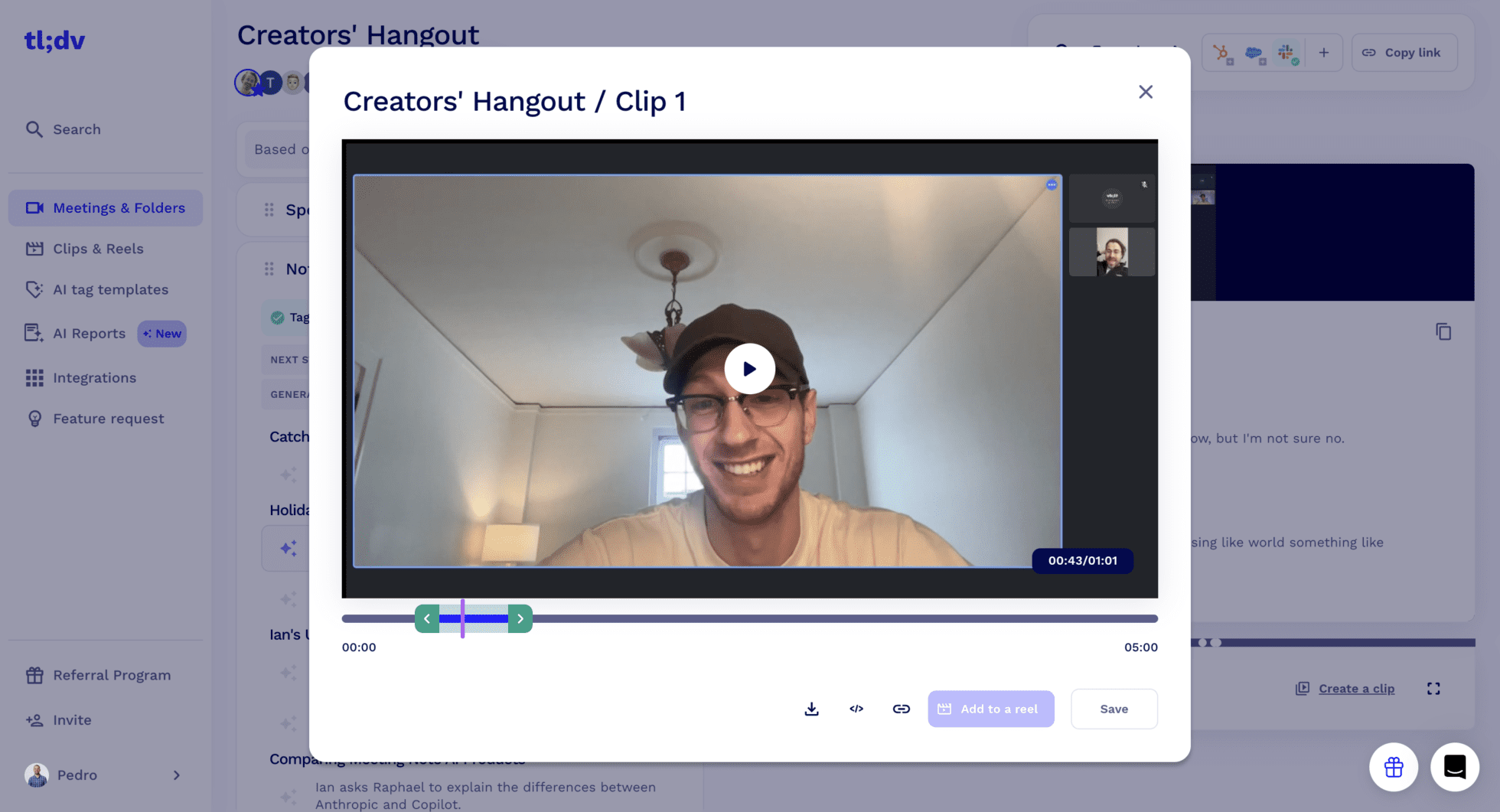
Follow-ups also get cleaner. Before sending an email, you can check what was actually agreed rather than what you think was agreed. That reduces back and forth, avoids accidental overpromising, and makes next steps easier to anchor to reality.
When meetings feed into CRMs or shared workspaces, those follow ups stay connected to the original conversation instead of floating around in inboxes.
For teams that review work together, this makes feedback more specific. Instead of saying “we talked about this in the meeting”, you can point to the moment it came up. For managers and coaches, it means feedback can be grounded in real examples rather than general impressions. For client work, it creates a clear record that protects everyone involved.
Meetings stop being something you reconstruct later and become a shared reference point, with decisions and context visible long after the call ends.
Integrations with your current stack
One thing I have deliberately avoided up to this point is listing integrations, partly because they only matter once you trust the capture. But tl;dv does not sit in isolation. It connects into existing stacks through native integrations, Zapier, APIs, and CRM field mapping, so meeting data can flow into the systems teams already use rather than becoming another silo.
For larger organizations, that extends into single sign-on, provisioning, and admin controls that let tl;dv behave like infrastructure rather than a bolt-on tool. You do not need to think about those details on day one, but they matter once tl;dv becomes something people rely on rather than experiment with.
Language Support, Accuracy, and Trust
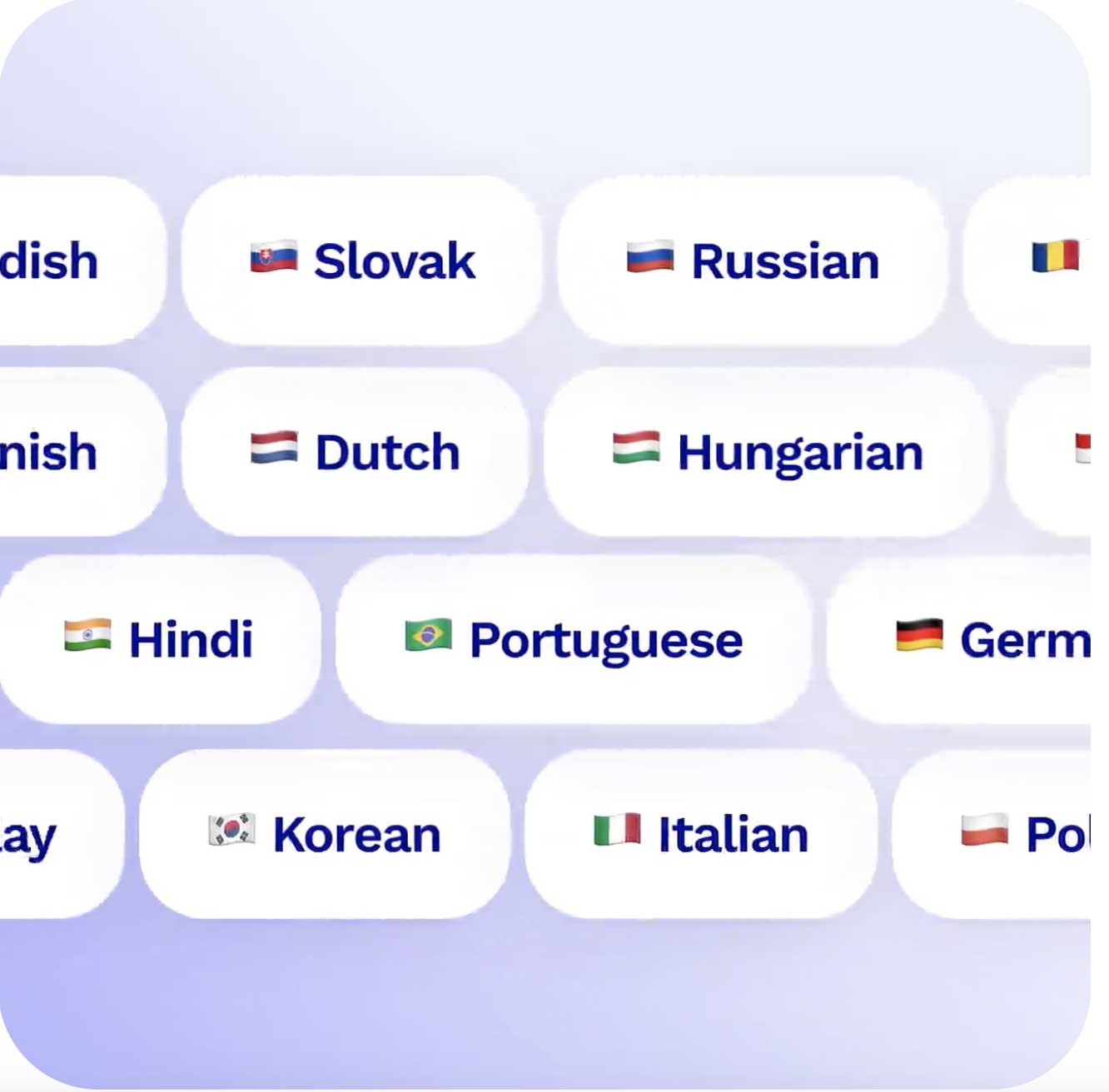
tl;dv is designed for teams that do not all sound the same or work in the same language. It supports transcription and summaries across a wide range of commonly used languages, which makes it viable for international teams, mixed-language calls, and conversations where people naturally switch between languages.
Supported languages include:
• English
• Spanish, including regional variants
• French
• German
• Portuguese, including Brazilian Portuguese
• Italian
• Dutch
• Polish
• Russian
• Ukrainian
• Turkish
• Greek
• Danish
• Norwegian
• Swedish
• Finnish
• Czech
• Hungarian
• Romanian
• Hindi
• Thai
• Filipino
• Mandarin Chinese
• Japanese
• Korean
The list continues to grow, but the important part is not the headline number. tl;dv is built and used in genuinely multilingual environments, where accents, code switching, and mixed fluency are normal rather than edge cases. That reality shapes how the product behaves in practice and how quickly language-related issues surface and get addressed.
One thing that sets it aside from competitors is the automatic language detection. You can start a conversation in English, switch to French midway through, and end in Spanish. At no point do any settings need to be changed. tl;dv will capture the entire transcript in the language it was spoken, providing you with multilingual transcripts which can be translated by the AI if need be later on.
Privacy, Consent, and Not Having to Remember
Privacy is one of those things people only notice when it goes wrong, which is why tl;dv handles it very visibly and very consistently.
When tl;dv joins a meeting, it does so openly as a participant. Recording is clear to everyone in the room, with no background capture or hidden behavior. Consent is handled in the open, which removes both ambiguity and the awkwardness of having to remember to announce it yourself.
tl;dv can even handle consent before the meeting even starts, automatically notifying attendees when an invite is sent so recording is expected rather than awkwardly announced at the top of the call.
Security and compliance by default
tl;dv is built with modern security standards in mind. It follows GDPR requirements by default and aligns with established security frameworks such as SOC 2, which matters if you are working with clients, partners, or data that cannot be treated casually. This is not a bolt-on afterthought; it is part of how the product is designed and operated.
Controlled access after the call
After the meeting, recordings and transcripts sit behind permissions and can be shared deliberately or kept internal. Nothing is treated as automatically public, which is especially important for teams working across companies or in regulated environments.
The real benefit is not having to remember the rules. Once tl;dv is set up, privacy, consent, and access control are part of how it behaves. That consistency lets people focus on the conversation itself rather than the mechanics around it.
Pricing: What You Are Really Paying For
tl;dv pricing is seat-based. This is a brief explainer but for a full breakdown, check out our tl;dv pricing page.
Free Forever Plan
On the Free plan, you can add your whole team at no cost. AI usage and uploads are capped, so for an active team, this usually works as a tester rather than a long-term solution. However, it still has solid functionality and will always be free.
Pro Plan
Most teams of this size land on the Pro plan. When billed annually, Pro costs about €16 or $18 per person per month. If you prefer monthly billing, that increases to €24 or $26 per person. This tier removes AI limits and includes shared folders, global transcript search, integrations, and priority support.
Business Plan
For teams that spend most of their time in customer, sales, or account conversations, the Business plan is usually the better fit. When billed annually, Business comes in at €32 or $35 per person per month. This tier adds playbooks, AI coaching, multi-meeting insights, scheduled reports, and CRM field mapping.
The important context is that even at the Business level, the total monthly cost is still well below what many traditional enterprise sales tools charge per seat. tl;dv lets teams start with a low commitment, see value early, and only move up when the additional structure genuinely starts to matter.
For most teams, the decision quickly shifts from “what does this cost?” to “is this saving us more time each month than it costs?”, which is usually an easy calculation once tl;dv is in regular use.
Beyond the headline features, the plans include a long tail of practical capabilities, unlimited meetings and viewers, mobile apps, speaker recognition, clips and embeds, recurring reports, Slack and calendar integrations, and administrative controls that scale as teams grow. You do not need all of that on day one, but it is there when it starts being part of how your work actually runs.
You can use the tl;dv pricing calculator below to work out exactly how much it will cost you.
tl;dv Pricing Calculator
Don’t Take Our Word For It: Real Customer Praise
The quickest way to understand how tl;dv lands is to listen to the people using it when no one is asking them to sell it. users consistently highlight how they can scale remote onboarding with tl;dv, streamlining the process and enhancing collaboration. the intuitive features reduce the learning curve for newcomers, making it easier for teams to connect regardless of their location. as a result, organizations see improved engagement and productivity across the board.
Across independent review sites, the same practical benefits come up repeatedly. People talk about time saved, less admin, and meetings that remain useful after they end.
“I rely on it in almost every meeting because the recordings, transcripts, and AI-generated summaries are incredibly accurate and save me a lot of time.”


“Not every notetaker has been able to achieve this consistently for both my meetings and those owned by others.”
“I really like how easy it is to use tl;dv. It automatically records and summarizes my meetings, which saves me a lot of time.”
“What I like most is that tl;dv is a GDPR compliant solution that can be used in Europe without concerns, which is not the case with many US providers.”
“I also appreciate that it allows for maintaining the traceability of decisions made in sessions with internal teams, such as SysAdmin, DBAs, Azure, GCP, and AWS, thus avoiding the loss of time in manual transcriptions.”
Outside formal review platforms, similar patterns show up in more casual discussions. In a Reddit thread comparing AI meeting tools,
one user highlighted tl;dv’s ability to connect conversations over time:
“Allows you to get combined meeting notes and video highlights from several conducted meetings at once.”
Read together, the praise centers on reliability, transparency, and meetings that stay usable long after the call ends.
That kind of feedback tends to come from tools that settle into daily work rather than demanding constant attention.
Where tl;dv Fits Best and Where It Does Not
tl;dv best fits teams who rely on conversations to make decisions, hand work over, learn from customers, or build something over time. Sales, customer success, research, product, leadership, and any role where context accumulates rather than resets will get the most value. It suits teams that want meetings to turn into shared memory, searchable insight, and something you can actually work with later, not just a calendar event you move on from.
It also fits people who want to be present in the conversation without worrying about capture. If you regularly find yourself half-listening while typing notes, or replaying calls to remember what was agreed, tl;dv earns its keep quickly. The same goes for teams working across time zones, languages, or organizations, where sharing exact context matters more than summaries written from memory.
Where it fits less well is when meetings are purely disposable. If you only need a quick voice note, a single transcript, or something you will never revisit, tl;dv can feel like more than you need. Solo users who just want lightweight dictation or occasional note capture may be better served by simpler tools.
It is also not a plug-and-forget solution if you want depth. tl;dv improves as you shape it, through playbooks, coaching rules, custom vocabulary, and clearer expectations. Teams that want something static and never plan to revisit or refine how they use it may not see the same returns.
The dividing line is not company size or role. It is whether meetings are something you want to remember, reuse, and learn from. If they are, tl;dv fits naturally.
tl;dv Is Built for Real Meetings, Not Just Notes
If you have made it this far, you have probably noticed the theme. tl;dv is built for real meetings, not just taking notes.
tl;dv works because it assumes people are busy, distracted, occasionally anxious, and very bad at remembering exactly what was said three calls ago. It does not ask you to become a better note taker or a more disciplined meeting participant. It does the remembering for you, then hands the context back when you are ready to deal with it.
That shows up everywhere. In sales teams that want coaching without reliving every awkward pause. In customer teams that need continuity rather than memory. In writers and researchers who care about phrasing and nuance. Founders who would rather run the business than reconstruct conversations after the fact. And yes, even in Dungeons and Dragons sessions where nobody wants to argue about what happened three turns ago.
At this point, reading will only get you so far. tl;dv makes sense once you try it in a few real meetings, whether it sits alongside another tool or is the first one you use, and realise you no longer have to keep everything in your head.
Try it, poke at it, ask it unhinged questions, bend it to fit how you work. The worst case is you get a few decent summaries for free. The more likely outcome is that you stop doing half the invisible admin you did not realize was draining your time.
That alone is usually worth it.
FAQs About tl;dv
What does tl;dv do?
- tl;dv (stands for “too long, didn’t view”) is an AI notetaker that goes beyond the simple recording, transcribing and summarizing your team’s meetings.
- tl;dv provides insights from meetings that are relevant across various teams and individuals within your organization. It seamlessly integrates with Customer Relationship Management systems (CRMs), ticketing systems, knowledge management platforms, and over 5000 other tools.
What is an AI Notetaker?
An AI note taker is a software tool that uses artificial intelligence to assist in the process of taking notes during meetings, lectures, or any other scenario where information needs to be captured textually. These tools are designed to make the note-taking process more efficient and accurate, leveraging AI capabilities to understand spoken language, transcribe it into text, and often summarize key points or actions. Here are some of the core features and benefits of AI note takers:
Speech Recognition and Transcription: They can listen to audio inputs and transcribe spoken words into written text with high accuracy. This feature is particularly useful in meetings or lectures where manually taking down every word can be challenging.
Summarization: Many AI note takers (tl;dv included) can summarize long pieces of text into concise, actionable points, or breaking it down into topics or themes of your choice. This helps users quickly grasp the essential information without needing to parse through extensive notes.
Keyword and Phrase Highlighting: AI algorithms can identify and highlight key terms, phrases, or action items, making it easier for users to reference important points later.
Integration with Other Tools: These tools often integrate with calendar apps, email, and project management software, enabling users to easily organize, access, and share notes.
Language Understanding: Beyond mere transcription, some AI note takers can understand context, distinguish between different speakers, and even respond to commands or questions. tl;dv is one of them, leveraging this understanding to answer questions you have about your meeting, or help you generate insights across multiple meetings.
Accessibility and Efficiency: They provide a way for people who have difficulties with traditional note-taking to keep records of important discussions and for all users to save time and increase productivity.
AI note takers are becoming increasingly popular in both professional and educational settings, offering a way to improve record-keeping accuracy and efficiency while allowing participants to focus more on the discussion at hand rather than on taking notes.
Which languages are supported?
tl;dv supports transcription in over 30 different languages.
To ensure it is suitable for non-english speaking audience, tl;dv is localised in 7 languages.
Can I try tl;dv for free?
Definitely. tl;dv offers a very generous free plan that lets you test all its features without a time limit.
Which meeting platforms does it work with?
tl;dv supports Google Meet, Zoom and Microsoft Teams.
Can I record meetings on mobile?
tl;dv does not have a native mobile app yet, but you can record, transcribe & summarize meetings that you join on mobile with auto-recording.
Can I upload audio or a video file?
You can indeed.
For a quick way to test tl;dv, or to bring in some of your previously recorded meetings, you can upload video or audio files directly.
Unlike other meeting note takers, tl;dv doesn’t set a limit on the number of files you can upload.
Does tl;dv join meetings automatically?
Yes. Once your calendar is connected, tl;dv can join scheduled Zoom, Google Meet, and Microsoft Teams calls automatically as a visible participant. You can control this behavior in the settings.
Can I use tl;dv for client calls and external meetings?
Yes. tl;dv can be used on external and client calls, with recording always visible to participants. You control access, sharing, and permissions after the meeting.
Does tl;dv have a mobile app?
Yes. There is a mobile app connected to tl;dv, called tl;dv Mobile Lite and it lets you record in-person meetings, capture audio, and get summaries that sync back to your tl;dv workspace on desktop. The app is available on both iOS and Android.
Is tl;dv GDPR compliant and secure?
Yes. tl;dv is GDPR compliant and built around European data protection standards. It aligns with SOC 2 and keeps recordings and transcripts private by default.